
ZKF226A - Freezer ZANKER - Free user manual and instructions
Find the device manual for free ZKF226A ZANKER in PDF.


Pick your language and provide your email: we'll send you a specifically translated version.
| Product Type | Freestanding Upright Freezer |
| Brand | Zanker |
| Model | ZKF226A |
| Color | White |
| Total Capacity | 220 Litres |
| Freezer Star Rating | 4 Stars |
| Climate Class | N-ST |
| Energy Efficiency Class | A+ |
| Annual Energy Consumption | 250 kWh/year |
| Noise Level | 42 dB |
| Dimensions (H x W x D) | 85 cm x 55 cm x 60 cm |
| Weight | 35 kg |
| Power Supply | 220-240 V, 50 Hz |
| Current | 0.7 A |
| Defrost Type | Manual Defrost |
| Temperature Control | Mechanical Thermostat |
| Interior Light | Yes |
| Reversible Door | Yes |
| Number of Drawers | 4 |
| Number of Shelves | 3 |
| Door Alarm | No |
| Lock | No |
| Refrigerant Type | R600a |
| Spare Parts Availability | Yes, through authorized service |
Frequently Asked Questions - ZKF226A ZANKER
What is the optimal temperature setting for the Zanker ZKF226A freezer?
The recommended temperature for proper food preservation is -18°C. Turn the thermostat dial to a medium setting, usually between 3 and 4 on the control knob.
How often should I defrost the freezer?
When the ice layer reaches about 5 mm (0.2 inches) thickness, it is time to defrost. This typically occurs every 6 to 12 months, depending on usage and humidity.
Can I change the door swing direction on the ZKF226A?
Yes, the door is reversible. Follow the instructions in the manual: remove the door, swap the hinges and handle to the opposite side, and reattach the door carefully.
What do the numbers on the thermostat dial mean?
Numbers 1-7 indicate increasing coldness. 1 is the warmest setting (approx. -12°C) and 7 is the coldest (approx. -24°C). A medium setting like 3-4 is suitable for normal use.
Why is there water or ice at the bottom of the freezer?
This is usually due to a blocked drain hole or excessive frost. Clean the drain with a cotton bud and ensure the door seals properly. If the problem persists, check for door alignment.
How do I clean the interior of the freezer?
Unplug the freezer and remove all food. Wash the interior with a mild detergent in lukewarm water, then rinse and dry thoroughly. Do not use abrasive cleaners or sharp tools.
What does the red warning light mean?
The red light indicates that the freezer temperature is too high. This often happens after loading large amounts of food or if the door has been left open. It should turn off once the temperature stabilizes.
Is it normal for the freezer to make clicking or humming noises?
Yes. Clicking sounds occur when the compressor starts or stops. Humming is from the compressor running. These noises are normal and not a sign of malfunction.
How can I save energy with the ZKF226A?
Place the freezer in a cool, ventilated area away from heat sources. Keep the door closed as much as possible, and allow hot food to cool before storing. Defrost regularly to maintain efficiency.
Where can I find replacement parts or service?
Contact Zanker authorized service centers. You can find the nearest service provider on the Zanker website or in the warranty card. Always use genuine parts for repairs.
User questions about ZKF226A ZANKER
0 question about this device. Answer the ones you know or ask your own.
Ask a new question about this device
No questions yet. Be the first to ask one.
Download the instructions for your Freezer in PDF format for free! Find your manual ZKF226A - ZANKER and take your electronic device back in hand. On this page are published all the documents necessary for the use of your device. ZKF226A by ZANKER.
USER MANUAL ZKF226A ZANKER
natural_image
Pure diagram of a vertical shelf with horizontal compartments and a horizontal base (no text or symbols)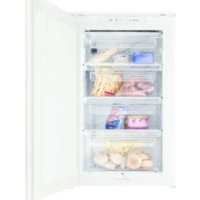
Manual assistant
Powered by Anthropic
Waiting for your message
Product information
Brand : ZANKER
Model : ZKF226A
Category : Freezer