
On Fadelite DT2021 - Smartwatch Diesel - Free user manual and instructions
Find the device manual for free On Fadelite DT2021 Diesel in PDF.


| Product Type | Smartwatch |
| Brand | Diesel |
| Model | On Fadelite DT2021 |
| Operating System | Wear OS by Google |
| Compatible Phones | Android and iOS |
| Bluetooth | Bluetooth 5.0 (typical) |
| Sensors | Heart rate, accelerometer, gyroscope (typical) |
| Activity Tracking | Move Minutes, Heart Points, steps, sleep, workout |
| Google Fit Integration | Yes |
| Google Assistant | Yes |
| Google Pay | Yes |
| Notifications | Call, text, app alerts |
| Music Control | Yes |
| Find My Phone | Yes |
| Display | Color touchscreen (AMOLED typical) |
| Battery | Rechargeable lithium-ion, up to 24 hours (typical) |
| Charging | Magnetic charger |
| Water Resistance | IP68 (typical) |
| Voice Assistant | Google Assistant |
Frequently Asked Questions - On Fadelite DT2021 Diesel
User questions about On Fadelite DT2021 Diesel
0 question about this device. Answer the ones you know or ask your own.
Ask a new question about this device
Download the instructions for your Smartwatch in PDF format for free! Find your manual On Fadelite DT2021 - Diesel and take your electronic device back in hand. On this page are published all the documents necessary for the use of your device. On Fadelite DT2021 by Diesel.
USER MANUAL On Fadelite DT2021 Diesel
Google Fit is here to coach users towards a healthier and more active life. Make sure you reach your daily goals with our new activity goals:

Move Minutes
Tracks all activity, no matter what gets users moving.

Heart Points
Credit for activities that get your heart pumping harder*.

Monitor progress
Track Move Minutes and Heart Points throughout the day.

Track stats
Smart sensors record the essentials, like heart rate*, speed, pace, route and more

Record reps
The strength training feature automatically counts reps while exercising.

Guided breathing
Follow calming, dynamic visuals that take you through breathing exercises.
*Heart rate monitoring varies based on model compatibility.
Help & Support
Sometimes we need a little extra help, luckily there's loads of resources out there to give you a helping hand when you need it.

Head to support.google.com/wearos and type your issue into the search bar to explore support articles and forum answers to help solve your problem.

There's even more help available at www.diesel.com. Find your model of smartwatch and view setup videos or download a quick-start guide to get you up and going as quickly as possible.

Prefer to talk? Head over to the Diesel website to find the contact number for Diesel in your country.

Wear OS by Google
DIESEL ON
SMARTWATCH

Wear OS by Google
Welcome to your new smartwatch
Let's get you started

DIESEL ON
SMARTWATCH
Getting set up
Let's start by linking your new smartwatch with your Android or iOS smartphone. Here's how:

Step 1:
Turn on your watch and phone. Download and open the Wear OS by Google app on the phone, open the app and tap Set it up.

Step 2:
On your phone, tap the name of your watch and compare the codes that appear on both screens.

Step 3:
If the codes that appear are the same, tap Pair on your phone. Pairing can take a few minutes.

Step 4:
If the two codes are not the same, restart your watch and try again.

Step 5:
If the codes still don't match: - Check your Bluetooth connection. - Restart both devices. - Unpair and try again.

Step 6:
To finish setting up, follow the onscreen instructions.
Bluetooth
Some things are better together. Your smartwatch can connect to Bluetooth devices to make your life even smoother.

Connect to Bluetooth devices:
- Set the Bluetooth device to pairing mode.
- Swipe down on your watch to open quick shade settings.
- Tap the Settings icons and go to Connectivity > Bluetooth > Available devices.
- Tap the name of the Bluetooth device to connect to it.
If you're having trouble connecting, try these steps:

Bluetooth connection:
On your phone, go to Settings > Device connection > Bluetooth and check that it is toggled on.

Airplane mode:
Swipe down on the watch face and look for the airplane icon. If it is highlighted, tap the icon to exit airplane mode.

Restart your watch:
Long hold the crown button and tap Restart to reboot your device.
Still not working? Head to support.google.com/wearos for further troubleshooting.
Navigation
Find your way around your new smartwatch.
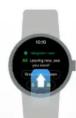
Swipe up to browse your notifications

Swipe down to access frequently used settings
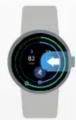
Swipe left to access Google Fit

Swipe right to get proactive help from the Google Assistant
Notifications

Scroll up and down to browse

Swipe left or right to dismiss

Tap to expand

Top tip: Long press the screen and swipe left or right to browse the watch face styles available, and choose one you love.
See what you can do
These useful features will help you get to know your new smartwatch.*

Proactive Help from the Google Assistant
Get a daily brief each morning with your agenda, the weather, upcoming travel plans, and more, all from your wrist with the Google Assistant.

Find my phone
Can't find your phone? No problem. Swipe down and tap the Find my Device icon to ring your phone. It will work even if your phone is on silent.

Pay on the go with Google Pay
Use contactless payment, straight from your watch. Download the app on your phone, add and verify the card you would like to use. Open the app on your watch and tap 'add card.

Control music
Pause or skip tracks and control the volume all with a tap. Swipe down to open the settings shortcuts and tap the music bar at the bottom.
*This functionality varies based on model compatibility.
- MOVE MINUTES
- HEART POINTS
- MONITOR PROGRESS
- TRACK STATS
- RECORD REPS
- GUIDED BREATHING
- HELP & SUPPORT
- WELCOME TO YOUR NEW SMARTWATCH
- GETTING SET UP
- STEP 1
- STEP 2
- STEP 3
- STEP 4
- STEP 5
- STEP 6
- BLUETOOTH
- CONNECT TO BLUETOOTH DEVICES
- IF YOU'RE HAVING TROUBLE CONNECTING, TRY THESE STEPS
- BLUETOOTH CONNECTION
- AIRPLANE MODE
- RESTART YOUR WATCH
- NAVIGATION
- NOTIFICATIONS
- SEE WHAT YOU CAN DO
- PROACTIVE HELP FROM THE GOOGLE ASSISTANT
- FIND MY PHONE
- PAY ON THE GO WITH GOOGLE PAY
- CONTROL MUSIC
Brand : Diesel
Model : On Fadelite DT2021
Category : Smartwatch