
USM2GLX - USB Hub SONY - Free user manual and instructions
Find the device manual for free USM2GLX SONY in PDF.


| Product Type | USB Hub / Flash Drive |
| Brand | Sony |
| Model | USM2GLX |
| Dimensions (approximate) | 50 mm x 20 mm x 10 mm |
| Weight (approximate) | 30 g |
| Interface | USB 2.0 (backward compatible with USB 1.1) |
| Power Supply | Via USB port (bus-powered) |
| LED Indicator | Flashing during data transfer |
| Capacity | Not specified (varies by version) |
| Operating System Support | Windows, macOS (plug-and-play) |
| Data Transfer Speed (USB 2.0) | Up to 480 Mbps |
| Storage Media | NAND flash memory |
| Compliance | CE, EN55022 Class B, EN55024 |
| Safety Warnings | Keep away from children. Do not expose to rain or moisture. |
| Cleaning Instructions | Wipe with a soft, dry cloth. Do not use solvents. |
| Repairability | Not user-serviceable. Refer to qualified personnel. |
| Accessories Included | None (device only) |
Frequently Asked Questions - USM2GLX SONY
User questions about USM2GLX SONY
0 question about this device. Answer the ones you know or ask your own.
Ask a new question about this device
Download the instructions for your USB Hub in PDF format for free! Find your manual USM2GLX - SONY and take your electronic device back in hand. On this page are published all the documents necessary for the use of your device. USM2GLX by SONY.
USER MANUAL USM2GLX SONY
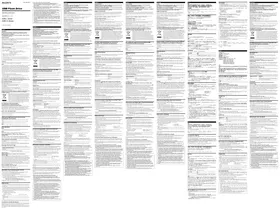
Operating Instructions
MICROVAULT.
USM-L Series
USM-LX Series
USM-J Series
Operating Instructions can be downloaded from the website: http://www.sony.net/Products/Media/Microvault/support/
© 2009 Sony Corporation Printed in Taiwan

English
WARNING
Keep away from children. If swallowed, promptly see a doctor.
To reduce the risk of fire or electric shock, do not expose this apparatus to rain or moisture. To avoid electrical shock, do not open the cabinet. Refer servicing to qualified personnel only. For Customers in Europe
This product conforms to the following European Directives:
2004/108/EC (EMC Directive)
This product complies with EN55022 Class B and EN55024 for use in the following areas; residential, commercial,
and light-industrial.
The manufacturer of this product is Sony Corporation, 1-7-1 Kohan Minato-ku Tokyo, 108-0075 Japan. The Authorized Representative for EMC and product Safety is Sony Deutschland GmbH, Heddinger Osten 61
The Authorized Representative for EMC and product Safety is Sony Deutschland GmbH, Heidelberg Straße 61, 20227 Stuttgart, Germany. For any service or compensation matters please refer to the addresses given in comments on
10327 Stuttgart, Germany. For any service or guarantee matters please refer to the addresses given in separate service or guarantee documents.
Disposal of Old Electrical & Electronic Equipment (Applicable in the European Union and
Disposal of Old Electrical & Electronic Equipment (Applicable) other European countries with separate collection systems)
This symbol on the product or on its packaging indicates that this product shall not be treated as household waste. Instead it shall be handed over to the applicable collection point for the recycling of electrical and electronic equipment. By ensuring this product is disposed of correctly, you will help prevent potential negative consequences for the environment and human health, which could otherwise be caused by inappropriate waste handling of this product. The recycling of materials will help to conserve natural resources. For more detailed information about recycling of this product, please contact your local Civic Office, your household waste disposal service or the shop where you purchased the product.
Basic Operation
Installing:
Plug the device into the USB port on your computer to play.
Disconnect
Please remove the device properly following the proper procedure depending on the OS. Otherwise, data may not be
recorded correctly. LED Indicator:
When the data transfer is in progress, the indicator light is flashing. Please do not remove the device while flashing.
It is strongly recommended that you periodically back up the data written on the unit.
Sony Corporation assumes no liability for any damage or loss of data that may occur.
French
WARNING
The fact that we have said, the company's name will be, down for our data, and it is well
- Success probability of the Thenderin efficiency (logal day Thenderin mag, the reality transactions in eqagatran
The Ground Truth image displays a single, solid horizontal line. According to Rule 2 (UNDERSCORE & LINE RULES), if the GT contains lines used for stylistic emphasis or as background elements (like ruled paper), the OCR result must ignore them. The line in the GT is clearly a stylistic or background line, not a placeholder for text. Therefore, the OCR should not have output any underscores. Outputting `____` constitutes an error under Rule 2, as it hallucinates placeholder symbols where none are semantically intended. Hence, the OCR result is inconsistent with the Ground Truth.
Czech
WARNING
WARNING
The Ground Truth image displays a single, solid horizontal line. According to Rule 2 (UNDERSCORE & LINE RULES), if the GT contains lines used for stylistic emphasis or as background elements (like ruled paper), the OCR result must ignore them. The provided OCR content is "____", which consists of four underscores. This is incorrect because underscores are not equivalent to a solid line and are not permitted under the “Stylistic/Background Lines (Ignore)” rule. The OCR has hallucinated underscores where none should exist in the GT, violating the “Stylistic/Background Lines (Ignore)” rule. Therefore, the OCR result is inconsistent with the Ground Truth.
Basics of use
Installation:
The Ground Truth image displays a single, solid horizontal line. According to Rule 2 (UNDERSCORE & LINE RULES), if the GT contains lines used for stylistic emphasis or as background elements (like ruled paper), the OCR result must ignore them. The provided OCR content is "____", which consists of four underscores. This is incorrect because underscores are not equivalent to a solid line and are not permitted under the “Stylistic/Background Lines (Ignore)” rule. Outputting underscores for a stylistic line violates the rule and constitutes an error. Therefore, the OCR result is inconsistent with the Ground Truth.
Slovak
WARNING
WARNING Keep out of reach of children. Before first use, clean the device thoroughly.
Keep out of reach of children. In case of ingestion, seek medical advice immediately.
Do not expose the device to rain or moisture, otherwise there is a risk of fire or
electric shock. To prevent electric shock, unplug the device. If you have any questions, contact
To prevent electric shock, do not open the housing. Repairs should be entrusted
only to qualified personnel.
For customers in Europe
Basic operations
Initialization:
Turkish
WARNING
∴ m = 3/11
Greek
PROTECHYEN
WARNING
The Ground Truth image displays a single, solid horizontal line. According to Rule 2 (UNDERSCORE & LINE RULES), if the GT contains lines used for stylistic emphasis or as background elements (like ruled paper), the OCR result must ignore them. The line in the GT is clearly a stylistic/background line, not a placeholder for text. Therefore, the OCR should not have output any underscores. Outputting `____` constitutes an error under Rule 2, as it hallucinates placeholder symbols where none are semantically intended. Hence, the OCR result is inconsistent with the Ground Truth.
Estonian
This product's manufacturer is Sony Corporation, 1-7-1 Konan Minato-ku Tokyo, 108-0075 Japan
Serie Seattle 0069 en Sony Corporation, P +1 Reitan Minimo Ka Tokyo, 100 0075 Japan. EMC is toadete ohtruse volitrad esindai on Sony Deutschland GmbH. Helellinger Stasse 61, 20327 Stuttgart, Gem
Teerindase ia garantija seotud kūsinusteza paturne pōjrduda erinevates teerindase ia garantii dokumentides mārgitad aadressil.
1. January 2017
Lithuanian
This product's manufacturer is Sony Corporation, 1-7-1 Konan Minato-ku Tokyo, 108-0075 Japan
This product's manufacturer is Sony Corporation, 1-7-1 Konan Minato-ku Tokyo, 108-0075 Japan. EMC and product safety authorized representative is Sony Deutschland GmbH. Hedelfinger Strasse 61, 70327 Stuttgart.
Erie - prudinio daugen, gaetlan alnavais jira solly bratislana diar. (Hezleminger strasse 61) Foser slangar, Germany. Bet kokiais su servisu arha garantija susiusiais klausimais pralogene kreintis adresu, kuris vya nuendytas.
atskirupose serviso arha naranjio
2017.03.25
Latvicki
Latviski
The manufacturer of this product is Sony Corporation, 1-7-1 Konan Minato-ku Tokyo, 108-0075 Japan.
EMC and product safety authorized representative is Sony Deutschland GmbH, Hebelinger Strasse 61, 70327 Stuttgart
Germany. For any service or warranty matters, please refer to the business address indicated in the separate service or warranty documents.
warranty
Svenska
Dansk
This product is manufactured by Sony Corporation, 1-7-1 Konan Minato-ku Tokyo, 108-0075 Japan
The manufacturer of this product is Sony Corporation, 1-7-1 Konan Minato-ku Tokyo, 106-0075 Japan.
EMC and product safety authorized representative is Sony Deutschland GmbH, Hedaellinger Strasse 61, 70327 Stuttgart


- ENGLISH
- BASIC OPERATION
- FRENCH
- CZECH
- WARNING
- BASICS OF USE
- INSTALLATION
- THE GROUND TRUTH IMAGE DISPLAYS A SINGLE, SOLID HORIZONTAL LINE. ACCORDING TO RULE 2 (UNDERSCORE & LINE RULES), IF THE GT CONTAINS LINES USED FOR STYLISTIC EMPHASIS OR AS BACKGROUND ELEMENTS (LIKE RULED PAPER), THE OCR RESULT MUST IGNORE THEM. THE PROVIDED OCR CONTENT IS "____", WHICH CONSISTS OF FOUR UNDERSCORES. THIS IS INCORRECT BECAUSE UNDERSCORES ARE NOT EQUIVALENT TO A SOLID LINE AND ARE NOT PERMITTED UNDER THE “STYLISTIC/BACKGROUND LINES (IGNORE)” RULE. OUTPUTTING UNDERSCORES FOR A STYLISTIC LINE VIOLATES THE RULE AND CONSTITUTES AN ERROR. THEREFORE, THE OCR RESULT IS INCONSISTENT WITH THE GROUND TRUTH
- BASIC OPERATIONS
- ∴ M
- GREEK
- PROTECHYEN
- THE GROUND TRUTH IMAGE DISPLAYS A SINGLE, SOLID HORIZONTAL LINE. ACCORDING TO RULE 2 (UNDERSCORE & LINE RULES), IF THE GT CONTAINS LINES USED FOR STYLISTIC EMPHASIS OR AS BACKGROUND ELEMENTS (LIKE RULED PAPER), THE OCR RESULT MUST IGNORE THEM. THE LINE IN THE GT IS CLEARLY A STYLISTIC/BACKGROUND LINE, NOT A PLACEHOLDER FOR TEXT. THEREFORE, THE OCR SHOULD NOT HAVE OUTPUT ANY UNDERSCORES. OUTPUTTING `____` CONSTITUTES AN ERROR UNDER RULE 2, AS IT HALLUCINATES PLACEHOLDER SYMBOLS WHERE NONE ARE SEMANTICALLY INTENDED. HENCE, THE OCR RESULT IS INCONSISTENT WITH THE GROUND TRUTH
- ESTONIAN
- JANUARY
- LITHUANIAN
- LATVICKI
- WARRANTY
- DANSK
Brand : SONY
Model : USM2GLX
Category : USB Hub