
ME 1245 W - Microwave BRANDT - Free user manual and instructions
Find the device manual for free ME 1245 W BRANDT in PDF.


| Product Type | Microwave |
| Brand | Brandt |
| Model | ME 1245 W |
| Capacity | 20 L |
| Dimensions (H x W x D) | 260 x 455 x 330 mm |
| Weight | 11 kg |
| Power Supply | 230 V / 50 Hz |
| Power Consumption | 1200 W |
| Microwave Power | 800 W |
| Frequency | 2450 MHz |
| Control Type | Dial and buttons |
| Display | LED digital |
| Functions | Defrost, Auto cook, Timer, Clock |
| Door Type | Drop-down |
| Interior Light | Yes |
| Turntable | Yes, Ø 245 mm |
| Child Lock | Yes |
| Cleaning | Wipe with damp cloth; avoid abrasives |
| Spare Parts Availability | Contact Brandt after-sales service |
| Warranty | 1 year |
Frequently Asked Questions - ME 1245 W BRANDT
User questions about ME 1245 W BRANDT
0 question about this device. Answer the ones you know or ask your own.
Ask a new question about this device
Download the instructions for your Microwave in PDF format for free! Find your manual ME 1245 W - BRANDT and take your electronic device back in hand. On this page are published all the documents necessary for the use of your device. ME 1245 W by BRANDT.
USER MANUAL ME 1245 W BRANDT
You have just purchased a Brandt microwave oven and we would like to thank you.
We have placed in this appliance all our passion and know-how so that it best meets your needs. Innovation and performance: we designed it so that it is always easy to use.
In the line of Brandt products, you will also find a wide range of ovens, hobs, ventilation hoods, electronic cookers, dishwashers, refrigerators and freezers that can be coordinated with your new Brandt microwave oven.
Of course, in an ongoing effort to satisfy your demands with regard to our products as best as possible, our after-sales service department is at your disposal and ready to listen in order to respond to all of your questions and suggestions (contact information at the end of this booklet).
You can also log on to our web site at www.brandt.com where you will find all our products, as well as additional, useful information.
BRANDT
As part of our commitment to constantly improving our products, we reserve the right to make changes to their technical, functional and/or esthetic properties in line with their technological development.

Attention: Before installing and using your appliance, please carefully read this Guide to Installation and Use, which will allow you to quickly familiarize yourself with its operation.
www.brandt.com

1/NOTICES TO THE USER
- Safety recommendations .... 4
- Protecting the environment 6
2/INSTALLING YOUR APPLIANCE
- Building in 8
- Electrical connection 9
3/DESCRIPTION OF YOUR APPLIANCE
• The appliance 11 • Control panel 12 - Function selector 13 - Display 13
4/USING YOUR APPLIANCE
- Setting and adjusting the time 14
- Stopping the turntable 14
- Programming 15
- Using the power levels 15
- Microwave function 16
- Express Microwave Programme 16
- Keep warm function 17
- Defrosting 18
- Speed Defrost function 19
- Defrosting guide 19
- Memory programmes M1 / M2 / M3 20
- Timer 20
- Child Safety 21
5/CARING FOR AND CLEANING YOUR APPLIANCE 21
6/TROUBLESHOOTING 22
7/FUNCTIONAL APTITUDE TESTS 23
8/AFTER SALES SERVICE 24
IMPORTANT SAFETY INSTRUCTIONS - READ CAREFULLY AND RETAIN FOR FUTURE USE.

Warning:
Keep this user guide with your appliance. If the appliance is ever sold or transferred to another person, ensure that the new owner receives the user guide. Please become familiar with these recommendations before installing and using your oven. They were written for your safety and the safety of others.
WARNING:
This appliance may be used by children aged 8 years and older, and by persons with impaired physical, sensorial, or mental capacities, or without experience or knowledge, if they are supervised or have received prior instructions on how to use the appliance safely and have understood the risks involved. Children must not be allowed to play with the appliance. Cleaning and maintenance operations must not be carried out by children without supervision.
Children must be supervised to prevent them from playing with the appliance.
WARNING:
- Only allow children to use the oven without supervision if adequate instructions have been given so that the child is able to use the oven safely and understands the dangers of incorrect use.
- The appliance and the accessible parts of it will become hot during use. Be careful not to touch the heated elements.
Children under the age of 8 years must not be allowed to touch the appliance, unless they are supervised continually.
WARNING:
- It is dangerous for anyone other than a qualified person to perform maintenance or repairs that requires the removal of the cover providing protection against exposure to microwave power.
WARNING:
Liquids and other foods must not be heated in sealed containers, as they may explode.
- If the appliance is being used in combination mode, it is recommended that children only use the oven under adult supervision due to the temperatures generated.
- Only use utensils suitable for usage in microwave ovens.
- While heating food items in plastic or paper containers, monitor the microwave's contents, since there is a risk of spontaneous combustion.
- If smoke appears, stop or unplug the oven and leave the door closed to smother any flames that may appear.
- Heating beverages in the microwave oven can cause the sudden and/or delayed splattering of boiling liquid, so care must be taken when handling their containers.
- The contents of baby bottles and baby food jars must be stirred or rearranged and the temperature must be checked before consumption, so as to prevent burning.
- It is not recommended to heat eggs in their shells or whole hardboiled eggs in a microwave oven, as they may explode, even after cooking has ended.
This appliance is designed to cook with the door closed.
- Your appliance is designed for standard household use for cooking, reheating and defrosting foods. The manufacturer declines any responsibility in the case of inappropriate use.
- This appliance is designed to be used for domestic and similar applications such as:
- Kitchen areas for the staff of shops, offices and other professional premises.
- Farms.
- Use by clients of hotels, motels and other residential type establishments; guest house type environments.
WARNING:
- If the door or door seal is damaged, the oven should not be used until it has been repaired by an authorised person.
- It is recommended that you clean your oven regularly and remove any food build-up.
- If the appliance is not cleaned regularly, its surface could become damaged, permanently affecting the appliance's lifespan and possibly causing a safety hazard.
- Do not use abrasive cleaning products or hard metal scrapers for cleaning the glass oven door, as they could scratch the surface and cause the glass to shatter.
Do not use a steam cleaner.
CARE FOR THE ENVIRONMENT
- This appliance's packing materials are recyclable. Recycle them and play a role in protecting the environment by depositing them in municipal containers provided for this purpose.
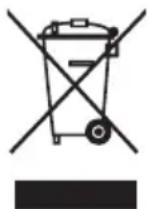
- Your appliance also contains many recyclable materials. It is therefore marked with this logo to indicate that used appliances must not be mixed with other waste. Recycling of the appliances organised by your manufacturer will thus be undertaken in optimum conditions, in accordance with European directive EC/2002/96 relating to electrical and electronic equipment waste. Consult your city hall or your retailer to find the drop-off points for used appliances that is nearest to your home.
- We thank you for your help in protecting the environment.
STANDBY MODE
In order to limit power consumption, the display will fade after 30 seconds of inactivity.
Depending on the model of oven, when a delayed start is programmed an animation will be displayed alternately with the time to indicate that the oven is in “Standby mode”.
The display will return to normal brightness if the cooking selector is moved or if a button is pressed.

Warning
If the power cable is damaged, it should be replaced by the manufacturer, its after-sales service department or by a similarly qualified person in order to avoid danger.
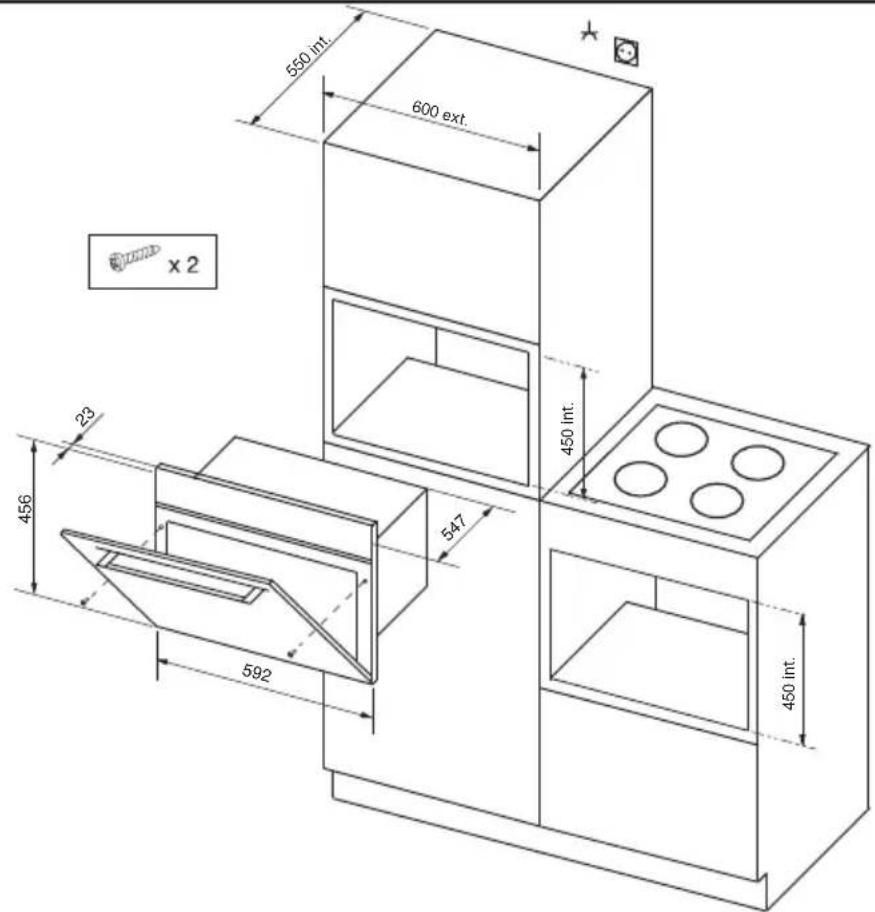
Fig.02
CHOICE OF LOCATION
The diagrams above determine the dimensions of a cabinet that will be able to hold your oven. The oven can be installed under a work top or in a column of cabinetry (open* or closed) having the appropriate dimensions for built-in installation (see adjacent diagram).
Your oven has optimised air circulation that allows it to achieve remarkable cooking and cleaning results if the following guidelines are followed:
- Centre the oven in the cabinet so as to guarantee a minimum distance of 10 mm between the appliance and the neighbouring cabinet.
- The material or coating of the cabinet must be heat-resistant.
- For increased stability, fix the oven in the cabinet by means of 2 screws through the holes designed for this purpose on the lateral mounts (fig.1).
FITTING
To do this:
1) Remove the rubber screw covers to access the mounting holes. 2) Drill a ∅ 2 mm hole in the cabinet panel to avoid splitting the wood. 3) Attach the oven with the two screws. 4) Replace the rubber screw covers (they also serve to absorb the shock caused by closing the oven door). (*) if the cabinet is open, its opening must be 70 mm (maximum).

Tip
To be certain that you have properly installed your appliance, do not hesitate to seek advice from a household appliance specialist.
• ELECTRIC CONNECTION
Electrical safety must be ensured by a correct build-in. During fitting and maintenance operations, the appliance must be unplugged from the electrical grid; fuses must be switched off or removed.
The electrical connection should be performed before the appliance is installed in the cabinet.
Ensure that:
- the electrical installation has sufficient voltage,
- the electrical wires are in good condition
- the diameter of the wires complies with the installation requirements.
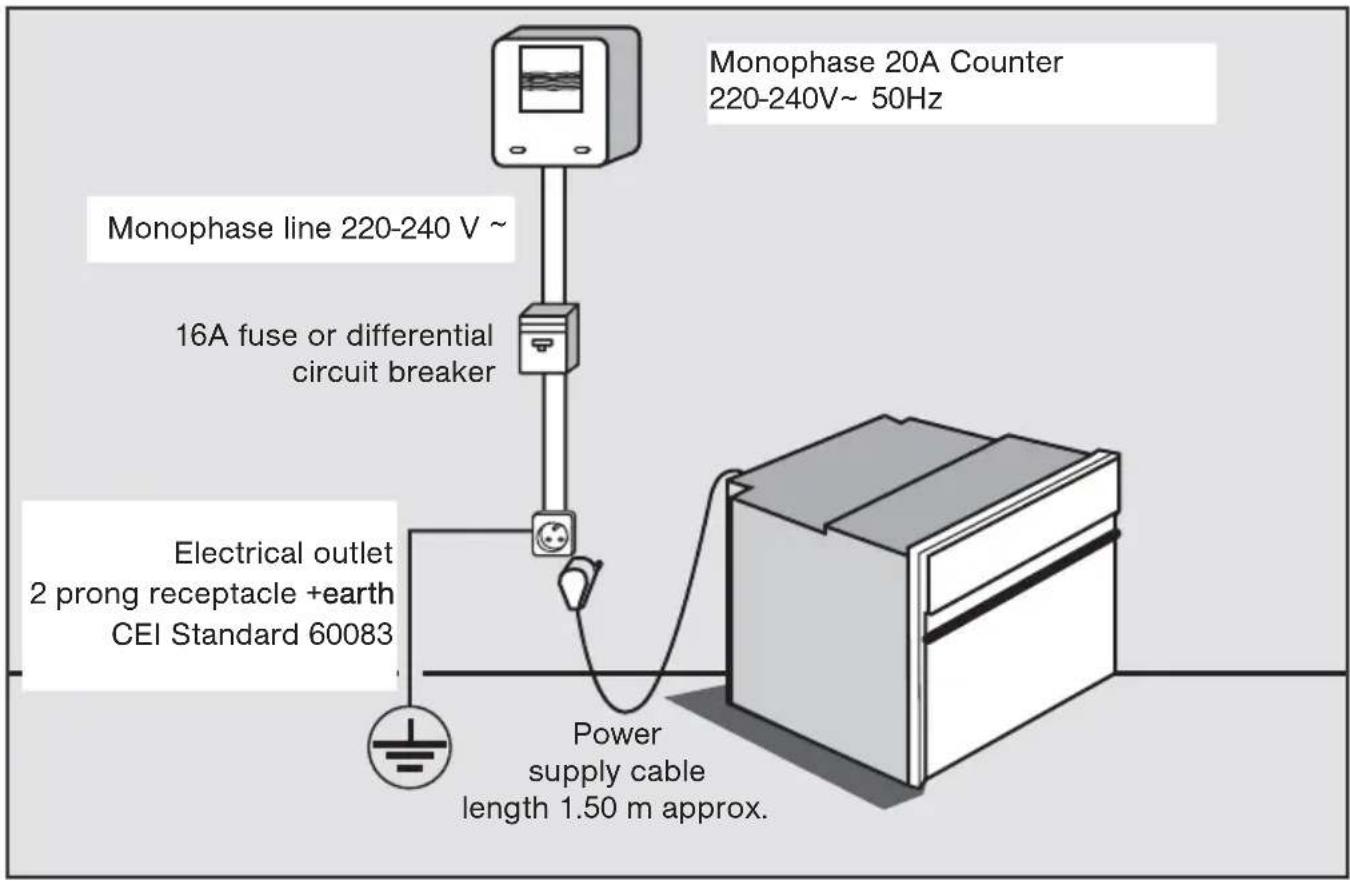
Your oven must be connected with a (standardised) power cable with 3 conductors of 1.5mm2 (1 live + 1 neutral + earth) which must be connected to a 220-240V\~ single-phase grid via the intermediary of a 1 live + 1 neutral + earth CEI 60083 standardised power socket or via an all-pole cut-off device or in compliance with the installation rules.

Warning
The safety wire (green-yellow) is connected to the appliance's terminal and must be connected to the ground lead of the electrical set-up.
In the case of connection to an electric wall socket, it must remain accessible after installation.
The fuse in your set-up must be 16 amperes.
If the power cable is damaged, it must be replaced by the manufacturer, its After-Sales Service Department or a similarly qualified person to avoid danger.
It must be possible to disconnect the appliance from the power supply, either using a plug or by fitting a switch on the fixed wiring system in accordance with installation rules.

Warning
We cannot be held responsible for any accident or incident resulting from non-existent, defective or incorrect earthing. If the electrical installation in your residence requires any changes in order to hook up your appliance, call upon a professional electrician.
If the oven malfunctions in any way, unplug the appliance or remove the fuse corresponding to the sector where the oven is hooked up.
• THE APPLIANCE
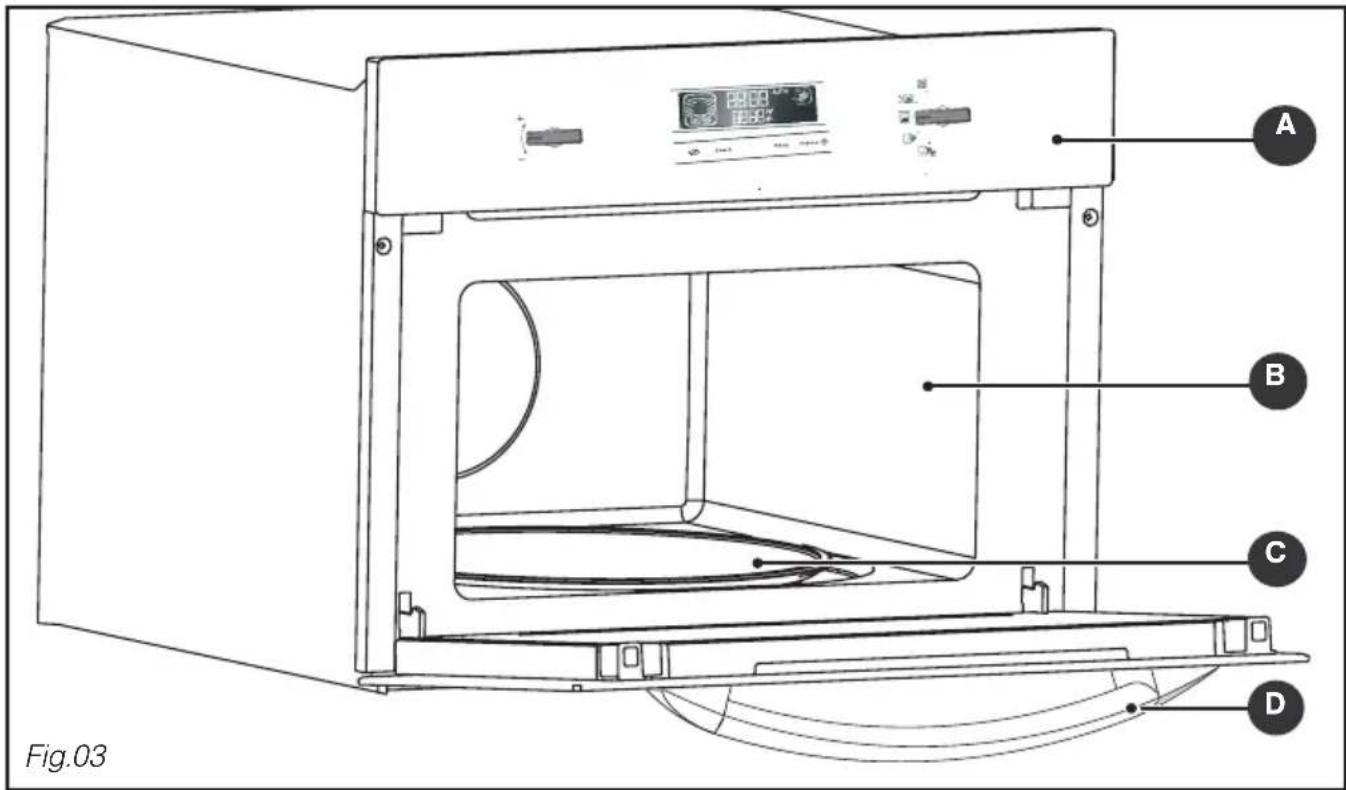
A Control panel B Cavity © Turntable D Door handle
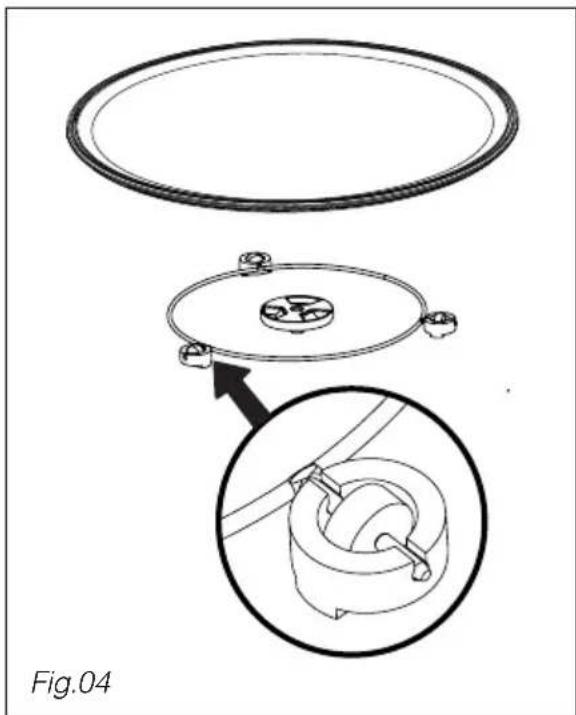
- Turntable: Enables even cooking of foods with no handling.
It rotates indiscriminately in both directions. If it is not rotating, ensure that all the components are properly positioned.
Do not attempt to rotate it manually; you risk damaging the drive system.
It can be used as a cooking dish. To remove it, take hold of it using the access zones defined in the cavity.
- The driver: causes the glass turntable to rotate (Fig.04).
- The base rollers: The wheels must be placed in the right direction (Fig.04).
In the event of poor rotation, ensure that there are no foreign matter under the wheels.
• CONTROL PANEL
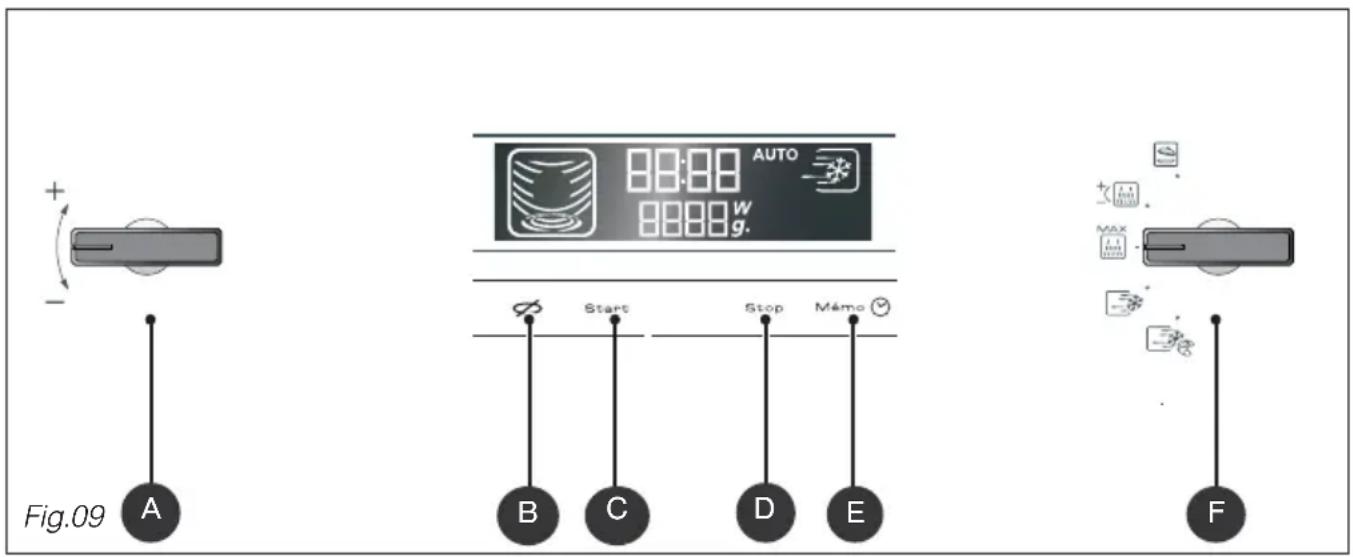
A The “-/+” selector allows you to set the time, duration of programme the power level, the weight of the food, and memorised programmes. B The STOP TURNTABLE touch control stops the rotation of the turntable to allow for the use of dishes that require all the space available in the oven. C The START touch control allows you to start a programme. D The STOP touch control allows you to suspend or stop a programme underway. E The MEMO touch control lets you programme and initiate the memory function.
Pressing for five seconds allows you to access the CLOCK function to set the time.
F The FUNCTION selector lets you choose the desired programme.
• FUNCTION SELECTOR
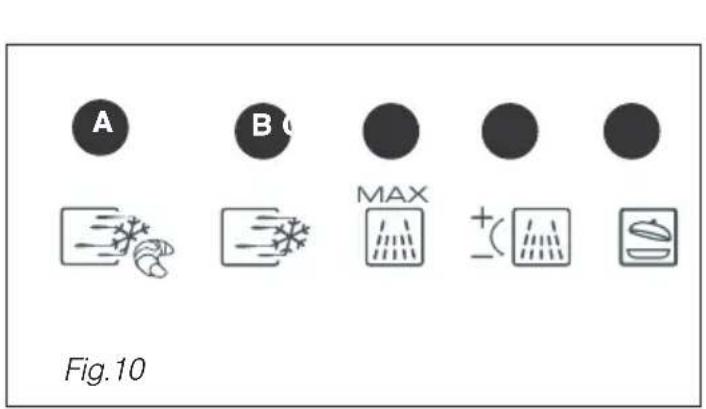
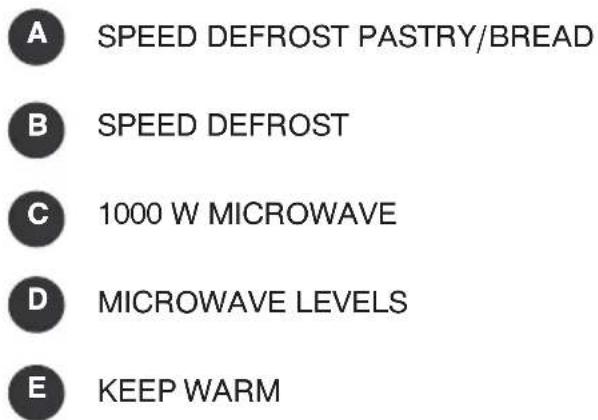
• DISPLAY
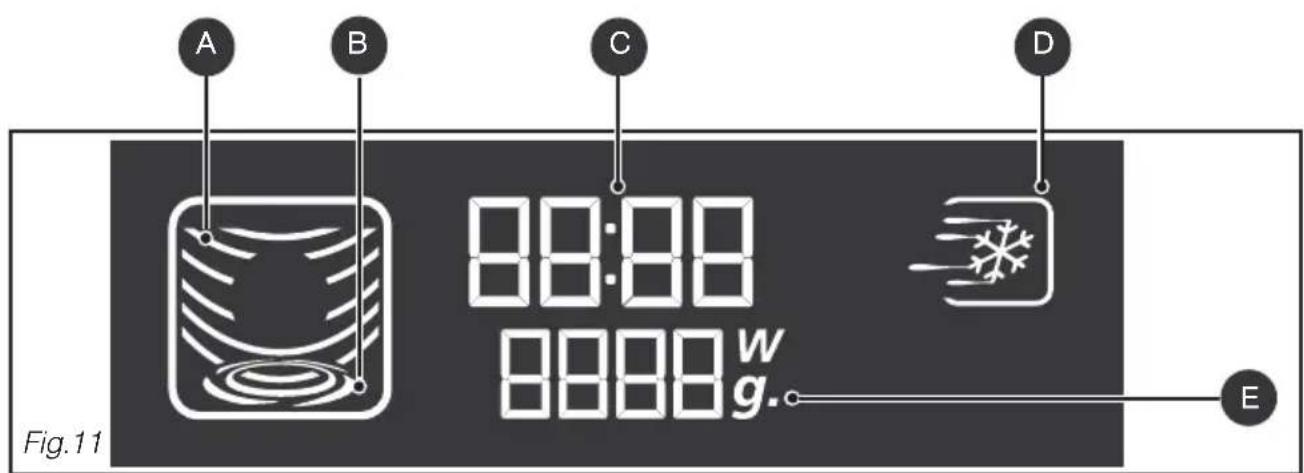
The display guides you through programming the various settings:
Time, Programme length, Microwave power level (Watts),
Food weight (grams), Stop turntable, Automatic programmes
COOKING ANIMATION depending on the selected function
A MICROWAVE
B TURNTABLE
C TIME/PROGRAMMING TIME
D SPEED DEFROST
After hooking up your appliance or after an extended power outage, "12:00" will flash in the display.
To set the time on the clock Display
| Mémo | Turn the +/- selector to set the time, e.g 6:30. Confirm by pressing the MEMO touch control. A beep confirms that the time has been set. | 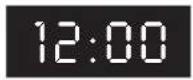 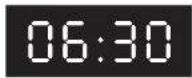 |
| To change the time Display | ||
| Mémo | Press and hold the MEMO touch control for five seconds. The time display flashes. | 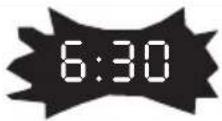 |
| Mémo | Enter the new time (e.g. 7:30) by turning the +/- selector. Confirm by pressing the MEMO touch control. A beep confirms that the new time has been set. | 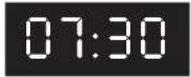 |

Comments:
After 30 seconds if you do not press the MEMO touch control, the time adjustment is cancelled.
• STOPPING THE TURNTABLE
If you think that there is not enough space for your dish to rotate freely in the oven, programme the STOP TURNTABLE FUNCTION before or during the programme.
Note: It is not possible to stop the turntable during an automatic defrosting programme.
Programme
| Press the STOP TURNTABLE touch control; the turntable symbol changes.To cancel this function, press again. |  | |
| Comments:You must turn the cookware and stir its contents halfway through the programme if the stop turntable function is activated. | 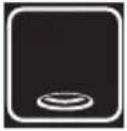 |
• PROGRAMMING
Your appliance is now hooked up and the correct time is set.
Open the door using the handle. Place the food in the appliance, then close the door.
If the door is not closed properly, the appliance will not function.
Opening the door during operation does not cancel the current programme; it merely suspends it. To restart the oven, close the door and press the START touch control.
If programming is not followed by any action after one minute, three beeps are sounded to invite you to start or modify the programme. If you do not give any instructions, after 30 seconds the settings are cancelled and you will have to reprogramme.
Press the STOP touch control when the door is closed to interrupt the programme.
To cancel the programme, open the door and press STOP or press and hold the STOP touch control for two seconds with the door closed.
To enter a second programme after the end of the first one, open the door and close it.
Three beeps are sounded to indicate the end of each programme and the time is again displayed in the display panel.
If the door is left open, the light turns off after 3 minutes.
To eliminate moisture, your appliance is equipped with a delayed ventilation function.
The oven's ventilation continues to function after the end of the programme. It will stop automatically.

| Power level Use | |
| 1000 W/900W | Quickly reheating beverages, water and dishes containing a large volume of liquid.Cooking dishes containing alot of water (soups, sauces, tomatoes, etc.). |
| 800 W/700W | Cooking fresh or frozen vegetables. |
| 600 W | Melting chocolate. |
| 500 W | Cooking fish and seafood. Reheating on two levels.Cooking dried beans at low heat. Reheating or cooking fragile, egg-based dishes. |
| 400 W/300W | Low-heat cooking of dairy products, jams. |
| 200 W | Manual defrosting. Softening butter, ice cream. |
| 100 W | Defrosting pastries containing cream. |
MICROWAVE OVEN OUTPUT: 1000 W
• MICROWAVE FUNCTION
1000W Direct programming Display
| MAX | Turn the function selector to choose the maximum power microwave function. The microwave display lights up; 1000 W appears in the display. | 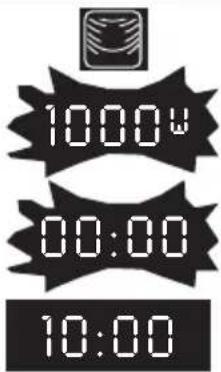 |
| The clock's digits start flashing in the display. | ||
| Turn the +/- selector to adjust the programme time, e.g. 10 minutes. | ||
| Start | Confirm the selection by pressing START. The oven turns on and the programme begins. | |
| Programming by power level Display | ||
| + - | Turn the function selector to choose the variable power microwave function. The maximum power level, 1000 W, flashes in the display. | 1000v |
| Start | Turn the +/- selector to reduce the power of the microwave oven, e.g. 500 W. Confirm the power level by pressing START; the clock's digits begin flashing in the display. | 500v |
| Turn the +/- selector to adjust the programme time, e.g. 10 minutes. | 00:00 | |
| Start | Confirm the selection by pressing START. The oven turns on and the programme begins. | 10:00 |

Comments:
If the door is opened during cooking, the oven stops and the remaining time flashes in the display. To continue the programme, simply close the door and press START.
The duration can be adjusted at any time by simply turning the + / - selector
• EXPRESS MICROWAVE PROGRAMME
Express programming Display
| Start | Press the START touch control for one second to enter a 15 second express programme. | 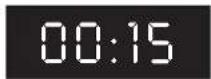 |
| The microwave operates at its maximum power level (1000 W). The oven turns on and the programme begins. | ||
| You can enter an express program ranging up to 2 min 30 s. Up to one minute, each time you press START 15 seconds are added to the programme. Over one minute, 30 seconds are added until the maximum time of 2 min 30 s is reached. | 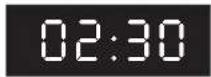 |

Comments:
After starting the programme, you can modify its duration by turning the + / - selector up to 2 min 30 s.
- KEEP WARM FUNCTION
This function allows you to maintain the temperature of your dish at the end of a programme.
Programming the keep warm function Display
| Select KEEP WARM with the function selector.The corresponding symbol lights up, 00:00 blinks in the display. | 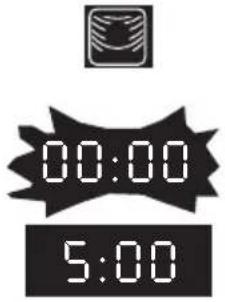 | |
| Turn the + / - selector to set the required time, ex. 5 min. | ||
| Start | Confirm by pressing START. Two beeps confirm the selection.The oven turns on and the programme begins. |

Comments :
You may programme the KEEP WARM function for up to 60 minutes.
You may change the KEEP WARM function programme time whenever you like.
- KEEP WARM FUNCTION
If you leave your dish in the oven without opening the door at the end of a programme with microwaves, a "keep warm" function starts up after a couple of minutes to maintain the temperature of your dish. (HH= Heat and Hold) A triple beep after 15 minutes announces the end of the keep warm programme.
• DEFROSTING
Using your microwave oven to defrost frozen vegetables enables you to save a lot of time. To defrost food, use the SPEED DEFROST function or the MICROWAVE function set to power level 200 W (defrost).

Note:
Small cuts of meat and fish can be cooked immediately after defrosting. Larger cuts such as meat roasts or whole fish will still be slightly frozen at the end of the defrost programme.
We recommend that you let them sit for a period at least as long as the defrosting time so that they reach a uniform temperature.
Foods covered with ice crystals will take longer to defrost. In this case, you can increase the defrost time.

Recommendations:
The defrost time depends on the appliance type. It also depends on the shape, size, initial temperature and quality of the food.
In most cases, food should be removed from its packaging. Remember to remove the metal staples from packaging.
Halfway through the defrost time, the pieces should be turned over, mixed and separated if they were frozen together.
If you defrost large pieces of meat or fish that prevent the rotation of the turntable, engage the Stop Turntable function. If you do this, remember to stir food regularly.
Defrost the meat and fish by placing it on an upside-down saucer positioned on a plate; this allows juices to flow out. If it stays in contact with the food, it will overheat.
Never refreeze food unless it has been cooked.

Length of defrost programmes:
The durations of defrost programmes were calculated based on food frozen at -18° C. This gives you an indication of the required defrosting time, but the actual duration may vary based on the thickness, shape, size and packaging of the food.

Choosing a programme :
Two automatic defrost programmes are available:

defrosting meats, poultry, fish, vegetables, ready-made dishes
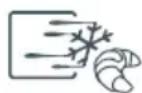
defrosting bread and pastry
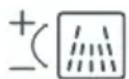
Choose the 200 W microwave function (defrosting power level) if you want to defrost quantities that are not covered by the SPEED DEFROST programmes. Enter the desired defrosting time. You can refer to the following table for suggested defrosting times.
• SPEED DEFROST FUNCTION
Choose the type and quantity of food that you wish to defrost and the automatic function will programme the appropriate defrosting time.
Speed defrost Display
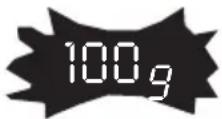
 | Turn the function selector to choose the “Speed Defrost” function. The corresponding display lights up.100 g appears in the display.Turn the +/- selector to adjust the weight, e.g. 400 g. Confirm the selection by pressing START. |  |
 | ||
| Start | The necessary programme time is automatically calculated (e.g. 6 min 30 s).The time appears in the display with the appropriate functions for defrosting.The programme begins. | 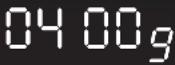 |
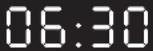 |

Comments:
Proceed in the same manner for breads and pastry, choosing the specific Speed Defrost function .
The defrost time is automatically calculated based on the weight of the food.
This may depend on the initial temperature of the food (the times are calculated for food frozen at -18°C ).
For foods weighing over 350 g (except for bread/pastry), a beep is sounded halfway through the Speed Defrost programme to remind you that it is time to turn over the food to achieve better results; the word “Turn” is displayed. After turning the food, close the door and press START to continue the defrosting programme.
With the Speed Defrost function, the defrost time cannot be modified.
To achieve even results, the STOP TURNTABLE function cannot be used with the Speed Defrost function.
As for foods that do not appear in the food category recommendations, use the 200 W MICROWAVE function. Refer to the comments below to find the recommended programme times.
• DEFROSTING GUIDE
| Food Quantity Time (min) | Recommendations | |
| Flaky or short crust 400 g 1 - 3 | Place on paper towels;turn midway through programme. | |
| Sea scallops 500 g 5 - 7 | Place on a plate;stir midway through programme. | |
| Peeled pink shrimp 100 g 1 - 2 | “ “ | |
| Whole pink shrimp 200 g 2 - 4 | “ “ | |
| Rock lobster/prawns (10) 500 g | 6 - 8 | “ |
| StrawberriesRaspberries/cherriesGooseberries/blueberries/blackcurrants | 250 g 7 - 9 | 6 - 85 - 7 |
• MEMORY PROGRAMMES M1 / M2 / M3
The three memory functions allow you to record three common programmes that you can then select rapidly.
Programming a memory touch control Display
| Mémo | Access the memory function by pressing the MEMO touch control. M1 flashes. (Press the touch control again to switch to M2... M3.) |  |
| Enter the cooking programme of your choice. | ||
| Mémo | Instead of pressing START, confirm your programme by pressing the MEMO touch control for a second. M1 (M2/M3) is displayed and a beep confirms the programme was saved. |  |
| Using a memorised programme Display | ||
| Mémo | Press the MEMO touch control; M1 is displayed.Choose memory programme M2 or M3 by again pressing the touch control. |  |
| Start | The memorised programme is displayed.Confirm the selection by pressing START.The oven turns on and the programme begins. |

Notes:
Follow the same procedure to cancel and replace the previously entered programme.
You can use the memory feature for all functions.
• TIMER

You can also program the "TIMER" function on your microwave oven.
Programming Display
| Start | Turn the +/- selector to enter the desired time, e.g. 10 minutes. | 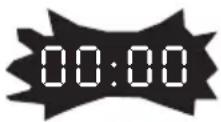 |
| Confirm the selection by pressing START. | ||
| The countdown of the entered time begins. | 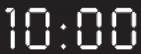 | |
| Stop | Three beeps are sounded to announce the end of the programme. | |
| To cancel, press STOP for two seconds. |
- CHILD SAFETY
You can activate the "CHILD SAFETY" function to prevent the unauthorized use of your microwave oven.
| Programming | Display | |
| Stop | Open the door and press the STOP touch control for five seconds, until the key symbol appears in the display. Two beeps are sounded to confirm that your microwave oven is temporarily locked.No programmes are available.To cancel:Follow the same procedure:Press the STOP touch control for five seconds with the door open. The key symbol disappears and the clock is displayed.Two beeps are sounded to confirm the procedure. | 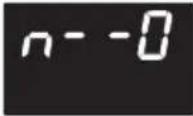 |
5/CARING FOR AND CLEANING YOUR APPLIANCE
It is recommended that you regularly clean your oven and remove any food build-up on the inside and outside of the appliance. Use a damp, soapy sponge. If the appliance is not cleaned regularly, its surface could become damaged, permanently affecting the appliance's lifespan and possibly causing a safety hazard. If the door or door hinge are damaged, the oven should not be used until it has been repaired by an authorized person.
Do not clean the appliance with a steam cleaner.
The use of abrasive products, alcohol, or thinner is not recommended; they may damage the appliance.
In the event of odor or caked-on dirt, boil water with lemon juice and vinegar in a cup for two minutes and clean the insides with a bit of dishwashing liquid.
The table can be removed to facilitate cleaning. To do this, use the access zones provided for this purpose. If you remove the drive, do not let water penetrate into the motor axle hole.
Don't forget to return the drive, base rollers, and turntable.
If you have doubts about the proper functioning of your appliance, this does not necessarily mean that there is a breakdown. In any event, check the following items:
| You observe that ... What should you do? | |
| The time counts down, but the appliance is not working (the turntable is not rotating and food is not heated). “Time/demo” flash alternately in the display. | Your appliance is in DEMONSTRATION mode. Simultaneously press the STOP TURNATABLE, START and STOP touch controls for five seconds. |
| The appliance does not start. | Check the electrical connection of your appliance.Ensure that your oven's door is fully closed.Ensure that the child safety feature  not activated. not activated. |
| The appliance continues to make noise after the end of the cooking time. | To evacuate residual water vapour, your appliance is equipped with a delayed ventilation feature. The fan continues to function for 15 minutes after the end of the programme. |
| The appliance is noisy.The turntable does not rotate properly. | Clean the wheels and the rolling area under the turntable.Ensure that the wheels are properly positioned. |
| You see steam on the window. | Wipe the condensation away with a cloth. |
| Food is not heated during a microwave programme. | Ensure that the cookware is suitable for microwave ovens and that the power level is appropriate. |
| The appliance is creating sparks. | Thoroughly clean the appliance: remove grease, cooking particles, etc.Remove any metal items from the walls of the oven.Never use metal items with the grid. |
Functional aptitude tests in accordance with CEI/EN/NF EN 60705 norms 60705.
The International Electrotechnical Commission, SC.59K, has established a standard for comparative performance tests conducted on various microwave ovens.
We recommend the following for this appliance:
| Test Load | Approx. time (min) | Power level | Cookware / Tips | |
| Set custard (12.3.1) | 1000 g | 16 - 18 | 500 W | Pyrex 227On the turntable |
| 750 g | 13 - 15 | Pyrex 220On the turntable | ||
| Savoie cake (12.3.2) | 475 g 6 - 7 | 700 W | Pyrex 827On the turntable | |
| Meat loaf (12.3.3) | 900 g 14 | 700 W | Pyrex 838Cover with plastic film.On the turntable | |
| Defrosting meat (13.3) | 500 g | 11 - 12 | 200 W | On the turntable |
| Defrosting raspberries (B.2.1) | 250 g 6 - | 7 200 W | On a flat plateOn the turntable |
• SERVICE CALLS
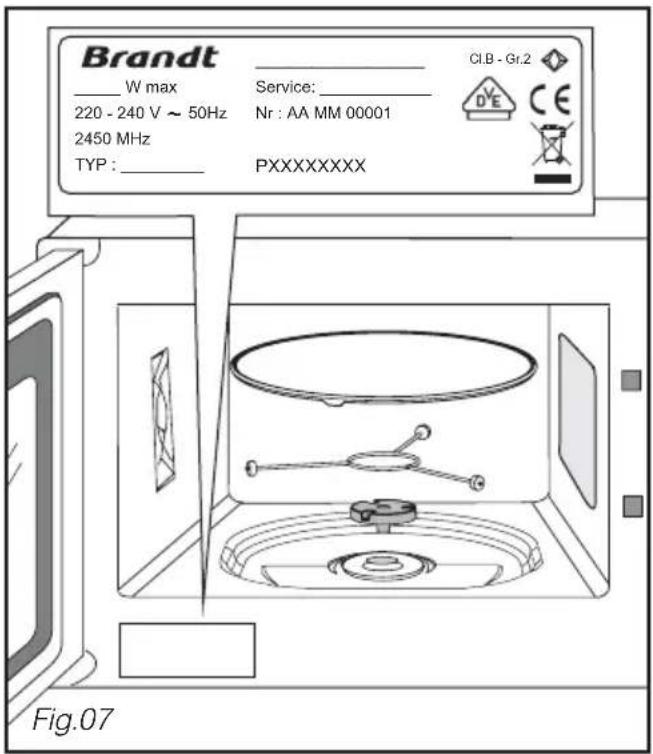
Any repairs that are made to your appliance must be performed by a qualified professional certified as a brand agent. When you call, please mention your appliance's "Service" reference, as well as the "Nr" serial number. This information appears on the manufacturer's nameplate (see Fig. 1).
ORIGINAL PARTS
When servicing is performed, ask the engineer to only use certified original spare parts.




- NOTICES TO THE USER
- INSTALLING YOUR APPLIANCE
- DESCRIPTION OF YOUR APPLIANCE
- USING YOUR APPLIANCE
- CARING FOR AND CLEANING YOUR APPLIANCE
- TROUBLESHOOTING
- FUNCTIONAL APTITUDE TESTS
- AFTER SALES SERVICE
- WARNING
- CARE FOR THE ENVIRONMENT
- STANDBY MODE
- CHOICE OF LOCATION
- FITTING
- TO DO THIS
- TIP
- ELECTRIC CONNECTION
- ENSURE THAT
- THE APPLIANCE
- CONTROL PANEL
- FUNCTION SELECTOR
- DISPLAY
- COMMENTS
- STOPPING THE TURNTABLE
- PROGRAMMING
- TO ENTER A SECOND PROGRAMME AFTER THE END OF THE FIRST ONE, OPEN THE DOOR AND CLOSE IT
- MICROWAVE FUNCTION
- EXPRESS MICROWAVE PROGRAMME
- KEEP WARM FUNCTION
- DEFROSTING
- NOTE
- RECOMMENDATIONS
- LENGTH OF DEFROST PROGRAMMES
- CHOOSING A PROGRAMME
- SPEED DEFROST FUNCTION
- MEMORY PROGRAMMES M1 / M2 / M
- NOTES
- TIMER
- CHILD SAFETY
- SERVICE CALLS
- ORIGINAL PARTS
Brand : BRANDT
Model : ME 1245 W
Category : Microwave