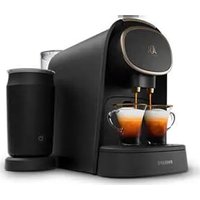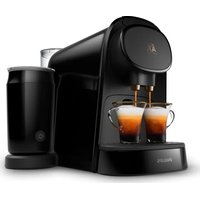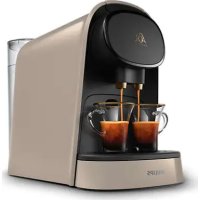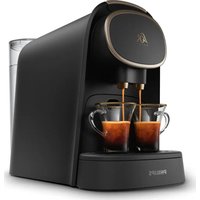
L'or Barista LM8016 - Coffee machine

Barista LM8016 - Coffee machine L'or - Free user manual and instructions

Find the device manual for free Barista LM8016 L'or in PDF.

📄 160 pages English EN Download 💬 AI Question 10 questions ⚙️ Specs
Notice L'or Barista LM8016 - page 4
Pick your language and provide your email: we'll send you a specifically translated version.
BrandL'or
ModelBarista LM8016
Product typeCapsule coffee machine
Power supply220-240 V, 50-60 Hz
Power1300 W (estimated)
Capsule compatibilityL'or Espresso, L'or Barista, Nespresso and brands Douwe Egberts, JACOBS, Jacqmotte, Jacques Vabre, Grand Mère, Marcilla, Moccona, Saimaza, Senseo capsules
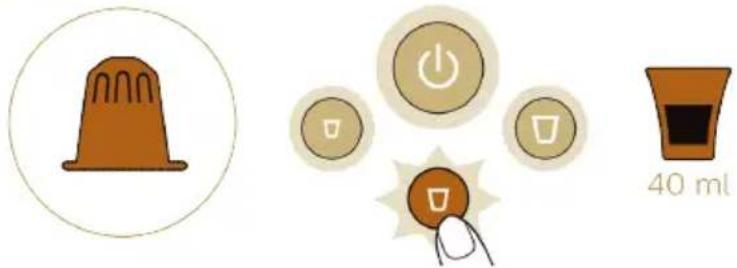
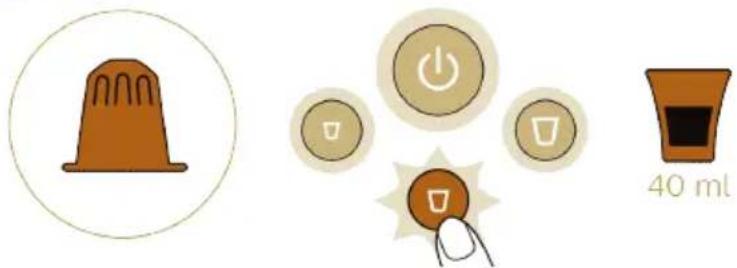
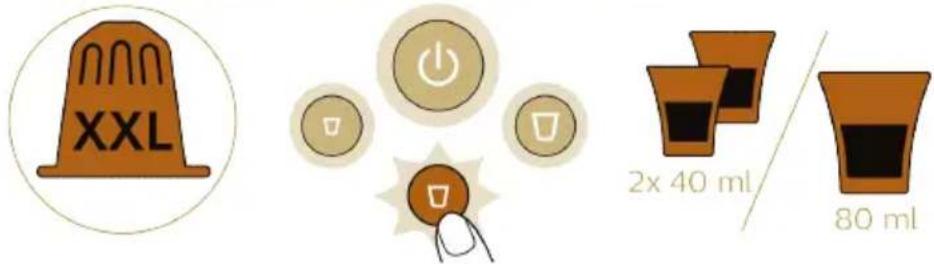
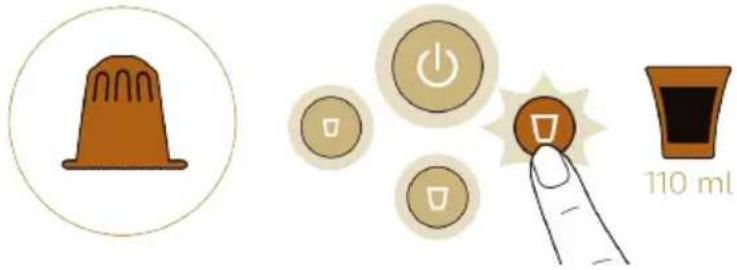
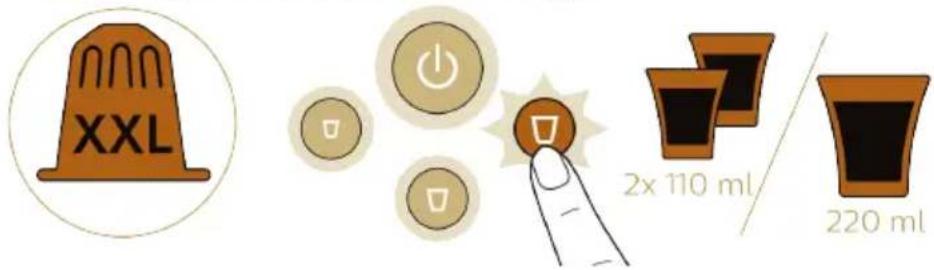
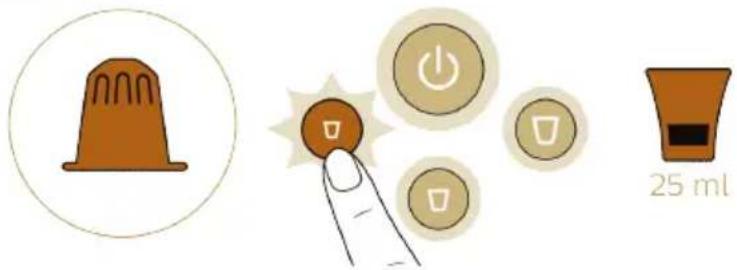
PreparationsRistretto (25 ml), Espresso (40 ml), Lungo (110 ml) for single dose; volumes doubled for double dose
FunctionsRistretto, Espresso, Lungo buttons; volume customization; automatic shut-off after 9 minutes
Double cupYes, thanks to the double spout and double dose capsules
Capsule recognitionYes, the machine automatically adjusts the volume
Cleaning and maintenanceCleaning the used capsule drawer and the drip tray; cleaning the coffee circuit; descaling recommended with L'or Barista descaling agent CA6530
SafetyLockable lever; do not insert fingers into the capsule compartment; sharp invisible puncture device
Removable and washable partsWater tank, used capsule drawer, drip tray, drip grid, cup support, coffee dispensing unit, dispensing nozzle cap

Frequently Asked Questions - Barista LM8016 L'or

How to prepare a coffee with the L'or Barista machine?
Turn on the machine by pressing the on/off button. Wait until all buttons light up continuously. Lift the lever, insert a L'or Espresso capsule (single dose) or L'or Barista capsule (double dose). Close the lever. Place one or two cups under the spout. Press the button for the desired coffee type: Ristretto, Espresso or Lungo. The machine automatically prepares the coffee.
What to do if the machine does not turn on?
Check that the machine is properly plugged into a grounded wall outlet. If it remains off, contact Philips consumer service.
How to descale the L'or Barista machine?
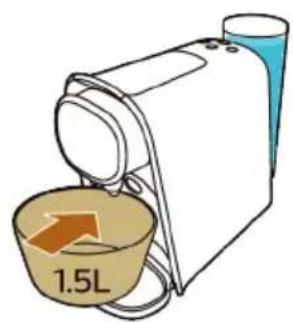
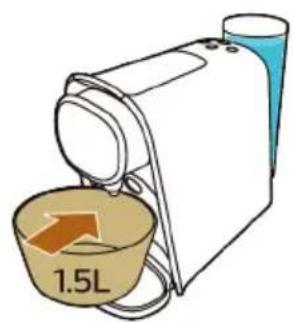
Use the L'or Barista (CA6530) liquid descaler based on lactic acid. Pour half of the bottle into the water tank, fill with fresh water. Place a bowl of at least 1.5 L under the spout. Simultaneously press the Ristretto and Lungo buttons, then press the Ristretto button to start the descaling cycle. Once finished, rinse the tank and run the rinse cycle by pressing Lungo.
Which capsules can I use with this machine?
The machine is compatible with L'or Espresso capsules (single dose) and L'or Barista double dose capsules, as well as Nespresso capsules and aluminum capsules from Jacobs Douwe Egberts brands (Douwe Egberts, JACOBS, Jacqmotte, Jacques Vabre, Grand Mère, L'OR, Marcilla, Moccona, Saimaza, Senseo).
How to customize the volume of my drink?
Insert a capsule and close the lever. Press the button for the desired coffee (Ristretto, Espresso or Lungo) for 3 seconds until it flashes rapidly. The machine starts preparation. Press the same button again when the desired volume is reached. The new volume is saved. You can also reset the default volumes by holding down all three buttons simultaneously.
Why do the Ristretto and Lungo lights flash after preparation?
This indicates it is time to descaling the machine to prevent limescale buildup that could clog the circuit. Follow the descaling procedure described in the manual.
The machine only dispenses a few drops of coffee, what should I do?
Make sure you have rinsed the machine before first use. Check that the water tank is filled with fresh water. If the problem persists, descaling is required to remove limescale residues.
How to clean the used capsule drawer?
Remove the used capsule drawer and the drip tray. Empty the used capsules (be careful, they are hot). Rinse all parts under hot water or in the dishwasher. Dry them with a soft cloth before putting them back in place.
What does the rapid flashing of the on/off button mean?
The on/off button flashes rapidly when the water tank is empty. Fill it with fresh tap water, then press the button for the desired coffee to continue preparation.
How to reset the default coffee amounts?
Turn on the machine and wait for all buttons to light up. Simultaneously press and hold the Ristretto, Espresso and Lungo buttons until they flash rapidly. The volumes are then reset to factory settings.

User questions about Barista LM8016 L'or

0 question about this device. Answer the ones you know or ask your own.

Ask a new question about this device

The email remains private: it is only used to notify you if someone responds to your question.

No questions yet. Be the first to ask one.

Download the instructions for your Coffee machine in PDF format for free! Find your manual Barista LM8016 - L'or and take your electronic device back in hand. On this page are published all the documents necessary for the use of your device. Barista LM8016 by L'or.

USER MANUAL Barista LM8016 L'or

text_image Technical diagram of a portable electric heater with numbered parts and labeled functions

English 7

Dansk 22

Deutsch 37

Español 53

Français 69

Italiano 85

Nederlands 101

Norsk 117

Português 132

Svenska 148

Machine overview

1 On/off button
2 Ristretto button
3 Espresso button
4 Lungo button
5 Water tank lid
6 Water tank
7 Mains cord with plug
8 Used capsule drawer
9 Waste water drawer
10 Lower drip tray
11 Drip tray
12 Cup platform
13 Coffee outlets
14 Coffee dispensing spout cap
15 Capsule compartment
16 Lever

Introduction

Welcome to the L'OR Barista world! The L'OR Barista coffee system is the only capsule coffee system that allows you to brew two cups of coffee at the same time thanks to a coffee dispensing spout with double outlet.

The new and exclusive L'OR Barista double-shot coffee capsules allow you to brew two cups of coffee or a double shot of coffee.

The L'OR Barista coffee machine is also compatible with the L'OR Espresso single-shot coffee capsules. Thanks to the Dual Capsule Recognition technology, the machine automatically recognizes the capsule size and adapts the volume accordingly. All you need to do is press the button for the type of coffee you desire.

Capsule compatibility

The L'OR Barista coffee machine has been designed to work with L'OR Espresso single-shot capsules and L'OR Barista double-shot capsules, as well as with Nespresso* capsules and aluminum capsules from coffee brands produced by Jacobs Douwe Egberts, such as Douwe Egberts, JACOBS, Jacqmotte, Jacques Vabre, Grand Mère, L'OR, Marcilla, Moccona, Saimaza and Senseo.

*brand of a third party not connected to JACOBS DOUWE EGBERTS and / or PHILIPS

Preparing for use

Before first use, remove all packaging materials from the machine.

When you use the machine for the first time or if you have not used it for 1 day or longer, perform the following steps:
L'or Barista LM8016 - Preparing for use - 1

natural_image Diagram of a mechanical device with an upward arrow indicating motion or force (no text or symbols present)

L'or Barista LM8016 - Preparing for use - 2

L'or Barista LM8016 - Preparing for use - 3

text_image Illustration showing a coffee maker with a red 'X' symbol indicating a rejection or rejection process, and a coffee cup pouring into it.

L'or Barista LM8016 - Preparing for use - 4

text_image Diagram showing a medical procedure with a device, power button, and temperature reading of 25 sec

L'or Barista LM8016 - Preparing for use - 5

text_image Diagram showing a hand pressing down on a device with a magnified view of five buttons labeled with icons.

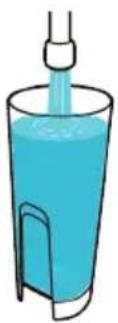
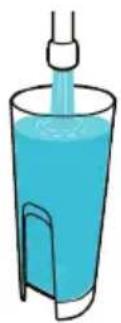
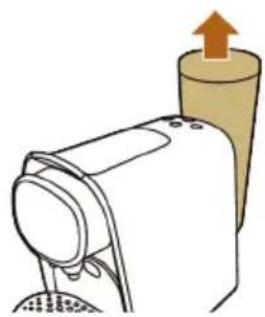
1 Remove the water tank from the machine.

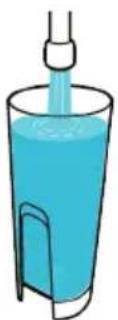
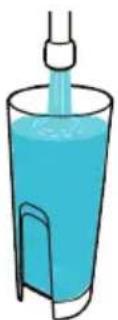
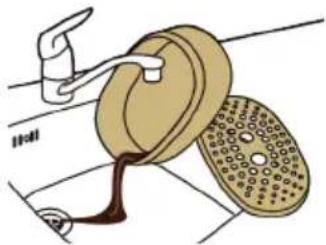
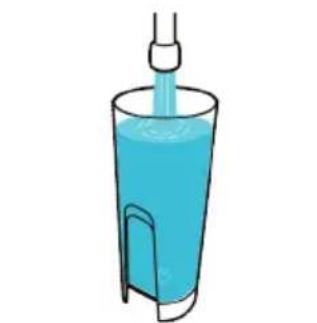
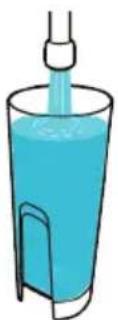
2 Rinse and fill the water tank under the tap. Place the water tank back onto the machine.

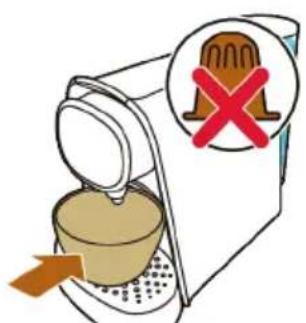
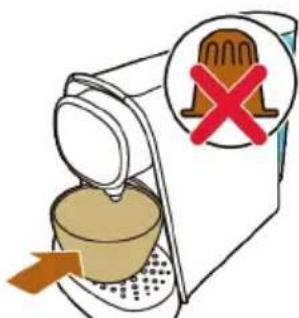
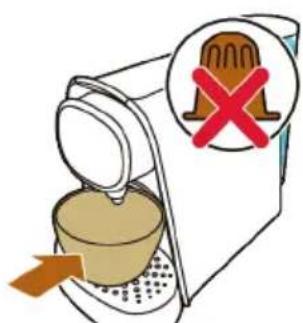
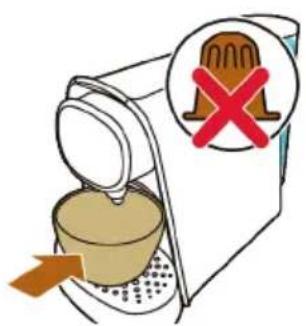
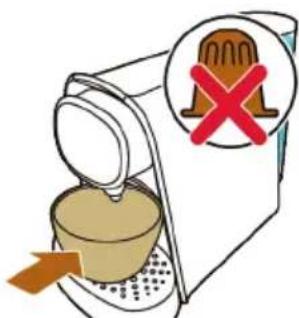
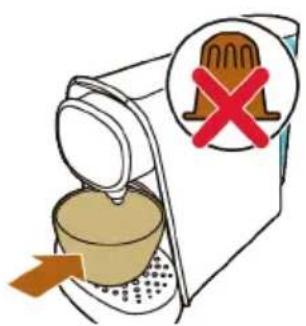
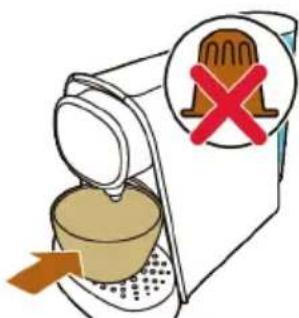
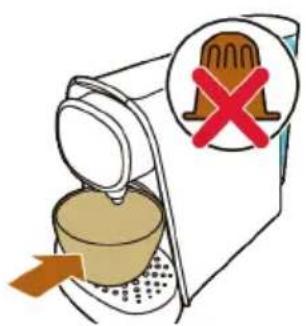
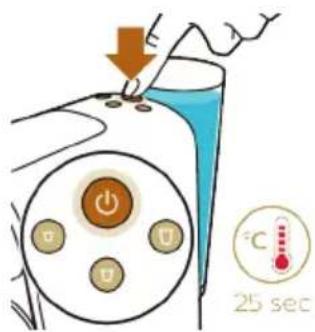
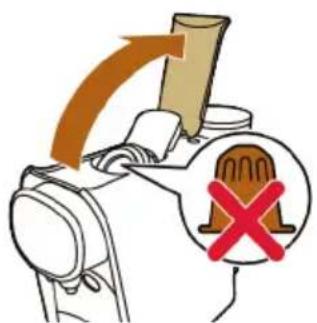
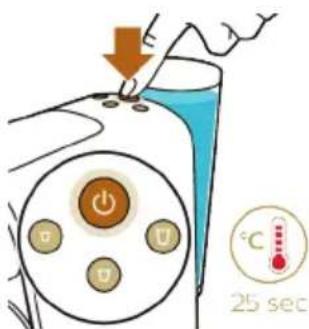
3 Place a bowl under the coffee dispensing spout. Do not insert a capsule and make sure that the lever is closed.

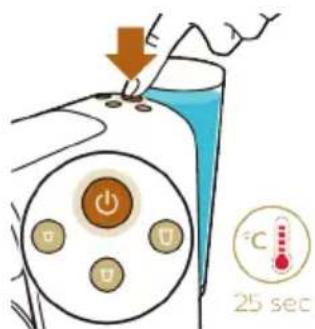
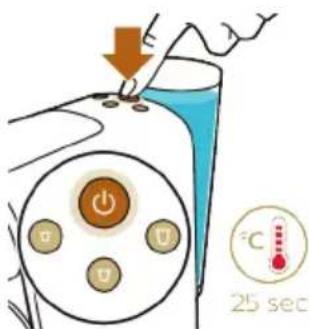
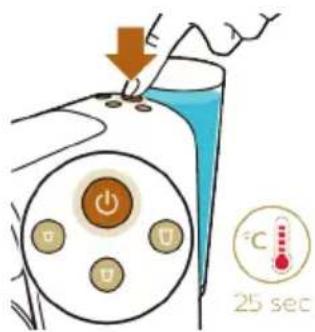
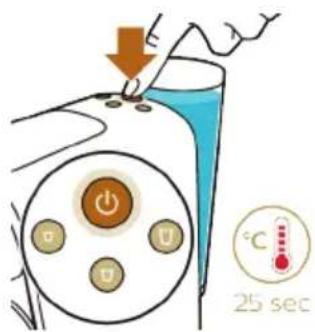
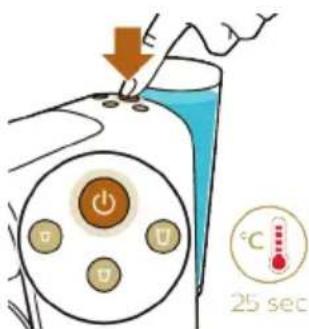
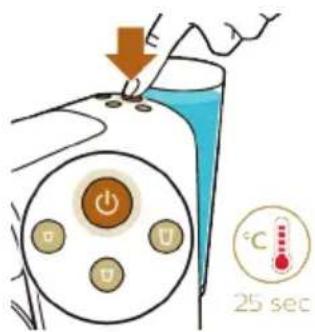
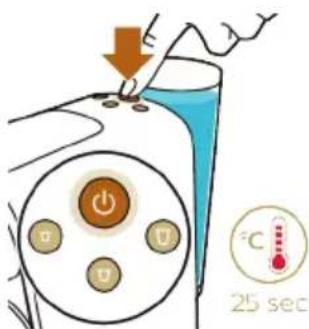
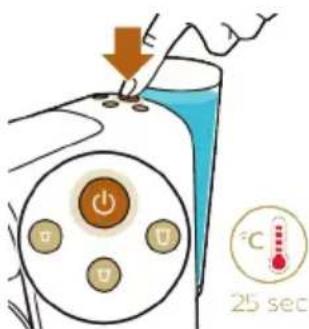
4 Press the on/off button to switch on the machine.

- The on/off button flashes slowly to indicate that the machine is heating up.

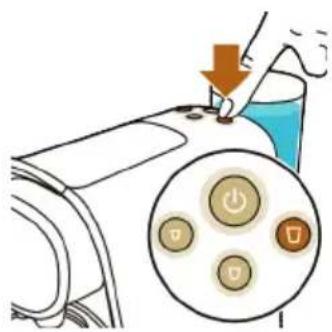
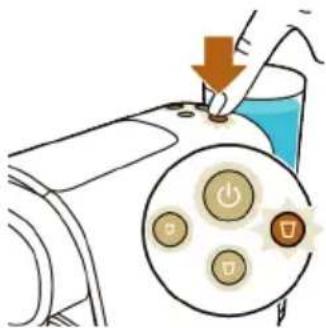
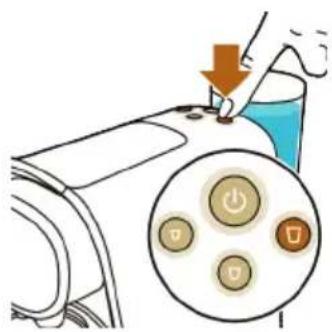
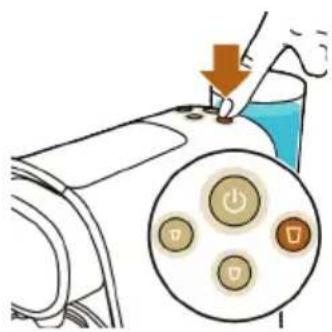
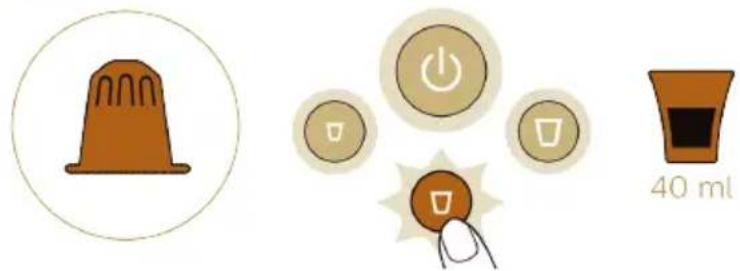
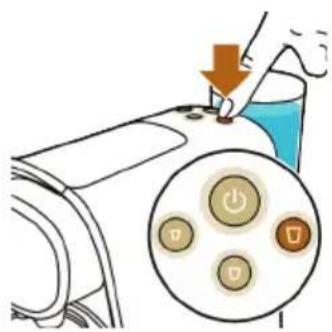
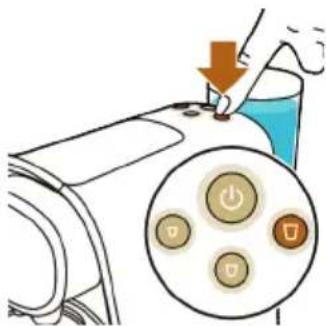
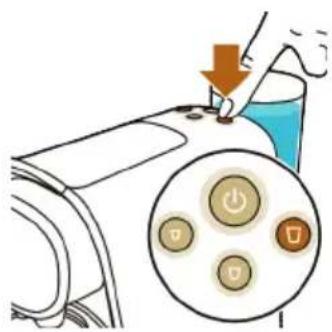
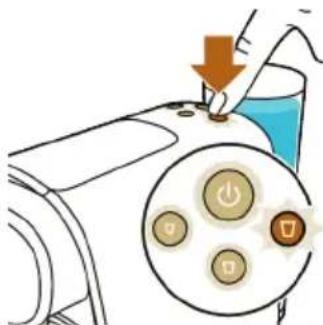
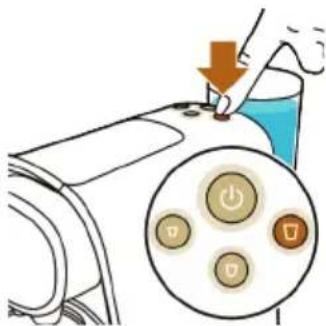
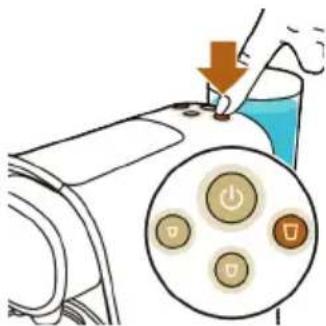
5 When all buttons light up continuously, press the lungo button.

- Water flows from the coffee dispensing spout.

Note: When the internal water circuit is empty, the machine produces a humming sound. When the machine dispenses water, it produces a less loud humming sound. This is normal.

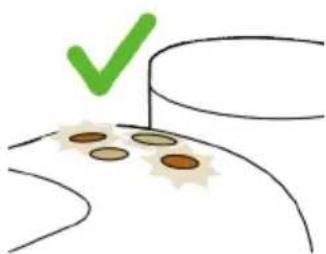
6 The machine is ready when all buttons light up continuously.

7 Empty the drip tray and waste water drawer (see 'Cleaning the used capsule drawer and waste water drawer').

The machine is now ready for use.

Brewing coffee

Beverages and capsules

Capsules

L'OR aluminum capsules are available online at www.lorespresso.com and in shops. You can choose from a variety of coffee capsules for different types of coffee.

Beverages

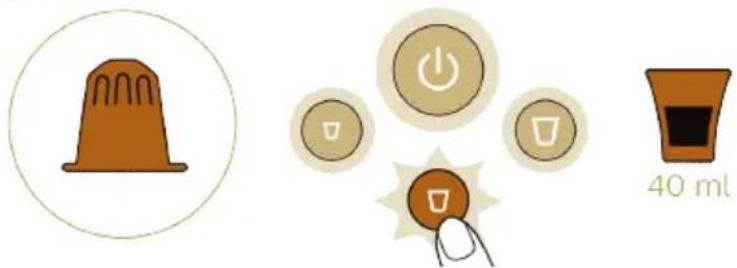
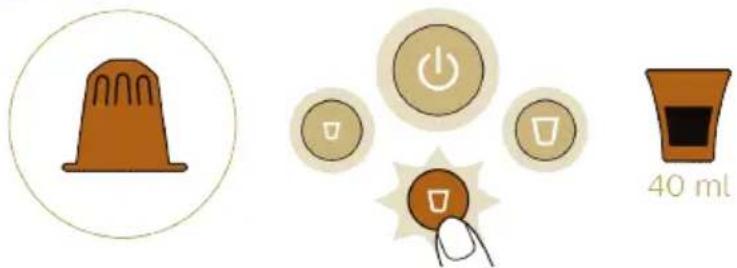
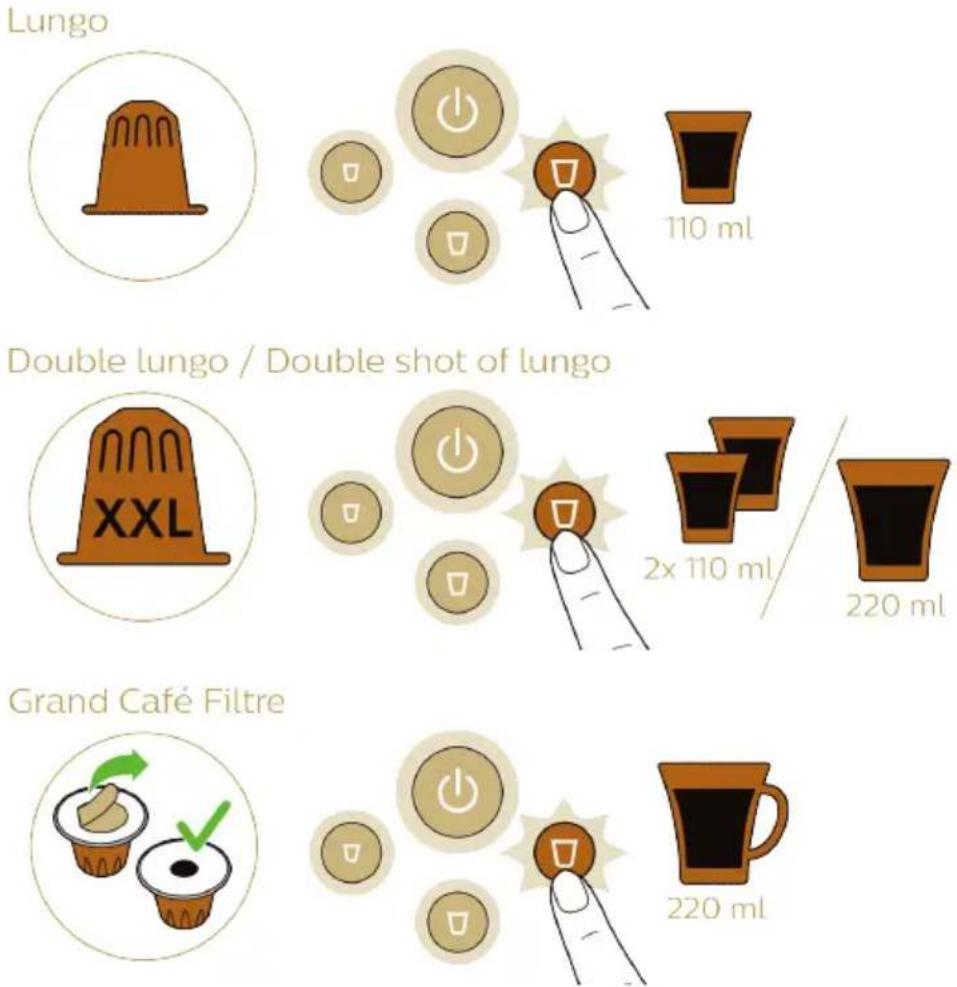
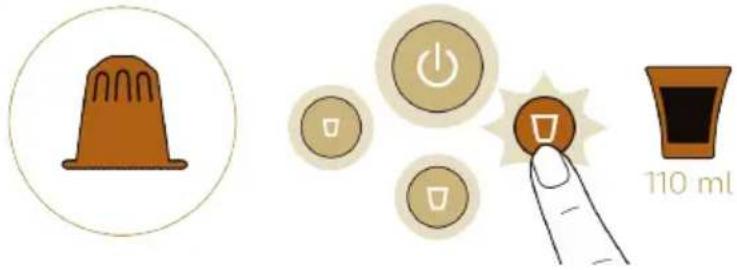
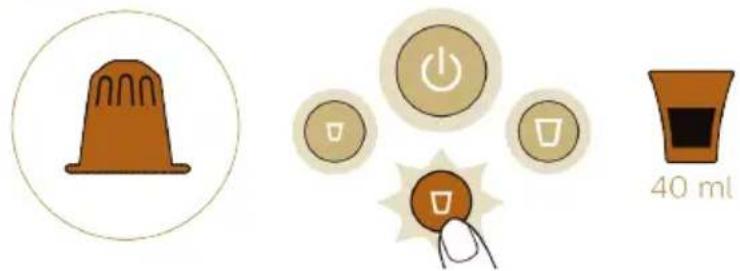
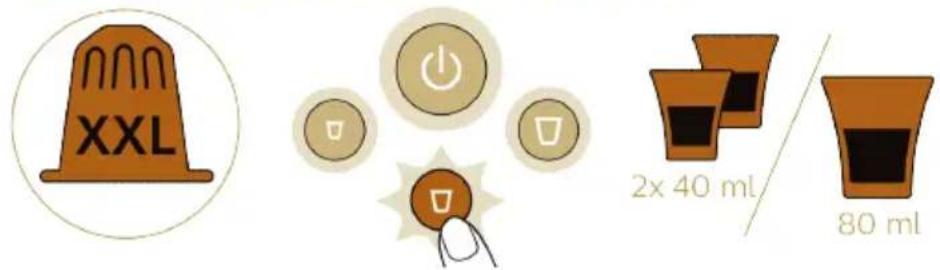
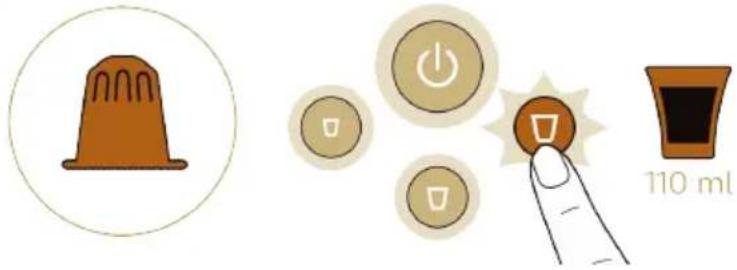
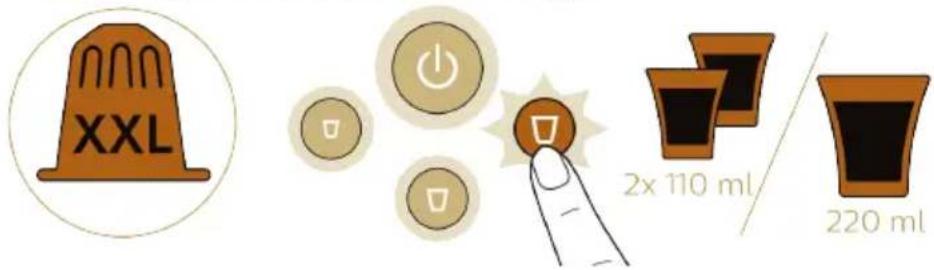
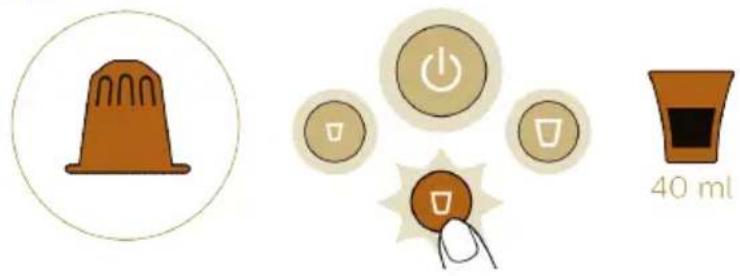
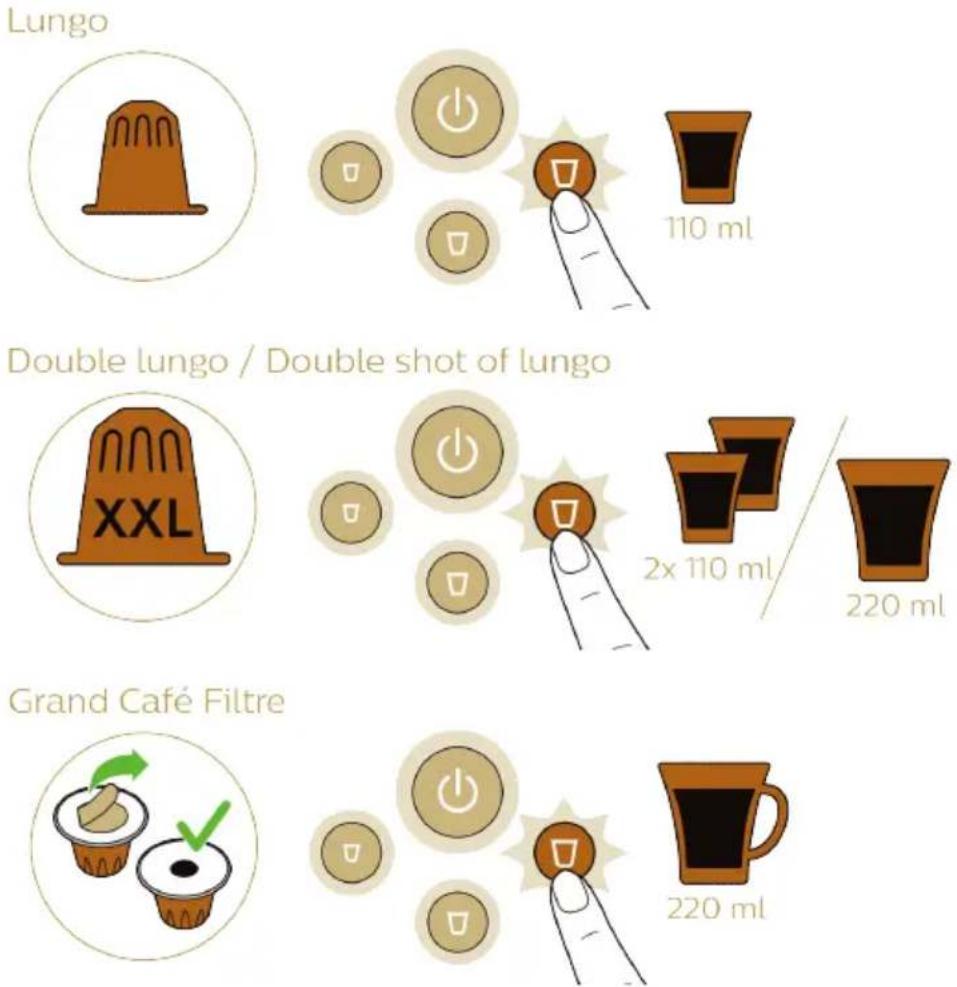
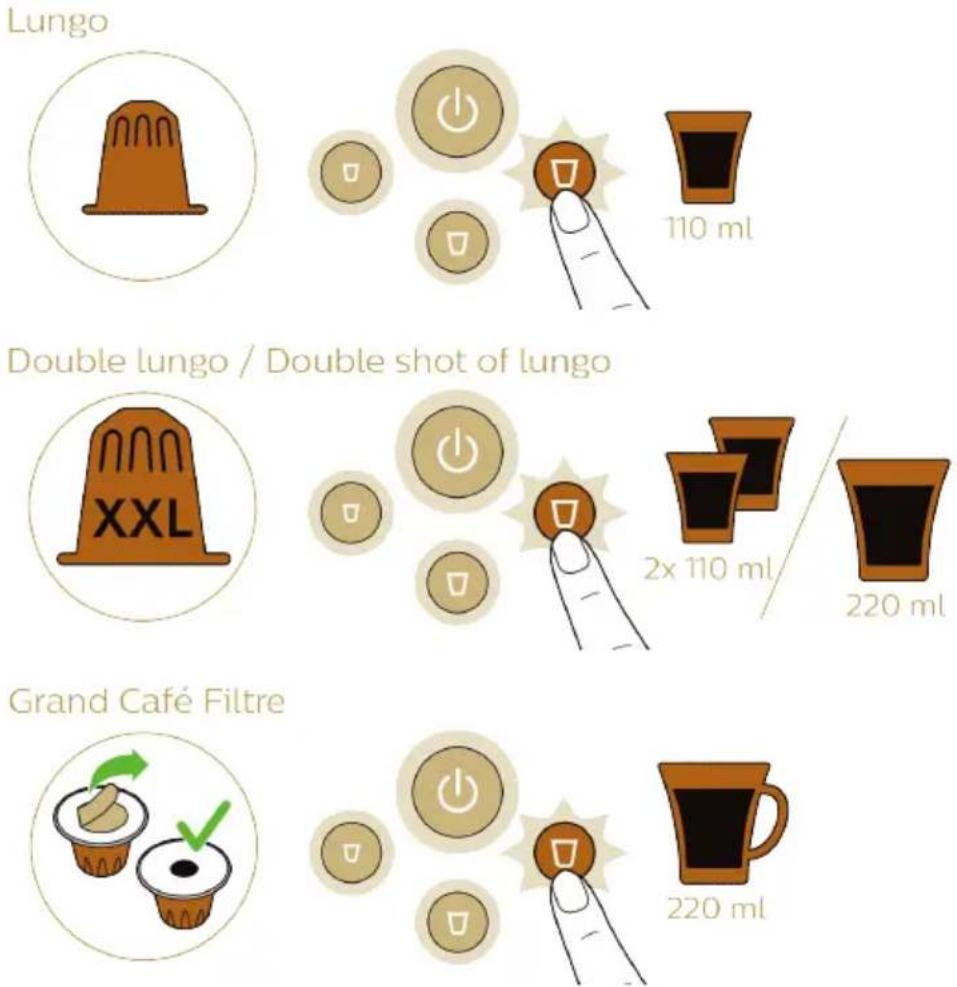
Thanks to the Dual Capsule Recognition technology, the machine automatically recognizes the capsule size and adapts the volume of your drink accordingly. All you need to do is press the button for the type of coffee you desire.

Ristretto
L'or Barista LM8016 - Beverages - 1

text_image 25 ml
text_image XXL 2x 25 ml 50 ml

Espresso
L'or Barista LM8016 - Beverages - 2

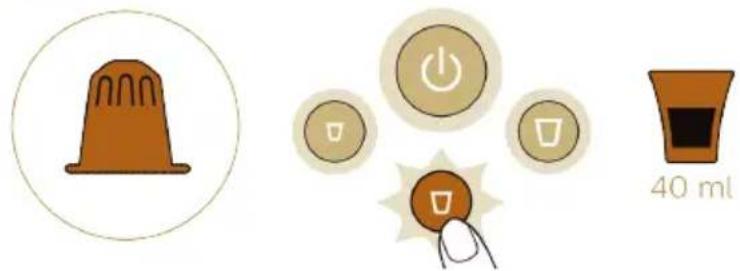
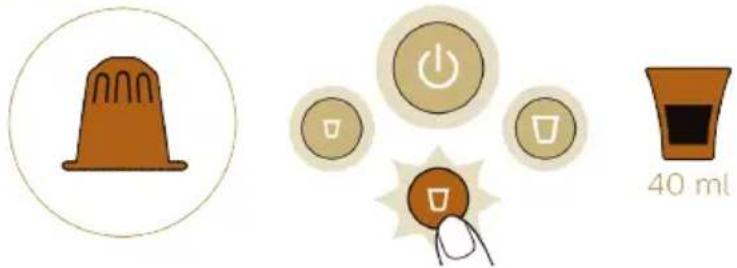
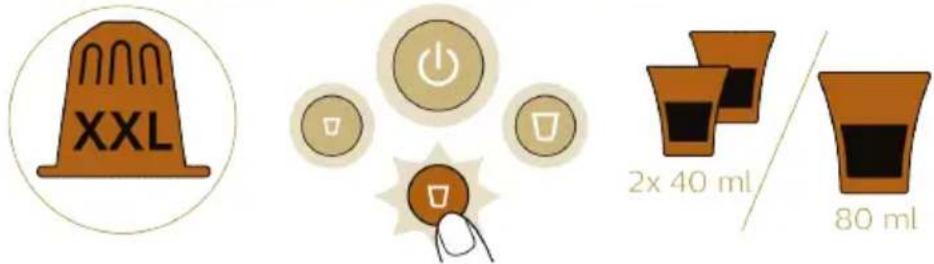
text_image 40 ml

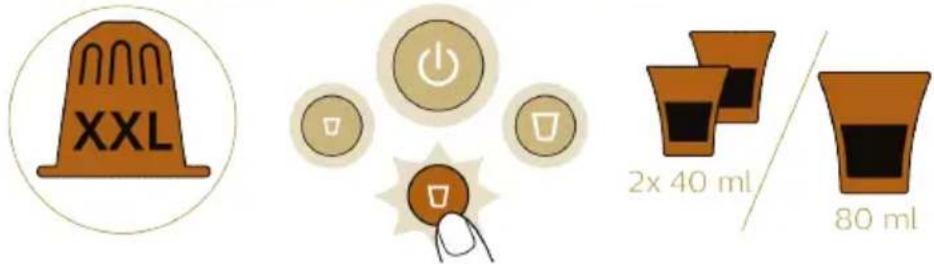
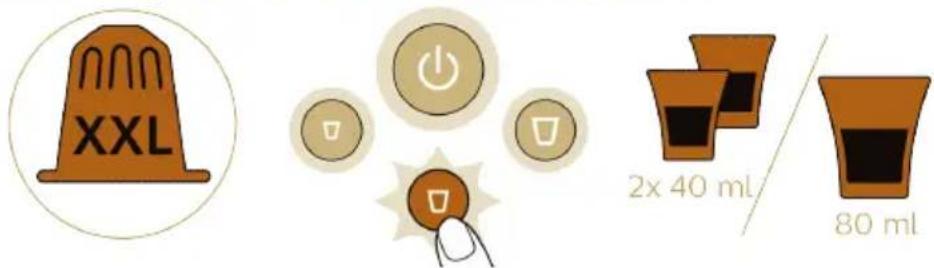
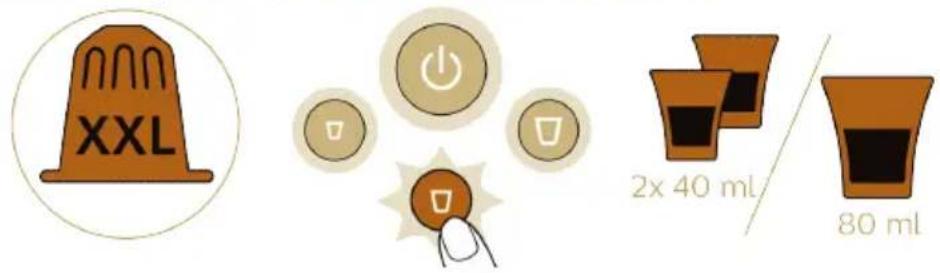
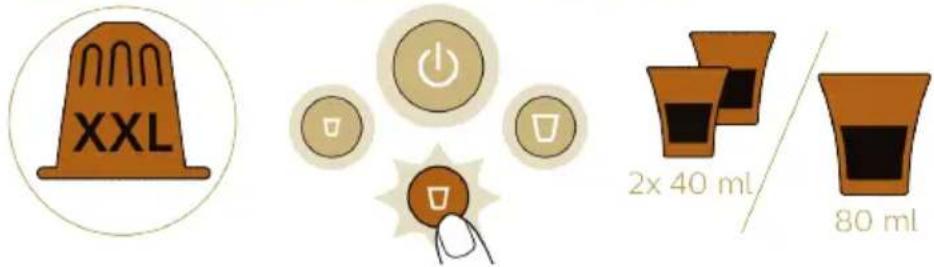
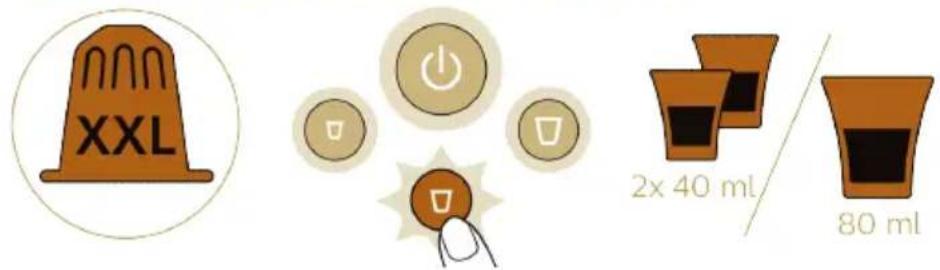
Double espresso / Double shot of espresso
L'or Barista LM8016 - Beverages - 3

text_image XXL 2x 40 ml / 80 ml

L'or Barista LM8016 - Beverages - 4

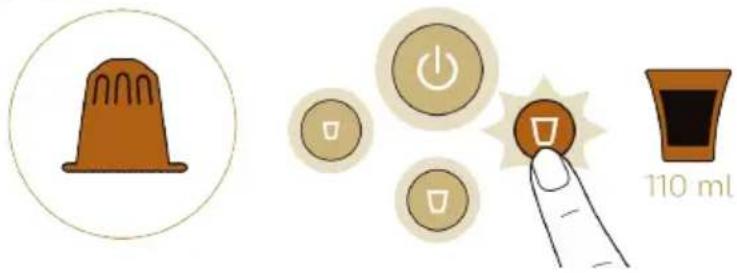
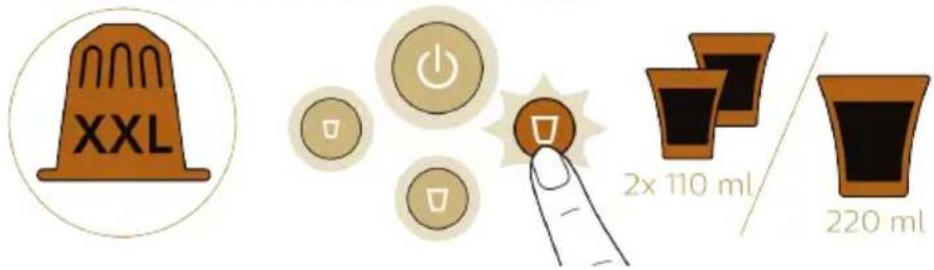
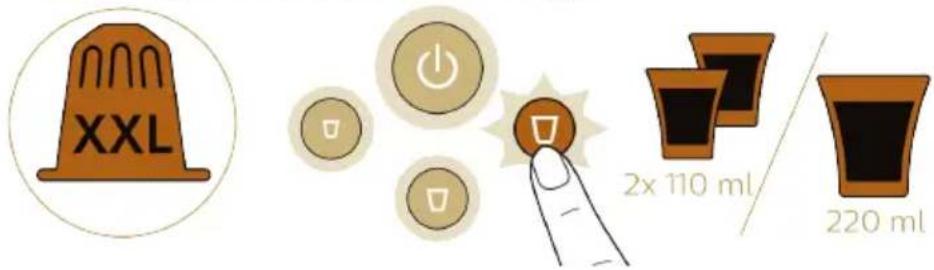
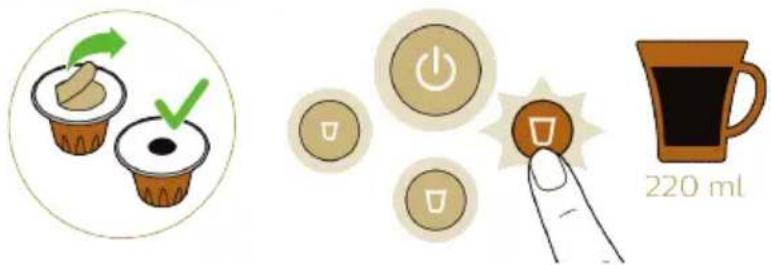
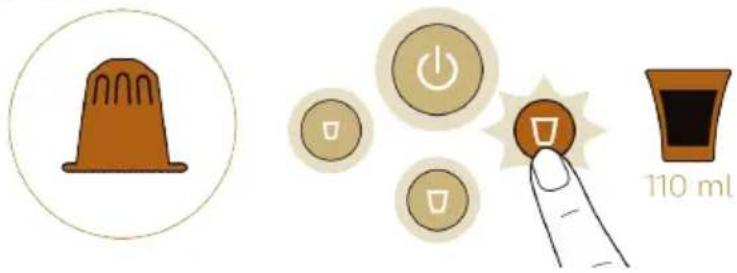
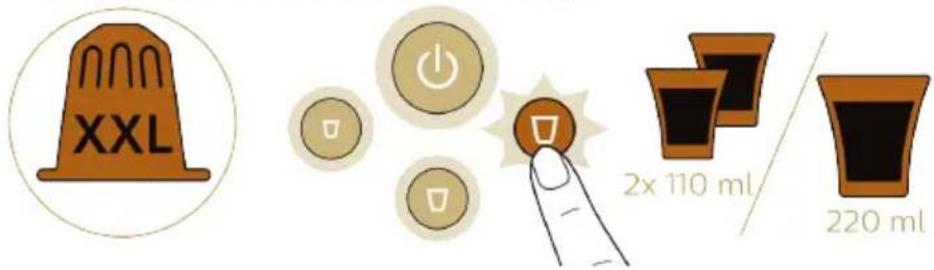
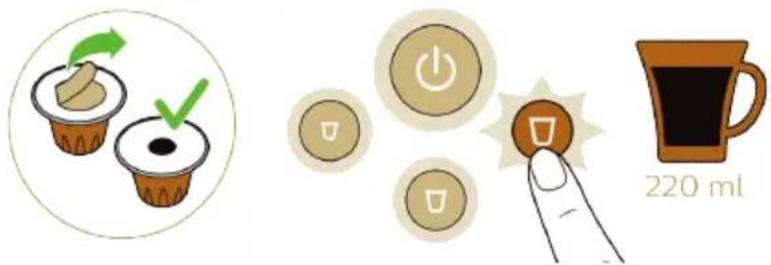
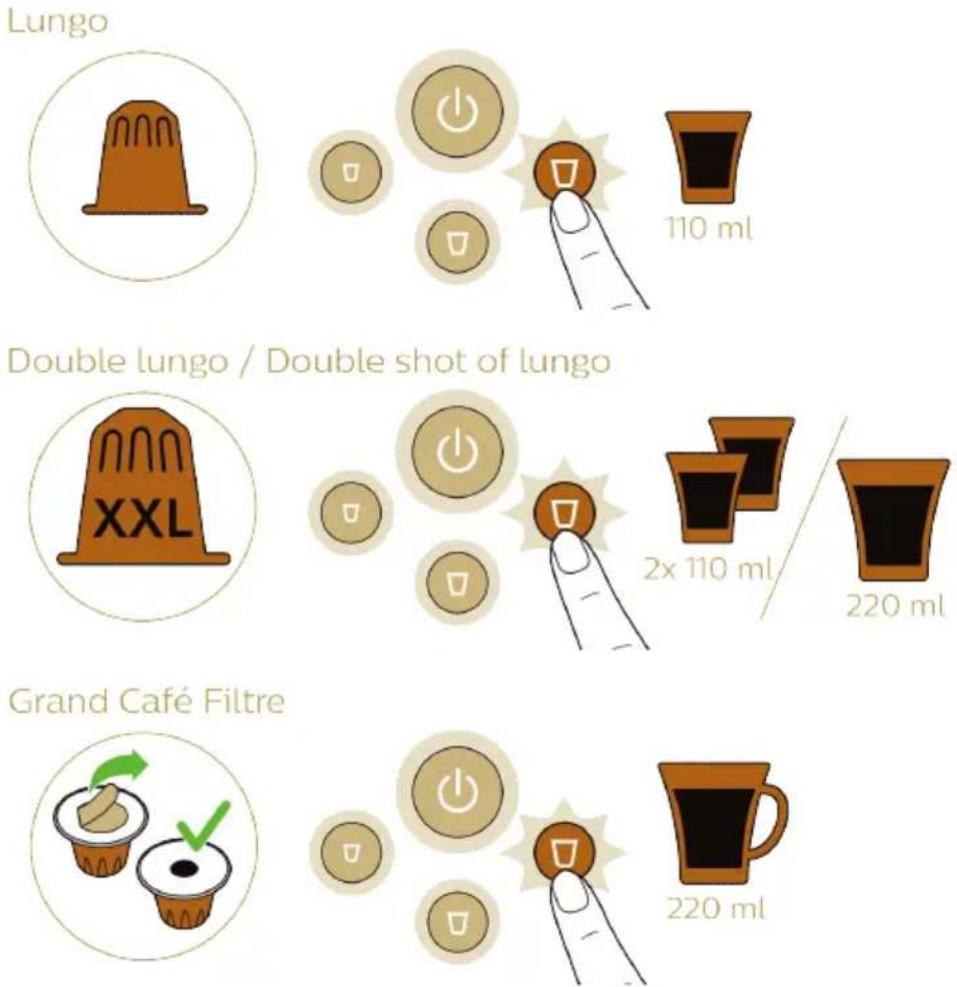
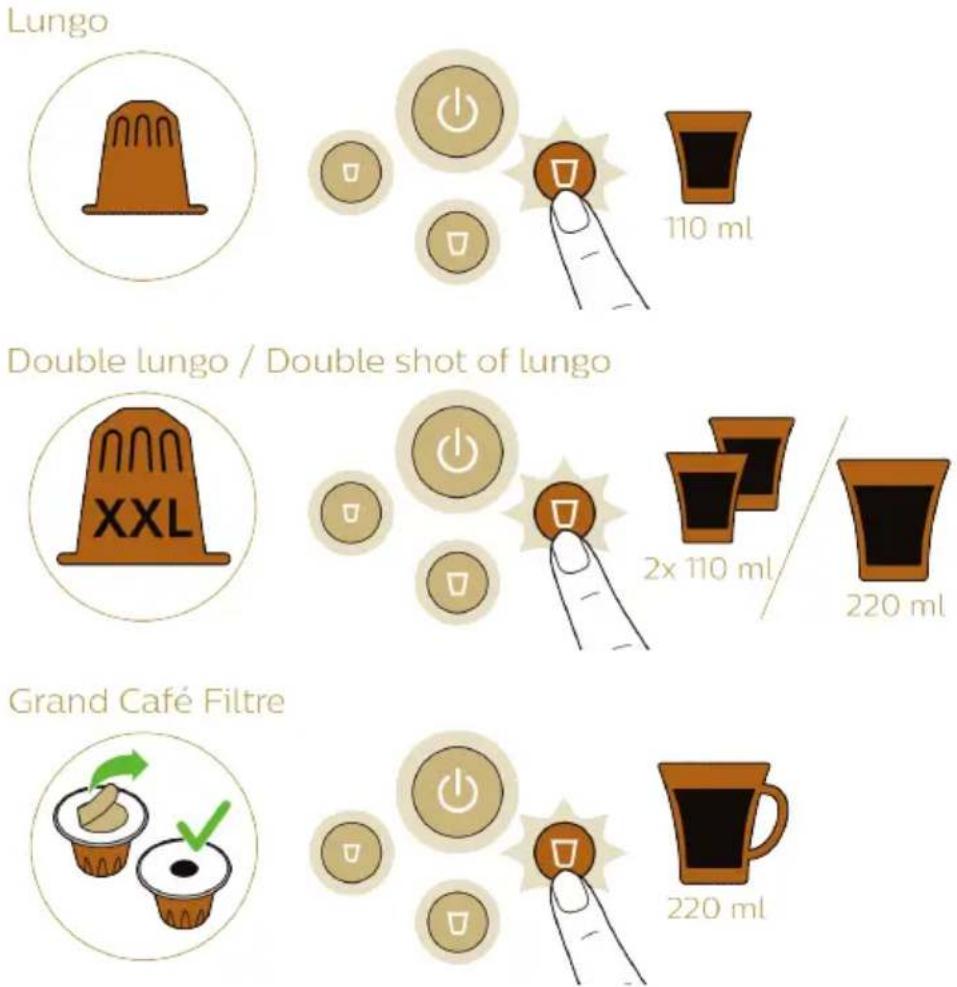
text_image Lungo 110 ml Double lungo / Double shot of lungo XXL 2x 110 ml / 220 ml Grand Café Filtre 220 ml

Preparing coffee

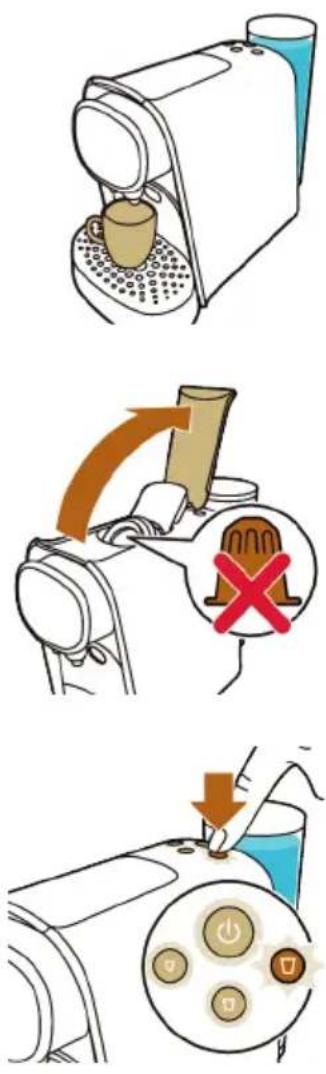
1 Press the on/off button to switch on the machine. The on/off button starts flashing to indicate that the machine is heating up.
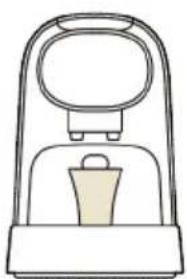
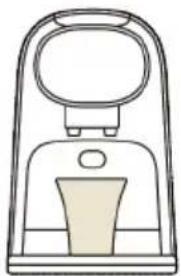
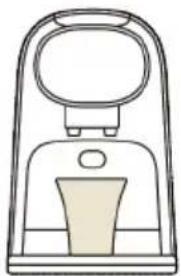
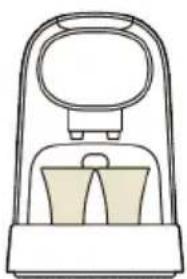
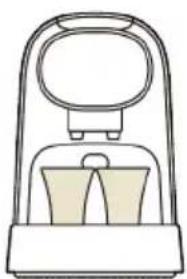
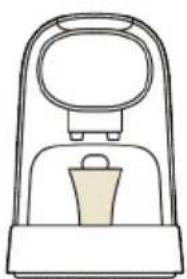
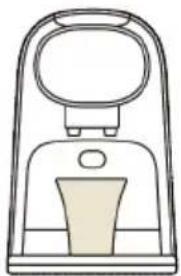
2 For one coffee, place one cup under the coffee dispensing spout.

L'or Barista LM8016 - Preparing coffee - 1

natural_image Line drawing of a mechanical device with a handle and central component (no text or symbols)

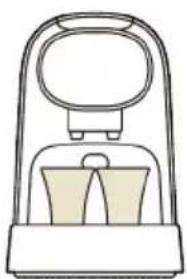
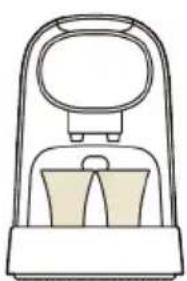
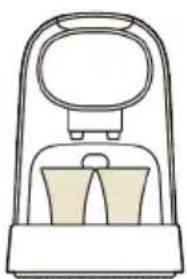
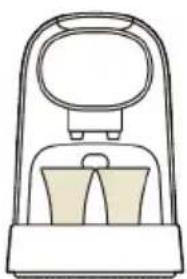
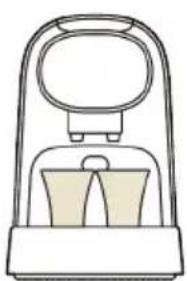
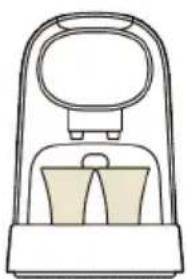
3 For two coffees, place two cups under the coffee dispensing spout.

L'or Barista LM8016 - Preparing coffee - 2

natural_image Line drawing of a vacuum cleaner with handle and base (no text or symbols)

L'or Barista LM8016 - Preparing coffee - 3

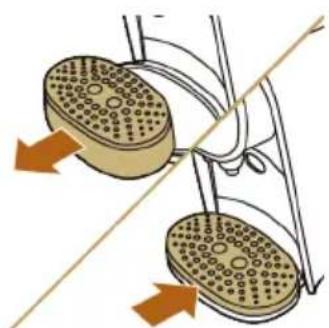
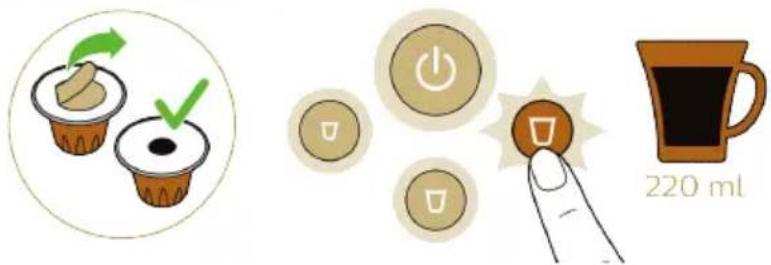
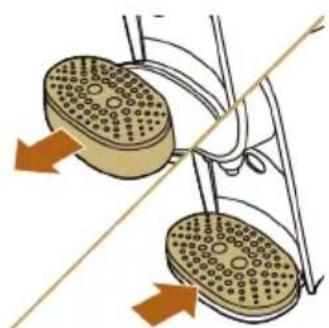
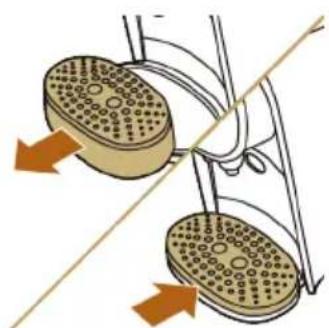
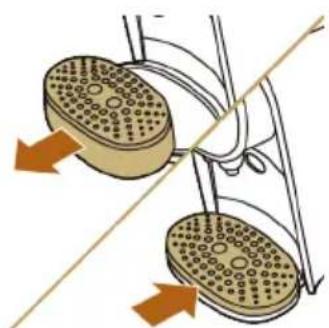
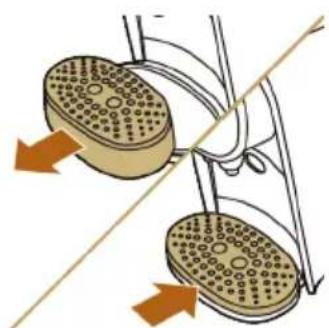
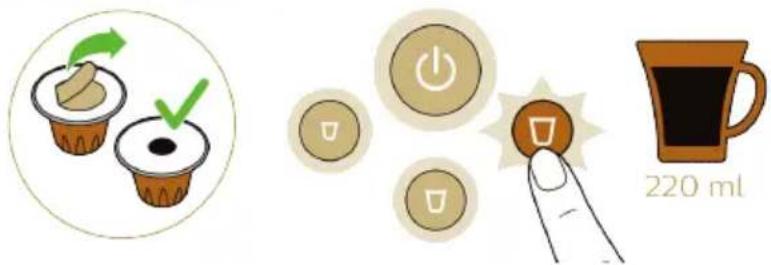
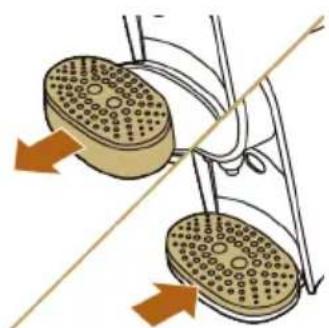
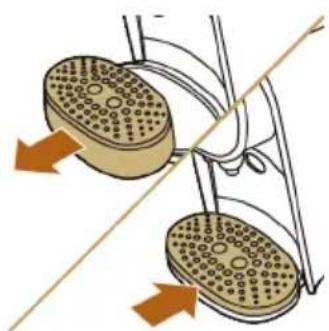
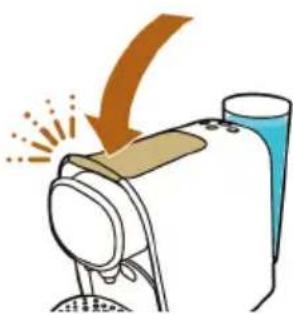
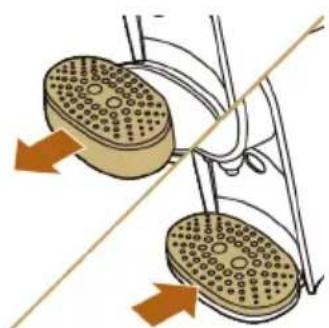
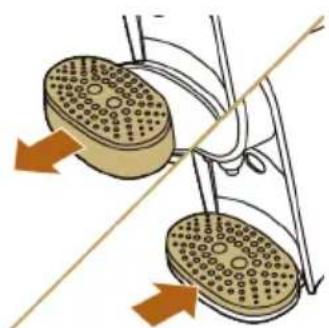
4 For a large coffee or Grand Café Filtre, remove the cup platform and the drip tray, place the cup platform on the lower drip tray and place a large cup or mug on the cup platform under the coffee dispensing spout.

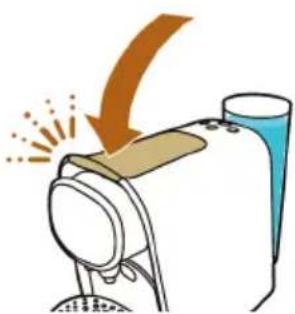
5 Lift the lever.

6 Insert a capsule.

- For a single cup of coffee, insert a L'OR Espresso single-shot capsule.

- For two cups of coffee or one large coffee, insert a L'OR Barista double-shot capsule.

7 Close the lever by pushing it down.

Warning: Do not insert a finger into the brew chamber when closing the lever.

L'or Barista LM8016 - Preparing coffee - 4

text_image Diagram showing a hand pressing down on a blue liquid with a power button, alongside a circular diagram illustrating the function.

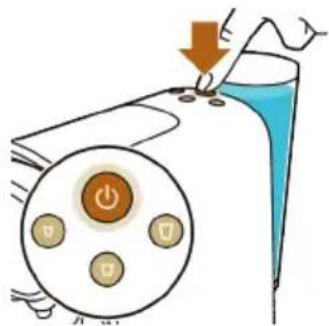
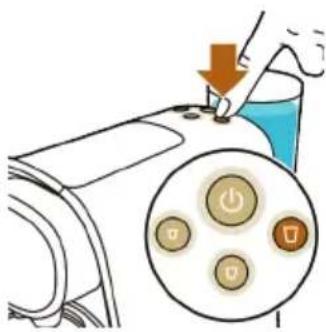
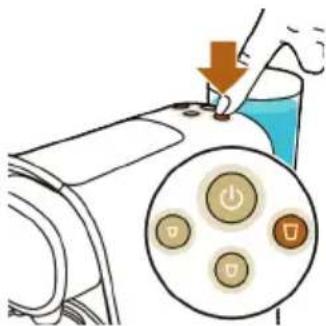
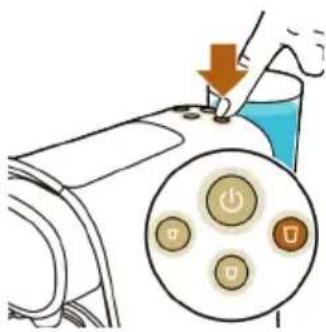
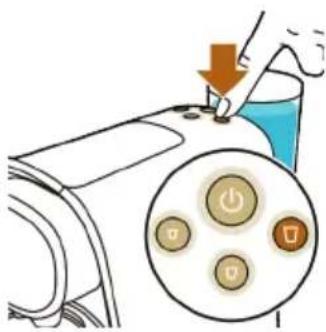
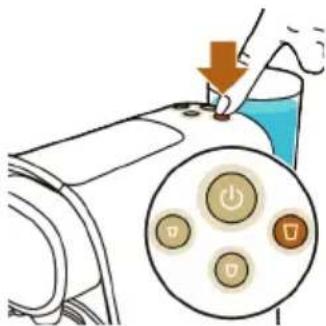
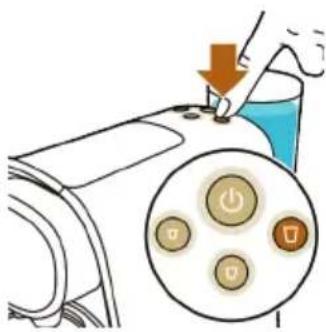
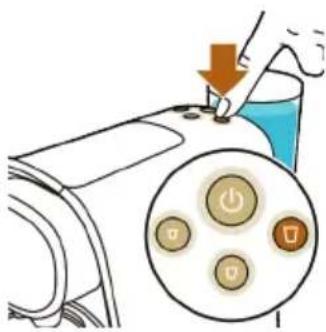
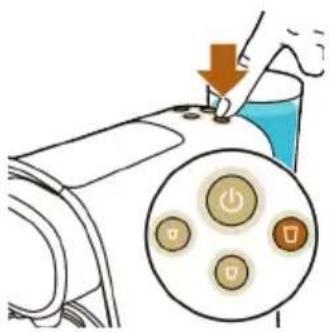
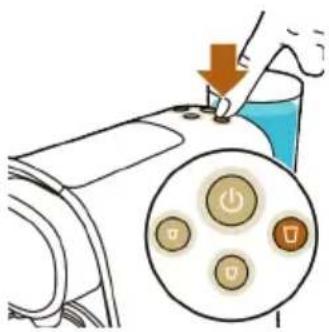
8 When the on/off button stops flashing and all buttons light up continuously, press the button for the type of coffee you desire.

Caution: Do not lift the lever until the brewing process has finished. Brewing is finished when the lights stop flashing and no more coffee comes out of the coffee dispensing spout.

Brewing Grand Café Filtre

L'or Barista LM8016 - Brewing Grand Café Filtre - 1

natural_image Illustration of two food cup cups with green arrows indicating rotation and checkmark (no text or symbols)

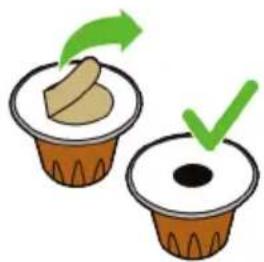
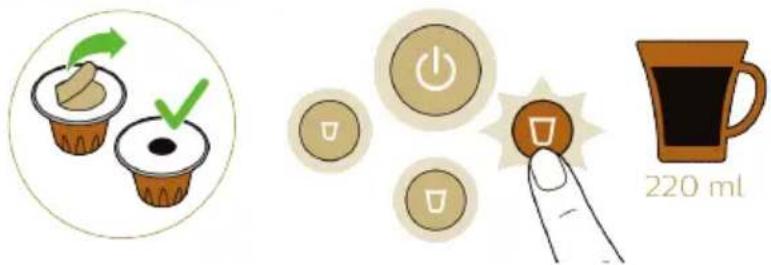
1 Remove the seal completely from the capsule.

L'or Barista LM8016 - Brewing Grand Café Filtre - 2

natural_image Diagram of a mechanical device with a rotating component and liquid, no text or symbols present

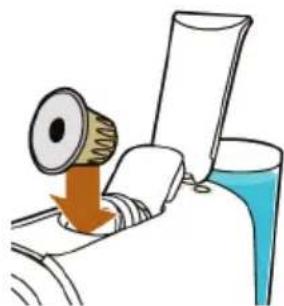
2 Lift the lever and insert the capsule.

L'or Barista LM8016 - Brewing Grand Café Filtre - 3

natural_image Illustration of a machine emitting exhaust smoke from a bottle (no text or symbols)

3 Close the lever.

L'or Barista LM8016 - Brewing Grand Café Filtre - 4

natural_image Diagram of two circular footsteps with textured surfaces connected by a diagonal line, no text or symbols present

4 Remove the drip tray with the cup platform. Put the drip tray aside and place the cup platform on the lower drip tray.

L'or Barista LM8016 - Brewing Grand Café Filtre - 5

natural_image Line drawing of a mechanical device with a handle and base (no text or symbols)

L'or Barista LM8016 - Brewing Grand Café Filtre - 6

text_image Diagram showing a hand pressing down on a machine with a circular button set to indicate power, switch, and battery icons.

5 Place a large cup or mug on the cup platform under the coffee dispensing spout.

6 Press the lungo button to start the brewing process.

Drink personalization

With drink personalization, you can program your drink volume. Each coffee button on the machine has been programmed to brew coffee at its ideal setting. Nevertheless, you can adapt the coffee volume to your wishes, within a range that ensures the best coffee quality.

Standardpadrão/estandarMin.Max.
Ristretto25 ml20 ml40 ml
Espresso40 ml30 ml50 ml
Lungo110 ml50 ml150 ml
Standardpadrão/estandarMin.Max.
Ristretto50 ml40 ml60 ml
Espresso80 ml60 ml100 ml
Lungo220 ml100 ml300 ml

The coffee volumes for L'OR Espresso single-shot and L'OR Barista double-shot capsules are adjusted separately:

1 Press the on/off button to switch on the machine.
2 Fill the water tank.
3 Insert a capsule and close the lever.

- If you want to adjust the volume for L'OR single-shot espresso capsules, insert a normal L'OR Espresso capsule.

- If you want to adjust the volume for a L'OR Barista double-shot capsule, insert a L'OR Barista capsule.

4 Press and hold the button of the coffee whose volume you want to adjust for 3 seconds until the button flashes quickly. Then release the button. The machine starts brewing coffee.

5 Press the same button again when the cup contains the desired volume.

Note: If you press the coffee button too early, the machine programs the minimum volume of coffee shown in the table above. If you do not press the coffee button, the machine programs the maximum volume of coffee.

Resetting the coffee quantities

To reset the coffee quantities to their factory settings:

1 Press the on/off button to switch on the machine.

2 Wait until the machine has heated up and all buttons light up.

3 Press and hold the ristretto, espresso and lungo buttons simultaneously until all buttons flash quickly to show that the machine has been reset to factory settings.

Cleaning and maintenance

Cleaning the used capsule drawer and waste water drawer

Check the used capsule drawer and waste water drawer regularly.

Note: For optimal hygiene, pull up the lever after use to ensure the last used capsule falls into used capsule drawer.

L'or Barista LM8016 - Cleaning the used capsule drawer and waste water drawer - 1

natural_image Illustration of a medical device with a magnified view showing internal components (no text or symbols)

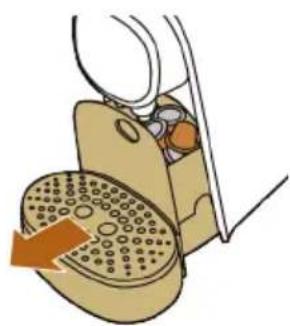
1 Pull the used capsule drawer and the waste water drawer out of the machine.

L'or Barista LM8016 - Cleaning the used capsule drawer and waste water drawer - 2

natural_image Illustration of a hand turning a doorbell with a rotary knob, no text or symbols present

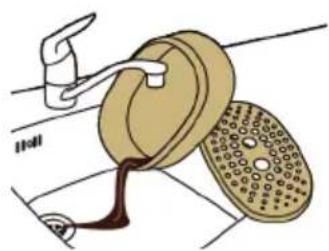
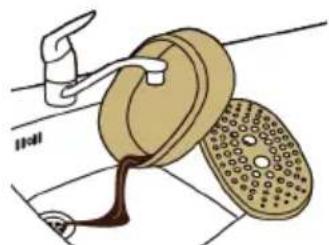
2 Remove the drip tray from the lower drip tray and rinse the drip tray and the cup tray under a warm tap. Do not clean these parts in the dishwasher.

L'or Barista LM8016 - Cleaning the used capsule drawer and waste water drawer - 3

natural_image Illustration of a wooden box with open lid and open lid, showing internal compartments (no text or symbols)

L'or Barista LM8016 - Cleaning the used capsule drawer and waste water drawer - 4

natural_image Illustration of a mechanical device with a green checkmark on its side (no text or symbols present)

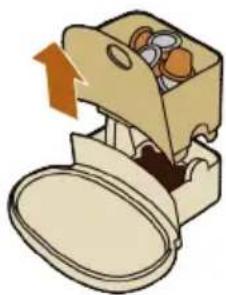
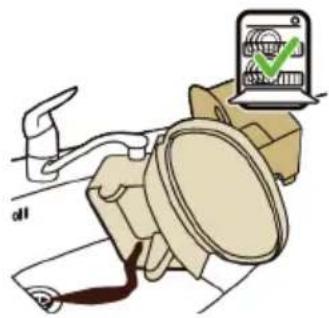
3 Remove the used capsule drawer by pulling it up and empty it.

Caution: Be careful when you remove the used capsule drawer. Capsules are still hot immediately after brewing.

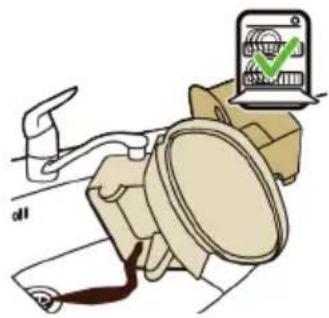
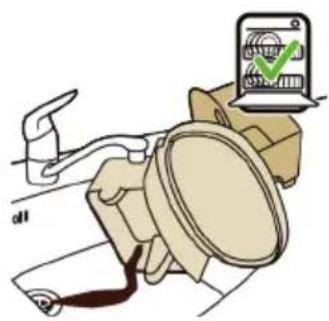
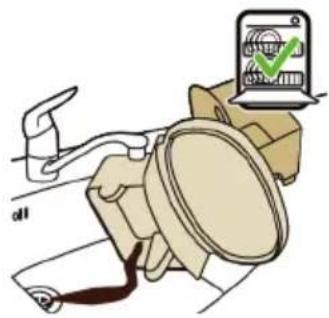
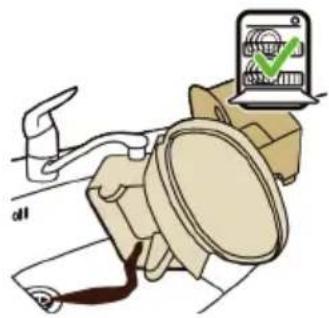
4 Rinse all parts under a warm tap. Dry all parts with a soft cloth. You can also clean all these parts in the dishwasher.
5 Reinsert the used capsule drawer into the waste water drawer.
6 Insert the waste water drawer with the used capsule drawer into the machine.
7 Place the drip tray back onto the lower drip tray. Place the cup platform onto the drip tray.

Cleaning other parts of the machine

L'or Barista LM8016 - Cleaning other parts of the machine - 1

natural_image Line drawing of a hand cleaning a small box with a cloth (no text or symbols)

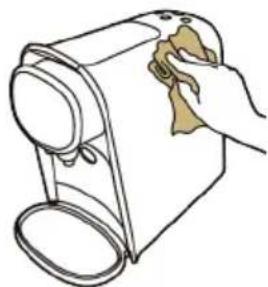
1 Clean the outside of the machine with a soft damp cloth.

Caution: Never use scouring pads, abrasive cleaning agents or aggressive liquids such as petrol or acetone to clean the machine.

Warning: Do not insert a finger into the capsule compartment to avoid injury. There is an invisible piercer inside.

L'or Barista LM8016 - Cleaning other parts of the machine - 2

natural_image Illustration of a car seatbelt with a device displaying a green checkmark (no text or symbols present)

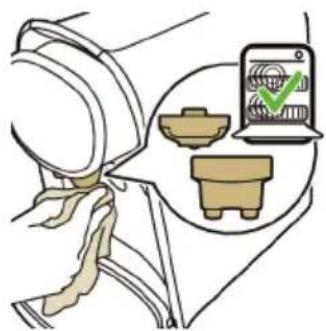
2 Clean the front of the machine with a soft damp cloth and clean the two parts of the coffee dispensing spout (the coffee outlets and the spout cover) under a warm tap or in the dishwasher.
3 Clean the water tank by rinsing it under a warm tap. The water tank is not dishwasher-proof.

Note: Rinse the water tank and fill it with fresh water every 24 hours.

Cleaning the coffee circuit

Clean the coffee circuit every week to ensure you get coffee with an optimum quality and taste.

L'or Barista LM8016 - Cleaning the coffee circuit - 1

1 Place a cup under the coffee dispensing spout.
2 Lift the lever to ensure the last used capsule falls into the used capsule drawer.

3 Do not insert a new capsule and close the lever.

4 Press the lungo button.
5 Empty the cup after the machine has finished dispensing water.
6 Open the lever and repeat steps 3 to 5 to ensure proper cleaning of the coffee circuit.

The machine is now ready for use.

Descaling

When to descale

L'or Barista LM8016 - When to descale - 1

natural_image Simple line drawing of a curved surface with scattered circular elements (no text or symbols)

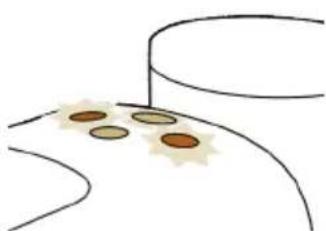
- Descale the machine when the ristretto and lungo button flash quickly a few times after brewing. The descaling procedure takes up to 40 minutes and consists of a descaling cycle and a rinsing cycle. Do not interrupt the descaling procedure.

Why to descale

Descaling is essential for the following reasons:

  • It prolongs the life of your L'OR Barista coffee machine
  • It ensures maximum cup volume
  • It ensures maximum coffee temperature

- The machine produces less sound during brewing - It prevents malfunctioning

If the descaling procedure is not performed correctly, scale residue remains behind in the machine. This causes scale to build up more quickly and may cause permanent and irreparable damage to the machine.

Use the correct descaler

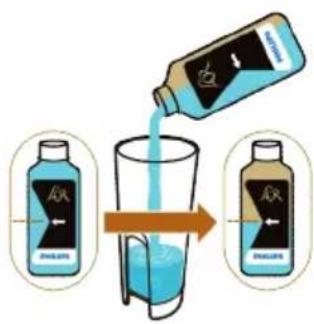
Only lactic acid-based descalers are suitable for descaling the L'OR Barista machine. This type of descaler descales the machine without damaging it. We advise you to use the dedicated L'OR Barista liquid descaler (CA6530) or Saeco liquid descaler (CA6700). It is available in bottles that contain liquid descaler for two descaling procedures. You need half a bottle for one descaling procedure and can store the other half for the next descaling procedure.

Descaling procedure

L'or Barista LM8016 - Descaling procedure - 1

text_image Diagram illustrating the stepwise increase in blue liquid from a bottle labeled 'A' to a glass, with an arrow indicating the process.

Note: If something goes wrong during the descaling procedure, e.g. because you accidentally interrupt the descaling cycle, you have to restart the descaling procedure from step 1.

1 Press the on/off button to switch on the machine.
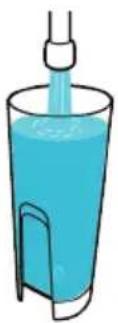
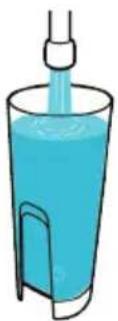
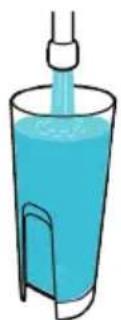
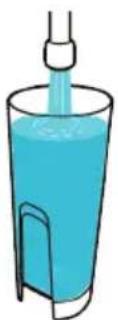
2 Pour half a bottle of L'OR Barista liquid descaler (CA6530) into the water tank.

L'or Barista LM8016 - Descaling procedure - 2

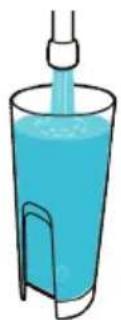
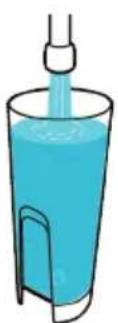
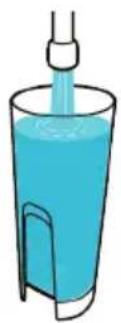
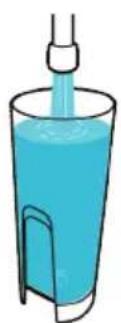
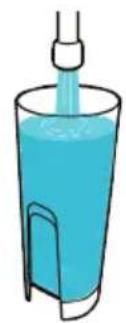
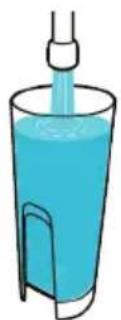
3 Fill up the water tank with fresh tap water.

L'or Barista LM8016 - Descaling procedure - 3

text_image Diagram illustrating a mechanical or electrical hazard with an arrow indicating upward motion and a red X symbol below a device.

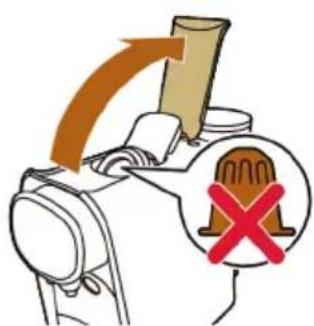
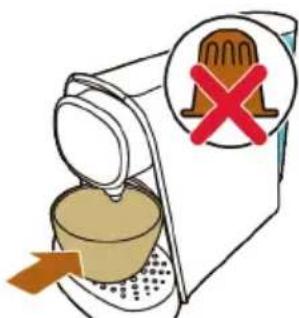
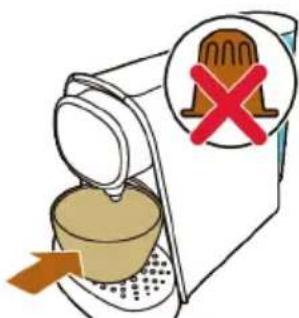
4 Make sure that there is no capsule in the capsule compartment.

L'or Barista LM8016 - Descaling procedure - 4

natural_image Illustration of a sewing machine emitting powder from a bottle (no text or symbols)

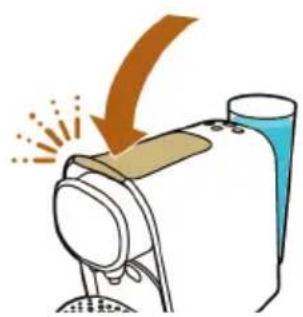
5 Close the lever.

L'or Barista LM8016 - Descaling procedure - 5

text_image 1.5L

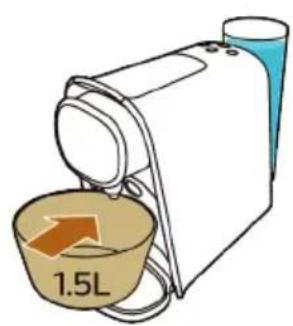
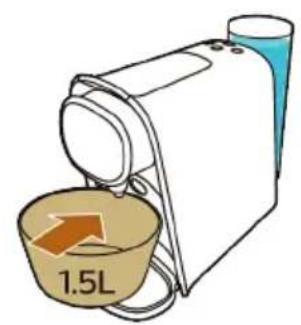
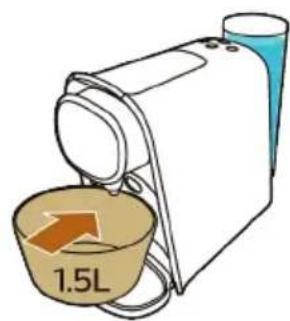
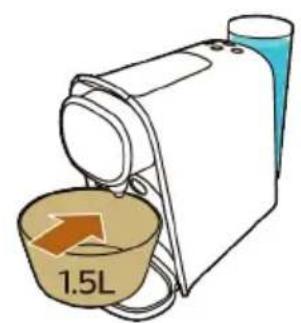
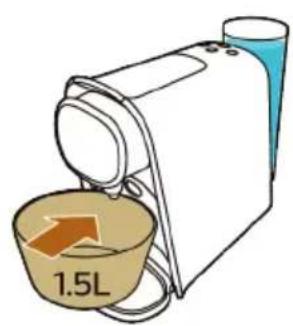
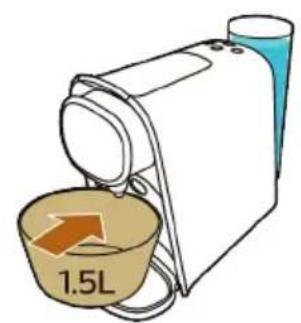
6 Place a bowl with a minimum capacity of 1.5 liters on the lower drip tray under the coffee dispensing spout to collect the descaling solution.

L'or Barista LM8016 - Descaling procedure - 6

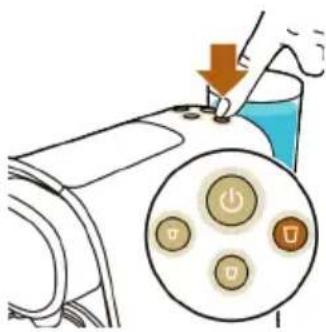
text_image Diagram showing a hand pressing down on a device with a magnified view of four buttons labeled 'Power', 'Control', and 'Display'.

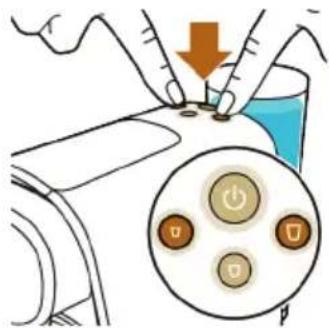
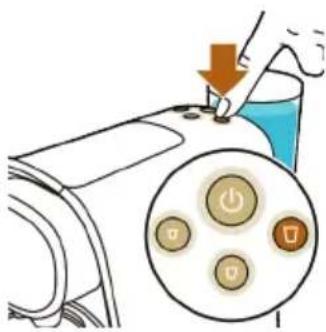
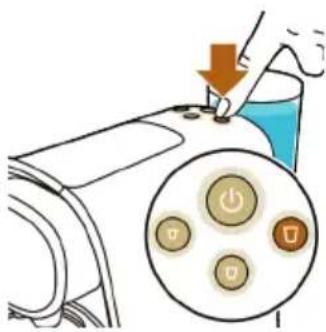
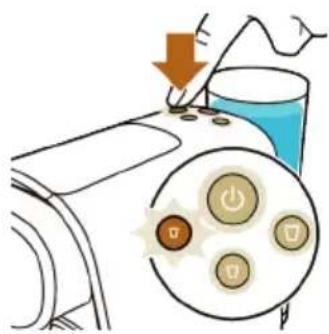
7 Press the ristretto and lungo button briefly at the same time.

L'or Barista LM8016 - Descaling procedure - 7

text_image Diagram showing a hand pressing down on a device with a magnified view of three buttons labeled 'Power', 'U', and 'S' inside.

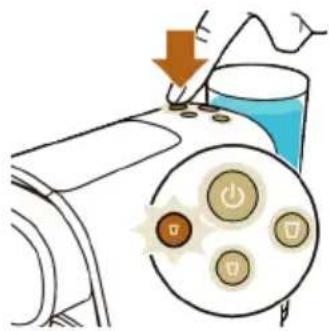
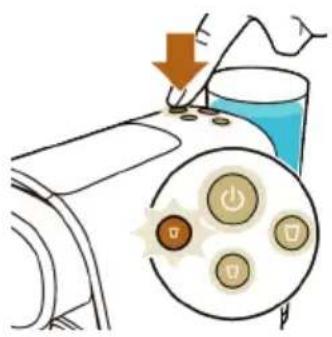
8 The ristretto button starts to flash quickly. Press the ristretto button to activate the descaling cycle. The machine dispenses the entire descaling solution at regular intervals. This takes up to 30 minutes.

- When the lungo button starts to flash quickly again, the first phase of the descaling cycle has finished.

L'or Barista LM8016 - Descaling procedure - 8

natural_image Illustration of a hand washing a bowl with liquid, placed on a kitchen sink (no text or symbols)

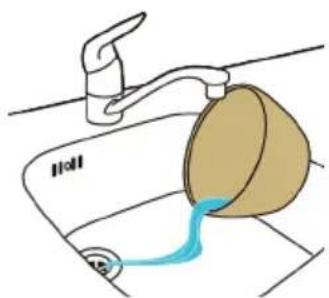
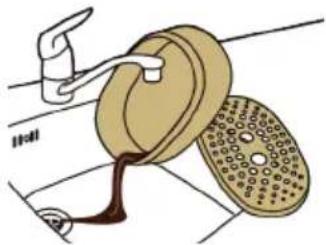
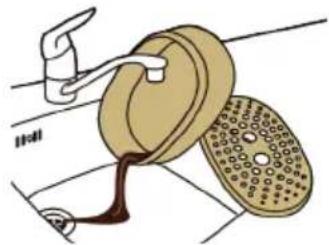
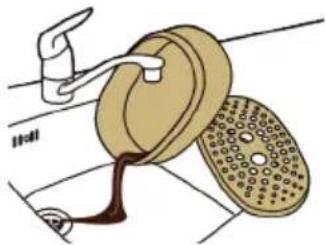
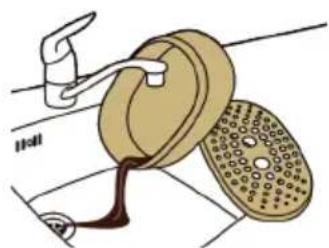
9 Remove and empty the bowl. Place the bowl back onto the lower drip tray under the coffee dispensing spout.

10 Remove the water tank and rinse it under the tap. Fill the water tank with cold tap water and place it back onto the machine.

L'or Barista LM8016 - Descaling procedure - 9

text_image Diagram showing a hand pressing down on a device with a circular button labeled 'Power' and 'Switch' icons, indicating action or control buttons.

11 Press the lungo button to start the flushing cycle.

Note: The water tank will be emptied without interruption. The flushing cycle lasts about 3 minutes.

L'or Barista LM8016 - Descaling procedure - 10

natural_image Simple line drawing of a curved path with scattered dots and a green checkmark (no text or symbols)

12 When the flushing cycle has finished, the ristretto and lungo button flash a few times.

Note: It is normal that some water remains behind in the water tank after the descaling procedure.

The machine switches off. The descaling procedure is finished.

Meaning of light signals

  • The on/off button flashes slowly: the machine is heating up.
  • The on/off button flashes quickly: the water tank is empty, fill the water tank with tap water.
  • All buttons light up continuously: the machine is ready for use.
  • The selected coffee button flashes slowly: the machine is preparing the coffee recipe.
  • The selected coffee button flashes quickly:
  • Programming is activated.
  • The new coffee volume is saved.
  • The ristretto and lungo button flash simultaneously after brewing coffee: you need to descale the machine.

Troubleshooting

This chapter summarizes the most common problems you could encounter with your machine. If you are unable to solve the problem with the information below, visit www.lorbarista.com/support for a list of frequently asked questions or contact the Consumer Care Center in your country.

Problem Possible cause Solution

The machine does not switch on.The machine is not connected to the mains.Put the plug in an earthed wall socket.
The on/off button is flashing slowly.The machine is heating up. This is normal.
The brewing time is longer than before.The machine is clogging up with scale.Descale the machine (see 'Descaling procedure').

Problem Possible cause Solution

The temperature of freshly brewed coffee gradually decreases.The machine is clogging up with scale.Descale the machine (see 'Descaling procedure').
The pump makes a lot of noise.There is not enough water in the water tank.Fill the water tank with fresh tap water.
The water tank is not placed correctly.Place the water tank correctly and push it downwards.
The machine suddenly stops brewing coffee.There is not enough water in the water tank.Fill the water tank with fresh tap water. Press the button of the selected type of coffee again to continue brewing. When the cup is full, press the same button again to stop the brewing process.
The on/off button flashes quickly.The water tank is empty. Fill the water tank with fresh tap water. Press the button of the selected type of coffee again to continue brewing. When the cup is full, press the same button again to stop the brewing process.
I cannot close the capsule compartment lever completely.Check if you use the recommended L'OR capsule. Other capsules may cause problems during use..
The used capsule drawer is full. Empty the used capsule drawer and insert the capsule again.
The capsule is not inserted correctly. Insert the capsule again and check if it is inserted correctly.
The capsule is stuck. Open and close the lever a few times with moderate force to remove the capsule.
The lever does not open completely.The used capsule drawer is full. Empty the used capsule drawer.
The machine does not dispense coffee or only dispenses drops of coffee.You have not flushed the machine before first use.Flush the machine before first use (see 'Preparing for use').
There is not enough water in the water tank.Fill the water tank with fresh tap water.
Scale has built up inside the machine (see 'Descaling').Descale the machine (see 'Descaling').
Coffee grounds end up in the cup of coffee.A small amount of ground coffee will always end up on the bottom of the cup.This is normal.

Problem Possible cause Solution

The coffee flow splits or is not straight.The coffee dispensing spout cap is not placed correctly or it is missing.Snap the coffee dispensing spout onto the coffee outlets.
The ristretto and lungo button lights are flashing after brewing.This means it is time to descale the machine to prevent it from clogging with scale.Descale the machine (see 'Descaling').
Why do I find water in the waste water drawer?The used capsule drawer and waste water drawer catch the residual water released after brewing coffee.This is normal.
The coffee quantity is not what I expected.The coffee quantity has been adjusted.Readjust the coffee quantity (see 'Drink personalization') or reset the coffee quantities (see 'Resetting the coffee quantities').
My coffee is less warm. When you brew the first cup of the day or when it has been a while since your previous cup of coffee, the inside of the machine is still cold when you brew coffee.You can pre-heat the machine and coffee cup by brewing a cup of coffee first without placing a coffee capsule.
If you use a cold, thick-walled cup, the coffee will cool down immediately.Use thin-walled cups, as thin-walled cups will absorb less heat from the coffee than thick-walled cups. Make sure the size of the cup matches the coffee quantity. Do not brew a small quantity of coffee in a large cup.
The machine is clogged with scale. Descale the machine when the ristretto and lungo button flash quickly a few times after brewing (see 'Descaling').
You used cold milk. If you drink coffee with cold, fresh milk, this will cool down your coffee. You can prevent this by preheating the milk.
The machine suddenly switches off after some time.This is the automatic shut-off function.The automatic shut-off function is programmed to switch off the machine after 9 minutes of inactivity to save energy.

Oversigt over maskinen

natural_image Diagram of a portable air conditioner unit with an upward arrow indicating airflow or heat transfer (no text or symbols present)

L'or Barista LM8016 - Oversigt over maskinen - 1

L'or Barista LM8016 - Oversigt over maskinen - 2

text_image Illustration of a coffee maker with a red 'X' symbol indicating rejection or rejection, showing a coffee cup and machine.

L'or Barista LM8016 - Oversigt over maskinen - 3

text_image Diagram illustrating a medical procedure with labeled buttons and temperature reading of 25 sec

L'or Barista LM8016 - Oversigt over maskinen - 4

text_image Diagram showing a hand pressing down on a device with a circular button set to indicate power, switch, and battery icons.
text_image XXL 2x 25 ml 50 ml

Espresso
L'or Barista LM8016 - Oversigt over maskinen - 5

text_image 40 ml

Double espresso / Double shot of espresso
L'or Barista LM8016 - Oversigt over maskinen - 6

text_image XXL 2x 40 ml / 80 ml

Lungo
L'or Barista LM8016 - Oversigt over maskinen - 7

text_image 110 ml

Double lungo / Double shot of lungo
L'or Barista LM8016 - Oversigt over maskinen - 8

text_image XXL 2x 110 ml / 220 ml

Grand Café Filtre
L'or Barista LM8016 - Oversigt over maskinen - 9

text_image 220 ml
natural_image Line drawing of a mechanical device with a handle and base (no text or symbols)

L'or Barista LM8016 - Oversigt over maskinen - 10

natural_image Line drawing of a vacuum cleaner with handle and base (no text or symbols)
text_image Diagram illustrating a process with a hand pressing down on a container, showing a circular button labeled 'Power' and three control buttons below.
natural_image Illustration of two food cup cups with green arrows indicating a step, one open and one filled (no text or symbols)
natural_image Diagram of a mechanical device with a rotating component and liquid, no text or symbols present
natural_image Illustration of a machine emitting exhaust smoke from a bottle (no text or symbols)

3 Luk håndtaget.

L'or Barista LM8016 - Oversigt over maskinen - 11

natural_image Diagram of two circular footsteps with textured surfaces connected by a diagonal line, no text or symbols present

4 Fjern drypbakken med kopplatformen. Læg drypbakken til side, og placer kopplatformen på den nederste drypbakke.

L'or Barista LM8016 - Oversigt over maskinen - 12

natural_image Line drawing of a mechanical device with a handle and base (no text or symbols)

L'or Barista LM8016 - Oversigt over maskinen - 13

text_image Diagram showing a hand pressing down on a machine with a circular button set to indicate power, switch, and battery icons.
natural_image Illustration of a medical device with a magnified view showing internal components (no text or symbols)
natural_image Illustration of a hand turning a doorbell with a rotary knob, no text or symbols present
natural_image Illustration of a wooden box with an open lid and a paperclip, showing internal components (no text or symbols)

L'or Barista LM8016 - Oversigt over maskinen - 14

natural_image Illustration of a mechanical device with a magnified inset showing a green checkmark (no text or symbols present)
natural_image Line drawing of a hand cleaning a small electronic device with a cloth (no text or symbols)
text_image Diagram illustrating car seatbelt usage with a device displaying a green checkmark and icons for seatbelt, seatbelt, and seatbelt.
natural_image Illustration of a coffee machine with a cup and side cups, no text or symbols present
text_image Diagram illustrating a mechanical device with an arrow indicating direction and a red X symbol highlighting a specific component.
text_image Diagram showing a hand pressing down on a device with a circular button labeled 'Power' and a warning icon.
natural_image Simple line drawing of a curved surface with scattered circular elements (no text or symbols)
text_image Diagram illustrating a chemical process with two bottles labeled 'PHELIS' pouring liquid into a glass, showing the resulting product.
text_image Diagram illustrating a mechanical or electrical hazard with a hammer and a cross symbol indicating failure or invalid status.
natural_image Illustration of a machine emitting exhaust smoke from a bottle (no text or symbols)

5 Luk håndtaget.

L'or Barista LM8016 - Oversigt over maskinen - 15

text_image 1.5L
text_image Diagram showing a hand holding a tool with an arrow pointing to a control panel, indicating action or operation.

7 Tryk kortvarigt på ristretto- og lungo-knappen på samme tid.

L'or Barista LM8016 - Oversigt over maskinen - 16

text_image Diagram illustrating a mechanical or electrical process with labeled components and directional arrows, including a magnified inset showing three buttons.
natural_image Illustration of a hand washing a bowl with liquid, placed on a kitchen sink (no text or symbols)
text_image Diagram showing a hand pressing down on a blue liquid with a magnified view of three buttons labeled 'Power', 'Battery', and 'Control'.

11 Tryk på lungo-knappen for at starte skyllecyklussen.

natural_image Simple line drawing of a curved path with scattered brown dots and a green checkmark (no text or symbols)
natural_image Diagram of a mechanical device with an upward arrow indicating motion or force (no text or symbols present)

L'or Barista LM8016 - Oversigt over maskinen - 17

L'or Barista LM8016 - Oversigt over maskinen - 18

text_image Illustration showing a coffee maker with a red 'X' symbol indicating a rejection or rejection process, and a coffee cup pouring into it.

L'or Barista LM8016 - Oversigt over maskinen - 19

text_image Diagram illustrating a medical procedure with labeled buttons and temperature reading of 25 sec

L'or Barista LM8016 - Oversigt over maskinen - 20

text_image Diagram showing a hand pressing down on a device with a magnified view of five buttons labeled with icons.
text_image XXL 2x 25 ml 50 ml

Espresso
L'or Barista LM8016 - Oversigt over maskinen - 21

text_image 40 ml

Double espresso / Double shot of espresso
L'or Barista LM8016 - Oversigt over maskinen - 22

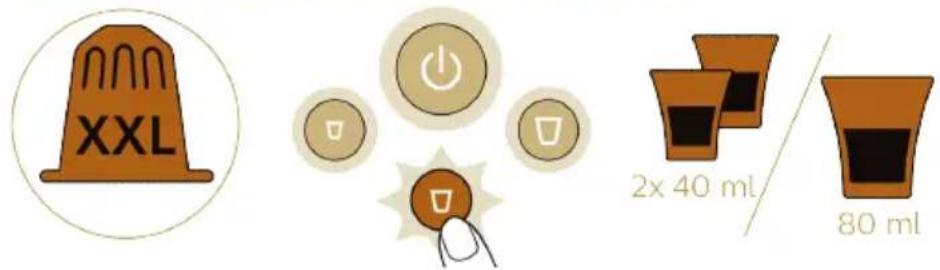
text_image XXL 2x 40 ml / 80 ml

L'or Barista LM8016 - Oversigt over maskinen - 23

text_image Lungo 110 ml Double lungo / Double shot of lungo XXL 2x 110 ml / 220 ml Grand Café Filtre 220 ml

Kaffee zubereiten

natural_image Line drawing of a handheld device with a circular top and base (no text or symbols)

L'or Barista LM8016 - Kaffee zubereiten - 1

natural_image Line drawing of a mechanical device with a handle and base (no text or symbols)
text_image Diagram showing a hand pressing down on a blue liquid with a power button, alongside a circular diagram illustrating the function.
natural_image Illustration of two food cup cups with green arrows indicating rotation and checkmark (no text or symbols)
natural_image Diagram of a mechanical device with a rotating component and liquid, no text or symbols present
natural_image Illustration of a machine emitting exhaust smoke from a bottle (no text or symbols)
natural_image Diagram of two circular footsteps with textured surfaces connected by a diagonal line, no text or symbols present
natural_image Line drawing of a mechanical device with a handle and base (no text or symbols)

L'or Barista LM8016 - Kaffee zubereiten - 2

text_image Diagram showing a hand pressing down on a device with a magnified view of five buttons labeled 'Power', 'OK', and 'Cancel'.
natural_image Illustration of a hand holding a small electronic device with a circular component, no text or symbols present

L'or Barista LM8016 - Kaffee zubereiten - 3

natural_image Illustration of a hand turning a doorbell with a magnified inset showing the blade (no text or symbols)
natural_image Illustration of a box with open lid and open lid, containing food items (no text or symbols)
natural_image Illustration of a mechanical device with a green checkmark on its side, no text or symbols present
natural_image Line drawing of a hand cleaning a small cylindrical device with a cloth (no text or symbols)
natural_image Illustration of a car seatbelt with a laptop displaying a green checkmark (no text or symbols)
natural_image Illustration of a coffee machine with a cup and two cups (no text or symbols)
text_image Diagram showing a device with an arrow and a warning symbol, indicating a hazard or failure.
text_image Diagram showing a hand pressing down on a device with a circular button labeled 'Power' and a warning icon, indicating action or control.
natural_image Simple line drawing of a curved surface with scattered circular elements (no text or symbols)
text_image Diagram showing liquid being poured into a glass, with two bottles labeled 'AR' and 'BRL' below each.

L'or Barista LM8016 - Kaffee zubereiten - 4

text_image Diagram illustrating a mechanical or electrical hazard with an arrow indicating upward motion and a warning symbol.
natural_image Illustration of a machine emitting exhaust heat, showing airflow direction and color gradient (no text or symbols)
text_image Diagram showing a hand pressing down on a device with a circular button labeled 'Power' and control buttons below, indicating action or operation.
text_image Diagram showing a device with a power button and control panel, indicating a process or operation.
natural_image Illustration of a faucet pouring liquid into a bowl (no text or symbols)
text_image Diagram showing a hand pressing down on a device with a circular button labeled with power and switch icons, indicating action or control.
natural_image Simple line drawing of a curved path with scattered star-shaped markers and a green checkmark above (no text or symbols)
natural_image Diagram of a mechanical device with an upward arrow indicating motion or force (no text or symbols present)

L'or Barista LM8016 - Kaffee zubereiten - 5

L'or Barista LM8016 - Kaffee zubereiten - 6

text_image Illustration of a coffee maker with a red X symbol indicating rejection or rejection, showing a coffee cup and a tray.

L'or Barista LM8016 - Kaffee zubereiten - 7

text_image Diagram illustrating a medical procedure with labeled buttons and temperature reading, showing a hand pressing down a bottle.

L'or Barista LM8016 - Kaffee zubereiten - 8

text_image Diagram showing a hand pressing down on a device with a magnified view of control buttons, indicating action or operation.
text_image XXL 2x 25 ml 50 ml

Espresso
L'or Barista LM8016 - Kaffee zubereiten - 9

text_image 40 ml

Double espresso / Double shot of espresso
L'or Barista LM8016 - Kaffee zubereiten - 10

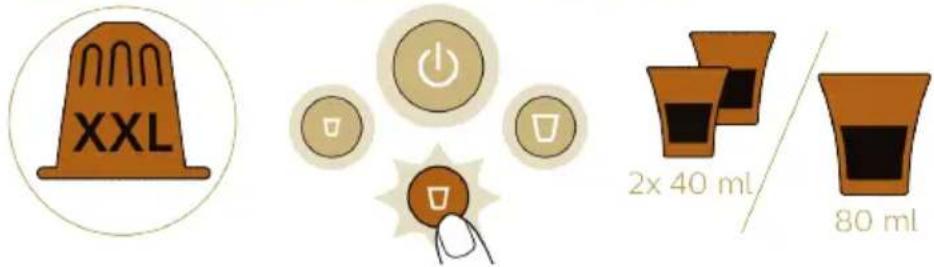
text_image XXL 2x 40 ml / 80 ml

L'or Barista LM8016 - Kaffee zubereiten - 11

text_image Lungo 110 ml Double lungo / Double shot of lungo XXL 2x 110 ml / 220 ml Grand Café Filtre 220 ml
natural_image Line drawing of a handheld device with a circular top and base (no text or symbols)

L'or Barista LM8016 - Kaffee zubereiten - 12

natural_image Line drawing of a mechanical device with a handle and base (no text or symbols)
text_image Diagram showing a hand pressing down on a blue liquid surface with a circular button labeled 'Power' and three buttons below, indicating action or control.
natural_image Illustration of two food cup cups with green arrows indicating a step, one open and one filled (no text or symbols)
natural_image Diagram of a mechanical device with a lever and liquid, showing no text or symbols
natural_image Illustration of a machine emitting exhaust smoke from a bottle (no text or symbols)

3 Cierre la palanca.

L'or Barista LM8016 - Kaffee zubereiten - 13

natural_image Diagram of two foot pushers with arrows indicating movement or force direction (no text or symbols)
natural_image Line drawing of a mechanical device with a handle and base (no text or symbols)

L'or Barista LM8016 - Kaffee zubereiten - 14

text_image Diagram showing a hand pressing down on a machine with a circular button set to indicate power, switch, and battery icons.
natural_image Diagram of a mechanical device with a circular component and orange arrow indicating motion (no text or symbols)

L'or Barista LM8016 - Kaffee zubereiten - 15

natural_image Illustration of a hand using a faucet to lift a circular component, with another device partially visible (no text or symbols)
natural_image Illustration of a box with open lid and open lid, containing food items (no text or symbols)
natural_image Illustration of a mechanical device with a green checkmark indicating a measurement or inspection (no text or symbols present)
natural_image Line drawing of a hand cleaning a small cylindrical device with a cloth (no text or symbols)
natural_image Illustration of a car seatbelt with a laptop displaying a weather gauge and gear components (no text or symbols)
natural_image Illustration of a coffee machine with a cup and two cups (no text or symbols)
text_image Diagram showing a device with an arrow and a warning symbol, indicating a hazard or failure.
text_image Diagram showing a hand pressing down on a device with a circular button labeled 'Power' and a warning icon, indicating action or control.
natural_image Simple line drawing of a curved surface with scattered circular elements (no text or symbols)
text_image Diagram illustrating a mechanical or electrical hazard with an arrow indicating upward motion and a warning symbol.
natural_image Illustration of a machine emitting exhaust heat, showing airflow direction and color gradient (no text or symbols)

5 Cierre la palanca.

L'or Barista LM8016 - Kaffee zubereiten - 16

text_image 1.5L
text_image Diagram showing a hand pressing down on a device with a circular button labeled 'Power' and control buttons below, indicating action or operation.
text_image Diagram showing a device with a power button and control panel, indicating a process or operation.
natural_image Illustration of a faucet pouring liquid into a bowl (no text or symbols)
text_image Diagram showing a hand pressing down on a device with a circular button labeled with icons, indicating action or control buttons.
natural_image Simple line drawing of a curved path with scattered circular elements and a green checkmark above (no text or symbols)
natural_image Diagram of a portable device with a cylindrical top and arrow indicating upward motion (no text or symbols)

L'or Barista LM8016 - Kaffee zubereiten - 17

L'or Barista LM8016 - Kaffee zubereiten - 18

text_image Illustration of a coffee maker with a red 'X' symbol indicating a coffee maker's absence, showing a cup and tray.

L'or Barista LM8016 - Kaffee zubereiten - 19

text_image Diagram illustrating a medical procedure with labeled components and temperature measurement, including a 25-second time indicator.

L'or Barista LM8016 - Kaffee zubereiten - 20

text_image Diagram showing a hand pressing down on a device with a circular button set to indicate power, switch, and power control icons.
text_image XXL 2x 25 ml 50 ml

Espresso
L'or Barista LM8016 - Kaffee zubereiten - 21

text_image 40 ml

Double espresso / Double shot of espresso
L'or Barista LM8016 - Kaffee zubereiten - 22

text_image XXL 2x 40 ml / 80 ml

L'or Barista LM8016 - Kaffee zubereiten - 23

text_image Lungo 110 ml Double lungo / Double shot of lungo XXL 2x 110 ml / 220 ml Grand Café Filtre 220 ml

Préparation du café

natural_image Line drawing of a handheld device with a circular top and base (no text or symbols)

L'or Barista LM8016 - Préparation du café - 1

natural_image Line drawing of a mechanical device with a handle and base (no text or symbols)
text_image Diagram showing a hand pressing down on a blue liquid surface with a circular button labeled 'Power' and three buttons below, indicating action or control.
natural_image Illustration of two food containers with green arrows indicating a step, one open and one closed, both without any text or symbols.
natural_image Diagram of a mechanical device with a rotating component and liquid, no text or symbols present
natural_image Illustration of a machine emitting exhaust smoke from a bottle (no text or symbols)

3 Fermez le levier.

L'or Barista LM8016 - Préparation du café - 2

natural_image Diagram of two foot pushers with arrows indicating movement or force direction (no text or symbols)
natural_image Line drawing of a mechanical device with a handle and base (no text or symbols)

L'or Barista LM8016 - Préparation du café - 3

text_image Diagram showing a hand pressing down on a device with a magnified view of five buttons labeled with icons.
natural_image Illustration of a mechanical device with a gear and lever mechanism (no text or symbols)

L'or Barista LM8016 - Préparation du café - 4

natural_image Illustration of a hand turning a faucet with a magnified inset showing the blade (no text or symbols)
natural_image Illustration of a box with open lid and open lid, containing food items (no text or symbols)
natural_image Illustration of a mechanical device with a green checkmark on its side, no text or symbols present
natural_image Line drawing of a hand cleaning a small cylindrical device with a cloth (no text or symbols)
natural_image Illustration of a car seatbelt with a laptop displaying a weather check icon (no text or symbols)
natural_image Illustration of a coffee machine with a cup and side dish (no text or symbols)
text_image Diagram illustrating a device with a warning sign and a cross symbol, indicating a hazard or failure.
text_image Diagram showing a hand pressing down on a device with a magnified view of five buttons labeled with power and switch symbols.
natural_image Simple line drawing of a curved surface with scattered circular elements (no text or symbols)
text_image Diagram showing a blue liquid being poured into a glass, with two bottles labeled 'FAR' and 'PAPLIFE' below.

L'or Barista LM8016 - Préparation du café - 5

text_image Diagram illustrating a mechanical or electrical hazard with an arrow indicating upward motion and a red X symbol highlighting a specific component.
natural_image Illustration of a machine emitting exhaust heat, showing airflow direction and color gradient (no text or symbols)

5 Fermez le levier.

L'or Barista LM8016 - Préparation du café - 6

text_image 1.5L
text_image Diagram showing a hand pressing down on a small object with a control panel displaying three buttons and an arrow indicating downward motion.
text_image Diagram showing a device with a power button and a circular control panel, indicating action or operation.
natural_image Illustration of a faucet pouring liquid into a bowl (no text or symbols)
text_image Diagram showing a hand pressing down on a device with a circular button labeled with power and switch icons, indicating action or control.
natural_image Simple line drawing of a curved path with scattered circular elements and a green checkmark above (no text or symbols)
natural_image Diagram of a mechanical device with an upward arrow indicating motion or force (no text or symbols present)

L'or Barista LM8016 - Préparation du café - 7

L'or Barista LM8016 - Préparation du café - 8

text_image Illustration of a coffee maker with a red X symbol indicating rejection or rejection, showing a coffee cup and a tray.

L'or Barista LM8016 - Préparation du café - 9

text_image Diagram illustrating a medical procedure with labeled buttons and a thermometer, showing time duration of 25 seconds.

L'or Barista LM8016 - Préparation du café - 10

text_image Diagram showing a hand pressing down on a device with a magnified view of control buttons, indicating action or operation.
text_image XXL 2x 25 ml 50 ml

Espresso
L'or Barista LM8016 - Préparation du café - 11

text_image 40 ml

Double espresso / Double shot of espresso
L'or Barista LM8016 - Préparation du café - 12

text_image XXL 2x 40 ml / 80 ml

L'or Barista LM8016 - Préparation du café - 13

text_image Lungo 110 ml Double lungo / Double shot of lungo XXL 2x 110 ml / 220 ml Grand Café Filtre 220 ml
natural_image Line drawing of a mechanical device with a handle and base (no text or symbols)

L'or Barista LM8016 - Préparation du café - 14

natural_image Line drawing of a vacuum cleaner with handle and base (no text or symbols)
text_image Diagram showing a hand pressing down on a blue liquid surface with a circular button labeled 'Power' and three buttons below, indicating action or control.
natural_image Illustration of two food cup cups with green arrows indicating a step, one open and one filled (no text or symbols)
natural_image Diagram of a mechanical device with a rotating component and liquid, no text or symbols present
natural_image Illustration of a machine emitting exhaust smoke from a bottle (no text or symbols)

3 Chiudete la leva.

L'or Barista LM8016 - Préparation du café - 15

natural_image Diagram of two circular footsteps with textured surfaces, connected by a diagonal line (no text or symbols)
natural_image Line drawing of a mechanical device with a handle and base (no text or symbols)

L'or Barista LM8016 - Préparation du café - 16

text_image Diagram showing a hand pressing down on a device with a magnified view of five buttons labeled with icons.
natural_image Diagram of a mechanical device with a circular component and orange arrow indicating motion (no text or symbols)

L'or Barista LM8016 - Préparation du café - 17

natural_image Illustration of a hand turning a faucet with a magnified inset showing the blade (no text or symbols)
natural_image Illustration of a box with open lid and open lid, containing food items (no text or symbols)
natural_image Illustration of a mechanical device with a close-up view showing a screen and a switch (no text or symbols present)
natural_image Line drawing of a hand cleaning a cylindrical device with a cloth (no text or symbols)
natural_image Illustration of a person wearing a hat and holding a device with a green checkmark (no text or symbols)
natural_image Illustration of a coffee machine with a cup and two cups (no text or symbols)
text_image Diagram showing a device with an arrow indicating direction and a red 'X' symbol below, possibly indicating a warning or error.
text_image Diagram showing a hand pressing down on a device with a circular button labeled 'Power' and a warning icon, indicating action or control.
natural_image Simple line drawing of a curved surface with scattered circular elements (no text or symbols)
text_image Illustration showing a glass being poured into a bottle, with Chinese text labels indicating '饮料' (alcoholic beverages) and '饮料' (alcoholic beverages).

L'or Barista LM8016 - Préparation du café - 18

text_image Diagram illustrating a mechanical or electrical hazard with an arrow indicating upward motion and a warning symbol.
natural_image Illustration of a machine emitting powder from a bottle, showing motion and spray (no text or symbols)

5 Chiudete la leva.

L'or Barista LM8016 - Préparation du café - 19

text_image 1.5L
text_image Diagram showing a hand pressing down on a device with a magnified view of three buttons labeled 'Power', 'Control', and 'Display'.
text_image Diagram showing a device with a power button and control panel, indicating a drop or reduction in operation.
natural_image Illustration of a faucet pouring liquid into a bowl (no text or symbols)
text_image Diagram showing a hand pressing down on a device with a circular button labeled with power and switch icons, indicating action or control.
natural_image Simple line drawing of a curved path with scattered circular elements and a green checkmark above (no text or symbols)
natural_image Diagram of a portable air conditioner unit with an upward arrow indicating airflow or heat transfer (no text or symbols present)

L'or Barista LM8016 - Préparation du café - 20

L'or Barista LM8016 - Préparation du café - 21

text_image Illustration of a coffee maker with a red 'X' symbol indicating rejection or rejection, showing a coffee cup and machine.

L'or Barista LM8016 - Préparation du café - 22

text_image Diagram illustrating a medical procedure with labeled buttons and temperature reading of 25 sec

L'or Barista LM8016 - Préparation du café - 23

text_image Diagram showing a hand pressing down on a device with a circular button set to indicate power, switch, and battery icons.
text_image XXL 2x 25 ml 50 ml

Espresso
L'or Barista LM8016 - Préparation du café - 24

text_image 40 ml

Double espresso / Double shot of espresso
L'or Barista LM8016 - Préparation du café - 25

text_image XXL 2x 40 ml / 80 ml

Lungo
L'or Barista LM8016 - Préparation du café - 26

text_image 110 ml

Double lungo / Double shot of lungo
L'or Barista LM8016 - Préparation du café - 27

text_image XXL 2x 110 ml / 220 ml

Grand Café Filtre
L'or Barista LM8016 - Préparation du café - 28

text_image Illustration showing coffee cup making, battery charging, and 220 ml of coffee cup with checkmark indicator

Koffie bereiden

natural_image Line drawing of a mechanical device with a handle and central component (no text or symbols)

L'or Barista LM8016 - Koffie bereiden - 1

natural_image Line drawing of a vacuum cleaner with handle and base (no text or symbols)
text_image Diagram showing a hand pressing down on a blue liquid surface with three labeled buttons inside a circle, indicating action or control states.
natural_image Illustration of two food cup cups with green arrows indicating rotation and checkmark (no text or symbols)
natural_image Diagram of a mechanical device with a rotating component and liquid, no text or symbols present
natural_image Illustration of a machine emitting exhaust smoke from a bottle (no text or symbols)

3 Duw de hendel omlaag.

L'or Barista LM8016 - Koffie bereiden - 2

natural_image Diagram of two circular footsteps with textured surfaces connected by a diagonal line, no text or symbols present
natural_image Line drawing of a mechanical device with a handle and base (no text or symbols)

L'or Barista LM8016 - Koffie bereiden - 3

text_image Diagram showing a hand pressing down on a machine with a circular button set to indicate power, switch, and battery icons.
natural_image Illustration of a medical device with a magnified view showing internal components (no text or symbols)

L'or Barista LM8016 - Koffie bereiden - 4

natural_image Illustration of a hand turning a faucet with a magnified inset showing the blade (no text or symbols)
natural_image Illustration of a box with open lid and open lid, containing food items (no text or symbols)
natural_image Illustration of a mechanical device with a green checkmark on its side, no text or symbols present
natural_image Line drawing of a hand cleaning a small cylindrical device with a cloth (no text or symbols)
natural_image Illustration of a person wearing a helmet and holding a device with a green checkmark (no text or symbols)
natural_image Illustration of a coffee machine with a cup and side table, no text or symbols present
text_image Diagram showing a device with a hammer and a warning symbol indicating absence of a device.
text_image Diagram showing a hand pressing down on a device with a magnified circular button indicating power and switch icons.
natural_image Simple line drawing of a curved surface with scattered circular elements (no text or symbols)
text_image Illustration showing a glass pouring liquid into a bottle, with two labeled bottles and Chinese text.

L'or Barista LM8016 - Koffie bereiden - 5

text_image Diagram illustrating a mechanical or electrical hazard with an arrow indicating upward motion and a red X symbol highlighting a specific component.
natural_image Illustration of a machine emitting exhaust heat, showing airflow direction and color gradient (no text or symbols)

5 Duw de hendel omlaag.

L'or Barista LM8016 - Koffie bereiden - 6

text_image 1.5L
text_image Diagram showing a hand pressing down on a small object with a control panel displaying three buttons and an arrow indicating downward motion.
text_image Diagram showing a device with a power button and control panel, indicating action or operation.
natural_image Illustration of a hand washing a bowl into a sink (no text or symbols)
text_image Diagram showing a hand pressing down on a device with a circular control panel displaying power and switch icons.
natural_image Simple line drawing of a curved path with scattered circular elements and a green checkmark (no text or symbols)
natural_image Diagram of a mechanical device with an upward arrow indicating motion or force (no text or symbols present)

L'or Barista LM8016 - Koffie bereiden - 7

natural_image Illustration of a glass with blue liquid being inverted by a funnel (no text or symbols)

L'or Barista LM8016 - Koffie bereiden - 8

text_image Illustration showing a coffee maker with a red 'X' symbol indicating rejection or rejection, and a coffee cup pouring into it.

L'or Barista LM8016 - Koffie bereiden - 9

text_image Diagram illustrating a medical procedure with labeled buttons and temperature reading of 25 sec

L'or Barista LM8016 - Koffie bereiden - 10

text_image Diagram showing a hand pressing down on a device with a magnified view of five buttons labeled with icons.
text_image XXL 2x 25 ml 50 ml

Espresso
L'or Barista LM8016 - Koffie bereiden - 11

text_image 40 ml

Double espresso / Double shot of espresso
L'or Barista LM8016 - Koffie bereiden - 12

text_image XXL 2x 40 ml / 80 ml

Lungo
L'or Barista LM8016 - Koffie bereiden - 13

text_image 110 ml

Double lungo / Double shot of lungo
L'or Barista LM8016 - Koffie bereiden - 14

text_image XXL 2x 110 ml / 220 ml

Grand Café Filtre
L'or Barista LM8016 - Koffie bereiden - 15

text_image Illustration showing coffee cup recycling process with checkmark, power button, and 220 ml volume indicator

Trakte kaffe

1 Trykk på av/på-knappen for å slå på maskinen. Av/på-knappen blinker for å angi at maskinen varmes opp.
2 Hvis du vil trakte én kopp med kaffe, setter du én kopp under kaffetuten.

L'or Barista LM8016 - Trakte kaffe - 1

natural_image Line drawing of a mechanical device with a handle and central component (no text or symbols)

L'or Barista LM8016 - Trakte kaffe - 2

natural_image Line drawing of a vacuum cleaner with handle and base (no text or symbols)
text_image Diagram illustrating a process with a hand pressing down on a blue liquid, showing a circular button labeled 'Power' and three buttons below.
natural_image Illustration of two cupcake cups with green arrows indicating rotation and checkmark (no text or symbols)
natural_image Diagram of a mechanical device with a rotating knob and liquid, showing motion direction (no text or symbols)
natural_image Illustration of a machine emitting exhaust smoke from a fan (no text or symbols)

3 Lukk hendelen.

L'or Barista LM8016 - Trakte kaffe - 3

natural_image Diagram of two circular objects with perforated surfaces connected by wires, showing directional arrows (no text or symbols)

4 Fjern dryppbrettet sammen med koppeplattformen. Sett til side dryppbrettet og plasser koppeplattformen på nedre dryppbrett.

L'or Barista LM8016 - Trakte kaffe - 4

natural_image Line drawing of a mechanical device with a handle and base (no text or symbols)

L'or Barista LM8016 - Trakte kaffe - 5

text_image Diagram showing a hand pressing down on a machine with a circular button set to indicate power, switch, and battery icons.

5 Sett en stor kopp eller et krus under kaffetuten på koppeplattformen.

natural_image Illustration of a hand holding a small object with circular elements, possibly a device or tool, with no visible text or symbols.

L'or Barista LM8016 - Trakte kaffe - 6

natural_image Illustration of a hand turning a toilet into a sink, with no text or symbols present.
natural_image Illustration of a wooden box with an open lid and an arrow indicating direction (no text or symbols)

L'or Barista LM8016 - Trakte kaffe - 7

natural_image Illustration of a mechanical device with a green checkmark on its side, no text or symbols present
natural_image Line drawing of a hand cleaning a small electronic device with a cloth (no text or symbols)
natural_image Illustration of a car seatbelt with a device displaying a green checkmark (no text or symbols)
natural_image Illustration of a coffee machine with a cup and side cups, no text or symbols present

1 Sett en kopp under kaffetuten.

text_image Diagram illustrating a mechanical device with an arrow indicating direction and a red X symbol indicating failure or rejection.

3 Lukk hendelen uten å sette inn en ny kapsel.

L'or Barista LM8016 - Trakte kaffe - 8

text_image Diagram showing a hand pressing down on a device with a circular button labeled 'Power' and a warning icon.
natural_image Simple line drawing of a curved surface with scattered circular elements (no text or symbols)
text_image Diagram showing liquid being poured into a glass, with two bottles labeled 'Aa' and 'Pb' each containing 'PHASEL' branding.

1 Trykk på av/på-knappen for å slå på maskinen.
2 Hell en halv flaske flytende L'OR Barista-avkalkingsmiddel (CA6530) i vannbeholderen.

L'or Barista LM8016 - Trakte kaffe - 9

natural_image Illustration of a glass with blue liquid being poured into a tube (no text or symbols)

3 Fyll vannbeholderen med friskt vann fra springen.

L'or Barista LM8016 - Trakte kaffe - 10

text_image Diagram illustrating a mechanical or electrical hazard with an arrow indicating upward motion and a red 'X' symbol below a circular diagram containing a hammer and base.
natural_image Illustration of a sewing machine emitting powder from a bottle (no text or symbols)

5 Lukk hendelen.

L'or Barista LM8016 - Trakte kaffe - 11

text_image 1.5L
text_image Diagram showing a hand pressing down on a device with a circular button set to four buttons, indicating action or control.

7 Trykk raskt på Ristretto- og Lungo-knappen samtidig.

L'or Barista LM8016 - Trakte kaffe - 12

text_image Diagram showing a device with a magnified view of control buttons, indicating power or switch behavior.
natural_image Illustration of a hand washing a bowl with liquid, placed on a kitchen sink (no text or symbols)

9 Fjern og tøm skålen. Sett skålen tilbake på nedre dryppbrett under kaffetuten.

text_image Diagram showing a hand pressing down on a blue liquid with a magnified view of three buttons labeled 'Power', 'Battery', and 'Control'.
natural_image Simple line drawing of a curved path with scattered dots and a green checkmark (no text or symbols)
natural_image Illustration of a portable air conditioner unit with an upward arrow indicating airflow or heat transfer (no text or symbols)

L'or Barista LM8016 - Trakte kaffe - 13

L'or Barista LM8016 - Trakte kaffe - 14

text_image Illustration of a coffee maker with a red 'X' symbol indicating rejection or invalid, showing a cup and tray.

L'or Barista LM8016 - Trakte kaffe - 15

text_image Diagram illustrating a medical procedure with labeled components and temperature measurement, including a 25-second time indicator.

L'or Barista LM8016 - Trakte kaffe - 16

text_image Diagram showing a hand pressing down on a device with a circular button set to indicate power, switch, and power control icons.
text_image XXL 2x 25 ml 50 ml

Espresso
L'or Barista LM8016 - Trakte kaffe - 17

text_image 40 ml

Double espresso / Double shot of espresso
L'or Barista LM8016 - Trakte kaffe - 18

text_image XXL 2x 40 ml / 80 ml

Lungo
L'or Barista LM8016 - Trakte kaffe - 19

text_image 110 ml

Double lungo / Double shot of lungo
L'or Barista LM8016 - Trakte kaffe - 20

text_image XXL 2x 110 ml / 220 ml

Grand Café Filtre
L'or Barista LM8016 - Trakte kaffe - 21

text_image Illustration showing coffee cup making, battery charging, and 220 ml of coffee mug with checkmark indicator

Preparar café

natural_image Line drawing of a mechanical device with a handle and base (no text or symbols)
natural_image Line drawing of a vacuum cleaner with handle and base (no text or symbols)

L'or Barista LM8016 - Preparar café - 1

text_image Diagram showing a hand pressing down on a blue liquid surface with a circular button labeled 'Power' and three buttons below, indicating action or control states.
natural_image Illustration of two food cup cups with green arrows indicating a step, one open and one filled (no text or symbols)

1 Retire o selo da cápsula por completo.

L'or Barista LM8016 - Preparar café - 2

natural_image Diagram of a mechanical device with a rotating component and liquid, no text or symbols present

2 Levante o manípulo e insira a cápsula.

L'or Barista LM8016 - Preparar café - 3

natural_image Illustration of a printer emitting powder from a cup, showing motion direction (no text or symbols)

3 Feche o manípulo.

L'or Barista LM8016 - Preparar café - 4

natural_image Diagram of two circular foot pushers with arrows indicating movement or force direction (no text or symbols)
natural_image Line drawing of a mechanical device with a handle and base (no text or symbols)

L'or Barista LM8016 - Preparar café - 5

text_image Diagram showing a hand pressing down on a machine with a circular button set to indicate power, switch, and display icons.
natural_image Illustration of a medical device with a magnified view showing internal components (no text or symbols)
natural_image Illustration of a hand turning a doorbell with a scroll wheel, no text or symbols present
natural_image Illustration of a wooden box with an open lid and a paperclip, showing internal components (no text or symbols)

L'or Barista LM8016 - Preparar café - 6

natural_image Illustration of a mechanical device with a green checkmark on its side (no text or symbols present)
natural_image Line drawing of a hand cleaning a small electronic device with a cloth (no text or symbols)
natural_image Illustration of a car seatbelt with a laptop displaying a green checkmark (no text or symbols)
natural_image Illustration of a coffee machine with a cup and side cups, no text or symbols present
text_image Diagram illustrating a mechanical device with an arrow indicating direction and a red X symbol highlighting a specific component.
text_image Diagram showing a hand pressing down on a device with a circular button labeled 'Power' and a warning icon.
natural_image Simple line drawing of a curved surface with scattered circular elements (no text or symbols)
text_image Diagram illustrating a chemical process with two bottles labeled 'Prelates' pouring liquid into a glass, showing the resulting product.

L'or Barista LM8016 - Preparar café - 7

text_image Diagram illustrating a process with an arrow indicating direction and a warning symbol with a red X.
natural_image Illustration of a machine emitting powder from a bottle, with no visible text or symbols

5 Feche o manípulo.

L'or Barista LM8016 - Preparar café - 8

text_image 1.5L
text_image Diagram showing a hand pressing down on a device with a magnified view of three buttons labeled 'Power', 'Control', and 'Display'.
text_image Diagram showing a hand pressing down on a device with a magnified circular display showing three buttons labeled 'Power', 'Control', and 'Display'.
natural_image Illustration of a faucet pouring liquid into a bowl (no text or symbols)
text_image Diagram showing a hand pressing down on a device with a circular button labeled with power and switch icons, indicating action or control.
natural_image Simple line drawing of a curved path with scattered circular elements and a green checkmark above (no text or symbols)
natural_image Illustration of a portable air conditioner unit with an upward arrow indicating airflow or heat transfer (no text or symbols present)

L'or Barista LM8016 - Preparar café - 9

L'or Barista LM8016 - Preparar café - 10

text_image Illustration of a coffee maker with a red 'X' symbol indicating rejection or disapproval, showing a coffee cup and a tray.

L'or Barista LM8016 - Preparar café - 11

text_image Diagram illustrating a medical procedure with labeled buttons and temperature reading, showing a hand pressing down on a blue liquid container.

L'or Barista LM8016 - Preparar café - 12

text_image Diagram showing a hand pressing down on a device with a circular button set to indicate power, switch, and battery icons.
text_image XXL 2x 25 ml 50 ml

Espresso
L'or Barista LM8016 - Preparar café - 13

text_image 40 ml

Double espresso / Double shot of espresso
L'or Barista LM8016 - Preparar café - 14

text_image XXL 2x 40 ml 80 ml

Lungo
L'or Barista LM8016 - Preparar café - 15

text_image 110 ml

Double lungo / Double shot of lungo
L'or Barista LM8016 - Preparar café - 16

text_image XXL 2x 110 ml / 220 ml

Grand Café Filtre
L'or Barista LM8016 - Preparar café - 17

text_image Illustration showing coffee cup making, battery charging, and 220 ml of coffee mug with icons and labels

Förbereda kaffe

natural_image Line drawing of a mechanical device with a handle and central component (no text or symbols)

L'or Barista LM8016 - Förbereda kaffe - 1

natural_image Line drawing of a vacuum cleaner with handle and base (no text or symbols)
text_image Diagram illustrating a process with a hand pressing down on a blue liquid, showing a circular button labeled 'Power' and three buttons below.
natural_image Illustration of two food cup cups with green arrows indicating a step, one open and one filled (no text or symbols)
natural_image Diagram of a mechanical device with a rotating component and liquid, no text or symbols present
natural_image Illustration of a machine emitting exhaust smoke from a bottle (no text or symbols)

3 Stäng spaken.

L'or Barista LM8016 - Förbereda kaffe - 2

natural_image Diagram of two circular objects with textured surfaces connected by a diagonal line, no text or symbols present
natural_image Line drawing of a mechanical device with a handle and base (no text or symbols)

L'or Barista LM8016 - Förbereda kaffe - 3

text_image Diagram showing a hand pressing down on a machine with a circular button set to indicate power, switch, and display icons.
natural_image Medical illustration showing a surgical procedure with an arrow indicating a specific area (no text or labels present)

L'or Barista LM8016 - Förbereda kaffe - 4

natural_image Illustration of a hand pouring liquid into a container with a lid, showing mechanical components (no text or symbols)
natural_image Illustration of a wooden box with an open lid and a paperclip, showing internal components (no text or symbols)

L'or Barista LM8016 - Förbereda kaffe - 5

natural_image Illustration of a mechanical device with a green checkmark on its side (no text or symbols present)
natural_image Line drawing of a hand cleaning a small machine with a cloth (no text or symbols)
natural_image Illustration of a car seatbelt with a device displaying a green checkmark (no text or symbols)
natural_image Illustration of a coffee machine with a cup and side cups, no text or symbols present
text_image Diagram illustrating a mechanical device with an arrow indicating direction and a red X symbol highlighting a specific component.
text_image Diagram showing a hand pressing down on a device with a circular button labeled 'Power' and a switch icon, indicating action or operation.
natural_image Simple line drawing of a curved surface with scattered circular elements (no text or symbols)
text_image Illustration showing a glass being poured into a bottle of blue liquid, with labels indicating 'PILK' and '25'.
text_image Diagram illustrating a mechanical or electrical hazard with an arrow indicating upward motion and a red X symbol highlighting a specific component.
natural_image Illustration of a machine emitting exhaust smoke from a bottle (no text or symbols)

5 Stäng spaken.

L'or Barista LM8016 - Förbereda kaffe - 6

text_image 1.5L
text_image Diagram showing a hand pressing down on a device with a circular button set to four buttons, indicating action or control.
text_image Diagram showing a hand pressing down on a device with a magnified view of three buttons labeled 'Power', 'U', and 'S' inside.
natural_image Illustration of a hand washing a bowl with liquid, placed on a kitchen sink (no text or symbols)
text_image Diagram showing a hand pressing down on a blue liquid with a magnified view of three buttons labeled 'Power', 'Battery', and 'Control'.
natural_image Simple line drawing of a curved path with scattered dots and a green checkmark (no text or symbols)
natural_image Abstract artistic composition with flowing, muted tones and no visible text or symbols

2023 © Versuni Holding B.V. PHILIPS and the Philips Shield Emblem are registered trademarks of Koninklijke Philips N.V. and are used under license. This product has been manufactured by and is sold under the responsibility of Versuni Holding B.V., and Versuni Holding B.V. is the warrantor in relation to this product.

Manual assistant
Powered by Anthropic
Waiting for your message
Product information

Brand : L'or

Model : Barista LM8016

Category : Coffee machine