HSW100 - Humidifier Wood's - Free user manual and instructions
Find the device manual for free HSW100 Wood's in PDF.
User questions about HSW100 Wood's
0 question about this device. Answer the ones you know or ask your own.
Ask a new question about this device
Download the instructions for your Humidifier in PDF format for free! Find your manual HSW100 - Wood's and take your electronic device back in hand. On this page are published all the documents necessary for the use of your device. HSW100 by Wood's.
USER MANUAL HSW100 Wood's
Operating instructions for: HSW100 Humidifier

natural_image
White industrial machine with control panel and side-mounted buttons (no visible text or symbols)Get 6 years warranty!
Register and follow the instructions at
warranty-woods.com
Visit our website to:
Get usage advice, updated brochures, troubleshoot and service information
Register your product for additional services:
www.warranty-woods.com
CUSTOMER CARE AND SERVICE
Always use original spare parts.
When contacting our Authorised Service Centre,
ensure that you have the following data available:
Model number, receipt and serial number.
Warning / Caution-Safety information.
General information and tips.
Environmental information.
Subject to change without notice.
Manual HSW100 Humidifier
Content Eng
- Getting started
- Cleaning
- Safety
- Problem solving
- Technical data
natural_image
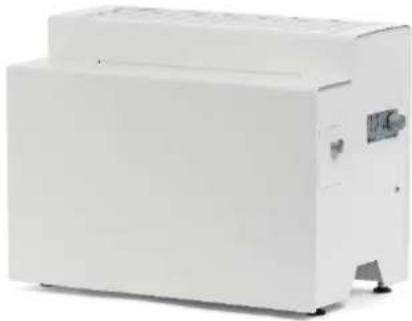
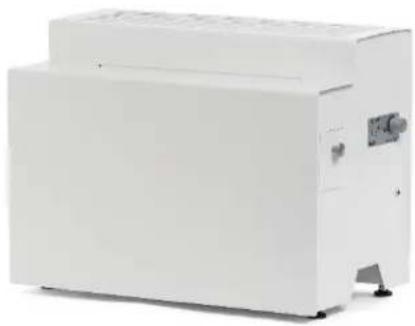
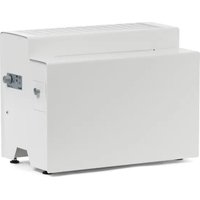
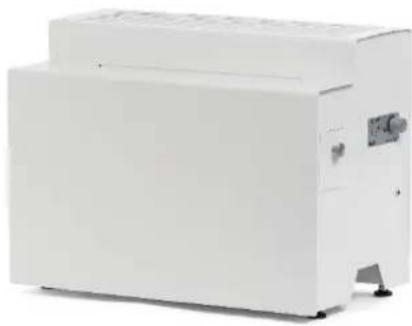
White industrial machine with a flat top and side-mounted control panel (no visible text or symbols)Getting started

natural_image
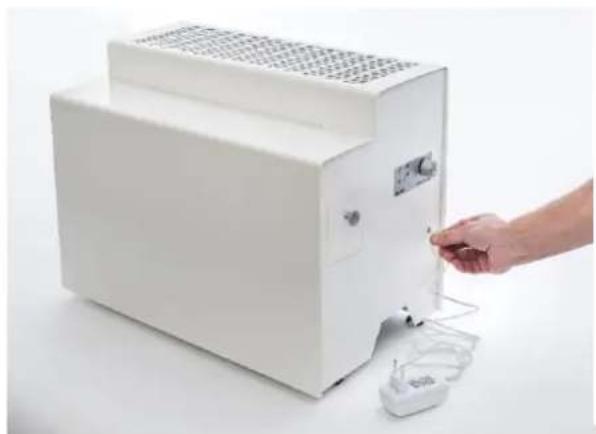
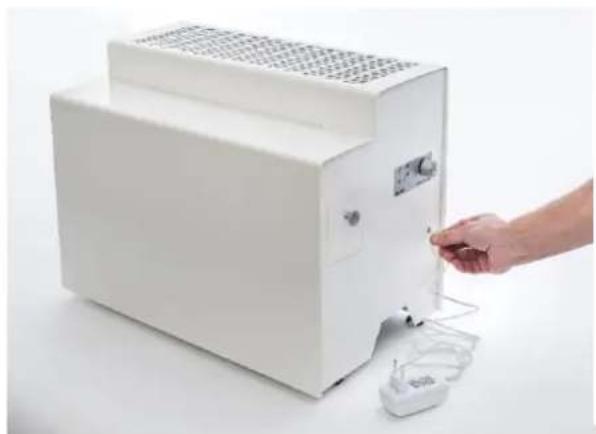
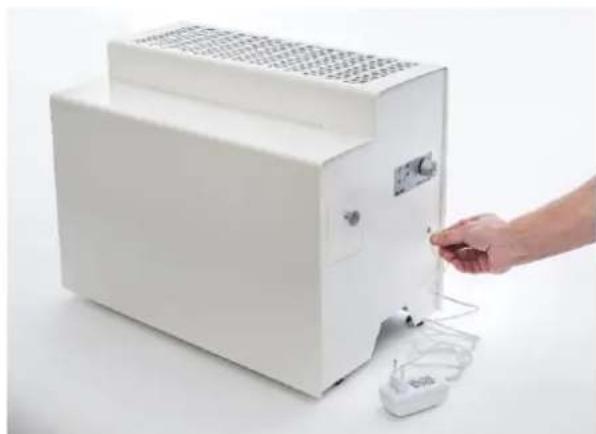
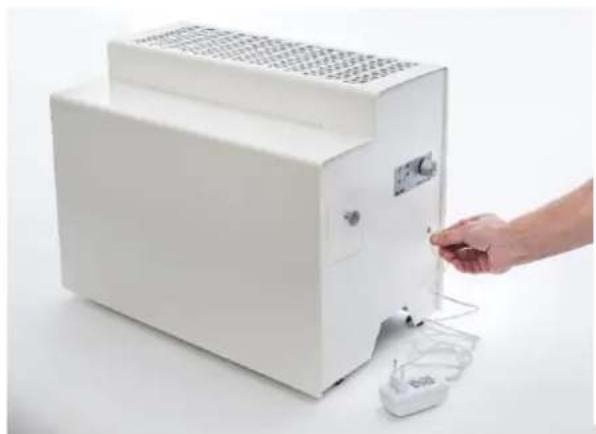
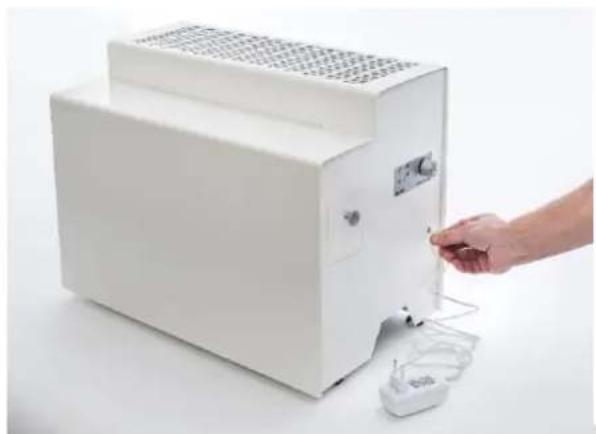
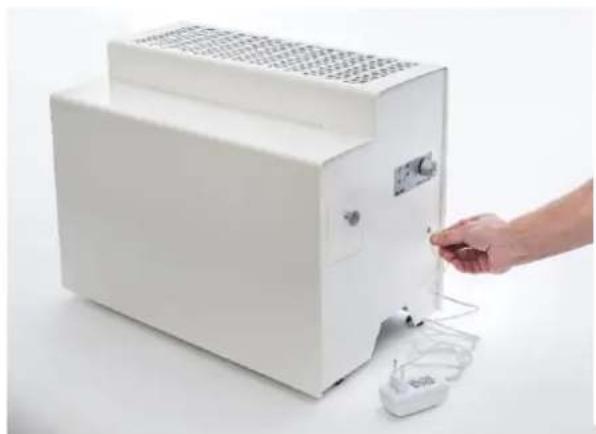
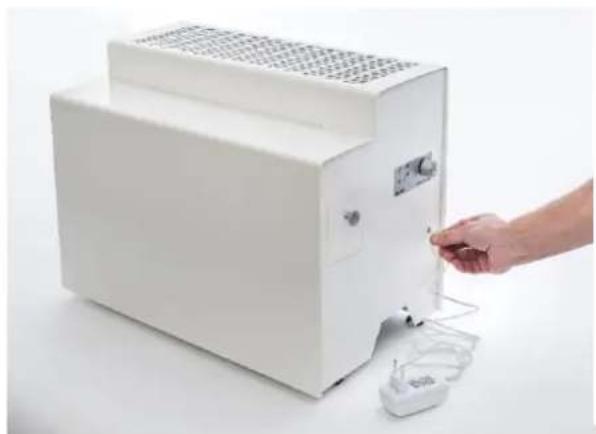
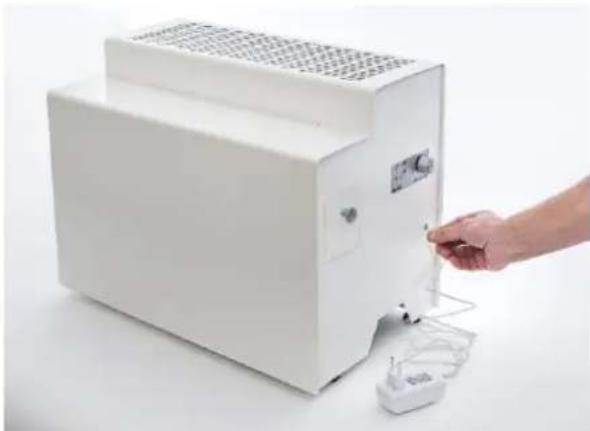
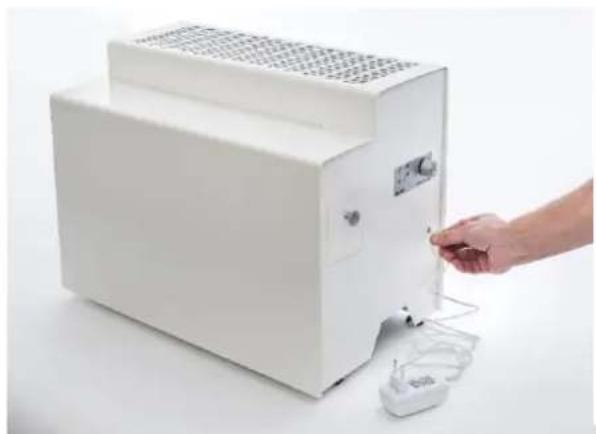
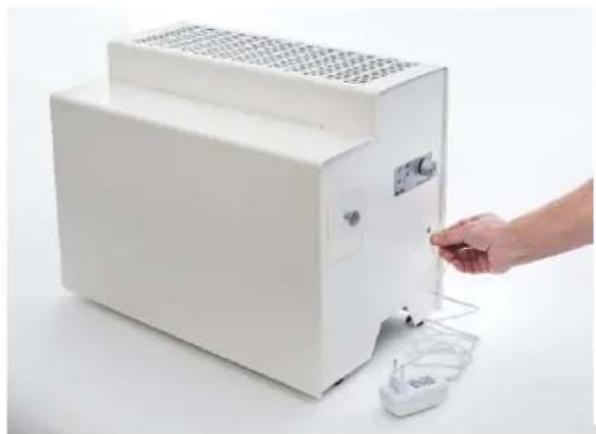
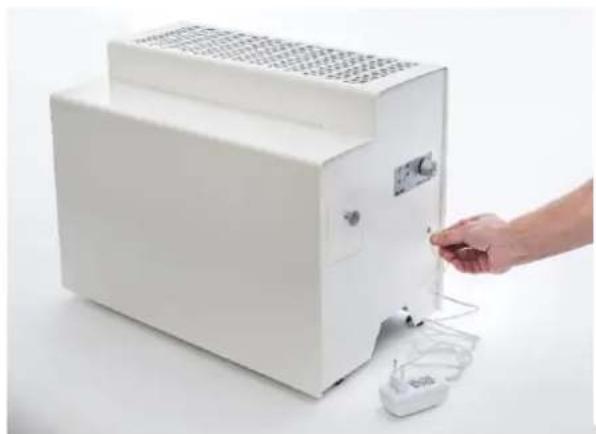
Hand inserting a small electronic device into a white industrial machine (no visible text or symbols)- Connect the supplied AC adapter
- Connect the unit to an electrical outlet
- Ensure that the humidifier is stable and in balance by adjusting the feet as needed. Otherwise, there is a risk that the water will run out.
natural_image
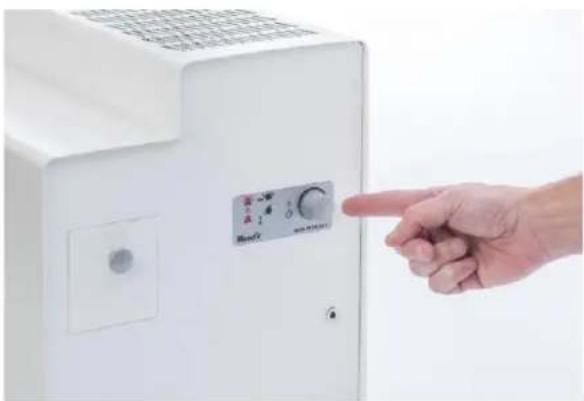
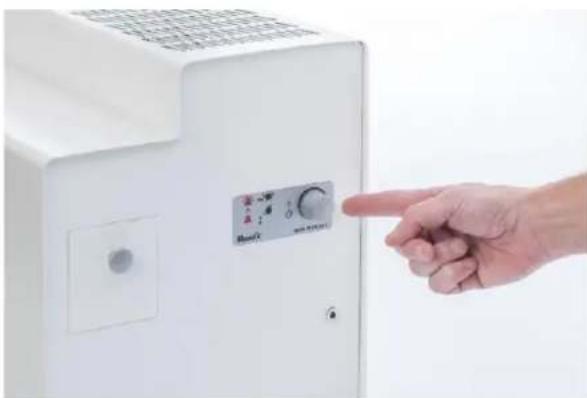
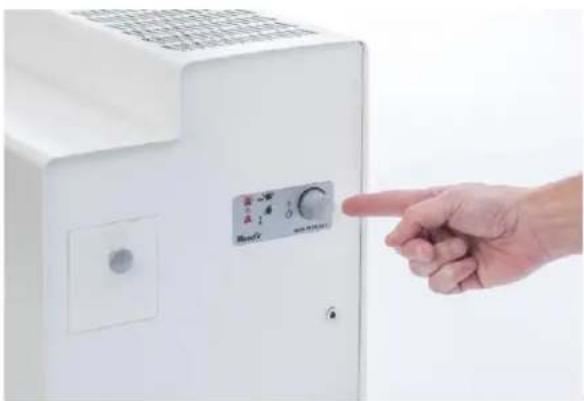
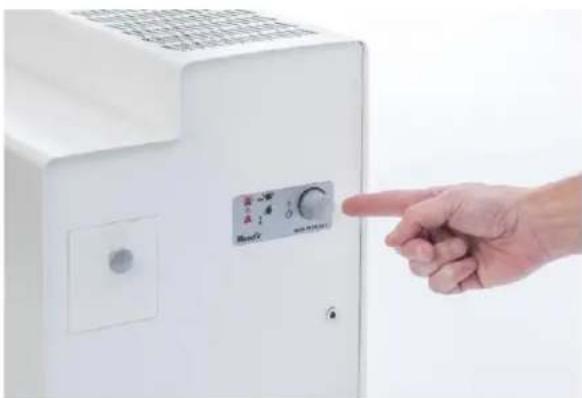
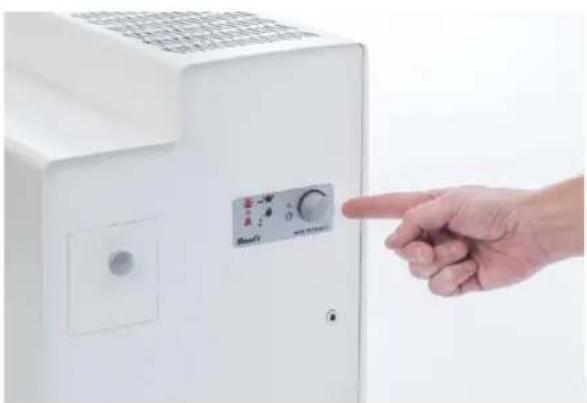
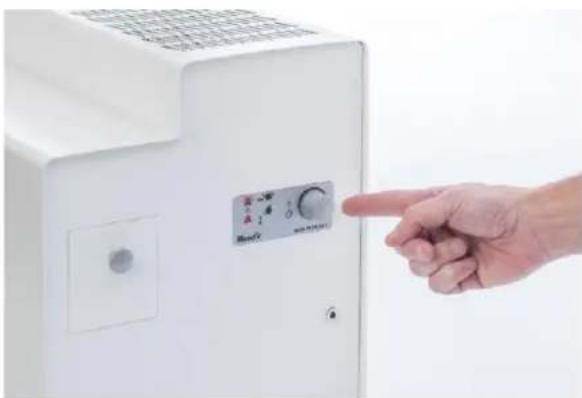
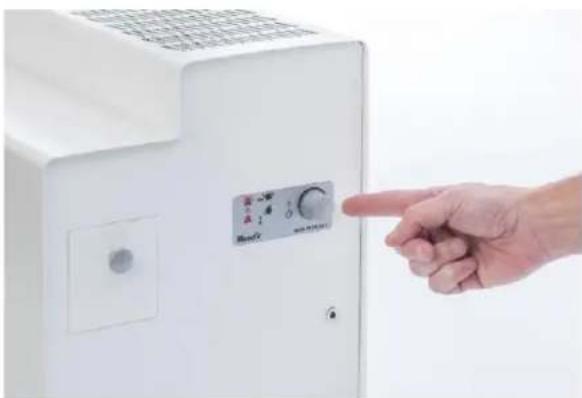
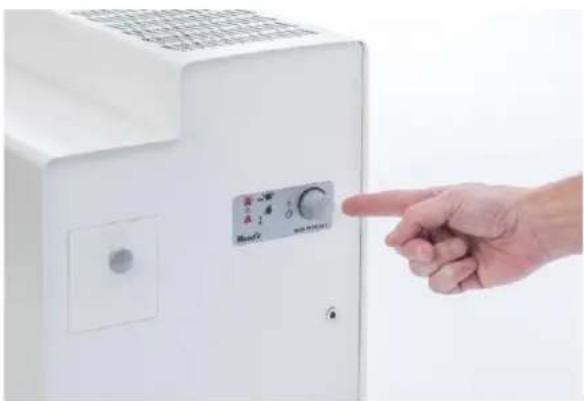
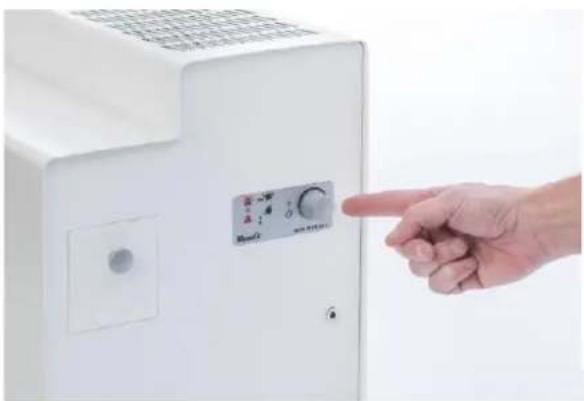
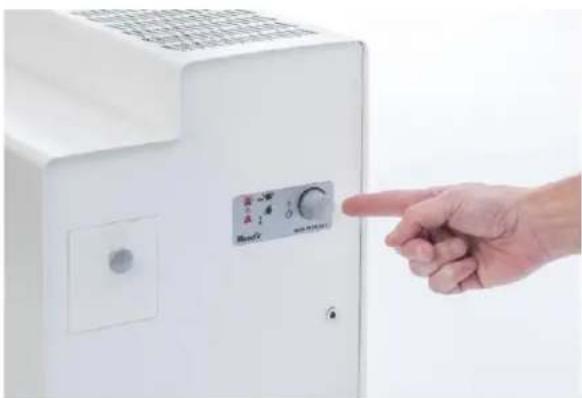
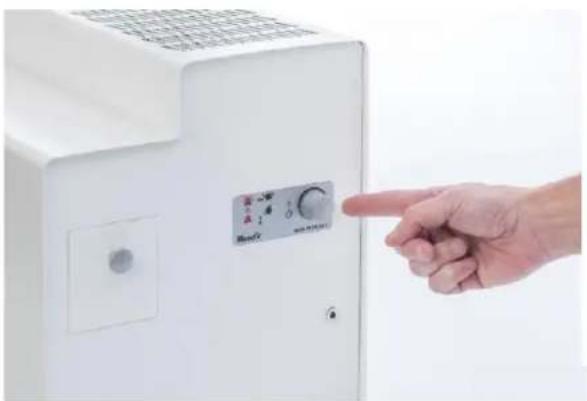
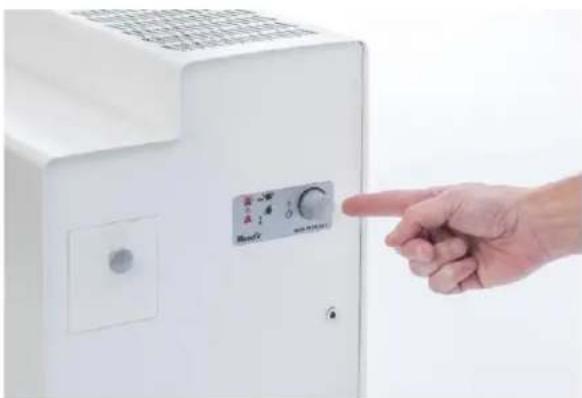
Hand pointing at a white industrial air conditioner unit with control panel (no visible text or symbols)- Turn on the unit and select fan speed by turning the slider clockwise on the side of the unit.
- The green "Power" indicator lights to indicate that the product is turned on and starts working.
- A higher fan speed means a higher humidification, but also a slightly higher energy consumption and noise level.
natural_image
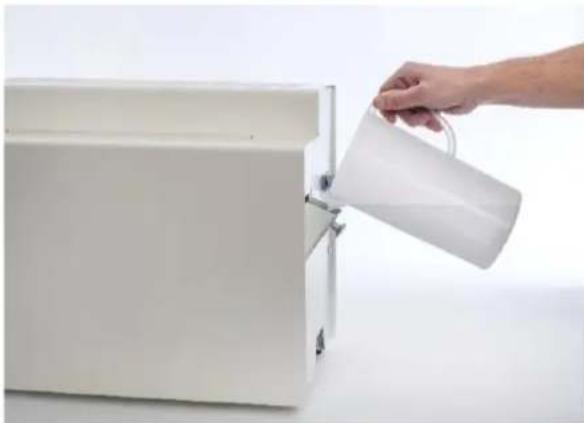
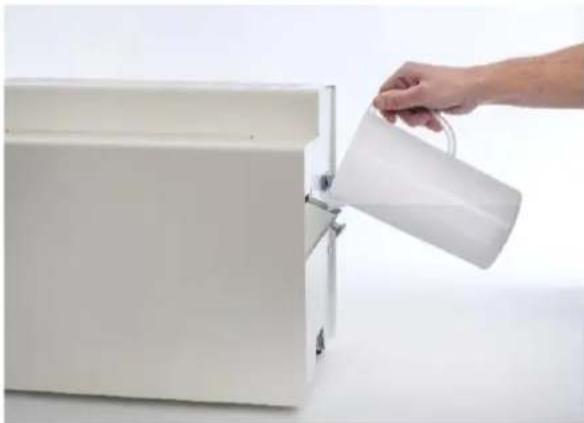
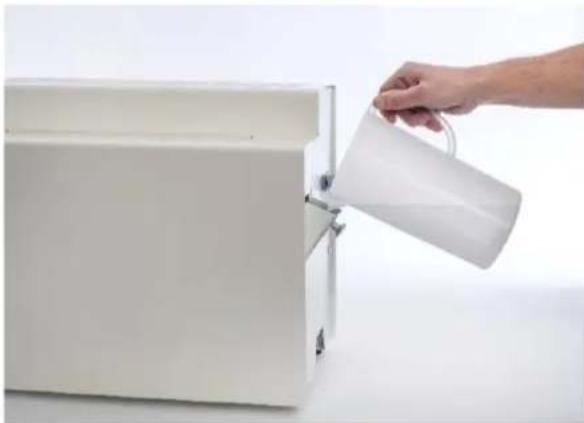
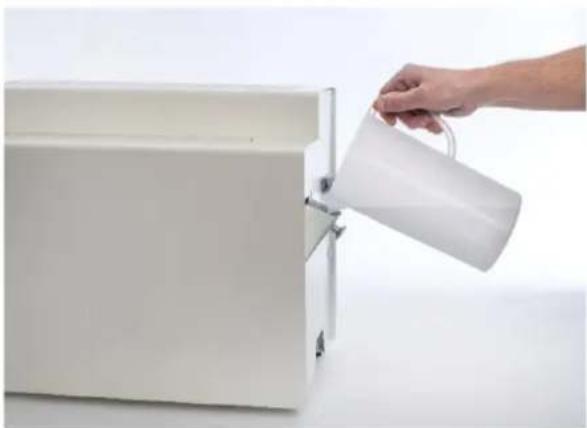
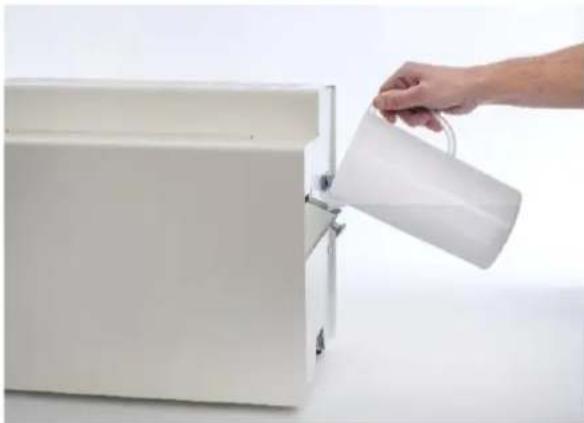
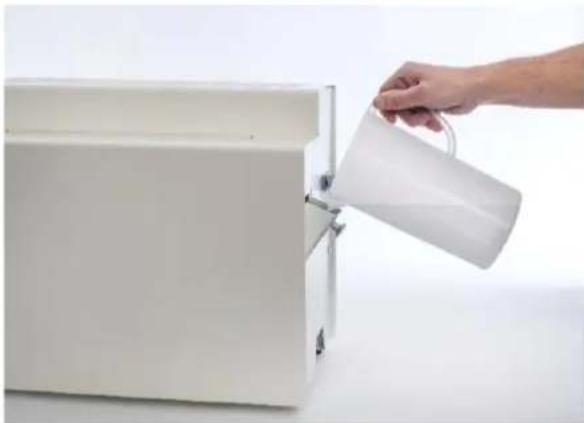
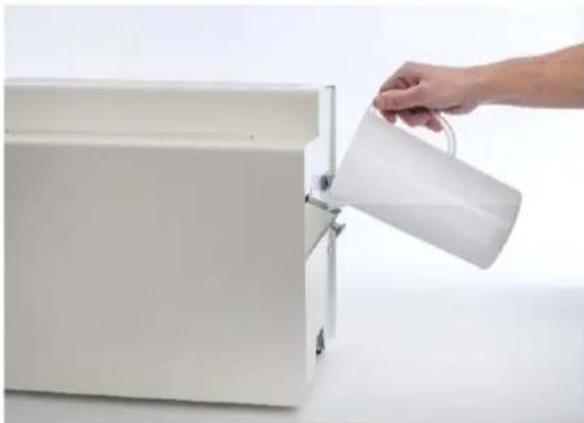
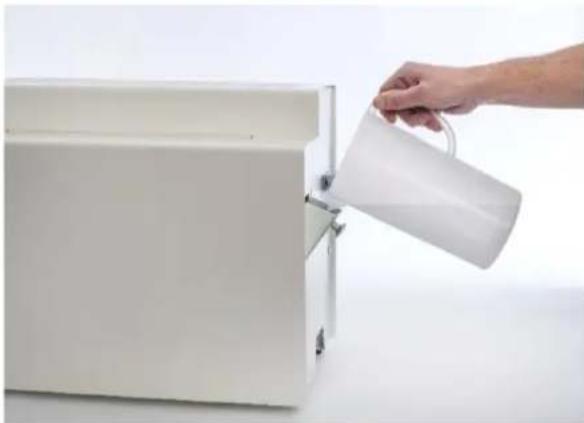
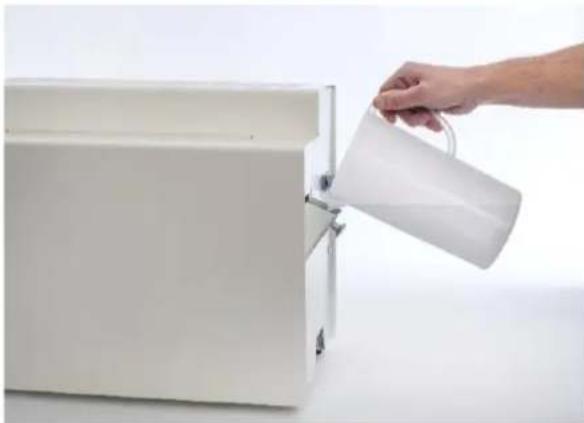
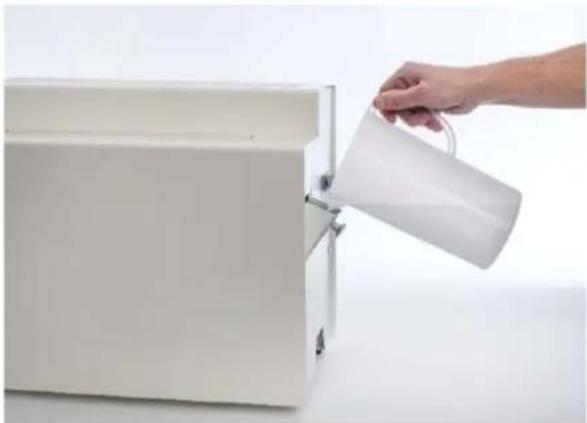
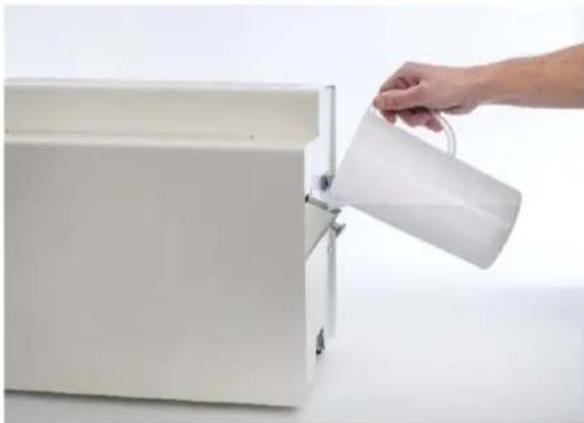
Hand pouring a white pitcher into a white rectangular container (no text or symbols visible)- The red water indicator lights up when the water level is low and water needs replenishing.
- Filling is done by opening the filler cap and gently pouring water into it.
- When the red water indicator flashes, the tank is full and no more water should be added.
- The water indicator is off when the water level is sufficient.
• Water shall be replenished when the red water indicator is lit solid. - Important! Avoid adding water before the lamp comes on, as there is a risk of overfilling due to that the level sensor has not been reset.
Cleaning
The need for cleaning is dependent on-air quality and water lime content and can therefore vary. But in normal use, the cleaning interval is 7 to 12 weeks.
natural_image
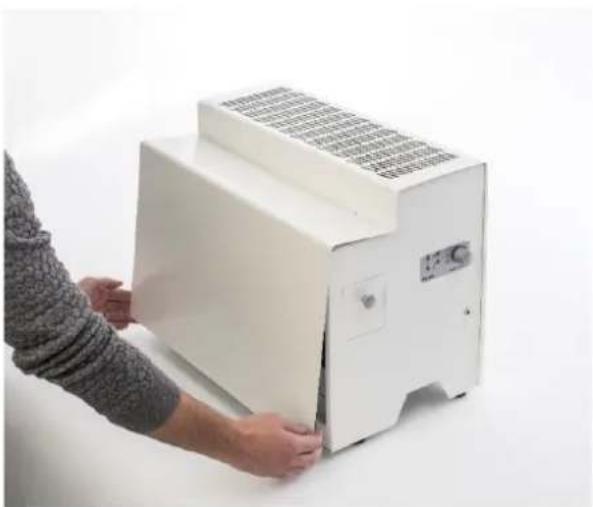
Person installing or adjusting a white industrial machine with a mesh grille (no visible text or symbols)- Disconnect the unit from the mains and wait about 1min until the fan has stopped.
- Remove the front door by grasping the bottom edge and pulling / twitching straight out.
- The door is then fully unscrewed by turning upwards and unlocking

natural_image
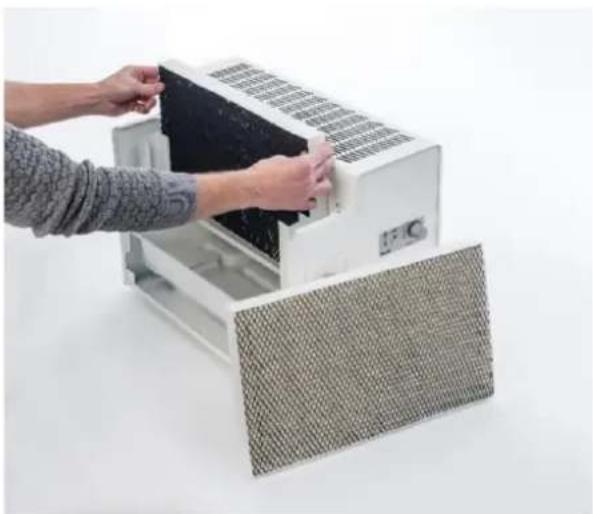
Person installing or adjusting a white air conditioner unit with mesh cover (no text or symbols visible)- Remove the filter cells by gently pulling them straight up and then placing them in a bucket or other container during cleaning.
- Lime particles can get trapped in the filter, which reduces capillary capacity. Replace the filters - 180° rotated - which will increase the wetting capacity

natural_image
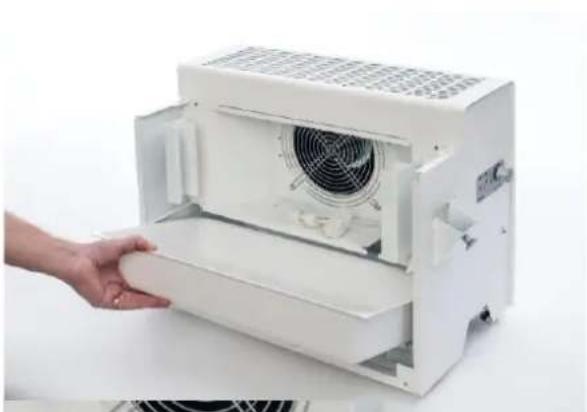
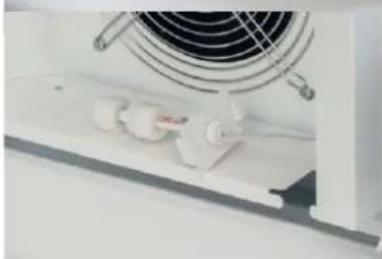
Hand placing a white cylindrical component into a white air conditioner unit (no visible text or symbols)- First remove the level sensor by pulling the plate bracket straight out, placing the sensor on the shelf under the fan.
- Lift the water tank to the rear and gently pull it straight out.
- Drain excess water.
- For cleaning the container and plate details, use a soft cloth and mild detergent or descaler / disinfectant.

natural_image
Close-up of a white industrial fan with cooling fans and ventilation slots (no visible text or symbols)- Reassembly takes place in reverse order.
- Put the container in place first and then press the level sensor. Finish by installing filters and then the front cover.
Safety
Thank you for choosing a Wood's humidifier! In this manual you'll find everything you need to know about your Wood's humidifier. Please keep this instruction manual in a safe place for future reference. For best capacity and to avoid any damage to your product, it is important that you read these instructions carefully before using your product.
The Wood's HSW100 is a low voltage electrical appliance. With a voltage of only 12V, the risk of electrical shock is significantly lowered. However, as with all electrical appliances, it is important to follow a few safety instructions.
This appliance is not intended for use by persons (including children) with reduced physical, sensory or mental capacities, or lack of experience and knowledge, unless they have been given supervision or instructions concerning use of the appliance by a person responsible for their safety.
Children should be supervised to ensure that they do not play with the appliance.
If the supply cord is damaged, it must be replaced by a special cord or assembly available from the manufacturer or its service agent.
• Always keep the appliance away from heat sources.
- Do not use the unit outdoors.
• Always unplug the unit before moving it, storing it, cleaning it or maintaining its filter.
• Make sure that it is placed on a solid, flat surface.
- Careless handling or unauthorized alteration of the chord or electronics of the air purifier could void the warranty.
• The warranty is only valid upon production of a receipt.
Problem solving
| Problem | Cause | Troubleshooting |
| No humidification | No water in the container | Add water |
| The red indicator light is on | Too little water in the container | Add water |
| The red indicator light is on | The level sensor is stuck | Remove foreign particles and loosen blockage |
| The unit emits a loud noise | Incorrect filter cells are used | Remove filter cells and mount real ones |
| The unit emits a loud noise | The fan motor is broken | Contact your dealer |
| No humidifier performance even though water level is correct | The fan motor is broken | Contact your dealer |
Technical data
| Technical specification | |
| Dimension WxHxD (mm) | 558x416x304 |
| Tank volume (l) | 9,3 |
| Humidification Capacity (l/h) | >1 |
| Fan power (W) | 21,6 |
| Adjustable feet | Yes |
| Stepless fan speed | Yes |
| Water Indicator | Yes |
Wood's is manufactured and marketed by:
Woods TES Sweden AB.
Maskingatan 2-4
441 27, Alingsås
Sweden.
woods.se
info@woods.se
+46 31 76 13 610
Manual HSW100 Luftfuktare
Innehåll SE
natural_image
White industrial machine with a flat top and side-mounted control panel (no visible text or symbols)Komma igång

natural_image
Hand inserting a small electronic device into a white industrial machine (no visible text or symbols)
natural_image
Hand pointing at a white industrial control panel with a dial indicator (no visible text or symbols)
natural_image
Hand pouring a white pitcher into a white rectangular container (no text or symbols visible)natural_image
Person assembling a white industrial machine with a fan (no visible text or symbols)natural_image
Person installing or adjusting a white air conditioner unit with mesh cover (no text or symbols visible)natural_image
Close-up of a white industrial fan with cooling fans and ventilation slots (no visible text or symbols)natural_image
White industrial machine with control panel and side-mounted buttons (no visible text or symbols)Komme i gang

natural_image
Hand inserting a small electronic device into a white industrial machine (no visible text or symbols)
natural_image
Hand pointing at a white appliance control panel with a dial indicator (no visible text or symbols)
natural_image
Hand pouring a white mug into a white rectangular container (no text or symbols visible)natural_image
Person assembling a white industrial machine with a fan (no visible text or symbols)natural_image
Person installing or adjusting a white air conditioner unit with mesh cover (no text or symbols visible)natural_image
Hand holding a white cylindrical device with a fan inside, next to a white industrial machine (no visible text or symbols)natural_image
Close-up of a white industrial fan with cooling fans and ventilation slots (no visible text or symbols)natural_image
White industrial machine with a flat top and side-mounted control panel (no visible text or symbols)natural_image
Hand inserting a small electronic device into a white industrial machine (no visible text or symbols)natural_image
Hand pointing at a white industrial air conditioner unit with control panel (no visible text or symbols)natural_image
Hand pouring a white pitcher into a white rectangular container (no text or symbols visible)natural_image
Person installing or adjusting a white industrial machine with a mesh grille (no visible text or symbols)natural_image
Person installing or adjusting a white air conditioner unit with mesh cover (no text or symbols visible)natural_image
Close-up of a white industrial fan with cooling fans and ventilation slots (no visible text or symbols)natural_image
White industrial machine with a flat top and side-mounted control panel (no visible text or symbols)Käyttöönotto

natural_image
Hand inserting a small electronic device into a white industrial machine (no visible text or symbols)
natural_image
Hand pointing at a white industrial control panel with a dial indicator (no visible text or symbols)
natural_image
Hand pouring a white pitcher into a white rectangular container (no text or symbols visible)natural_image
Person installing or adjusting a white industrial machine with a mesh grille (no visible text or symbols)natural_image
Person installing or adjusting a white air conditioner unit with mesh cover (no text or symbols visible)natural_image
Hand placing a white cylindrical object into a white air conditioner unit with fan grille (no text or symbols visible)natural_image
Close-up of a white industrial fan with cooling fans and ventilation slots (no visible text or symbols)natural_image
White industrial machine with a flat top and side-mounted control panel (no visible text or symbols)Hefja notkun

natural_image
Hand inserting a small electronic device into a white industrial machine (no visible text or symbols)
natural_image
Hand pointing at a white industrial air conditioner unit with control panel (no visible text or symbols)
natural_image
Hand pouring a white pitcher into a white rectangular container (no text or symbols visible)natural_image
Person assembling a white industrial machine with a fan (no visible text or symbols)natural_image
Person installing or adjusting a white air conditioner unit with mesh cover (no text or symbols visible)natural_image
Close-up of a white industrial fan with cooling fans and ventilation slots (no visible text or symbols)natural_image
Hand inserting a small electronic device into a white rack-mounted device (no visible text or symbols)
natural_image
Hand pointing at a white industrial control panel with a dial and indicator lights (no visible text or symbols)
natural_image
Hand pouring a white pitcher into a white rectangular container (no text or symbols visible)
natural_image
White industrial machine with a flat top and side panel, no visible text or symbolsnatural_image
Person installing or adjusting a white industrial machine with a mesh grille (no visible text or symbols)natural_image
Person installing or adjusting a white air conditioner unit with mesh cover (no text or symbols visible)natural_image
Hand placing a white cylindrical object into a white industrial machine with fan and ventilation grille (no visible text or symbols)natural_image
Close-up of a white industrial fan with cooling fans and ventilation slots (no visible text or symbols)natural_image
White industrial machine with a flat top and side-mounted control panel (no visible text or symbols)Mise en route

natural_image
Hand inserting a small electronic device into a white industrial machine (no visible text or symbols)
natural_image
Hand pointing at a white industrial air conditioner unit with control panel (no visible text or symbols)
natural_image
Hand pouring a white pitcher into a white rectangular container (no text or symbols visible)natural_image
Person assembling a white industrial machine with a mesh grille (no visible text or symbols)natural_image
Person installing or adjusting a white air conditioner unit with mesh cover (no text or symbols visible)natural_image
Hand placing a white cylindrical component into a white air conditioner unit (no text or symbols visible)natural_image
Close-up of a white industrial fan with cooling fans and ventilation slots (no visible text or symbols)natural_image
White industrial machine with a flat top and side-mounted control panel (no visible text or symbols)Aan de slag

natural_image
Hand inserting a small electronic device into a white industrial machine (no visible text or symbols)natural_image
Hand pointing at a white industrial air conditioner unit with control panel (no visible text or symbols)natural_image
Person installing or adjusting a white industrial machine with a mesh grille (no visible text or symbols)natural_image
Person installing or adjusting a white air conditioner unit with mesh cover (no text or symbols visible)natural_image
Close-up of a white industrial fan with cooling fans and ventilation slots (no visible text or symbols)natural_image
White industrial machine with a flat top and side-mounted control panel (no visible text or symbols)Cómo empezar

natural_image
Hand inserting a small electronic device into a white industrial machine (no visible text or symbols)
natural_image
Hand pointing at a white industrial air conditioner unit with control panel (no visible text or symbols)
natural_image
Hand pouring a white pitcher into a white rectangular container (no text or symbols visible)natural_image
Person assembling a white industrial machine with a mesh grille (no visible text or symbols)natural_image
Person installing or adjusting a white air conditioner unit with mesh cover (no text or symbols visible)natural_image
Hand placing a white cylindrical object into a white air conditioner unit with fan and ventilation grille (no text or symbols visible)natural_image
Close-up of a white industrial fan with cooling fans and ventilation slots (no visible text or symbols)natural_image
Hand inserting a small electronic device into a white industrial machine (no visible text or symbols)
natural_image
Hand pointing at a white industrial control panel with a dial indicator (no visible text or symbols)
natural_image
Hand pouring a white pitcher into a white rectangular container (no text or symbols visible)
natural_image
White industrial machine with control panel and side-mounted buttons (no visible text or symbols)natural_image
Person assembling a white industrial machine with a mesh grille (no visible text or symbols)natural_image
Person installing or adjusting a white air conditioner unit with mesh cover (no text or symbols visible)natural_image
Close-up of a white industrial fan with cooling fans and ventilation slots (no visible text or symbols)natural_image
White industrial machine with a control panel and display unit (no visible text or symbols)Darba sākšana

natural_image
Hand inserting a small electronic device into a white industrial machine (no visible text or symbols)natural_image
Hand pointing at a white industrial control panel with a dial indicator (no visible text or symbols)natural_image
Hand pouring a white mug into a white rectangular container (no text or symbols visible)natural_image
Person installing or adjusting a white industrial machine with a mesh grille (no visible text or symbols)natural_image
Person installing or adjusting a white air conditioner unit with mesh cover (no text or symbols visible)natural_image
Close-up of a white industrial fan with cooling fans and ventilation slots (no visible text or symbols)natural_image
White industrial machine with control panel and side-mounted buttons (no visible text or symbols)Alustamine

natural_image
Hand inserting a small electronic device into a white industrial machine (no visible text or symbols)natural_image
Hand pointing at a white industrial control panel with a dial indicator (no visible text or symbols)natural_image
Hand pouring a white pitcher into a white rectangular container (no text or symbols visible)natural_image
Person installing or adjusting a white industrial machine with a mesh grille (no visible text or symbols)natural_image
Person installing or adjusting a white air conditioner unit with mesh cover (no text or symbols visible)natural_image
Close-up of a white industrial fan with cooling fans and ventilation slots (no visible text or symbols)natural_image
White industrial machine with a flat top and side-mounted control panel (no visible text or symbols)Pierwsze kroki

natural_image
Hand inserting a small electronic device into a white industrial machine (no visible text or symbols)
natural_image
Hand pointing at a white appliance control panel with a dial indicator (no visible text or symbols)
natural_image
Hand pouring a white pitcher into a white rectangular container (no text or symbols visible)natural_image
Person assembling a white industrial machine with a mesh grille (no visible text or symbols)natural_image
Person installing or adjusting a white air conditioner unit with mesh cover (no text or symbols visible)natural_image
Hand placing a white cylindrical component into a white air conditioner unit (no visible text or symbols)natural_image
Close-up of a white industrial fan with cooling fans and ventilation slots (no visible text or symbols)natural_image
White industrial machine with a flat top and side panel, no visible text or symbolsIntroducere

natural_image
Hand inserting a small electronic device into a white industrial machine (no visible text or symbols)
natural_image
Hand pointing at a white industrial air conditioner unit with control panel (no visible text or symbols)
natural_image
Hand pouring a white pitcher into a white rectangular container (no text or symbols visible)natural_image
Person installing or adjusting a white industrial machine with a mesh grille (no visible text or symbols)natural_image
Person installing or adjusting a white air conditioner unit with mesh cover (no text or symbols visible)natural_image
Hand placing a white cylindrical component into a white air conditioner unit (no text or symbols visible)natural_image
Close-up of a white industrial fan with cooling fans and ventilation slots (no visible text or symbols)natural_image
White industrial machine with a flat top and side-mounted control panel (no visible text or symbols)natural_image
Hand inserting a small electronic device into a white industrial machine (no visible text or symbols)
natural_image
Hand pointing at a white industrial control panel with a dial (no visible text or symbols)