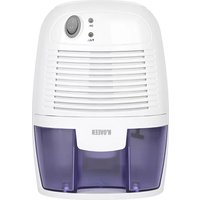
DH300 - Dehumidifier N'oveen - Free user manual and instructions
Find the device manual for free DH300 N'oveen in PDF.



| Brand | N'oveen |
| Model | DH300 |
| Product type | Dehumidifier |
| Technology | Thermoelectric (Peltier) |
| Dehumidification capacity | Approximately 250 ml/day (at 30°C, 85% RH) |
| Power supply | AC/DC adapter supplied |
| Dimensions (L x W x H) | 154 x 130 x 220 mm |
| Fan | Brushless DC motor 80 x 80 mm |
| Water level indicator | LED (green → red) |
| Auto shut-off | Yes, when the tank is full |
| Water tank | Removable (capacity unspecified) |
| Operating temperature | Above 15°C |
| Operating humidity | Above 40% RH |
| Best conditions | 30°C, >85% RH |
| Safety | Automatic shut-off if tank is full |
| Cleaning | Soft cloth for exterior, soft brush for grilles |
| Tank maintenance | Clean interior after emptying |
| Spare parts | No user-serviceable parts |
| Recommended use | Small spaces (cupboards, pantries, etc.) |
| Instruction manual | Manual available for free download |
Frequently Asked Questions - DH300 N'oveen
User questions about DH300 N'oveen
0 question about this device. Answer the ones you know or ask your own.
Ask a new question about this device
Download the instructions for your Dehumidifier in PDF format for free! Find your manual DH300 - N'oveen and take your electronic device back in hand. On this page are published all the documents necessary for the use of your device. DH300 by N'oveen.
USER MANUAL DH300 N'oveen
DH300
INSTRUKCJA OBSŁUGI
USER MANUAL
VARTOTOJO VADOVAS
PL....3
EN....6
FR....9
DE....12
LT....15

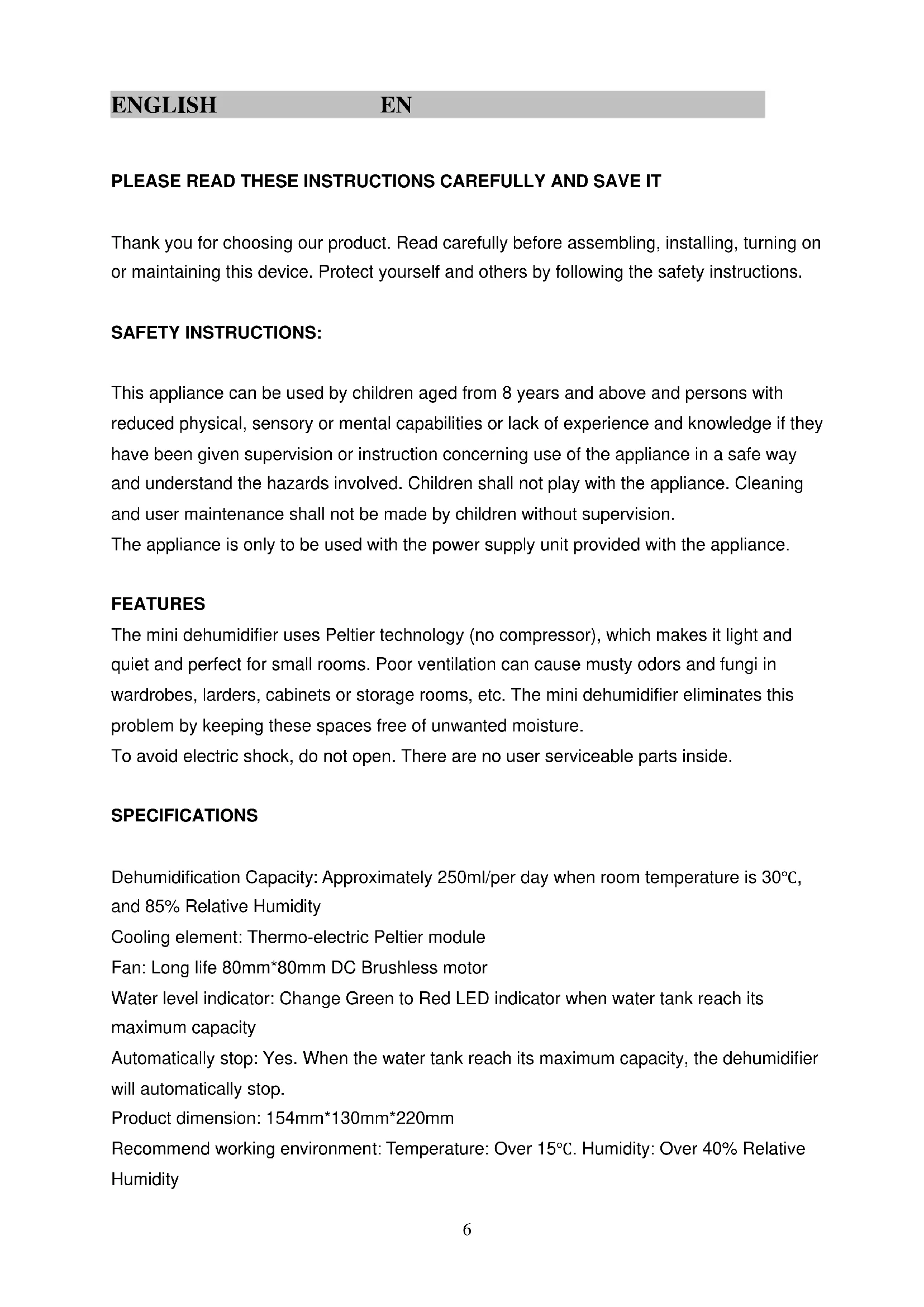
PLEASE READ THESE INSTRUCTIONS CAREFULLY AND SAVE IT
Thank you for choosing our product. Read carefully before assembling, installing, turning on or maintaining this device. Protect yourself and others by following the safety instructions.
SAFETY INSTRUCTIONS:
This appliance can be used by children aged from 8 years and above and persons with reduced physical, sensory or mental capabilities or lack of experience and knowledge if they have been given supervision or instruction concerning use of the appliance in a safe way and understand the hazards involved. Children shall not play with the appliance. Cleaning and user maintenance shall not be made by children without supervision.
The appliance is only to be used with the power supply unit provided with the appliance.
FEATURES
The mini dehumidifier uses Peltier technology (no compressor), which makes it light and quiet and perfect for small rooms. Poor ventilation can cause musty odors and fungi in wardrobes, larders, cabinets or storage rooms, etc. The mini dehumidifier eliminates this problem by keeping these spaces free of unwanted moisture.
To avoid electric shock, do not open. There are no user serviceable parts inside.
SPECIFICATIONS
Dehumidification Capacity: Approximately 250ml/per day when room temperature is 30° C, and 85% Relative Humidity
Cooling element: Thermo-electric Peltier module
Fan: Long life 80mm*80mm DC Brushless motor
Water level indicator: Change Green to Red LED indicator when water tank reach its maximum capacity
Automatically stop: Yes. When the water tank reach its maximum capacity, the dehumidifier will automatically stop.
Product dimension: 154mm*130mm*220mm
Recommend working environment: Temperature: Over 15°C. Humidity: Over 40% Relative Humidity
Best working environment: Temperature:30°C. Humidity: Over 85% Relative Humidity
THE AC/DC POWER ADAPTOR WILL BECOME HOT DURING USE. THIS IS NORMAL AND DOES NOT MEAN THERE IS A FAULT.
CONNECTION AND SETUP
- After removing the packaging materials, there should be 2 items:
a. Mini Dehumidifier
b. AC/DC Power Adaptor
- Plug the DC power jack of AC/DC power adaptor to the DC power socket (at the back of the dehumidifier), then connect the AC plug of the AC/DC power adaptor to the appropriate wall mains socket.
- Press the power button to "I" position and the mini dehumidifier will begin to operate. The Green LED will be lit. Listen and feel for the air blowing from dry air outlet.
- To switch off the unit, press the power button to "O" position.
CLEANING THE INSIDE OF THE WATER TANK
Important: The Water Tank Cover is detachable for cleaning purposes only.
First, turn off the dehumidifier and unplug it before removing the water tank. Dispose of the water and clean the inside of the tank. After cleaning, place the cover and floating ball back into the dehumidifier.
HOW TO (RE)INSTALL YOUR WATER TANK COVER
After cleaning your water tank,
- Turn the tank cover over and place it on a flat surface.
- Insert the float into the cover's aperture.
- Place the water tank over the cover, and press in smoothly.
- Replace water tank into Dehumidifier.
REMOVABLE WATER TANK
When the water tank has reached its maximum capacity and the dehumidifier will automatically stop, the LED will illuminate RED.
To remove the water tank, first switch off the mini dehumidifier. Press power button to the "O" position. Then, remove the water tank from the unit and pour the water out to the toilet or bathroom. Put the water tank back into the unit. To continue dehumidifying, press the power button to "I" position again.
CLEANING
Before cleaning the unit, turn off the mini dehumidifier and unplug the power adaptor. Use a soft cloth to clean the surface of the unit and a soft bristled brush to remove dust from the air inlet and outlet grills.
CAUTION
- After you have finished using the mini dehumidifier, switch the unit off by pressing the power button to "O" position.
- Avoid using the mains power adaptor in wet or damp places and position the unit in areas where air ventilation is good.
- Keep the front inlet grill and the top outlet grill clear at all times; do not cover with clothing, plastic bags, etc.
- The AC/DC Power adaptor will become hot during use. This is normal and does not mean there is a fault.
- Always keep the unit in an up-right position to avoid water leakage.
VEUILLEZ LIRE ATTENTIVEMENT ET CONSERVER CES INSTRUCTIONS
RÉSERVOIR D'EAU AMOVIBLE

- PLEASE READ THESE INSTRUCTIONS CAREFULLY AND SAVE IT
- SAFETY INSTRUCTIONS
- FEATURES
- SPECIFICATIONS
- CONNECTION AND SETUP
- CLEANING THE INSIDE OF THE WATER TANK
- HOW TO (RE)INSTALL YOUR WATER TANK COVER
- REMOVABLE WATER TANK
- CLEANING
- CAUTION
- VEUILLEZ LIRE ATTENTIVEMENT ET CONSERVER CES INSTRUCTIONS
- RÉSERVOIR D'EAU AMOVIBLE
Brand : N'oveen
Model : DH300
Category : Dehumidifier