 ManualGo.com
RFO 465 IN - Oven ROSIERES - Free user manual and instructions
Find the device manual for free RFO 465 IN ROSIERES in PDF.


Download the instructions for your Oven in PDF format for free! Find your manual RFO 465 IN - ROSIERES and take your electronic device back in hand. On this page are published all the documents necessary for the use of your device. RFO 465 IN by ROSIERES.
USER MANUAL RFO 465 IN ROSIERES
2.8 Assistance Technique
1.4 Fitting The Oven Into The Kitchen Unit
1.6 Connecting To The Power Supply
1.7 Oven Equipment (according To The Model)
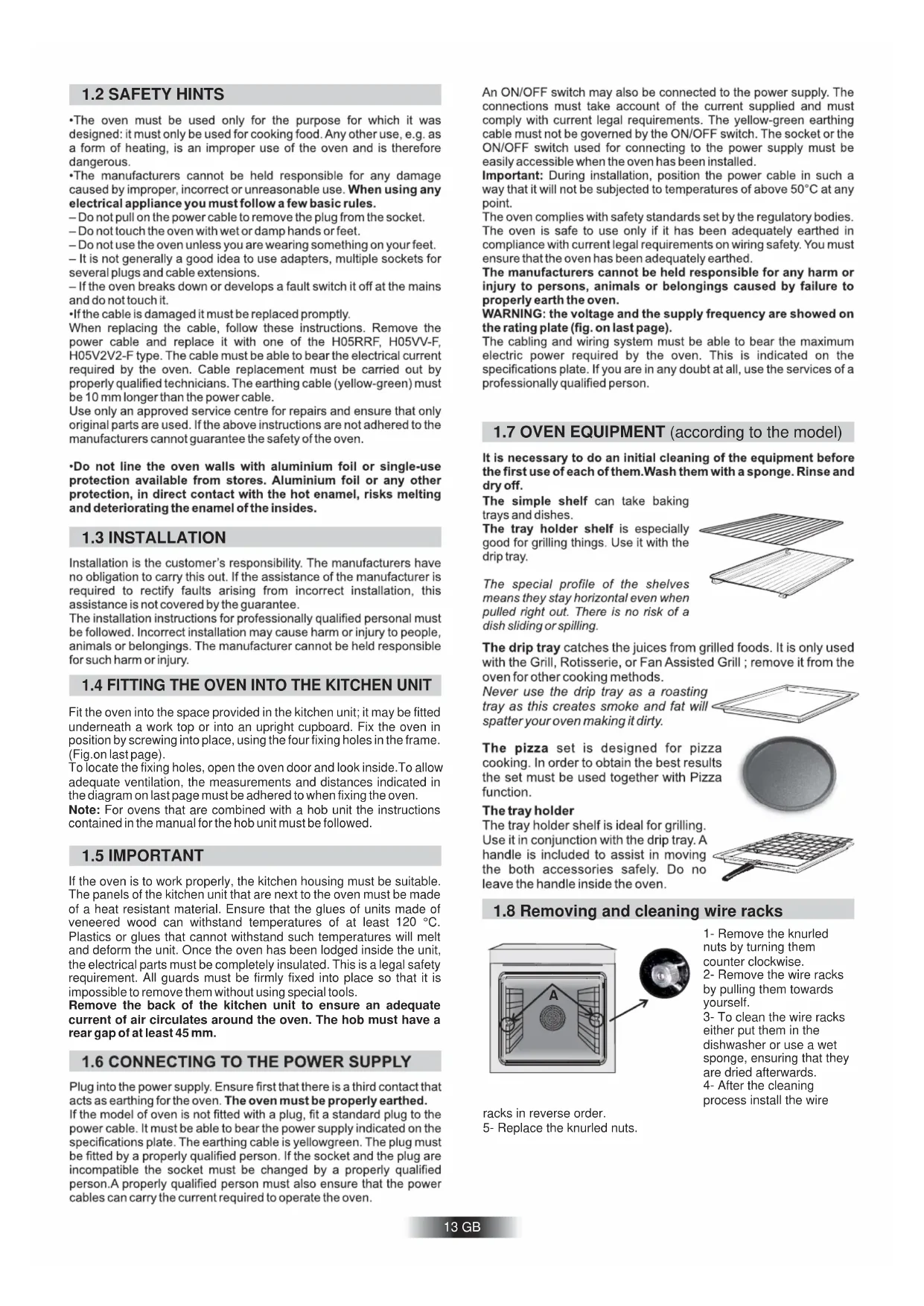
1.8 Removing and cleaning wire racks
2.4 According to Model U_See
2.6 Cleaning and Maintanance
4. Operating Instructions
1.4 MISE EN PLACE DU FOUR DANS SON MEUBLE
If the oven is to work properly, the kitchen housing must be suitable. The panels of the kitchen unit that are next to the oven must be made of a heat resistant material. Ensure that the glues of units made of veneered wood can withstand temperatures of at least 120 °C. Plastics or glues that cannot withstand such temperatures will melt and deform the unit. Once the oven has been lodged inside the unit, the electrical parts must be completely insulated. This is a legal safety requirement. All guards must be firmly fixed into place so that it is impossible to remove them without using special tools. Remove the back of the kitchen unit to ensure an adequate current of air circulates around the oven. The hob must have a rear gap of at least 45 mm.
1.7 OVEN EQUIPMENT (according to the model)
1.4 FITTING THE OVEN INTO THE KITCHEN UNIT
Fit the oven into the space provided in the kitchen unit; it may be fitted underneath a work top or into an upright cupboard. Fix the oven in position by screwing into place, using the four fixing holes in the frame. (Fig.on last page). To locate the fixing holes, open the oven door and look inside.To allow adequate ventilation, the measurements and distances indicated in the diagram on last page must be adhered to when fixing the oven. Note: For ovens that are combined with a hob unit the instructions contained in the manual for the hob unit must be followed.
1.8 Removing and cleaning wire racks
1- Remove the knurled
nuts by turning them counter clockwise.
2- Remove the wire racks
by pulling them towards yourself.
3- To clean the wire racks
either put them in the dishwasher or use a wet sponge, ensuring that they are dried afterwards.
4- After the cleaning
process install the wire racks in reverse order.
5- Replace the knurled nuts.
1.2 SAFETY HINTSAll ovens feature the function.
This allows a management of the distribution of moisture and temperature. It reduces the loss of humidity of the 50 %, which guarantees the food remains tender and tastes better. This a delicate cooking is recommended for the baking of the bread and pastry. Ovens have an electronic control of the fan speed, called and patented VARIOFAN. During the cooking, this system changes automatically the speed of the fan (in multifunction mode) in order to optimize the air flow and the internal temperature in the cavity of the oven. 14 GB
Grilling makes it possible to give food a rich brown colour quickly. For browning we recommend that you insert the grill onto the fourth level, depending on the proportions of the food (see fig. page 7). Almost all food can be cooked under the grill except for very lean game and meat rolls. Meat and fish that are going to be grilled should first be lightly doused with oil.
2.6 CLEANING AND MAINTENANCE
Clean the stainless steel and enamelled surfaces with warm, soapy water or with suitable brand products. On no account use abrasive powders that may damage surfaces and ruin the oven’s appearance. Before calling the Service Centre If the oven is not working, we recommend that: you check that the oven is properly plugged into the power supply. If the cause of the fault cannot be detected: disconnect the oven from the mains, do not touch the oven and call the after sales service. Before calling the Service Centre remember to make a note of the serial number on the specifications plate (see fig. On last page). The oven is supplied with a guarantee certificate that ensures that it will be repaired free of charge by the Service Centre
It reduces the time of preheating of ovens: only 8 minutes to reach 200 degrees Celsius. Some ovens are equipped with the new door " WIDE DOOR " which has a larger window area, this allows better maintenance and a improved thermal insulation. It gives the possibility of setting level and intensity of grilling, up to 50 % more power in comparison with a traditional multifunction oven.
2.4 According to the model
Is an illumination system which replaces the traditional « light bulb ». 14 LED lights are integrated within the door. These produce white high quality illumination which enables to view the inside of the oven with clarity without any shadows on all the shelves. For recommended cooking times and temperatures the first time you use the oven, refer to the tables on pages 19,20. You may then wish to vary these times and settings in the light of your own experience.
The HYDRO PURE procedure uses steam to help remove remaining fat and food particles from the oven.
1. Pour 300 ml of water into the HYDRO PURE container at the
2. Set the oven function to Static ( )or Bottom ( )heater
3. Set the temperature to the HYDRO PURE icon
4. Allow the program to operate for 30 minutes.
5. After 30 minutes switch off the program and allow the oven to
6. When the appliance is cool, clean the inner surfaces of the oven
with a cloth. Warning Make sure that the appliance is cool before you touch it. Care must be taken with all hot surfaces as there is a risk of burns. Use distilled or drinkable water. 300 ml It is very important to clean the oven each time that it is used. Melted fat is deposited on the sides of the oven during cooking. The next time the oven is used this fat could cause unpleasant odours and might even jeopardise the success of the cooking. Use hot water and detergent to clean; rinse out thoroughly. To make this chore unnecessary all models can be lined with catalytic self-cleaning panels: these are supplied as an optional extra (see the section SELF-CLEANING OVEN WITH CATALYTIC LINING). Use detergents and abrasive metal pads like «brillo pads» for the stainless steel grills. The glass surfaces facia panel, oven door and warming compartment door must be cleaned when they are cold. Damage that occurs to them because this rule was not adhered to are not covered by the guarantee. To replace the interior light:
- switch off the mains power supply and unscrew bulb. Replace with an identical bulb that can withstand very high temperaturesTo set the cooking time, turn dial one complete revolution and then position the index to the required time. When the time has lapsed, the signal will ring for a few seconds. Reading of the time selected
This control enables to set the desired cooking time (max. 120 min.) the oven will automatically switch off at the end of the set time.The timer will count down from the set time return to the O position and switch off automatically.For normal use of oven set the timer to the position.To set the oven ensure the timer is not on the O position.
to set the required time
- Release all the buttons
- When the set time aselapsed an audible alarmis activated (this alarm willstop on its own, however it can be stopped immediately by pressing the button) SELECT.
- Sounds an alarm at the end of the set time.
- During the process, the display shows the remaining time.
- Allows to use the oven as alarm clock (could be activated either with operating the oven or with out operating the oven)
-" or "+" to set the lenght of cooking required
- Set the cooking function with the oven function selector
- Push any button to stop the signal. Push the central button to return to the clock function
to set the time at which you wish the oven to switch off
- Set the cooking function with the oven function selector
- Push the central button 4 times•Set time with "-" "+" buttons.
- Release all buttons.ATTENTION: The oven will only operate providing the clock is set.
- Enables you to set the end of cooking time
- Child Lock function is activated by touching Set (+) for a minimum of 5 seconds. From this moment on all other function are locked and the display will flash STOP and preset time intermittently.
- Child Lock function is deactivated by touching touchpad Set (+) again for a minimum of 5 seconds. From this moment on all functions are selectable again. 15 GB 00:00
3.6 SETTING THE CORRECT TIME
To set the correct time push and turn clockwise the knob until the clock shows the correct time. Once this is done release the control.ATTENTION : the oven only operates if set on manual functionor preset time.FUNCTIONWHAT IT DOES WHAT IT IS FOR•For cooking the desiredrecipesMANUALFUNCTION•Turn the oven functionselector to position O.•Enables you to operate the oven.COOKING TIME
- At the end of the cookingtime set, the oven willswitch off automaticallyand an audible alarm willring.•At the end of the set timethe oven will switch offautomatically, this isindicated by an audiblealarm.• To cancel the setting turnthe control knob until thesymbol appears in thewindow (E)•It allows you to preset thecooking time required forthe recipe chosen.END OFCOOKING(Not availableon model 2D 364.)•Example: if the dish hasto be cooked for 45minutes and needs to beready by 12:30;- Select the requiredfunction- Set start cooking time at11:45 (12:30 minus 45minutes)- Set cooking time at 45minutesAt the end of cooking theoven will automaticallyswitch off.•At the end of cooking timeset the oven will switch offautomatically and anaudible alarm will ring.•To cancel the set functionturn the control knob anticlockwise until the symbol appears in the window (E)•The alarm have to bestopped by turning thecontrol knob until thesymbol appears in thewindow (E)•Enables to program theoven so that the recipe isready at the desired time•First of all select thecooking function and thetemperature required•Set the length of cookingrequired by turning thecontrol knob clockwiseuntil the time matches thelength of time shown in thewindow (E)•The oven will startimmediately and it willswitch off automatically atthe end of the preset time•Max time 180 minutes(3 hours)•Turn the control knobclockwise, without pushing,until the symbol appearsin the window (E)•First of all select thecooking function and thetemperature required.•Turn the control knobclockwise, without pushing,until the symbol appearsin the window (E)•To set the cooking starttime pull and turn thecontrol knob clockwiseuntil the hand F is in theposition indicating the starttime required.• To set the length ofcooking required turnclockwise the control knobwithout pushing it, until thetime required appears inthe window (E). 16 GB Red hand (start of cooking time)17 GB The Led “°” of the temperature indicator pulsates until the pre-set temperature is not reached. HOT : When a cooking program is finished, if the oven is still hot, « HOT » appears on the display, alternately with the time displays, even if the two function selectors are switched on OFF. FUNCTION WHAT IT DOES ? WHAT IT IS FOR ? SILENCE MODE
- Rotate the left function selector to the position " Silence mode “
- Enables you to turn off the sound of the minute minder
- Rotate the function selector to the position OFF.
- To turn off the sound of the minute minder
- Rotate the left function selector to the position “Set the time”.
- Use the buttons " + " or " - " to set the time
- Enables you to set the time which appears on the display
- Rotate the function selector to the position OFF.
- To set the time NB : Set the time when you first install your oven or just after a black out (the clock is showing a pulsating 12.00)
- Turn the right function selector to a cooking function
- Rotate the left function selector to the position "Cooking Time Duration"
- Set the time of cooking by using buttons " + " and
- Lighting Auto appears
- It allows to preset the cooking time required for the recipe chosen.
- When the cooking time is set, turn the function selector toOFF to go back to actual time.
- To view the cooking time selected, turn the left function selector to Cooking Time duration.
- When the cooking time has elapsed, the oven switch off automatically and the alarm rings for few seconds To stop the cooking functions early, turn the function control to OFF or set the time on 00.00; by rotating the function selector to Cooking Time Duration and by using the buttons " + " and " - “
- For cooking the desired recipes
- Turn the right function selector to a cooking function
- Rotate the left function selector to the position "End of cooking"
- Set the end time of cooking by using buttons " + " and " - "
- Lighting Auto appears
- It allows to preset the end of cooking time you want.
- When the cooking time is set, turn the function selector to OFF to go back to actual time.
- To view the cooking time selected, turn the left function selector to End of cooking Time
- When the cooking time has elapsed, the oven switch off automatically.
- To stop the cooking functions early, turn the function control to OFF
- This function is used for cooking we want to program in advance. For example, your recipe needs to be cooked 45 min and to be ready at 12.30pm ; simply set the cooking time duration on 45 min and the end of cooking time on 12.30pm. The cooking will start automatically at 11.45 (12.30 minus 45 min) and will continue until the preset end of cooking time, then the oven will switch itself off automatically
- Turn the left function selector to the position Minute Minder
- Set the time of cooking by using buttons “+”and “-”
- Sounds an alarm at a few seconds at the end of the set time
- Set the time on 00.00 by turning the left function selector to the position Minute Minder, and using the button " - “
- Allow to use the oven as alarm even if the oven is switch off
- Turn the left function selector to the position Child lock. Press the button " + " during 3 seconds
- Child lock is available when " STOP " appears on display
- The oven cannot be used
- Turn back the left function selector to Child lock and press button " + " during 3 seconds
- Indication STOP disappears Useful especially when children are at home
4. Function with VARIOFAN
- according to the model The first operation to carry out after the oven has been installed or following the interruption of power supply (this is recognizable the display pulsating and showing12:00) is setting the correct time. WARNING !18 GB crispy. time large
4. OPERATING INSTRUCTIONS5. TABLES OF COOKING TIMES
The overall suggested cooking times set out below are intended as a rough guide only. They may in fact vary according to the quality, the freshness, the size and the thickness of the food cooked and of course cooking time is also partly a matter of taste. Let the food stand for a few minutes before serving because the ingredients continue cooking after they have been removed from the oven.HANDY TIP: Lower the temperature so as to avoid the surface of the food becoming hard and dry. Shelf position
Food Quantity Shelf Time of cooking in minutes Oven tempe- rature Shelf Time of cooking in minutes Oven tempe- rature Remarks Put the lasagne into an unheated ovenPut the oven baked pasta into an unheated ovenForm the dough into a loaf and make a cross with a knife on top of the dough leave the dought to rise for at least 2 hours. Grease the baking tin and put the dough in the middle of it.Place 24 vol au vents in the oven and bake.Warm the oven for 15 minutes, grease the baking tray, season the 4 focaccia with oil and salt and leave them to rise at room temperature for at least 2 hours before put ting them in the oven.Put the meat into a deep Pyrex dish and season with salt and pepper; turn the meat half way through cooking.Cook the meat in a covered Pyrex dish with herbs, spice, oil and butter.Cook as indicated aboveCook as indicated above.Cover the trout with salt, oil and onions and cook in a Pyrex dish.Cook the salmon in an open Pyrex dish with salt, pepper and oil.Cook the sole with salt and a spoonful of oil.Put the cannelloni into an unheated oven Lasagne Cannelloni Oven baked pasta
- Baking (not cakes) Bread Pizza Pastry (frozen) vol au vents Focaccia (n° 4)
- Meat All meats can be roasted in shallow or deep roasting trays. It is advisable to cover the shallow trays to avoid splattering the sides of the oven with grease. The roasting times are the same whether the meat has been covered up or not. Whole joint of beef Joint of deboned Joint of deboned veal Joint of fillet of beef Trout
- Rabbits and Poultry Static electric oven Electric fan oven Food Quantity Shelf Time of cooking in minutes Oven tempe- rature Time of cooking in minutes Oven tempe- rature Remarks Follow the procedure for cooking the guinea fowl. Put all the pieces of the same size in the glazed tray.Season with herbs and spices.Turn the pieces as and when required.Use a tin that is 22 cm deep. Pre-heat for10 mins.Use a tin that is 22 cm deep. Pre-heat for10 mins.Use a tin that is 22 cm deep. Pre-heat for10 mins.Use a tin that is 22 cm deep. Pre-heat for10 mins. Cut the fennel into four pieces, add butter, salt and potatoes if required and place in a Pyrex face up. Cover the dish. Slice the courgettes, place in a Pyrex dish and add butter and salt. Slice the carrots, place in a Pyrex dish and cook.Bake the fruit in an open Pyrex or earthen-ware dish. Leave it to cool inside the oven. Follow procedure above. Follow procedure above. Cut the sausages in half and lay them face down on the grill. Half way through grilling turn them over. Every so often, check that they are being cooked equally all over. (If this is not happening, turn and reposition the ones being cooked ether less or more than the others.Make sure that the ribs of beef are exposed to the full effect on the main grill.Turn them over twice during grilling Place the food to be grilled underneath the infra-red grill. Warning: When the grill is on it takes on a bright red colour. Place the tray underneath the grill to collect juices and fat from the food being grilled. Shelf Guinea fowl Chicken Rabbit pieces Kg 1-1,3 Kg 1,5-1,7 Kg 1-1,2
Coconut cake baked in a tin
- Cakes Sponge cake Carrot cake baked in a tin Apricot pie 700 gr
- Grilling Squares of bread for toasting Toasted sandwiches Sausages Ribs of beef Chicken legs 4 pieces
(5 to heat up grill)
(10 to heat up grill) 25/30 (5 to heat up grill) 25 (5 to heat up grill) 50/60 (5 to heat up grill) Grill Grill Grill Grill Grill Grill Grill Grill Grill Grill
(10 to heat up grill) 5/8 (10 to heat up grill) 15/20 (10 to heat up grill) 15/20 (10 to heat up grill) 50/60 (10 to heat up grill) 20 GB This appliance is marked according to the European directive 2012/19/EU on Waste Electrical and Electronic Equipment (WEEE). WEEE contains both polluting substances (which can cause negative consequences for the environment) and basic components (which can be re-used). It is important to have WEEE subjected to specific treatments, in order to remove and dispose properly all pollutants, and recover and recycle all materials. Individuals can play an important role in ensuring that WEEE does not become an environmental issue; it is essential to follow some basic rules:
- WEEE shall not be treated as household waste.
- WEEE shall be handed over to the relevant collection points managed by the municipality or by registered companies. In many countries, for large WEEE, home collection could be present.
- When you buy a new appliance, the old one may be returned to the retailer who has to collect it free of charge on a one-to-one basis, as long as the equipment is of equivalent type and has the same functions as the supplied equipment.4x3.5x25
The manufacturer will not be responsible for any inaccuracy resulting from printing or transcript errors contained in this brochure. We reserve the right to carry out modifications to products as required, including the interests of consumption, without prejudice to the characteristics relating to safety or function.