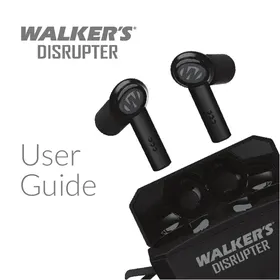
Disrupter - Headphones Walker's - Free user manual and instructions
Find the device manual for free Disrupter Walker's in PDF.


| Brand | Walker's |
| Model | Disrupter |
| Product Type | Electronic hearing protection headset |
| Power Source | Built-in rechargeable battery, charging via case (USB-C) |
| Battery Life | Up to 8 hours (estimated) |
| Noise Reduction Rating (NRR) | 26 dB (with foam tips) |
| Connectivity | Bluetooth 5.0 (estimated) |
| Key Features | Active hearing protection, ambient amplification, hearing modes (Universal, Hi Frequency Boost, Power Boost), listening modes (Front Focus, 360Sound), Bluetooth pairing, touch controls |
| Mobile App | Walker's Link (iOS and Android) |
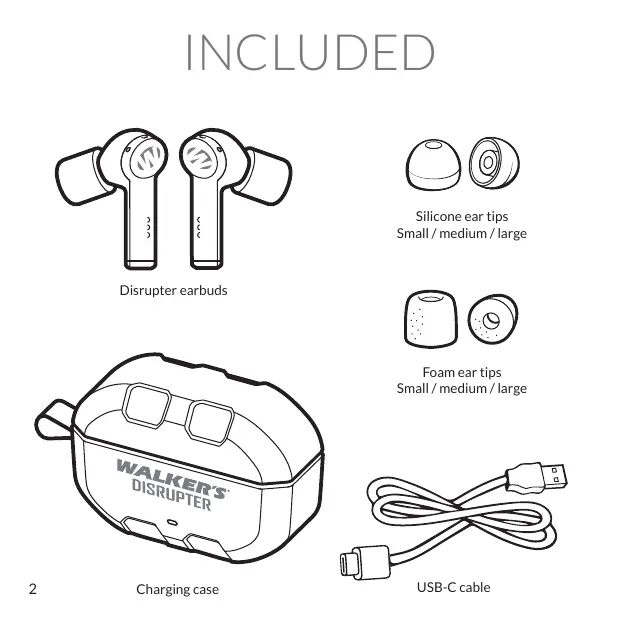
| Included Tips | Foam tips in various sizes |
| Charging Case | Rechargeable via USB-C, LED indicator (red charging, blue charged) |
| Maintenance | Clean foam tips with a damp cloth; do not use silicone tips for hearing protection |
| Safety | Use only foam tips for optimal protection; poor fit may reduce effectiveness |
| Spare Parts | Foam tips, charging case, USB-C cable |
| Warranty | Online registration required |
| Support Contact | Phone: 1-888-508-5922 (Mon-Fri, 8am-5pm CST), Email: wirelessstechsupport@gsmorg.com |
| Standards | FCC Part 15, IC RSS, ANSI S3.19-1974 |
Frequently Asked Questions - Disrupter Walker's
User questions about Disrupter Walker's
0 question about this device. Answer the ones you know or ask your own.
Ask a new question about this device
Download the instructions for your Headphones in PDF format for free! Find your manual Disrupter - Walker's and take your electronic device back in hand. On this page are published all the documents necessary for the use of your device. Disrupter by Walker's.
USER MANUAL Disrupter Walker's
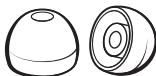
Silicone ear tips Small / medium / large
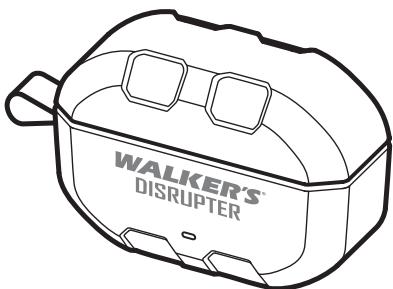
Charging case
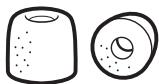
Foam ear tipsSmall / medium / large
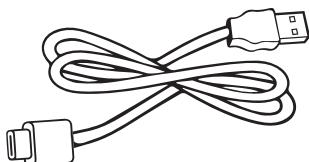
USB-C cable
PAIRING
Insert the earbuds into the charging case.
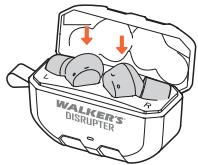
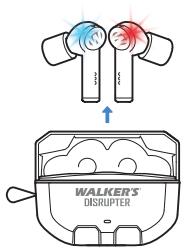
2 Remove earbuds from the case. Flashing red and blue indicates they are ready to pair.
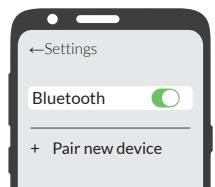
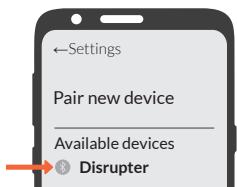
3 Navigate to your device's Bluetooth menu. Search for Disrupter and tap to connect.
FOAM TIP FITMENT
DO NOT USE SILICONE TIPS FOR SHOOTING.
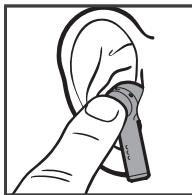
1 Choose the foam ear tip that best fits your ear. This ear tip must form a complete seal, blocking out sound.
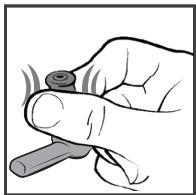
2 Roll the foam tip between your fingers until it becomes malleable.
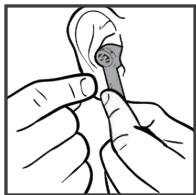
3 Quickly insert the earbuds into your ear canal as deeply as you can without discomfort. Hold them in place for 10 seconds to ensure the foam tip expands and seals in your ear canal.
4 Clap your hands to make sure sound is significantly reduced. If not, re-fit in ears or try a different size foam tip.
WARNING: Improper fitting or use of this Walkers product can result in a reduction in the device's ability to protect from hearing loss and potentially cause damage to your hearing. Choose the right ear tip size to best protect your hearing.
EARBUD CONTROLS
Power On
Remove earbuds from the case
Earbuds will pair to last device or enter pairing mode
Power Off
Place earbuds back into the case
Mute / Unmute Ambient Sound
Press and hold for 1 second
Single Tap
Play / Pause
Answer an incoming phone call
End a phone call already in progress
Double Tap
Play next track
Ignore an incoming phone call
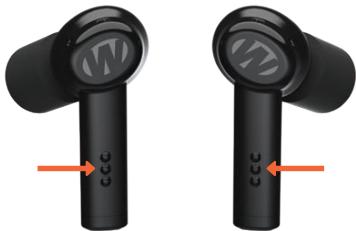
Touch area
Pair the Disrupter to a new device
Press and hold for 5 seconds
WALKER'S LINK
To get the most out of your Disrupter, download Walker's Link app on the App Store or Google Play. The app is not required to use your Disrupter.

Download on the App Store


Available on Google Play

Walker's Link is also available on your smart watch.
APP BASICS
The app adds unique capabilities for your Disrupter earbuds. The app screen may appear different depending on your device.
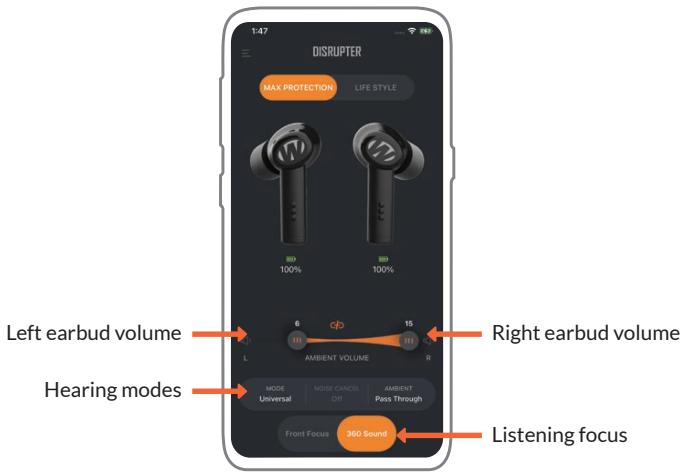
APP FEATURES
Ambient Volume
Adjust the volume slider to increase or decrease the volume of the ambient sound. Each earbud can be controlled independently or linked together. Earbuds will remember the last volume setting used.
Max Protection
Max Protection mode has Noise Suppression enabled for maximum hearing protection. Max Protection provides hearing protection for activities such as shooting, hunting, and other environments requiring hearing protection. The earbuds will default to Max Protection mode each time they powered on.
Lifestyle
Warning: This mode disables the Noise Suppression for hearing protection. This mode is not intended for shooting, hunting, or other loud environments. This mode is intended for activities that are in a safe listening environment. This mode does allow the user to enable Active Noise Cancelling. Active Noise Cancellation is different from Noise Suppression and does not provide the proper protection for hearing protection.
Hearing Modes
Universal: No filter, hear all frequencies at an even level.
Clear Voice: Boosts human voice frequencies, attenuates other frequencies.
Hi Frequency Boost: Boosts high frequencies for clearer brush and grass sounds.
Power Boost: Boosts all frequencies twice as loud.
Listening Focus
Front Focus: Enhances sounds directly in front of you while minimizing peripheral noise. This is effective for 1 on 1 conversations in noisy environments.
360 Sound: Allows incoming sounds from all directions. This helps maintain awareness of the surroundings and is effective for situational awareness.
CHARGING CASE
Place earbuds back in the case to charge.
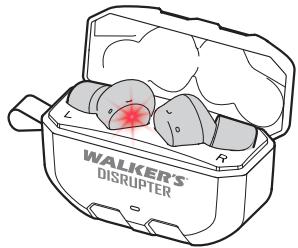
Earbuds light up red while charging.
Earbuds light up blue when fully charged.
To charge the case, plug the USB-C cable into the bottom of case.
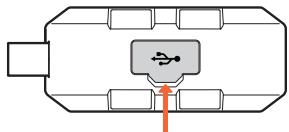
Charging port flap
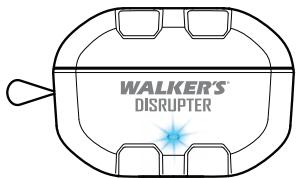
The charge case lights up red while charging.
The charge case lights up blue when fully charged.
FOAM TIP NRR
Although hearing protectors can be recommended for protection against the harmful effects of impulsive noise, the Noise Reduction Rating (NRR) is based on the attenuation of continuous noise and may not be an accurate indicator of the protection attainable against impulsive noise such as gunfire. The level of noise entering a person's ear, when hearing protector is worn as directed, is closely approximated by the difference between the A-weighted environmental noise level and the NRR.
Example:
- The environmental noise level as measured at the ear is 92 dBA.
- The NRR is 22 decibels (dB)
- The level of noise entering the ear is approximately equal to [92dB-22dB]
Caution: For noise environments dominated by frequencies below 500 Hz the C-weighted environmental noise level should be used.
ATTENUATION DATA
TEST METHOD:ANSI S3.19-1974
| Test frequencies (Hz) | 125 | 250 | 500 | 1000 | 2000 | 3150 | 4000 | 6300 | 8000 | NRR | CSA CLASS |
| Mean attenuation (dB) | 32.1 | 27.7 | 31.7 | 31.5 | 38.7 | 41.7 | 40.1 | 42.8 | 43.6 | 26 | AL |
| Standard deviation | 4.7 | 3.7 | 4.4 | 2.9 | 3.4 | 4.5 | 4.2 | 3.9 | 3.5 |
SILICONE TIP NRR
ATTENUATION DATA
TEST METHOD:ANSI S3.19-1974
| Test frequencies (Hz) | 125 | 250 | 500 | 1000 | 2000 | 3150 | 4000 | 6300 | 8000 | NRR | CSA CLASS |
| Mean attenuation (dB) | x | x | x | x | x | x | x | x | x | X | x |
| Standard deviation | x | x | x | x | x | x | x | x | x |
FCC COMPLIANCE

GSM, LLC
GWP-DSRPT
FCC ID:2AU3A-DSRPT
IC:25750-DSRPT
FCC Statement:
This device complies with Part 15 of the FCC Rules. Operation is subject to the following two conditions. (1) this device may not cause harmful interference, and (2) this device must accept any interference received, including interference that may cause undesired operation.
FCC Caution: Changes or modifications not expressly approved by the party responsible for compliance could void the user's authority to operate the equipment.
NOTE: This equipment has been tested and found to comply with the limits for Class B digital device, pursuant to part 15 of the FCC Rules. These limits are designed to provide reasonable protection against harmful interference in a residential installation. This equipment generates, uses, and can radiate radio frequency energy and, if not installed and used in accordance with the instructions, may cause harmful interference to radio or television receptions, which can be determined by turning the equipment off and on, the user is encouraged to try to correct the interference by one or more of the following measure:
- Reorient or relocate the receiving antenna.
- Increase the separation between the equipment and the receiver.
- Connect the equipment into an outlet on a circuit different from that to which the receiver is connected.
- Consult the dealer or an experienced radio/TV technician for help.
Shielded interference cable must be used with the equipment in order to comply with the limits for a digital device pursuant to Subpart B of Part 15 of FCC Rules.
Specifications and designs are subject to change without any notice or obligation on the part of the manufacturer.
The Device has been evaluated to meet general RF exposure requirement. The Device can be used in portable exposure condition without restriction.
WARRANTY
Please complete your warranty registration online: www.gsmoutdoors.com/product-warranty-registration
ISED NOTE:
This device contains licence-exempt transmitter(s)/receiver(s) that comply with Innovation, Science and Economic Development Canada's license exempt RSS(s). Operation is subject to the following two conditions:
- This device may not cause interference.
- This device must accept any interference, including interference that may cause undesired operation of the device.
This transmitter must not be co-located or operating in conjunction with any other antenna or transmitter.
The device has been evaluated to meet general RF exposure requirement. The device can be used in portable exposure condition without restriction.
CONTACT US:
Toll Free: 1-888-508-5922
Mon - Fri / 8 AM - 5 PM (CST)
wirelessstechsupport@gsmorg.com
Please allow 48 hours for email response.
GSM, LLC
P.O.Box 535189
Grand Prairie, TX 75053

GSM
OUTDOORS
WALKER'S
DISRUPTER
Guide
d'utilisation
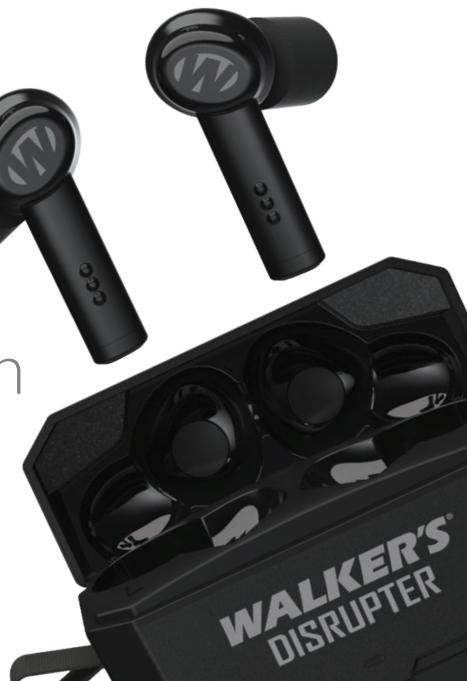
Inclus
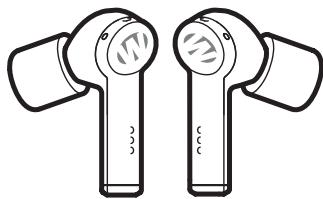
Disrupter ecouteurs
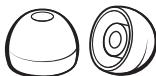
Embouts en silicone petit, moyen, grande
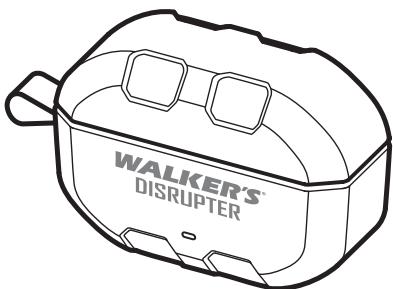
Létuiderecharge
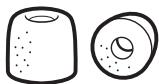
Embouts en mousse petit, moyen, grande
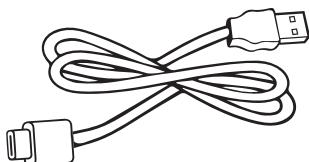
Cable USB-C
Connexion
Download on the App Store


Available on Google Play

Reorient or relocate the receiving antenna.
- Increase the separation between the equipment and the receiver.
- Connect the equipment into an outlet on a circuit different from that to which the receiver is connected.
- Consult the dealer or an experienced radio/TV technician for help.
www.gsmoutdoors.com/product-warranty-registration
Avis d'ISDE
- PAIRING
- FOAM TIP FITMENT
- DO NOT USE SILICONE TIPS FOR SHOOTING.
- EARBUD CONTROLS
- Power On
- Power Off
- Mute / Unmute Ambient Sound
- Single Tap
- Double Tap
- Pair the Disrupter to a new device
- WALKER'S LINK
- APP BASICS
- APP FEATURES
- Ambient Volume
- Max Protection
- Lifestyle
- Hearing Modes
- Listening Focus
- CHARGING CASE
- FOAM TIP NRR
- Example:
- SILICONE TIP NRR
- FCC COMPLIANCE
- FCC Statement:
- WARRANTY
- ISED NOTE:
- CONTACT US:
- WALKER'S
- DISRUPTER
- Guide
- d'utilisation
- Inclus
- Connexion
- Avis d'ISDE
Brand : Walker's
Model : Disrupter
Category : Headphones