 ManualGo.com
 Hopper 3 - TV DISH - Free user manual and instructions
Find the device manual for free Hopper 3 DISH in PDF.


Download the instructions for your TV in PDF format for free! Find your manual Hopper 3 - DISH and take your electronic device back in hand. On this page are published all the documents necessary for the use of your device. Hopper 3 by DISH.
USER MANUAL Hopper 3 DISH
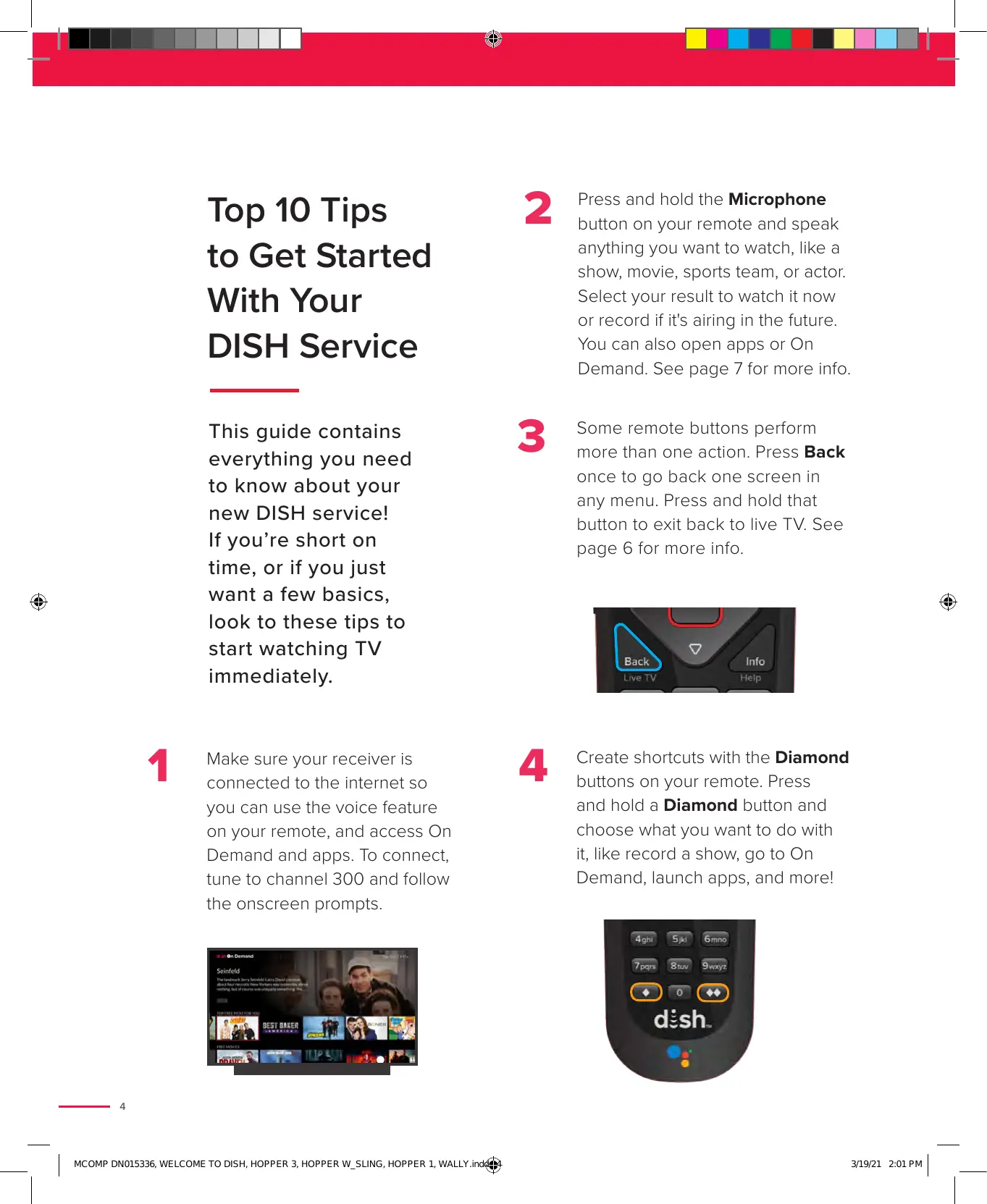
Top 10 Tips 2 Press and hold the Microphone button on your remote and speak to Get Sta rted anything you want to watch, like a show, movie, sports team, or actor. With You r Select your result to watch it now or record ifits airing in the future. DISH Service You can also open apps or On Demand. See page 7 for more info. This guide contains 3 Some remote buttons perform everything you need more than one action. Press Back to know about your new DISH service! If you're short on time, or if you just want a few basics, & look to these tips to start watching TV immediately. once to go back one screen in any menu. Press and hold that button to exit back to live TV. See page 6 for more info.
1 Make sure your receiver is 4 Create shortcuts with the Diamond connected to the internet so buttons on your remote. Press you can use the voice feature and hold a Diamond button and on your remote, and access On choose what you want to do with Demand and apps. To connect, it, like record a show, go to On tune to channel 300 and follow Demand, launch apps, and morel the onscreen prompts. | | MGOUP DNo1S236, WELCOME TO DISH HOPPER 3, HOPPER W_SLING, HOPPER +, WaLLY ind} shot 201 Put |
D Customize your receiver to your personal preferences. Press Home twice on your remote, and then select the Settings tile. See page 24 for more info. G Take full control of your DISH service by downloading the MyDISH app from the apple App Store or Google Play. Pay your bill, enroll in AutoPay, and more. 7 If you lose the remote, just press the Locate Remote button on the front of your receiver. Your remote will beep to help you find it. dish | Welcome to DISH If you see a black, blue, or snowy screen, you may be on the wrong input for watching TV. On your TV, press the Input or Source button until you see DISH programming. Resetting your receiver will often resolve any issues you may experience. To do this, press Home three times on your remote. Select Tools, and then the Reset option. If you ever need help, we're only a chat or call away. Contact us anytime online or by phone! (D) mydish.com/chat & 800-333-3474 snozt 201pu |
Key Buttons On Your Remote Your Remote Your remote control makes it easy for you to watch, search, and record programming. Here's a quick overview of the basics to get you started Power Turn your TV, DISH receiver, and other compatible devices on and off. Home Voice Commands Easily find shows, movies, and sports that Find what you're looking for by pressing and holding the are live, on your DVR, or On Demand— Microphone button, speaking into the microphone, and then all in one place. releasing the button. See voice-command examples on the DVR next page: View your recorded shows and scheduled recordings. See page 12 for adding a DVR Note: Your receiver must be connected to the Internet to use to a Wally. voice control. f needed, see page 26 for instructions. Guide See what's on now and what's coming up. Options Access additional options and features in the current menu: Back Jump back one screen at a time or press and hold to return to live TV. Info Press to get more information about a program. Hold to get quick tips and tricks in most menus. Info Skip Backward Jump back 10 seconds at a time or press and hold to rewind Pause/Play Pause or resume live or On Demand content. Skip Forward Jump forward 30 seconds at a time or press and hold to fast-forward. Recall While watching TV, press to tune to channels you have watched recently. Diamond Button Press and hold this button to turn closed captioning on and off, launch apps, turn on picture and picture, and more. Double-Diamond Button Whenever you see this icon, press and hold - ALT INFO/HELP on your remote to access additional Qucen press end no 0 m/s Dufon to personalize it, too! assistance on your TV. A Welcome to DISH | désh | | MGOUP DNorS236 WELCOME TO DISH HOPPER 3, HOPPER W_SLING, HOPPER 1 WaLLY ne shot 201 pu |
s, and Tuners & CHNSEX || m1 Integrated Search Just Speak Your Mind to Start Searching By using voice control on your receiver, you can find what you want. Fast. And with the Google Assistant on your receiver, you can turn your TV into a smart entertainment center. Just press the Microphone button on your remote to activate voice control Enjoy Entertainment + Quickly open apps like The Weather Channel and On Demand Examples. “Go To On Demand” & or “Go to On Demand” Get Answers Ask a question, such as: - "What's the weather like today?" + "How traffic to work?*" - "Find a nearby pizzeria" - "How far is the moon?" - Change the channel by - Find your programming name or number. by searching for an actor, Examples: “Go to channel genre, movie, show name, 140” or “Tune to ESPN” sports team, or year. Examples: “Fixer Upper” & “Denver Broncos,” or ‘Avengers" Manage Daily Tasks* Get help organizing your life! You can: - ‘Add bananas to my shopping list” - ‘Add doctor's appointment to my calendar” “Dim the living room lights” - “Lock the front door” - “Set the thermostat to 72 degrees” “Your Google account must be linked to your receiver to use these types of commands. Just follow the onscreen prompts when you activate the Google Assistant to add this functionality. To learn how to link your Google account and/or to see more voice commands, visit mydish.com/support/googleassistant. Google and YouTube are trademarks of Google LLC dish | Welcome to DISH
Guide See What's On Right Now and What's Coming Up In the Next Nine Days Your receiver's high-definition guide comes complete with full listings for all your channels. 11:00a LU + Robot Cleans Your Hous: 103 | Hopper HOËR | Insider 6:00p La bin Music/Art. Select 10 sf Films in Focu c this group's channel august M ; ï Select again to hide them Films in Focus 2 Learn more about premi DISH Mu | # THE AUTPOST Watch Now! | Press [in») for Details! Access the Guide + Press Guide on your remote control. + Use Channel up and Channel down to navigate, or enter a channel number to go directly to that channel Customize the Guide When in the Guide, simply press Options on your remote to customize your Guide experience: + Create Favorite Channel Lists — Every member of your family can create their list of favorite channels so only those channels appear when browsing in the Guide. + Only See Channels You Subscribe To — Display all DISH channels or just the channels you subscribe to with the All Subscribe option + _ Access Your Guide Settings — With the Guide Settings option, you can make text larger, change the order networks are listed, hide adult channels, and more. Get the lowdown on creating a Favorites list at youtube.com/user/dish A Welcome to DISH | désh MCOMP DNO15326, WELCOME TO DISH, HOPPER 3, HOPPER W_SLING, HOPPER 1, WALLY nd 31921 2:01 PM
Menu The top of the screen serves as your orientation guide. The gray tab shows what content category you are currently in The middle of your screen is navigable space. Use your remote to highlight the feature you wish to access and press Select. Menu The Weather Channel game On Demand Search Trending PrimeTime On Demand Settings Quickly find See what Anytime* Select from Personalize your what you're everyone is This exclusive thousands of TV experience looking for. watching locally EEWO EEE movies and TV and getthe Search by and nationally, leo eve) series, from new most out of your movie title, TV so you never DITOGET releases to free receiver. show, or actor miss another big on ABC, CBS, On Demand name: event. FOX, and NBC. Help GameFinder DraftKings Apps MyDISH Watch helpful alerte mes Win cesh pres Enjoy news, sports Manage your support exciting games while watching and entertainment DISH account, videos and and get up-te the sports you apps. see recent maximize your the-minute box love. payperview, entertainment. Scores and On Demand purchases, and more.
- Not available on Wall or Hopper Duo dish | Welcome to DISH ° MCOMP DNO15326, WELCOME TO DISH, HOPPER 3, HOPPER W_SLING, HOPPER 1, WALLY nd 31921 2:01 PM
MY CHANNELS ON NOW Fi | 8:46a 3 &: k bi.) CA Food Paradise ; A Al “BBQ Paradise 3” FE "Si Epi + 7/22/14 GMSHW V DC Ot OnNow + 8-9:00a Highlighting the best barbecue found in the US. including fall-off-the-bone beef ribs in Austin, smoky chicken in a tangy white fect Onthe Basi sauce in St. Louis, and melt in-your-mouth smoke.. Æ3 © | Mour DNoïsase WELGOUE TO DISH HOPPER 2 HOPPER W SLING, HOPPER 1 WALLYin 31921 201PM
Your DVR Store All of the Laughs, Touchdowns, and Explosions Just press DVR on your remote to view your recordings. If you have a Wally, you need to purchase an external hard drive, connect it to your receiver, and call DISH at 800-333-3474 to enable the DVR feature for a one-time fee. Visit mydish.com/ehd for more information rt Recorded D: EEE PrimeTime Anytime Prime Tir uptott primetime television each port (NE 2 x À ; |. days afterit: date. Recordings Schedule Timers Trash View your entire library See which programs See and manage Access programs in of recorded content. are scheduled to record your complete list of the trash, then press each day. scheduled recordings. the Options button to restore or delete them. — @) QUICK TIP To record + Press and hold the Microphone button and speak what you want to watch. Choose the desired result, and then record if available. + From Live TV, press Select then choose Record From the Guide, highlight the program you wish to record, press Select then Record This. Welcome to DISH | dish MCOMP DN15326, WELCOME TO DISH, HOPPER 3, HOPPER W_SLING, HOPPER 1, WALLY indie 31921 2:01 PM
& CHNSEX || m1 TV You Love 2 Apps Available on DISH Turn Any TV Into a Smart TV Your receiver brings the best of the web to your TV. The Apps menu helps you find games, listen to music, and keep up with the latest in sports, news, and entertainment. You can even turn your TV into a smart TV with smart-home features, like connecting your Google Nest Hello Doorbell to your receiver. To see all available apps, Press Home on your remote twice, and then select the Apps tile. PANDORA Pandora Enjoy free, personalized radio that plays ToKingdom Come music you'll love. Discover new music and enjoy old favorites! The Weather Channel See weather forecasts, stories, and expert insights from the most trusted source in weather. désh | Weicome to DISH
Marvel's Agents of Netflix No more switching inputs or juggling remotes. Simply press Home on your remote, then scroll and select the Netflix app”. Or visit Channel 302 in the guide. Integrated search. Search for Netflix movies and shows by pressing the Microphone button on your remote. “Netflix streaming membership required. Not available on Hopper 1. More Entertainment Check out other favorite apps available on select receivers: YouTube and Prime Video on Hopper 3 and Hopper w/Sling. Get the lowdown on apps available with DISH at youtube.com/user/dish n Welcome to DISH | dish | | MGOUP DNo1S336, WELCOME TO DISH, HOPPER 3, HOPPER W_SLING, HOPPER 1, WALLY nas shot 201 Put |
& CHNSEX || m1 On Demand Instantly watch your favorite shows and movies. Thousands of them! On Demand allows you to watch thousands of movie titles and TV series whenever you want. Your On Demand is sorted into shelves, which group content into convenient categories, such as Free Movies, Movies for Rent, Content For Kids, and more. To access On Demand, go to channel 300, or press and hold the Microphone button and say "On Demand" into your Voice Remote. On Demand hu 8/27) 3:47» Seinfeld nm. The landmark at bly about ething: the
Watch Online Visit dishanywhere.com to stream content to your computer, tablet, or mobile device. Just click “Create Online ID” or enter your DISH Online ID and password to log in Download the App Get the DISH Anywhere app for iOS, Android, or Kindle Fire HDX. To watch offline, simply transfer your DVR recordings to your device. désh | Weicome to DISH . | | MGOUP DNo1S336, WELCOME TO DISH HOPPER 3, HOPPER WSLING, HOPPER 1, WALLY nas shot 201 Put |
Game Finder Watch sports like a pro! DISH's sports discovery app aggregates scores across every network, making it easy to find the most exciting games on TV. GAME FINDER
NN Lo LS DT OPTIONS Sharks at Bruins FAVORITES w Customize your View the latest matchups On game day, Thuuz ratings will experience with the teams and what channels alert you to the action, as games and sports that matter they're on, and schedule unfurl across the NFL, MLB, NBA, to you. recordings and reminders. NHL, and college sports. To load Game Finder, enter Ch. 152 in the Guide, then select the Game Finder option Get the lowdown on Game Finder with DISH at youtube.com/user/dish ” Welcome to DISH | dish MCOMP DNO15326, WELCOME TO DISH, HOPPER 3, HOPPER W_SLING, HOPPER 1, WALLY nds 31921 2:01 PM
L _____"LEBER & CHNSEX || m1 OnDISH Magazine Join the thousands of other DISH subscribers who can't live without their ONDISH Magazine! ry Continues SUPERMAN & LOIS Their Stoi ) Every issue includes: - Exclusive alerts on free previews for networks you may want to try + How-to guides to get the most out of your DISH service Special inside access and features on what's new on TV Easy-to-use channel directories organized both alphabetically and numerically GET 50% OFF OnDISH Magazine plus a free magnifier sheet! Just $3.99 a month, conveniently added to your monthly bill
Your Channels Channel Breakdown What do you want to watch? Here's a quick reference to the channel categories in your guide so you can start browsing right away. 100's 200's 300's 400's 500's Locals General Entertainment (Food Network, HGTV, ESPN, etc.) News, Shopping Movies Sports/RSNs On Demand Channel Lineup Cards VD ju mirenst mm Try for free | press in or say Leam an Play Want more details? See the channels that are included in your package with the cards on the following pages. Tear out your specific package and keep it close by for easy reference. AI programming is subject to change without notice. For the most up-to-date channel lineup cards go to mydish.com/programmingguides. | | MGOUP DNo1S336, WELCOME TO DISH HOPPER 3, HOPPER W_SLING, HOPPER 1, WALLY nas Welcome to DISH | dish snset 201Pu |
TBN TBS** 277 The Cowboy Channel Z77 The Hillsong Channel The Impact Network Three Angels Broadcasting Network TLC 277 INT 27] Travel Channel 227 truV 27] TV Games Network TVG2 TV Land USA** 27] VH1S* ZT] Victory Weather Channel 77 WeatherNation 277 Women's Entertainment Z27 YouTV ZLiving _A. = Available on all Hopper, Joey, & Wally receivers. Select the “+” icon to expand all channels. 7 = Channels broadcast in SD and HD unless noted as (22727 only) ar = Second Audio Program (Spanish) 1-Not available in Alaska, Hawaï, Puerto Rico, or the Virgin Islands. 2024, DISH Network LLC, AN gts resened. Al programming sujet to ange ou ae. snozt 201pu |
Key: ReelzChannel*” Z77 Renew Ride TV £77 Russia Today. Sale SEC Network_4 Z7 SEC Network Shepherd's Chapel Network ShopLC Sirius XM_4 Sirius XM (ViP Receiver) SonLife Broadcasting Network Start TV Sy£2 TBN TBS* 27] Tennis Channel Æ77 The Cowboy Channel 727 The Hillsong Channel The Impact Network Three Angels Broadcasting Network TLC 277 TNT 277 Travel Channel 227 tuTV 7 TV Games Network Victory Weather Channel 27 WeatherNation 227 Women Entertainment \orid Fishing Network YouTV ZLiving LD} BOLD - Channels are a new addition from Americas Top 120 _À. = Available on all Hopper, Joey, & Wally receivers. Select the “+” icon to expand all channels. 273] = Channels broadcast in SD and HD unless noted as (Æ727 only) ar = Second Audio Program (Spanish) 1-Not available in Alaska, Hawaïl, Puerto Rico, or the Vigin stands. 2-Only in HD for live events. 2 2021, DSH Net LLC, A gs reserved Al prganmng ant 1o Gare uma Welcome to DISH | dish sont 2ût pu |
-RSONALIZATION & ACCOUNT
Settings Parental Controls Limit your kids’ ac Here's a deeper dive into your settings, where, just like a smartphone, you can customize your receiver according to your personal preferences. To access Settings, press Home twice on your remote and select the Settings tile. … Welcome to DISH | dish MCOMP DNO15326, WELCOME TO DISH, HOPPER 3, HOPPER W_SLING, HOPPER 1, WALLY nd 31921 2:01 PM
Parental Controls Your receiver gives you all sorts of options when it comes to establishing control over what programming and channels are accessible to everyone in your home. @ QUICK TIP Anytime you see à (7) you can select it to see additional information about that feature Setting Up Parental Controls Here are some of the things you can customize: © Press Home twice on your remote and select Settings, then Parental Controls. Restrict purchases Hide adult programs Lock specific channels Hide locked channels from your guide Restrict TV or movie ratings Require your parental passcode to access any app [2] Select your desired restrictions from the options on screen © Betore you can add restrictions, you will need to create a four-digit passcode. While parental controls are on, this passcode must be entered whenever you wish to access restricted video content, channels, or apps. Get the lowdown on Parental Controls with DISH at youtube.com/user/dish dish | Welcome to DISH . | | MGOUP DNo1S336, WELCOME TO DISH, HOPPER 3, HOPPER W_SLING, HOPPER 1, WALLY nds shot 201 Put |
Internet Connectivity Connect to the Internet to Maximize Your Entertainment. Simply connect your receiver to the internet to enjoy all of its features, like using voice commands and accessing On Demand and apps. You can use any internet provider, too. And don't worry—your connections are secure; no private information is transmitted. How to Get Connected The easiest way to get started is by plugging in an Ethernet cord to the back of your receiver. Don't have one close by? That's fine; you can connect using your home’s Wi-Fi connection Press Home twice on your remote, then select Settings > Internet > Wireless Setup. It usually takes less than a minute. To learn more and get step-by-step instructions to connect, visit mydish.com/wifisetup. Remote Control If you get a new TV, or if your current remote isn't controlling functions like volume, this is where you can re-pair your remote. You can also choose to pair your remote to another entertainment device, such as your Blu-ray player or stereo system Press Home twice on your remote, then select Settings > Remote Control > TV or Auxiliary Device > Pairing Wizard. Get the lowdown on connecting your receiver to the internet or pairing your remote at youtube.com/user/dish . Welcome to DISH | dish |. moour ovni, weucoue ro is Horn a norreR sun noprER 1 LL ne sea 2er |
Personali MyDISH.com and the MyDISH App MyDISH is the fast, easy way to manage your DISH account and services. It's just one of the many conveniences designed to help you enjoy TV more than ever. / Pay Your Bill ©) - Make a payment + Manage AutoPay and eBill + View previous statements and payment history Order Entertainment C2 + Browse pay-per-view and On Demand selections ô + Order movies, sports, events, adult entertainment, and more Take Control of Appointments Z : GI). Schedule DISH appointments + View your technician's profile and photo: track their location and estimated time of arrival Update Your Preferences + Edit payment options, contact information, security settings, and other important account information Refer a Friend y - Refer a friend and take your pick of amazing rewards - The more friends you refer, the more rewards you get! Get Quick Support Le + Troubleshoot and resolve equipment issues faster How to Add Programming Want more channels? No problem! Customize your programming in three simple steps: - Log in to mydish.com and select My Programming + Select Change Programming to customize your channel lineup + Select View Proposed Changes to calculate your new monthly cost Get the lowdown on the MyDISH App at youtube.com/user/dish dish | Welcome to DISH 27 | | MGOUP DNo1S236 WELCOME TO DISH HOPPER 3, HOPPER W_SLING, HOPPER 1, WaLLY à snozt 201pu |
Contact Us Info/Help Button Access helpful information on any screen by pressing and holding the Info/Help button on your remote. Customer Support + mydish.com/support + mydish.com/chat + _ Apple Business Chat 800-333-3474 Help App Learn more about your receiver or get troubleshooting support with our collection of support videos. Press the Home button twice, and then select the Help tile. OnDISH Magazine To subscribe, visit mydish.com/programmingguides dish
DNO15336 All information and programming featured in the guide is subject to change. Visit mydish.com for the most up-to-date version.
Regulatory Compliance Information Do not install this product where the temperature may exceed 113F such as an enclosed entertainment center. The AC-DC power supply and cord shall remain readily operable so that the product can be easily disconnected from AC power. The AC-DC power is still connected to AC power whenever the power supply is plugged into a live power outlet even if the product LEDs indicate it is off. Use of a surge protector is recommended. Do not expose remote control batteries to excessive heat or fire. This device complies with part 15 of the FCC Rules. Operation is subject to the following two conditions:
1. This device may not cause harmful interference.
2. This device must accept any interference received, including interference that may cause undesired
operation. This device must be installed at least 20cm (*8 inches) from typical person locations per FCC RF exposure guidelines. Do not make any modifications to this device, doing so may void your authority to operate it. NOTE: This device has been tested and found to comply with the limits for a Class B digital device, pursuant to part 15 of the FCC Rules. These limits are designed to provide reasonable protection against harmful interference in a residential installation. This equipment generates, uses and can radiate radio frequency energy and, if not installed and used in accordance with the instructions, may cause harmful interference to radio communications. However, there is no guarantee that interference will not occur in a particular installation. If this equipment does cause harmful interference to radio or television reception, which can be determined by turning the equipment off and on, the user is encouraged to try to correct the interference by one or more of the following measures: — Reorient or relocate the receiving antenna. — Increase the separation between the device and receiver. — Connect the device into an outlet on a circuit different from that to which the receiver is connected. — Consult the dealer or an experienced radio/TV technician for help. REG. M/N: D25, D35 and D45 Responsible Party US Contact Information: Dish Technologies LLC 9601 S Meridian Blvd Englewood, CO 80112 www.dish.com WARNING Cancer and Reproductive Harm www.P65Warnings.ca.gov