HAIDSJP63MC - Induction HAIER - Free user manual and instructions
Find the device manual for free HAIDSJP63MC HAIER in PDF.


| Brand | HAIER |
| Model | HAIDSJP63MC |
| Product type | Built-in induction hob |
| Number of cooking zones | 3 zones |
| Cutout dimensions (W x D) | 560 x 490 mm |
| Zone diameters | Left front zone: 18 cm, Left rear zone: 18 cm, Right center zone: 29 cm |
| Electrical supply | 380-415 V 3N~ or 220-240 V~, 50/60 Hz |
| Maximum total power | Up to 7.2 kW (depending on configuration) |
| Power per zone | Small zones: 1500/2000 W, Large zone: 3000/3600 W |
| Boost function | Yes, on all zones |
| Timer | Up to 99 minutes, with automatic zone shut-off |
| Child lock | Yes, controls lock |
| Pause mode | Yes |
| Power management | 5 power limitation levels (P1 to P5) |
| Connectivity | Wi-Fi (IEEE 802.11b/n/g), Bluetooth (BR/EDR, BLE), compatible with hOn application |
| Cook with Me function | Yes, control via application |
| Safety | Overheating protection, unsuitable utensil detection, residual heat indicator (H), automatic shut-off, small pan detection |
| Cleaning and maintenance | Glass-ceramic surface; clean with sponge and special products, scraper for burnt residues |
| Repairability | Manufacturer-approved after-sales service, built-in self-diagnosis |
| General information | Energy consumption: 183.2 Wh/kg (according to EN 60350-2) |
Frequently Asked Questions - HAIDSJP63MC HAIER
User questions about HAIDSJP63MC HAIER
0 question about this device. Answer the ones you know or ask your own.
Ask a new question about this device
Download the instructions for your Induction in PDF format for free! Find your manual HAIDSJP63MC - HAIER and take your electronic device back in hand. On this page are published all the documents necessary for the use of your device. HAIDSJP63MC by HAIER.
USER MANUAL HAIDSJP63MC HAIER
Instruction Manual For Induction Hob
ENGLISH
Thank you for purchasing the HAIER induction hob. Please read this instruction manual carefully before using the hob and keep it in a safe place for future reference.
Hereby, Candy Hoover Group Srl declares that the radio equipment is in compliance with Directive 2014/53/EU and with the relevant Statutory Requirements (for the UKCA market). The full text of the declaration of conformity is available at the following internet address: www.candy-group.com
Safety Reminding and Maintenance:
- WARNING: The appliance and its accessible parts become hot during use. Care should be taken to avoid touching heating elements.
- Children under 8 Year of age must be kept away from the appliance unless they are continuously supervised.
- This appliance can be used by children aged from 8 years and above and persons with reduced physical, sensory or mental capabilities or lack of experience and knowledge if they have been given supervision or instruction concerning use of the
- appliance in a safe way and understand the hazards involved. Children must not play with the appliance.
- Cleaning and user maintenance shall not be made by children without supervision
- WARNING: Unattended cooking on a hob with fat or oil can be dangerous and may result in fire.
- NEVER try to extinguish a fire with water, but switch off the appliance and then cover flame e.g. with a lid or a fire blanket.
-
WARNING: Danger of fire: do not store items on the cooking surfaces.
-
WARNING: If the surface is cracked, switch off the appliance to avoid the possibility of electric shock.
- Do not use a steam cleaner for cleaning operations
- Metallic objects such as knives, forks, spoons and sauce pan lids must not be placed on the hob surface as they can get hot. Any spillage should be removed from the lid before opening.
- The hob surface must be allowed to cool down before closing the lid.
- After use, switch off the hob element by its control. Do not rely on the pan detector.
- This appliance is not intended to be operated by means of an external timer or separate remote - control system.
- The means for disconnection must be incorporated in the fixed wiring in accordance with the wiring rules.
- The instructions state the type of cord to be used, taking into account the temperature of the rear surface of the appliance.
- If the supply cord is damaged, it must be replaced by the manufacturer, its service agent or similarly qualified persons in order to avoid a hazard.
- CAUTION: In order to avoid a hazard due to inadvertent resetting of the thermal cutout, this appliance must not be supplied through an external switching device, such as a timer, or connected to a circuit that is regularly switched on and off by the utility.
WARNING: Use oly hob guards designed by manufacturer of the cooking appliance or indicated by the manufacturer of the appliance in the instructions for use as suitable or hob guards incorporated in the appliance. The use of inappropriate guards can cause accidents.
- Always use the appropriate cookware.
- Always place the pan in the center of the unit that you are cooking on.
- Do not place anything on control panel.
- Do not use the surface as a cutting board.
- The hob surface must be allowed to cool down before closing the lid.- CAUTION: the cooking process must be supervised. A short term cooking process has to be supervised continuously
Dear Customer:
Thank you for purchasing the Haier induction hob. We hope it will give many years of good service.
Please read this instruction manual carefully before using the hob and keep it in a safe place for future reference.
Product Introduction
The induction hob caters for all kind of cooking, with its electromagnetic cooking zones, and its micro-computerised controls and multi-functions, making it the ideal choice for today's family.
Manufactured with specially imported materials, the Haier induction hob is extremely user-friendly, durable and safe.
Working Principle
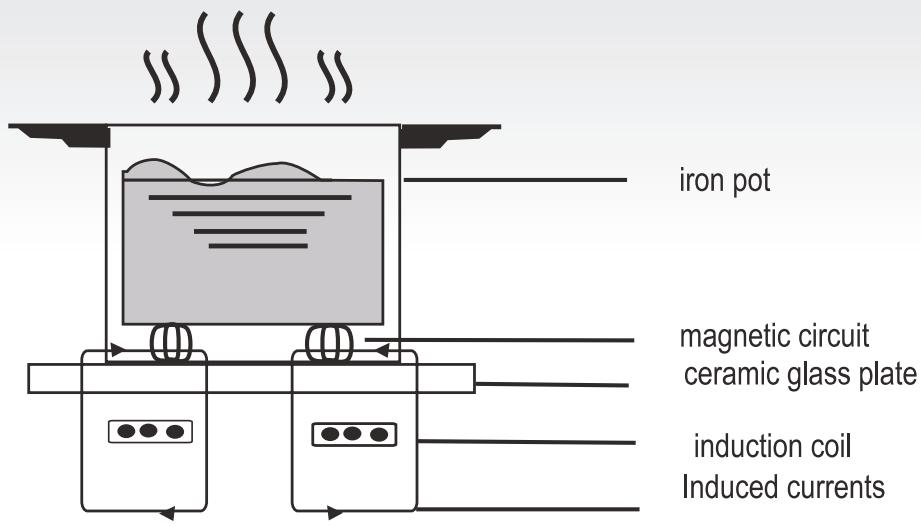
The induction hob comprises a coil, a hotplate made of ferromagnetic material and a control system. Electrical current generates a powerful magnetic field through the coil. This produces a large number of vortices which in turn generate heat which is then transmitted through the cookingzone to the cooking vessel.
Safety
This hob was specially designed for domestic use.
In its constant search to improve its products, Haier reserves the right to modify any technical, programme or aesthetic aspects of the appliance at any time.
● Protection from over-heating
A sensor monitors the temperature in the cooking zones. When the temperature exceeds a safe level, the cooking zone is automatically switched off.
- Detection of small or non-magnetic items
When a pan with a diameter of less than 80 mm, or some other small item (e.g. knife, fork, key) or a non-magnetic pan (e.g. aluminium) has been left on the hob, a buzzer sounds for approximately one minute, after which the hob goes automatically on to standby.
Residual heat warning
When the hob has been operating for some time, there will be some residual heat. The letter "H" appears to warn you to keep away from it.
Auto shutdown
Another safety feature of the induction hob is auto shutdown. This occurs whenever you forget to switch off a cooking zone. The default shutdown times are shown in the table below:
| Power level | The heating zone shut down automatically after |
| 1~3 | 8 hours |
| 4~6 | 4 hours |
| 7~9 | 2 hours |
When the pan is removed from the cooking zone, it stops heating immediately and switches itself off after the buzzer has sounded for one minute.
Warning: Anyone who has been fitted with a heart pacemaker should consult a doctor before using the induction hotplate.
Installation
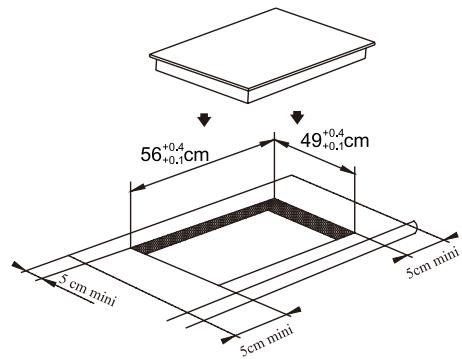
- Cut a hole in the worktop of the dimension shown in the diagram below. A minimum of 50 mm space should be left around the hole. The worktop should be at least 30 mm thick and made of heat-resistant material.
As shown in Figure (1)
- It is essential that the induction hob is well ventilated and that the air intake and exit are not blocked.
Make sure the hob is correctly installed as shown in Figure 2.
Figure (2)
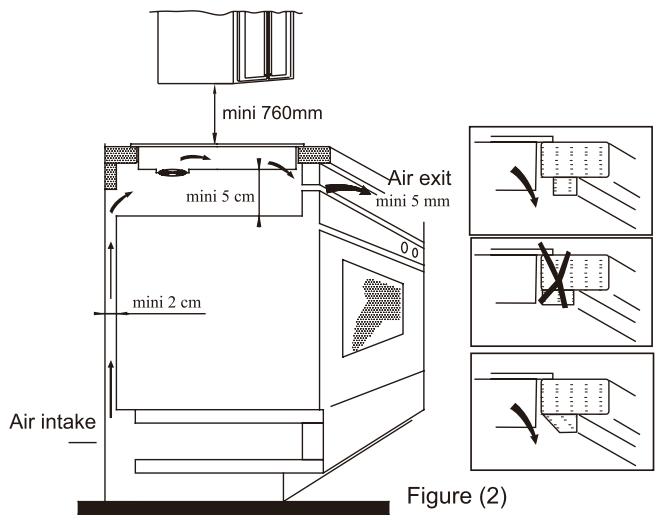
NB: For safety, the gap between the hob and any cupboard above it should be at least 760 mm.
- Fix the hob to the worktop using the 2 brackets on the base of the hob. The position of the brackets can be adjusted according to the thickness of the top.
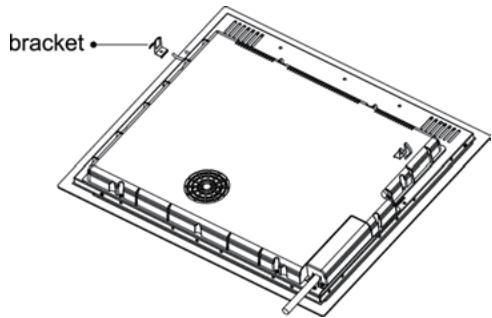
Warnings:
(1) The induction hob must be installed by a properly qualified person. We have our own qualified installers. Never try to install the appliance yourself.
(2) The induction hob must not be installed above refrigerators, freezers, dishwashers or tumble dryers.
(3) The induction hob should be installed so that optimum radiation of heat is possible.
(4) The wall and the area above the hob should be able to withstand heat.
(5) To avoid any damage, the sandwich layer and adhesive should be heat-resistant.
4. Connection to power supply
The socket should be connected in compliance with the relevant standard, to a single-pole circuit breaker. The method of connection is shown in Figure 3.
| Voltage | Wire connection | |||
| 380-415V 3N~ | 1L1Black | 2L2Brown | 3NBlue | 4NYellow/Green |
| 220-240V~ | 1LBlack & Brown | 3NBlue | 4NYellow/Green | |
Figure (3)
If the cable is damaged or needs replacing, this should be done by an after-sales technician using the proper tools, so as to avoid any accidents.
If the appliance is being connected directly to the mains supply, an omnipolar circuit breaker must be installed with a minimum gap of 3 mm between the contacts.
The installer must ensure that the correct electrical connection has been made and that it complies with safety regulations.
The cable must not be bent or compressed.
The cable must be checked regularly and only replaced by a properly qualified person.
Diagram of induction hob:
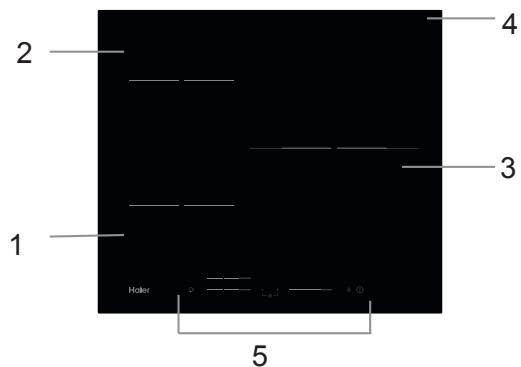
-
Max. 1500/2000 W zone
-
Max. 1500/2000 W zone
-
Max. 3000/3600 W zone
-
Glass plate
-
Control panel
Schematic diagram of the control panel
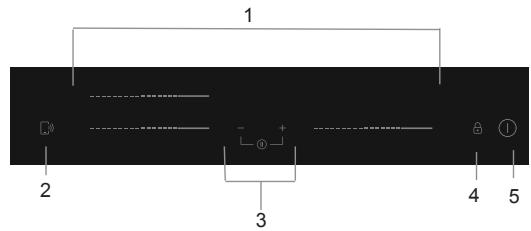
- Heating zone power controls
- "Cook with me function" control
- Timer control
- Keylock
- ON/OFF control
Touch Controls
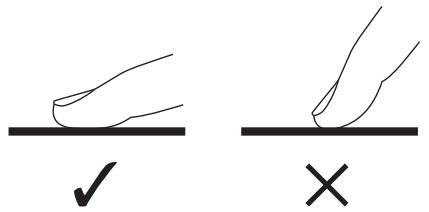
- The controls respond to touch, so you don’t need to apply any pressure.
• Use the ball of your finger, not its tip.
• You will hear a beep each time a touch is registered. - Make sure the controls are always clean, dry, and that there is no object (e.g. a utensil or a cloth) covering them. Even a thin film of water may make the controls difficult to operate.
Choosing the right Cookware

- Only use cookware with a base suitable for induction cooking. Look for the induction symbol on the packaging or on the bottom of the pan.
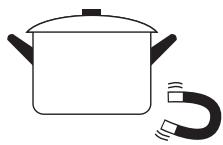
- You can check whether your cookware is suitable by carrying out a magnet test. Move a magnet towards the base of the pan. If it is attracted, the pan is suitable for induction.
• If you do not have a magnet:
1. Put some water in the pan you want to check.
2. If does not flash in the display and the water is heating, the pan is suitable.
- Cookware made from the following materials is not suitable: pure stainless steel, aluminium or copper without a magnetic base, glass, wood, porcelain, ceramic, and earthenware.
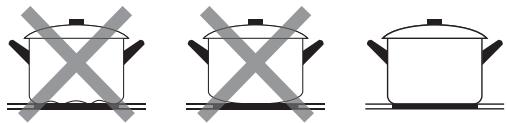
Do not use cookware with jagged edges or a curved base.
natural_image
Three identical cooking pots with crossed x marks on their bases, no text or symbols presentMake sure that the base of your pan is smooth, sits flat against the glass, and is the same size as the cooking zone. Use pans whose diameter is as large as the graphic of the zone selected. Using a pot a slightly wider energy will be used at its maximum efficiency. If you use smaller pot efficiency could be less than expected. Pot less than 140 mm could be undetected by the hob. Always centre your pan on the cooking zone.

natural_image
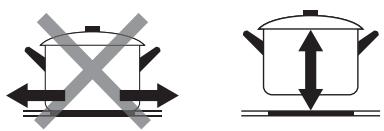
Four identical cooking pots with crossed handles, arranged horizontally (no text or symbols)Always lift pans off the Induction hob – do not slide, or they may scratch the glass.
Start cooking
| Touch the ON/OFF control for three seconds. After power on, the buzzer beeps once, all displays show “-” or “- -”, indicating that the induction hob has entered the state of standby mode. |  |
| Place a suitable pan on the cooking zone that you wish to use.• Make sure the bottom of the pan and the surface of the cooking zone are clean and dry. | 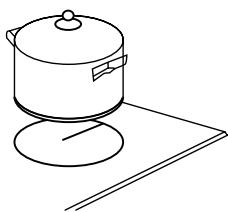 |
| Touching the heating zone slider control, and a indicator next to the key will flash. |  |
| Select a heat setting by touching the slider control• If you don’t choose a heat setting within 1 minute, the Induction hob will automatically switch off. You will need to start again at step 1.• You can modify the heat setting at any time during cooking. | 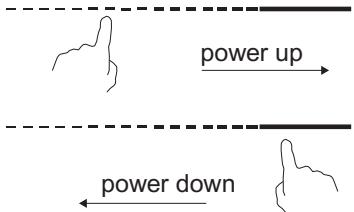 |
If the display flashes ≥slant-≤slant alternately with the heat setting
This means that:
- you have not placed a pan on the correct cooking zone or,
- the pan you're using is not suitable for induction cooking or,
- the pan is too small or not properly centered on the cooking zone.
No heating takes place unless there is a suitable pan on the cooking zone.
The display will automatically disappear after 1 minute if no suitable pan is placed on it.
Finish cooking
| Touching the heating zone selection control that you wish to switch off. | 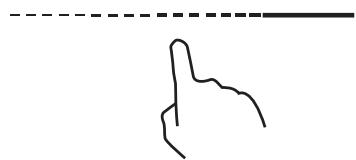 |
| Turn the cooking zone off by touching the slider to “0”. Make sure the display shows “0”. | ---- |
| Turn the whole cooktop off by touching the ON/OFF control. |  |
| Beware of hot surfacesH will show which cooking zone is hot to touch. It will disappear when the surface has cooled down to a safe temperature. It can also be used as an energy saving function if you want to heat further pans, use the hotplate that is still hot. | ---- |
Using the Boost function
| Activate the boost function | |
| Touching the heating zone slider control | 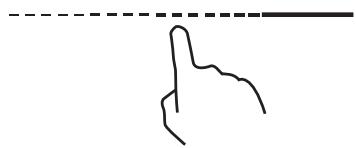 |
| Touching the slider to “B”. Make sure the display shows “b”. |  |
| Cancel the Boost function | |
| Touching the heating zone slider control that you wish to cancel the boost function. | 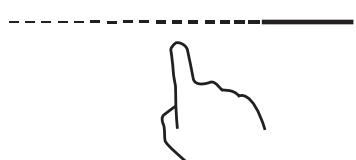 |
| Turn the cooking zone off by touching the slider to “0”. Make sure the display shows “0”. | 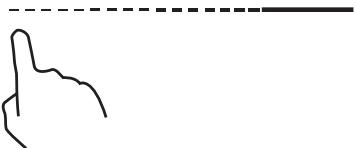 |
• The function can work in any cooking zone.
• The cooking zone returns to its original setting after 5 minutes.
• If the original heat setting equals 0, it will return to 9 after 5 minutes.
Locking the Controls
- You can lock the controls to prevent unintended use (for example children accidentally turning the cooking zones on).
- When the controls are locked, all the controls except the ON/OFF control are disabled.
| To lock the controls | |
| Touch and hold the lock control [icon] for a while. | The timer indicator will show “Lo” |
| To unlock the controls | |
| Touch and hold the lock control [icon] for a while. | |

When the hob is in the lock mode, all the controls are disable except the ON/OFF ⏻, you can always turn the induction hob off with the ON/OFF ⏻ control in an emergency, but you shall unlock the hob first in the next operation.
Pause Mode
• You can pause the heating instead of shutting the hob off.
- When entering the Pause mode, all the controls except the ON/OFF control are disabled.
| To enter pause mode | |
| Short touch the Timer “—” and Timer ” +” at the same time. | All the indicator will show “ 11“ |
| To exit pause mode | |
| Short touch the Timer “—” and Timer ” +” at the same time. | |

When the hob is in the pause mode, all the controls are disable except the ON/OFF Ⓐ, you can always turn the induction hob off with the ON/OFF Ⓐ control in an emergency. The hob will shut down after 10min if you don't exit the pause mode.
Power Management Function
- it is possible to set a maximum power absorption level for the induction hob, choosing up to different power ranges.
- induction hobs are able to limit themselves automatically in order to work at lower power level, to avoid the risk of overloading.
| To enter Power Management Function | |
Turn on the hob, then Press at the same time keylock control and Timer “+”.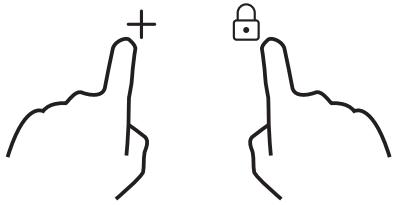 | The timer indicator will show “P5” which means power level 5. The default mode is on max power of he hob. |
| To switch to another level | |
press +/- of the timer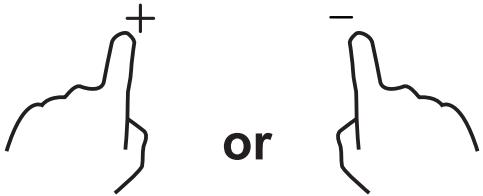 | There are 5 power levels, from “P1” to “p5”. The timer indicator will show one of them.“P1”: the maximum power is 2.5kW.“P2”: the maximum power is 3.5kW.“P3”: the maximum power is 4.5kW.“P4”: the maximum power is 5.5kW.“P5”: the maximum power is max power of the hob. |
| Confirmation and Exit Power Management Function | |
Press at the same time keylock control and Timer “+” for confirmation.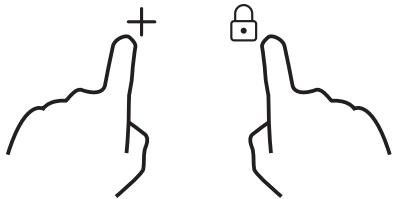 | Then the hob will be turned off. |
Timer control
You can use the timer in two different ways:
- You can use it as a minute minder. In this case, the timer will not turn any cooking zone off when the set time is up.
• You can set it to turn one or more cooking zones off after the set time is up.
The timer of maximum is 99min.
a) Using the Timer as a Minute Minder
If you are not selecting any cooking zone
| Make sure the cooktop is turned on.Note: you can use the minute minder even if you're not selecting any cooking zone. | 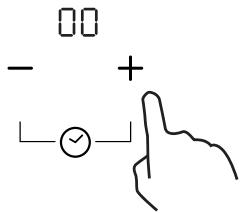 |
| Touch “+” the controls of the timer. The minder indicator will start flashing and “10” will show in the timer display. | |
| Set the time by touching the “-” or “+” control of the timerHint: Touch the “-” or “+” control of the timer once to decrease or increase by 1 minute.Touch and hold the “-” or “+” control of the timer to decrease or increase by 10 minutes. | 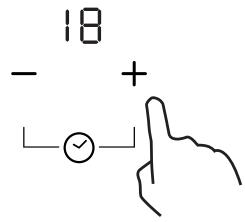 |
| When the time is set, it will begin to count down immediately. The display will show the remaining time and the timer indicator will flash for 5 seconds. | 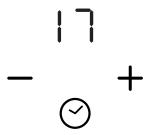 |
| Buzzer will beep for 30 seconds and the timer indicator shows “- - “ when the setting time finished. | 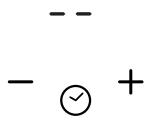 |
b) Setting the timer to turn one or more cooking zones off
| Set one zone | |
| Touching the heating zone slider control | 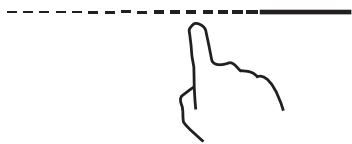 |
| Set the time by touching the or control of the timerHint: Touch the “-” or “+” control of the timer once will decrease or increase by 1 minute.Touch and hold the ”-” or “+”control of the timer will decrease or increase by 10 minutes. | 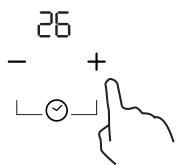 |
| When the time is set, it will begin to count down immediately. The display will show the remaining time and the timer indicator flash for 5 seconds.NOTE: The red dot next to power level indicator will illuminate indicating that zone is selected. | 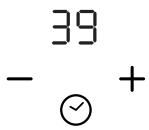 |
| When cooking timer expires, the corresponding cooking zone will be switched off automatically. | 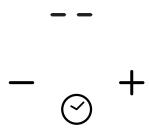 |

Other cooking zone will keep operating if they are turned on previously.
| set more zones: | |
| The steps for setting more zones are similar to the steps of setting one zone;When you set the time for several cooking zones simultaneously, decimal dots of the relevant cooking zones are on.The minute display shows the min. timer. The dot of the corresponding zone flashes.The shown as below:---- (set to 15 minutes)---- (set to 45 minutes) | 15- √ + |
| Once the countdown timer expires, the corresponding zone will switch off. Then it will show the new min. timer and the dot of corresponding zone will flash.The shown as right: | ---- 30---- - √ +(set to 30 minutes) |
| Touch the heating zone selection control, the corresponding timer will be shown in the timer indicator. | |
c) Cancel the timer
| Touching the heating zone slider control that you want to cancel the timer |  |
| Touch and hold the timer control “-”, the timer decreases to “00” and the timer is cancelled. | 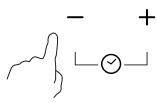 |
Default working times
Auto shut down is a safety protection function for your induction hob. It shut down automatically if ever you forget to turn off your cooking. The default working times for various power levels are shown in the below table:
| Power level | 1 | 2 | 3 | 4 | 5 | 6 | 7 | 8 | 9 |
| Default working timer (hour) | 8 | 8 | 8 | 4 | 4 | 4 | 2 | 2 | 2 |
When the pot is removed, the induction hob can stop heating immediately and the hob automatically switch off after 2 minutes.

People with a heart pace maker should consult with their doctor before using this unit.
"Cook with me function"
First of all, you should download hOn App and install to your portable device. Then enroll your induction hob following the instructions directly from the App.
To make the pairing between Hob and APP use the following process:
Press 4 seconds the "Cook with me" button on the hob. Once the 4 seconds have passed, the digit of the TIMER starts to blink with PA written on it and starts the pairing process. Now follow the instructions from the App.
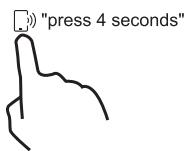
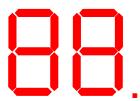
When wi-fi ON: one dot will appear on the right side of the LED
When WIFI OFF: No dot will appear.
Download the App


Available on the
App Store

GET IT ON
Google Play

EXPLORE IT ON
AppGallery
| How to set Cook with me | |
| Choose from the hOn App recipes menu or special programs menu. Follow step by step the indications on the App and when you have finished send the parameters to the hob that will cook for you. | |
| When the hob receives the command from the app, the hob will beep for 2 times and blink for one second to indicate that the instructions have been received.After the beep you need to press the Cook with me button in order to launch the recipes or program. | 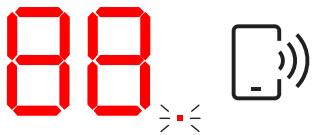 |
| If you want to get out of "Cook with me" function change the power level of the zone. |  |
a. WIRELESS PARAMETERS
| Technology | Wi-Fi | BLE | NFC |
| Standard | IEEE 802.11b/n/g | Bluetooth v4.2, BR/EDR, BLE | / |
| Frequency Band(s) [MHz] | 2402-2480 | 2402-2480 | / |
| Maximum Power [mW] | 1500 | 1500 | / |
Selection of cooking vessels

Iron oil frying
Stainless steel

Iron pan

Iron kettle

Enamel
stainless steel
kettle

Enamel cooking
utesil

Iron plate
You may have a number of different cooking vessels
-
This induction hob can identify a variety of cooking vessels, which you can test by one of the following methods:
Place the vessel on the cooking zone. If the corresponding cooking zone displays a power level, then the vessel is suitable. If “U” flashes, then the vessel is not suitable for use with the induction hob. -
Hold a magnet to the vessel. If the magnet is attracted to the vessel is suitable for use with the induction hob.
NB: The base of the vessel must contain magnetic material.
It must have flat bottom with a diameter according to the table 1 below.
-
Use only ferromagnetic cookwares made from enameled steel, cast iron or stainless steel but compatible with induction
-
Use pans whose diameter of the ferromagnetic area (base of the pan) is in the range of dimensions in the table below. (Table 1)
-
If you use smaller pots, performance could be affected
- If you use pot with a diameter smaller than the one indicated in the table 1, pots may not be detected
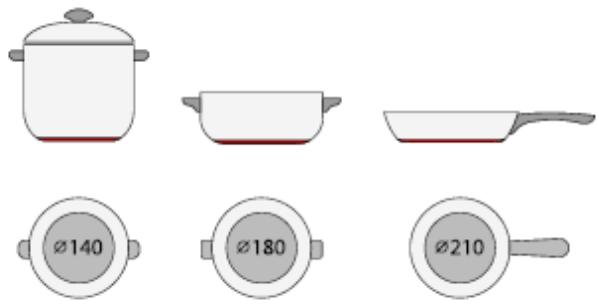
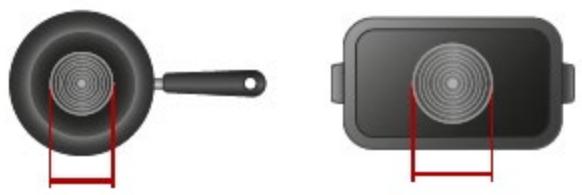
According to the dimension of the zone you can use pots of different diameters as picture below:
natural_image
Two 3D illustrations of cooking utensils: a pan with a lid and a rectangular plate with a circular vent, both shown with red stand brackets (no text or symbols)- If the ferromagnetic part covers only partially the base of the pan, only the ferromagnetic area will heat up, the rest of the base may not heat up a sufficient temperature for cooking.
- If the ferromagnetic area is not homogeneous, but presents others material such as aluminum this may affect the heating up and the pan detection.
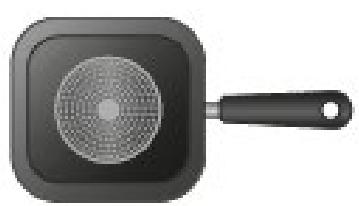
If the base of the pan is similar to the pictures below the pan could be not detected.
natural_image
Black square frying pan with a circular pattern on top and handle (no text or symbols)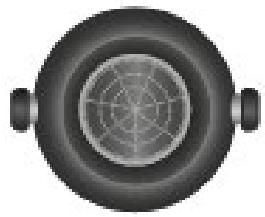
natural_image
Top-down view of a circular mechanical component with concentric rings and two side handles (no text or symbols)| The base diameter of induction cookware | ||
| Cooking zone | Minimum(mm) | Maximum(mm) |
| 1 & 2 | 140 | 180 |
| 3 | 160 | 290 |
The above may vary according to the size of the pan and the material it is made from.
Cleanness and Maintenance
The surface of the induction hob may be easily cleaned in the following way:
| Type of contamination | Method of cleaning | Cleaning materials |
| Light | Immerse in hot water and wipe dry | Cleaning sponge |
| Rings and lime scale | Apply white vinegar to the area, wipe with a soft cloth or use a commercially available product | Special adhesive for ceramic glass |
| Sweetmeat, melted aluminium or plastics | Use a special scraper for ceramic glass to remove residue (a silicon product is best) | Special adhesive for ceramic glass |
NB: Disconnect the power supply before cleaning.
Failure Display and Inspection
The induction hob is equipped with a self diagnostic function. With this test the technician is able to check the function of several components without disassembling or dismounting the hob from the working surface.
Troubleshooting
1) Failure code occur during customer using & Solution;
| Failure code | Problem | Solution |
| Auto-Recovery | ||
| E1 | Supply voltage is above the rated voltage. | Please inspect whether power supply is normal.Power on after the power supply is normal. |
| E2 | Supply voltage is below the rated voltage. | |
| E3 | High temperature of ceramic plate sensor . (1#) | Wait for the temperature of ceramic plate return to normal.Touch “ON/OFF” button to restart unit. |
| E4 | High temperature of ceramic plate sensor . 2# | |
| E5 | High temperature of IGBT . (1#) | Wait for the temperature of IGBT return to normal.Touch “ON/OFF” button to restart unit. |
| E6 | High temperature of IGBT. (2#) | Check whether the fan runs smoothly;if not , replace the fan. |
| No Auto-Recovery | ||
| F3/F6 | Ceramic plate temperature sensor failure- -short circuit. (F3 for 1#,F6 for2#) | Check the connection or replace the ceramic plate temperature sensor. |
| F4/F7 | Ceramic plate temperature sensor failure--open circuit. (F4 for 1#,F7 for2#) | |
| F5/F8 | Ceramic plate temperature sensor failure—invalid . (F5 for 1#,F8 for2#) | |
| F9/FA | Temperature sensor of the IGBT failure. (short circuit/open circuit for 1#) | Replace the power board. |
| FC /FD | Temperature sensor of the IGBT failure. (short circuit/open circuit for 2#) | |
2) Specific Failure & Solution
| Failure | Problem | Solution A | Solution B |
| The LED does not come on when unit is plugged in. | No power supplied. | Check to see if plug is secured tightly in outlet and that outlet is working. | |
| The accessorial power board and the display board connected failure. | Check the connection. | ||
| The accessorial power board is damaged. | Replace the accessorial power board. | ||
| The display board is damaged. | Replace the display board. | ||
| Some buttons can't work, or the LED display is not normal. | The display board is damaged. | Replace the display board. | |
| The Cooking Mode Indicator comes on, but heating does not start. | High temperature of the hob. | Ambient temperature may be too high. Air Intake or Air Vent may be blocked. | |
| There is something wrong with the fan. | Check whether the fan runs smoothly; if not , replace the fan. | ||
| The power board is damaged. | Replace the power board. | ||
| Heating stops suddenly during operation and the display flashes “u”. | Pan Type is wrong. | Use the proper pot (refer to the instruction manual.) | Pan detection circuit is damaged, replace the power board. |
| Pot diameter is too small. | |||
| Cooker has overheated; | Unit is overheated. Wait for temperature to return to normal.Push “ON/OFF” button to restart unit. | ||
| Heating zones of the same side ( Such as the first and the second zone ) would display “u”. | The power board and the display board connected failure; | Check the connection. | |
| The display board of communicate part is damaged. | Replace the display board. | ||
| The Main board is damaged. | Replace the power board. | ||
| Fan motor sounds abnormal. | The fan motor is damaged. | Replace the fan. |
The above are the judgment and inspection of common failures.
Please do not disassemble the unit by yourself to avoid any dangers and damages to the induction hob.
Customer Care Service
If a fault should occur, before calling After Sales Service, please do the following:
-Check that the appliance is correctly plugged in
-Read the failure and display table above
If you are still unable to resolve the problem, switch off the appliance, do not try to dismantle it, and call
After Sales Service.
Special Declaration
The contents of this manual have been carefully checked. However, the company cannot be held responsible for any misprints or omissions.
Also, any technical modifications may be included in a revised version of the manual without notice. The appearance and colour of the appliance in this manual may differ from the actual one.
This appliance is labelled in accordance with European Directive 2012/19/EU regarding electric and electronic appliances (WEEE). The WEEE contain both polluting substances (that can have a negative effect on the environment) and base elements (that can be reused). It is important that the WEEE undergo specific treatments to correctly remove and dispose of the pollutants and recover all the materials. Individuals can play an important role in ensuring that the WEEE do not become an environmental problem; it is essential to follow a few basic rules;
- The WEEE should not be treated as domestic waste;
- The WEEE should be taken to dedicated collection areas managed by the town council or a registered company.
In many countries, domestic collections may be available for large WEEEs. When you buy a new appliance, the old one can be returned to the vendor who must accept it free of charge as one-off, as long as the appliance is of an equivalent type and has the same functions as the purchased appliance.

Valid only for Cyprus
| Product Information for Domestic Electric Hobs Compliant to Commission Regulation (EU) No 66/2014 | |||||
| Position | Symbol | Value | Unit | ||
| Model identification | HAIDSJP63MC | ||||
| Type of hob: | Electric Hob | ||||
| Number of cooking zones and/or areas | zones | 3 | |||
| areas | |||||
| Heating technology (induction cooking zones and cooking areas, radiant cooking zones, solid plates) | Induction cooking zones | X | |||
| Induction cooking cooking areas | |||||
| radiant cooking zones | |||||
| solid plates | |||||
| For circular cooking zones or areas: diameter of useful surface area per electric heated cooking zone, rounded to the nearest 5mm | Rear left | ∅ | 18,0 | cm | |
| Rear central | ∅ | cm | |||
| Rear right | ∅ | cm | |||
| Central left | ∅ | cm | |||
| Central central | ∅ | cm | |||
| Central right | ∅ | 29,0 | cm | ||
| Front left | ∅ | 18,0 | cm | ||
| Front central | ∅ | cm | |||
| Front right | ∅ | cm | |||
| For non-circular cooking zones or areas: length and width of useful surface area per electric heated cooking zone or area, rounded to the nearest 5mm | Rear left | LW | cm | ||
| Rear central | LW | cm | |||
| Rear right | LW | cm | |||
| Central left | LW | cm | |||
| Central central | LW | cm | |||
| Central right | LW | cm | |||
| Front left | LW | cm | |||
| Front central | LW | cm | |||
| Front right | LW | cm | |||
| Energy consumption for cooking zone or area calculated per kg | Rear left | ECElectric cooking | 187,7 | Wh/kg | |
| Rear central | ECElectric cooking | Wh/kg | |||
| Rear right | ECElectric cooking | Wh/kg | |||
| Central left | ECElectric cooking | Wh/kg | |||
| Central central | ECElectric cooking | Wh/kg | |||
| Central right | ECElectric cooking | 175,4 | Wh/kg | ||
| Front left | ECElectric cooking | 186,5 | Wh/kg | ||
| Front central | ECElectric cooking | Wh/kg | |||
| Front right | ECElectric cooking | Wh/kg | |||
| Energy consumption for the hob calculated per kg | ECElectric hob | 183,2 | Wh/kg | ||
| Standard applied : EN 60350-2 Household electric cooking appliances - Part 2: Hobs - Methods for measuring performance | |||||
| Suggestions for Energy Saving:To obtain the best efficiency of your hob, please place the pan in the centre of the cooking zone.Using a lid will reduce cooking times and save energy by retaining the heat.Minimise the amount of liquid or fat to reduce cooking times.Start cooking on a high setting and reduce the setting when the food has heated through.Use pans whose diameter is as large as the graphic of the zone selected. | |||||
| These information are to be considered as part of the appliance user manual. | |||||
natural_image
Three identical cooking pots with crossed-out handles, placed on a surface (no text or symbols)natural_image
Four identical cooking pots with crossed handles, shown in sequence on a surface (no text or symbols)natural_image
Two identical cooking pots with crossed handles and directional arrows, no text or symbols present.Comment l'utiliser
Commencer à cuire
Fonction "Cook with me"

natural_image
Two 3D renderings of cooking utensils: a pan with a handle and a rectangular plate with a circular speaker (no text or symbols)natural_image
Two black cooking panes shown from top and side views, no text or symbols present.
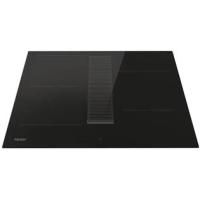

- Safety Reminding and Maintenance:
- Dear Customer:
- Product Introduction
- Working Principle
- Safety
- ● Protection from over-heating
- - Detection of small or non-magnetic items
- Residual heat warning
- Auto shutdown
- Installation
- Warnings:
- Connection to power supply
- Touch Controls
- Choosing the right Cookware
- If the display flashes ≥slantU-≤slant alternately with the heat setting
- Locking the Controls
- Pause Mode
- Power Management Function
- Timer control
- a) Using the Timer as a Minute Minder
- b) Setting the timer to turn one or more cooking zones off
- c) Cancel the timer
- Default working times
- "Cook with me function"
- Download the App
- Selection of cooking vessels
- Cleanness and Maintenance
- Failure Display and Inspection
- Troubleshooting
- Customer Care Service
- Special Declaration
- Comment l'utiliser
- Commencer à cuire
- Fonction "Cook with me"
Brand : HAIER
Model : HAIDSJP63MC
Category : Induction