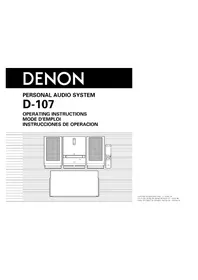
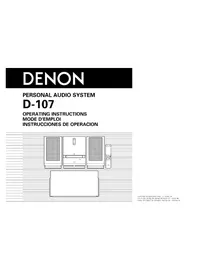
D-M39 SCPW - Chaîne Hi-Fi DENON - Free user manual and instructions
Find the device manual for free D-M39 SCPW DENON in PDF.
Download the instructions for your Chaîne Hi-Fi in PDF format for free! Find your manual D-M39 SCPW - DENON and take your electronic device back in hand. On this page are published all the documents necessary for the use of your device. D-M39 SCPW by DENON.
USER MANUAL D-M39 SCPW DENON
Noir, Premium Silver
Dimensions (L x H x P)
Compatible RDS Dimensions (L x H x P)
Préparations··············································································3 Connexions·····················································································4 Connexion des enceintes······························································4 Connexion d’un iPod ou d’un dispositif mémoire USB sur le port USB··························5 Connexion d’un téléviseur·····························································6 Connexion d’une antenne······························································6 Connexion du cordon d’alimentation·············································6
Informations···········································································24 Nomenclature des pièces et des fonctions································25 Panneau avant·············································································25 Affichage·····················································································26 Panneau arrière············································································26 Télécommande············································································27 Autres informations·····································································30 Disques························································································30 Explication des termes································································31 Dépistage des pannes··································································31 Spécifications···············································································33
q Mise en route 1 w CD-ROM (Manuel de l’Utilisateur) 1 e Instructions de sécurité 1 r Garantie (pour le modèle nord-américain uniquement) 1 t Liste du réseau d’après-vente 1 y Télécommande (RC-1162) 1 u Piles R03/AAA 2 i Cordon d’alimentation 1 o Antenne intérieure FM 1 y
Applications··············································································7 Version basique··············································································8 Préparations···················································································8 Réglage de l’heure actuelle (Affichage 12 h)·································9 Opérations possibles pendant la lecture······································10 Lecture de CD·············································································11 Écoute d’émissions FM·······························································13 Écoute d’une source AUX···························································15 Opérations avancées···································································16 Préparatifs···················································································16 Lecture de fichiers MP3 et WMA················································17 Lecture du contenu d’un iPod·····················································19 Lecture du contenu d’un dispositif mémoire USB·······················20 Réglage l’alarme··········································································21 Autres fonctions··········································································23
DISC Vérifiez que les composants suivants sont fournis avec l’appareil.
Démarrage······················································································1 Accessoires···················································································1 Caractéristiques·············································································2 Précautions de manipulation··························································2
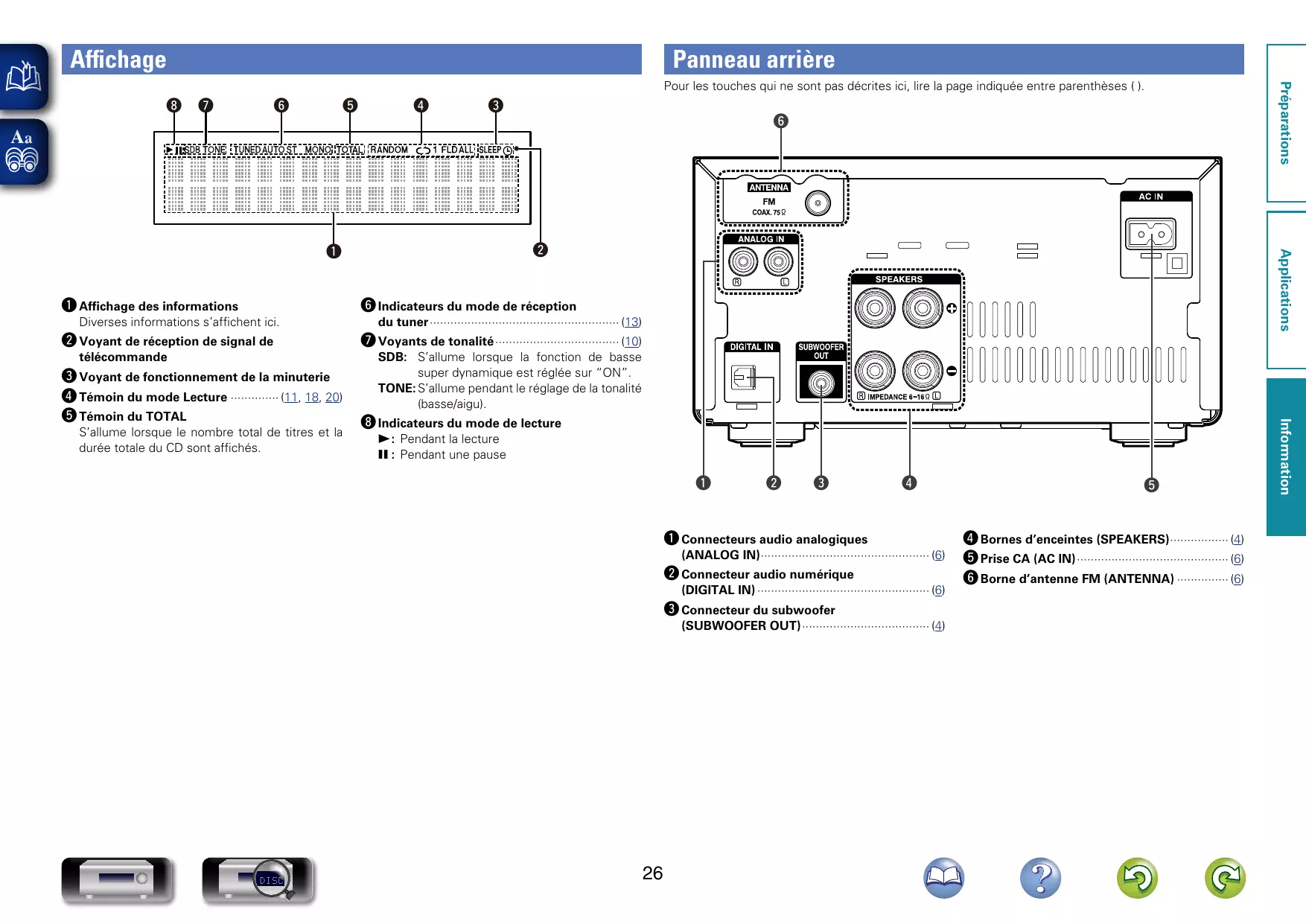
q Touche d’alimentation (X)·················································· (8, 16) w Témoin d’alimentation······························································ (8) e Port USB······················································································ (5) r Tiroir de disque········································································· (30) t Prise du casque audio (PHONES)
REMARQUE Afin d’éviter toute perte auditive, ne pas augmenter excessivement le niveau du volume lors de l’utilisation du casque.
Touches de préréglage/syntonisation (8/–, +/9)················································· (11, 14, 17, 20, 23)
o Touche Stop (2)··························································· (11, 13, 20) Q0 Touche Lecture/Pause (1/3)···························· (8, 11, 17, 19, 20) Q1 Touche Ouvrir/Fermer le tiroir (5)············································ (8) Q2 Capteur de télécommande······················································ (29) Q3 Affichage q w
y Touche SOURCE································································· (10, 23) u Bouton de contrôle VOLUME·················································· (10) i Touches Retour rapide/Avance rapide
du tuner························································ (13)
q Connecteurs audio analogiques (ANALOG IN)·················································· (6)
w Connecteur audio numérique (DIGITAL IN)··················································· (6)
e Connecteur du subwoofer (SUBWOOFER OUT)······································ (4)
t r Bornes d’enceintes (SPEAKERS)·················· (4) t Prise CA (AC IN)············································· (6) y Borne d’antenne FM (ANTENNA)················ (6)
r q Touche Lecture/Pause (1/3)················· (8, 11) w Touche de saut arrière/saut avant (8, 9)············································· (11, 17)
e Touche de retour rapide/avance rapide (6, 7) ···················································· (11)
················································ (9, 13, 14, 21, 23)
r Touches curseurs (uio p)························ (17) t Touche ENTER············································· (18) y Touches numérotées (0 – 9, +10)········· (11, 18) u Touche CLEAR············································· (12) i Touche Information (INFO)··················· (12, 18) o Touche PROGRAM······································ (12) Q0 Touche REPEAT····································· (11, 18) Q1 Touche RANDOM········································ (11) Q2 Touche FOLDER MODE······························· (17) Q3 Touche Stop (2)·········································· (11) Q4 Touche SOURCE (CD)··································· (8)
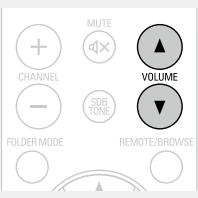
q Touche SLEEP·············································· (22) w Touche CLOCK··············································· (9) e Touche DIMMER·········································· (10) r Touche POWER (X)································· (8, 16) t Touches SOURCE·································· (10, 23) y Touche MUTE (:)····································· (10) u Touches VOLUME (d f)····························· (10) i Touche SDB TONE······································ (10)
q Touche SOURCE (TUNER)·························· (13) w Touches de syntonisation (tuning) (TUNE +, –)··················································· (13)
q Touche SOURCE (iPod/USB)······················ (10) w Touche Lecture/Pause (1/3)··············· (19, 20) e Touche de saut arrière/saut avant (8, 9)············································· (19, 20)
r Touche de Retour rapide/avance rapide (6, 7)··············································· (19, 20)
t Touche REMOTE/BROWSE························ (19) y Touches curseurs (uio p)·················· (19, 20) u Touche ENTER······································· (19, 20) i Touches numérotées (0 – 9, +10)··············· (18) o Touche Information (INFO)························· (19) Q0 Touche REPEAT····································· (19, 20) Q1 Touche RANDOM·································· (19, 20) Q2 Touche FOLDER MODE······························· (20) Q3 Touche Stop (2)·········································· (20)
e Touches curseurs (uio p)························ (13) r Touche ENTER············································· (13) t Touche SETUP············································· (13) y Touches numérotées (0 – 9, +10)··············· (14) u Touche CLEAR············································· (13) i Touches CHANNEL (+, –)···························· (14) o Touche Stop (2)·········································· (13)
Accessoires··························································· 1 Affichage····························································· 26 Alarme································································· 21 Antenne intérieure FM·········································· 6
Câble Câble audio························································· 4 Câble d’enceinte················································· 4 Câble optique······················································ 4 Câble subwoofer················································ 4 Caractères········································· 13, 14, 18, 21 Casque································································ 25 Circuit de protection········································ 4, 31 Condensation························································ 2 Connexion Antenne······························································ 6 Cordon d’alimentation········································ 6 Dispositif mémoire USB····································· 5 Enceinte······························································ 4 iPod····································································· 5 TV······································································· 6
CA 120 V, 60 Hz 70 W Environ 0,3 W (veille)
• Dans un but d’amélioration continue, les spécifications et la conception du produit peuvent être modifiées sans préavis.
vvD Débit binaire············································ 17, 20, 31
vvF Finalisation···················································· 30, 31 Fréquence d’échantillonnage·················· 17, 20, 31
vvG Gamme dynamique············································· 31
vvH Heure actuelle······················································· 9
vvI Impédance des enceintes··································· 31 Initialisation du microprocesseur························· 23
vvM Mise sous tension················································· 8 Mode Navigation················································· 19 Mode Télécommande········································· 19 MP3························································· 16, 17, 31
vvP Panneau arrière··················································· 26 Panneau avant····················································· 25
vvS SDB····································································· 10 Silence································································· 10 Source d’entrée··················································· 10 Subwoofer····························································· 4
vvT Télécommande··················································· 27 Insertion des piles············································ 29 Ton······································································ 10 TREBLE······························································· 10
vvV Volume································································ 10
vvW WMA······················································· 16, 17, 31
Informations Information
Source d’alimentation: Consommation électrique:
Lecture AUX·································································· 15 CD····································································· 11 Dispositif mémoire USB··································· 20 FM···································································· 13 iPod··································································· 19 MP3·································································· 17 WMA································································ 17 Luminosité de l’affichage···································· 10
vvB BASS··································································· 10
ENGLISH Thank you for purchasing this DENON product. To ensure proper operation, please read this owner’s manual carefully before using the product. After reading them, be sure to keep them for future reference.
Accessories qOwner’s Manual1 wService station list 1 eSpeaker cable2 rFoam plug 2 tAnti-slip pads (8 pcs. / 1sheet)1
Before using Note on use nnCautions on installation The quality of the sound produced from the speaker is affected by the size and type of the room, as well as by the method of installation. Consider the points listed below before installing the speaker. ••If the bass sound is overemphasized when the speakers are installed directly on the floor, set them on concrete blocks or other hard stands. ••Note that placing the speaker on the same stand or shelf as a record player may result in howling. ••Also note that if there is a magnet or any device generating magnetic force nearby, interaction between this device and the speakers can cause the colors on the TV to become blotchy. WARNING ••Be sure to fasten the speaker cables to a wall, etc., to prevent people from tripping over them or otherwise pulling on them accidentally, causing the speakers to fall. ••Be sure to check for safety after installing the speakers. Afterwards, perform safety inspections at regular intervals to be sure there is no danger that the speakers will fall. DENON will not be liable for damages or accidents caused by inappropriate choice of the place of installation or improper installation procedures.
nnCleaning ••Use a dry wiping cloth and wipe lightly to remove dirt from the cabinet and operation panel. ••When using chemically treated cloths, follow the precautions provided for them. ••Do not use benzene, thinners, or other organic solvents or insecticides on the speakers since they may cause a change in quality or color.
nnOther cautions ••Raising the amplifier’s volume excessively and playing with distorted sound could damage the amplifier and speakers. Enjoy the sound at a reasonable volume level. ••When moving the unit, note that applying strong force to the surface of the speaker through the saran net could damage the speaker.
Isolierung Funda Bekleding Mantel Оболочка Osłona przewodu
••The net on the front of the speakers can be removed. ••To remove, grasp both sides of the net and pull forward. ••To mount, line up the projecting pieces in the four corners of the speaker net with the holes in the four corners of the cabinet and press in.
FRANCAIS Connections When connecting the speakers to an amplifier, be sure to read the amplifier’s owner’s manual carefully and connect properly. ••Connect the input terminals on the rear panel of the speaker with the speaker output terminals on the amplifier, using the included speaker cables. ••Connect the speaker for the left channel to the “L” terminal on the amplifier, the speaker for the right channel to the “R” terminal on the amplifier, making sure to check the polarities (“+” and “–”). (vC) ••Amplifiers have various speaker output terminals. Check the owner’s manual of the amplifier you are using for details. NOTE ••Be sure to turn the amplifier’s power off before connecting the speakers to the amplifier. ••If the polarities are inverted, the phase may be off and the sound may have no bass component, making it seem unnatural. Be sure to connect the polarities properly.
Twist firmly the wires by hand so that they do not stick out and cause short-circuits. (vD)
Loosen the terminal by turning to the left and insert the speaker cable through the hole in the speaker terminal.
Tighten the terminal by turning to the right and check that the core wire is not protruding from the hole.
Once connections are completed, pull gently on the speaker cables to check that they are securely connected. NOTE ••Do not let the core wires of two speaker cables touch each other. Doing so will short-circuit the amplifier circuitry and damage the amplifier.
Specifications Type:
2-way · 2-speakers Reflex box Frequency range: 45 Hz ~ 40 kHz Input impedance: 6 Ω/ohms Max. input: 60 W (IEC), 120 W (PEAK) Sensitivity: 83 dB (1 W · 1 m) Crossover frequency: 3 kHz Speakers: 12 cm (4-3/4”) cone bass-mid x 1 2.5 cm (1”) soft dome high range x 1 Maximum external dimensions: 145 (W) x 238 (H) x 234 (D) mm (5-45/64” x 9-3/8” x 9-7/32”) Weight: 3.5 kg (7 lbs 11.5 oz) For improvement purposes, specifications and design are subject to change without notice.
Acoustic Sponge hen installing on a desktop or in the corner of your room, the bass W may emphasized. Insert sound foam plug in the bass-reflex duct at the back of the SC-M39. (vA) You can adjust the bass sound with the amount of sound foam plug you insert.
Nous vous remercions d’avoir acquis cet appareil DENON. Afin d’assurer son bon fonctionnement, veuillez lire attentivement ce manuel de l’utilisateur avant d’utiliser l’appareil. Après l’avoir lu, conservez-le afin de pouvoir vous y reporter ultérieurement.
NOTE ••Do not insert the foam plug too deep. The foam plug could fall in and get stuck inside. ••If the foam plug cannot be removed or falls inside, stop using the unit immediately and consult your store of purchase or your nearest repair and inquiry center.
REMARQUE ••Ne pas insérer le bouchon en mousse trop profondément. Le bouchon en mousse risque de tomber et de rester coincé à l’intérieur. ••Si le bouchon en mousse ne peut pas être retiré ou s’il tombe à l’intérieur, cessez immédiatement d’utiliser les enceintes et contactez votre vendeur ou le centre de réparation et d’information le plus proche.
How to Install Attach four of the included anti-slip pads to the bottom of the unit. (vB)
ManualGo.com