 ManualGo.com
MUM58A20 - Food processor BOSCH - Free user manual and instructions
Find the device manual for free MUM58A20 BOSCH in PDF.



Download the instructions for your Food processor in PDF format for free! Find your manual MUM58A20 - BOSCH and take your electronic device back in hand. On this page are published all the documents necessary for the use of your device. MUM58A20 by BOSCH.
USER MANUAL MUM58A20 BOSCH
Register new devic ur MyBosch e on get free b w and enefits: bosch-ho me.com/ welcome Universal kitchen machine MUM58... This appliance is intended for domestic use only. Use the appliance only for processing normal amounts of food and for normal amounts of time for domestic use. The appliance is suitable for mixing, kneading and beating food. The appliance must not be used for processing other substances or objects. Additional applications are possible if the accessories approved by the manufacturer are used. Only use the appliance with approved genuine parts and accessories. Never use the accessory parts for other appliances. Only use the appliance indoors at room temperature and up to 2000 m above sea level. Important safety information Read and follow the instruction manual carefully and keep for later reference! Enclose these instructions when you give this appliance to someone else. If the instructions for correct use of the appliance are not observed, the manufacturer’s liability for any resulting damage will be excluded. This appliance can be used by persons with reduced physical, sensory or mental capabilities or lack of experience and/or knowledge if they have been given supervision or instruction concerning use of the appliance in a safe way and if they understand the hazards involved. Keep children away from the appliance and connecting cable and do not allow them to use the appliance. Do not let children play with the appliance. Cleaning and user maintenance must not be performed by children. W Risk of electric shock and fire! ■ Connect and operate the appliance only in accordance with the specifications on the rating plate. Do not use the appliance if the power cord and/or appliance are damaged. Only our customer service may repair the appliance, e.g. by replacing a damaged power cord, in order to avoid hazards. ■ Use only the rotary switch to switch the appliance on or off. Never connect the appliance to timer switches or remote-controllable sockets. Never leave the appliance unattended while it is switched on! ■ Do not place the appliance on or near hot surfaces, e.g. hobs. The power cord must not come into contact with hot parts or be pulled across sharp edges. ■ Never immerse the base unit in water or place it in the dishwasher. Do not steam-clean the appliance. Do not use the appliance with damp hands.
Important safety information
■ After each use, whenever the appliance is unsupervised, prior to assembly, prior to disassembly, prior to cleaning and in the event of an error, the appliance must always be disconnected from the mains. W Risk of injury! ■ Before replacing accessories or additional parts which move during operation, the appliance must be switched off and dis connected from the power supply. After switching off, the drive continues for a short time. Wait until the drive has come to a standstill. ■ Do not adjust the swivel arm while the appliance is switched on. ■ Only use tools when the bowl is inserted, the lid is fitted and the protective drive covers are in place! When using accessories, fit the bowl, lid and drive covers according to the instructions! ■ While operating the appliance, never reach into the bowl or filling shaft with your hands. Do not insert any objects (e.g. wooden spoon) into the bowl or filling shaft. Keep hands, hair, clothing and other utensils away from rotating parts. ■ Never use tools and accessories or 2 accessories at the same time. When using the accessories, follow the individual operating instructions enclosed. ■ The accessory must be completely assembled before use. Never assemble the accessory on the base unit. The accessory should only be used in the intended operating position. ■ Do not grip the sharp blades or edges of the cutting discs. Take hold of cutting discs by the edge only. ■ Do not touch blender blades with bare hands. ■ Never reach into the attached blender! Never use the blender without the lid in place. ■ Care shall be taken when handling the sharp cutting blades, emptying the container and during cleaning. W Risk of scalding! If processing hot liquids, steam escapes through the funnel in the lid. W Risk of suffocation! Do not allow children to play with packaging material. W Caution! We recommend that the appliance is never switched on for longer than is necessary to process the ingredients. Do not operate at no-load.
Important safety information W Important! It is essential to clean the appliance thoroughly after each use or after it has not been used for an extended period (X “Cleaning and servicing” see page 30). W Explanation of the symbols on the appliance or accessory
Follow the instructions in the operating instructions. Caution! Rotating blades. Caution! Rotating tools. Do not place fingers in the feed tube. Congratulations on the purchase of your new Bosch appliance. You can find further information about our products on our web page. Safety systems Start lock-out See “Operating positions” table. The appliance can be switched on in pos. 1 and 3 only: ■ when the bowl (11) has been inserted and turned until it locks into place. Restart lock-out If the power is interrupted, the appliance remains switched on but the motor does not start running again when the power is restored. To switch the appliance on again, turn the rotary switch to P, then switch on. Overload protection If the motor switches itself off while the appliance is being used, the overload pro tection feature has been activated. A possi ble cause may be that too much food was processed at one time. If a safety system is activated, see “Troubleshooting”. The appliance requires no maintenance. Overview
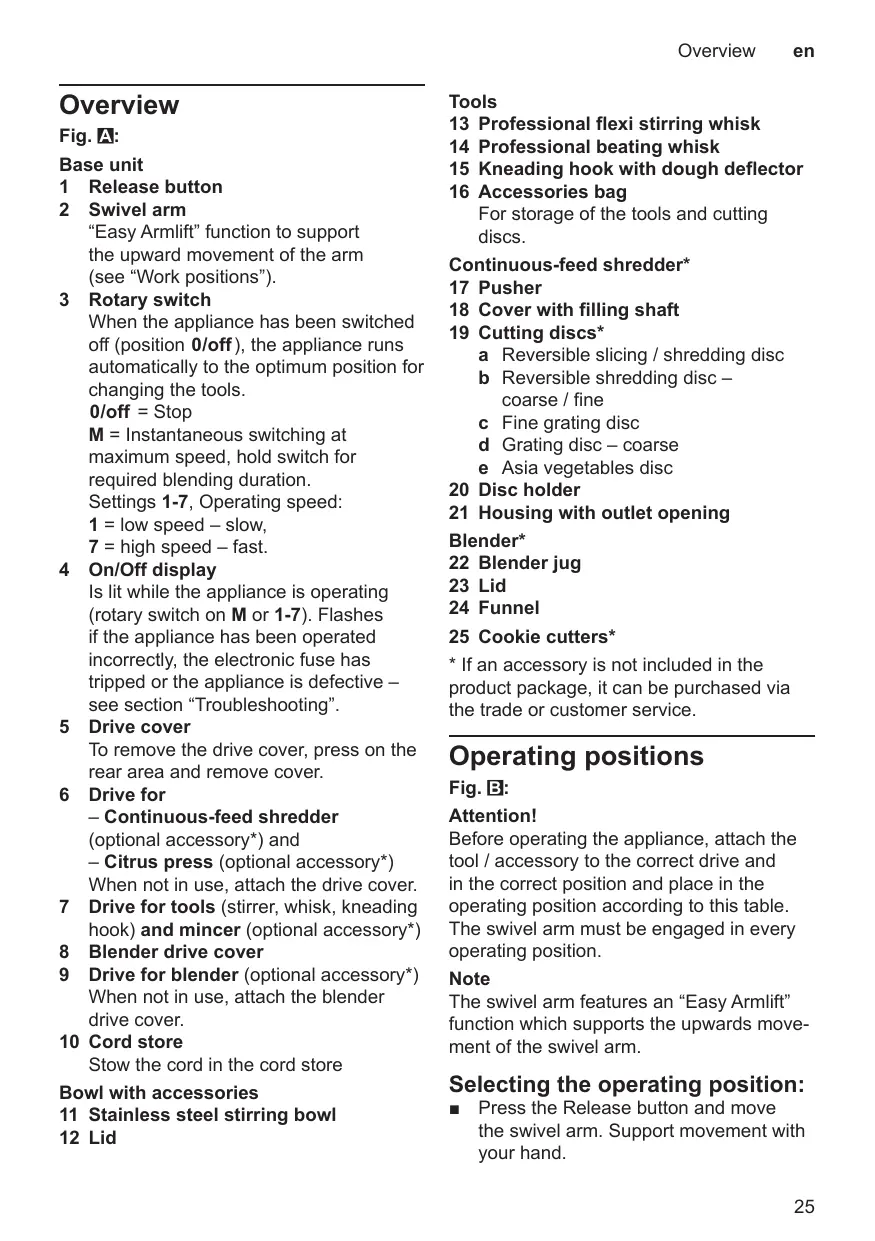
Base unit 1 Release button 2 Swivel arm “Easy Armlift” function to support the upward movement of the arm (see “Work positions”). 3 Rotary switch When the appliance has been switched off (position P), the appliance runs automatically to the optimum position for changing the tools. P = Stop M = Instantaneous switching at maximum speed, hold switch for required blending duration. Settings 1-7, Operating speed: 1 = low speed – slow, 7 = high speed – fast. 4 On/Off display Is lit while the appliance is operating (rotary switch on M or 1-7). Flashes if the appliance has been operated incorrectly, the electronic fuse has tripped or the appliance is defective – see section “Troubleshooting”. 5 Drive cover To remove the drive cover, press on the rear area and remove cover. 6 Drive for – Continuous-feed shredder (optional accessory*) and – Citrus press (optional accessory*) When not in use, attach the drive cover. 7 Drive for tools (stirrer, whisk, kneading hook) and mincer (optional accessory*) 8 Blender drive cover 9 Drive for blender (optional accessory*) When not in use, attach the blender drive cover. 10 Cord store Stow the cord in the cord store Bowl with accessories 11 Stainless steel stirring bowl 12 Lid
Tools 13 Professional flexi stirring whisk 14 Professional beating whisk 15 Kneading hook with dough deflector 16 Accessories bag For storage of the tools and cutting discs. Continuous-feed shredder* 17 Pusher 18 Cover with filling shaft 19 Cutting discs* a Reversible slicing / shredding disc b Reversible shredding disc – coarse / fine c Fine grating disc d Grating disc – coarse e Asia vegetables disc 20 Disc holder 21 Housing with outlet opening Blender* 22 Blender jug 23 Lid 24 Funnel 25 Cookie cutters*
- If an accessory is not included in the product package, it can be purchased via the trade or customer service. Operating positions Fig. B: Attention! Before operating the appliance, attach the tool / accessory to the correct drive and in the correct position and place in the operating position according to this table. The swivel arm must be engaged in every operating position. Note The swivel arm features an “Easy Armlift” function which supports the upwards move ment of the swivel arm. Selecting the operating position: ■ Press the Release button and move the swivel arm. Support movement with your hand.
Operation ■ Move the swivel arm until it engages in the required position. Position Drive Tool / Operating Accessory speed 1-7
Operation W Risk of injury! Do not insert mains plug until all prepa rations for working with the appliance are complete. Attention! Do not operate the appliance without an accessory/tool in the operating position. Do not operate the appliance empty. Do not expose appliance or accessories to heat sources. Parts are not microwave-safe.
■ Before operating the appliance and accessories for the first time, clean thoroughly; see “Cleaning and servicing”. Preparation ■ Place the base unit on a smooth, clean surface. ■ Pull out the power cord (Fig. C). Pull out cable to the required length. Warning! Do not twist the cord when inserting it. ■ Insert the mains plug. Bowl and tools Observe the application examples in table L W Risk of injury from the rotating tools While the appliance is operating, never place fingers in the mixing bowl. Attach the cover (12) before operating the appliance! Do not change tools until the drive has come to a standstill – when the appliance is switched off, the drive continues running briefly and stops in the tool change position. Do not move the swivel arm until the tool has come to a standstill. Always secure unused drives with protective drive covers. Attention! Use bowl with this appliance only. Professional flexi stirring whisk (13) for stiring mixtures, e.g. cake mixture, fruit cake, … and folding in ingredients such as raisins and chocolate chips Professional beating whisk (14) for whisking egg whites and cream (min. 30 % fat content) and for mixing sponge mixture Kneading hook (15) for kneading dough e.g. yeast dough, bread dough, pizza dough, pasta dough, pastry and folding in ingre dients such as seeds into the dough Operation Important information concerning the use of the whisk (Figure D): The whisk should almost touch the bottom of the bowl to ensure that the ingredients are optimally mixed. If not, adjust the height of the whisk as follows: ■ Remove mains plug. ■ Press the Release button and move the swivel arm to position 2. ■ Insert the whisk into the drive until the whisk locks into position. ■ Hold whisk in place and loosen nut clockwise using open-ended wrench (size 8). ■ Set the whisk to the optimum height by rotating the whisk: – Turn clockwise: Raise – Turn anti-clockwise: Lower ■ Press the Release button and move the swivel arm to position 1. ■ Check the height of the whisk and, if required, correct. ■ When the height has been set correctly, press Release button and move the swivel arm to position 2. ■ Hold whisk in place and tighten nut anticlockwise using open-ended wrench (size 8). Working with the bowl and the tools Fig. E: ■ Press the Release button and move the swivel arm to position 2. ■ Insert the bowl: Tilt the bowl forwards and then set it down. Turn anti-clockwise until it locks into place. ■ Depending on the processing task, insert the stirrer, whisk or kneading hook until it locks into position. Note: If using the kneading hook, rotate the dough deflector until the kneading hook can lock into position (Fig. E-4b).
■ Put the ingredients to be processed into the bowl. ■ Press the Release button and move the swivel arm to position 1. ■ Attach the cover. ■ Set the rotary switch to the desired setting. Adding more ingredients ■ Switch off the appliance with the rotary switch. ■ Add more ingredients through the feed tube in the cover. ■ Remove lid. ■ Press the Release button and move the swivel arm to position 2. ■ Add ingredients. After using the appliance ■ Switch off the appliance with the rotary switch. ■ Remove mains plug. ■ Remove lid. ■ Press the Release button and move the swivel arm to position 2. ■ Take the tool out of the drive. ■ Remove the bowl. ■ Clean all parts, see “Cleaning and servicing”. Continuous-feed shredder Observe the application examples in table M W Risk of injury Do not grip the sharp blades or edges of the cutting discs. Take hold of cutting discs by the edge only. Before attaching / removing the continuousfeed shredder, wait until the drive has come to a standstill and pull out the mains plug. Do not reach into the feed tube.
Operation Warning! The continuous-feed shredder must be com pletely assembled before use. Never assem ble the continuous-feed shredder on the base unit. Operate the continuous-feed shredder in the indicated operating position only. Predetermined breaking point Fig. F: The built-in predetermined breaking point protects the drive of the appliance. If an overload occurs, the drive shaft of the con tinuous-feed shredder breaks. However, the drive shaft can easily be replaced. A new disc holder with drive shaft is available from customer service. Reversible slicing / shredding disc for grating raw potatoes or cutting into slices. Note: Not suitable for processing very fibrous foods, e.g. leek or mango. Reversible shredding disc – coarse / fine for shredding food coarsely or finely, e.g. fruit, vegetables or cheese as Gouda or Edam. Marking: ■ 2 = coarse side ■ 4 = fine side Note: Not suitable for processing nuts or hard cheese, e.g. Parmesan. Tip: Shred soft cheese with the coarse side only. Fine grating disc for shredding food finely, e.g. nuts or hard cheese such as Parmesan. Note: Not suitable for processing soft cheese and cheese slices. Grating disc coarse for grating raw potatoes, e.g. for potato pancakes or dumplings. Asia vegetables disc for cutting food into thin strips, e.g. fruit and vegetables.
Working with the continuous-feed shredder Fig. G: ■ Press the Release button and move the swivel arm to position 2. ■ Insert the bowl: Tilt the bowl forwards and then set it down. Turn anti-clockwise until it locks into place. ■ Press the Release button and move the swivel arm to position 3. ■ Remove drive cover from the drive of the continuous-feed shredder (Fig. G-5a). ■ Hold disc holder at the lower end, ensur ing that the two tips are face up. ■ Carefully place the required slicing or shredding disc onto the tips of the disc holder (Fig. G-6a). In the case of reversible discs, ensure that the required side is face up. ■ Grip disc holder at the upper end and insert into the housing (Fig. G-6b). ■ Attach the cover (note mark) and turn all the way in a clockwise direction. ■ Place continuous-feed shredder on the drive and rotate all the way in a clock wise direction, as illustrated in Fig. G-8. ■ Turn rotary switch to recommended setting. ■ Put food to be processed in the feed tube and push down with the pusher. Warning! Prevent the cut ingredients from building up in the outlet opening. Tip: To ensure even cutting results, process thin ingredients in bunches. Note: If the food to be processed sticks in the continuous-feed shredder, switch food processor off, pull out mains plug, wait until the drive comes to a standstill, remove cover from the continuous-feed shredder and empty feed tube. Operation After using the appliance ■ Switch off the appliance with the rotary switch. ■ Rotate the continuous-feed shredder in an anti-clockwise direction and remove. ■ Rotate the lid in an anti-clockwise direc tion and remove. ■ Remove disc holder with disc. To do this, press finger from below against the drive shaft (Fig. H). ■ Clean parts. Blender Observe the application examples in table N W Risk of injury from sharp blades / rotating drive! Never place fingers in the attached blender! Do not remove / attach the blender until the drive is at a standstill! Operate the assem bled blender only and with the lid attached. Do not operate blender when empty. W Risk of scalding! If processing hot liquids, steam escapes through the funnel in the lid. Working with the blender Fig. J: ■ Press the release button and move the swivel arm to position 4. ■ Remove the blender drive cover. ■ Attach blender jug (mark on the handle on mark on the base unit) and turn all the way in an anti-clockwise direction. ■ Add ingredients. Maximum capacity – liquid = 1.25 litres; maximum capacity frothing or hot liquids max. 0.75 litres. ■ Attach the cover and turn anti-clockwise all the way into the blender handle. The cover must be locked in position. ■ Set the rotary switch to the desired setting.
Adding more ingredients Fig. J-8: ■ Switch off the appliance with the rotary switch. ■ Remove the lid and add ingredients ■ remove the funnel and gradually add solid ingredients through the refill opening ■ pour liquid ingredients through the funnel. After using the appliance ■ Switch off the appliance with the rotary switch. ■ Rotate the blender in a clockwise direc tion and remove. Tip: It is recommended to clean the blender immediately after use. W Attention! Using unsuitable food may damage the appliance. ■ Do not process food that is hotter than 70 °C in the blender jug. ■ Do not process frozen ingredients, apart from ice cubes, unless they have been added into a sufficient amount of liquid. ■ Do not process food that contains hard components. Before processing pip and stone fruits (apples, peaches, etc.), remove the pips or stones. Notes Restrictions on processing: ■ Do not use it to chop ingredients like almonds, onions, parsley and meat. ■ The blender cannot produce spreads, such as peanut butter,coconut butter or nut spreads. ■ Use enough liquid when mixing solid food. ■ Mix powdered food with sufficient liquid before blending, or dissolve it entirely in liquid. Examples of powdered food include icing sugar, cocoa powder, roasted soy-beans, flour, protein powder.
Cleaning and servicing Cleaning and servicing The attachments and accessories used must be thoroughly cleaned after each use. X Table O Attention! Do not use abrasive cleaning agents. Surfaces may be damaged. Cleaning the base unit W Danger of electric shock! Never immerse the base unit in water or place under running water. Do not use a steam cleaner. ■ Remove mains plug. ■ Wipe the base unit and drive cover with a damp cloth. If required, use a little detergent. ■ Then dry the base unit. Cleaning the bowl and tools The bowl and tools are dishwasher-proof. Do not wedge plastic parts in the dish washer, as they could be permanently deformed during the washing process! Cleaning the continuous-feed shredder W Risk of injury from sharp blades! Do not grip the sharp blades or edges of the cutting discs. Clean them with a brush. All parts of the continuous-feed shredder are dishwasher-proof. Tip: To remove the red film after processing e.g. carrots, pour a little cooking oil on a cloth and rub the film off the continu ous-feed shredder (not the cutting discs). Then rinse the continuous-feed shredder. Cleaning the blender W Risk of injury from sharp blades! Do not touch blender blades with bare hands. The blender jug, lid and funnel are dishwasher-proof.
Tip: After processing liquids, it is often suffi cient to clean the blender without removing it from the appliance. Pour 700 ml of water and a drop of washing-up liquid into the attached blender. Switch on the blender for aproximately 1 minute (setting 7). Pour out the water and rinse out the blender with clear water. Important information If required, clean accessories bag. Follow care instructions in the bag. Storage W Risk of injury! When the appliance is not in use, pull out the mains plug. Fig. K: ■ Store tools and cutting discs in the accessories bag. ■ Keep accessories bag in the bowl. Troubleshooting W Risk of injury! Before eliminating a fault, pull out the mains plug. Important information The Operating indicator flashes if the appli ance has been operated incorrectly or the electronic fuse has tripped or the appliance is defective. The swivel arm must be engaged in every operating position. Initially try to eliminate the problem which has occurred with the help of the following information. Fault Appliance does not start. Remedial action ■ Check the power supply. ■ Check the mains plug. ■ Check swivel arm. Correct position? Engaged? ■ Screw on blender or bowl as far as possible. ■ Attach the blender cover and screw on as far as possible.
■ Attach drive cover to unused drives. ■ The safety lock is active. Switch appliance to P and then back to the required setting. Fault Appliance switches off during use. The overload protection feature has been activated. Too much food was processed at one time. Remedial action ■ Switch off the appliance. ■ Reduce processing quantity. Fault While the drive was running, the release button was inadvertently pressed. The swivel arm moves up. The drive switches off, but does not stop in the tool change position. Remedial action ■ Set the rotary switch to P. ■ Move swivel arm to position 1. ■ Switch on appliance (setting 1). ■ Switch off appliance again. Tool stops in tool change position. Fault Blender does not start working or stops during use, the drive is “humming”. Blade is blocked. Remedial action ■ Switch off the appliance and pull out the mains plug. ■ Detach the blender and remove the obstruction. ■ Re-attach the blender. ■ Switch on the appliance. Important information If the fault cannot be eliminated, please contact customer service. Application examples
Application examples Observe general recommendations in table L, table M, table N. Do not exceed permitted maximum quantities. Sponge mixture Basic recipe – 2 eggs – 2-3 tbs. hot water – 100 g sugar – 1 packet of vanilla sugar – 70 g flour – 70 g cornflour – Baking powder if required ■ Beat the ingredients (except flour and cornflour) with the whisk for approx. 4-6 minutes at setting 7 until frothy. ■ Rotate switch to setting 1 and spoon in the sifted flour and cornflour within approx. ½ to 1 minute. Maximum quantity: 2 x basic recipe Cake mixture
6 eggs 500 g sugar 1 pinch of salt 2 packets of vanilla sugar or peel from ½ lemon – 500 g butter or margarine (room temperature) – 1000 g flour – 1 packet of baking powder – 250 ml milk ■ Mix the eggs, sugar, salt and vanilla sugar or lemon peel with the stirrer for approx. 10 seconds at setting 1. ■ Set to setting 5 and process for approx. 120 seconds. ■ Add butter and process for approx. 60 seconds at setting 3. ■ Add flour and baking powder and process for approx. 2 minutes at setting ■ Set to setting 3 and gradually add the milk within 2 minutes. Maximum quantity: 1 x basic recipe
Application examples Heavy fruit cake Basic recipe – 3 eggs – 135 g sugar – 135 g margarine – 255 g flour – 10 g baking powder – 150 g currants – 150 g mixed dried fruit ■ Insert stirring whisk. ■ Add all ingredients except the dried fruit. ■ Process for 30 seconds at setting 1. ■ Then process for 3-5 minutes at setting 5. ■ Select setting 2. ■ Add the dried fruit within the next 30-60 seconds. Maximum quantity: 2 x basic recipe Short pastry Basic recipe – 125 g butter (room temperature) – 100-125 g sugar – 1 egg – 1 pinch of salt – A little lemon peel or vanilla sugar – 250 g flour – Baking powder if required ■ Mix all ingredients with the stirrer for approx. ½ minute at setting 1, then for approx. 3-6 minutes at setting 3. From 250 g flour: ■ Knead the ingredients with the kneading hook for approx. ½ minute at setting 1, then for approx. 5-6 minutes at setting 3. Maximum quantity: 2 x basic recipe Yeast dough Basic recipe – 500 g flour – 1 egg – 80 g fat (room temperature) – 80 g sugar – 200-250 ml lukewarm milk – 25 g fresh yeast or 1 packet of dried yeast – Peel of ½ lemon
– 1 pinch of salt ■ Mix all ingredients with the kneading hook for approx. ½ minute at setting 1, then for approx. 3-6 minutes at setting 3. Maximum quantity: 2 x basic recipe Pasta dough Basic recipe – 300 g flour – 3 eggs – 1-2 tbs. (10-20 g) cold water as required ■ Process all ingredients for approx. 3-5 minutes at setting 3 until a dough forms. Maximum quantity: 1.5 x basic recipe Bread dough Basic recipe – 1000 g flour – 2 packets of dry yeast – 2 tsp. salt – 600-650 ml warm water ■ Mix all ingredients with the kneading hook for approx. ½ minute at setting 1, then for approx. 6-7 minutes at setting 3. Mayonnaise – 1 egg – 1 tsp. mustard – ¼ l oil – 1 tbs. lemon juice or vinegar – 1 pinch of salt – 1 pinch of sugar Ingredients must be at room temperature. Making mayonnaise is only possible with whole egg. ■ Process the ingredients (except the oil) in the blender for several seconds at setting 3 or 4. ■ Switch the blender to setting 7 and slowly pour the oil through the funnel and mix until the mayonnaise emulsifies. Eat the mayonnaise immediately, do not store.
Special accessories You can buy accessories from the aftersales service, from specialist retailers or online. Only use genuine accessories as these have been specifically designed for your appliance. Accessories vary from one appliance to another. When purchasing accessories, always quote the exact product number (E-Nr.) of your appliance. You can find out which accessories are available for your appliance in our cata logue, in the online shop or from our aftersales service. www.bosch-home.com Disposal
Dispose of packaging in an environ mentallyfriendly manner. This appliance is labelled in accordance with European Directive 2012/19/EU concerning used electrical and electronic appliances (waste electrical and electronic equipment – WEEE). The guideline determines the frame work for the return and recycling of used appliances as applicable throughout the EU. Please ask your specialist retailer about current disposal facilities. Guarantee The guarantee conditions for this appliance are as defined by our representative in the country in which it is sold. Details regarding these conditions can be obtained from the dealer from whom the appliance was purchased. The bill of sale or receipt must be produced when making any claim under the terms of this guarantee. Changes reserved.
Conformité d’utilisation Conformité d’utilisation BSH Home Appliances FZE Round About 13, Plot Nr MO-0532A Jebel Ali Free Zone - Dubai Tel.: 04 881 44 01* mailto:service.uae@bshg.com www.bosch-home.com/ae *Sun-Thu 8am to 5pm (exclude public holidays)
United Arab Emirates,
Australia BSH Home Appliances Pty. Ltd. Gate 1, 1555 Centre Road Clayton, Victoria 3168 Tel.: 1300 369 744* mailto:customersupport.au@bshg.com www.bosch-home.com.au *Mon-Fri 24 hours 10/20
*Sat-Thu 7am to 5pm (exclude public holidays)
China, BSH Home Appliances Service Jiangsu Co. Ltd. 19F, Jinling Asia Pacific Tower, No.2 Hanzhong Road, Gulou District, 210005 Nanjing, Jiangsu Province Service Tel.: 400 8855 888* mailto:careline.china@bshg.com www.bosch-home.cn *phone rate depends on the network used
France BSH Electroménager S.A.S. Service Après-Vente 26 ave Michelet – CS 90045 93582 SAINT-OUEN cedex Service interventions à domicile: Service Consommateurs: 0,40 € / min Service Pièces Détachées et Accessoires: 0,40 € / min mailto:serviceconsommateur.fr@ bosch-home.com www.bosch-home.com/fr Great Britain BSH Home Appliances Ltd. Grand Union House Old Wolverton Road Wolverton Milton Keynes MK12 5PT To arrange an engineer visit, to order spare parts and accessories or for product advice please visit www.bosch-home.co.uk or call Tel.: 0344 892 8979* *Calls are charged at the basic rate, please check with your telephone service provider for exact charges.
Republic of Ireland BSH Home Appliances Ltd. M50 Business Park Ballymount Road Upper Walkinstown Dublin 12 To arrange an engineer visit, to order spare parts and accessories or for product advice please call Tel.: 01450 2655* www.bosch-home.ie *Calls are charged at the basic rate, please check with your telephone service provider for exact charges.
Israel C/S/B/ Home Appliance Ltd. 1, Hamasger St. North Industrial Park Lod, 7129801 Tel.: 08 9777 222 mailto:csb-serv@csb-ltd.co.il www.bosch-home.co.il India, Bhārat, BSH Household Appliances Mfg. Pvt. Ltd. Arena House, Main Bldg, 2nd Floor, Plot No. 103, Road No. 12, MIDC, Andheri East Mumbai 400 093 Toll Free 1800 266 1880* www.bosch-home.com/in *Mon-Sat 8am to 8pm (exclude public holidays) Republic Korea, Daehan Minguk, Empel Co. Ltd. 1201 ACE High Tech City 1 Building 775 Gyeongin-ro Youngdeungpo-gu Seoul 07299 South Korea Tel.: 1899 4636 mailto:hsshim@empel.co.kr Kazakhstan, Қазақстан BSH Home Appliances LLP Dostyk 117/6, Business Center “Khan Tengri” Almaty Hotline: 5454* mailto:ALA-Service@bshg.com *Toll free from mobile only 10/20 *Mon-Fri 8.30am to 5pm (exclude public holidays) *Mon-Sat 9am to 6pm (exclude public holidays) Kingdom Saudi Arabia, Abdul Latif Jameel Electronics and Airconditioning Co. Ltd. BOSCH Service centre, Kilo 5 Old Makkah Road (Next to Toyota), Jamiah Dist., P.O. Box 7997 Jeddah 21472 Tel.: 800 127 9999* mailto:ALJECC8@ALJ.COM www.aljelectronics.com.sa *Sat-Thu 8am to 11pm (exclude public holidays)
Sverige, Sweden BSH Home Appliances AB Landsvägen 32 169 29 Solna Tel.: 0771 197 000 mailto:Bosch-Service-SE@bshg.com www.bosch-home.se Singapore, BSH Home Appliances Pte. Ltd. 38C Jalan Pemimpin, #01-01 Singapore 577180 Tel.: 6751 5000* mailto:bshsgp.service@bshg.com www.bosch-home.com.sg *Mon-Fri 9am to 6pm, Sat 9am to 1pm (exclude public holidays) *Mon-Sat 8am to 6pm (exclude public holidays) Thank you for buying a Bosch Home Appliance! Register your new device on MyBosch now and profit directly from:
Expert tips & tricks for your appliance Warranty extension options Discounts for accessories & spare-parts Digital manual and all appliance data at hand Easy access to Bosch Home Appliances Service Free and easy registration – also on mobile phones: www.bosch-home.com/welcome Looking for help? You´ll find it here. Expert advice for your Bosch home appliances, need help with problems or a repair from Bosch experts. Find out everything about the many ways Bosch can support you: www.bosch-home.com/service Contact data of all countries are listed in the attached service directory.