USER MANUAL A5 AUDI
AUDI AG works continuously to develop and further improve all models. You will appreciate that we must therefore reserve the right to alter any part of the vehicle and its equipment or technical specifications at any time. No legal commitment can therefore be implied by the information, illustrations or descriptions in this Manual.
No part of this Owner's M translated without the wr under the laws of copyright Subject to alteration and
Date of publication: 09.03

For the sake of the
This paper was bleached

Thank you for choosing the Audi A5.
The new Audi A5 combines the latest technology with numerous features for your comfort and convenience. To help you get the best out of these features in everyday use, we recommend that you read this Manual carefully so you can quickly become familiar with your vehicle in detail.
As well as information on how to use the controls and equipment, the Owner's Manual contains important notes on care and maintenance. These are relevant to your safety and will help preserve your car's value. The Manual also offers useful driving tips and advice, together with some suggestions on how to drive your car with minimum impact on the environment.
In addition to this Owner's Manual, the Service Wallet also includes the Service Schedule for your vehicle. This booklet contains important information on Audi service requirements and lists the vehicle's fuel consumption figures. The Service Wallet also includes operating manuals for optional on-board systems such as the radio, navigation and telephone. We recommend that you keep the Service Wallet in the car at all times.
Should you have any further questions regarding your car or if you suspect that your owner's literature is not complete, please contact your Audi dealer or importer. They are always glad to answer your queries and note any suggestions you may have.
We wish you safe and enjoyable motoring with your Audi A5.
AUDI AG
Notes on this Owner's Manual
Controls
Controls and displays 9 Overview 9
Instruments and
warning/indicator lamps 11 Instruments 11
Warning and indicator lamps 15
Driver information system 20
Introduction 20
On-board computer 25
Speed warning function 28
Auto-check control 29
Doors and windows 39
Remote control keys 395
Central locking system 42
Boot lid 481
Electric windows 50
Tilting panorama roof 52
Lights and vision 54
Lights 54 Interior lights 60
Clear vision 61
Windscreen wipers 62
Rear-view mirrors 65 Automatic gearbox 130
Digital compass 68 multitronic® 130
Coots and storage 70 Audi parking system 137
Manual adjustment of front seats 70 Parking aid systems 137
Easy-entry function 71 parking system 137
Electric adjustment of front seats 72 parking system plus 138
Easy-entry function 73 parking system advanced 140
Scat memory 74
Seat memory 74 fowling bracket 147
Head restraints 76 Settings 148
Front armrest 77 Special parking situations 150
Luggage compartment 77 Safety notes 152
Roof carrier 84 HomeLink 154
Cap holders 85 Universal transmitter 154
Cigarette lighter and electrical
sockets 87
On-board 230 Volt Euro socket ... 89
Storage compartments 91
1. Heating and cooling 93
Deluxe automatic air conditioner . 93
100
Deluxe automatic air conditioner Safety 161
plus 101 Safe driving 162
Deluxe automatic air conditioner 8
plus basic settings 100 General notes 162
pids - basic settings 109
Auxiliary heating and auxiliary. Correct sitting positions 164
ventilation 111 Pedal area 167
Seat heating 115 Stowing luggage safely 168
Driving 116 Seat belts 170
116 Why is it so important to use seat
Ignition lock 116 belts? 170
Starting and stopping the engine Forces acting in a collision 171
with the advanced key 118 How to wear seat belts properly . 173
Electro-mechanical parking brake 121 Belt tensioners 175
Cruise control system 125


Description of airbag system
Front airbags
Side airbags
Head-protection airbags
侧guardard)
Deactivating the front passenger's
airbag via the key-operated switch
Child safety
Points to remember if children are
travelling in the car
Child safety seats
Fitting child safety seats
Towing a trailer
Driving the vehicle with a trailer or
caravan
Removable towing bracket
208
to the vehicle
208 Accessories and replacement
211 parts 250
Modifications 250
Radio transmitters and business 271
equipment 251

Driving tips
Intelligent technology
Electronic stabilisation program
(ESP) 196
Brakes 199
Power steering (servotronic) 201
Four-wheel drive (quattro®)
Power management
our vehicle and the
environment 205
Running in 205
Emission control systems 205
Driving abroad 205
How to improve economy and
minimise pollution 206
Environmental compatibility 207
Checking and topping up fluids
Bonnet
Engine compartment layout
Engine oil
Cooling system
Brake fluid
Batten
Windscreen washer
Wheels and tyres
Wheels 243

Self-he
Self-help 254
Warning triangle 254
First-aid kit 254
Fire extinguisher 255
Tools and Tyre Mobility System 255
Compact temporary spare wheel* 256
Tyre repairs 257
Changing a wheel 260
Jump-starting 265
Tow-starting and towing away 267
Fuses and bulbs 272
Fuses 272
Bulbs 276
Changing bulbs for headlights 278
Changing bulb for turn signals 282
Changing bulb for side lights 282
Changing bulb for front fog lights 283
Changing bulbs for rear lights in
side panel 284
Changing bulbs in boot lid 286
Number plate light 288
Controls
Safety
Driving tips
General maintenance
Self-help
Technical data


Explanation of technical data 292
Dimensions 292
Capacities 293
Vehicle identification data 293
Performance, weights and
dimensions 295
Petrol engines 295
Diesel engines 297

Index 301



Notes on this Owner's Manual
5
Notes on this Owner's Manual
This Owner's Manual contains important information, tips, suggestions and warnings.
Please ensure that this Owner's Manual is always kept in the vehicle. It should always be available to anyone else driving the vehicle, i.e. anyone renting, borrowing or buying the vehicle from you.
This manual describes the equipment available for the vehicle at the time of going to print. Some of the equipment described here will not be available until a later date, or may only be available in certain markets.
Some sections of this Owner's Manual do not apply to all vehicles. If this is the case, a text at the start of the section indicates which vehicles it applies to, e.g. "Applies to vehicles: with auxiliary heater". This optional equipment is also marked with an asterisk ^
Illustrations are intended as a general guide, and may vary from the equipment fitted in your vehicle in some details.
At the beginning of this Owner's Manual, you will find a table of contents showing all the items described in this manual in the order in which they appear. An alphabetical index is included at the end of the Owner's Manual.
All references to positions such as "left", "right", "front" or "rear" are given as seen facing in the direction of travel.
The section is continued on the following page.
Denotes the end of a section.
Registered trademarks are marked. However, the absence of this symbol does not constitute a waiver of the rights concerning any proprietary name.
Refers to a "WARNING" within the same section. If the WARNING symbol is followed by a page number the warning text referred to is included in a different section.

WARNING
Texts with this symbol contain safety information. They warn you of serious dangers, possibly involving accident or injury.

Caution
Texts with this symbol draw your attention to a possible risk of damage to your vehicle.

For the sake of the environment
Texts with this symbol refer to points relevant to the protection of the environment.

Note
Texts with this symbol contain additional information of a more general nature.

8 Controls and displays
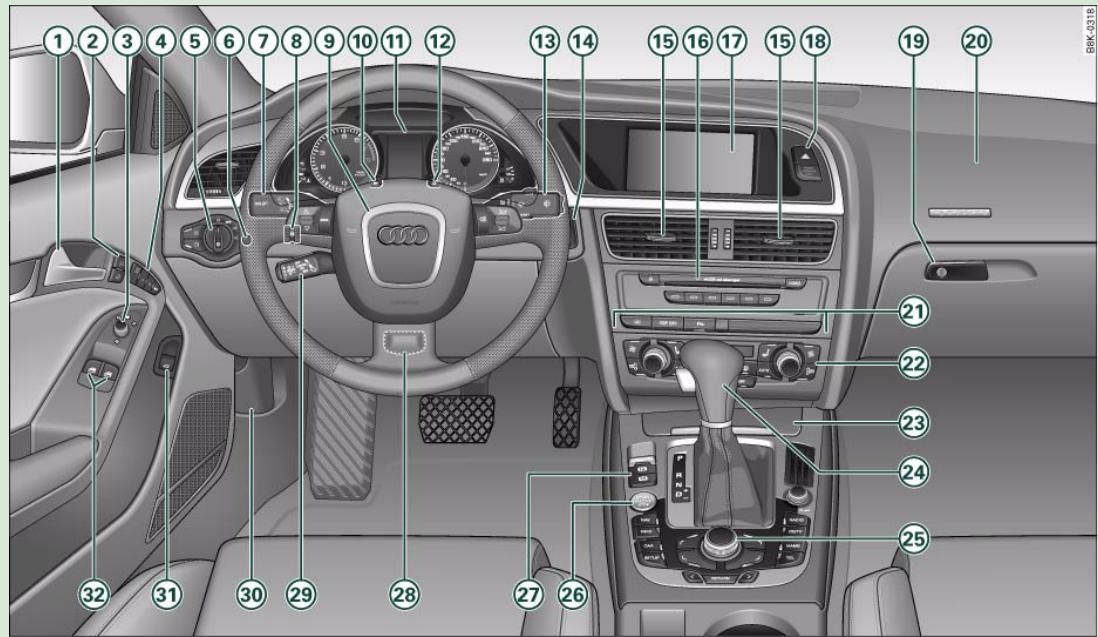
Fig. 1 Some of the items of equipment listed in this section are only fitted on certain models or are optional extras.

Controls and displays
9
Controls and displays
Overview
① Door handle
② Central locking switch 47
③ Electric adjuster for exterior mirrors 67
④ Seat memory 74
⑤ Light switch 54
Instrument lighting 57
⑦ Lever for turn signals and main beam headlights 59
⑧ Headlight range control 57
⑨ Steering wheel with:
Controls for audio, TV, telephone and speech dialogue system
- Paddle levers for tiptronic gearshift 135
16 Depending on equipment fitted:
10 SET button 12
(1) Instrument cluster 11
⑫ Reset button for trip recorder 14
13 Control lever for:
- Windscreen wipers and washer 62
- On-board computer 25
14 Ignition lock 116
15 Air outlets with thumbwheel 108
-Fordeluxe automatic air conditioner 99
-For deluxe automatic air conditioner plus 108
Radio
- CD changer
17 Depending on equipment fitted:
- Radio display
- MMI display 1)
18 Hazard warning lights
Glove box 91
20 Front passenger's airbag 178
21 Switches for the following (as applicable):
-Audi parking system 138
- Electronic Stabilisation Program (ESP) 196
-
Electric sun blind 61
22 Air conditioner, depending on equipment fitted:
-
Deluxe automatic air conditioner 93
- Deluxe automatic air conditioner plus 101
23 Ashtray with cigarette lighter 86, 87
Depending on gearbox fitted, gear lever or selector lever for:
25 Depending on equipment fitted:
- MMI control console or
- Switch for Audi parking system 138
- Switch for Electronic Stabilisation Program (ESP)
OFF) 196
- Switch for electric sun blind 61
26 Start/stop button 118
27 Electro-mechanical parking brake 121
Controls
Safety
Driving tips
General maintenance
Self-help
Technical data


28 Adjustable steering column (hidden behind steering wheel) 116
29 Cruise control system 125
30 Bonnet lock release 230
③ Switch for releasing the boot lid 48
③ Electric windows 50
i Note
- Please refer to the separate operating manual for instructions on using the Multi Media Interface (MMI).
- The arrangement of switches and controls on right-hand drive models* may be slightly different from the layout shown in the illustration page 8, fig. 1. However, the symbols used to identify the controls are the same.


Instruments and warning/indicator lamps
11
Instruments and warning/indicator lamps
Instruments
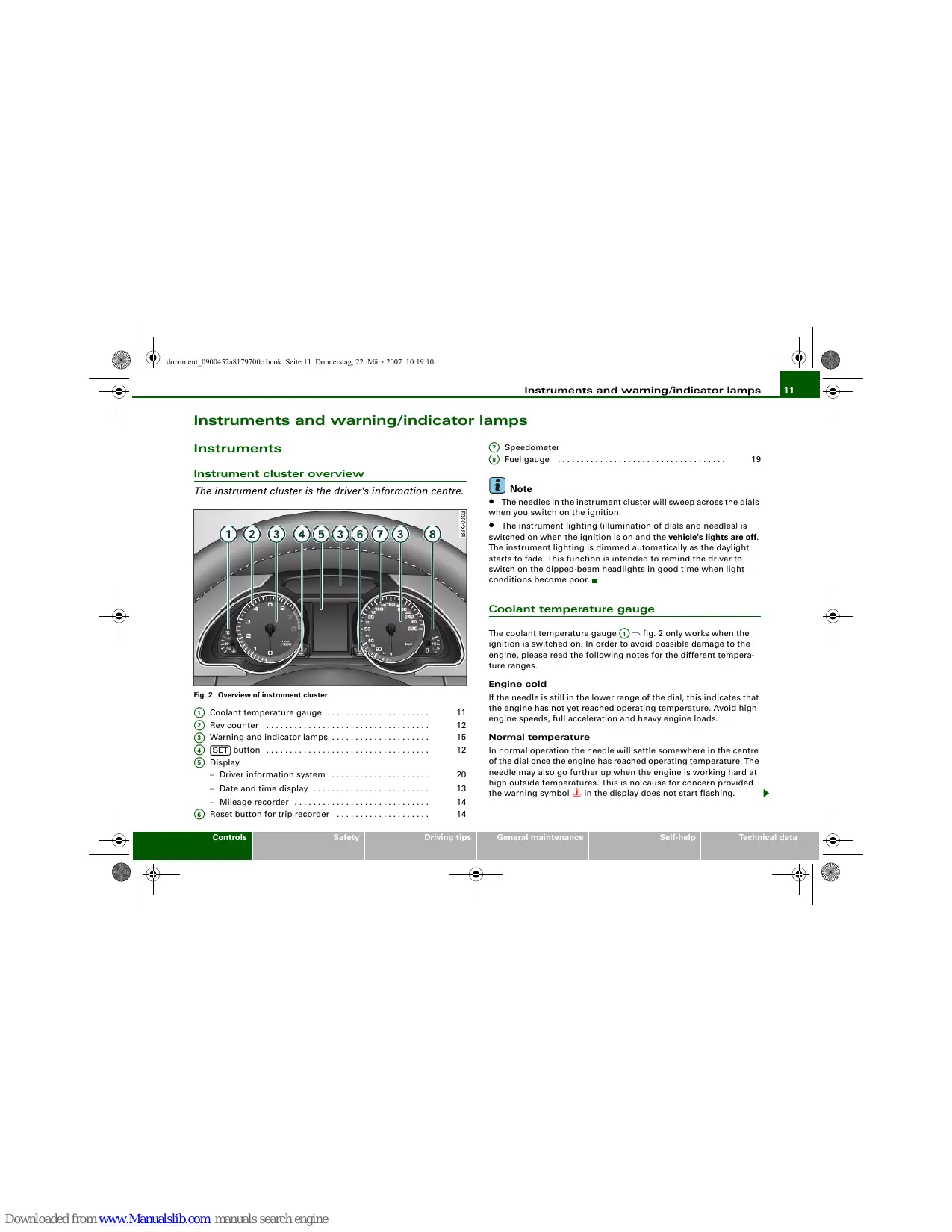
Instrument cluster overview
The instrument cluster is the driver's information centre.
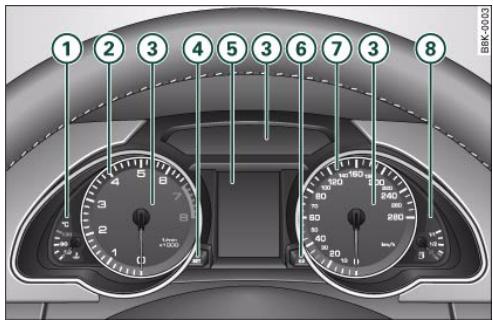
Fig. 2 Overview of instrument cluster
① Coolant temperature gauge 11
② Rev counter 12
③ Warning and indicator lamps 15
④ SET button 12
⑤ Display
⑥ Reset button for trip recorder
⑦ Speedometer
⑧ Fuel gauge 19

Note
- The needles in the instrument cluster will sweep across the dials when you switch on the ignition.
- The instrument lighting (illumination of dials and needles) is switched on when the ignition is on and the vehicle's lights are off.
The instrument lighting is dimmed automatically as the daylight starts to fade. This function is intended to remind the driver to switch on the dipped-beam headlights in good time when light conditions become poor.
Coolant temperature gauge
The coolant temperature gauge ① fig.2 only works when the ignition is switched on. In order to avoid possible damage to the engine, please read the following notes for the different temperature ranges.
Engine cold
If the needle is still in the lower range of the dial, this indicates that the engine has not yet reached operating temperature. Avoid high engine speeds, full acceleration and heavy engine loads.
Normal temperature
In normal operation the needle will settle somewhere in the centre of the dial once the engine has reached operating temperature. The needle may also go further up when the engine is working hard at high outside temperatures. This is no cause for concern provided the warning symbol in the display does not start flashing.
Controls
Safety
Driving tips
General maintenance
Self-help
Technical data

Instruments and warning/indicator lamps
Warning symbol in instrument cluster
If the symbol lights up in the display, this means that either the coolant temperature is too high or the coolant level is too low page 32.
If the needle is at the top end of the dial, this means the coolant temperature is too high. Stop the vehicle, switch off the engine and wait for it to cool down. If the warning lamp starts flashing again after just a short distance, contact a qualified workshop.

WARNING
- Before opening the bonnet and checking the coolant level, please observe the warning information on page 231, "Working on components in the engine compartment".
- Never open the bonnet if you can see or hear steam or coolant escaping from the engine compartment; there is a risk of being scalded. Wait until you can no longer see or hear escaping steam or coolant.

Caution
- Additional lights and other accessories in front of the air inlet reduce the cooling effect of the radiator. At high outside temperatures and high engine loads, there is a risk of the engine overheating.
- The front spoiler also ensures proper distribution of the cooling air when the vehicle is moving. If the spoiler is damaged this can reduce the cooling effect, which could cause the engine to overheat. You should obtain professional assistance.
Rev counter
The rev counter indicates the number of engine revolutions per minute.
You should select a lower gear if the engine speed drops below 1500 rpm. The start of the red zone on the dial indicates the maximum engine speed which may be used briefly when the engine is warm and after it has been run in properly. However, it is advisable to change up a gear or move the selector lever to "D" (or lift your foot off the accelerator) before the needle reaches the red zone.

Caution
Never allow the rev counter needle ② page 11, fig. 2 to go into the red zone on the dial for more than a very brief period: there is a risk of damaging the engine. The start of the red zone on the dial is different for some engine versions.

For the sake of the environment
Changing up a gear early will help you to save fuel and minimise engine noise.

This button has a number of different functions.
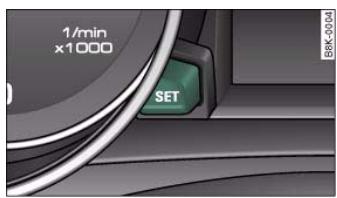
Fig.3 Instrument cluster: SET button


The SET button has the following functions:
Activating clock, date, temperature and mileage recorder displays
The display will appear for about 30 seconds if you press the () button page 12, fig. 3 when the ignition is switched off.
Starting check procedure (auto-check control)
The auto-check control checks important components and vehicle systems. These background checks are run constantly, as long as the ignition is switched on page 29.
You can start the "check procedure" manually by pressing the SET button with the ignition switched on. This function check can be started at road speeds up to 5km / h
Calling up driver messages again
A red or yellow symbol appearing in the instrument cluster display is normally accompanied by a corresponding message. The message will disappear from the display after about 5 seconds. If required, you can call up the message again by briefly pressing the SET button.
Setting speed warning
You can press the (SET) button briefly to set speed limit warning 1 while the vehicle is moving page 28. If you press and hold the (SET) button, this will cancel the speed warning.
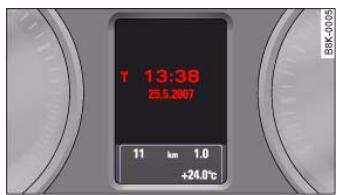
Time and date display
Fig.4 Instrument cluster: Time and date display
Quartz clock
The date, time and display format can be changed using the sound system or MMI* control console. Please refer to the Operating Manual for the MMI or sound system for more details.
Radio-controlled clock*
When the clock is in "radio-control" mode the signal reception symbol (a radio tower with radio waves) appears in the display fig. 4. It is then not possible to change the minutes or the date manually.

Note
- The digital clock and mileage recorder displays are switched on for about 30 seconds when the driver's door is opened.
- When the ignition is switched off, the clock and date display can be switched on for about 30 seconds by pressing the SET button page 12, fig. 3 page 12.




Instruments and warning/indicator lamps
Mileage recorder
The instrument shows how far you have travelled.
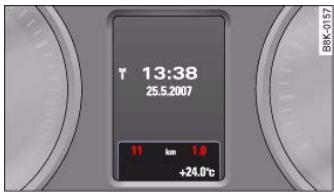
Fig.5 Instrument cluster: Mileage recorder
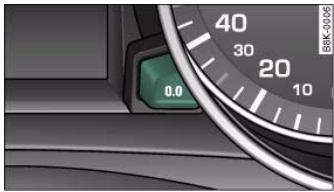
Fig.6 Instrument cluster: Reset button
The mileage is stated in kilometres ("km") or "miles".
You can switch the display from kilometres to miles and vice versa via the MMI or the CAR button on the sound system control console.
Odometer / trip recorder
The odometer records the vehicle's total mileage.
The trip recorder shows the distance that has been travelled since it was last reset. It is used to measure individual journeys. The last digit of the trip recorder indicates distances of 100 metres or tenths of a mile.
The trip recorder can be reset to zero by pressing the reset button 0.0 fig.6.
Fault display
If there is a fault in the instruments, the letters def appear permanently in the trip recorder display. Please have the fault rectified as soon as possible.
Immobiliser
When the ignition is switched on, the security programming of the ignition key is verified electronically.
If an uncoded key is used, SAFE will appear continuously in the mileage recorder display. The vehicle cannot then be driven page 39.

- The date, time and recorded mileage will continue to be displayed for about 30 seconds after you switch off the ignition.
- The digital clock and mileage recorder displays are switched on for about 30 seconds when the driver's door is opened.
- When the ignition is switched off, the mileage recorder can be switched on for about 30 seconds by pressing the SET button page 12, fig. 3 page 12.






Instruments and warning/indicator lamps
15
Warning and indicator lamps
Overview
The warning and indicator lamps indicate a number of different functions and possible faults.
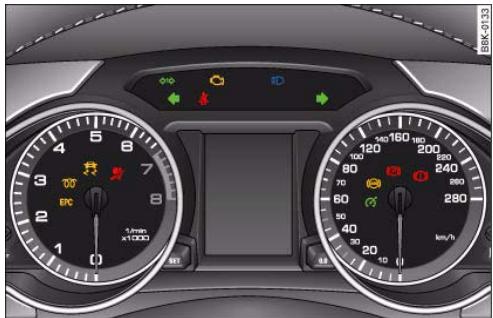
Fig. 7 Instrument cluster with warning and indicator lamps
| EPC | Engine management (alternative to∞) | ⇒ page 15 |
| ∞ | (alternative to∞) | ⇒ page 16 |
| ∞ | Electronic stabilisation program (ESP) | ⇒ page 16 |
| ∞ | Airbag system | ⇒ page 16 |
| ← | Left turn signals | ⇒ page 17 |
| 11 | Trailer turn signals* | → page 17 |
| Seat belt warning lamp | → page 17 |
| Emission control system | → page 17 |
| Main beam headlights | → page 17 |
| Right turn signals | → page 17 |
| Cruise control system* | → page 17 |
| Anti-lock brake system (ABS) | → page 18 |
| (P) | Electro-mechanical parking brake/Audi hold assist* | → page 19 |
| (I) | Fault in brake system | → page 19 |

Note
A number of functions are monitored by the auto-check control page 20. If a malfunction should occur, this will be shown by the display in the instrument cluster either with a red symbol (priority 1 - serious malfunction) or a yellow symbol (priority 2 - other malfunction or item requiring attention).
Applies to vehicles: with petrol engine
Engine management EPC
This warning lamp monitors the engine management system on petrol engines.
The EPC warning lamp (Electronic Power Control) lights up when the ignition is switched on to show that the lamp is working properly.
Controls
Safety
Driving tips
General maintenance
Self-help
Technical data
cal data
16 Instruments and warning/indicator lamps
Note
If the warning lamp lights up while the vehicle is moving, this indicates a fault in the engine management system. The engine should be serviced by a qualified workshop without delay.
Applies to vehicles: with diesel engine
Glow plug system
The indicator lamp lights up to show that the glow plugs are preheating.
Your vehicle is equipped with an automatic glow plug system.
The indicator lamp 00 lights up while the glow plugs are preheating. If the engine fails to start immediately, the glow plugs have not finished preheating. In this case, keep the clutch pedal depressed (or keep your foot on the brake if your vehicle has an automatic gearbox) until the engine starts.
Note
- If the glow plug indicator lamp should start flashing while the vehicle is moving, this indicates a fault in the engine management system. The engine should be serviced without delay.
- If the indicator lamp fails to light up when the ignition is switched on, this can mean that the glow plug system is defective. The engine should be serviced.
Electronic stabilisation program (ESP)
This warning lamp monitors the electronic stabilisation program.
The warning lamp has the following functions:
- It flashes when the ESP or traction control system (ASR) intervenes while the vehicle is in motion.
- The warning lamp will light up continuously if the ESP or the traction control system (ASR) has been switched off using the ESP OFF button page 196.
It lights up when the ignition is switched on and should go out again after about 2 seconds. This signals that the lamp is working properly.
- It will light up continuously if there is a malfunction in the ESP.
- It will also come on if a fault should occur in the ABS because the ESP operates in conjunction with the ABS.
If the battery has been disconnected, if the battery voltage is very low, or if the engine has been started from an outside power source, the ESP system will perform an initialisation of the various on-board sensors while you drive the first few metres. The warning lamp will light up during this period. It will go out when the initialisation has been completed.
If the warning lamp lights up and stays on after the engine is started, this may mean that the control system has temporarily switched off the ESP. In this case the ESP can be reactivated by switching the ignition off and then on again. If the warning lamp goes out, this means the system is fully functional.
For further information on the ESP page 196.
Airbag system
This warning lamp monitors the airbag and seat belt tensioner system.
The warning lamp should light up for a few seconds when the ignition is switched on.
If the warning lamp does not go out, or if it lights up, flashes or flickers when the vehicle is moving, this indicates a malfunction in the system. This is also the case if the warning lamp does not light up when the ignition is switched on.

Instruments and warning/indicator lamps
WARNING
If a malfunction should occur, have the system checked immediately by a qualified workshop. If this is neglected, there is a risk that the airbag system and/or belt tensioners may not be activated in an accident.
Turn signals
Depending on which turn signal is operated, either the left or right indicator lamp flashes. Both indicator lamps will flash when the hazard warning lights are switched on.
If one turn signal should fail, the indicator lamp will start flashing twice as fast.
This does not apply when towing a caravan or trailer. The indicator lamp will stop flashing if one of the turn signals on the vehicle or the caravan/trailer should fail. For further information on the turn signals page 59.
Applies to vehicles: with towing bracket
Tralr turn signals 11
The indicator lamp flashes when the turn signals are operated while towing a caravan or trailer.
The indicator lamp flashes when the turn signals are operated, provided a caravan or trailer is correctly attached and connected to the vehicle.
The indicator lamp will not flash if one of the turn signals on the trailer fails.
Seat belt warning lamp
The warning lamp acts as a reminder to fasten the seat belts.
After switching on the ignition, the warning lamp will remain lit until the driver and front passenger (if applicable) have fastened their seat belts. When the vehicle has gathered speed you will also hear a warning chime.
For further information on the seat belts page 170.
Emission control system
If the warning lamp lights up continuously you should take your vehicle to a qualified workshop as soon as possible in order to have the fault rectified.
If the warning lamp flashes drive on at reduced speed and seek professional help in order to avoid damage to the catalytic converter.
For further information on the catalytic converter page 205.
Main beam headlights
The indicator lamp lights up when the main beams are on or when the headlight flasher is operated.
For further information on the main beam headlights page 59.
Applies to vehicles: with cruise control system
Cruise control
The indicator lamp _j^G in the instrument cluster lights up when the cruise control system is operating.
Controls
Safety
Driving tips
General maintenance
Self-help
Technical data

18 Instruments and warning/indicator lamps
Anti-lock brake system (ABS)
The warning lamp monitors the ABS and the electronic differential lock (EDL).
The warning lamp lights up for a few seconds when the ignition is switched on and while the engine is being started. The lamp goes out again once the system has run through an automatic test sequence.
There is a fault in the ABS if:
- the warning lamp does not light up when the ignition is switched on,
- the warning lamp does not go out again after a few seconds,
- the warning lamp lights up when the vehicle is moving.
The vehicle can still be braked in the normal way (except that the ABS control function is out of action). Please take the vehicle to a qualified workshop as soon as possible. For further information on the ABS page 197.
If a fault occurs in the ABS, the ESP warning lamp will also light up.
Fault in the main brake system
If the ABS warning lamp lights up together with the brake warning lamp 0 page 31, this indicates a fault in the ABS function, and possibly a malfunction in the main brake system as well .
If there is a malfunction in the brake system the symbol will light up in the instrument cluster. Please refer to page 31.
Fault on the electronic differential lock (EDL)
The EDL works in conjunction with the ABS. If a malfunction should occur in the EDL, this is indicated by the ABS warning lamp 忍 Please take the vehicle to a qualified workshop as soon as possible. For further information on the EDL page 199.

WARNING
Before opening the bonnet and checking the brake fluid level, observe the warning information on page 231, "Working on components in the engine compartment".
- If the brake warning lamp should light up together with the ABS warning lamp, stop the vehicle immediately and check the brake fluid level in the reservoir. If the fluid level has dropped below the "MIN" mark you must not drive on - otherwise there may be an increased accident risk. You should obtain professional assistance.
If the brake fluid level is OK, the fault in the brake system may have been caused by a failure of the ABS control function. As a result the rear wheels can lock relatively easily when braking. This could cause the tail of the vehicle to skid sideways. Drive carefully to the nearest qualified workshop and have the fault rectified.
Applies to vehicles: with Audi hold assist
Audi hold assist (P)
This warning lamp monitors the Audi hold assist function.
Audi hold assist helps the driver to keep the vehicle stationary while the engine is running, for instance on steep gradients, at traffic lights or in stop-and-go traffic. When the Audi hold assist function is on, you don't have to keep your foot on the brake to prevent the vehicle from accidentally rolling away. Once it detects that the vehicle is stopped, Audi hold assist keeps the vehicle stationary. The green symbol in the instrument cluster indicates that the function is activated. You can now take your foot off the brake pedal.
When the vehicle has been stationary for an extended period, Audi hold assist will automatically apply the parking brake. In this case, the green symbol 2 will change to red 3 .
Electro-mechanical parking brake (B)
This warning lamp monitors the electro-mechanical parking brake.
The warning lamp lights up when the parking brake is applied with the ignition on. After the ignition has been switched off the lamp will stay on for about 30 seconds. The warning lamp will light up for about 30 seconds if the parking brake is applied with the ignition switched off.
The warning lamp should go out when the parking brake is released.
If the warning lamp flashes continuously after the parking brake has been applied, the brake may not be strong enough to hold the vehicle on a slope. This may be due to the brakes overheating. Please note the following points:
- If the gradient is too steep to park the vehicle safely, the display will show the message Caution: Vehicle parked too steep.
- In the event of a fault in the parking brake system the symbol 2 will also appear in the instrument cluster display together with the message Parking brake! You should have the fault corrected by a qualified workshop without delay.
Brake system (1)
The warning lamp flashes if the brake fluid level is too low or if there is a fault in the ABS system or the parking brake.
If the warning lamp ① flashes, there is a fault in the brake system. The symbol ① in the instrument cluster display will flash at the same time. You can press the SET button to obtain a message explaining the fault page 31.
If a failure should occur in the ABS, the ABS warning lamp will light up together with the brake warning lamp ()

WARNING
Before opening the bonnet and checking the brake fluid level, observe the warning information on page 231, "Working on components in the engine compartment".
- If the brake warning lamp does not go out, or if it lights up when driving, the brake fluid level in the reservoir is too low – this may cause an increased accident risk. Stop the vehicle and do not drive on. You should obtain professional assistance.
- If the brake warning lamp lights up together with the ABS warning lamp, this can mean that the control function of the ABS is out of action. As a result the rear wheels can lock relatively easily when braking. This could cause the tail of the vehicle to skid sideways. Drive carefully to the nearest qualified workshop and have the fault rectified.
Fuel gauge
The gauge only works when the ignition is switched on. When the needle reaches the reserve zone, the symbol lights up in the instrument cluster display page 36 together with the message Please refuel. At this point there are still about 8 litres of fuel left in the tank. This is your reminder to fill up soon.
The tank capacity of your vehicle is given in the Technical data section page 293.

Caution
Never run the tank completely dry. If there is an irregular fuel supply, misfiring can occur. This allows unburnt fuel to enter the exhaust system, which could cause overheating and damage the catalytic converter.
Controls
Safety
Driving tips
General maintenance
Self-help
Technical data

Introduction
General notes
The driver information system in the instrument cluster shows you the status of various on-board systems at a glance.
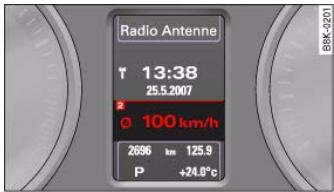
Fig. 8 Dashboard: Display in instrument cluster (automatic gearbox)
The display for the driver information system is in the centre of the instrument cluster.
The system runs a check on certain components and functions when the ignition is switched on and while the vehicle is moving. It gives an audible warning if a fault should occur or if servicing is required, and a red or yellow warning symbol (in some cases with a corresponding driver message) appears in the dashboard display.
The system will also display information for the radio and CD player and (if fitted) the route guidance directions from the navigation system*. For further information on these systems, please refer to the MMI operating manual.
On some models the display of information shown in the instrument cluster differs from the illustrations used here.
The driver information system includes the following functions:
| CD and radio display | → page 21 |
| Outside temperature | → page 21 |
| Gear-change indicator | → page 21 |
| Digital speedometer* | → page 22 |
| Door catches/boot lid warning | → page 23 |
| Service interval display | → page 23 |
| Auto-check control* | → page 29 |
| Driver messages | → page 30 |
| Speed warning | → page 28 |
| On-board computer* | → page 25 |
| Selector lever positions for automatic gearbox* | → page 131 |

Note
If a fault should occur, the display will show a red or yellow warning symbol. A red warning symbol indicates a serious malfunction page 30. A yellow warning symbol indicates a less serious malfunction, or other item requiring attention page 34.

21
CD and radio display
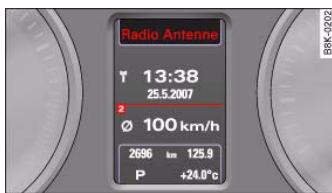
Fig. 9 Display: Radio information
If no priority 1 or 2 faults have been detected by the auto-check control, the name or frequency of the current radio station and the selected waveband will appear the upper part of the display.
When a CD is playing, the display will show the current title. If the vehicle is equipped with a CD changer* the display will also show the number of the CD being played (CD1 to CD6).
Outside temperature display
The outside temperature is shown when the display is activated.
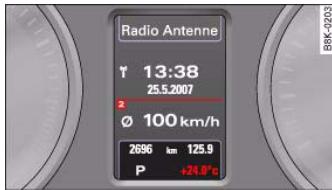
Fig.10 Display: Outside temperature
At temperatures below +5^ a snowflake symbol appears next to the temperature display. This is to warn the driver to take extra care when there is a risk of ice on the road.
When the vehicle is stationary or travelling at very low speeds, the temperature displayed may be slightly higher than the actual outside temperature as a result of the heat radiated from the engine.
The temperature units can be set to ^ F or ^ C on the MMI or sound system control console. The outside temperature is automatically displayed in the units you have selected. Please refer to the Operating Manual for the MMI or sound system.
WARNING
Do not rely on the outside temperature display as an ice warning. Please bear in mind that there may be patches of ice on the roads even at outside temperatures around +5^ .
Applies to vehicles: with manual gearbox and gear-change indicator
Gear-change indicator
This additional indicator function can help to save fuel.
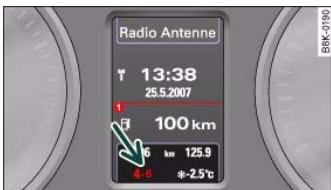
Fig.11 Display: Gearchange indicator
Controls
Safety
Driving tips
General maintenance
Self-help
Technical data

Controls
ng tips Go
al data

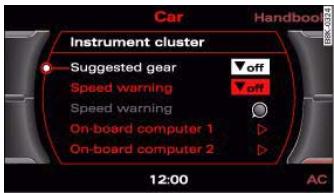
Fig.12 MMI display: Switching the suggested gear on and off
You can deactivate the gear-change indicator on the sound system or MMI.
Switching the gear-change indicator on and off
- Select: Function selector button >Instrument cluster > Suggested gear fig.12.
To familiarise yourself with the gear-change indicator, we recommend driving in the normal way to start with. A gear change will be recommended if the gear you are in is not the most economical choice for the current driving conditions. The gear you are currently in and the recommended gear will be displayed page 21, fig. 11.
- Shifting up a gear: The suggested gear appears to the right of the current gear when a higher gear is recommended.
- Shifting down a gear: The suggested gear appears to the left of the current gear when a lower gear is recommended.
Gears may occasionally be skipped (3 > 5) .
If no gear change is recommended, you are already in the most economical gear.
example, the display may not recommend a gear change while you are overtaking, driving up a steep gradient or towing a trailer.
- The gear-change indicator goes out when you press the clutch pedal.
Applies to vehicles: with on-board computer
Digital speedometer

Fig.13 Display: Digital speedometer
The display shows the current speed. The speed is displayed in increments of 1km / h

- The gear-change indicator is intended to help save fuel. It is not intended to recommend the right gear for all driving situations. For








23
Door catches / boot lid warning
The pictogram shows whether the doors and the boot lid, etc. are properly closed when driving off.
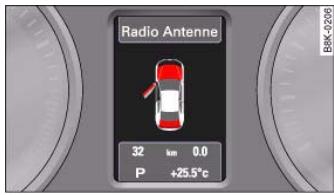
Fig.14 Display:Door catches/boot lid warning
The door catches/boot lid warning symbol lights up if one or more of the doors, or the bonnet or boot lid are not properly closed when the ignition is on. The symbol also indicates which of these is not properly closed fig. 14.
The warning symbol disappears when all the doors, the bonnet and the boot lid are completely closed, and the driver information functions selected will then be displayed again.
Service interval display
This display reminds the driver when the next routine service is due and is called up using the MMI or the sound system control console.
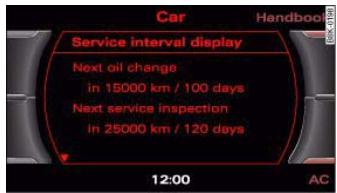
Fig.15 MMI display: Service interval display
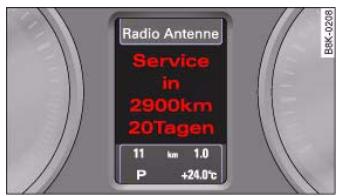
Fig. 16 Instrument cluster display: Service interval display
The date when the next service is due is calculated automatically and the driver is reminded accordingly.
Service reminder
- When the next service date is approaching, SERVICE IN - --- KM --- DAYS fig. 16 will be shown in the display each time you switch on the ignition.
Controls
Safety
Driving tips
General maintenance
Self-help
Technical data

- The remaining time and distance to the next service are indicated every time the ignition is switched on, until the service becomes due.
Service due
- When a service is due, Service! will appear in the display as soon as you switch on the ignition. The display reverts back to the standard display after about 5 seconds.
Displaying the service interval
- Select: Function selector button CAR > Service interval display page 23, fig. 15.
Resetting the oil change interval display
- Select: Function selector button > Service interval display > Reset oil change interval.
Displaying distance to next service
You can have the distance to the next service displayed on the MMI screen page 23, fig. 15. The remaining distance to the next service is updated every time the ignition is switched on (starting at 500km after a service has been performed).
On a new vehicle, the display will always show the following message for the first 500km .
SERVICE IN ---- KM --- DAYS

Caution
The system cannot calculate the figures for the service indicator if the battery is disconnected from the vehicle, so no service reminder can be displayed during this time. Please remember that keeping to the correct service intervals is most important for the service life and residual value of the vehicle (and especially for the life of the engine). The period between two services must never be longer
than the time specified in the Service Schedule, even if you only cover a low mileage during this time.

Note
- Do not reset the display between oil changes - otherwise the display will be incorrect.
- The information in the service interval display remains intact if the battery is disconnected.
- The distance to the next service cannot be called up if the system has detected a Priority 1 fault (red symbol).
- If the service was not performed by a qualified workshop, the oil change interval display can only be set to "fixed service intervals" of 15,000 km. If you wish to continue with the "LongLife" service, you will need to have the oil change interval display reset by a qualified workshop.





25
On-board computer
Applies to vehicles: with on-board computer Introduction
The on-board computer provides you with useful information during a journey, including average and current fuel consumption, average speed, fuel range and driving time.
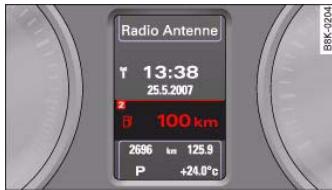
Fig.17 On-board computer:Fuel range
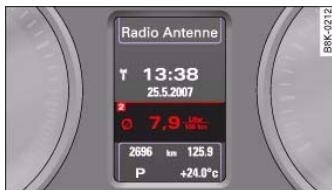
Fig.18 On-board computer:Average fuel consumption
The following items of information are processed by the on-board computer and can be shown one after the other on the display in the instrument cluster.
Fuel range
The estimated fuel range is displayed in km. It shows how far the vehicle can be driven with the amount of fuel left in the tank, assuming the same style of driving. The fuel range is displayed in increments of 10km .
The fuel range is calculated on the basis of the fuel consumption over the last 30 kilometres. The fuel range will increase accordingly if you drive in a more economical manner.
Average fuel consumption
This mode displays the average fuel consumption since the memory was last cancelled in litres/100 km. If required, you can use this display to adjust your driving style to achieve the desired fuel consumption.
Current fuel consumption
The display shows the current fuel consumption in litres/100 km. If required, you can use this display to adjust your driving style to achieve the desired fuel consumption.
The computer calculates the fuel consumption every 30 metres. The display switches to 1 / h (litres per hour) when the vehicle is stationary.
Average speed
This mode shows the average speed driven since the memory was last cancelled (in km/h).
Driving time
This display shows the period of time which has elapsed since the memory was last cancelled.
Distance covered
This display shows the distance you have covered since the memory was last cancelled.


Note
- The displays for fuel consumption (average and current consumption), fuel range and speed are shown in metric units. You can change the measurement units on the MMI display.
- The information in the memory is cancelled if the battery is disconnected.
Applies to vehicles: with on-board computer
Memory
The on-board computer has two automatic journey memories.
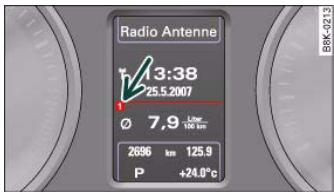
Fig.19 On-board computer:Memory 1
Press RESET button (8) fig. 20 to switch back and forward between the functions of on-board computers 1 and 2.
The number in the display fig. 19 indicates which of the two memories is currently in use. The figure 1 means that the display is showing the information in the single journey memory (on-board computer 1). The figure 2 means that the display is showing the information in the total journey memory (on-board computer 2).
Single journey memory (on-board computer 1)
The single journey memory processes the information on a journey from the time the ignition is switched on until it is switched off. If
the journey is resumed within two hours after the ignition is switched off, the new figures are automatically included in the calculation. The memory is automatically deleted when you resume driving, if the journey is interrupted for more than two hours.
Total journey memory (on-board computer 2)
Unlike the single journey memory, the total journey memory is not erased automatically. In this way, you can determine the period for which you wish the on-board computer to supply figures.
Applies to vehicles: with on-board computer
Controls
The on-board computer is controlled by means of two switches on the windscreen wiper lever.
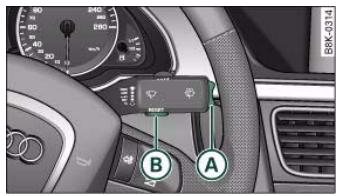
Fig.20 Windscreen wiper lever: On-board computer controls
- Press the top or bottom of the function selector switch fig.20. This displays the on-board computer readouts one after the other.
The on-board computer can only be operated while the ignition is switched on. When the ignition is switched on, the display shows the function that was last selected.
As well as the figures from the on-board computer (computer 1 or 2), the display can also show information from the digital speedom

27
eter and navigation system*. Press the Reset button ⑧ briefly to switch back and forward between these displays.
To cancel one of the computer readings individually, select the required function and press the RESET button (8) for at least one second. The following values can be reset to zero individually using the Reset button:
Average fuel consumption
Average speed
- Driving time
- Distance covered
You can also cancel all the values in the single journey memory or the total journey memory at the same time page 27.
Applies to vehicles: with on-board computer
Basic settings for the on-board computer
You can change the basic settings for the on-board computer on the MMI* or on the sound system control console.
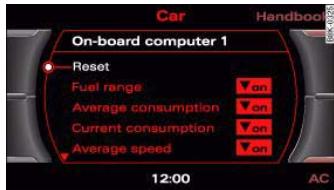
Fig.21 MMI display: On-board computer

Note
The information in the memory is cancelled if the battery is disconnected.
- Select: Function selector button >Instrument cluster > On-board computer 1 or On-board computer 2.
You can zero all the values in the single journey memory or the total journey memory at the same time by selecting the Reset menu item.
You can also define which items of information you wish to have displayed by the on-board computer. If one of these items is switched off, it will not appear in the display. However, the corresponding figures will still be registered by the on-board computer and can be switched back on at any time so that they again appear in the display.


Speed warning function
Applies to vehicles: with speed warning function
Introduction
The speed warning function can help you keep below a pre-set maximum speed.
The speed warning function will warn you if the vehicle exceeds the pre-set maximum speed. The system gives an audible warning signal if the set speed is exceeded by about 3km / h . A warning symbol will also appear in the display. On some models the symbol may look slightly different.
The speed warning function has two different warning speeds, which operate independently and serve slightly different purposes:
Speed limit warning 1
With speed limit warning 1, the maximum speed can be changed while driving. The speed limit that has been set remains stored until the ignition is switched off, or until it is changed or cleared.
The speed limit warning symbol for speed limit warning 1 will appear in the display if you exceed the pre-set speed. It goes out again if the speed is reduced below the set speed limit.
The symbol also goes out if the speed is increased to more than about 40km / h above the set speed for at least 10 seconds. This cancels the speed limit that was originally set.
Setting speed limit warning 1 page 28.
Speed limit warning 2
You are recommended to store this speed limit warning if you always wish to be reminded of a particular speed limit. This could be when driving in countries with general speed limits, or if you need to keep below a particular speed when winter tyres are fitted, etc.
The speed limit warning symbol for speed warning 2 will appear in the display if you exceed the pre-set speed. Unlike speed limit warning 1, the warning symbol only goes out once the road speed has dropped below the stored value again.
Setting speed limit warning 2 page 29.

Note
Please bear in mind that, even with the speed warning function, it is still important to keep a check on the car's speed with the speedometer and to observe the statutory speed limits.
Applies to vehicles: with speed warning function
Setting speed limit warning 1
You can use the SET button to set, alter or cancel speed limit warning 1.
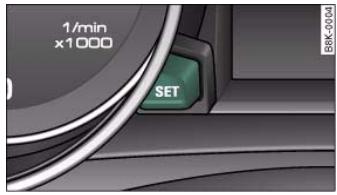
Fig.22 Detail of the instrument cluster: SET button
Selecting speed limit
- Drive at the desired maximum speed.
- Press the [SET] button in the instrument cluster fig. 22 for one second.

29
Clearing speed limit
- Drive the vehicle at a minimum of 5km / h
- Press the SET button for at least 2 seconds.
The speed warning symbol lights up briefly in the display to confirm that the selected speed has been stored. The speed limit that has been set remains stored until another speed is set with a brief push of the button, or until the memory is cleared with a long push of the button.
When the speed limit has been cleared, the display will show a crossed-out warning symbol .
Applies to vehicles: with speed warning function
Setting speed limit warning 2
You can use the MMI* or sound system control console to set, alter or cancel speed limit warning 2.
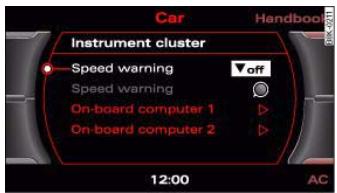
Fig.23 MMI display: Setting speed limit warning 2
- Select: Function selector button (CAR) > Instrument cluster > Speed warning.
-
Speed warning on/off - to activate or deactivate the speed warning function fig. 23.
-
Speed warning - to set the speed above which a warning signal will sound.
Speed limit warning 2 can be adjusted in increments of 10km / h between 30 and 240~km / h .
Auto-check control
Introduction
The auto-check control checks important components and vehicle systems. These background checks are run constantly, as long as the ignition is switched on.
A message is displayed in the instrument cluster if a fault should occur or if any maintenance or repairs are urgently required. This is accompanied by an audible warning signal. Depending on the priority of the fault, a red or yellow warning symbol lights up in the display.
The red symbols indicate a serious malfunction, whereas the yellow ones represent other malfunctions or items requiring attention. Additional messages to assist the driver may be shown with the red or yellow symbols.
Automatic gearbox* function test
The auto-check control automatically checks the vehicle systems when the ignition is switched on. If the selector lever is in position P or N, the following instruction will appear:
When a gear (R, D etc.) is selected, this message disappears and the auto-check control function is displayed.
The driver message will disappear 30 seconds after switching on the ignition or earlier, if there are other driver messages or malfunctions.
Controls
Safety
Driving tips
General maintenance
Self-help
Technical data


If one or more faults are detected, the driver information message (as above) will disappear about 15 seconds after the engine has been started and the appropriate fault symbol(s) will appear in the display. The warning display will be accompanied by the corresponding warning chime.
Driver messages
Additional messages to assist the driver are displayed together with the warning symbols in the instrument cluster.
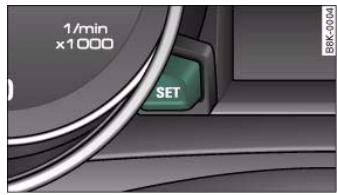
Fig.24 Instrument cluster: SET button
For example, the following driver message will appear if the selector lever for the automatic gearbox* is not in position P when you switch off the engine:
Shift to P, otherwise vehicle can roll away. Doors do not lock if lever is not in P
The ignition key can only be withdrawn when the selector lever is in this position. Similar messages will be displayed if other functions of this kind cannot be carried out.
Driver messages and red symbols
If a red warning symbol appears in the display, it will automatically be accompanied by the corresponding driver message.
For example, in the event of an oil pressure malfunction the oil pressure symbol will appear in the display. In addition, the following message will appear:
Switch off engine and check oil level
The message will disappear from the display after about 5 seconds. If required, the message can be called up again by briefly pressing the SET button fig. 24.
Driver messages and yellow symbols
If a yellow warning symbol appears in the display, it will automatically be accompanied by the corresponding driver message.
For example, if the symbol appears (windscreen washer fluid low), the display will also show the message:
Please top up washer fluid
The message will disappear after a few seconds. If required, the message can be called up again by briefly pressing the SET button.
Red symbols
A red symbol warns of a serious malfunction.
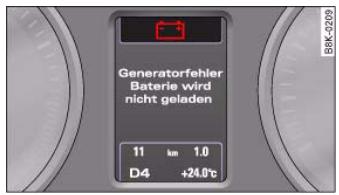
Fig. 25 Display: Symbol for serious malfunction
-
Stop the vehicle.
-
Switch off the engine.
- Check the function displayed. Obtain professional assistance if necessary.
The red symbols indicate a Priority 1 fault (serious malfunction).
Should a Priority 1 fault occur, a red warning symbol will appear at the top of the display page 30, fig. 25. The symbol is accompanied by a driver message giving you more information about the fault. This symbol is accompanied by three warning chimes. The symbol will keep flashing until the fault is corrected.
If several Priority 1 faults are detected at the same time, the symbols are displayed one after the other for about 2 seconds at a time.
This message will disappear after about 5 seconds, but you can call it up again at any time by pressing the SET button page 30.
| Alternator fault | → page 31 |
| Fault in brake system/ parking brake | → page 31 |
| Coolant level too low / coolant temperature too high | → page 32 |
| Engine oil pressure too low | → page 33 |
| Fault in the steering system | → page 33 |
| Ignition lock defective | → page 34 |
Alternator fault
If the symbol flashes in the instrument cluster display, there is an alternator fault or a fault in the vehicle's electrical system. In addition, a message will appear. This message will disappear after about
5 seconds, but you can call it up again at any time by pressing the SET button.
You should normally be able to drive to the next available qualified workshop. However, you should avoid using electrical equipment that is not absolutely necessary because this will drain the battery.

Caution
If the coolant warning lamp in the instrument display lights up as well as the alternator warning lamp while driving page 32, stop the vehicle immediately and switch off the engine. In this case the coolant pump is no longer being driven, and there is a risk of engine damage.
Fault in the brake system (1)
A fault in the brake system should be corrected as soon as possible.
If the symbol ① flashes in the display, there is a fault in the brake system. The symbol is accompanied by a driver message giving you more information about the fault. This message will disappear after about 5 seconds, but you can call it up again at any time by pressing the SET button:
Stop vehicle and check brake fluid level
- Stop the vehicle.
- Check the brake fluid level page 238.
- Obtain professional assistance if necessary.
- Drive carefully to the nearest qualified workshop and have the fault rectified .
Controls
Safety
Driving tips
General maintenance
Self-help
Technical data
cal data

- If the symbol appears after you switch on the ignition when the vehicle is stationary, please check whether you can release the parking brake. If this is possible, you should drive without delay to the nearest qualified workshop and have the fault rectified. If the parking brake cannot be released you should obtain professional assistance.
If this symbol should appear while driving, there may be a malfunction in the drive-away assist or the emergency brake functions. You may not be able to apply the parking brake. It is also possible that you cannot release the parking brake after it has been applied. Drive the vehicle to a qualified workshop and have the fault repaired.
If the ABS fails, the ABS warning lamp will light up together with the brake warning symbol .

WARNING
Before opening the bonnet and checking the brake fluid level, observe the warning information on page 231, "Working on components in the engine compartment".
- If the brake fluid level in the reservoir is too low, this could result in an accident. Do not drive on. You should obtain professional assistance.
- If the brake warning lamp lights up together with the ABS warning lamp, this can mean that the control function of the ABS is out of action. As a result the rear wheels can lock relatively easily when braking. This could cause the tail of the vehicle to skid sideways. Drive carefully to the nearest qualified workshop and have the fault rectified.

Note
The warning lamp 0 in the instrument cluster will start flashing as well if there is a fault in the brake system.
Fault in the cooling system
Faults in the cooling system must be rectified immediately.
If the 三 symbol flashes in the display, this means that either the coolant temperature is too high or the coolant level is too low. The symbol is accompanied by a driver message giving you more information about the fault. This message will disappear after about 5 seconds, but you can call it up again at any time by pressing the SET button:
Switch off engine, check coolant level
- Stop the vehicle.
- Switch off the engine.
- Check the coolant level page 236.
- Add more coolant if necessary page 236.
- Wait for the symbol to go out before driving on.
- Obtain professional assistance if necessary.
If the coolant level is correct, the overheating may be caused by a malfunction of the radiator fan.
If the alternator warning lamp lights up as well page 31, it is possible that the drive belt has broken.

33
WARNING
- If your vehicle should break down for technical reasons, stop it at a safe distance away from moving traffic, switch off the engine and turn on the hazard warning lights page 58, "Hazard warning lights A".
- Never open the bonnet if you can see or hear steam or coolant escaping from the engine compartment; there is a risk of being scalded. Wait until you can no longer see or hear escaping steam or coolant.
- The engine compartment of any motor vehicle is a dangerous place. Before carrying out any work in the engine compartment, switch off the engine and allow it to cool down. Please observe the important safety warnings page 231, "Working on components in the engine compartment".
Caution
Do not drive on if the symbol has come on to indicate a fault in the cooling system, otherwise there is a risk of damaging the engine.
Engine oil pressure too low.
If the engine oil pressure is too low the fault must be rectified immediately.
If the symbol flashes in the display, the oil pressure is too low. The symbol is accompanied by a driver message giving you more information about the fault. This message will disappear after about 5 seconds, but you can call it up again at any time by pressing the SET button:
Switch off engine and check oil level
-
Stop the vehicle.
-
Switch off the engine.
- Check the engine oil level page 234.
- Obtain professional assistance if necessary.
If the engine oil level is too low
If the engine oil level is too low, add more oil page 234.
If the engine oil level is correct
If the symbol flashes and the engine oil level is correct, obtain professional assistance. Do not drive on. Do not continue to run the engine, not even at idle speed.

Note
The oil pressure warning lamp is not an indicator for the oil level. The oil level should therefore be checked regularly.
Fault in the steering system
The steering wheel cannot be unlocked if there is a fault in the electronic steering lock.
If the symbol flashes in the display, there is a malfunction in the electronic steering lock. The symbol is accompanied by a driver message giving you more information about the fault. This message will disappear after about 5 seconds, but you can call it up again at any time by pressing the SET button:
Do not drive vehicle. Steering defective
- You should obtain professional assistance.
- Do not have the vehicle towed away.
Stop the vehicle.
Controls
Safety
Driving tips
General maintenance
Self-help
Technical data


WARNING
The vehicle must not be towed if there is a fault in the electronic steering lock; the steering will be locked and the vehicle cannot be steered. Towing a vehicle with locked steering can cause an accident.

Note
On some models the symbol may look slightly different.
Ignition lock defective
A fault in the ignition lock must be rectified immediately.
If the symbol ⑨ flashes in the display, there is a malfunction in the electronic ignition lock. The symbol is accompanied by a driver message giving you more information about the fault. This message will disappear after about 5 seconds, but you can call it up again at any time by pressing the SET button:
- Do not switch off the engine.
- Drive the vehicle without delay to a qualified workshop and have the fault repaired.
The ignition cannot be switched off if there is a fault in the electronic ignition lock. For this reason, you should drive the vehicle without delay to a qualified workshop and have the cause of the fault repaired.
If the vehicle is equipped with the advanced key* feature, you should not switch off the engine with the Stop/Start button because it cannot be started again after the ignition has been switched off.

Note
On some models the symbol may look slightly different.
Yellow symbols
A yellow symbol indicates a malfunction or other item requiring attention.
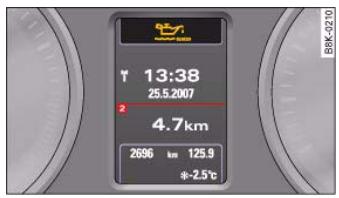
Fig.26 Display:Yellow warning symbol
Yellow symbols indicate a Priority 2 fault.
Yellow symbols are accompanied by one warning chime. The symbol is accompanied by a driver message giving you more information about the fault. This message will disappear after about 5 seconds, but you can call it up again at any time by pressing the SET button.
The function indicated should be checked as soon as possible. The yellow symbol will only go out when the fault has been rectified.
If several Priority 2 faults are detected at the same time, the symbols are displayed one after the other for about 2 seconds at a time.


35
| Brake pads worn | ⇒ page 36 |
| Battery power* | ⇒ page 36 |
| Bulb monitor*
Bulb failure* | ⇒ page 36 |
| Check engine oil level | ⇒ page 37 |
| Engine oil sensor defective | ⇒ page 37 |
| Fuel level low | ⇒ page 36 |
| Washer fluid level low* | ⇒ page 36 |
| advanced key*
Key not in vehicle | ⇒ page 35 |
| Light sensor/ rain sensor defec-
tive | ⇒ page 35 |
| Diesel particulate filter*
obstructed | ⇒ page 37 |
| Dynamic headlight range con-
trol* defective | ⇒ page 37 |
| Battery in remote control key | ⇒ page 40 |
| Electro-mechanical
parking brake | ⇒ page 123 |
| adaptive light* defective | ⇒ page 37 |
| Ignition lock defective | ⇒ page 37 |
| Windscreen wiper defective | ⇒ page 38 |

Note
On some models the speed limit warning 1 and speed limit warning 2 will also be displayed as yellow symbols. These always appear as a small symbol at the top of the display page 28.
Applies to vehicles: with advanced key
Key not in vehicle

Key not in vehicle:
This message will appear together with the symbol if the remote control key is removed from the vehicle while the engine is running. This is to remind you not to continue driving without the key (for example if you change drivers).
If the remote control key is not in the vehicle you will not be able to switch on the ignition or restart the engine after it has been switched off. You will also not be able to lock the vehicle from the outside.
Light sensor/ rain sensor defective

Automatic headlights/ automatic wipers defective
If the symbol appears, this means that the light sensor/ rain sensor is not functioning. For safety reasons, the dipped beam headlights will then be switched on permanently when the light switch is set to the AUTO position. However, you can still switch the lights on and off in the normal way with the light switch. If the rain sensor is defective, the functions operated via the windscreen wiper lever will still be available. You should have the light sensor/ rain sensor checked by a qualified workshop as soon as possible.
Controls
Safety
Driving tips
General maintenance
Self-help
Technical data


Brake pads!
If the symbol lights up, have the front brake pads (and, for safety's sake the rear pads as well) inspected by a qualified workshop.
Applies to vehicles: with bulb monitor
Bulb monitor
The bulb monitor checks whether the lights on the vehicle are working.
The bulb monitor checks whether the lights on the vehicle are working. If it detects a defective bulb on the vehicle it will show a yellow warning symbol together with a message indicating which light is not working.
Bulb failure
If the symbol & lights up, this means that one of the turn signals (front or rear), headlights, brake lights, rear lights, fog lights or the rear fog light is not working.

WARNING
- Bulbs are sensitive to pressure. The glass can break when you touch the bulb, causing injury.
- Incorrect handling of the high-voltage element of xenon gas-discharge bulbs can have potentially fatal consequences.

Note
Have the components repaired or replaced by a qualified workshop.
Applies to vehicles: with washer fluid warning system
Washer fluid level low

Please top up washer fluid
If the symbol lights up, top up the fluid for the windscreen washer and headlight washer system* page 242.
Fuel level low

Please refuel
When this symbol comes on for the first time, there are about 8 litres of fuel left in the tank. You should fill up as soon as possible page 228.
If this warning symbol lights up although the fuel tank is sufficiently filled, there is a malfunction in the fuel tank system. The display will also show the driver message Tank system malfunction! Contact workshop. Please contact a qualified workshop.
Applies to vehicles: with battery power warning system
Battery power
If battery power drops to a level at which you may encounter problems when starting the engine, the display will show the symbol and the driver message Low battery charge: Battery will be charged while driving.
Please bear in mind that the starting ability of the engine may be impaired while this message is shown.
Message comes on and goes out again
If the message appears in the display after the ignition is switched on or while driving, and goes out again after a period of time, the battery has been charged up again sufficiently while the vehicle was being driven.

37
Message comes on and does not go out
If the message appears in the display after the ignition is switched on or while driving, and does not go out again, the battery is not being maintained at the proper power level. Starting reliability may be impaired. You should have the battery checked by a qualified workshop as soon as possible.
Check engine oil level
Please check oil level
If the symbol lights up, check the engine oil level as soon as possible page 234. Top up the oil at the next opportunity page 234.
Engine oil sensor defective
Oil level! Sensor defective
If the symbol lights up, take the vehicle to a qualified workshop and have the oil level sensor checked. Until then it is advisable to check the oil level every time you fill up with fuel page 234.
Applies to vehicles: with diesel engine and diesel particulate filter
Diesel particulate filter obstructed
Particle filter. See Owner's Manual
When the symbol lights up you can assist the self-cleaning function of the filter by driving accordingly. You should drive at a speed of at least 60km / h (engine speed about 2,000 rpm) for about 15 minutes in 4th or 5th gear, or with the selector lever in position S on vehicles with automatic gearbox*. As a result of the increase in temperature the soot in the filter will be burned off. The symbol will disappear once the cleaning process has been completed successfully.
If the symbol does not go out, please contact a qualified workshop and have the fault rectified.
For further information on the diesel particulate filter page 205.
WARNING
It is essential that you adjust your speed to suit the weather, road, terrain and traffic conditions. The recommended driving speed must never lead to the driver disregarding the traffic regulations.
Applies to vehicles: with dynamic headlight range control
Headlight range control defective
Headlight range control defective
This symbol indicates a malfunction in the dynamic headlight range control. Take the vehicle to a qualified workshop to have the dynamic headlight range control function repaired.
Applies to vehicles: with adaptive light
adaptive light defective
adaptive light defective
This symbol indicates that the adaptive light is defective. Take the vehicle to a qualified workshop to have the headlights and/or the control unit for the adaptive light repaired.
Ignition lock defective
Ignition lock defective
If the symbol lights up in the display, there is a malfunction in the electronic ignition lock. Take the vehicle to a qualified workshop to have the problem remedied.
Controls
Safety
Driving tips
General maintenance
Self-help
Technical data

Windscreen wipers defective

Windscreen wipers defective
This symbol indicates a malfunction in the electronics for the windscreen wipers. Take the vehicle to a qualified workshop to have the windscreen wiper system repaired.






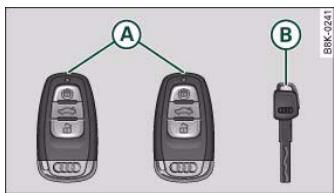
Fig. 27 Keys supplied with the vehicle
Remote control key
The remote control key will lock and unlock the car via the central locking system and start the engine.
Spare key
The spare key should be used only temporarily if the remote control key has been misplaced or lost.
Replacing a key
If you should lose a key, please contact an Audi dealer. Have the remote control coding for that key deactivated. For this purpose you should bring all available keys with you. It is also important to notify your insurance company if a key has been lost.
Electronic immobiliser
The immobiliser is designed to prevent unauthorised persons from driving the vehicle. If an uncoded key is used, SAFE will appear in the mileage recorder display.
It may not be possible to start the engine with the key if there is another ignition key from a different make of vehicle on the same key ring.
Data stored on remote control key
Data related to the service and maintenance of the vehicle are stored continuously on your remote control key. Your Audi dealer can read out the data and will then be able to tell you what service work is required. This also applies to vehicles with advanced key.
Personal convenience settings
If two people use the same car regularly, it is a good idea for each person to have his or her "own" remote control key. When you switch off the ignition or lock the vehicle, your personal settings for the following convenience features are stored and assigned to the remote control key:
Air conditioner
Central locking system
- Background lighting
- Windows
parking system*
- Seat memory*
The stored settings are then recalled automatically the next time the vehicle is unlocked, the doors are opened or the ignition is switched on.
Before you can assign the seat memory* settings to a remote control key, the memory function for the remote control key must be activated page 75.
Controls
Safety
Driving tips
General maintenance
Self-help
Technical data

40 Doors and windows
WARNING
- Always switch off the ignition and take the key with you when leaving the vehicle - even if you only intend to be gone for a short time. This is especially important if children are left in the car. They might otherwise be able to start the engine or use power-operated equipment such as the electric windows - this could lead to injuries.
- Wait for the vehicle to come to a standstill before removing the ignition key from the lock. Otherwise the steering lock could engage suddenly, causing an accident.

The function of the remote control key may be impaired by interference from other nearby radio signals (for example from a mobile telephone or TV transmitter) if these are in the same frequency range.
Indicator lamp on remote control key
The indicator lamp on the remote control key lights up when you press the buttons.
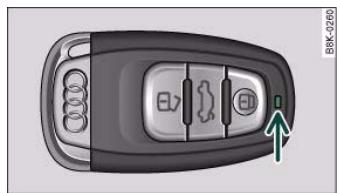
Fig. 28. Indicator lamp on remote control key
The indicator lamp should light up once briefly when you press one of the buttons briefly. The indicator lamp should flash when you press and hold one of the buttons (convenience open/close).
If the indicator lamp does not light up, this means the battery is exhausted and must be replaced page 40. The instrument cluster display also shows the symbol 品 and the following message if the battery is exhausted:
Please change key battery
Replacing the battery for the remote control key
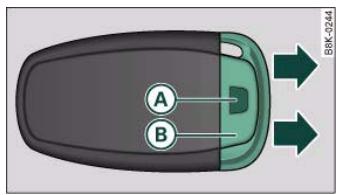
Fig.29 Remote control key: Removing the emergency key
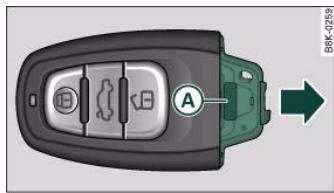
Fig.30 Remote control key: Removing the battery carrier
- Press the release button fig. 29.

You can use the emergency key to ...
- activate and deactivate* the front passenger's airbag page 183.
- lock and unlock* the front passenger's storage compartment page 91.
- lock and unlock the lockable rear seat page 82.
- manually lock and unlock the vehicle if this is not possible using the remote control key page 46.

For the sake of the environment
Used batteries must be disposed of appropriately and must not be discarded with ordinary household waste.
Emergency release for ignition key
In the event of a malfunction in the vehicle's electrical system, it may no longer be possible to remove the ignition key.

Note
The new battery must be of the same type as the original one (CR 2032).
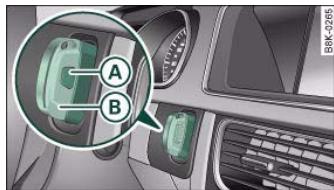
Fig. 32 Ignition lock with key
Removing the emergency key
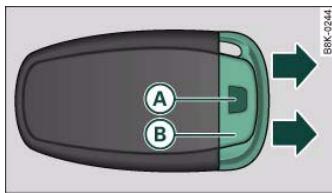
Fig.31 Remote control key: Removing the emergency key
If you are not able to remove the ignition key because the vehicle battery has discharged (for example), remove the key as follows:
Controls
Safety
Driving tips
General maintenance
Self-help
Technical data


Press the release catch page 41, fig. 32 using a ballpoint pen or a similar object and pull the emergency key B out of the remote control key.
- Use the emergency key to lock the vehicle page 46.
- Have the vehicle's electrical system checked by a qualified workshop.
Starting the vehicle with the spare key
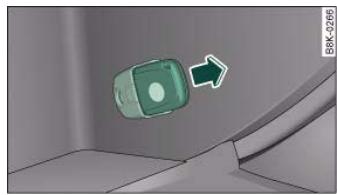
Fig. 33 Glove box: Adapter for spare key
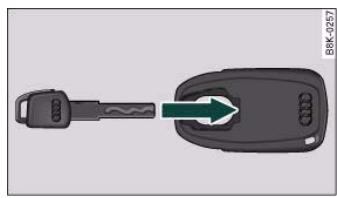
Fig. 34 Inserting the spare key into the adapter
Central locking system
Description
The vehicle can be locked and unlocked via the central locking system. You can use any of the following:
Remote control key page 44
- Door handles in conjunction with advanced key* page 45
- Lock on driver's door page 46
- Interior central locking switch page 47
Unlocking one side of the vehicle only
When you lock the vehicle, the central locking system will lock the doors and the boot lid. When you unlock the vehicle, the central locking system will unlock either the driver's door only, or all the locks on the vehicle, depending on the setting you have selected on the sound system or MMI* page 44.
Automatic locking function (Auto Lock)
The Auto Lock function locks the doors and the boot lid when the vehicle exceeds a speed of about 15km / h
The vehicle is unlocked again when the ignition key is removed. Alternatively, the vehicle can also be unlocked via the central locking switch or by pulling one of the inside door handles. The Auto
Lock function can be switched on and off on the sound system or MMI page 44.
In the event of an accident in which the airbags inflate, the doors will be automatically unlocked to facilitate access and assistance.
Deadlock mechanism
The central locking system is combined with a deadlock mechanism. Once the vehicle has been locked from the outside, the door handles on the inside are deactivated. This makes it more difficult to break into the vehicle.
Anti-theft alarm system*
If the anti-thief alarm system senses interference with the vehicle it triggers an audible and visible alarm.
The anti-theft alarm system switches on automatically when the vehicle is locked. It switches off automatically if you unlock the vehicle using the remote control.
If you unlock the vehicle by inserting the key in the drivers door, the ignition must be switched on within 15 seconds, otherwise the alarm will be triggered. On some export versions, the alarm is triggered immediately when you open a door.
To deactivate the alarm, press the unlock button on the remote control key or switch on the ignition. The alarm will also switch itself off when it comes to the end of its cycle.
Switch off the interior monitor and tow-away protection if you wish to prevent the alarm from being triggered accidentally.
Turn signals
The turn signals will flash twice when the vehicle is unlocked and once when the vehicle is locked. If the turn signals do not flash, one of the doors, the bonnet or the boot lid is still open.
Accidental lock-out
The central locking system prevents you from being locked out of the vehicle in the following situations:
- When the driver's door is open, it cannot be locked together with the other door by pressing the central locking switch and then closing the door page 47.
- On vehicles with advanced key*, the boot lid will be released again automatically if the remote control key that was last in use is left inside the boot when the boot lid is closed page 48.
To prevent yourself from being locked out, do not lock the vehicle with the remote control key before closing the doors or boot lid.

WARNING
Do not leave anyone (especially children) in the car if it is locked from the outside and the deadlock mechanism is activated: the doors and windows cannot then be opened from the inside.
Locked doors could delay assistance in an emergency, potentially putting lives at risk.

Note
- Never leave any valuable items in the vehicle unattended. Even a locked vehicle is not a safe.
- If the diode on the driver's window sill lights up for about 30 seconds when the vehicle is locked, the central locking system or anti-theft alarm* is not working properly. Please have the malfunction repaired by an Audi dealer or qualified workshop.
- The interior monitor of the anti-theft alarm system will only function as intended if the windows and the tilting panorama roof are closed.
Controls
Safety
Driving tips
General maintenance
Self-help
Technical data

44 Doors and windows
Setting the central locking system
You can use the sound system or MMI* to select which doors are unlocked by the central locking system.
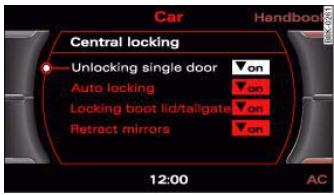
Fig. 35 MMI display: Central locking menu
- Select: Function selector button > Central locking.
In the Central locking menu you can specify which doors you wish to have unlocked when you unlock the vehicle using the remote control key or the advanced key*. For example, if you select off for the passenger's door, this door will no longer be included in the central locking function and will not be unlocked when you press the unlock button on the remote control key once.
You can still unlock both of the doors and the boot lid. To do so, press the unlock button twice on the remote control key.
When you lock the vehicle, the central locking system will automatically lock both of the doors and the boot lid together.
If you select "Locking boot lid/tailgate" on, you can no longer open the luggage compartment using the handle on the boot lid
page 49, fig. 43. In this case, you can open the boot lid using the button on the remote control key fig. 36 or the unlock switch on the driver's door page 48, fig. 42.
Locking and unlocking the vehicle with the remote control key
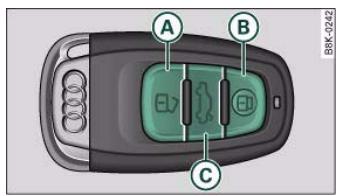
Fig.36 Remote control key: Control buttons
- Press the button to unlock the vehicle fig. 36.
- Press the button to lock the vehicle
- Press the button briefly to unlock the boot lid.
- Press the button for at least one second to open the boot lid.
The vehicle will be locked again automatically if you do not open one of the doors, the boot lid or the bonnet within 60 seconds after unlocking the car. This function prevents the vehicle from remaining unlocked if the unlocking button is pressed by mistake.
The system will either unlock all the doors or certain doors only, depending on the settings you have chosen on the MMI page 44.
On vehicles with the advanced key* the selector lever must be in P, otherwise it will not be possible to lock the vehicle.

Do not leave anyone (especially children) in the car if it is locked from the outside and the deadlock mechanism is activated: the doors and windows cannot then be opened from the inside. Locked doors could delay assistance in an emergency, potentially putting lives at risk.

Note
Do not use the remote control key when the vehicle is out of sight.
Applies to vehicles: with advanced key
Locking and unlocking the vehicle with the advanced key
The doors and the boot lid can be locked and unlocked without handling the remote control key.
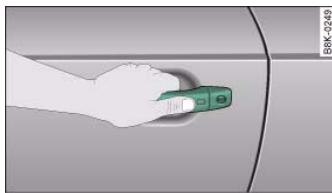
Fig. 37 Audi advanced key: Unlocking one of the doors
Unlocking the vehicle
Take hold of the door handle. The door will be unlocked automatically.
- Pull the door handle to open the door.
Locking the vehicle
- Move the selector lever to position P (automatic gearbox), otherwise it will not be possible to lock the vehicle.
- Touch the sensor on the door handle once to lock the vehicle .
- Touch the sensor a second time within 2 seconds to lock the vehicle without activating the deadlock mechanism.
The vehicle can be locked and unlocked from any of the doors. The driver's door will always be unlocked as well when the passenger's door is unlocked. The remote control key has to be within a range of about 1.5 metres of the relevant door or the boot lid. It does not matter where you carry the key, for instance whether it is in your jacket pocket or in a briefcase.
The unlocking function may be affected if the sensor area on the door handle is touched while the vehicle is being unlocked.
The locking function may be affected if you grasp the door handle while the vehicle is being locked.
Once the doors have been locked, they cannot be opened again immediately. This will enable you to check that the doors are properly closed.
The system will either unlock both the doors or one door only, depending on the settings you have chosen on the sound system or MMI* page 44.

WARNING
Do not leave anyone (especially children) in the car if it is locked from the outside and the deadlock mechanism is activated: the doors and windows cannot then be opened from the inside. Locked doors could delay assistance in an emergency, potentially putting lives at risk.
Controls
Safety
Driving tips
General maintenance
Self-help
Technical data

46 Doors and windows
i Note
Please note the following points if the vehicle is left parked for long periods:
-
To save electrical power, the proximity sensors are switched off after a few days. You will then need to pull the door handle once to unlock the vehicle, and a second time to open it.
-
To prevent the battery from becoming discharged and thus maintain the vehicle's starting ability for as long as possible, the power management system will gradually switch off convenience functions that are not required. In this case you may not be able to unlock the vehicle with this convenience function.
Locking and unlocking the vehicle using the key
If the central locking system should fail to work, you can still lock and unlock the driver's door by turning the emergency key or spare key in the lock.
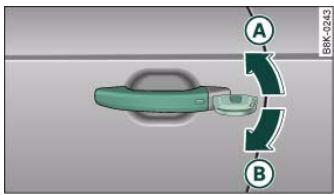
Fig. 38 Lock on driver's door
Unlocking
- Turn the key to position fig. 38 to unlock the vehicle.
Locking
- Turn the key once to position (B) A to lock the vehicle.
- If you turn the key to position ⑥ a second time within 2 seconds, this will lock the vehicle without activating the deadlock mechanism.
In order to switch off the anti-theft alarm*, you must switch on the ignition within 15 seconds after opening the driver's door. Otherwise the alarm will be triggered.
!
WARNING
Do not leave anyone (especially children) in the car if it is locked from the outside and the deadlock mechanism is activated: the doors and windows cannot then be opened from the inside. Locked doors could delay assistance in an emergency, potentially putting lives at risk.
i
- The central locking switch and the release button for the boot lid will function after the ignition is switched on.
- If the vehicle is locked with the key when the central locking system is operational, it is only possible to unlock all the doors and the boot lid centrally with the key within the next 45 seconds. After this period, the key will only unlock the driver's door.

Central locking switch
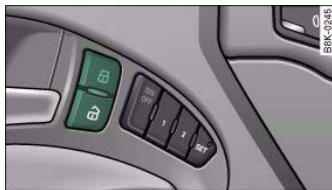
Fig.39 Driver's door: Central locking switch
WARNING (continued)
- Locked doors could delay assistance in an emergency, potentially putting lives at risk. Do not leave anyone (especially children) in the vehicle.

Note
The doors and the boot lid are locked automatically when the vehicle reaches a speed of about 15km / h (Auto Lock) page 42. You can unlock the vehicle again via the central locking switch.
Applies to vehicles: with anti-theft alarm system
Deactivating the interior monitor and towaway protection
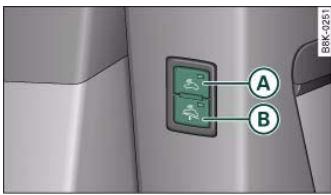
Fig. 40 Front end of the driver's door: Switches for interior monitor and tow-away protection
When the vehicle is locked, the alarm will be triggered if movements are detected in the interior (e.g. by animals) or if the vehicle's inclination is changed (e.g. during transport). You can prevent the alarm from being triggered accidentally by switching off the interior monitor and/or tow-away protection.
- Press the button to unlock the vehicle fig. 39
- Press the button to lock the vehicle.
Please note the following when you use the central locking switch to lock your vehicle:
- The doors and the boot lid cannot be opened from the outside (for safety reasons, when stopped at traffic lights, etc.).
- The LED in the central locking switch lights up when both of the doors and the boot lid are closed and locked.
- You can open the doors individually from the inside by pulling the inside door handle.
- In the event of an accident in which the airbags inflate, doors locked from the inside will be automatically unlocked to facilitate access and assistance.

WARNING
- The central locking switch is still operative when the ignition is switched off and will automatically lock the entire vehicle when pressed.
- The central locking switch inside the vehicle is not operative if you lock the vehicle from the outside.
Controls
Safety
Driving tips
General maintenance
Self-help
Technical data

48 Doors and windows
Deactivating interior monitor
- Press switch (A) fig. 40. The diode in the switch will light up.
Deactivating tow-away protection
- Press switch B. The diode in the switch will light up.
The interior monitor and tow-away protection will be switched on again automatically the next time the vehicle is locked.

WARNING
Do not leave anyone (especially children) in the car if it is locked from the outside and the deadlock mechanism is activated: the doors and windows cannot then be opened from the inside. Locked doors could delay assistance in an emergency, potentially putting lives at risk.
Locking the passenger's door manually if the central locking fails to work
If the central locking system should fail to work at any time, the passenger's door will have to be locked separately.
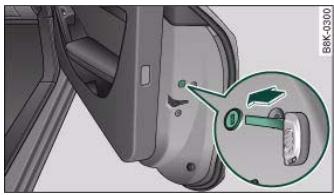
Fig.41 Door: Locking the door manually
A mechanical locking device (only visible when the door is open) is provided on the front passenger's door.
Take the emergency key out of the remote control key page 41.
- Pull the cap out of the opening fig. 41.
- Insert the key into the slot inside and turn it to the right as far as the stop.
Once the door has been closed it can no longer be opened from the outside. The door can be opened from the inside by pulling the door handle.
Boot lid
Opening and closing the boot lid
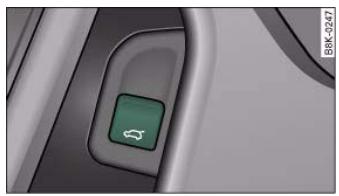
Fig. 42 Driver's door: Unlocking the boot lid

When the vehicle is locked, you can unlock the boot lid separately by pressing the button on the remote control key. The boot lid will lock automatically when you close it again.
Manual release of the boot lid
The boot lid can be released manually from the inside.
Opening boot lid
- Press the button on the remote control key for at least one second, or
Pull the unlock switch on the driver's door page 48, fig. 42. This will unlock the boot lid, which will then open slightly. Or:
- Press the release catch on the boot lid fig. 43.
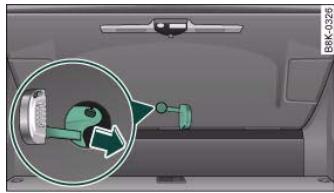
Fig.44 Luggage compartment: Access to manual release
Closing boot lid
Pull down the tailgate by the handle on the inside and let it drop into the latch
- Prise off the cover (using the emergency key) fig. 44.
- Press the sliding lever in the direction of the arrow to unlock the boot lid.

WARNING
- After closing the boot lid, always check that the catch has engaged properly. The boot lid could otherwise open suddenly when the vehicle is moving - this could result in an accident.
- The boot lid must always be completely closed when the vehicle is moving, otherwise toxic exhaust fumes can be drawn into the interior.
Controls
Safety
Driving tips
General maintenance
Self-help
Technical data

50 Doors and windows
Electric windows
Controls
The driver can operate the electric windows on the driver's door with the right-hand switch and the electric windows on the passenger's door with the left-hand switch (applies to RHD vehicles).
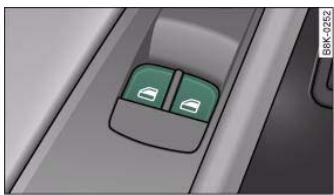
Fig. 45 Detail of the driver's door: Controls
The electric windows have two-stage switches:
Opening the windows
- Press the switch as far as the first stop and hold it until the window has moved to the desired position.
- Press the switch briefly to the second stop: the window will automatically open all the way.
Closing the windows
Pull the switch as far as the first stop and hold it until the window has moved to the desired position.
- Pull the switch briefly to the second stop: the window will automatically close all the way.

WARNING
Always take the key with you when leaving the vehicle - even if you only intend to be gone for a short time. This is especially important if children are left in the car. They might otherwise be able to start the engine or use power-operated equipment such as the electric windows - this could lead to injuries. The window switches are only deactivated when the driver's door or the front passenger's door is opened.
Always be careful when closing the windows. Careless use of the electric windows can cause severe injuries.
- When locking the vehicle from the outside, make sure that nobody is inside the vehicle, as the windows cannot be opened from the inside in an emergency.

Note
- When the doors are opened the windows will automatically come down approximately 10mm .
- The windows can be operated for about ten minutes after the ignition has been switched off. The window switches are only deactivated when the driver's door or the front passenger's door is opened.
Convenience open/close function
The convenience open/close function allows you to open and close the windows and tilting panorama roof* with the remote control key.
You can select which windows are opened in the settings on the sound system or MMI* page 51.
Convenience open function
- Press and hold the unlocking button on the remote control key until all the windows have reached the desired position and the tilting panorama roof* is open.
Convenience close function
- Press and hold the locking button 空 on the remote control key until the windows and the tilting panorama roof* are closed .
Convenience close function with advanced key*
- Touch and keep your hand in contact with the locking sensor on the door handle until the windows and the tilting panorama roof* are closed.
The electric blind is opened and closed together with the tilting panorama roof*.
WARNING
- Take care when closing the windows and the tilting panorama roof*. Careless or uncontrolled use can cause injuries.
- For safety reasons, you should only use the remote control open and close functions within about 2 metres of the vehicle. To avoid injuries, always keep an eye on the windows when pressing the button to close them. The windows and panorama roof stop moving as soon as the button is released.
Settings for convenience open function
The driver can use the sound system or MMI* to select which windows are opened.
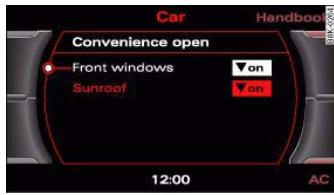
Fig.46 MMI display: Convenience open menu
- Select: Function selector button (CAR) > Windows > Convenience open.
If you wish to use the convenience open function for the windows and the tilting panorama roof, select on for the functions Front windows and Sunroof.
What to do after a malfunction
The one-touch open and close function must be reactivated if the battery has been disconnected.
- Pull and hold the electric window switch until the window is fully closed.
- Release the switch and then pull it again for at least one second.
Controls
Safety
Driving tips
General maintenance
Self-help
Technical data

Applies to vehicles: with tilting panorama roof
Tilting open and closed
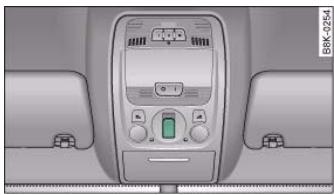
Fig. 47 Detail of headliner: Switch for tilting panorama roof
The tilting panorama roof is operated via a switch fig. 47.
Tilting open
- Press the switch to tilt open the panorama roof. Press the switch again to stop at any intermediate position.
Closing
- Pull the switch to close the tilting panorama roof. Pull the switch again to stop at any intermediate position.
The tilting panorama roof can be opened or closed for about ten minutes after the ignition has been switched off. However, the switch is deactivated immediately when the driver's door or passenger's door is opened.
Sun blind
The tilting panorama roof is equipped with a sliding sun blind for protection against sunlight. Take hold of the handle to open and close the sun blind.

WARNING
Take care when closing the tilting panorama roof. Careless or uncontrolled use can cause injuries. For this reason, always take out the ignition key when leaving the vehicle.

Caution
You should always close the tilting panorama roof when leaving the car. Sudden rain could seriously damage the upholstery and electronic equipment inside the vehicle.

Note
It is advisable to close the sun blind when the vehicle is left standing in the sun.
Applies to vehicles: with tilting panorama roof
Closing the tilting panorama roof by overriding the safety cut-out
The tilting panorama roof mechanism is equipped with a safety cut-out. If the force required to close the roof is too high, the panorama roof will tilt up to the fully open position. It can now be closed by overriding the safety cut-out.
- Immediately after the tilting panorama roof opens automatically, pull and hold the switch fig. 47 until the panorama roof is closed .
The safety cut-out tilts the panorama roof to the fully open position. When this happens, it is possible to close the panorama roof within approximately 5 seconds by overriding the safety cut-out.

Take care when closing the tilting panorama roof. Careless or uncontrolled use can cause injuries. For this reason, always take out the ignition key when leaving the vehicle.
Applies to vehicles: with tilting panorama roof
Closing the tilting panorama roof manually
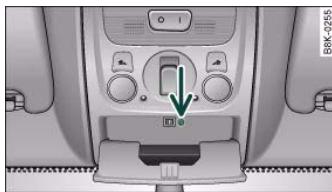
Fig.48 Detail of headliner: Unscrewing the light housing
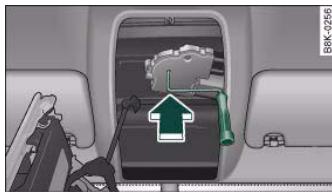
Fig.49 Detail of headliner: Crank for manual operation

Note
To make it easier to turn the crank, you can make use of the screwdriver handle. Detach the handle from the screwdriver and then fit the handle onto the crank.
Controls
Safety
Driving tips
General maintenance
Self-help
Technical data

Switching lights on and off
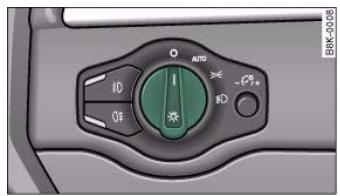
Fig. 50 Dashboard: Light switch
Switching on automatic headlights* (AUTO)
- Turn the light switch to AUTO fig. 50.
Switching on the side lights
- Turn the light switch to position ≥ 0 .
Switching on dipped headlights
- Turn the light switch to position D.
Switching off the lights
- Turn the light switch to position 0.
The dipped beam headlights will only work with the ignition on. The symbol next to the light switch will light up when the side lights or headlights are on.
Automatic headlight control (AUTO)*
When the switch is set to AUTO, the headlights switch on automatically according to the ambient light conditions, for instance in a tunnel, at sunset, or in the rain or snow. The symbol lights up when the dipped headlights are on. The headlights are switched on, regardless of the light conditions, when you switch on the fog lights.
The headlights are switched off automatically when you switch off the ignition.
On vehicles with a rain sensor, the headlights switch on automatically after several windscreen wiper cycles. The instrument lighting does not switch on, however.
While using the automatic headlights you can activate the main beam headlights as normal if this function has been activated in the MMI. However, if you switch on the main beam headlights while using the AUTO function and then do not switch back to the dipped headlights setting, only the dipped headlights will come on the next time you switch on the AUTO function. To be able to use the main beam headlights again you must first pull the main beam lever back to the "off" position and then push it forward to "on".
Malfunction of light sensor
If a malfunction should occur in the light sensor, the instrument cluster will show the message:
Automatic headlights/ automatic wipers defective
For safety reasons, the dipped beam headlights will then be switched on permanently when the light switch is set to the AUTO position. However, you can still switch the lights on and off in the normal way with the light switch. You should have the light sensor checked by a qualified workshop as soon as possible.

The automatic headlights are only intended to assist the driver. The driver must always ensure that the headlights are used when required, and may have to switch them on manually when the light conditions or visibility are poor. For example, the light sensors are not able to detect fog. Therefore, you should always switch on the headlights in these conditions and when driving after dark.

- The light sensor for automatic headlight control is located in the mounting for the interior mirror. Do not affix any stickers on this section of the windscreen to avoid malfunctioning of the sensor.
- The default sensitivity of the light sensor, which is set at the factory, can be changed in the MMI menu Auto headlights page 56.
- If the lights are left on after the key has been taken out of the ignition lock, a buzzer sounds when the driver's door is opened.
The use of the lighting described here is subject to the relevant statutory requirements.
- The coming home/leaving home function is active only when the light switch is set to AUTO.
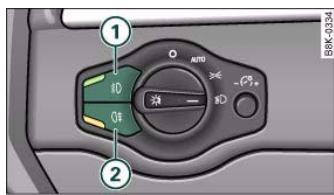
Fog lights
Fig. 51 Switch for front fog lights
- Press button ① fig. 51 to switch on the front fog lights.
- Press button ② to switch on the rear fog lights
Front fog lights
The side lights or headlights must be switched on. The green diode at the edge of the switch lights up when the front fog lights are switched on.
When the headlights are set to AUTO, the dipped headlights are switched on automatically when you switch on the front fog lights.
Rear fog lights
The headlights or side lights and the front fog lights must be switched on.
The yellow diode at the edge of the switch lights up when the rear fog lights are switched on.
If you are towing a trailer or caravan equipped with a rear fog light on a vehicle with a factory-fitted towing bracket, only the rear fog light on the trailer or caravan will light up.
Controls
Safety
Driving tips
General maintenance
Self-help
Technical data

To avoid dazzling the traffic behind you, the rear fog light should only be used in accordance with statutory regulations.
Exterior lighting settings
You can change the settings for these functions on the sound system or MMI*.
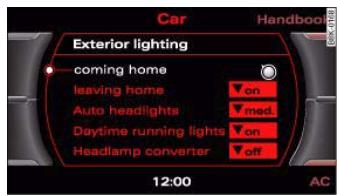
Fig.52 MMI display: Exterior lighting
- Select: Function selector button > Exterior lighting.
Coming home
The coming home function lights up the area round the vehicle after dark when the ignition has been switched off and the driver's door opened. It switches on the fog lights, rear lights and number plate lights. This function can be set to operate for a time interval between 0 (off) and 30 or 60 seconds.
Leaving home
The leaving home function lights up the area round the vehicle after dark when the vehicle is unlocked. It switches on the fog lights, rear lights and number plate lights. The function can be switched on or off as required.
Auto headlights*
When the light switch is set to AUTO page 54, you can make the headlights switch on earlier or later by changing the Auto headlights setting.
Daytime running lights (daylight headlights)*
This function can be used to switch the daytime running lights on and off as required. When the function is activated, the daytime running lights are switched on automatically when the ignition is switched on.
On vehicles for some markets the daytime running lights cannot be switched off if the vehicle has halogen headlights.

Note
The coming home/leaving home function is active only when the light switch is set to AUTO.
Applies to vehicles: with headlight range control
Headlight range control
When the dipped beam headlights are switched on, the range of the headlights can be adjusted to suit the load being carried.
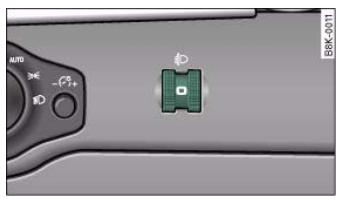
Fig. 53 Headlight range control

- Turn the thumbwheel 和 page 56, fig. 53 to the appropriate setting.
Adjustment settings
The settings correspond roughly to the following load conditions:
Two front occupants, luggage compartment empty
① All seats occupied, luggage compartment empty
(ii) All seats occupied, luggage compartment loaded
Driver only, luggage compartment loaded

Caution
Always adjust the headlights to avoid dazzling oncoming traffic. Make sure you lower the headlights when the vehicle is carrying a heavy load.
Instrument lighting
The background lighting of the instruments, the centre console and the display can be adjusted as required.
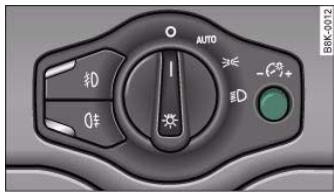
Fig. 54 Instrument lighting
- Turn the button anti-clockwise -" to reduce the brightness of the instrument lighting in dark conditions.
- Press the knob in again to prevent the setting from being changed unintentionally.
The instrument lighting (dials and needles), the centre console illumination and the illumination of the displays are regulated by a light sensor incorporated in the instrument cluster. In bright conditions any changes made to the brightness of the instrument lighting have no effect.

Note
The instrument lighting (illumination of dials and needles) is switched on when the ignition is on and the vehicle's lights are off. The instrument lighting is dimmed automatically as the daylight starts to fade; it is switched off completely when the light conditions become very poor. This function is intended to remind the driver to switch on the dipped-beam headlights in good time when light conditions become poor.
Applies to vehicles: with xenon headlight bulbs
Dynamic headlight range control
Headlights with xenon gas-discharge bulbs automatically adapt to suit the load being carried when the engine is switched on. The headlights are also automatically adjusted when the vehicle is in motion (e.g. when accelerating and braking).
- Briefly press the knob to release it.
- Turn the button clockwise + " to increase the brightness of the instrument lighting in dark conditions.
Controls
Safety
Driving tips
General maintenance
Self-help
Technical data

58 Lights and vision
Applies to vehicles: with adaptive light
adaptive light
This feature provides better illumination when you drive through a corner.
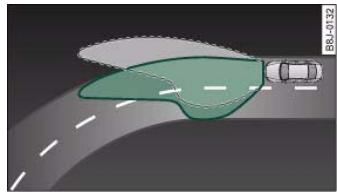
Fig. 55 adaptive light when driving
The adaptive light gives better illumination of the bend and the side of the road when driving through a corner fig. 55. The adaptive light is controlled automatically, depending on the speed of the vehicle and the steering wheel angle.
The headlights are regulated automatically when you drive through a corner, depending on how far you turn the steering wheel. To avoid having a dark spot in front of the vehicle the two headlights are directed at different angles.

Note
The system is active at speeds from approximately 10km / h to 110km / h .
Hazard warning lights
The hazard warning lights are used to make other road users aware of your vehicle in hazardous situations.
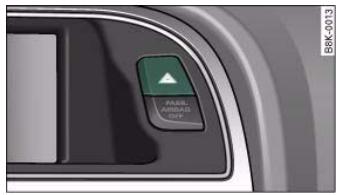
Fig.56 Switch for hazard warning lights
- Press the switch to switch the hazard warning lights on or off fig. 56.
All four turn signals flash simultaneously when the hazard warning lights are switched on. The two turn signal indicator lamps and the indicator lamp in the switch will flash at the same time. The hazard warning lights also work when the ignition is switched off.
The hazard warning lights come on automatically in the event of an accident in which an airbag is triggered or in the case of an emergency stop (full brake application).

Note
You should switch on the hazard warning lights to warn other road users, for instance:
- When reaching the tail end of a traffic jam
If your vehicle breaks down or there is an emergency
- If your vehicle is being towed away, or if you are towing another vehicle.
Turn signal and main beam lever
The turn signal and main beam lever also operates the parking lights and the headlight flasher.
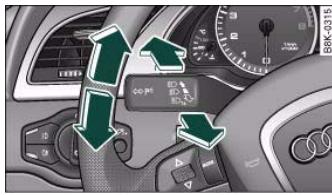
Fig.57 Turn signal and main beam headlight lever
The turn signal and main beam headlight lever has the following functions:
Turn signals
- Move the lever all the way up to indicate right, or all the way down to indicate left fig. 57.
- Move the lever briefly up or down just as far as the point of resistance and then release it: the turn signals will flash three times.
- Move the lever up or down just as far as the point of resistance and hold it there: the turn signals flash for as long as you hold the lever.
Main beam headlights
- Press the lever forward to switch on the main beams.
Pull the lever back towards you to switch the main beam headlights off again.
Headlight flasher
Pull the lever towards the steering wheel to operate the flasher.
Parking lights P
- Switch off the ignition.
- Move the lever up or down to turn on the right or left-hand parking lights respectively.
Notes on these functions
- The turn signals only work when the ignition is switched on. The corresponding indicator lamp or flashes in the instrument cluster.
- The turn signals are cancelled automatically when the steering wheel is returned to the straight-ahead position.
- The main beam headlights can only be switched on if the dipped beam headlights are already on. The main beam headlight indicator lamp then comes on in the instrument cluster.
- The headlight flasher comes on for as long as you pull the lever - even if no other lights are switched on. The main beam headlight indicator lamp then comes on in the instrument cluster.
- When the parking lights are switched on, the headlight and the rear light on one side of the car light up with reduced intensity. The parking lights will only work with the ignition off. A warning buzzer will sound for as long as the driver's door is open.

Caution
Do not use the main beam headlights or the headlight flasher if this would dazzle oncoming traffic.
Controls
Safety
Driving tips
General maintenance
Self-help
Technical data

Front interior lights
The front interior lighting also incorporates the reading lights for the driver and passenger.
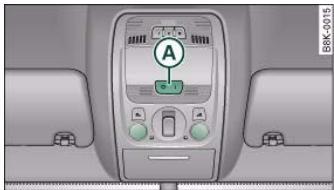
Fig.58 Headliner-Front interior lights
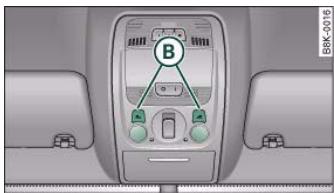
Fig.59 Headliner Front reading lights
The rocker switch () fig. 58 for the interior light has the following functions:
Courtesy light position
- Move switch A to the centre position.
Interior light switched on
- Move switch A to position I.
Interior light switched off
- Move switch A to position O.
Front reading lights
- Press one of the switches () fig. 59 to switch the left or right reading light on and off.
If you switch on the courtesy lighting, the interior lights come on automatically when the vehicle is unlocked or the doors are opened. The light also comes on when the key is pulled out of the ignition. It goes out approximately 30 seconds after the doors are closed. The interior light is switched off immediately when the vehicle is locked or when the ignition is switched on.
If a door is left open, the light is switched off after about 10 minutes to prevent the battery from running flat.
The brightness of the light is automatically adjusted by a dimmer when it is switched on.
Rear interior lights
Reading lights are also provided for rear passengers.
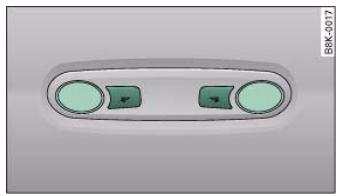
Fig.60 Headliner: Rear reading lights

The reading lights are switched on and off with the switches
Clear vision
Sunvisors
The sun visors can improve visibility and contribute to safety.
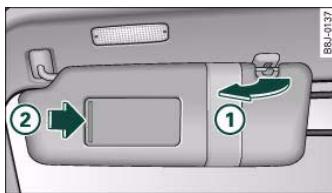
Fig.61 Passenger's side: Sun visor
The sun visors for the driver and the front passenger can be pulled out of their mountings in the centre of the vehicle and turned towards the doors fig. 61 (1). Once the sun visor has been turned towards the door you can pull it towards the rear as desired.
Make-up mirrors
There are covers on the make-up mirrors in the sun visors. The light for the mirror (located in the headlining) comes on automatically when the mirror cover ② is slid open. The light switches itself off when the cover is closed and when the sun visor is pushed back up.
Applies to vehicles: with sun blind
Sun blind
A sun blind is provided for the rear window.
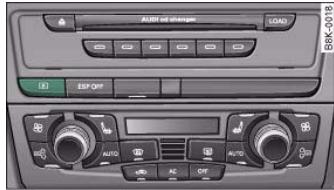
Fig. 62 Switch for sun blind (vehicles with MMI)
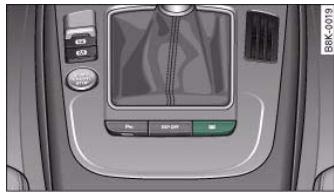
Fig. 63 Switch for sun blind
Sun blind (rear window)
- Press the switch to extend or retract the electric sun blind for the rear window fig. 62 or fig. 63.
If you have selected the Automatic rear blind function on in the MMI the raised sun blind will be retracted automatically when reverse gear is engaged page 51. In this way, the rear blind will not obstruct your vision when reversing. The rear blind returns to its raised position when reverse gear is disengaged and the vehicle is
Controls
Safety
Driving tips
General maintenance
Self-help
Technical data

driven forwards at a speed above about 15km / h . The current setting is automatically stored and assigned to the remote control key.
If the rear blind was rolled in automatically when reversing and then the ignition was switched off and on again, the blind will not roll back out again when you select a forward gear and the speed exceeds 15km / h . You will then have to press the button on the centre console to extend the blind again.
The sun blind for the rear window switches off automatically when it reaches the end position. It can be made to move in the other direction before it reaches its end position by briefly pressing the switch a second time. If the ignition is turned off while the blind is still moving, it continues until it reaches the end position before switching off.

Note
-
An overload cut-out may be activated if the sun blind is operated repeatedly. There will then be a short delay before the blind can be operated again.
-
As the material of the sun blind is less flexible at low temperatures the electric actuator is switched off when the temperature in the car is below -5^ . The blind can only be operated when the temperature in the car's interior rises above this level.
Windscreen wipers
Windscreen wipers
The windscreen wiper lever controls the windscreen wipers and the automatic wash and wipe.
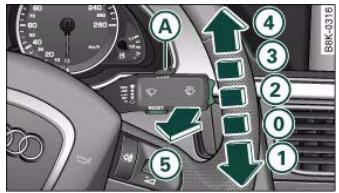
Fig. 64 Windscreen wiper lever
The windscreen wiper lever has the following settings:
Brief wipe
- Move the lever down to position ① to give the wind-screen a brief wipe.
Intermittent wipe (activating rain sensor)
- Move the lever up to the stop ②.
- Move the control A to the left or right to set the sensitivity of the rain sensor.
Slow wiper speed
- Move the lever up to the stop ③.
Fast wiper speed
- Move the lever up to the stop (4).


Automatic wash and wipe
Pull the lever to position 5.
- Release the lever again. The washer will stop and the wipers will keep running for approximately 4 seconds. The number of wipe cycles varies according to the length of time the lever is pulled.
Switching off the wipers
- Move the lever to the "off" position (0).
General notes
The washers and wipers will only work when the ignition is switched on.
If you stop briefly, e.g. at traffic lights, the wiper speed will automatically be reduced by one level.
The windscreen washer jets are heated when the ignition is switched on if the outside temperature is low.
Dribble wipe
About 5 seconds after the wash and wipe cycle has finished, the windscreen wiper system automatically gives the screen one extra wipe to remove any dribbles of water.
If you want to deactivate the dribble wipe function while driving, pull the lever to position ⑤ again within 10 seconds.
The dribble wipe function will be re-activated the next time the ignition is switched off and on.
Rain sensor*
The rain sensor will only function in the intermittent wipe position. The intermittent wipe function is activated automatically when it starts to rain.
Before you reach a road speed of 6km / h you will have to activate the rain sensor manually by switching it off and back on again.
To reduce the sensitivity level of the rain sensor move control A page 62, fig. 64 to the left. To increase the sensitivity level of the rain sensor move the control to the right.
If you have selected a high sensitivity level for the rain sensor the windscreen wipers will react sooner to any moisture on the windscreen. The wiper intervals in the intermittent wiper setting are also varied automatically according to the road speed (in addition to the sensitivity setting).

WARNING
- Poor visibility can cause accidents. Always ensure that the wiper blades are in good condition page 65, "Changing wiper blades".
- The rain sensor is only intended to assist the driver. The driver is still obliged to manually operate the windscreen wipers as required depending on visibility.
- Do not use water-repellent coatings on the windscreen. In bad visibility conditions such as light rain, low sun or when driving at night these coatings can cause increased dazzle, which is a serious safety hazard. Such coatings can also cause the wiper blades to judder.

Caution
- In icy conditions, always check that the wiper blades are not frozen to the glass before using the wiper for the first time. If you switch on the wipers when the wiper blades are frozen to the glass, this could damage both the wiper blades and the wiper motor.
- Make sure you switch off the windscreen wiper system (lever in position "0") before you use an automatic car wash. This will avoid inadvertent triggering of the wipers and possible damage to the wiper system.
Controls
Safety
Driving tips
General maintenance
Self-help
Technical data
al data

- Check that the washer fluid reservoir is full before starting a long journey. Filling the reservoir page 242.
- Worn or dirty wiper blades can cause smearing on the glass which can also impair the effectiveness of the rain sensor. Please check the wiper blades regularly.
Applies to vehicles: with headlight washers
Headlight washer system
The headlight washer system only operates when the lights are switched on.
- Move the automatic wash and wipe lever to position 5 page 62, fig. 64.
The headlight washer system is always activated the first time you operate the automatic wash and wipe. Subsequently, it is only activated about every five wash and wipe cycles. The headlights are always washed if you hold the lever for longer than about 2 seconds.
The headlight washer jets come out of the bumper automatically (under water pressure).
Clean off stubborn dirt (insects, etc.) from the lenses at regular intervals, for instance when stopping for fuel.
To ensure that the system works properly in winter, keep the nozzle holders free of snow and remove any ice with a de-icer spray.
Service position
Use the service position to change the wiper blades.

Fig. 65 MMI display: Windscreen wipers
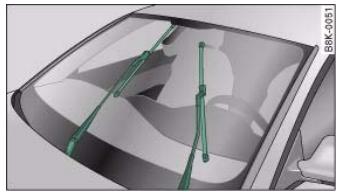
Fig. 66 Service position
You can set the wipers to the service position on the sound system or MMI*.
- If the wiper blades are not frozen to the windscreen, move the windscreen wiper lever to the "off" position (0) page 62, fig. 64.
-
Select: Function selector button > Windscreen wipers > Service position fig. 65.
-
on - the wiper blades can only be replaced when the wiper arms are in the service position fig. 66. If you only work on the wipers

when they are in the service position you will also avoid damaging the paintwork on the bonnet.
- off - the windscreen wipers will be moved back to their original position.

Caution
Never move the vehicle with the front wiper arms in a raised position as they are automatically moved back to their normal park position above a speed of 6km / h . The paintwork on the bonnet may be damaged as a result.

Note
- You can also use the service position, for example, if you want to fix a cover over the windscreen in the winter to keep it clear of ice.
- The service position is automatically set to off when you operate the windscreen wiper lever or the road speed exceeds 6km/h .
Changing wiper blades
Good wiper blades are essential for clear vision.
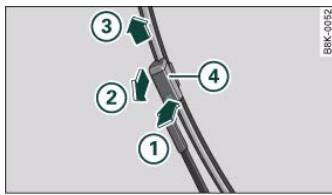
Fig. 67 Removing the wiper blades
Taking off the wiper blade
Fitting the wiper blade
- Fit the new wiper blade into the mounting on the wiper arm 4. You should hear it engage in the wiper arm.
- Fold the wiper arm back down onto the glass.

WARNING
- To prevent smearing on the glass, the wiper blades should be cleaned regularly using a window cleaner solution. If the wiper blades are very dirty (insects etc.), they should be cleaned using a sponge or cloth - bad visibility can cause accidents.
For safety, the wiper blades should be changed once or twice a year.

Caution
The windscreen wipers must be in the service position page 64 when replacing the blades! Otherwise the wiper motor or the paintwork on the bonnet may be damaged.
Rear-view mirrors
Manual anti-dazzle adjustment
Normal setting
- Push the lever at the bottom of the mirror away from you.
Controls
Safety
Driving tips
General maintenance
Self-help
Technical data
al data

- Pull the lever at the bottom of the mirror towards you.
Applies to vehicles: with automatic anti-dazzle adjustment for interior mirror
Automatic anti-dazzle adjustment
The automatic anti-dazzle function can be switched on and off as desired.
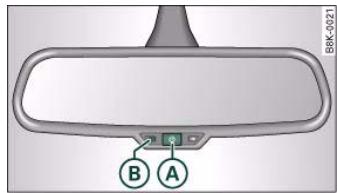
Fig. 68 Anti-dazzle interior mirror: On/off button with indicator lamp
Switching off anti-dazzle function
- Press button fig. 68 - the indicator lamp B will go out.
Switching on anti-dazzle function
- Press button A - the indicator lamp B will light up.
Anti-dazzle function
The anti-dazzle function is activated every time the ignition is switched on. The green indicator lamp lights up in the mirror housing.
When the anti-dazzle function is activated the interior mirror will darken automatically according to the amount of light it receives (for example from the headlights of a vehicle behind). The mirror will not darken automatically:
- when the interior lighting is switched on
- when reverse gear is engaged

WARNING
Electrolyte fluid can leak from a broken mirror. This fluid can cause irritation to the skin, eyes, and respiratory organs. Wash thoroughly with clean water should you come into contact with this fluid. Seek medical assistance if needed.

Caution
Electrolyte fluid leaking from a broken mirror can cause damage to plastic surfaces. Use a sponge or similar to remove the fluid as soon as possible.

Note
-
If you switch off the anti-dazzle function for the interior mirror, this will also deactivate the anti-dazzle function for the exterior mirrors.
-
The automatic anti-dazzle function will only work properly if the sun blind* for the rear window is not in use and there are no other objects preventing light from reaching the interior mirror.
- Do not attach any stickers to the windscreen in front of the sensors, as these could lead to malfunctioning of the mirror.



The exterior mirrors are adjusted electrically.
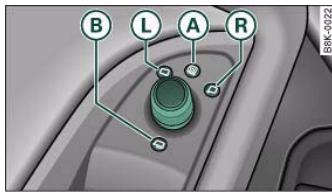
Fig.69 Detail of the armrest: Adjuster knob
Adjusting exterior mirrors
Turn the adjuster knob to position L (left exterior mirror) or position R right exterior mirror fig.69.
- Move the knob as required to adjust the exterior mirror for a good rearward view.
Heated mirrors
- Turn the knob to position A.
Retracting both exterior mirrors*
- Turn the knob to position ()
The mirrors are heated depending on the outside temperature until the ignition is switched off, even if the knob is no longer in position ④.
It may be advisable to retract* the exterior mirrors to protect them when parking or when driving through tight spaces.
Memory for exterior mirrors*
On vehicles with memory function for the driver's seat, the setting of the exterior mirrors is automatically stored together with the seat position page 74.
Tilting function for exterior mirror on passenger side\* (only if equipped with memory for exterior mirrors)
When reverse gear is engaged, the mirror surface tilts slightly downwards, provided the mirror control is switched to the exterior mirror on the passenger's side (knob in position fig. 69). This provides a better view of the kerb when parking.
The mirror returns to its original position when reverse gear is disengaged and the vehicle is driven forwards at a speed above about 15km / h . The mirror will also return to its original position when the adjuster knob is turned to the position for the driver's exterior mirror 1 or when the ignition is switched off.
If the position of the mirror surface is changed while the mirror is tilted, this new position is automatically stored and assigned to the remote control key when you disengage reverse gear.

Caution
-
Convex or wide-angle* exterior mirrors give a larger field of vision. However, they also make objects appear further away than they actually are. For this reason, you should not rely on these mirrors for judging the distance of vehicles behind.
-
If one of the mirror housings is knocked out of position (e.g. when parking), the mirrors must first be fully retracted with the electric control. Do not readjust the mirror housing by hand, as this will interfere with the mirror adjuster function.

Note
If the electrical adjustment should ever fail to operate, the mirrors can be adjusted by hand by lightly pressing the edge of the mirror glass.
Controls
Safety
Driving tips
General maintenance
Self-help
Technical data

Applies to vehicles: with automatic anti-dazzle adjustment for exterior mirrors
Automatic anti-dazzle adjustment for exterior mirrors
The exterior mirrors darken together with the automatically adjusting interior mirror. When the ignition is on, the mirrors will darken automatically according to the amount of light received (for example from the headlights of a vehicle behind).
When the interior lights are switched on, or when reverse gear is engaged, the mirrors revert to their original (i.e. not darkened) condition.

WARNING
Electrolyte fluid can leak from a broken mirror. This fluid can cause irritation to the skin, eyes, and respiratory organs. Wash thoroughly with clean water should you come into contact with this fluid. Seek medical assistance if needed.

Caution
Electrolyte fluid leaking from a broken mirror can cause damage to the paintwork or plastic surfaces. Use a sponge or similar to remove the fluid as soon as possible.

Note
- If you switch off the anti-dazzle function for the interior mirror, this will also deactivate the anti-dazzle function for the exterior mirrors.
- The automatic anti-dazzle function will only work properly if the sun blind* for the rear window is not in use and there are no other objects preventing light from reaching the interior mirror.
Digital compass
Applies to vehicles: with digital compass
Activating and deactivating the compass
The compass direction will appear in the mirror.

Fig.70 Interior mirror: activated digital compass
To switch the compass on and off, press and hold button until the compass display in the mirror fig. 70 appears or disappears.
The digital compass only works when the ignition is on. The points of the compass are displayed as follows: N (North), NE (North East), E (East), SE (South East), S (South), SW (South West), W (West), NW (North West).

Note
To avoid inaccurate compass readings, do not hold any remote controls or other electrical devices or metal objects near the interior mirror.

Applies to vehicles: with digital compass
Setting the correct compass calibration zone
The correct compass calibration zone must first be set before the compass can give an accurate reading.

Fig. 71 Map of compass calibration zones
- Press and hold button page 68, fig. 70 until the currently set zone number is displayed on the interior mirror.
Press button A repeatedly until the correct zone number appears. The adjustment mode will be ended automatically after a few seconds.
Applies to vehicles: with digital compass
Calibrating compass
The compass must be re-calibrated if the display is incorrect or inaccurate.
- Press and hold button A until the letter C appears in the interior mirror.
- Drive in a circle at a speed of about 10km / h until a point of the compass is displayed in the interior mirror.
WARNING
Calibrate your compass at a location where there is no traffic so that you do not endanger yourself or other road users (accident risk).



Manual adjustment of front seats
Applies to vehicles: with manual seat adjustment
Seat adjuster controls
There are several seat adjustment functions for your comfort and convenience
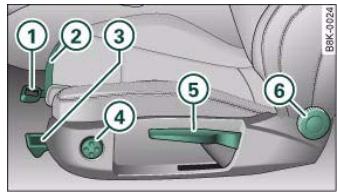
Fig. 72 Adjuster controls on driver's seat
Some of the controls shown are only fitted on certain models or are optional extras.
Adjuster controls
① Moves seat backwards or forwards
(2) Thigh support
3 Adjusts angle of seat cushion
4 Adjusts lumbar support*
(5) Adjusts seat height
⑥ Adjusts backrest angle
Applies to vehicles: with manual seat adjustment
Seat adjustment
It is possible to adjust the position and shape of the seat manually so that you can travel in a safe and comfortable sitting position.
Before adjusting your seat, please read and observe the warnings
Moving seat backwards or forwards
- Lift the lever ① fig. 72 and move the seat to the desired position.
- Then release the lever ① and move the seat further until the catch engages.
Extending or shortening the thigh support*
- Lift the control ② below the seat cushion. The front seat cushion will spring forward.
- Slide the seat cushion back to the normal position after each use.
Adjusting angle of seat cushion*
- Pull the lever (3) fig. 72 up or down repeatedly (i.e. pump the lever).
Adjusting contour of lumbar support*
- Press the front or rear part of the adjuster switch ④ to increase or decrease the curvature of the lumbar support as required.

Adjusting height of lumbar support*
- Press the top or bottom part of the adjuster switch (4) to move the lumbar support upwards or downwards as required.
Raising or lowering the seat
Pull the lever (5) page 70, fig. 72 up or down repeatedly (i.e. pump the lever).
Adjusting backrest angle
- Lean forwards to take your weight off the backrest.
- Turn the adjuster wheel 6 page 70, fig. 72 to set the angle of the backrest as required.

WARNING
- Never adjust the driver's seat when the vehicle is moving - this could lead to an accident.
- Be careful when adjusting the seat height. Careless or uncontrolled use of the seat adjustment can cause injuries.
- Do not drive with the backrests of the front seats reclined too far as otherwise the seat belt and airbag could fail to restrain the wearer properly in an accident, possibly leading to injury.
Applies to vehicles: with manual seat adjustment
Easy-entry function
The easy-entry function gives improved access to the rear seats.
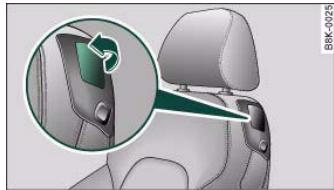
Fig. 73 Driver's seat: Lever on backrest
Folding down backrest and moving front seats forwards
Pull up the lever fig. 73.
- Keep holding the lever and fold down the backrest.
- Let go of the lever and push the seat forwards.
Moving front seat back and returning backrest to an upright position
- Push the front seat back before you return the backrest to an upright position. Otherwise, it will not be possible to move the seat back to its original position.

WARNING
Before you drive off, always make sure the front seats are upright and securely locked in position.
Controls
Safety
Driving tips
General maintenance
Self-help
Technical data

Electric adjustment of front seats
Applies to vehicles: with electric seat adjustment
Seat adjuster controls
The arrangement of the switches corresponds with the design of the seats.
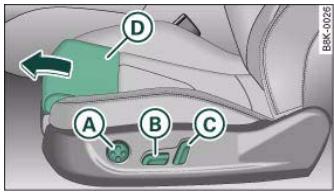
Fig. 74 Front seat: Adjuster controls
The adjustment switches for the seat and backrest correspond with the design of the seat. The seats can be adjusted simply by pressing the corresponding switch in the required direction.
Adjuster controls
A Lumbar support
B Seat adjuster
Height adjuster for backrest and head restraint
Thigh support*
Applies to vehicles: with electric seat adjustment
Seat adjustment
You can use the electrical adjustment to set the position, angle and shape of the seat so that you can travel in a safe and comfortable sitting position.
Before adjusting your seat, please read and observe the warnings A.
Adjusting contour of lumbar support
- Press the front or rear of switch (A) to increase or decrease the curvature of the lumbar support as required.
Adjusting height of lumbar support
- Press the top or bottom of adjuster switch A to move the lumbar support upwards or downwards as required.
Moving seat backwards or forwards
- Press switch () fig. 74 forwards or backwards.
Adjusting seat height
- Press switch 8 up or down.
Raising/lowering seat at front
- Press the front of switch B up or down.
Raising/lowering seat at rear
- Press the rear of switch (8) up or down.
Adjusting backrest angle
- Press switch forwards or backwards.

Adjusting head restraint height
Extending or shortening the thigh support*
- Lift the control below the seat cushion. The front seat cushion will spring forward.
- Slide the seat cushion back to the desired position.
WARNING
- Never adjust the driver's seat when the vehicle is moving - this could lead to an accident.
- The electrical seat adjustment also works when the ignition is off and when the key is not in the ignition. To avoid accidental injuries, never leave children unattended in the vehicle.
- Be careful when adjusting the seat height. Careless or uncontrolled use of the height adjustment can cause injuries.
- Do not drive with the backrests of the front seats reclined too far as otherwise the seat belt and airbag could fail to restrain the wearer properly in an accident, possibly leading to injury.
Applies to vehicles: with electric seat adjustment
Easy-entry function
The easy-entry function gives improved access to the rear seats.
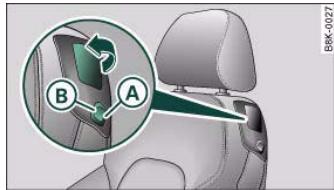
Fig. 75 Driver's seat: easy-entry controls
Tipping the front backrests forward
Pull up the lever fig. 75.
Tip the backrest forward and down.
Moving the front seats forward
- Press and hold the switch (A) until the seat reaches the desired position.
Moving the front seats back
Press and hold the switch (8) until the seat reaches the desired position. The seat will stop automatically when it has moved back to its original position.
The front backrests can be tipped forward for easier access to the rear seats (the head restraints will be retracted automatically). At the same time, the front seats can also be moved forwards and backwards as required.
Controls
Safety
Driving tips
General maintenance
Self-help
Technical data

When the front seats are moved forward, their original positions are stored in a memory. The seats then stop automatically in this position when they are moved back. If you want to move one of the seats back further, release the switch 8 and press it again.
The head restraints on the front seats retract automatically (depending on the seat height setting) when the backrests are tipped forward, and move back to their original positions when the backrests are returned to the upright position.

The easy-entry switches on the relevant seat are out of action when the driver's or passenger's doors are closed.
Seat memory
Applies to vehicles: with seat memory
Memory for driver's seat
You can use the recall buttons in the driver's door to store and recall the seat adjustments for two drivers.
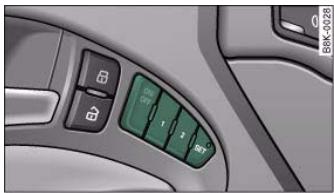
Fig. 76 Driver's door: Seat memory
As well as the driver's seat position, the seat memory will store and recall the exterior mirror settings (if the vehicle is equipped accordingly):
Storing and recalling settings
You can store and recall the settings for two different drivers using the recall buttons 1 and 2 fig. 76 page 74.
In addition, the current settings are automatically stored when you lock the vehicle and assigned to the remote control key that is being used. When you unlock the vehicle, the system automatically recalls the settings stored on that remote control key.
Switching seat memory on and off
The seat memory will be out of action if the ON/OFF switch is in the raised position (press and release). The word OFF will then light up in the ON/OFF switch.
The stored settings will all remain in the memory. We recommend using the ON/OFF switch to deactivate the seat memory when the vehicle is being driven temporarily by a different driver whose settings do not need to be stored in the system.
Applies to vehicles: with seat memory
Storing and recalling settings
The ON/OFF switch must be in its down position (pressed in) before you can store and recall the desired settings.
Storing settings
- Adjust the driver's seat as required.
- Adjust both exterior mirrors.
- Press and hold the SET button. At the same time press one of the recall buttons for at least a second.
- Then release the buttons. The settings are now stored on the selected recall button.

- If the driver's door is open, press the desired recall button briefly.
- If the driver's door is closed, press and hold down the desired recall button until the programmed settings are reached.
A tone will sound and the diode in the (SET) button page 74, fig. 76 will light up to confirm that the settings have been stored. When you lock the vehicle the current settings are automatically stored and assigned to the remote control key. However, the settings assigned to the remote control key will not overwrite the settings stored on recall buttons 1 and 2. The settings stored on the recall buttons can be called up at any time. When you unlock the vehicle, the settings assigned to the remote control key are recalled automatically.
If your vehicle is also driven by other persons using your remote control key, it is advisable to store your personal settings on one of the recall buttons. You can then recall your own settings at any time simply by pressing the corresponding recall button. When you lock the vehicle these settings are then stored automatically and assigned once again to the remote control key.
Applies to vehicles: with seat memory
Activating memory for remote control key
The relevant function must be activated on the sound system or MMI so that the settings stored in the memory can be recalled using the remote control key.
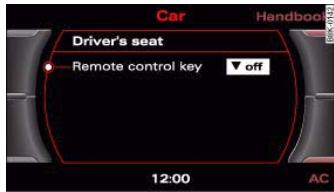
Fig. 77 MMI display: Driver's seat
- Select: Function selector button > Seat adjustment > Driver's seat > Remote control key > on.

WARNING
- For safety reasons, never recall seat settings when the vehicle is moving - this could lead to an accident.
- In an emergency the recall function can be stopped at any time by pressing the ON/OFF switch, or by briefly pressing any of the recall buttons.
Controls
Safety
Driving tips
General maintenance
Self-help
Technical data

Adjusting the front head restraints
In combination with properly worn seat belts, the head restraints offer effective protection. However, they must always be properly adjusted to suit the height of the occupant.
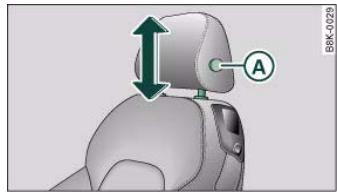
Fig. 78 Front seat: Adjusting head restraint
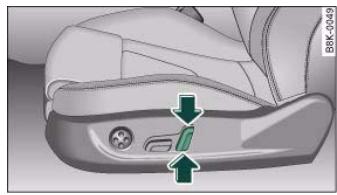
Fig. 79 Front seat: Adjusting head restraint (electric adjustment*)
Raising head restraint
Take hold of the sides of the head restraint with both hands.
- Push the head restraint upwards.
Lowering head restraint
Take hold of the sides of the head restraint.
- Press button fig. 78 and push the head restraint downwards.
Electric height adjustment*
- Press the switch fig. 79 up or down to move the head restraint to the desired height.
- You should adjust the head restraint so that the top of the head restraint is at least at eye level, or higher fig. 78.
For best protection, the top of the head restraint should be at least at eye level, or higher.
The height of the head restraints is adjustable. They should be set to suit the height of the occupant. In combination with the seat belts, the head restraints offer effective protection, provided they are properly adjusted.
Adjusting the rear head restraints
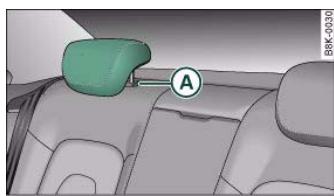
Fig. 80 Rear seats: Head restraint


Raising head restraint
Take hold of the sides of the head restraint with both hands.
- Push the head restraint upwards as far as it will go.
Lowering head restraint
Take hold of the sides of the head restraint.
- Press the button page 76, fig. 80 and push the head restraint downwards.
For best protection, the top of the head restraint should be at least at eye level, or higher.
When the rear seats are not occupied the head restraints should be moved to the lowest position so that they do not obstruct the driver's field of vision.
Applies to vehicles: with front armrest
Front armrest
The armrest can be adjusted to several positions and moved back and forwards.
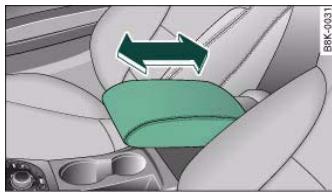
Fig.81 Armrest between driver's seat and front passenger's seat
Adjusting armrest
- To adjust the position of the armrest, pull the armrest all the way down.
- Then lift the armrest gradually until it engages in the desired position.
Moving armrest
- You can move the armrest backwards or forwards fig. 81.
Please note that the armrest can restrict the driver's movements when it is lowered. The armrest should therefore be moved back before driving in city traffic.
There is a storage compartment underneath the armrest.
Luggage compartment
Loading the luggage compartment
Loads in the luggage compartment should be safely secured.
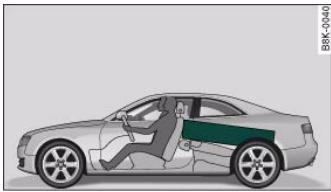

Fig. 82 Heavy items should be placed as fa forwards as possible.


To maintain safe handling on the road, please observe the following points:
- Distribute the weight as evenly as possible.
- Position heavy items as far forward as possible page 77, fig. 82.
- Secure the load with the luggage net or with non-elastic straps secured to the fastening rings page 78.

WARNING
- Unsecured objects in the luggage compartment can suddenly shift and cause changes in the handling of the vehicle.
- In an accident or a sudden manoeuvre, loose objects in the passenger compartment can be flung forward and possibly injure vehicle occupants.
- Always store objects in the luggage compartment and secure with suitable straps. This is especially important for heavy objects.
- When you transport heavy objects, always keep in mind that a change of the centre of gravity can also cause changes in vehicle handling.
- Please observe the important safety warnings page 162, "Safe driving".
Applies to vehicles: with fastening rings
Fastening rings
There are four fastening rings in the luggage compartment which can be used to secure loads.
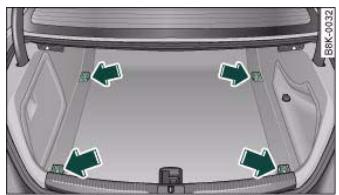
Fig.83 Location of fastening rings in luggage compartment
- Use the fastening rings to secure the load fig. 83 -arrows-.
- Please refer to the safety notes page 169.

Note
Adjust the tyre pressure to match the vehicle loading - the correct pressures are specified on the sticker on the end face of the driver's door.




Applies to vehicles: with stretch net
Stretch net / retaining net
The stretch net / retaining net can be used to secure light items in the luggage compartment.
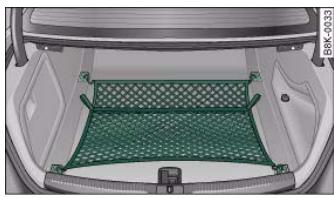
Fig. 84 Stretch net laid out
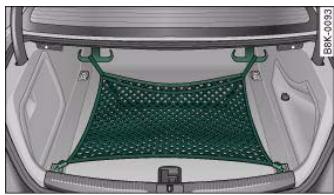
Fig. 85 Stretch net attached in position as retaining net
Stretch net
- First secure the front hooks in the fastening rings fig. 84.
- Then secure the rear hooks in the fastening rings.
Retaining net
-
Secure the hooks of the retaining net to the fastening rings at the bottom of the tail panel fig. 85.
-
Pull down the retaining hooks at the top of the luggage compartment. Pull up the net and attach the loops of the net to the retaining hooks.
You can also use the retaining hooks fig. 85 to secure light items of luggage, such as shopping bags, etc.
The hooks will fold up again by themselves when not in use.

The retaining net should only be used to hold objects weighing up to 5kg . Heavier objects cannot be safely secured (injury risk).
Side storage compartment
The DVD player for the navigation system* is located in the left side compartment in the luggage compartment.
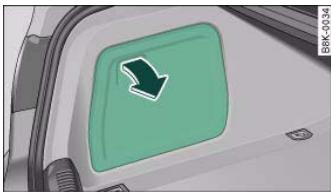
Fig.86 Luggage compartment:Side trim with closed storage compartment
Controls
Safety
Driving tips
General maintenance
Self-help
Technical data

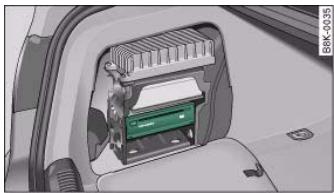
Fig. 87 Luggage compartment: DVD player for navigation system
- To open the storage compartment, pull the handle page 79, fig. 86.
DVD player for navigation system*
The DVD player for the navigation system is located in this storage compartment fig. 87 in the luggage compartment. For more information, please refer to the Infotainment/MMI Operating Manual.
Applies to vehicles: with folding backrests
Extending the luggage compartment from the boot
The backrests can be folded forwards to increase the storage space.
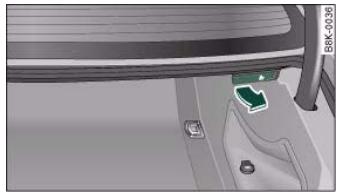
Fig.88 Release lever in luggage compartment
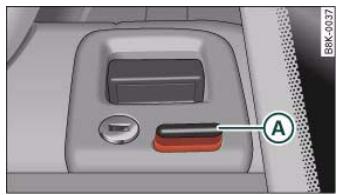
Fig. 89 Safety knob
Releasing and folding down backrest
- When you pull the release lever fig. 88 in the direction of the arrow, the safety knob (A) fig. 89 will pop up and the red marking on the knob will become visible.
- Fold down the backrest.




Returning backrest to an upright position
- Push the backrest up again until it engages securely . The red marking on the safety knob () page 80, fig. 89 should no longer be visible when the backrest is properly secured.
When the backrest is properly engaged in its upright position, it can be locked and unlocked with the key. This prevents unauthorised access to the luggage compartment from inside the vehicle.
The luggage compartment can only be extended from the boot when the backrest has not been locked with the key.

WARNING
The rear backrest must always be securely latched so that objects stored in the luggage compartment will not fly forward during sudden braking.

Caution
When returning the backrest to an upright position, make sure that the seat belts for the rear seats are in their guides so that they cannot be caught up and damaged in the catches for the backrest. It is also important to remove any other objects from the rear seats to avoid damaging the backrest when folding it forwards.
Applies to vehicles: with folding backrests
Extending the luggage compartment from inside the vehicle
The backrests can be folded forwards to increase the storage space.
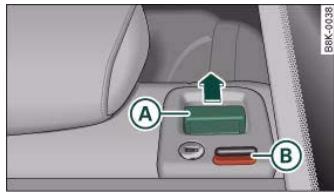
Fig. 90 Release handle on backrest
Folding down backrest
- When you pull the release handle fig. 90 in the direction of the arrow, the safety knob will pop up and the red marking on the knob will become visible.
- Fold down the backrest.
Returning backrest to an upright position
Push the backrest up until it engages securely . The red marking on the safety knob 6 should no longer be visible when the backrest is properly secured.
When the backrest is properly engaged in its upright position, the release handle can be locked and unlocked with the key. This prevents unauthorized access to the luggage compartment from inside the vehicle.
Controls
Safety
Driving tips
General maintenance
Self-help
Technical data


The rear backrest must always be securely latched so that objects stored in the luggage compartment will not fly forward during sudden braking.

Caution
When returning the backrest to an upright position, make sure that the seat belts for the rear seats are in their guides so that they cannot be caught up and damaged in the catches for the backrest.
Applies to vehicles: with folding backrests
Locking the backrest
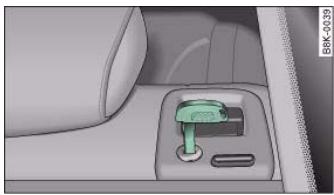
Fig.91 Locking the backrest
- Turn the key fig. 91 to the right to lock the backrest.
- Turn the key to the left to unlock the backrest.
When the backrest is properly engaged in its upright position, the release handle can be locked and unlocked with the key. This prevents unauthorised access to the luggage compartment from inside the vehicle.

Caution
When returning the backrest to an upright position, make sure that the seat belts for the rear seats are in their guides so that they cannot be caught up and damaged in the catches for the backrest.
Storage shelf
The storage shelf behind the rear backrest should only be used to store light articles of clothing.

WARNING
Do not store any heavy or hard objects on the storage shelf. They could cause injury if the brakes are applied suddenly.

Caution
Please note that hard objects could chafe against the wires of the heating element in the rear window and cause damage.

Note
Make sure that the slots between the rear window and the storage shelf are kept clear to ensure unimpaired ventilation.

Applies to vehicles: with load-through hatch
Load-through hatch
You can use the load-through hatch and bag to transport objects safely inside the vehicle.
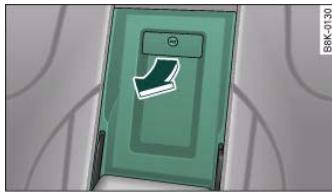
Fig.92 In the rear seat: Opening the lid of the load-through hatch
Opening the load-through hatch
- In the passenger compartment, pull down the centre rear armrest.
Pull the release catch fig. 92 - arrow- and fold the cover of the load-through hatch down into the passenger compartment.
- Open the boot lid.
- Working from the luggage compartment, push the bag through the opening.
- Secure the bag page 83.
Closing the load-through hatch

WARNING
Loose objects must be transported in the bag, as the bag can be secured. Individual objects cannot be secured - Risk of accident?

Note
- You can also open the load-through hatch from the luggage compartment. Press down the release catch and push the cover forwards.
- The load-through hatch can be locked and unlocked from inside the vehicle using the emergency key fig. 92.
Applies to vehicles: with load-through hatch
Securing the transport bag
The transport bag must be secured in the luggage compartment.
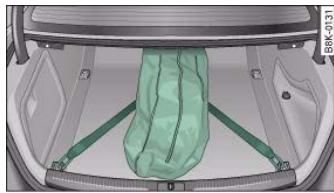
Fig. 93 Luggage compartment: Securing the bag
Controls
Safety
Driving tips
General maintenance
Self-help
Technical data

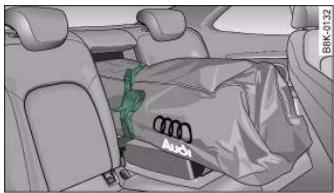
Fig. 94 Securing the objects in the bag
Securing the bag in the luggage compartment
- Two belts with hooks are attached to the bottom side of the bag. Engage the hooks into the rear fastening rings in the luggage compartment page 83, fig. 93.
Securing the objects in the bag
- Pull the free end of the belt tight to secure it fig. 94.

If the bag is damp or wet, allow it to dry before putting it away.
Roof carrier
Description
Additional loads can be transported using the roof carrier.
Note the following points if you intend to carry loads on the roof: The rain channels are moulded into the roof as part of the aerodynamic roof design. It is therefore not possible to mount conventional roof luggage racks. We recommend using the carrier units from the range of Audi Genuine accessories.
- These carrier units form the basic elements of a complete roof carrier system. Special fixtures must then be added in order to safely transport luggage, bicycles, skis, surf boards or boats on the roof. All the elements of this system are available from Audi dealers.

Any damage to the vehicle caused by the use of other types of roof rack or incorrect installation will not be covered by the factory warranty. The roof carrier system must therefore be installed exactly according to the instructions provided.
Attachment points
The roof carrier must be attached at the marked points only.
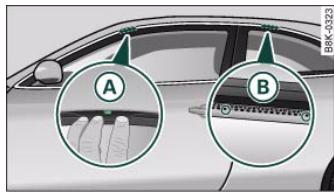
Fig.95 Attachment points for carrier units
Mounting
The front feet of the carrier units must be fitted exactly onto the locating pins A between the side frame and the roof frame trim fig. 95. The pins come into view when you push the sealing lip back off the roof frame trim using the tool supplied with the roof carrier. The rear attachment points B are marked by two small arrows on the top edge of the side window.

Loads carried on the roof must be securely attached. The car's handling is affected when transporting loads.
The maximum permissible roof load for your vehicle is 75kg . The load limit applies to the combined weight of the carrier system and the load itself.
It will not be possible to carry the full maximum load if the roof carrier you are using is rated for a load which is less than this figure. Do not exceed the maximum weight limit for the roof carrier, which is listed in the fitting instructions.

WARNING
- To prevent accidents, loads carried on the roof must be securely attached.
- Do not exceed the maximum roof load for the vehicle, the maximum axle loads or the maximum gross vehicle weight, as this could cause an accident.
- When transporting heavy or bulky loads on the roof, bear in mind that the car's handling is affected by the extra weight on the roof and a possible susceptibility to cross winds. Adjust your speed and driving style accordingly to avoid accidents.
Cup holders
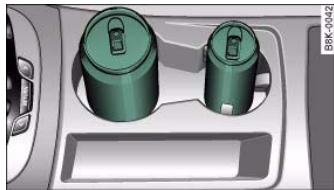
Fig.96 Centre console: Front cup holder
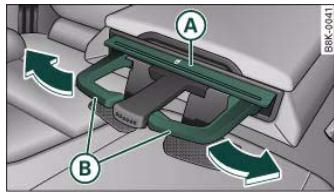
Fig. 97 Cup holder in rear armrest

For the sake of the environment
The increased air resistance when the roof carrier is fitted means that the vehicle uses more fuel. For this reason you should always take off the roof carrier when it is not in use.
Front cup holder
- Two drinks can be placed in this cup holder fig. 96.
Opening rear cup holder
- Press the symbol fig. 97.
Placing drinks in rear cup holder
- To adjust the arm of the cup holder (8), move it in the direction indicated by the arrow.
Controls
Safety
Driving tips
General maintenance
Self-help
Technical data


- Position the cup in the holder and let go of the arm. The arm will move back automatically to secure the cup.
Closing cup holder
- Press the middle piece between the two arms and push the cup holder back into the shaft as far as it will go.
The retainer arm should be positioned against the drinks container so that it is held securely.
One or two drink containers can be held in the centre armrest.

WARNING
- Do not put any hot drinks in the cup holders while the vehicle is moving. You could be scalded if the hot liquid is spilt.
- Do not use hard china cups or glasses. These could cause injury in the event of an accident.

Caution
You should avoid putting open drinks containers in the cup holders. The drinks could otherwise spill over and cause damage to e.g. the electrical equipment or the seat covers.
Ashtrays
Front ashtray
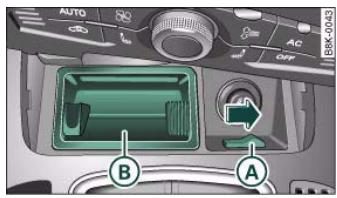
Fig.98 Centre console: Ashtray open
Opening ashtray
Closing ashtray
- Lightly press the cover to make the ashtray close automatically.
Removing ashtray
- Slide the switch fig. 98 to the right to release the ashtray.
Take out the ashtray fig.98.
Inserting ashtray
- Insert the ashtray and press it into its mountings.

WARNING
Never put waste paper in the ashtray, as this could cause a fire.

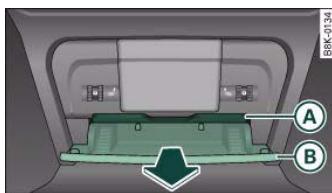
Rear ashtray
Fig.99 Rear centre console: Ashtray
Opening ashtray
Pull the front lip of the ashtray () fig. 99 in the direction of the arrow.
Removing ashtray
- Press down the retainer and take out the ashtray.
Inserting ashtray
- Place the ashtray in the holder.

WARNING
Never put waste paper in the ashtray, as this could cause a fire.
Cigarette lighter and electrical sockets
Cigarette lighter
The 12 Volt socket for the cigarette lighter can also be used as a power source for other electrical appliances.
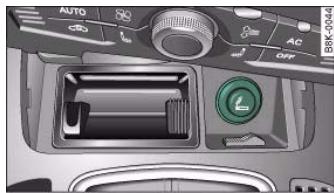
Fig. 100 Front ashtray (open)
Using cigarette lighter
- Open the cover of the front ashtray.
- Press in the cigarette lighter knob.
- Wait for the lighter to spring out.
- Pull out the cigarette lighter immediately.
- Use the glowing heater element of the cigarette lighter to light your cigarette.
Put the cigarette lighter back in its socket.
Operating electrical socket
Take out the cigarette lighter.
- Insert the plug of the electrical appliance into the cigarette lighter socket.
Controls
Safety
Driving tips
General maintenance
Self-help
Technical data
al data

The cigarette lighter employs a standard 12 Volt socket which can also be used as a power source for electrical appliances. The appliances connected to the socket must not exceed a power rating of 100 W.

WARNING
- Take care when using the cigarette lighter. Carelessness or negligence when using the cigarette lighter can cause burns.
- The cigarette lighter also works when the ignition is off and when the ignition key is removed. To avoid the risk of fire, never leave children unsupervised in the vehicle.
- The electrical sockets and any appliances connected to them will operate only when the ignition is switched on. Improper use of the electrical sockets or the appliances connected to them can cause injuries or fire. To avoid the risk of injury, never leave children unsupervised in the vehicle with the key.

Caution
Always use the correct type of plugs to avoid damaging the sockets.

Note
Using electrical appliances with the engine switched off will drain the battery.
Applies to vehicles: with 12 Volt sockets
12 Volt sockets
Electrical equipment can be connected to both 12 Volt sockets.
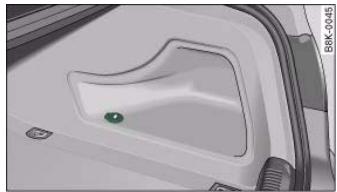
Fig.101 Detail of the side trim in the luggage compartment: 12 Volt socket
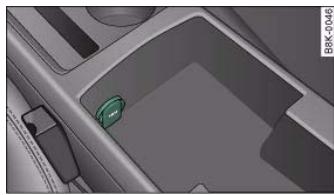
Fig.102 Electrical socket in the centre console
Electrical socket in luggage compartment and front centre console
- Open the cover cap concealing the socket fig. 101.
- Insert the plug of the electrical appliance into the socket.
Electrical socket in rear centre console
- Fold up the lid page 89, fig. 103 to access the socket.

- Insert the plug of the electrical appliance into the socket.
Electrical equipment can be connected to the 12 Volt socket. The appliances connected to the socket must not exceed a power rating of 100 W.
WARNING
The electrical sockets and any appliances connected to them will operate only when the ignition is switched on. Improper use of the electrical sockets or the appliances connected to them can cause injuries or fire. To avoid the risk of injury, never leave children unsupervised in the vehicle with the key.

Caution
- To avoid damage to the vehicle's electrical system, never connect equipment that generates electrical current, such as a solar panel or battery charger, to the 12 Volt sockets or cigarette lighter in order to charge the vehicle's battery.
- Use only equipment which has been tested for electromagnetic compatibility in compliance with EC Directive 2004/104/EC.

Note
Using electrical appliances with the engine switched off will drain the battery.
Applies to vehicles: with 230 Volt Euro socket
On-board 230 Volt Euro socket
Electrical equipment can be connected to the 230 Volt Euro socket in the rear centre console.
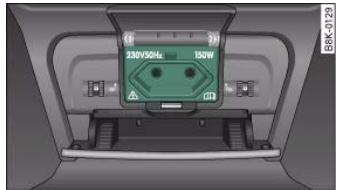
Fig. 103 Rear centre console: 230 Volt Euro socket
The 230 Volt Euro socket can only be used when the engine is running
- Fold up the lid to access the socket.
- Plug the Euro connector into the socket. This will automatically release the child safety device.
LED in electrical socket
| Steady green light: | The socket is ready for use. |
| Flashing red light: | The socket has tripped out due to a power surge, overheating or similar |
Appliances suitable for connection
Electrical equipment with a Euro plug connector can be connected to the 230 Volt Euro socket. The appliances connected to the 230 Volt Euro socket must not exceed a power rating of 150 W (300 W peak power).
Controls
Safety
Driving tips
General maintenance
Self-help
Technical data
al data

If you connect more than one appliance, the total power rating of all appliances must not exceed 150 W. If necessary, check the type plates on the connected appliances for details of the power ratings. Connected appliances must be in perfect condition and free of defects.

WARNING
- Heavy appliances or plugs (such as power supply units) can damage the mounting of the 230 Volt Euro socket if they are suspended directly from the socket - Risk of injury!
- Make sure that all connected appliances are securely stowed when driving to prevent them from being catapulted through the car under braking or in an accident - Danger to life!
- Never spill liquid over the socket - Danger to life! If the socket does get wet, ensure that it is absolutely dry before using it again
- Improper use of the electrical socket or appliances connected to it can cause injuries or fire - Risk of injury!
- Never leave children unattended in the vehicle while the engine is running - Risk of injury!
- Connected appliances behave differently than when they are connected to the public electricity grid. As a result, the connected appliances may become hot during operation - Risk of injury!
- When using adapters or extension cables, please remember that the child safety device on the 230 Volt Euro socket is deactivated and the socket is live - Risk of injury!
- Do not insert conductive materials, such as knitting needles, into the contacts of the 230 Volt Euro socket - Danger to life!
-
Switch off the connected electrical appliances if the inverter trips out due to overheating - Risk of injury!
-
If the power drawn by the connected appliances is above 150W , the inverter in the socket will get warm. The inverter will trip out if the temperature exceeds a certain limit. The inverter can trip out on hot days even when an appliance with a suitable power rating is used. The inverter will switch on again automatically after it has cooled down. Appliances which are already connected and switched on will be activated again automatically .
- Do not connect lamps which contain a neon tube. For technical reasons, this may damage the lamp.
- Do not connect 115 Volt appliances to the 230 Volt Euro socket. This may cause irreparable damage to the appliance. Check the type plate on the appliance if you are unsure of the voltage rating.
- With some power supplies (e.g. on laptop computers), the integrated surge suppressor prevents the equipment from being switched on because the starting current is too high. If this happens, please disconnect the power supply unit from the load and wait for about 10 seconds before re-connecting.

Note
- Unshielded equipment can cause interference on the radio, TV and vehicle's electrical system.
- The Euro socket has an integrated child safety device. There is no power at the socket until the Euro connector is fully inserted.
-
Some appliances may not function normally due to the lower power rating (wattage).
-
The socket can be operated with 115 Volt power supplies, as is the case in certain countries. In this case, a different type of inverter must be installed in the vehicle. Retrofit kits are available from your Audi dealer. Do not connect 115 Volt appliances to the 230 Volt Euro socket.
- Interference can occur on the radio's AM waveband if electrical appliances are used near the rear window aerial.

Caution
- Please observe the operating instructions for the connected appliances.

Storage compartments
Overview
There are several storage compartments at various points in the vehicle.
| Glove box | → page 91 |
| Compartment for (sun) glasses in head-liner | → page 91 |
| Storage compartments in the front seats | → page 92 |
| Coat hooks | → page 92 |
| First-aid kit | → page 254 |
| Side storage compartment in luggage compartment | → page 79 |
| Warning triangle | → page 254 |
Glove box
The glove box is equipped with a lock* and a light.
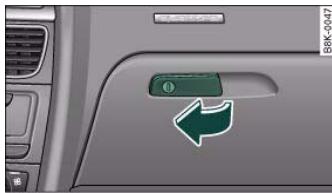
Fig. 104 Glove box
Opening glove box
Pull the catch on the lid in the direction indicated (arrow) fig. 104 and open the lid.
Closing glove box
- Close the lid and push it in until it engages.
The glove box lid has separate holders for a pen and a note pad.
On the right-hand side of the glove box there is a holder with a key shell. In order to start the engine with the spare key, it has to be clipped into this shell.

WARNING
To avoid the risk of injuries, always keep the glove box lid closed when driving.
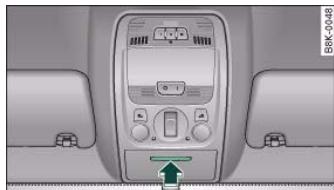
Compartment for (sun) glasses in headliner
Fig.105 Compartment for (sun) glasses in headliner
- To open the cover, lightly press the panel fig. 105 (arrow). The cover will then open by itself.
- To close the cover, push it upwards until it engages.
Controls
Safety
Driving tips
General maintenance
Self-help
Technical data

Controls
ag tips Go
al data
( x - 2x) t - xy^2 = ( x - 2x) f^ t
( x - 2x) t - xy^2 = ( x - 2x) f^ t
6

Always keep the compartment cover closed while the vehicle is in motion to reduce the risk of injury during a sudden braking manoeuvre or in the event of an accident.
Coat hooks
The coat hooks are located on the rear side of the B-pillars (in the rear passenger compartment).

WARNING
- Please make sure that any items of clothing hanging from the coat hooks do not obstruct your view to the rear.
- Only use the coat hooks for light items of clothing and make sure that there are no heavy or sharp objects in the pockets.
- Do not use clothes hangers to hang up the clothing, as this could interfere with the function of the head-protection airbags*.
Applies to vehicles: with storage compartments in the front seats
Storage compartments in front seats
There is a fold-out drawer in the front part of each front seat.
Opening
- Pull the handle to open the compartment.
Closing
- Close the lid and push it in until it engages.




Applies to vehicles: with deluxe automatic air conditioner
Description
The air conditioner can be used to set a comfortable interior temperature in the vehicle.
The air conditioner provides heating and ventilation and also cools and dehumidifies the air inside the vehicle.
The air conditioner is fully automatic and will maintain the desired temperature at a constant level. To achieve this, the temperature of the air supplied to the interior, the blower speed (volume of air delivery) and the air distribution are regulated automatically. The system also allows for the effect of strong sunlight, so there is no need for manual adjustment. For these reasons it is advisable to use the automatic mode for the comfort of all the passengers in virtually all conditions throughout the year page 95.
Please note:
The humidity of the air is automatically reduced when the system cools the interior of the vehicle. This helps to prevent condensation on the windows.
If the humidity and temperature outside the vehicle are high, condensation can drip off the evaporator in the air cooling system and form a pool underneath the vehicle. This is normal and does not indicate a leak.
If the outside temperature is low, the blower normally only switches to a higher speed once the coolant has warmed up sufficiently (this does not apply to the defrost setting).
In order to achieve maximum engine power, the air conditioner compressor is temporarily switched off when pulling away from a standstill with full throttle.
The compressor also switches off if the coolant temperature is excessively high, to ensure adequate engine cooling under extreme loads.
Pollution filter
The pollution filter (a particle filter) serves as a barrier against impurities in the outside air, including dust and pollen, and odours. The air is also filtered when the air recirculation mode is activated.
For the air conditioner to work with maximum efficiency, the pollution filter element must be replaced at the intervals specified in the Service Schedule.
If the vehicle is driven in areas with a high level of air pollution and the filter is no longer fully effective, it may be necessary to change the filter element more frequently.
Key-coded settings
The currently selected air conditioner settings are automatically stored and assigned to the remote control key.
Power management
To prevent the battery from becoming discharged and to maintain the necessary power level, the system will temporarily shut off the electrical components that are using a lot of power, or reduce the current they are consuming page 202. Heating systems in particular use a large amount of electrical power. If you notice, for instance, that the rear window heater is not working, it may have been temporarily switched off by the power management function, or regulated to a lower heat output. These systems will be available again as soon as sufficient electrical power is available.
Controls
Safety
Driving tips
General maintenance
Self-help
Technical data


For safety reasons it is important that all the windows are kept free of ice, snow and condensation. These can cause poor visibility and lead to an accident. Please familiarise yourself with the operating controls for the air conditioner, including the demist/defrost functions for the windows.

Caution
-
If you suspect that the air conditioner is damaged, switch it off to prevent further damage and have the system checked by a qualified workshop.
-
Repairs to the Audi air conditioner require specialist knowledge and special tools. For this reason, please contact a qualified workshop if the system is not working properly.

Note
- Keep the air intake slots in front of the windscreen clear of snow, ice and leaves to ensure unimpaired heating and cooling, and to prevent the windows misting over.
- The air from the outlets flows through the passenger compartment and out through the slots at the rear of the vehicle. Do not cover these slots with clothing or other objects.
- The air conditioner operates most effectively with the windows and the tilting panorama roof* closed. However, if the vehicle has heated up after standing in the sun for some time, the air inside can be cooled more quickly by opening the windows for a short time.
Applies to vehicles: with deluxe automatic air conditioner
Controls
The controls for the air conditioner at a glance.
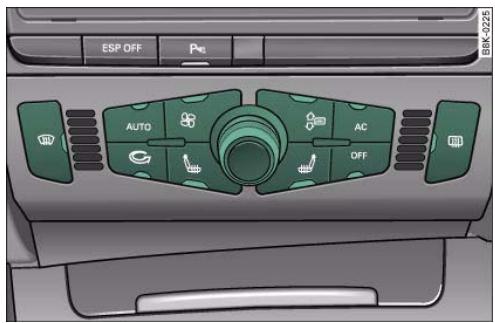
Fig. 106 Controls for deluxe automatic air conditioner
The functions can be set by turning the rotary control and are switched on and off by briefly pressing the buttons. The LEDs in the buttons light up when the function is switched on.
| Buttons | Function | Page |
| OFF | Switching on and off | → page 95 |
| AUTO | Automatic mode | → page 95 |
| Rotary controla) | Temperature selection | → page 96 |
| Blower | → page 96 |
| Air recirculation mode | → page 97 |

| Buttons | Function | Page |
| Air distribution | → page 97 |
| Defrosting windows | → page 98 |
| Heated rear window | → page 98 |
| AC | Switching air cooling on/off | → page 98 |
| Seat heating | → page 115 |
a) The rotary control is also used to adjust the blower speed, air distribution and seat heating.

The grille on the control console page 94, fig. 106 must be kept free. Please ensure that it is not covered by stickers or similar. Measuring sensors are located behind it.
Applies to vehicles: with deluxe automatic air conditioner
Switching on and off
Switching on air conditioner
- Press the OFF button briefly, or
- Press the AUTO button.
Switching off air conditioner
- Press the OFF button to switch off the air conditioner and cut off the supply of fresh air from outside the vehicle.
The air conditioner will switch on again if one of the control buttons is pressed.
Applies to vehicles: with deluxe automatic air conditioner
Automatic mode (AUTO)
The standard operating mode for all seasons.
Switching on automatic mode
The automatic mode maintains a constant temperature inside the vehicle and dehumidifies the air. Air temperature, air delivery and air distribution are regulated automatically to reach the desired interior temperature as quickly as possible, and then to maintain this temperature. The system automatically compensates for any variations in the outside temperature and for the effect of direct sunlight.
The automatic temperature regulation only operates at temperature settings between +16^ and +28^ . If a temperature below +16^ is selected, LO appears on the display. If a temperature above +28^ is selected, the display will show HI. In the two extreme settings the air conditioner operates continuously with maximum cooling or heating output, and the temperature is not regulated automatically.
Controls
Safety
Driving tips
General maintenance
Self-help
Technical data


Applies to vehicles: with deluxe automatic air conditioner
Temperature selection
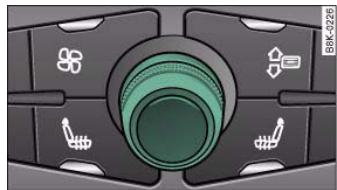
Fig.107 Rotary control for temperature selection
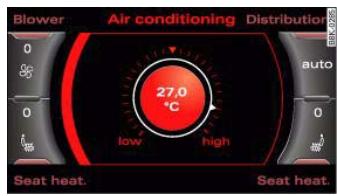
Fig.108 MM display: Temperature setting
Turn the rotary control anti-clockwise to reduce the temperature or clockwise to increase the temperature fig. 107.
The temperature setting will be shown on the MMI display fig. 108 for a few seconds if the MMI is switched on.
Applies to vehicles: with deluxe automatic air conditioner
Blower
The automatically selected blower speed can be reduced or increased manually if required.
Fig.109 Blower button and rotary control

Fig.110 MMI display: Blower setting
- Press the button for the blower
- Turn the rotary control to set the blower to the desired speed (and regulate the volume of air delivery).
We recommend keeping the blower running at a low setting when driving slowly.
To prevent fumes or unpleasant smells from entering the vehicle, switch to the air recirculation mode by pressing the _出 button.

The blower speed will be shown on the MMI display page 96,
fig. 110 for a few seconds if the MMI is switched on.

Note
- The blower speed may change automatically. This ensures that the selected temperature is reached as quickly as possible.
- The blower speed cannot be regulated separately for the driver and front passenger sides of the vehicle.
Applies to vehicles: with deluxe automatic air conditioner
Air recirculation mode
The air recirculation setting prevents fumes etc. from entering the interior.
Switching on the air recirculation mode
- Press the 念 button 念 .
Switching off the air recirculation mode
- Press the button again, or
- Press the AUTO button, or
- Press the 密 button.
In this setting, the air is drawn from the interior of the vehicle, filtered and continuously recirculated. We recommend using the air recirculation mode in the following circumstances:
When driving through a tunnel or in queues of traffic, to prevent fumes entering the interior of the vehicle.

WARNING
For reasons of safety you should not leave the air recirculation switched on for too long. This mode prevents fresh air from entering the vehicle, so the windows can mist over if the air cooling is switched off. Bad visibility can cause an accident.
Applies to vehicles: with deluxe automatic air conditioner
Air distribution
The automatically programmed air distribution can be altered manually if required.
Fig. 111 Air distribution button and rotary control
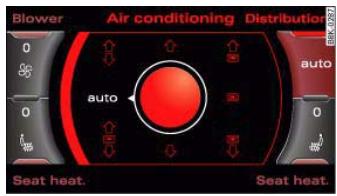
Fig.112 MMI display: Air distribution

Controls
Safety
Driving tips
General maintenance
Self-help
Technical data

- Turn the rotary control to the desired setting.
You can use the air distribution setting to select the air outlets you wish to activate. In setting all the air is directed to the windows, in setting the air is directed to the driver (or passenger), and in setting to the footwells. In addition to this there are several other possible combinations, allowing you to adjust the air distribution to suit individual requirements.
Switch to AUTO for automatic control of the air distribution.
The air distribution setting will be shown on the MMI display
page 97, fig. 112 for a few seconds if the MMI is switched on.
Applies to vehicles: with deluxe automatic air conditioner
Defrosting
The windscreen and side windows are defrosted or demisted as quickly as possible.
- To switch on, press the button.
- To switch off, press the button again, or press the AUTO button.
The temperature is regulated automatically. The air output is increased to maximum and most of the air comes out of the outlets below the windscreen.
The air recirculation mode is switched off when the 串 button is pressed.
Applies to vehicles: with deluxe automatic air conditioner
Heated rear window
The rear window heating helps to demist the rear window.
- Press the button to switch the rear window heating on and off.
The rear window heating only works when the engine is running. An indicator lamp in the button lights up when the rear window heater is switched on.
Depending on the outside temperature, the rear window heating switches off automatically after about 10 to 20 minutes.
The rear window heating can be switched on permanently by pressing the button for longer than two seconds. It will then remain on until the ignition is switched off. When the rear window heating is switched on, this setting will remain activated for 15 minutes after switching off the ignition.
If the engine is started again during this period of 15 minutes, the rear window heating will be switched on for about 10 to 20 minutes, depending on the exterior temperature. This means you do not have to manually switch on the rear window heating again if the vehicle has only been parked for a short time.

For the sake of the environment
Switch off the heated rear window manually as soon as the rear window is clear. By saving electrical power you can also save fuel.
Applies to vehicles: with deluxe automatic air conditioner
AC mode AC
Deactivating the AC mode
Activating the AC mode
- Press the AC button again.
In the AC mode, the air cooling system is switched on and the heating and ventilation are regulated automatically.

If the LED in the AC button should continue to light up when the AC mode has been switched off (i.e. the air conditioner has been switched off) this is due to a defect in one of the air conditioner components. If a malfunction should occur, please contact a qualified workshop.
Applies to vehicles: with deluxe automatic air conditioner
Air outlets
The air distribution setting directs the air to the outlets you select.
- The direction of air delivery from these outlets can be adjusted horizontally and vertically using the adjuster in the centre of each outlet grille.
The flow of air from the outlets is controlled either automatically or manually, depending on the operating mode selected. All the outlets can provide air which is either heated, unheated, or cooled.
Note
When the air conditioner is operating in the cooling mode, the air is directed mainly to outlets 2 and 3. To ensure an adequate cooling effect, you should not close these outlets completely.
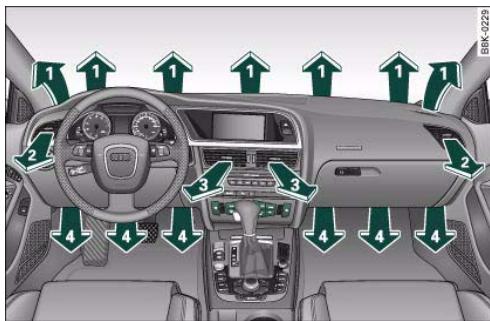
Fig. 113 Dashboard: Location of air outlets
Applies to vehicles: with deluxe automatic air conditioner
Air outlets for rear passengers
The air outlets for the rear cabin are located in the centre console.
- The outlets can be opened and closed by turning the thumbwheels.
- The direction of air delivery from these outlets can be adjusted horizontally and vertically using the adjuster in the centre of each outlet grille.
The flow of air from the outlets is controlled either automatically or manually, depending on the operating mode selected. All the outlets can provide air which is either heated, unheated, or cooled. The heater outlets for the rear footwells are located under the front seats.
Note
When the air conditioner is operating in the cooling mode the air is directed mainly to the outlets in the centre console. To ensure an
outlets ② and ③
- The outlets can be opened and closed by turning the thumbwheels next to them.
Controls
Safety
Driving tips
General maintenance
Self-help
Technical data

adequate cooling effect, you should not close these outlets completely.
Applies to vehicles: with deluxe automatic air conditioner
Economical operation of the air conditioner
Economical operation of the air conditioner will help to save fuel.
When the air conditioner is operating in the cooling mode it reduces engine power and increases fuel consumption. To ensure that the cooling mode is activated only when really necessary, please note the following points:
- Switch off the cooling mode by pressing the AC button (LED off) if you wish to save fuel.
- You should also switch off the cooling mode by pressing the AC button (LED off) if you open the windows or the tilting panorama roof* while driving.
- If the vehicle has heated up after standing in the sun, open the windows and doors for a short time to cool the vehicle.

For the sake of the environment
By saving fuel you also reduce the amount of pollutants emitted from your vehicle.
Deluxe automatic air conditioner - basic settings
Applies to vehicles: with deluxe automatic air conditioner
General notes
You can change the basic settings for the air conditioner on the MMI* or on the sound system control console.
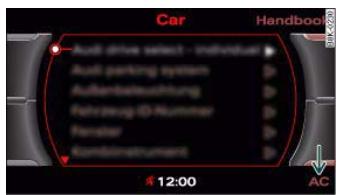
Fig.114 MMI display: AC menu option
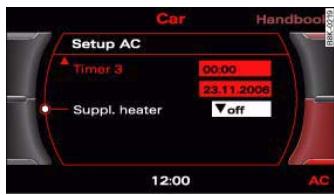
Fig.115 MMI display: Setup AC
- Press the function selector button marked (CAR).
-
Press the control button for AC fig. 1142).
-
Select the desired air conditioner settings using the rotary pushbutton page 100, fig. 115.
The following functions are available:
- Auxiliary heating* page 111
- Auxiliary ventilation* page 111
Running time* page 113
- Timer status page 112
Timer 1^ page 112
Timer 2^ page 112
Timer 3^ page 112
Supplementary heater* page 101
Applies to vehicles: with diesel engine
Supplementary heater
- Set the Supplementary heater to auto or off.
Models with a diesel engine are equipped with a supplementary heater to help warm up the interior more quickly. At outside temperatures below about +5^ the supplementary heater is switched on (and off) automatically when the engine is running, depending on the coolant temperature, the temperature in the vehicle interior and the temperature the heater is set to.
Deluxe automatic air conditioner plus
Applies to vehicles: with deluxe automatic air conditioner plus
Description
The air conditioner is designed to keep the passenger compartment at the temperature you find most comfortable at all times of the year.
The air conditioner provides heating and ventilation and also cools and dehumidifies the air inside the vehicle.
The air conditioner is fully automatic, and will maintain the desired temperature at a constant level. To achieve this, the temperature of the air supplied to the interior, the blower speed (volume of air delivery) and the air distribution are regulated automatically. The system also allows for the effect of strong sunlight, so there is no need for manual adjustment. For these reasons it is advisable to use the automatic mode for the comfort of all the passengers in virtually all conditions throughout the year page 104.
Please note:
The humidity of the air is automatically reduced when the system cools the interior of the vehicle. This helps to prevent condensation on the windows.
If the humidity and temperature outside the vehicle are high, condensation can drip off the evaporator in the air cooling system and form a pool underneath the vehicle. This is normal and does not indicate a leak.
If the outside temperature is low, the blower normally only switches to a higher speed once the coolant has warmed up sufficiently (this does not apply to the defrost setting).
In order to achieve maximum engine power, the air conditioner compressor is temporarily switched off when pulling away from a standstill with full throttle.
Controls
Safety
Driving tips
General maintenance
Self-help
Technical data

The compressor also switches off if the coolant temperature is excessively high, to ensure adequate engine cooling under extreme loads.
Pollution filter
The pollution filter (a combined particle filter and activated charcoal filter) serves as a barrier against impurities in the outside air, including dust and pollen, and against unpleasant smells. The air is also filtered when the air recirculation mode is activated.
For the air conditioner to work with maximum efficiency, the pollution filter element must be replaced at the intervals specified in the Service Schedule.
If the vehicle is driven in areas with a high level of air pollution and the filter is no longer fully effective, it may be necessary to change the filter element more frequently.
Key-coded settings
The currently selected air conditioner settings are automatically stored and assigned to the remote control key.
Power management
To prevent the battery from becoming discharged and to maintain the necessary power level, the system will temporarily shut off the electrical components that are using a lot of power, or reduce the current they are consuming page 202. Heating systems in particular use a large amount of electrical power. If you notice, for instance, that the rear window heater is not working, it may have been temporarily switched off by the power management function, or regulated to a lower heat output. These systems will be available again as soon as sufficient electrical power is available.

WARNING
For safety reasons it is important that all the windows are kept free of ice, snow and condensation. These can cause poor visibility and lead to an accident. Please familiarise yourself with the operating controls for the air conditioner, including the demist/defrost functions for the windows.

Caution
- If you suspect that the air conditioner is damaged, switch it off to prevent further damage and have the system checked by a qualified workshop.
- Repairs to the air conditioning system require specialist knowledge and special tools. For this reason, please contact a qualified workshop if the system is not working properly.

Note
- Keep the air intake slots in front of the windscreen clear of snow, ice and leaves to ensure unimpaired heating and cooling, and to prevent the windows misting over.
- The air from the outlets flows through the passenger compartment and out through the slots at the rear of the vehicle. Do not cover these slots with clothing or other objects.
- The air conditioner operates most effectively with the windows and the tilting panorama roof* closed. However, if the vehicle has heated up after standing in the sun for some time, the air inside can be cooled more quickly by opening the windows for a short time.




Heating and cooling
Applies to vehicles: with deluxe automatic air conditioner plus
Controls
The controls for the air conditioner at a glance.
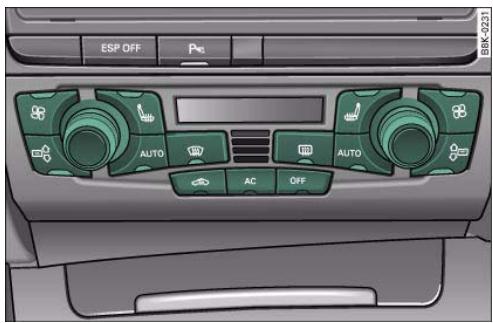
Fig. 116 Air conditioner controls
The left-hand display shows the temperature selected for the left-hand side, the right-hand display the temperature for the right-hand side.
The functions can be switched on and off by turning the controls or briefly pressing the buttons. The LEDs in the buttons light up when the function is switched on.
| Buttons | Function | Page |
| OFF | Switching on and off | → page 104 |
| AUTO | Automatic mode - drivers side/
front passengers side | → page 104 |
| Temperature con-
trol 1a) | Temperature selection -
drivers side | → page 104 |
| Temperature con-
trol 2a) | Temperature selection -
front passengers side |
| b) | Blower - driver's side/
front passenger's side | → page 105 |
| b) | Air recirculation mode | → page 106 |
| Air distribution - drivers side/
front passengers side | → page 106 |
| Defrosting windows | → page 107 |
| Heated rear window | → page 107 |
| AC | Switching air cooling
on/off | → page 107 |
| Seat heating | → page 115 |
a) The rotary control is also used to adjust the blower speed, air distribution and seat heating.
b) The symbol differs slightly on some models.

Note
- The grille on the control console fig. 116 must be kept free. Please ensure that it is not covered by stickers or similar. Measuring sensors are located behind it.



Applies to vehicles: with deluxe automatic air conditioner plus
Switching on and off
Switching on air conditioner
- Press the OFF button briefly, or
- Press the AUTO button.
Switching off air conditioner
- Press the OFF button for at least 2 seconds to switch off the air conditioner and cut off the supply of fresh air from outside the vehicle. The display will show "OFF".
The air conditioner will switch on again if you operate the temperature control.

Note
You can press the (OFF) button when the ignition is switched off to activate the "residual heat" function. The system will then heat the interior using the remaining heat in the engine coolant.
Applies to vehicles: with deluxe automatic air conditioner plus
Automatic mode (AUTO)
The standard operating mode for all seasons.
Switching on automatic mode
- Select a temperature between +16^ (60^) and +28^ (84^) .
- Press the AUTO button.
The automatic mode maintains a constant temperature inside the vehicle and dehumidifies the air. Air temperature, air delivery and air distribution are regulated automatically to reach the desired
interior temperature as quickly as possible, and then to maintain this temperature. The system automatically compensates for any variations in the outside temperature and for the effect of direct sunlight.
The automatic temperature regulation only operates at temperature settings between +16^ and +28^ . If a temperature below +16^ is selected, LO appears on the display. If a temperature above +28^ is selected, the display will show HI. In the two extreme settings the air conditioner operates continuously with maximum cooling or heating output, and the temperature is not regulated automatically.
Applies to vehicles: with deluxe automatic air conditioner plus
Temperature selection
Separate temperatures can be selected for the driver's and front passenger's sides.
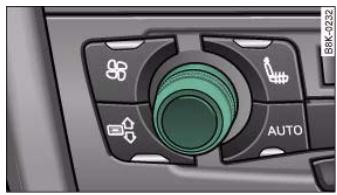
Fig.117 Rotary control for temperature selection

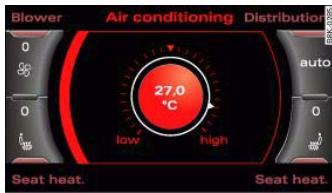
Fig.118 MM display: Temperature setting
- Turn the rotary control anti-clockwise to reduce the temperature or clockwise to increase the temperature page 104, fig. 117.
The temperature setting will be shown on the display of the air conditioner console. The temperature setting will be shown on the MMI display fig. 118 for a few seconds if the MMI is switched on.
Applies to vehicles: with deluxe automatic air conditioner plus Blower
The automatically selected blower speed can be reduced or increased manually if required.
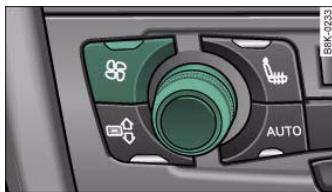
Fig.119 Blower button and rotary control
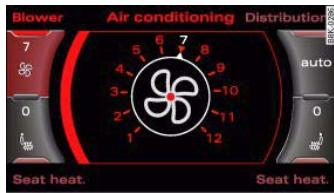
Fig. 120 MMI display: Blower setting
- Press the button for the blower 串
- Turn the rotary control to set the blower to the desired speed (and regulate the volume of air delivery).
The air conditioning system automatically regulates the blower speed according to the interior temperature. However, you can also adjust the blower speed manually.
The blower speed will be shown on the MMI display fig. 120 for a few seconds if the MMI is switched on.

Note
- The blower speed may change automatically. This ensures that the selected temperature is reached as quickly as possible.
- The blower speed cannot be regulated separately for the driver and front passenger sides of the vehicle.
Controls
Safety
Driving tips
General maintenance
Self-help
Technical data


Applies to vehicles: with deluxe automatic air conditioner plus
Air recirculation mode
The air recirculation setting prevents fumes etc. from entering the interior.
Switching on the air recirculation mode
Switching off the air recirculation mode
- Press the l button again, or
- Press the AUTO button, or
- Press the button.
In this setting, the air is drawn from the interior of the vehicle, filtered and continuously recirculated. We recommend using the air recirculation mode in the following circumstances:
When driving through a tunnel or in queues of traffic, to prevent fumes entering the interior of the vehicle.

WARNING
For reasons of safety you should not leave the air recirculation switched on for too long. This mode prevents fresh air from entering the vehicle, so the windows can mist over if the air cooling is switched off. Bad visibility can cause an accident.
Applies to vehicles: with deluxe automatic air conditioner plus
Air distribution
The automatically programmed air distribution can be altered manually if required.
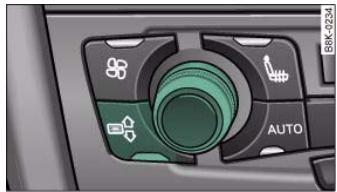
Fig. 121 Air distribution button and rotary control
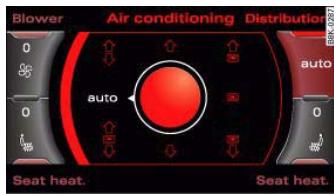
Fig. 122 MMI display: Air distribution
Press the button for Distribution
- Turn the rotary control to the desired setting.
You can use the air distribution setting to select the air outlets you wish to activate. In setting all the air is directed to the windows, in setting the air is directed to the driver (or passenger), and in setting to the footwells. In addition to this there are several other possible combinations, allowing you to adjust the air distribution to suit individual requirements.

Switch to AUTO for automatic control of the air distribution.
The air distribution setting will be shown on the MMI display
page 106, fig. 122 for a few seconds if the MMI is switched on.
Applies to vehicles: with deluxe automatic air conditioner plus
Defrosting
The windscreen and side windows are defrosted or demisted as quickly as possible.
- To switch on, press the 密 button.
- To switch off, press the 空 button again, or press the AUTO button.
The temperature is regulated automatically. The air output is increased to maximum and most of the air comes out of the outlets below the windscreen.
The air recirculation mode is switched off when the button is pressed.
Applies to vehicles: with deluxe automatic air conditioner plus
Heated rear window
The rear window heating helps to demist the rear window.
- Press the button to switch the rear window heating on and off.
The rear window heating only works when the engine is running. An indicator lamp in the button lights up when the rear window heater is switched on.
Depending on the outside temperature, the rear window heating switches off automatically after about 10 to 20 minutes.
The rear window heating can be switched on permanently by pressing the button for longer than two seconds. It will then
remain on until the ignition is switched off. When the rear window heating is switched on, this setting will remain activated for 15 minutes after switching off the ignition.
If the engine is started again during this period of 15 minutes, the rear window heating will be switched on for about 10 to 20 minutes, depending on the exterior temperature. This means you do not have to manually switch on the rear window heating again if the vehicle has only been parked for a short time.

For the sake of the environment
Switch off the heated rear window manually as soon as the rear window is clear. By saving electrical power you can also save fuel.
Applies to vehicles: with deluxe automatic air conditioner plus
AC mode [AC]
Deactivating the AC mode
Activating the AC mode
- Press the AC button again.
In the AC mode, the air cooling system is switched on and the heating and ventilation are regulated automatically.

Note
If the LED in the AC button should continue to light up when the AC mode has been switched off (i.e. the air conditioner has been switched off) this is due to a defect in one of the air conditioner components. If a malfunction should occur, please contact a qualified workshop.
Controls
Safety
Driving tips
General maintenance
Self-help
Technical data

Applies to vehicles: with deluxe automatic air conditioner plus
Air outlets
The air distribution setting directs the air to the outlets you select.
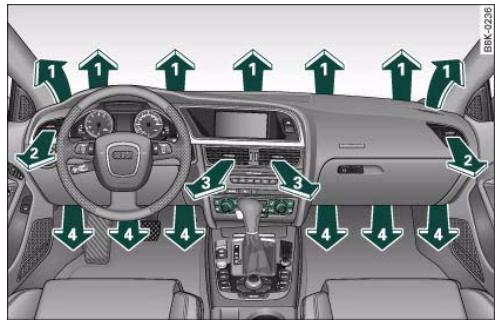
Fig. 123 Dashboard: Location of air outlets
Air outlets ② and ③
- The outlets can be opened and closed by turning the thumbwheels next to them.
- The direction of air delivery from these outlets can be adjusted horizontally and vertically using the adjuster in the centre of each outlet grille.
The flow of air from the outlets is controlled either automatically or manually, depending on the operating mode selected. Outlets ① to ④ can provide air which is either heated, unheated, or cooled.

Note
When the air conditioner is operating in the cooling mode, the air is directed mainly to outlets (2) and (3). To ensure an adequate cooling effect, you should not close these outlets completely.
Applies to vehicles: with deluxe automatic air conditioner plus
Air outlets for rear passengers
The air outlets for the rear cabin are located in the centre console.
- The outlets can be opened and closed by turning the thumbwheels.
- The direction of air delivery from these outlets can be adjusted horizontally and vertically using the adjuster in the centre of each outlet grille.
The flow of air from the outlets is controlled either automatically or manually, depending on the operating mode selected. All the outlets can provide air which is either heated, unheated, or cooled. The heater outlets for the rear footwells are located under the front seats.

Note
When the air conditioner is operating in the cooling mode the air is directed mainly to the outlets in the centre console. To ensure an adequate cooling effect, you should not close these outlets completely.

Applies to vehicles: with deluxe automatic air conditioner plus
Economical operation of the air conditioner
Economical operation of the air conditioner will help to save fuel.
When the air conditioner is operating in the cooling mode it reduces engine power and increases fuel consumption. To ensure that the cooling mode is activated only when really necessary, please note the following points:
- Switch off the cooling mode by pressing the AC button (LED off) if you wish to save fuel.
- You should also switch off the cooling mode by pressing the AC button (LED off) if you open the windows or the tilting panorama roof* while driving.
- If the vehicle has heated up after standing in the sun, open the windows and doors for a short time to cool the vehicle.
Deluxe automatic air conditioner plus
- basic settings
Applies to vehicles: with deluxe automatic air conditioner plus
General notes
You can change the basic settings for the air conditioner on the MMI* or on the sound system control console.
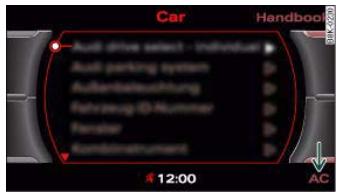
Fig. 124 MMI display: AC menu option
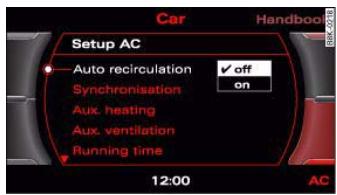
Fig.125 MMI display: Setup AC
- Press the function selector button marked CAR.
- Press the control button for AC fig. 124^3) .

For the sake of the environment
By saving fuel you also reduce the amount of pollutants emitted from your vehicle.
Controls
Safety
Driving tips
General maintenance
Self-help
Technical data


The following functions are available:
Automatic air recirculation page 110
Synchronisation page 110
- Auxiliary heating page 111
- Auxiliary ventilation page 111
Running time* page 113
- Timer status page 112
Timer 1^ page 112
- Timer 2^ page 112
- Timer 3^ page 112
Supplementary heater* page 110
Applies to vehicles: with deluxe automatic air conditioner plus
Automatic recirculation
If the outside air is polluted, an air purity sensor in the vehicle will automatically switch on the air recirculation.
To prevent fumes, etc. in the outside air from entering the interior, we recommend that the automatic air recirculation should be switched on at all times.
If the air purity sensor in the air conditioner system detects a certain concentration of fumes in the outside air, the control unit will either pass the incoming air through the pollution filter or automatically switch on the air recirculation. If there is a high concentration of pollution in the outside air, the air conditioner automatically switches to air recirculation and cuts off the supply of air from the outside. As soon as the level of pollution decreases, air is fed into the vehicle from the outside again.
If the windows mist up when the automatic air recirculation is on, press the button immediately.
The automatic air recirculation can switch itself off in certain conditions. If the outside temperature is less than about +10^ , the automatic air recirculation will only operate for 30 seconds. If the air conditioner is switched to the ECON mode, or if the outside temperature is less than about -1^ , the automatic air recirculation will only operate for 15 seconds.
Applies to vehicles: with deluxe automatic air conditioner plus
Synchronisation
The air conditioner settings can be synchronised for all passengers.
When the synchronisation function is on, the driver's settings are also applied to the front passenger or vice versa. Any subsequent changes to the air conditioner settings (except for the seat heating*) are also applied to the other occupant.
You can still change the setting on the "synchronised" side (this will deactivate the synchronisation function).
Applies to vehicles: with diesel engine
Supplementary heater
- Set the Supplementary heater to auto or off.
Models with a diesel engine are equipped with a supplementary heater to help warm up the interior more quickly. At outside temperatures below about +5^ the supplementary heater is switched on (and off) automatically when the engine is running, depending on the coolant temperature, the temperature in the vehicle interior and the temperature the heater is set to.

Auxiliary heating and auxiliary ventilation
Applies to vehicles: with auxiliary heating - under development at the time of printing
Description
The auxiliary heating and ventilation systems heat and cool the interior independently of the engine.
The auxiliary heating works in conjunction with the air conditioner system, but does not rely on heat from the engine. Instead of this, the system burns fuel. The system's main function is to warm up the interior of the vehicle and to defrost the windows in cold weather.
The auxiliary heating system can be used both when the vehicle is stationary and when driving (to provide extra heat while the engine is warming up).
The auxiliary ventilation also operates independently of the engine. This feature can be used to cool the interior with the blower when the vehicle is left parked in the sun.
The system will automatically activate either the auxiliary heating or the auxiliary ventilation mode, depending on the actual temperature measured inside the car and the temperature you have set with the air conditioner controls. It is possible to alter the temperature setting while the auxiliary heating/ventilation is running.
Switching on and off
There are two different ways of switching on the auxiliary heating/ventilation system.
- Immediate start: You can switch the auxiliary heating/ventilation on and off at any time in the MMI Car menu page 112. You can also switch the system on and off using the remote control page 114.
- Switching on via timer: You can programme various start times using the timers page 112. However you must first activate the
timer before the auxiliary heating/ventilation system will switch on automatically.
The auxiliary heating/ventilation will switch itself off at the end of the programmed running time. The running time can be set to 15, 30, 45 or 60 minutes page 113.

WARNING
- The auxiliary heating must not be allowed to run when the vehicle is in a confined space because it can give off toxic fumes.
- To avoid any possible fire risk, never have the auxiliary heating switched on when refuelling the vehicle.
- Because of the high temperatures which occur when the auxiliary heating is running, make sure when parking the car that the exhaust outlet under the car is not obstructed in any way and that the exhaust gases do not come into contact with flammable materials (fire risk).

Note
- It is advisable to open the air outlets when using the auxiliary heating/ventilation.
- The auxiliary heating/ventilation will not switch on if the fuel in the tank has reached the reserve zone.
The auxiliary heating/ventilation will not switch on if the battery charge level is low.
- The symbols (auxiliary ventilation) or ( auxiliary heating) flash in the instrument cluster next to the clock display when the auxiliary heating/ventilation is switched on. Both symbols light continuously when the timer is activated.
- At low outside temperatures some visible water vapour may form in the engine compartment. This is a normal phenomenon, and no reason for concern.
Controls
Safety
Driving tips
General maintenance
Self-help
Technical data


Applies to vehicles: with auxiliary heating - under development at the time of printing
Switching on/off immediately
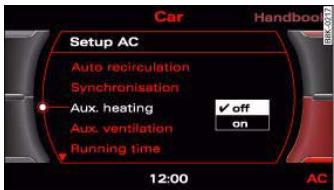
Fig. 126 MMI display: Setup AC
- Press the CAR button.
- Press the control button for AC.
- Set Aux. heating or Aux. ventilation to on.
- Press the button.
- Press the control button for AC.
- Set Aux. heating or Aux. ventilation to off.
When the auxiliary heating/ventilation is running, you can press the OFF button on the air conditioner console to switch off the blower only. Pressing the OFF button a second time will switch on the blower again.

Note
The symbols (auxiliary ventilation) or (auxiliary heating) flash in the instrument cluster next to the clock display when the auxiliary heating/ventilation is switched on.
Applies to vehicles: with auxiliary heating - under development at the time of printing
Setting the timers
The timers need to be activated before they will switch on the auxiliary heating/ventilation.
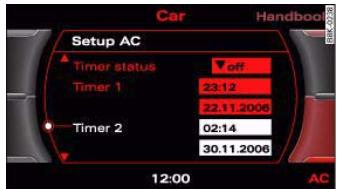
Fig. 127 MMI display: Timer
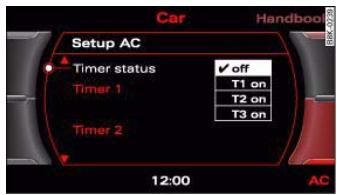
Fig. 128 MMI display: Timer status
Setting the timers
- Press the CAR button.
- Press the control button for AC.
- Select the timer you wish to set, and enter the required
time and date fig. 127.
- Then press the rotary control to confirm the time and date settings.


- Press the CAR button.
- Press the control button for AC.
- Select the Timer status and then select the timer you want to start first.
Three timers are available. This allows you to pre-set different starting times and running times for the auxiliary heating/ventilation.
When the time set on one of the timers elapses, the date automatically changes to the next day and the timer status is reset to off. Each timer first has to be activated before it will switch on the auxiliary heating/ventilation at the time you have set.
The timers are not activated automatically. This prevents the auxiliary heating/ventilation from switching on repeatedly when the vehicle is not being used.

Note
Before activating the timer, make sure that the correct time and date settings have been entered. If the time and/or date are not correct, the auxiliary heating will come on late or not at all. Please refer to the MMI Operating Instructions for information on how to set the date and time.
Applies to vehicles: with auxiliary heating - under development at the time of printing
Setting the running time
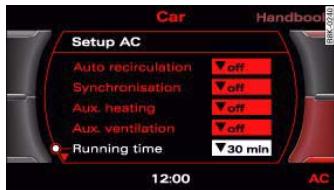
Fig. 129 MMI display: Running time
- Press the CAR button.
- Press the control button for AC.
- Select Running time and then choose the time.
The running time for the auxiliary heating/ventilation can be set to a time between 15 and 60 minutes. The auxiliary heating/ventilation will switch itself off at the end of the programmed running time.
Controls
Safety
Driving tips
General maintenance
Self-help
Technical data



Applies to vehicles: with auxiliary heating - under development at the time of printing
Remote control
The auxiliary heating and auxiliary ventilation can also be switched on or off with the remote control.
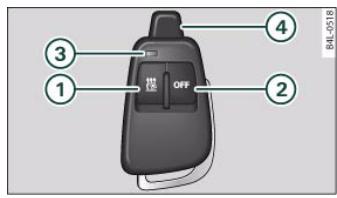
Fig. 130 Remote control for auxiliary heating
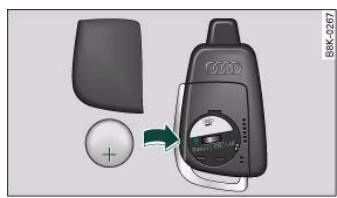
Fig. 131 Remote control: Changing battery
Switching on
- Press the button for about 2 seconds to activate the auxiliary heating/ventilation fig. 130.
Switching off
- Press the OFF button 2 for about 2 seconds to switch off the auxiliary heating/ventilation.
Changing the battery
- Push back and remove the battery cover on the remote control fig. 131.
- Change the battery. The diagram in the battery compartment shows how the battery should be fitted. The new battery must be of the same type as the old battery.
- Re-fit the battery cover.
When it is switched on, the auxiliary heating or auxiliary ventilation starts immediately and remains on for the period set in the menu. The maximum running time is 60 minutes.
If you want to switch the system on again after the end of the programmed running time, press the 回 button ①.
Transmitter indicator lamp
The transmitter indicator lamp ③ will flash accordingly to show whether the command you sent via the remote control was successful.
When you switch the system on by pressing the button ① the indicator lamp will flash green for about 30 seconds to confirm that the heating/ventilation has been switched on. When you switch the system off by pressing the (OFF) button ② the indicator lamp will flash red to confirm that the heating/ventilation has been switched off.
If the remote control is outside the transmitting range the indicator lamp will flash red slowly. If there is a fault in the system (e.g. fuel level is down to reserve), the indicator lamp will flash red rapidly. In both cases the command will not be executed.
When the remote control battery is almost completely flat, the transmitter indicator lamp will not light up and no commands will be executed.

The range of the remote control transmitter is about 600 metres. However, this can be greatly reduced by obstacles (buildings, etc.) between the remote control transmitter and the vehicle. Hold the aerial ④ upright when using the remote control.
You should not normally use the remote control at a distance of less than 3 metres from the vehicle. If you are closer than this, or if you use the remote control inside the vehicle, this can cause signal overload.

For the sake of the environment
Please dispose of old batteries in the proper manner so that they do not harm the environment.
Seat heating
Applies to vehicles: with front seat heating
Seat heating for front seats

The seat cushions and backrests of the front seats can be heated electrically.
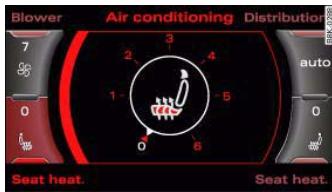
Fig.132 MMI display: Seat heating
In setting 0 the seat heating is switched off. Possible settings range from 1 to 6.
The seat heating setting will be shown on the MMI display fig. 132 for a few seconds if the MMI is switched on.

Caution
To avoid damaging the heating elements of the seat heating, please do not kneel on the seat or apply sharp pressure at a single point.
Applies to vehicles: with seat heating for rear seats
Seat heating for rear seats
The seat cushions and backrests of the two outer rear seats can be heated electrically.
- Turn the left thumbwheel (on the centre console) to switch on and regulate the heating for the left rear seat.
- Turn the right thumbwheel (on the centre console) to switch on and regulate the heating for the right rear seat.
The heating is switched off when the thumbwheel is set to 0. Possible settings range from 1 to 6.
The heating for the rear seats only operates when a sensor registers the weight of the occupant in the seat. If nobody is travelling on the rear seats, please switch off the rear seat heating to avoid activating it unintentionally.

Caution
To avoid damaging the heating elements of the seat heating, please do not kneel on the seat or apply sharp pressure at a single point.
Controls
Safety
Driving tips
General maintenance
Self-help
Technical data

Applies to vehicles: with manually adjustable steering column
Adjusting the steering wheel position
The height and reach of the steering wheel can be adjusted as required to suit the driver.
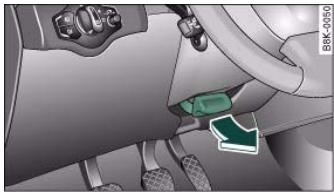
Fig.133 Lever beneath steering column
Pull the lever fig. 133 -arrow- up.
- Move the steering wheel to the desired position.
- Then push the lever towards the steering column until the catch engages.

WARNING
- Never adjust the position of the steering wheel when the vehicle is moving - this could cause an accident.
- For safety reasons, the lever must be pushed securely against the steering column to prevent the steering wheel from accidentally changing position while driving (accident risk).
Ignition lock
Starting the engine with the key
You can use the ignition key to switch on the ignition and start the engine.
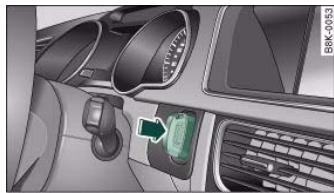
Fig. 134 Ignition key
- Insert the key into the ignition lock.
- Manual gearbox: Press the clutch pedal all the way down and move the gear lever into neutral.
Automatic gearbox: Press the brake pedal and move the selector lever to position P or N.
- Press in the key fig. 134 to start the engine.
Diesel engines can take a few seconds longer than usual to start on cold days. Please keep your foot on the clutch or brake pedal until the engine starts. The glow plug indicator lamp lights up in the instrument cluster while the glow plugs are preheating.


If you press in the key without pressing the clutch or brake pedal, the ignition will be switched on or off. The steering lock is released when the ignition is switched on. Diesel engines continue to be automatically preheated.
The key can be removed only when the ignition is off. The key has to be pressed in briefly to switch off the ignition. On vehicles with an automatic gearbox, the selector lever has to be in position P.
Electrical components with a high power consumption are switched off temporarily while you start the engine.
When starting from cold the engine may be a little noisy for the first few seconds until oil pressure has built up in the hydraulic tappets. This is quite normal and no cause for concern.
If the engine fails to start immediately, the starter will be switched off automatically after a few seconds. Try to start the engine again.
Driving away from a standstill
On some vehicles, the engine revs are automatically increased slightly as soon as you release the clutch. This helps you drive off more smoothly.
Driver message in the instrument cluster display
Press brake pedal to start engine
This message appears on vehicles with an automatic gearbox if you try to start the engine without first pressing the brake pedal.
Press clutch pedal to start engine
This message appears on vehicles with a manual gearbox if you try to start the engine without first pressing the clutch pedal.
Engage N or P to start engine
This message will appear if you try to start the engine when the selector lever of the automatic gearbox is not in P or N.
Shift to P, otherwise vehicle can roll away. Doors do not lock if lever is not in P. or Please move selector lever to position P. Vehicle cannot be locked.
For safety reasons, this message will appear and a warning buzzer will sound if the selector lever of the automatic gearbox is not in position P after you switch off the ignition. Put the selector lever in position P; otherwise the vehicle can roll away. If the lever is not in position P you will not be able to lock the vehicle using the exterior locking switch on the door handle or the remote control key.
Steering lock
The steering is locked when the key is not in the ignition. The steering lock acts as a theft deterrent.

WARNING
- Always take the key with you when you leave the vehicle. Otherwise the engine can be started or power-operated equipment such as the electric windows can be used. This could result in serious injury.
- Never leave children or disabled people alone in the car. The doors could be locked with the remote control key and the occupants could become trapped in the vehicle. The vehicle occupants could be exposed to extremely high or low temperatures, depending on the time of year.
- Never remove the key from the ignition while the vehicle is moving. The steering lock could engage suddenly, and you would not be able to steer the car.

Caution
- If a malfunction occurs in the electronic ignition lock, a flashing symbol and the message Ignition lock defective will appear in the instrument cluster display.
Controls
Safety
Driving tips
General maintenance
Self-help
Technical data


- Avoid high engine speeds, full throttle and extreme load conditions until the engine has reached its normal operating temperature, otherwise this can damage the engine.

For the sake of the environment
Do not warm up the engine by running it with the car stationary. You should drive off immediately whenever possible. This will help avoid unnecessary exhaust emissions.

Note
If the key should become stuck in the ignition lock, remove the top part of the key and use it to lock the vehicle.
Switching off the engine
- Stop the vehicle.
Automatic gearbox: Move the selector lever to position P or N.
- Press in the ignition key to switch off the engine.
Emergency Off function
If necessary in an emergency, the engine can be switched off while the vehicle is still moving. The engine will be switched off if you press and hold the ignition key.

WARNING
- Never switch off the engine until the vehicle is stationary.
- The brake servo and the power steering system work only when the engine is running. You need more strength to steer and brake the vehicle when the engine is switched off. This would mean a greater risk of accidents and serious injury, because you cannot steer and brake in the normal manner.

Caution
If the engine has been working hard for a long time, there is a risk of heat building up in the engine compartment after the engine has been switched off; this could cause engine damage. For this reason, you should leave the engine idling for about 2 minutes before switching it off.

Note
After the engine is stopped the radiator fan may run on for up to 10 minutes, even if the ignition is switched off. The fan may also start running again after some time if the coolant temperature rises due to a build-up of heat, or if the engine is hot and the engine compartment is heated up further by direct sunlight.
Starting and stopping the engine with the advanced key
Applies to vehicles: with advanced key
You can use the Start/Stop button to switch on the ignition and start the engine.
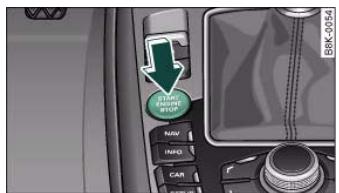
Fig. 135 Audi advanced key: START ENGINE STOP button



- Manual gearbox: Press the clutch pedal all the way down and move the gear lever into neutral.
Automatic gearbox: Press the brake pedal and move the selector lever to position P or N A.
- Press the Start/Stop button page 118, fig. 135 to start the engine.
- Diesel engines can take a few seconds longer than usual to start on cold days. Please keep your foot on the clutch or brake pedal until the engine starts. The glow plug indicator lamp lights up in the instrument cluster while the glow plugs are preheating.
If you press the Start/Stop button without pressing the clutch or brake pedal, the ignition will be switched on (and will be switched off if you press the button again). Diesel engines are preheated when the ignition is switched on.
If the engine fails to start straight-away, switch off the starter after about 10 seconds and try again after about half a minute.
When starting from cold the engine may be a little noisy for the first few seconds until oil pressure has built up in the hydraulic tappets. This is quite normal and no cause for concern.
Driving away from a standstill
On some vehicles, the engine revs are automatically increased slightly as soon as you release the clutch. This helps you drive off more smoothly.
Driver message in the instrument cluster display
No key identified
This message appears when you press the Start/Stop button if there is no remote control key inside the vehicle or if the system cannot detect or identify the key. This can happen, for example, if the radio signal from the key is obstructed by a metal briefcase or similar.
Electronic equipment, such as mobile phones, can also interfere with the radio signal from the key.
Press brake pedal to start engine
This message appears on automatic vehicles if you press the Start/Stop button to start the engine without first pressing the brake pedal. The engine will only start if you press the brake pedal.
Press clutch pedal to start engine
This message appears on manual vehicles if you press the Start/Stop button to start the engine without first pressing the clutch pedal. The engine will only start if you press the clutch pedal.
Engage N or P to start engine
This message will appear if you try to start the engine when the selector lever of the automatic gearbox is not in P or N. The engine can only be started if the selector lever is in one of these positions.
Key not in vehicle
This message will appear together with the symbol if the remote control key is removed from the vehicle while the engine is running. This is to remind you not to continue driving without the key (for example if you change drivers).
If the remote control key is not in the vehicle you will not be able to switch on the ignition or restart the engine after it has been switched off. Without the key, you will also not be able to lock the vehicle from the outside.
Shift to P, otherwise vehicle can roll away. Doors do not lock if lever is not in P. or Please move selector lever to position P. Vehicle cannot be locked.
For safety reasons, this message will appear and a warning buzzer will sound if the selector lever of the automatic gearbox is not in position P when you switch off the ignition with the Start/Stop button. Put the selector lever in position P; otherwise the vehicle can roll away. If the lever is not in position P you will not be able to
Controls
Safety
Driving tips
General maintenance
Self-help
Technical data

lock the vehicle using the exterior locking switch on the door handle or the remote control key.
Advanced key defective! Use ignition lock
This message appears if the vehicle has to be started with the ignition key instead of the Start/Stop button.
Steering lock
The steering is locked if the key is not in the ignition and the driver door has been opened. The steering lock acts as a theft deterrent.

WARNING
Never run the engine in confined spaces. The exhaust gases are toxic.
- Never switch off the engine until the vehicle is stationary.
- The brake servo and the power steering system work only when the engine is running. You need more strength to steer and brake the vehicle when the engine is switched off. This would mean a greater risk of accidents and serious injury, because you cannot steer and brake in the normal manner.

Caution
- Avoid high engine speeds, full throttle and extreme load conditions until the engine has reached its normal operating temperature, otherwise this can damage the engine.
- The engine cannot be started by push-starting or towing.
- If the engine has been working hard for a long time, there is a risk of heat building up in the engine compartment after the engine has been switched off; this could cause engine damage. For this reason, you should leave the engine idling for about 2 minutes before switching it off.
- Stop the vehicle.
Automatic gearbox: Move the selector lever to position P or N.
- Press the Start/Stop button page 118, fig. 135.
Emergency Off function
Should it be necessary in an emergency, the engine can be switched off when the selector lever is in position R, D or S. To switch off the engine (max. speed 10km / h press and hold the Start/Stop button and keep your foot on the brake.

WARNING
- Never switch off the engine until the vehicle is stationary.
- The brake servo and the power steering system work only when the engine is running. You need more strength to steer and brake the vehicle when the engine is switched off. This would mean a greater risk of accidents and serious injury, because you cannot steer and brake in the normal manner.

Caution
If the engine has been working hard for a long time, there is a risk of heat building up in the engine compartment after the engine has been switched off; this could cause engine damage. For this reason, you should leave the engine idling for about 2 minutes before switching it off.

Note
After the engine is stopped the radiator fan may run on for up to 10 minutes, even if the ignition is switched off. The fan may also


start running again after some time if the coolant temperature rises due to a build-up of heat, or if the engine is hot and the engine compartment is heated up further by direct sunlight.
Electro-mechanical parking brake
Operation
The electro-mechanical parking brake replaces the handbrake.
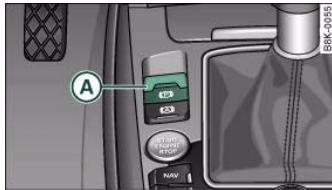
Fig.136 Centre console: Parking brake
Pull switch fig. 136 to apply the parking brake. The indicator lamp in the switch will light up.
- Depress the brake or accelerator pedal and press the switch at the same time to release the parking brake. The indicator lamp in the switch will go out.
Your vehicle is equipped with an electro-mechanical parking brake. The parking brake replaces the conventional handbrake, and is mainly intended to prevent the vehicle from rolling away accidentally.
However, the electro-mechanical parking brake also offers a number of convenience and safety features in addition to the functions of a normal handbrake.
When driving away
- The parking brake auto release function releases the parking brake automatically when you wish to start moving page 122, "Driving away from a standstill".
- When driving away on a gradient, the parking brake auto release function prevents the vehicle from rolling back unintentionally. The braking force of the parking brake is only released when there is enough power at the wheels to make the vehicle move in the desired direction.
Emergency braking function
An emergency braking function enables you to stop the vehicle even if the conventional foot brake should fail to work page 123, "Emergency braking function".
Warning and indicator lamps
- The warning lamps in the instrument cluster and switch light up when the parking brake is applied with the ignition switched on.
- The warning lamps in the instrument cluster and switch light up for approximately 20 seconds when the parking brake is applied with the ignition switched off.
WARNING
Never press the accelerator pedal or release the clutch inadvertently if a gear is engaged or if the selector lever is not in position P or N (on automatic vehicles) while the vehicle is stationary with the engine running. The vehicle could otherwise start moving immediately and possibly cause an accident.
Caution
If the symbol (1) flashes in the centre display, or if the warning lamp (2) flashes in the instrument cluster, there is a fault in the brake system. You can press the (SET) button to obtain a message explaining the fault. If the message Parking brake! appears, there is
Controls
Safety
Driving tips
General maintenance
Self-help
Technical data

a fault in the parking brake. Have the fault repaired by a qualified workshop without delay page 31.

Note
- The parking brake can be applied at any time - even when the ignition is switched off. However, the ignition must be switched on before the parking brake can be released.
-
Any slight noise which may be heard when the parking brake is applied or released is quite normal and no cause for concern.
-
The parking brake runs an automatic test cycle at regular intervals when the vehicle is parked. This may also cause a slight noise, which is normal.
Parking
Please note the following points to ensure there is no risk of the car rolling away accidentally after it is parked.
Parking the car
- Use the foot brake to stop the vehicle.
- Pull the switch to apply the parking brake.
Automatic gearbox: Move the selector lever to P.
- Switch off the engine A.
- Manual gearbox: Engage the first gear.
When parking on slopes
- Turn the steering wheel so that the vehicle would roll into the kerb if it did start to move accidentally.


WARNING
Always take the key with you when leaving the vehicle - even if you only intend to be gone for a short time. This is especially important if children are left in the car. They might otherwise be able to start the engine, release the parking brake or use power-operated equipment such as the electric windows - this could lead to injuries.
- Do not leave anyone (especially children) in the vehicle when it is locked. Locked doors could delay assistance in an emergency, potentially putting lives at risk.
Driving away from a standstill
The parking brake auto release function releases the parking brake automatically when you wish to start moving.
Applying the parking brake when stopping
- Pull the switch to apply the parking brake.
Releasing the parking brake when driving away
- Drive off in the normal way: the parking brake will be released automatically and the vehicle will start moving.
On vehicles with automatic gearbox, you can apply the parking brake when stopping at traffic lights, etc. Then you do not have to hold the car with the footbrake, as the parking brake will stop it creeping forward while a gear is engaged in the automatic transmission. When you drive off in the normal way, the parking brake will be released automatically and the vehicle will start moving.
Driving away on a slope
When driving away on a gradient, the parking brake auto release function prevents the vehicle from rolling back unintentionally. The

braking force of the parking brake is only released when there is enough power at the wheels to make the vehicle move in the desired direction.

Note
For safety reasons the parking brake will only release automatically if the driver's seat belt is engaged in its buckle.
Driving away when towing a trailer
Please note the following points to prevent the vehicle from rolling back unintentionally on a gradient.
Pull and hold the parking brake switch and press the accelerator. The parking brake will remain engaged and prevent any tendency to roll back down the slope.
- You can release the parking brake switch as soon as the engine is delivering enough power to the wheels.
Depending on the weight of the vehicle and trailer and the steepness of the slope, there may be a tendency to roll back downhill when driving away from a standstill. You can prevent this by pulling out the parking brake switch as you press the accelerator (in the same way as with a conventional handbrake).
Emergency braking function
This feature enables you to stop the vehicle if the main brake system should fail or if the pedal is obstructed.
- Pull out and hold the parking brake switch to stop the vehicle with the parking brake in an emergency.
- The brakes will be released immediately if you release the switch or press down the accelerator.
If you pull out and hold the parking brake switch at a road speed above about 8km / h this will initiate an emergency brake application. The brakes are then applied hydraulically at all four wheels. The effect is the same as an emergency stop (full brake application)
To prevent the emergency braking function from being used accidentally, a warning buzzer sounds when the switch is operated. The brakes are released immediately when you release the switch or press down the accelerator.

WARNING
You should only use the emergency braking function in a real emergency, for example if the brake system should fail or if the brake pedal is obstructed. If you use the emergency braking function by activating the parking brake switch, the effect is similar to a full brake application (emergency stop). Please remember that the ESP (with its combined ABS, EDL and traction control functions) is still subject to certain physical limits. In a corner or in bad road or weather conditions an emergency stop can cause the vehicle to skid or lose steering control.
Driver messages in the instrument cluster display
Caution: Vehicle parked too steep
This message can appear when you apply the parking brake if the car is parked on a gradient steeper than about 30% .
In this case the parking brake may not be strong enough to prevent the vehicle from rolling back accidentally.
Please release parking brake
However, please remember that, for safety reasons, the parking brake will only release automatically if the driver's seat belt is buckled.
Controls
Safety
Driving tips
General maintenance
Self-help
Technical data


Press brake pedal to release parking brake
This message may appear when you press the switch to release the parking brake. The parking brake can only be released, if you depress the brake pedal and simultaneously press the switch or if you use the parking brake auto release function page 122.
Parking brake malfunction!
This message will appear together with the yellow symbol if a malfunction should occur in the parking brake.
Fault in parking brake auto release
This driver message will appear in the event of a malfunction of the parking brake auto release. The automatic release of the parking brake when moving off from a standstill is not functioning correctly. The parking brake must be released manually by pressing the switch. Have the fault rectified by a qualified workshop.
Audi hold assist
Audi hold assist helps the driver when the vehicle is stationary and automatically prevents the vehicle from rolling away when driving off.
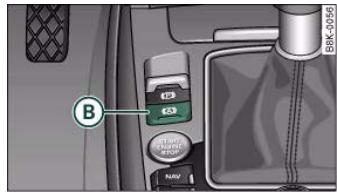
Fig. 137 Detail of the centre console: Button for Audi hold assist
When the Audi hold assist function is on, the vehicle is automatically prevented from rolling away and you no longer have to keep your foot on the brake pedal.
Conditions for switching on Audi hold assist
- The driver's door must be closed.
- The driver's seat belt must be buckled.
- The engine must be running.
Switching on Audi hold assist
- Press button (8) fig. 137 in the centre console to switch on the Audi hold assist function. The indicator lamp in the switch will light up.
Switching off Audi hold assist
- Press button fig. 137 to switch off the Audi hold assist function. The indicator lamp in the switch will go out.
- If you press button B while the vehicle is being held by the Audi hold assist function, the electro-mechanical parking brake will automatically take over. The parking brake will not take over if the foot brake is applied simultaneously.
- Audi hold assist is switched off automatically if you open the driver's door, unbuckle the seat belt or switch off the engine. If this happens when the green symbol is displayed in the instrument cluster, the parking brake will be applied automatically to ensure that the vehicle is parked safely.
Audi hold assist helps the driver to keep the vehicle stationary while the engine is running, for instance on steep gradients, at traffic

lights or in stop-and-go traffic. When the Audi hold assist function is on, you don't have to keep your foot on the brake to prevent the vehicle from accidentally rolling away. Once it detects that the vehicle is stopped, Audi hold assist keeps the vehicle stationary. The green symbol in the instrument cluster indicates that the function is activated. You can now take your foot off the brake pedal.
As soon as you drive off in the normal way, the parking brake will automatically be released and the vehicle will start moving.
If the conditions for Audi hold assist change and the function is switched off as a result, the parking brake will be applied automatically to ensure that the vehicle is parked safely. The diode in the button will go out when the Audi hold assist function is switched off.

Note
- Audi hold assist can be switched on only when the driver's door is closed, the driver's seat belt is buckled and the engine is running.
- Audi hold assist prevents automatic vehicles from creeping forwards when the brake pedal is released with the car in gear.
- When the vehicle has been stationary for an extended period, Audi hold assist will automatically apply the parking brake. In this case, the green symbol in the instrument cluster display will change to red.
Cruise control system
Introduction
The cruise control system allows you to maintain a constant speed.
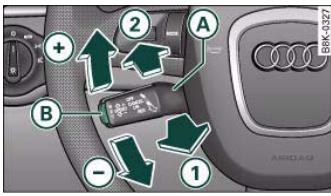
Fig. 138 Control lever and pushbutton for cruise control system

WARNING
The intelligent technology in Audi hold assist cannot defy the laws of physics. Do not let the extra convenience provided by Audi hold assist tempt you into taking a safety risk.
- Audi hold assist cannot keep the vehicle stationary in all conditions on a gradient (e.g. if the road is slippery or icy).
Audi hold assist must be switched on again each time the engine is started - Risk of accident!
- Never get out of the vehicle when the engine is running and Audi hold assist is switched on - Risk of accident!
- Always ensure that the vehicle is stopped properly and safely to avoid injury to yourself and others.

Caution
Switch off the Audi hold assist function before driving the vehicle into a car wash.
Controls
Safety
Driving tips
General maintenance
Self-help
Technical data

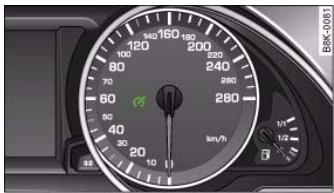
Fig. 139 Indicator lamp for the cruise control system - lights up when the system is operating.
The cruise control system allows you to drive at a constant speed of 30km / h or higher.
A constant speed is maintained by adjusting the engine power or braking the vehicle accordingly (while in cruise model).
The cruise control system is set using the control lever page 125, fig. 138. The indicator lamp lights up while the system is operating fig. 139.
The cruise control system is automatically deactivated immediately when you press the brake pedal.
On vehicles with a manual gearbox, the cruise control system will be deactivated if the clutch is pressed for a long time.

WARNING
Always direct your full attention to the road, even when you are using the cruise control system. It is always you who is responsible for determining your speed and for keeping a safe distance to the other vehicles on the road.
- For safety reasons, the cruise control system must not be used in city traffic, stop-go traffic, roads with a lot of bends or in difficult driving conditions (such as ice, fog, loose grit or gravel, heavy rain, aquplaning) - this could cause an accident!

WARNING (continued)
- When you take a turn-off, drive along a motorway exit lane or pass through roadwork sections, please temporarily switch off the cruise control system.
- Please make sure you do not unintentionally rest your foot on the accelerator - this will override the cruise control system which, as a result, will not brake the vehicle.

Caution
On vehicles with a manual gearbox: do not move the gear lever into neutral without depressing the clutch when the cruise control system is active. Otherwise the engine could rev up and be damaged.

Note
- On vehicles with a manual gearbox, the set speed cannot be reached if the currently selected gear is too high or too low. Change down to a lower gear when the engine no longer runs "smoothly" or change up a gear to avoid overrevving the engine.
- The brake lights come on when the system brakes the vehicle.
Cruise mode
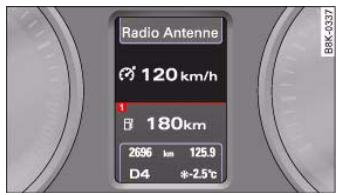
Fig. 140 Symbol and speed display while in cruise mode (permanent display)

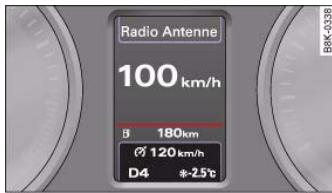
Fig. 141 Symbol and speed display while in cruise mode (short-term display)
Pull the lever (A) to position (1) page 125, fig. 138 to switch on the system.
- Drive at the speed you wish to set the system to (must be higher than 30km / h ).
- Briefly press button B.
When the pushbutton is released, the current speed is stored in the memory and the vehicle will maintain this speed. The cruise control system is then operating. If you have selected the display for the onboard computer 1 or 2, a green symbol in the instrument cluster display indicates that the cruise control is operating page 126, fig. 140. The speed which is being maintained is displayed next to the symbol.
The information for the cruise control system is shown briefly in the system status indicator if you have selected the display for the digital speedometer or the route guidance fig. 141. In addition, the indicator lamp page 126, fig. 139 lights up to tell you that the system is in cruise mode.
Adjusting speed (without storing it)
When the cruise control system is operating it is possible to briefly drive at a higher speed without storing this new speed.
- Press the accelerator, for example to overtake another vehicle.
Once you release the accelerator the system will automatically revert to the speed you stored initially. However, the system will only function in this manner for as long as the symbol page 126, fig. 140 lights up green.
If your speed is more than 10km / h higher than the stored speed over a period of more than 5 minutes the cruise control system will temporarily be deactivated. The green symbol will go out and the white symbol will light up. The stored speed will, however, be retained page 128, fig. 142.
Adjusting speed and storing new speed
To set a higher speed
- Move the lever up towards + page 125, fig. 138.
- Release the lever to store the current cruising speed.
To set a lower speed
- Move the lever down towards page 125, fig. 138.
- Release the lever to store the current cruising speed.
When you press and hold lever the speed is changed in increments of 10km / h . The speed selected can be higher/lower than the current driving speed.
Controls
Safety
Driving tips
General maintenance
Self-help
Technical data



Pressing lever A briefly
You can increase the set speed in steps of 1km / h by briefly pressing the lever () up towards () page 125, fig. 138.
You can decrease the set speed in steps of about 1km / h by briefly pressing the lever () down towards page 125, fig. 138.
Switching off cruise control temporarily
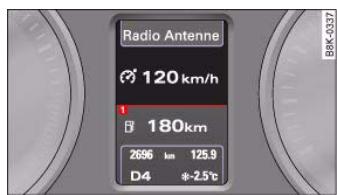
Fig.142 Symbol: Cruise control temporarily switched off
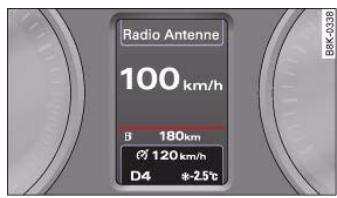
Fig.143 Symbol is shown briefly in system status indicator
- Press the brake pedal, or
-
Push lever (A) in direction (2) (click stop not engaged) page 125, fig. 138, or
-
Drive more than 10km / h faster than the stored speed over a period of more than 5 minutes page 127.
The green symbol will go out when the system is temporarily deactivated. The stored speed is retained. You can use this stored speed again the next time you activate cruise mode page 128, "Resuming cruise control".
Resuming cruise control
You can reactivate cruise mode only if you are driving faster than 30~km / h
- Pull the lever to position ① page 125, fig. 138.
When you reactivate the cruise control system you resume driving with the programmed cruising speed you stored earlier.

WARNING
Do not resume the programmed cruising speed if this is too high for the traffic conditions - this can cause accidents.
Pre-selecting a speed
When the cruise control system is deactivated you can pre-select a speed to use later.
Push the lever up towards + or down towards page 125, fig. 138 in order to increase or reduce the cruising speed setting.
- Release the lever to store the cruising speed setting displayed.
This function allows you to enter the desired cruising speed ahead of time, for example, before joining a motorway. Once you have

joined the motorway you can then activate the cruise control system as if you were resuming the function page 128, "Resuming cruise control".
Pre-selection after starting the engine
After starting the engine there is no cruising speed stored in the system. The current speed is stored when you briefly push lever (A) up towards (口) (if the speed is above 30~km / h ). If the speed is lower, 30~km / h is stored.
Switching off the cruise control system
While driving
- Press the lever (A) to position (2) (click stop engaged) page 125, fig. 138.
When the vehicle is stationary
The stored speed will be deleted when the ignition is switched off.


document_0900452a8179700c.book Seite 130 Donnerstag, 22. Marz 2007 10:19 10
Automatic gearbox
Automatic gearbox
multitronic
Applies to vehicles: with multitronic® Introduction
The vehicle is equipped with an electronically controlled continuously variable transmission (multitronic®). Unlike conventional automatics, the gear ratios are not shifted in fixed steps but continuously variable. This gives smoother transmission and makes for better fuel economy.
The gearbox selects the gear ratio and shifts up or down automatically according to the gear change programmes stored in the control unit page 133, "Dynamic gear control program (DCP)".
The gearbox also has the tiptronic manual shift feature. This system allows the driver to select gears manually if required page 134.
Please note that on vehicles with a multitronic gearbox, torque is transmitted via a multi-plate clutch, and not via a torque converter as on conventional automatics. This means that the car will not "creep" as much as conventional automatics when the engine is idling if you stop temporarily with the selector lever in position D, S or R.
Applies to vehicles: with multitronic®
General notes on using multitronic
The transmission ratio is varied continuously.
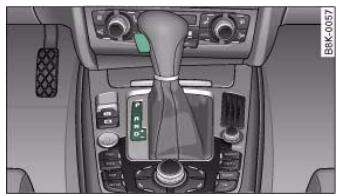
Fig. 144 Detail of the centre console: Selector lever with interlock button
Driving away from a standstill
- Press and hold the brake pedal.
- Press and hold the interlock button (the button in the selector lever handle), move the selector lever to the desired position, for instance D, and release the interlock button.
- Wait for the gearbox to engage the gear (a slight movement can be felt).
- Release the brake and press the accelerator
Stopping briefly
-
Apply the foot brake to hold the vehicle when stationary (for instance at traffic lights).
-
To prevent the vehicle from rolling away, apply the parking brake before moving off on steep gradients .
- As soon as you accelerate as normal, the parking brake will automatically be released and the vehicle will start moving.
Parking the car
- Press and hold the brake pedal
- Apply the parking brake.
- Press and hold the interlock button, move the selector lever to P and release the interlock button.
Your vehicle is equipped with the hill hold assist function which makes it easier to drive away on a slope. The system is activated when you press and hold the brake pedal for a few seconds. When you release the brake pedal the braking force will be maintained for a moment in order to prevent the vehicle rolling back when you drive away.
The engine can only be started when the selector lever is at P or N. On level ground it is sufficient to move the selector lever to P. On a gradient the parking brake should be applied first and the selector lever should be moved to P. This reduces the load on the locking mechanism and makes it easier to move the selector lever out of position P.
WARNING
- Do not press the accelerator while selecting a gear with the vehicle stationary and the engine running, as this could cause an accident.
Please note that some power will still be transmitted when you stop temporarily with the selector lever in position D, S or R. For
This reason, to avoid risking an accident, apply the footbrake firmly when stopping to prevent the vehicle rolling away.
- Never move the selector lever to R or P when driving, as this could cause an accident.
Applies to vehicles: with multitronic®
Selector lever positions
This section covers all the selector lever positions.
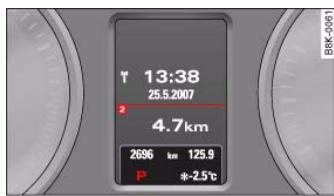
Fig.145 Display: Selector lever positions
The current selector lever position is shown in the instrument cluster display.
P - Parking lock
This locks the driving wheels mechanically. The parking lock must only be engaged when the vehicle is stationary .
The interlock button (the button in the selector lever handle) must be pressed in and the brake pedal must be depressed before moving the selector lever either in or out of position P. The lever can only be moved out of position P when the ignition is on.
R - Reverse gear
When reverse gear is engaged the gearbox automatically selects the lowest gear ratio.
Controls
Safety
Driving tips
General maintenance
Self-help
Technical data

Reverse gear must only be engaged when the vehicle is stationary and the engine is idling
To move the selector lever to position R, press in the interlock button and at the same time press the brake pedal. Depending on the model, one or two reversing lights will come on in selector lever position R (when ignition is switched on).
N - Neutral
In this position the gearbox is in neutral
D - Drive (forwards)
In this position the gearbox automatically selects the best gear ratio. This depends on the engine load, the road speed and the dynamic gear control program (DCP).
Press the brake pedal when moving the selector lever from N to D if the vehicle is stationary or at speeds below 5km / h
In some situations (such as on mountain roads or when towing a trailer or caravan) it can be advantageous to switch temporarily to tiptronic mode page 134, so that the gear ratios can be selected manually to suit the driving conditions.
S - Sport position
Select this position if you wish to take full advantage of the car's performance. This setting makes use of the engine's maximum power output. When accelerating the gear shifts will be noticeable.
Press the brake pedal when moving the selector lever from N to S if the vehicle is stationary or at speeds below 5km / h

WARNING
- Never move the selector lever to R or P when driving, as this could cause an accident.
- In selector position D or S the vehicle must always be held with the foot brake when the engine is running. This is because an automatic gearbox still transmits power even at idling speed, and the

WARNING (continued)
vehicle tends to "creep". The throttle must on no account be opened inadvertently (for instance by hand from the engine compartment) when a gear is engaged with the vehicle stationary. The vehicle could otherwise start moving immediately (in some cases even if the parking brake is engaged) and possibly cause an accident.
- To avoid accidents, apply the parking brake and put the selector lever in position P before opening the bonnet and working on the vehicle with the engine running. Please observe the important safety warnings page 231, "Working on components in the engine compartment".
Applies to vehicles: with multitronic®
Selector lever lock
The selector lever lock prevents gears from being engaged inadvertently, so that the vehicle is not set in motion unintentionally.
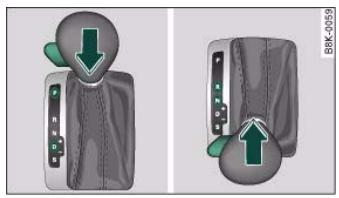
The selector lever lock is released as follows:

Fig. 146 Selector lever lock functions


- Press the brake pedal and at the same time press in the interlock button.
Automatic selector lever lock
The selector lever is locked in the P and N positions when the ignition is on. The brake pedal must be depressed before the lever can be moved out of either of these positions. The following message appears in the instrument display as a reminder for the driver when the selector lever is in position P or N:
The selector lever lock only works if the vehicle is stationary or driving at speeds up to 5km / h . At higher speeds the selector lever lock in the N position is disengaged automatically.
The selector lever lock is not engaged if the selector lever is moved quickly through position N (e.g. when shifting from R to D). This makes it possible, for instance, to "rock" the vehicle backwards and forwards if it is stuck in snow or mud. The selector lever lock engages automatically if the brake pedal is not depressed and the lever is in position N for more than about a second.
The interlock button on the selector lever handle prevents the driver from inadvertently engaging particular gears. Press the button in to disengage the selector lever lock. The illustration shows the selector lever positions in which the button has to be pressed, highlighted in colour page 132, fig. 146.
Safety interlock for ignition key
The key can only be withdrawn with the ignition switched off and the selector lever in position P. When the ignition key is removed, the selector lever is locked in position P.
Applies to vehicles: with multitronic®
Kick-down feature
The kick-down feature is designed to give maximum acceleration.
When the accelerator pedal is pressed right down past the point of resistance at full throttle, the gearbox will select a lower gear, depending on road speed and engine speed. While you keep the accelerator depressed the engine speed is automatically controlled to give your vehicle maximum acceleration.

WARNING
Please note that if the road surface is slippery or wet, the kickdown feature could cause the driving wheels to spin, which could result in skidding.
Applies to vehicles: with multitronic®
Dynamic gear control program (DCP)
The multitronic® gearbox is controlled electronically.
The vehicle is equipped with an electronically controlled gearbox. The gear ratios are selected automatically according to preset gearshift programmes.
When you drive at moderate speeds the gearbox will select the most economical shift programme. It will then change up early and delay the downshifts to give better fuel economy.
If you drive at higher speeds with heavy acceleration, if you open the throttle quickly, or if you use the kick-down or the car's maximum speed, the gearbox will automatically select the more "sporty" shift programmes.
The gearbox is self-adapting, and continuously selects the most suitable shift programme. At the same time, the driver can also make the gearbox switch to a more "sporty" programme by pressing
Controls
Safety
Driving tips
General maintenance
Self-help
Technical data

the accelerator quickly. Depending on road speed, this makes the gearbox shift down early into a lower gear ratio for more rapid acceleration (for instance to pass another vehicle), without having to press the accelerator all the way down into the kick-down position. After the gearbox has shifted back up it returns to the original programme, depending on your style of driving.
The gearbox continuously adapts the gear ratios on uphill gradients. If the brake pedal is pressed on a downhill gradient the gearbox automatically shifts to a lower gear ratio. This increases the engine braking effect.
Applies to vehicles: with multitronic®
Manual gear selection (tiptronic mode)
With the manual shift programme (tiptronic) the driver can manually select seven pre-programmed gears.

Fig.147 Centre console: Manual gear selection (tiptronic mode)
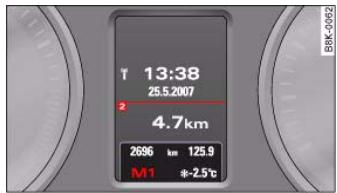
Fig.148 Display: Manual gear selection (tipronic mode)
Switching over to the manual programme
From position D, push the selector lever to the right. As soon as the automatic gearbox has changed over to this programme, the display will show the selected gear.
Shifting up a gear
- Briefly push the selector lever forwards (in the tiptronic gate) fig. 147 (+) .
Shifting down a gear
- Briefly pull the selector lever backwards (in the tiptronic gate) .
With the tiptronic system the driver can manually choose between 7 different pre-programmed gears. The manual programme can be selected either when stationary or while driving (by moving the lever out of position D).
When accelerating, the gearbox automatically shifts up into the next gear shortly before the maximum engine speed is reached.
If you select a gear which is lower than the gear shown in the instrument display fig. 148, the gearbox will only shift down when there is no longer a risk of overrevving the engine.

When the vehicle slows down (for instance when braking), the gearbox automatically shifts down into the next gear when the minimum engine speed is reached.
Changing down to a lower gear increases the engine braking effect on downhill gradients.
When the accelerator pedal is pressed right down past the point of resistance at full throttle, the gearbox will select a lower gear, depending on road speed and engine speed.
Applies to vehicles: with multitronic®
Back-up programme
A back-up system is in place should a fault occur in the control system.
The automatic gearbox switches to the back-up programme if a fault should occur in the control system. This is indicated by all segments of the display panel either lighting up together or going out completely.
It is still possible to move the selector lever to all positions. The manual shift programme (tiptronic) is not available when the backup programme is active.
It will still be possible to use reverse gear in the normal way. However, the electronic lock for reverse gear will be switched off.
Applies to vehicles: Tiptronic controls on steering wheel
Steering wheel with tiptronic controls
The paddle levers on the steering wheel enable the driver to manually select seven pre-programmed ratios (gears).
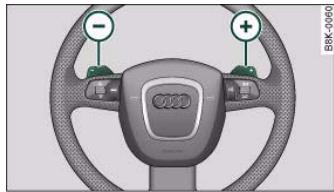
Fig.149 Steering wheel:tiptronic switches
- Briefly pull the left-hand paddle lever to change down to a lower gear.
- Briefly pull the right-hand paddle lever () to change up to a higher gear.
The paddle levers are activated when the selector lever is in position D or S, or the position for the manual shift programme (tipronic).
The manual shift programme can, of course, still be operated using the selector lever in the centre console.

Caution
Should the gearbox ever switch into the back-up programme, you should take the vehicle to an Audi dealer or qualified workshop as soon as possible.
Controls
Safety
Driving tips
General maintenance
Self-help
Technical data


Applies to vehicles: with multitronic®
Manual release of selector lever
The selector lever can be released manually if the electrical power supply should fail.
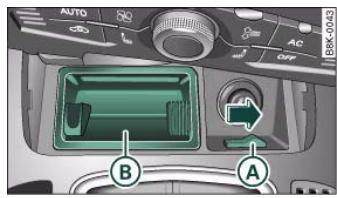
Fig. 150 Removing ashtray
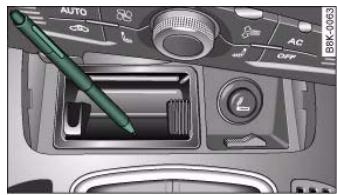
Fig. 151 Manual release of selector lever
The manual release mechanism is behind the ashtray.
The selector lever can only be moved out of position P if the ignition key is inserted and the ignition is switched on. If the power supply should ever fail (discharged battery, etc.) and the vehicle has to be pushed or towed, the selector lever must first be moved to position N. This is possible after operating the manual release mechanism.




Applies to vehicles: with parking system
General notes
Depending on the optional equipment fitted, there are various parking aid systems to assist you when parking or manoeuvring in tight spaces.
parking system*:
The parking system comprises the rear acoustic parking aid page 137.
The rear acoustic parking system uses ultrasonic sensors to measure the distance between the vehicle and an obstacle which has been detected. There are four sensors which are located in the rear bumper (two in the centre, two at the sides).
parking system plus*:
The parking system plus* comprises the rear and front acoustic parking aid page 138 in conjunction with a graphic display.
The parking system plus* uses ultrasonic sensors to measure the distance between the vehicle and an obstacle which has been detected. There are a total of 8 sensors located in the front and rear bumpers (2 in the centre and 2 on the side of each bumper).
parking system advanced*:
The parking system advanced* comprises the rear and front acoustic parking aid in conjunction with the graphic display as well as a reversing camera (Rear View) page 140.
The reversing camera is located in the boot lid page 140, fig. 154 and assists the driver when parking or manoeuvring in tight spaces. The reversing camera provides an image which is shown in the MMI
display. It represents the mirror image of a section of the area behind the vehicle page 144, fig. 159.

Note
There is a slight delay in the picture display.
parking system
Applies to vehicles: with parking system
Rear parking aid
The parking aid gives an acoustic warning if it detects any obstacles behind the vehicle.
- Engage reverse gear. You will hear a short beep to confirm that the rear parking aid has been activated. The rear parking aid remains active for as long as the reverse gear is engaged.
The measuring range of the sensors in the rear bumper starts at approximately:
| Rear | Side | 0.60 m |
| Centre | 1.60 m |
Reversing
When the vehicle is reversing, the system starts to beep when it registers an obstacle within its detection range (see above). The warnings will beep increasingly rapidly as the vehicle approaches the obstacle.
Controls
Safety
Driving tips
General maintenance
Self-help
Technical data

When the vehicle is less than approx. 0.30m away from the obstacle the warning tone will sound continuously. From here at the latest, the driver should then not reverse any further.
The volume of the warning beeps will be gradually reduced after about 4 seconds if the vehicle remains at a constant distance from a detected obstacle (it will not be reduced if the obstacle is closer than 0.30m ). The warnings will then return to the normal volume if the vehicle approaches the detected obstacle again.
Warning beeps
The warning beeps are produced by sound boxes. The volume and pitch of the beeps can be adjusted in the MMI page 148.

WARNING
- The sensors have blind spots in which obstacles are not registered. It is particularly important to ensure that there are no small children or animals near the vehicle, as the sensors may not always be able to detect them.
- The parking aid cannot replace the full concentration of the driver. The driver is always responsible for safety during parking and other manoeuvres. Always keep a close watch on the area around the vehicle.
- Please note that low obstacles detected by the system may no longer be registered by the sensors as the car moves closer, so the system will not give any further warning. Certain kinds of obstacles (such as wire fences, chains, thin painted posts or trailer draw bars, etc.) may not always be detected by the system (accident risk).
parking system plus
Applies to vehicles: with parking system plus
Parking aid (front and rear), with display
The parking aid gives an acoustic and a visual warning if it detects any obstacles in front of or behind the vehicle.
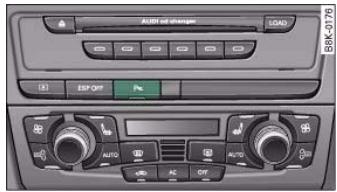
Fig. 152 Parking aid switch in centre console
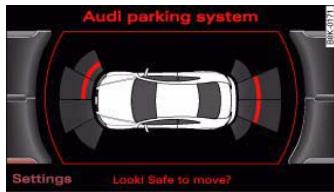
Fig. 153 MMI display: proximity graphic
The parking aid switch P_A is located in the centre console or next to the selector lever, depending on the equipment fitted.

Note
To ensure that the acoustic parking aid works properly, the sensors must be kept clean and free of snow and ice. Please observe the additional notes on page 152.
- Please refer to the notes on towing page 147.
Activating
- Engage reverse gear to automatically activate the parking system plus, or
- Press the switch P_啮 page 138, fig. 152 in the centre console to activate the parking system plus manually. You will hear a short beep to confirm that the parking system has been activated. The indicator lamp in the switch will light up.
Deactivating
- Drive forwards faster than approx. 10km / h or
- Switch off the ignition to automatically deactivate the complete parking system, or
- Press the switch P_链 page 138, fig. 152 to deactivate the parking system plus manually. The indicator lamp in the switch will go out.
Activate the system manually if you are driving forwards and would like the system to give a warning as you approach potential obstacles, for instance when parking.
The measuring range of the sensors in the front and rear bumpers starts at approximately:
| Front | Side | 0.90 m |
| Centre | 1.20 m |
| Rear | Side | 0.60 m |
| Centre | 1.60 m |
Warning beeps
The warning beeps are produced by sound boxes. The volume and pitch of the beeps can be adjusted in the MMI page 148.
Mute function
An acoustic proximity warning is cancelled when you apply the parking brake or move the selector lever of the automatic gearbox to position P. However, the system remains active. The warning beeps will start again as soon as you release the parking brake or move the selector lever out of position P if the system has detected an obstacle.
Reversing/driving forwards
When the vehicle is reversing/driving forwards, the system starts to beep if it registers an obstacle within its detection range (see above). The warnings will beep increasingly rapidly as the vehicle approaches the obstacle.
When the vehicle is less than approx. 0.30m away from the obstacle the warning tone will sound continuously. From here at the latest, the driver should then not reverse/drive forwards any further.
The volume of the warning beeps will be gradually reduced after about 4 seconds if the vehicle remains at a constant distance from a detected obstacle (it will not be reduced if the obstacle is closer than 0.30m ). The warnings will then return to the normal volume if the vehicle approaches the detected obstacle again.
Parking
If the parking manoeuvre involves shunting backwards and forwards, the warning sound will be switched off temporarily while you change gear. The proximity graphic will, however, still be displayed on the MMI screen. The warnings will then return to the normal volume if the vehicle approaches the detected obstacle again.
Graphic display
The segments in the MMI display indicate the distance between the vehicle and a detected obstacle. The number of segments shown depends on the obstacle in front of or behind the vehicle. The closer the vehicle gets to the obstacle the closer the segments move towards the vehicle in the graphic page 138, fig. 153. At the latest when the penultimate segment is highlighted the vehicle has
Controls
Safety
Driving tips
General maintenance
Self-help
Technical data

reached the danger (collision) zone. The driver should then not move backwards/forwards any further .
The graphic display in the MMI screen page 149 can be switched off. The acoustic proximity warning will, however, remain activated.
The graphic display will be deactivated as soon as you press a function selector button on the MMI control console. The graphic display will appear again the next time you park the vehicle. The graphic display in the MMI screen can also be switched on again manually using the switch P_A page 138, fig. 152. For more information on the MMI control console please refer to the MMI Operating Manual.

WARNING
- The sensors have blind spots in which obstacles are not registered. It is particularly important to ensure that there are no small children or animals in the vehicle, as the sensors may not always be able to detect them.
- The parking aid cannot replace the full concentration of the driver. The driver is always responsible for safety during parking and other manoeuvres. Always keep a close watch on the area around the vehicle.
- Please note that low obstacles detected by the system may no longer be registered by the sensors as the car moves closer, so the system will not give any further warning. Certain kinds of obstacles (such as wire fences, chains, thin painted posts or trailer draw bars, etc.) may not always be detected by the system (accident risk).
To ensure that the acoustic parking aid works properly, the sensors must be kept clean and free of snow and ice. Please observe the additional notes on page 152.
- Please refer to the notes on towing page 147.
parking system advanced
Applies to vehicles: with parking system advanced
Parking aid (front and rear), with display and reversing camera
The parking aid gives an acoustic and visual warning if it detects any obstacles in front of or behind the vehicle. The reversing camera provides further assistance when parking.
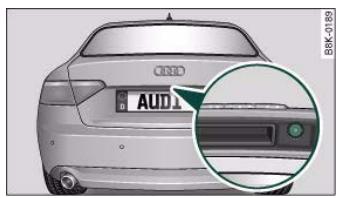
Fig.154 Boot lid: Location of reversing camera

Note
There is a slight delay in the picture display.
- You can change the settings for the graphic display in the MMI page 149.

- Engage reverse gear to automatically activate the parking system advanced, or
- Press the switch P in the centre console page 138, fig. 152 to manually activate the parking system advanced. You will hear a short beep to confirm that the parking system has been activated. The indicator lamp in the switch will light up.
Deactivating
- Drive forwards faster than approx. 10km / h or
- Switch off the ignition to automatically deactivate the complete parking system, or
- Press the switch P_% in the centre console page 138, fig. 152 to deactivate the parking system advanced. The indicator lamp in the switch will go out.
Activate the system manually if you are driving forwards and would like the system to give a warning as you approach potential obstacles, for instance when parking.
The measuring range of the sensors in the front and rear bumpers starts at approximately:
| Front | Side | 0.90 m |
| Centre | 1.20 m |
| Rear | Side | 0.60 m |
| Centre | 1.60 m |
Warning beeps
The warning beeps are produced by sound boxes. The volume and pitch of the beeps can be adjusted in the MM I page 148.
Mute function
An acoustic proximity warning is cancelled when you apply the parking brake or move the selector lever of the automatic gearbox to position P. However, the system remains active. The warning beeps will start again as soon as you release the parking brake or move the selector lever out of position P if the system has detected an obstacle.
Reversing/driving forwards
When the vehicle is reversing/driving forwards, the system starts to beep if it registers an obstacle within its detection range (see above). The warnings will beep increasingly rapidly as the vehicle approaches the obstacle.
When the vehicle is less than approx. 0.30m away from the obstacle the warning tone will sound continuously. From here at the latest, the driver should then not reverse/drive forwards any further.
The volume of the warning beeps will be gradually reduced after about 4 seconds if the vehicle remains at a constant distance from a detected obstacle (it will not be reduced if the obstacle is closer than 0.30m ). The warnings will then return to the normal volume if the vehicle approaches the detected obstacle again.
Parking
If the parking manoeuvre involves shunting backwards and forwards, the warning sound will be switched off temporarily while you change gear. The proximity graphic will, however, still be
Controls
Safety
Driving tips
General maintenance
Self-help
Technical data
al data

displayed on the MMI screen. The warnings will then return to the normal volume if the vehicle approaches the detected obstacle again.
Graphic display
The segments in the MMI display indicate the distance between the vehicle and an obstacle. The number of segments shown depends on the obstacle in front of or behind the vehicle. The closer the vehicle gets to the obstacle the closer the segments move towards the vehicle in the graphic page 141, fig. 155. At the latest when the penultimate segment is highlighted the vehicle has reached the danger (collision) zone. The driver should then not move backwards/forwards any further .
The graphic display in the MMI screen page 149 can be switched off. The acoustic proximity warning will, however, remain activated.
The graphic display will be deactivated as soon as you press a function selector button on the MMI control console. The graphic display in the MMI screen can also be switched on again manually using the switch _12 . For more information on the MMI control console please refer to the MMI Operating Manual.
Reversing camera (Rear View)
The mirrored image of the picture supplied by the reversing camera page 145, fig. 160 is shown in the MMI display. The picture supplied by the reversing camera also includes orientation lines and area markings which are projected onto the image to assist you when parking page 143. The red line in the picture page 143, fig. 156 / page 143, fig. 157 shows the collision zone. From here at the latest, the driver should not reverse any further .
If your vehicle is near an obstacle, the proximity graphic will also appear in the reversing camera image. This superimposed graphic helps the driver to localise the critical area of the vehicle.
If the MMI screen is showing the graphic display you can switch to the image of the reversing camera by pressing the control button for the function Rear View page 141, fig. 155.
If the MMI screen is showing the image of the reversing camera you can switch to the graphic display by pressing the control button for the function Graphic page 145, fig. 160.
The image of the reversing camera in the MMI screen page 149 can be switched off. The acoustic proximity warning will, however, remain activated.
The image of the reversing camera will be deactivated as soon as you press a function selector button on the MMI control console. The image of the reversing camera will be shown again the next time you park the vehicle. The image of the reversing camera can also be switched on again manually using the switch P. For more information on the MMI control console please refer to the MMI Operating Manual.

WARNING
- The sensors have blind spots in which obstacles are not registered. It is particularly important to ensure that there are no small children or animals near the vehicle, as the sensors may not always be able to detect them.
- The parking aid cannot replace the full concentration of the driver. The driver is always responsible for safety during parking and other manoeuvres. Always keep a close watch on the area around the vehicle.
- Please note that low obstacles detected by the system may no longer be registered by the sensors as the car moves closer, so the system will not give any further warning. Certain kinds of obstacles (such as wire fences, chains, thin painted posts or trailer draw bars, etc.) may not always be detected by the system (accident risk).

Note
There is a slight delay in the picture display.
- You can change the settings for the graphic display and the reversing camera in the MMI page 149.

- To ensure that the acoustic parking aid works properly, the sensors and the lens of the reversing camera must be kept clean and free of snow and ice. Please observe the additional notes from page 152 onwards.
- Please refer to the notes on towing page 147.
Applies to vehicles: with parking system advanced
Reversing camera (Rear View)
The reversing camera image in the MMI display shows the area behind the vehicle.
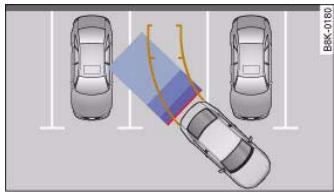
Fig.156 Viewed from above: Parking mode 1
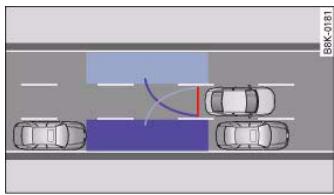
Fig. 157 Viewed from above: Parking mode 2
Parking mode
There are two different parking modes available when you park your vehicle with the help of the reversing camera. These are referred to as "Parking mode 1" page 145 and "Parking mode 2" page 146.
"Parking mode 1 " fig. 156 can, for example, be used when parking your vehicle in a carport or a garage page 145.
"Parking mode 2^ fig. 157 can be used, for example, when parking your vehicle at the roadside page 146.
When you activate the reversing camera page 140 the MMI display will automatically show "Parking mode 1". You can switch to "Parking mode 2" by pressing the control button Mode A page 145, fig. 161. Press the control button Mode repeatedly to switch between "Parking mode 1" and "Parking mode 2".
Orientation lines and area markings
Orientation lines and area markings ( page 145, fig. 160 and = page 146, fig. 162) are also projected onto the reversing camera images. They differ, depending on the parking mode you have selected. These orientation markings are intended to assist the driver when parking and manoeuvring in tight spaces. They are projected onto the image at road surface level (not on a gradient).
At the latest when the orientation lines and blue area markings overlap with vehicles or other objects the distance to the vehicles/objects is no longer sufficient page 151.
The orientation lines and blue area markings will not be displayed if the boot lid is open or the factory-fitted power socket for the trailer is in use page 147. This may not apply if the power socket was NOT factory-fitted.
You can adjust the settings in the MMI to select which system you want to be displayed on the MMI screen page 149:
- Graphic display, or
- Reversing camera images (Rear View), or
Automatic (switches automatically between graphic display and reversing camera), or
Controls
Safety
Driving tips
General maintenance
Self-help
Technical data


The reversing camera can be switched on and off in the MMI page 149. The acoustic proximity warning will, however, remain activated.

WARNING
- The reversing camera has blind spots in which obstacles are not registered. It is particularly important to ensure that there are no small children or animals near the vehicle, as the reversing camera may not always be able to detect them (accident risk).
- The parking aid cannot replace the full concentration of the driver. The driver is always responsible for safety during parking and other manoeuvres. Always keep a close watch on the area around the vehicle.
- Please note that low obstacles detected by the system may no longer be registered by the sensors as the car moves closer, so the system will not give any further warning. Certain kinds of obstacles (such as wire fences, chains, thin painted posts or trailer draw bars, etc.) may not always be detected by the system (accident risk).

Note
There is a slight delay in the picture display.
To ensure that the reversing camera works properly, the lens of the camera page 140, fig. 154 must be kept clean and free of snow and ice. Please observe the additional notes on page 152.
- If the boot lid is open the angle covered by the camera will change. For this reason, the image of the reversing camera will then be shown without orientation lines and blue area markings.
- Please refer to the notes on towing page 147.
Applies to vehicles: with parking system advanced
Detection range of the reversing camera
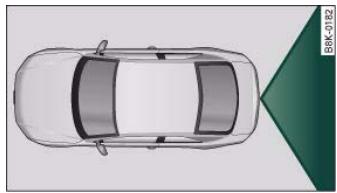
Fig. 158 Viewed from above: Area covered by the reversing camera
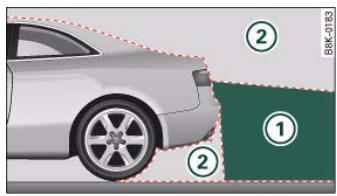
Fig.159 Side view: ① Area covered by the reversing camera; ② area NOT covered by the reversing camera
The section of the "Rear View" image shown in the MMI display is roughly the same as the area covered by the camera as shown in fig. 158 or ① in fig. 159. Objects which are in area ② fig. 159 of the reversing camera or in close proximity to the bumper cannot be identified.

Please note that objects which are not touching the ground may appear to be further away than they actually are (e.g. the bumper of a parked vehicle, a towing bracket or the rear end of a truck). In this case you should not use the orientation lines for judging the distance (accident risk).
Applies to vehicles: with parking system advanced
Parking mode 1
"Parking mode 1" can, for example, be used to assist you when parking in a garage or carport.
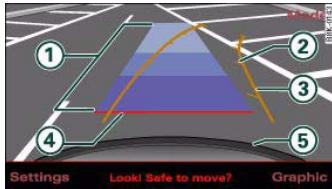
Fig. 160 MMI display: Driving into the parking space with the correct steering angle
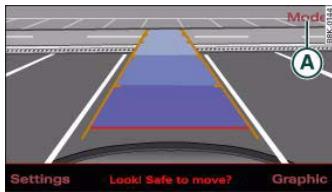
Fig.161 MMI display: Aligning the vehicle with the help of the blue area markings
- Activate the reversing camera page 140. "Parking mode 1" fig. 160 is the standard setting. Dynamic orange-coloured orientation lines (3) and static blue area markings (1) will be projected onto the image of the reversing camera.
- When the vehicle is stationary, use the orange orientation lines as a guide for turning the steering to the correct angle for the parking space.
- Reverse into the space and adapt the steering angle to the parking space, using the orange lines to assist you ①.
Align your vehicle according to the blue area marking. The blue area marking should be parallel to the lines of the parking space fig. 161.
① Blue area marking
The marking behind the vehicle (in different shades of blue) is an extension of the vehicle outline. It reaches about five metres to the rear of the vehicle. The shade of blue changes at a distance of approx. 1m , 2m and 5m from the vehicle.
② and ③ Orange orientation lines
The orientation lines change direction according to the steering angle. These lines represent the path which the rear of the vehicle would take if you were to reverse using the current steering angle. The dynamic orientation lines also have additional markers ② which are spaced approx. 1 metre apart. These markers help you to judge the distance up to an obstacle.
(4) Red line
The distance from your rear bumper ⑤ to the red line is approx. 40cm . From here at the latest, the driver should not reverse any further page 151.
Controls
Safety
Driving tips
General maintenance
Self-help
Technical data


For better orientation the rear bumper of your vehicle is also shown in the MMI display.

WARNING
Please note that objects which are not touching the ground may appear to be further away than they actually are (e.g. the bumper of a parked vehicle, a towing bracket or the rear end of a truck). In this case you should not use the orientation lines for judging the distance (accident risk).

Caution
The MMI display shows the path of the rear end of the vehicle if you were to reverse using the current steering angle. NB: The front end of the vehicle swings out further than the rear.

Note
To ensure that the reversing camera works properly, the lens of the camera page 140, fig. 154 must be kept clean and free of snow and ice. Please observe the additional notes on page 152.
Applies to vehicles: with parking system advanced
Parking mode 2
"Parking mode 2" can be used, for example, when parking at the roadside.
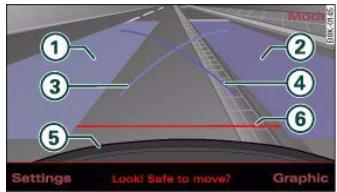
Fig. 162 MMI display: Blue area marking aligned in parking space
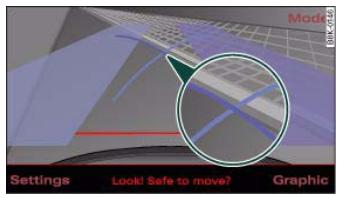
Fig. 163 MMI display: Blue marking touches edge of pavement
- To park in a parking space on the right side of the road:
- Position your vehicle parallel to the roadside, about a metre away from the next parked vehicle page 143, fig. 157. If you are parking next to obstacles please observe page 150.
Activate the reversing camera page 140. "Parking mode 1" is the standard setting.




- Press the control button for Mode A page 145, fig. 161. "Parking mode 2^ fig. 162 will appear in the MMI display.
- Reverse and align the position of your vehicle in such a way that the dark blue area marking ② fig. 162 borders onto the vehicle behind or onto the parking space line marking. If you are not parking next to obstacles page 150 the long side of the dark blue marking should border onto the kerb. The complete dark blue area marking must fit into the parking space page 143, fig. 157.
- When the vehicle is stationary turn the steering wheel to the right as far as it will go.
- Reverse into the parking space. If you are not parking next to obstacles page 150 the dark blue marking ④ should touch the kerb page 146, fig. 163. Stop your vehicle.
- Turn the steering wheel to the left as far as it will go (vehicle is stationary).
- Continue to reverse into the parking space until the vehicle is standing parallel to the kerb. When reversing you must also keep a close watch on the front end of the vehicle ①.
You can use "Parking mode 2" to park on the left or the right side of the road. For this reason, the blue markings are shown in various shades of blue. The dark blue area marking (2) and the dark blue curve (4) are used when parking on the right side of the road. The light blue area marking (1) and the light blue curve (3) are used when parking on the left side of the road.
When the turn signals are on, the display will only show the markings for the relevant side. To change the display to the other side, just switch on the opposite turn signals.
The light blue (3) and dark blue (4) curves show you when to turn the steering wheel in the other direction, i.e. when the curve touches the kerb. page 146, fig. 163.
The distance from your rear bumper (5) to the red line (6) is approx. 40 cm. From here at the latest, the driver should not reverse any further page 151.
WARNING
Please note that objects which are not touching the ground may appear to be further away than they actually are (e.g. the bumper of a parked vehicle, a towing bracket or the rear end of a truck). In this case you should not use the orientation lines for judging the distance (accident risk).
Caution
The MMI display shows the path of the rear end of the vehicle if you were to reverse using the current steering angle. NB: The front end of the vehicle swings out further than the rear.
i Note
To ensure that the reversing camera works properly, the lens of the camera page 140, fig. 154 must be kept clean and free of snow and ice. Please observe the additional notes on page 152.
Applies to vehicles: with parking system and towing bracket
Towing bracket
Once the electrical connector for the trailer socket is plugged in on vehicles with a factory-fitted towing bracket the rear sensors for the
Controls
Safety
Driving tips
General maintenance
Self-help
Technical data

148
document_0900452a8179700c.book Seite 148 Donnerstag, 22. Marz 2007 10:19 10
Audi parking system
parking aid are NO LONGER activated when reverse gear is engaged. This results in the following restrictions:
parking system:
There is no distance warning.
parking system plus*:
There is no rear distance warning page 138. However, the system will still give a warning when obstacles are detected while driving forwards. The graphic display page 138, fig. 153 will switch over to towing mode.
parking system advanced*:
There is no rear distance warning page 140. However, the system will still give a warning when obstacles are detected while driving forwards. The graphic display page 141, fig. 155 will switch over to towing mode. The image of the reversing camera will then be shown without orientation lines and blue area markings.
Settings
Applies to vehicles: with parking system
Adjusting warning beeps
The volume and frequency (pitch) of the beeps can be adjusted on the sound system or MMI.
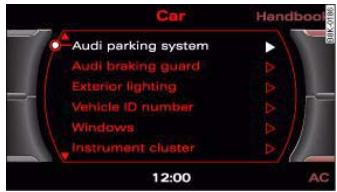
Fig. 164 MMI display: Selection menu
- Select: Function selector button CAR > Audi parking system.
Rear volume - to adjust the rear volume.
Rear frequency - to adjust the rear frequency.
- Front volume - to adjust the front volume.
- Front frequency - to adjust the front frequency.
When you change the volume or frequency, the front or rear loudspeaker will give a test warning beep at the new setting for about 2 seconds.
The volume and frequency settings will be automatically stored and assigned to the remote control key.

Applies to vehicles: with parking system plus
Switching graphic display on and off
The settings for the graphic display can be selected on the sound system or MMI.
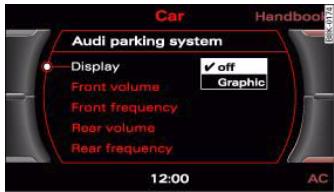
Fig.165 MMI display: DisplayAPS-submenu
- Select: Function selector button CAR > Audi parking system > Display.
If you have selected Graphic in the settings, the screen page 149, fig. 167 will automatically show the graphic display when the parking system is activated.

Note
If you change the settings on the sound system or MMI, the changes will not take effect until the next time you switch on the parking system.
Applies to vehicles: with parking system advanced
Switching graphic display/reversing camera on and off
The settings for the graphic display and reversing camera can be selected on the sound system or MMI.
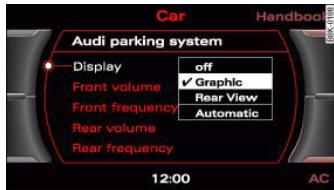
Fig. 166 MMI display: Display APS - submenu
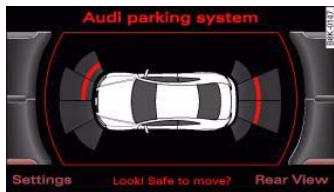
Fig.167 MM display: proximity graphic
- Select: Function selector button > Audi parking system > Display fig. 166.
When parking, you can use the reversing camera (Rear View) and the graphic display separately or in combination.
If you manually switch over to the reversing camera by pressing the control button marked Rear View fig. 167 the control button in the bottom right-hand corner will show Graphic page 146,
Controls
Safety
Driving tips
General maintenance
Self-help
Technical data

fig. 163. You can use the control buttons to switch between the Rear View camera and Graphic display at any time as desired. The settings selected on the sound system or MMI remain stored.
Setting "Graphic":
If you have selected Graphic in the settings, the screen fig. 167 will automatically show the graphic display when the parking system is activated.
Setting "Rear View"
If you have selected Rear View the reversing camera image page 145, fig. 161 will be displayed whenever you activate the parking system (both when reversing and when driving forwards).
Setting "Automatic":
If you have selected Automatic the screen will automatically show the reversing camera image when you engage reverse gear and the graphic display when you drive forwards.
Setting "Off":
If you select off the reversing camera and graphic display are both deactivated. The acoustic parking aid will, however, remain activated.

Note
If you change the settings on the sound system or MMI the changes will not take effect until the next time you switch on the parking system.
Special parking situations
Applies to vehicles: with parking system advanced
Parking next to an obstacle
When parking next to an obstacle it is important to keep sufficient distance at the side.
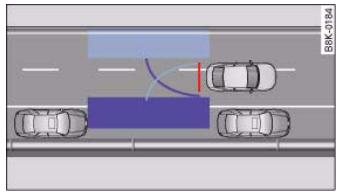
Fig. 168 Viewed from above: Parking next to a wall
When using "Parking mode 2" you can park your vehicle very close to the kerb of the pavement page 143, fig. 157.
However, if you are parking, for example, next to a wall, you must keep a greater distance to the side in order to avoid any collision damage. Position the long side of the blue area marking in such a way that there is sufficient distance to the kerb. The area marking must NOT touch the kerb fig. 168.
You also have to steer in the opposite direction a lot earlier. This means that the blue curve page 146, fig. 163 must not touch the kerb - make sure there is a sufficient distance to the kerb .

WARNING
- Please make sure you keep a sufficient distance between the vehicle and any obstacles to make sure that the exterior mirror or edge of the vehicle do not collide with the obstacle (accident risk)

- The parking aid cannot replace the full concentration of the driver. The driver is always responsible for safety during parking and other manoeuvres. Always keep a close watch on the area around the vehicle.
- When parking or manoeuvring do not rely solely on the MMI display. Some objects (e.g. narrow posts or bars) may - due to the resolution of the display screen - not be displayed in a satisfactory manner or may not be displayed at all.
Applies to vehicles: with parking system advanced
Note on distances
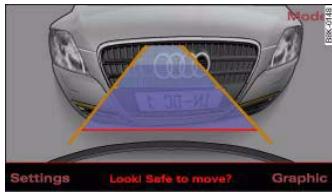
Fig. 169 MMI display: Red line makes contact with bumper
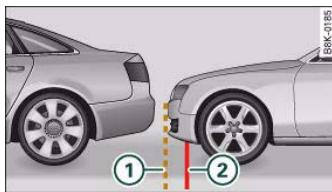
Fig. 170 Actual distance to bumper
The red line in the MMI display fig. 169 marks the distance which you should keep to an obstacle when parking. If the obstacle is located at road surface level you can approach the obstacle until the red line (40 cm distance) makes contact with the obstacle. However, if the obstacle is not at road surface level (e.g. the bumper of another vehicle) you should not approach the obstacle allowing the red line to make contact with the obstacle.
If you, for example, reverse towards a vehicle, the orientation lines and area markings in the MMI display appear to be overlapping onto the vehicle behind page 151, fig. 169. In the example shown in the picture the red line in the MMI display is directly on the bumper of the vehicle behind. In actual fact, however, the red line (2) page 151, fig. 170 is not making contact with the bumper but has already moved underneath the bumper. The actual distance to the vehicle behind (broken line (1) ) is already much less than 40cm . You must also include the bumper of your own vehicle in the calculation of the distance .

WARNING
- Please note that objects which are not touching the ground may appear to be further away than they actually are (e.g. the bumper of a parked vehicle, a towing bracket or the rear end of a truck). In this case you should not use the orientation lines for judging the distance (accident risk).
- Please make sure you keep a sufficient distance between the vehicle and any obstacles to make sure that the exterior mirror or edge of the vehicle do not collide with the obstacle (accident risk).
- The parking aid cannot replace the full concentration of the driver. The driver is always responsible for safety during parking and other manoeuvres. Always keep a close watch on the area around the vehicle.
- When parking or manoeuvring do not rely solely on the MMI display. Some objects (e.g. narrow posts or bars) may - due to the resolution of the display screen - not be displayed in a satisfactory manner or may not be displayed at all.
Controls
Safety
Driving tips
General maintenance
Self-help
Technical data


Applies to vehicles: with parking system
Fault warning for the acoustic parking aid
parking system:
If you hear a long beep when you engage reverse gear, the rear parking aid is not functioning correctly.
parking system plus*/parking system advanced*:
If you hear a long beep for a few seconds when you engage reverse gear and the diode in the switch P_串^* starts flashing, there is a fault in the rear and front parking system with graphic display.
You will be notified of a system fault
- when you manually activate the parking system via the switch P_链 * page 138
the first time you engage reverse gear after switching on the ignition, or
- immediately, if the fault is identified while you are using the parking system.

Note
If the system alerts you to a fault please have the fault rectified by an Audit workshop or other qualified workshop.
Applies to vehicles: with parking system advanced
Notes on reversing camera
We recommend that you practise parking with the reversing camera in a quiet location (car park or similar) in order to become familiar with the system, including the orientation lines and all the other features. Ideally, the weather and light conditions should be good.
Vehicles or other objects shown in the MMI display appear to be further away or closer, if:
- you are reversing from a horizontal surface up a gradient or down a hill.
- you are reversing towards protruding objects,
- the vehicle has been loaded with a greater load on the rear.
The accuracy of the orientation lines and the blue area markings decreases if:
- the reversing camera does not provide a reliable image, e.g. if visibility is poor or the lens is dirty,
- the sun is so dazzling that you cannot see the image on the display screen.
How to clean the lens of the reversing camera:
- Moisten the lens using a commercially available, alcohol-based glass cleaning agent and clean the lens with a dry cloth.
- Remove snow using a small brush.
If possible, use de-icing spray to remove any ice 1

WARNING
Even when using the reversing camera, the driver must still keep a close watch on the area behind the vehicle and use the mirrors.
- For technical reasons, the reversing camera cannot show the complete area behind the vehicle page 144, fig. 159. It is particularly important to ensure that there are no small children or animals near the vehicle, as the reversing camera may not always be able to detect them (accident risk).
- The parking aid cannot replace the full concentration of the driver. The driver is always responsible for safety during parking and other manoeuvres. Always keep a close watch on the area around the vehicle.
WARNING (continued)
- Do not allow the camera images in the MMI display to distract you from watching the traffic.
- When parking or manoeuvring do not rely solely on the MMI display. Some objects (e.g. narrow posts or bars) may - due to the resolution of the display screen - not be displayed in a satisfactory manner or may not be displayed at all.
- Only use the reversing camera to assist you if it is supplying you with a good and clear picture. The quality of the picture could be impaired by adverse light, dirt on the lens or a defect (accident risk).
- If the MMI display is switched on and the picture is obscured or the area behind the vehicle is not visible (e.g. due to a dirty or defective lens) you must not use the reversing camera to assist you when manoeuvring (accident risk).
- The reversing camera produces two-dimensional images. Please remember that ridges in the ground, parts protruding on other vehicles or fixed objects jutting out are all more difficult to detect on the MMI display screen due to a lack of spatial depth. In some cases it may not be possible to detect them at all.
- For safety reasons, you should not use the system if the position and installation angle of the camera have been changed, e.g. in a rear-end collision. Have it checked by a qualified workshop.
- Only use the reversing camera when the boot lid is completely closed. Please make sure that there are no objects mounted to the rear end of the vehicle which could block the view of the reversing camera.

Caution
- Never remove snow and ice from the lens of the reversing camera using warm or hot water - danger of cracks appearing on the lens.
- Never use abrasive cleaning agents on the lens.
Controls
Safety
Driving tips
General maintenance
Self-help
Technical data


Applies to vehicles: with HomeLink
Description
The HomeLink universal transmitter can be programmed to replace the hand-held controls of devices already in use.
HomeLink allows you to conveniently activate garage doors, estate gates, security systems, home or office lighting and other electric devices by means of control buttons inside your car.
HomeLink can replace up to three hand-held transmitters operating existing devices on your property with a single universal transmitter. This will be possible for most transmitters which control the drive units for a garage door or external gates, etc. You can programme the individual hand-held transmitters for your remote control at or near the centre of the radiator grille. This is where the control unit is located.
To be able to control systems with HomeLink, you need to perform initial programming on the HomeLink transmitter first. If systems fail to respond after the initial programming, check whether these systems work with a "rolling code" (variable security code) page 155.

WARNING
When you are programming the HomeLink universal transmitter, make sure that no persons or objects are close to the devices receiving the transmitter signals. If a gate or door is inadvertently set into motion during programming, persons might be injured or other damage caused by moving parts.

Note
- For additional information on HomeLink® and/or products compatible with HomeLink®, please call the toll-free HomeLink® hotline (0) 08000466 35465 or alternatively +49 (0) 6838 907 277, or visit the HomeLink® website at: www.homelink.com
HomeLink® is a registered trademark of Johnson Controls.
Applies to vehicles: with HomeLink
Programming the universal transmitter
The HomeLink unit is programmed at the radiator grille.
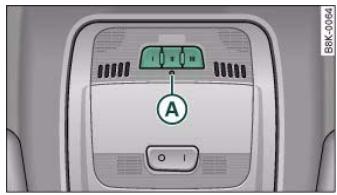
Fig. 171 Operating unit in headliner
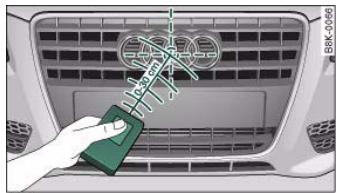
Fig.172 Radiator grille
At the operating unit
- Switch on the ignition (do not start the engine).
- Press and hold down the two outer HomeLink buttons page 154, fig. 171 until the indicator diode A page 154, fig. 171 begins to flash after about 20 seconds. This procedure will delete the standard factory settings and does not need to be repeated when programming the other buttons.
- Press the particular HomeLink button which you would like to program.
- Wait until the diode A begins to flash. The HomeLink module now remains in training mode for 5 minutes.
- Now step in front of your vehicle with the original handheld transmitter for the garage door opener or any other device you wish to assign to the HomeLink control button.
At the radiator grille
- Hold the original hand-held transmitter at or near the centre of your car's radiator grille page 154, fig. 172.
- Press the activator button on the original hand-held transmitter.
- As you do so, watch the turn signals on your vehicle. HomeLink confirms successful programming by flashing all four turn signals three times.
- If the turn signals fail to flash three times, repeat the procedure with the transmitter held at a different distance from the radiator grille.
The proper distance between the hand-held transmitter and the HomeLink module at the radiator grille depends on the system you want to train. It may require several attempts.
The turn signals will flash once if the time limit for the programming mode has been exceeded. In this case the programming procedure needs to be performed again. Repeat the sequence at the operating unit starting with step 3.
The programming instructions above also apply to the other control buttons. Start with step 3 if you wish to proceed and program the other two buttons.
If the garage door or other devices still fail to be activated with the HomeLink control buttons after programming is completed, it is possible that these systems might be working with a rolling code instead of the normal fixed security code. If this is the case, a rolling code programming is required in addition to the steps described above. page 155
Applies to vehicles: with HomeLink
Rolling code programming
Some devices require rolling code programming of the HomeLink universal transmitter.
Identifying a rolling code
- Press the already programmed HomeLink button again and hold it down.
- Watch HomeLink diode page 154, fig. 171. If the diode starts flashing rapidly and turns into a constant light after about 2 seconds, this indicates that the device you wish to operate (e.g. a garage door opener) is equipped with a rolling code.
- Program the rolling code as follows:
Controls
Safety
Driving tips
General maintenance
Self-help
Technical data

Activating the garage door opener drive unit
- Locate the programming button on the garage door drive. The exact location and colour of the button may vary depending on the type of garage door opener.
- Press the programming button on the door drive unit (this will normally cause a "programming mode indicator lamp" on the unit to light up). You now have about 30 seconds to start and complete the programming of the HomeLink control button on the operating unit.
Programming at the operating unit in the headliner
- Press and release the already programmed HomeLink button.
- Press the HomeLink button again to complete rolling code programming.
After programming at the operating unit in the headliner, the garage door opener should recognize the HomeLink signal and respond when the HomeLink button is pressed. Now the other control buttons can be programmed as required.

Note
Having a second person assist you makes programming of the rolling code easier and faster. For some makes of garage door openers the HomeLink button may have to be pressed a third time to complete the training sequence.
- If you encounter problems programming the rolling code you may find helpful information in the operating instructions of the garage door opener or other device you wish to operate.
Applies to vehicles: with HomeLink
Operating HomeLink
The programmed devices are activated by means of the HomeLink control buttons in the headliner.
- Make sure that the ignition is on.
- Press the programmed HomeLink button page 154, fig. 171. The device assigned to that button (e.g. garage door) will be activated.
The HomeLink indicator diode page 154, fig. 171 will light up when you press the button.
Applies to vehicles: with HomeLink
You can erase the complete HomeLink programming by pressing the two outer buttons.
- Switch on the ignition (do not start the engine).
- Press and hold down the two outer buttons until the indicator diode starts to flash page 154, fig. 171.
- Then release the buttons.
After the programming of the HomeLink buttons has been erased, the system will return to the training mode and is ready to be reprogrammed at any time.

Note
- Programmed buttons cannot be erased individually.
- For security reasons it is advisable to erase the programming of the HomeLink buttons prior to selling your vehicle.

Applies to vehicles: with HomeLink
A HomeLink button can be re-programmed individually without affecting the other button allocations.
At the operating unit in the headliner
- Press and hold down the selected button until the indicator diode page 154, fig. 171 starts flashing slowly.
At the radiator grille
Hold the original hand-held transmitter for the garage door opener or other device directly in front of the radiator grille of your vehicle (at or near the centre)
page 154, fig. 172. The exact distance depends on the system that you want to program.
- Press the button on the original hand-held transmitter for the garage door opener or other device.
- As you do so, watch the turn signals on your vehicle. HomeLink confirms successful programming by flashing all four turn signals three times.
- If the turn signals fail to flash three times, repeat the procedure with the transmitter held at a different distance from the radiator grille.
When the turn signals have flashed three times, this means the device previously stored in HomeLink has been erased and the new system programmed in its place. To activate the new system, press the HomeLink button that has just been re-programmed.

Note
It may require several attempts before programming is successful. When programming a new device, keep the button pressed for at
least 15 seconds before trying again with the transmitter in a different position. Keep watching the turn signals during that time.
Applies to vehicles: with HomeLink
The HomeLink universal transmitter is registered in the following countries under the following certification numbers:
| Country | Certification number |
| Andorra | 16SEP2003 |
| Belgium | RTT/D/X2064 |
| Denmark | 98.3142-266 |
| Germany | D800038K |
| Finland | FI98080106 |
| France | 97619 RD |
| Gibraltar | RTTE 20754/0087847 |
| Greece | JCI 05JUL2000 RTTE |
| Great Britain | RTTE 20754/0087847 |
| Republic of Ireland | TRA 24/5/109/5 |
| Iceland | IS-3418-00 |
| Italy | DGPGF/4/341032/TB 0002573 |
| Croatia | SRD-156/03 |
| Luxembourg | L2433/10510-03J |
| Malta | WT/122/98 |
| Monaco | PC/cp-CI.T55-03/04672 |
| Netherlands | NL99030970 |
| Norway | NO20000026 |
Controls
Safety
Driving tips
General maintenance
Self-help
Technical data

Safety is the first priority
Your safety is our first priority.
This chapter contains important information, tips, suggestions and warnings that you should read and observe for your own safety and the safety of your passengers.

WARNING
- The information in this chapter is important for the driver of the vehicle and all passengers. The other chapters in this manual (and, where applicable, in the other literature supplied with the vehicle) contain further important notes which you should read and observe for your own safety and that of your passengers.
- Ensure that the complete vehicle wallet is always in the vehicle. This is especially important when you lend or sell the vehicle to others.
Safety features
The safety features listed here are part of the vehicle's occupant restraint system. They work together to help reduce the risk of injury in a wide variety of accident situations.
Your safety and the safety of your passengers should not be left to chance. In the event of an accident, the safety features incorporated in your vehicle are capable of reducing the risk of injury. These are just a few of the safety features in your Audi:
-
Optimised three-point seat belts for all seats,
-
Belt force limiters for the front seats,
- Belt pre-tensioners for the front seats,
- Head restraints for all seats,
- Optimised protection against injuries of the cervical vertebrae,
- Front airbags,
- Side airbags in the backrests of the front seats,
- Head-protection airbags (sideguard system),
-
"ISOFIX" mountings* for "ISOFIX" child safety seats on the rear seats,
-
Height-adjustable head restraints on the seats,
- Adjustable steering column.
These individual safety features are harmonised to provide you and your passengers with the best possible protection in accident situations. However, they can only be effective if you and your passengers sit in the correct position and adjust and use the safety equipment properly.
For these reasons, this chapter explains why these safety features are so important, how they can protect you, what you need to remember when using them, and how you and your passengers can gain the most benefit from them. There are also a number of important safety warnings which you and your passengers should always observe in order to minimise the risk of injury.
Safety is everyone's responsibility!
Before every trip
The driver is responsible for the safety of the passengers and the safe operation of the vehicle at all times.
For your own safety and the safety of your passengers, always note the following points before every trip:
- Make sure that all lights and turn signals are working properly.
- Check the tyre pressures.
- Make sure that all windows are clean and give good visibility to the outside.
- Secure all luggage and other items carefully page 77.
- Make sure that no objects can interfere with the pedals.
- Adjust the front seat, head restraint and mirrors correctly.
- Make sure that the head restraints for all passengers are adjusted to the correct position.
- Make sure that children are protected with suitable safety seats and properly worn seat belts page 185.
- Sit in the correct position in your seat and make sure that your passengers do the same. page 70.
-
Fasten your seat belt correctly. Make sure that your passengers do the same page 170.
-
Never drive when your driving ability is impaired (by medication, alcohol, drugs, etc.).
- Obey all traffic regulations and speed limits and always maintain a safe distance to the vehicle in front.
- Always adjust your speed to suit the road, traffic and weather conditions.
Take frequent breaks on long trips. Do not drive for more than two hours without a stop.
- If possible, avoid driving when you are tired or stressed.

WARNING
Distractions while driving or any kind of impairment to your driving ability increase the risk of accident and injury.
- Do not store loose objects on the dashboard. These objects could fly around the interior when the vehicle is moving (under acceleration or whilst cornering) and distract the driver – this could lead to an accident.
What affects driving safety?
Safety on the road is directly related to how you drive, and can also be affected by the passengers in the vehicle.
The driver is responsible for the safety of the vehicle and all its occupants. If your ability to drive is impaired in any way, you endanger yourself and other road users A. Therefore:
- Do not let yourself be distracted by passengers or by using a mobile phone, etc.
Controls
Safety
Driving tips
General maintenance
Self-help
Technical data

document_0900452a8179700c.book Seite 164 Donnerstag, 22. Marz 2007 10:19 10
Safe driving
Correct sitting positions
Correct sitting position for driver
The correct driving position is important for safe and fatigue-free driving.
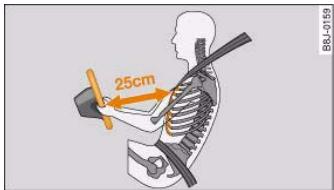
Fig.173 Minimum distance between driver and steering wheel
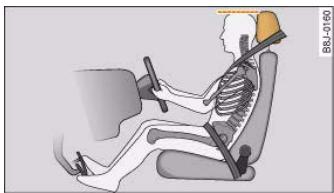
Fig. 174 Correct head restraint position for the driver
For your own safety, and to reduce the risk of injury in the event of an accident, we recommend the following driving position.
-
Adjust the steering wheel so there is a distance of at least 25cm between the steering wheel and your breastbone fig. 173.
-
Move the driver's seat forwards or backwards so that you can press the accelerator, brake and clutch pedals all the way to the floor with your knees slightly bent A.
- Make sure that you can comfortably reach the top of the steering wheel.
- Adjust the head restraint so that the top of the head restraint is level with the top of your head fig. 174.
- Adjust the backrest to an upright position so that your back remains in contact with the upholstery.
- Fasten your seat belt correctly page 170.
- Keep both feet in the footwell so that you are in full control of the vehicle at all times.
For detailed information on how to adjust the driver's seat, see page 70, "Seats and storage".

WARNING
- A driver who is not sitting in the correct position or who is not wearing a seat belt can be fatally injured if the airbag is triggered.
- Adjust the driver's seat so there is a distance of at least 25cm between your breastbone and the centre of the steering wheel fig. 173.
- While driving, always hold the steering wheel with both hands on the outside of the rim at about the 9 o'clock and 3 o'clock position. This reduces the risk of injury if the driver's airbag inflates.
- Never hold the steering wheel at the 12 o'clock position, or with your hands inside the rim or on the steering wheel hub. This could result in serious injuries to the arms, hands and head if the driver's airbag inflates.
To reduce any risk of injury to the driver during a sudden brake application or in an accident, never drive with the backrest tilted

too far back. The airbag system and seat belts can only provide proper protection when the backrest is in an upright position and the driver is wearing the seat belt in the correct position. The further the backrest is tilted back, the greater the risk of injury due to incorrect positioning of the belt webbing or an incorrect sitting position.
- Adjust the head restraint properly so that it can give maximum protection.
Correct sitting position for front passenger
The front seat passenger must sit at least 25 cm away from the dash panel so that the airbag has enough room to inflate and give maximum protection in an accident.
For your own safety and to reduce the risk of injury in the event of an accident, we recommend adjusting the front passenger's seat as follows:
- Move the front passenger's seat as far back as possible .
- Adjust the backrest to an upright position so that your back remains in contact with the upholstery.
- Adjust the head restraint so that the top of the head restraint is level with the top of your head page 166.
- Keep both feet in the footwell in front of the seat.
- Fasten your seat belt correctly page 173.
In exceptional cases you can disable the front passenger's airbag via the key-operated switch* page 183.
For detailed information on how to adjust the front passenger's seat, see page 70, "Seats and storage".
WARNING
A passenger who is not sitting in the correct position or who is not wearing a seat belt can be fatally injured if the airbag is triggered.
- Adjust the front passenger's seat so there is a distance of at least 25cm between your breastbone and the dash panel.
- Always keep your feet on the floor when the vehicle is moving; never rest them on the instrument panel, out of the window or on the seat. If you sit in an incorrect position, you increase your risk of injury in the event of sudden braking or an accident. If the airbag is triggered, you could sustain potentially fatal injuries by sitting out of position.
- To reduce the risk of injury to the front passenger in the case of sudden braking or an accident, the passenger should never travel in a moving vehicle with the backrest reclined. The airbag system and seat belt can only provide proper protection when the backrest is in an upright position and the passenger is wearing the seat belt in the correct position. The further the backrest is tilted back, the greater the risk of injury due to incorrect positioning of the belt webbing or an incorrect sitting position.
Always adjust the head restraints properly for maximum protection.
Correct sitting position for passengers in the rear
Rear seat passengers should sit upright with both feet on the floor and wear their seat belts properly whenever the vehicle is moving.
To reduce any risk of injury in the event of sudden braking or an accident, passengers in the rear seats must observe the following:
Controls
Safety
Driving tips
General maintenance
Self-help
Technical data


- Adjust the head restraint so that the top of the head restraint is level with the top of your head page 166.
- Keep both feet in the footwell in front of the rear seat.
- Fasten your seat belt correctly page 173.
- Use appropriate child restraint systems for children travelling in the vehicle page 185.
WARNING
Rear passengers sitting out of position can suffer severe injuries.
- Always adjust the head restraints properly for maximum protection.
- Seat belts only offer maximum protection when the backrest is in an upright position and the passengers are wearing the seat belts properly. By not sitting upright, rear passengers increase the risk of injury due to incorrect positioning of the seat belt webbing.
Correct adjustment of head restraints
Properly adjusted head restraints are an important part of the vehicle's occupant protection system. They can help to reduce the risk of injuries in most accident situations.
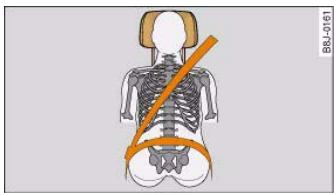
Fig. 175 Correctly adjusted head restraint (seen from the front)
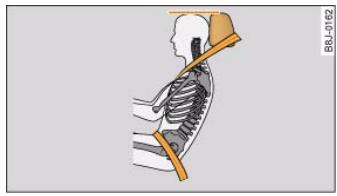
Fig. 176 Correctly adjusted head restraint (seen from the side)
The head restraints must be adjusted properly to provide maximum protection.
- Adjust the head restraint so that the top of the head restraint is level with the top of your head fig. 175 and fig. 176.
For more information on how to adjust the head restraints, see page 76.
WARNING
Travelling with the head restraints removed or incorrectly adjusted increases the risk of severe injuries.
- Incorrectly adjusted head restraints could lead to death in the event of a collision or accident.
- Incorrectly adjusted head restraints can also increase the risk of injury during sudden or unexpected braking or other manoeuvres.
- The head restraints must always be adjusted according to the occupant's size.



Examples of incorrect sitting positions
Occupants can suffer severe or fatal injuries injuries if they sit in an incorrect position while the vehicle is moving.
Seat belts can only provide maximum protection if the belt webbing is positioned correctly. Sitting out of position greatly reduces the effectiveness of the seat belts and increases the risk of injury since the belt webbing is not worn in the position for which it is designed. The driver is responsible for the safety of all vehicle occupants, especially for children.
- Never allow anyone to sit out of position while the vehicle is moving .
The following list shows just some examples of incorrect sitting positions which can be dangerous to all occupants. The list is not complete, but will help to make you aware of possible dangers which can be avoided.
Therefore, whenever the vehicle is moving:
- never stand up in the vehicle,
- never stand on the seats,
- never kneel on the seats.
- never travel with the backrest reclined too far,
- never lean against the dash panel,
- never lie down on the rear seat,
- never sit on the front edge of a seat,
- never sit sideways,
- never lean out of the window,
- never put your feet out of the window,
- never put your feet on the dash panel,
-
never put your feet on the seat cushion,
-
never ride in the footwell,
- never travel on a seat without wearing the seat belt,
- never climb into the luggage compartment.

WARNING
Sitting out of position increases the risk of severe injuries.
- Sitting out of position exposes the occupants to potentially fatal injuries: if the airbags inflate they can strike any occupant who is not in one of the designed seat positions.
- Before starting a trip, sit in the correct position and stay in this position as long as the vehicle is moving. Before every trip, make sure all passengers are sitting in the correct positions and remain correctly seated at all times page 70, "Seats and storage".
Pedal area
Pedals
The pedals must always be free to move and must never be obstructed by floor mats or any objects in the footwell.
- Make sure that the accelerator, brake and clutch pedals are not obstructed and can be pressed all the way down to the floor.
- Make sure that all pedals are able to return freely to their original positions.
Only use floor mats which leave the pedal area free and can be securely fastened in the footwell.
If one of the brake circuits should fail, increased brake pedal travel will be required to bring the vehicle safely to a stop.
Controls
Safety
Driving tips
General maintenance
Self-help
Technical data

168
Any obstructions that restrict pedal travel can cause loss of vehicle control and critical situations on the road.
- Never place objects in the driver's footwell. Such objects could move under the pedals and interfere with their proper function. In the event of sudden braking or a change of direction, you would not be able to use the pedals. This could result in a loss of control and possibly cause an accident.
Floor mats on the driver's side
Use only floor mats which can be securely fastened in the footwell and do not obstruct the pedals.
- Make sure that floor mats are securely fastened and cannot interfere with the pedals .
Use only floor mats that leave the pedal area unobstructed and are firmly secured to prevent them from slipping. You can obtain suitable floor mats from your dealer or a specialist retailer.

WARNING
Any obstructions that restrict pedal travel can cause loss of vehicle control and increase the risk of serious personal injury.
Always make sure that floor mats are properly secured.
- Never lay or install additional floor mats or other floor coverings over the existing floor mats; this would restrict the pedal area and possibly obstruct the pedals, which could cause an accident.
Stowing luggage safely
Luggage compartment
All luggage and other objects must be safely secured in the luggage compartment.
Loose items in the luggage compartment can shift suddenly and cause a safety hazard or impair the handling of the vehicle by changing the weight distribution.
- Distribute the load evenly in the luggage compartment page 77.
- Place heavy items as far forward as possible in the luggage compartment and secure them properly.
- Use the fastening rings provided page 169 or the luggage net for securing heavy items.

WARNING
- Loose items in the luggage compartment can shift suddenly and cause a safety hazard or impair the handling of the vehicle by changing the weight distribution.
- Always stow objects in the luggage compartment and secure them on the fastening rings*.
- Transporting heavy objects may affect the vehicle's handling by shifting the centre of gravity – this could cause an accident. Take extra care when driving and adjust your speed accordingly.
- Never exceed the maximum axle loads or the maximum gross weight for the vehicle page 295, "Performance, weights and dimensions". Exceeding the permitted axle loads or gross weight limit can affect the vehicle's handling characteristics, and increase the risk of accidents, personal injuries or damage to the vehicle.
- Never leave your vehicle unattended when the boot lid is open. Children could climb into the boot and close the boot lid from the

inside. In this case the child would be unable to get out of the vehicle without help. This could have fatal consequences.
- Never allow children to play in or around the vehicle. Always close and lock the boot lid and all the doors when you leave the vehicle.
- Never let passengers ride in the luggage compartment. All occupants must be properly restrained by the seat belts at all times page 170.
vehicle and the weight of the object. The most significant factor, however, is the speed of the vehicle.
An example: An object weighing 4.5kg is lying unsecured in the vehicle. During a frontal collision at a speed of 50km/h , this object generates a force corresponding to 20 times its weight. That means that the effective weight of the object increases to about 90kg . You can imagine the severity of the injuries which might be sustained if this "projectile" strikes an occupant as it flies through the passenger compartment.

Note
Air circulation in the vehicle helps reduce fogging of the windows. Used air escapes through ventilation slots in the rear of the vehicle. Make sure that these ventilation slots are not obstructed.
- Suitable belts for securing loads to the fastening rings* are commercially available.

WARNING
If items of luggage or other objects are secured to the fastening rings with inappropriate or damaged retaining cords, injuries could result in the event of sudden braking or a collision.
- To prevent pieces of luggage or other objects from flying forward, always use appropriate retaining cords which are properly secured to the fastening rings.
- Never secure a child seat on the fastening rings.
Applies to vehicles: with fastening rings
Fastening rings
Unsecured loads are a hazard to all vehicle occupants.
There are fastening rings in the luggage compartment which can be used to secure luggage and other objects page 78.
- Use the fastening rings to secure items safely in the luggage compartment A in "Loading the luggage compartment" on page 77.
During a collision or an accident, even small and light objects can possess so much energy that they can cause very severe injuries. The amount of this "kinetic energy" depends on the speed of the
Controls
Safety
Driving tips
General maintenance
Self-help
Technical data

170
Why is it so important to use seat belts?
Seat belts provide effective protection
The common belief that passengers can brace their weight with their hands in a minor collision is false.
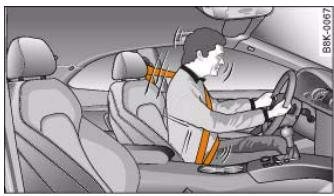
Fig. 177 Driver protected by the properly worn seat belt during a sudden brake manoeuvre
It is an established fact that seat belts provide good protection in accidents. Therefore wearing a seat belt is required by law in most countries.
Properly worn seat belts hold the occupants in the best position for maximum protection fig. 177. The seat belts are capable of absorbing much of the kinetic energy arising in a collision. Also they help to prevent uncontrolled movements which could lead to severe injuries page 171, "Important safety instructions for using seat belts".
If they wear the seat belts correctly, the passengers benefit greatly from the ability of the belts to reduce the kinetic energy gradually. The front crumple zones and other passive safety features (such as the airbag system) are also designed to absorb the kinetic energy generated in a collision. Taken together, all these features reduce
the forces acting on the occupants and consequently the risk of injury.
Although these examples are based on a frontal collision, the physical principles involved are the same in other types of accidents and for vehicles with an airbag system. This is why it is so important to put on the seat belts before every trip - even when "just driving around the corner". Ensure that your passengers wear their seat belts as well .
Properly worn seat belts have been shown to be an effective means of reducing the potential for injury and improving the chances of survival in a serious accident page 171, "Forces acting in a collision".
For information on how children can travel safely in the car page 185, "Points to remember if children are travelling in the car".

WARNING
-
Seat belts must be put on before every trip - even when driving in town. This also applies to the rear passengers (injury risk).
-
During pregnancy, women should always ensure they wear a seat belt. The best way to protect the unborn child is to protect the mother page 174, "Wearing and adjusting the seat belts during pregnancy".

Important safety instructions for using seat belts
There are a number of safety points concerning the seat belts which you should remember. This will help to reduce the risk of injury in an accident.

WARNING
-
The seat belts can only provide maximum protection if the seats are adjusted properly page 70, "Seats and storage".
To ensure proper protection, it is important to wear the seat belts in the correct position page 173, "How to wear seat belts properly". Ensure that the seat belts are worn exactly as recommended in this chapter. Belts which are not worn properly can increase the risk of injury in accidents considerably.
-
Do not allow the seat belt to become twisted or jammed, or to rub on any sharp edges.
- Never allow two passengers (even children) to share the same seat belt. It is especially dangerous to place a seat belt over a child sitting on your lap.
- Do not wear the belt over hard or fragile objects (such as glasses or pens, etc.) because this can cause injuries.
- Loose, bulky clothing (such as an overcoat over a jacket) impairs the proper fit and function of the belts.
- The belts must be kept clean, otherwise the retractors may not work properly page 226, "Seat belts".
- The slot in the seat belt buckle must not be blocked with paper or other objects, as this can prevent the latch plate from engaging properly.
- The latch plate of the belt must always be engaged in the correct buckle for that seat, otherwise the belt will not be fully effective.
- Check the condition of the seat belts at regular intervals. If you notice that the belt webbing, fittings, retractor mechanism or

WARNING (continued)
buckle of any of the belts is damaged, the belt must be replaced by a qualified workshop.
- The seat belts must not be removed or modified in any way. Do not attempt to repair a damaged belt yourself.
- Seat belts which have been worn in an accident and stretched must be replaced by a qualified workshop. The belt anchorages should also be checked.
Forces acting in a collision
The physical principles involved in a frontal impact
Very large forces are generated during a collision; these forces have to be absorbed.
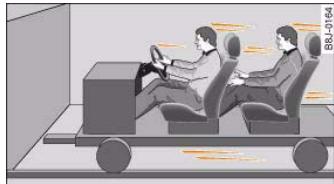
Fig.178 Passengers of a vehicle which is headed for a brick wall. They are not using seat belts.
Controls
Safety
Driving tips
General maintenance
Self-help
Technical data


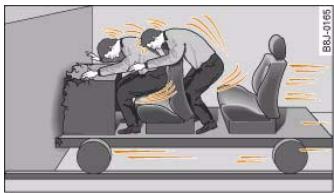
Fig. 179 The vehicle crashes against the wall
The physical principles involved in a frontal collision are relatively simple:
Both the moving vehicle and the passengers possess energy, which is known as "kinetic energy" page 171, fig. 178. The amount of "kinetic energy" depends on the speed of the vehicle and the weight of the vehicle and passengers. The higher the speed and the greater the weight, the more energy there is to be absorbed in an accident.
The most significant factor, however, is the speed of the vehicle. If the speed doubles from 25km / h to 50km / h , for example, the kinetic energy increases by a factor of four. Because these passengers are not restrained by seat belts, the entire amount of kinetic energy has to be absorbed at the point of impact fig. 179. This would result in serious or potentially fatal injury.
Even at urban speeds of 30km / h to 50km / h , the forces acting on the occupants in a collision can reach the equivalent of 1 ton (1000 kg) or more. At greater speed these forces are even higher. A rule of thumb: if the speed doubles, the forces increase by a factor of four.
Passengers who do not wear seat belts are not "attached" to the vehicle. In a frontal collision they will continue to move forward at the speed their car was travelling just before the impact.
What happens to passengers not wearing seat belts?
Passengers not wearing seat belts risk fatal injuries in the event of an accident.
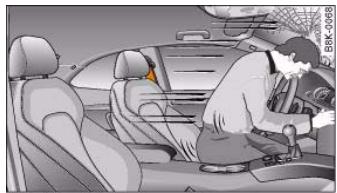
Fig. 180 A driver not wearing a seat belt can be thrown forwards
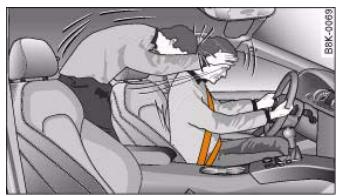
Fig.181 A rear passenger not wearing a seat belt can be thrown forwards
In a frontal collision, unbelted passengers will be thrown forwards and make violent contact with the steering wheel, dashboard, windscreen, etc fig. 180. Passengers not wearing their belts risk being thrown out of the car, resulting in potentially fatal injuries.
The common belief that occupants can brace their weight with their hands in a minor collision is false. Even at low speeds the forces acting on the body in a collision are so great that it is not possible to hold yourself in the seat.

It is also important for the rear passengers to wear seat belts, as they could otherwise be thrown forwards violently in an accident. Rear passengers who do not use seat belts endanger not only themselves but also the other occupants page 172, fig. 181.
How to wear seat belts properly
Putting on the three-point seat belts
Always fasten your seat belts before driving off.
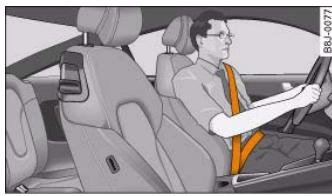
Fig.182 Positioning of head restraints and seat belts
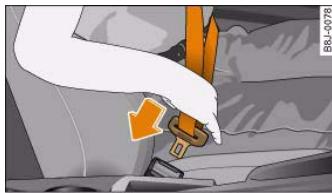
Fig.183 Driver's seat: Belt buckle and latch plate
-
Adjust the front seat and head restraint correctly before putting on the seat belt page 70, "Seats and storage".
-
To fasten the belt, take hold of the latch plate and pull it slowly across your chest and lap .
- Insert the latch plate into the buckle for the appropriate seat and push it down until it is securely locked with an audible click fig. 183.
- Pull the belt to check that it is now securely fastened.
The three-point inertia reel belts are tensioned automatically. The retractor system gives complete freedom of movement, as long as the pull on the belt is slow. Hard braking locks the belt. The belt will also lock when you accelerate, drive up or down a steep hill or in a sharp curve.

WARNING
- Always make certain that the belt is positioned properly fig. 182 - risk of injury page 173, "Adjusting the seat belts".
- The latch plate of the belt must always be engaged in the correct buckle for that seat. Otherwise the belt will not be fully effective and the danger of injury increases.
Adjusting the seat belts
Always position seat belts properly for maximum safety.
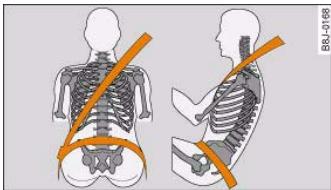
Fig.184 Adjusting shoulder and lap belt
Controls
Safety
Driving tips
General maintenance
Self-help
Technical data
al data

174
The height of the front seat on your vehicle can be adjusted in order to match the position of the seat belt to your height.

WARNING
-
The diagonal part of the belt should never be positioned across the neck, but roughly over the centre of the shoulder; it should fit closely against the upper part of the body. The lap part of the belt must be worn tightly across the hips, and not over the abdomen page 173, fig. 184. Pull the belt tight if necessary to take up any slack.
Always make sure that belt is positioned properly. Incorrectly worn seat belts can give rise to injuries even in a minor collision.
-
Seat belts worn too loose can result in injuries because they allow excessive forward movement in a crash; the occupant will be brought to a sudden stop by the belt webbing.
Wearing and adjusting the seat belts during pregnancy
To afford the best protection for the unborn child it is important for the mother to wear the seat belt properly at all times.
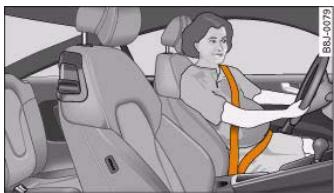
Fig. 185 Positioning seat belts during pregnancy
Women should always ensure they adjust the seat belt correctly during pregnancy.
- Adjust the front seat and head restraint correctly before putting on the seat belt page 70, "Seats and storage".
- To fasten the belt, take hold of the latch plate and pull it slowly down across your chest. Wear the lap portion of the seat belt as low as possible over the hips so that there is no pressure on the stomach fig. 185, .
- Insert the latch plate into the buckle for the appropriate seat and push it down until it is securely locked with an audible click page 173, fig. 183.
- Pull the belt to check that it is now securely fastened.

WARNING
During pregnancy, women should especially make sure to wear the lap portion of the seat belt as low as possible across the hips so that there is no pressure on the stomach.
Taking off the seat belts
The red button releases the belt from the buckle.
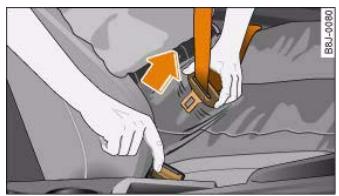
Fig.186 The latch plate of the belt springs out of the buckle
- Press the red button in the seat belt buckle page 174, fig. 186. The latch plate will spring out of the buckle.
Guide the belt back by hand so that it is taken up by the retractor.
Belt tensioners
How the belt tensioners work
The seat belts for the driver and front passenger are equipped with belt tensioners.
The seat belts on the front seats are tensioned automatically in frontal, side and rear-end impacts above a certain degree of severity. This helps to reduce the forward motion of the occupants.
In a less severe accident, or in the event of a roll-over, the belt tensioners are not activated.

WARNING
- Any work on the tensioner system or removal and installation of system components for other repairs must be performed by a qualified workshop.
- The belt tensioners can only be activated once. If they have been activated at any time, the system must be replaced.

Note
- Some smoke may be released when the belt tensioners are activated. This does not mean there is a fire in the vehicle.
- The relevant safety requirements must be observed when the vehicle or components of the system are scrapped. Your authorised Audi dealer is familiar with these regulations and will be pleased to pass on the information to you.
Controls
Safety
Driving tips
General maintenance
Self-help
Technical data

176
Description of airbag system
General notes on airbag system
The airbag is an integral part of the car's passive safety system.
In conjunction with the three-point seat belts, the airbag system gives the front occupants additional protection for the head and chest in the event of a severe frontal collision.
In a severe side collision the side airbags and the head-protection airbags reduce the risk of injury to the occupants in the areas of the body facing the impact .
In addition to their normal function of protecting the occupants in a collision, the seat belts also hold them in a position where the airbags can inflate properly and provide maximum protection.
The airbag system will only work with the ignition on. The airbag system is monitored electronically; the airbag warning lamp indicates whether the system is functioning properly.
The main parts of the airbag system are:
- the electronic monitoring system (control unit and sensors),
the two front airbags,
the front side airbags and head-protection airbags,
- The airbag warning lamp in the instrument cluster.
There is a fault in the airbag system if the warning lamp
- does not come on when the ignition is switched on,
- does not go out about 4 seconds after the ignition is switched on.
goes out and then comes on again after the ignition is switched on.
- comes on or flickers while the car is moving.

WARNING
The airbags are not a substitute for the seat belts; they are an integral part of the car's overall passive safety system. The airbags can only offer effective protection if the occupants are wearing their seat belts. For this reason it is very important to wear the seat belts at all times page 170, "Why is it so important to use seat belts?"
- The seat belts and airbags can only provide maximum protection if the occupants are seated correctly page 70, "Seats and storage".
- If you do not wear a seat belt, if you lean forward, or are not seated correctly while the vehicle is in motion, you are at greater risk of injury should the airbag system be triggered in an accident.
- Components of the airbag system are located in various parts of the vehicle. If repairs to other vehicle components make it necessary to perform work on the airbag system or to remove or install parts of the airbag system, this may cause damage to the airbag system. As a result, the airbags may not inflate correctly or may not be triggered at all in an accident situation. For this reason, you should always have the work carried out by a qualified workshop.
- If a fault should occur in the airbag system, have the system checked immediately by a qualified workshop. Otherwise the system may fail to trigger in an accident.
- Do not attempt to modify components of the airbag system in any way.
- Never make any alterations to the front bumper or the body.
WARNING (continued)
- The airbag system can only be activated once; if the airbag has been triggered, the system must be replaced. Should the airbag system or airbag modules have to be replaced, the qualified workshop carrying out the replacement will document all details in the appropriate section of the Service Schedule.
- If you sell the vehicle, please remember to pass on the complete Service Wallet to the new owner. If any of the airbags have been deactivated, it is important that the new owner is also given the relevant documents.
- The relevant safety requirements must be observed when the vehicle or components of the airbag or belt tensioner systems are scrapped.
-
In an accident in which one or more airbags are triggered the alternator and the starter are - for safety reasons - both disconnected from the battery via a pyrotechnic circuit breaker.
-
Any repairs to the pyrotechnic circuit breaker must always be performed by a qualified workshop (accident risk).
The relevant safety requirements must be observed when the vehicle or the circuit breaker are scrapped.
The airbag system is not triggered in minor frontal or side collisions, or in rear collisions or if the car overturns. In these situations the occupants are protected by wearing the seat belts.
Factors determining the triggering response
It is not possible to define the exact triggering response of the airbag system in all possible situations, since the circumstances in different types of accident will vary considerably. Important factors include, for example, the nature (hard or soft) of the object which the car hits, the angle of impact, vehicle speed and so on.
Whether the airbags are triggered depends primarily on the vehicle deceleration rate resulting from the collision. By processing the signals from the sensors located in the vehicle, the electronic control unit is immediately able to evaluate the severity of the collision and activate the restraint systems accordingly. If the deceleration rate is below the predefined reference value in the control unit the airbags will not be triggered, even though the accident may cause extensive damage to the car.

Note
The airbag releases a fine dust when it inflates. This is quite normal and does not mean there is a fire in the vehicle.
When are the airbags triggered?
The airbag system is triggered in collisions with a severe impact.
The airbag system is designed so that the airbags for the driver and front passenger are triggered in a severe frontal collision.
In severe side collisions the side airbags on the impact side of the vehicle are triggered together with the head-protection airbag.
The front airbags, side airbags and one of the head-protection airbags may be triggered together in certain types of accident.
Controls
Safety
Driving tips
General maintenance
Self-help
Technical data

178
Description of front airbags
The airbag system is not a substitute for the seat belts.
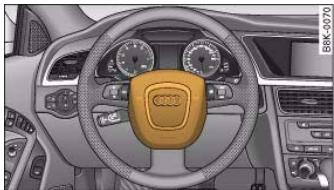
Fig.187 Driver's airbag in steering wheel
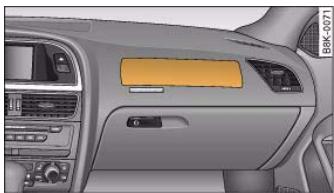
Fig. 188 Front passenger's airbag in dashboard
The front airbag for the driver is located in the padded hub of the steering wheel page 178, fig. 187. The front airbag for the front passenger is in the dashboard above the glove box fig. 188. The locations of the airbags are marked with the word "AIRBAG".
In conjunction with the three-point seat belts, the front airbags give additional head and chest protection for the driver and front passenger in the event of a severe frontal collision in "Important safety notes on the front airbag system" on page 179.
How the front airbags work
When fully inflated, the airbags reduce the risk of head or chest injury.
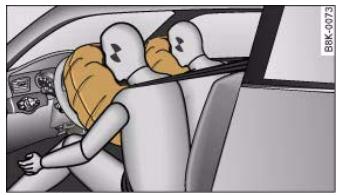
Fig. 189 Front airbags in inflated condition
The airbag system is designed so that the airbags for the driver and front passenger are triggered in a severe frontal collision.
In certain types of accident the front airbags, side airbags and one of the head-protection airbags may be triggered together.
When the system is triggered, the airbags fill with a propellant gas and open out in front of the driver and front passenger fig. 189. In order to provide the desired extra protection in an accident, the airbags have to inflate extremely rapidly (within fractions of a second). The fully deployed airbags cushion the forwards movement of the front occupants and help to reduce the risk of injury to the head and the upper part of the body.
Special openings in the airbag allow the gas to escape at a controlled rate to restrain the forward movement of the occupant's head and torso. Once the impact has been absorbed, the airbag deflates sufficiently for the front occupants to see forward.

Important safety notes on the front airbag system
There are a number of safety points concerning the airbag system which you should remember. This will help to reduce the risk of injury in an accident.
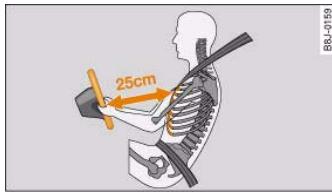
Fig. 190 Minimum distance from steering wheel
WARNING
- It is important for the driver and front passenger to maintain a distance of at least 25cm from the steering wheel or dashboard page 179, fig. 190. The airbag system will not be able to give the required protection if you sit too close to the steering wheel or dashboard. There is also a risk of injury if the airbags are inflated. The front seats and head restraints must always be positioned correctly for the height of the occupant.
- If you do not wear a seat belt, if you lean forward or to the side, or are not seated correctly while the vehicle is in motion, you are at greater risk of injury. Should the airbag system be triggered in an accident there is an even greater risk of injury.
- Never let a child travel on the front seat without an appropriate restraint system. If the airbag is triggered in an accident, the child could sustain serious or fatal injuries page 185, "Child safety".
- Never install a rearward-facing child safety seat on the front passenger's seat unless the front passenger's airbag has been
WARNING (continued)
deactivated. However, if you have no alternative but to use a rearward-facing child seat on the front passenger's seat, the front passenger's airbag must be deactivated beforehand by means of the key-operated switch* page 183. Failure to observe this precaution could result in serious or potentially fatal injury.
- Occupants sitting in the front of the car must never carry any objects or pets in the space between them and the airbags, or allow children or other passengers to travel in this position.
- Do not cover or stick anything on the steering wheel hub or the soft plastic surface of the airbag unit on the passenger's side of the dashboard, and do not obstruct or modify them in any way. These parts should only be cleaned with a dry cloth (or with a cloth moistened with plain water). It is also important not to attach any objects such as cup holders or telephone mountings to the surfaces covering the airbag units.
- Any work on the airbag system or removal and installation of the airbag components for other repairs (such as repairs to the steering wheel) must be performed by a qualified workshop.

If necessary, you can deactivate the front passenger's airbag by means of the key-operated switch* page 183.
Controls
Safety
Driving tips
General maintenance
Self-help
Technical data

180
Description of side airbags
The airbag system is not a substitute for the seat belts.
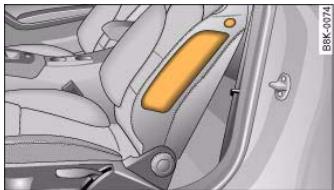
Fig.191 Location of side airbag in driver's seat
The side airbags are located in the backrest padding of the front seats fig. 191. The locations of the airbags are marked with the word "AIRBAG".
In conjunction with the three-point seat belts, the side airbags give the occupants additional protection for the whole upper part of the body (i.e. the chest, stomach and pelvis) in the event of a severe side collision in "Important safety notes on the side airbag system" on page 181.
In a side collision the side airbags reduce the risk of injury to the areas of the body facing the impact.
If the side airbags are activated, the head-protection airbags (sideguard system) are always triggered at the same time for additional protection on the side of the vehicle facing the impact page 181.
How the side airbags work
When fully inflated, the side airbags reduce the risk of injuries to the upper part of the body.
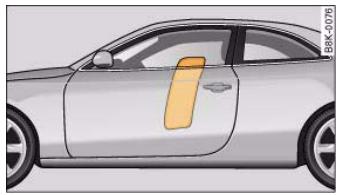
Fig.192 Side airbags in inflated condition
In certain types of side collisions the side airbag is triggered on the impact side of the vehicle fig. 192.
The front airbags, side airbags and the head-protection airbag may be triggered together in certain types of accident.
When the system is triggered, the airbag is filled with propellant gas.
In order to provide the desired extra protection in an accident, the airbags have to inflate extremely rapidly (within fractions of a second). The airbag releases a fine dust when it inflates. This is quite normal and does not mean there is a fire in the vehicle.
When fully deployed, the airbags cushion the impact for the occupants and help to reduce the risk of injury to the whole upper part of the body (i.e. the chest, stomach and pelvis) on the side facing the door.


Important safety notes on the side airbag system
There are a number of safety points concerning the airbag system which you should remember. This will help to reduce the risk of injury in an accident.

WARNING
- If you do not wear a seat belt, if you lean forward, or are not seated correctly while the vehicle is in motion, you are at greater risk of injury should the side airbags be triggered in an accident.
- If children are not seated correctly, they are at greater risk of injury in an accident. This is particularly the case if the child is travelling on the front passenger's seat and the airbag system is triggered. This could result in serious or potentially fatal injury page 185, "Child safety".
- It is important not to attach any accessories (such as cup holders) to the doors. This would impair the protection offered by the side airbags.
- The sensors for the airbags are located in the front doors. You must therefore not make any modifications to the doors or door trim (e.g. retrofitting loudspeakers), as this could impair the function of the side airbags. Any damage to the front doors could lead to faults in the system. Repairs or any other work on the front doors must therefore always be carried out by a qualified workshop.
- The built-in coat hooks should only be used for lightweight clothing. Do not leave any heavy or sharp-edged objects in the pockets.
- Do not apply excessive force to the sides of the backrests (such as hard knocks or kicks), as this could damage parts of the system. The side airbags could then fail to operate when required.
- If you intend to fit protective covers over the seats, these must be of the specific type approved for use on Audi seats with side airbags. Conventional seat covers would obstruct the side airbag

WARNING (continued)
when it inflates out of the backrest, and seriously reduce the airbag's effectiveness.
- Any damage to the original seat upholstery or around the seams of the side airbag units must be repaired immediately by a qualified workshop.
- Any work involving the side airbag system or removal and installation of the airbag components for other repairs (such as repairs to the seats) must always be performed by a qualified workshop. Otherwise the airbag system may fail to work properly.
Head-protection airbags (sideguard)
Description of head-protection airbags
The head-protection airbags work together with the side airbag system to give extra protection in a side impact.
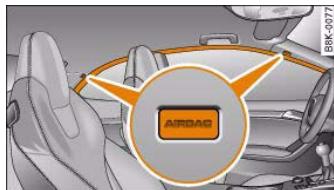
Fig. 193 Location of head-protection airbags above the doors
The head-protection airbags are located above the doors on the left and right sides of the vehicle fig. 193. The locations of the airbags are marked with the word "AIRBAG".

In conjunction with the three-point seat belts and side airbags, the head-protection airbags give the occupants additional protection against head and neck injuries in a severe side collision in "Important safety notes on the head-protection airbags" on page 182.
Together with other design features (including cross-braces in the seats and the overall strength of the body structure), the sideguard system offers an effective further improvement to occupant protection in side impacts.
How the head-protection airbags work
When fully inflated, the airbags reduce the risk of head or chest injury in a side collision.
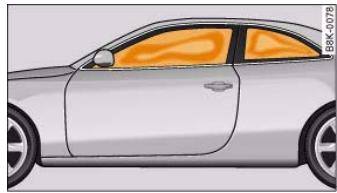
Fig. 194 Head-protection airbags in inflated condition
In certain types of side collisions the head-protection airbag is triggered together with the side airbag on the impact side of the vehicle fig. 194.
When the system is triggered, the airbag fills with a propellant gas and covers the entire area in front of the side windows, including the door pillars. In this way the system is able to protect both the front and the rear occupants on the side of the vehicle where the impact occurs. The head-protection airbag inflates to soften the impact if an occupant strikes parts of the interior or objects outside the vehicle with their head. By reducing the head impact and
restraining uncontrolled movement of the head, the airbag also reduces the forces acting on the neck. In addition, since it covers the front door pillar when fully inflated, the head-protection airbag also gives extra protection if the car should collide with an obstacle at an oblique angle.
The front airbags, side airbags and head-protection airbags may be triggered together in certain types of accident.
In order to provide the desired extra protection in an accident, the airbags have to inflate extremely rapidly (within fractions of a second). The airbag releases a fine dust when it inflates. This is quite normal and does not mean there is a fire in the vehicle.
Important safety notes on the headprotection airbags
There are a number of safety points concerning the airbag system which you should remember. This will help to reduce the risk of injury in an accident.

WARNING
- It is important to ensure that the area around the openings for the head-protection airbags remains unobstructed at all times, so that the airbags can inflate properly if needed.
-
The built-in coat hooks should only be used for lightweight clothing. Do not leave any heavy or sharp-edged objects in the pockets. When using the coat hooks, do not hang the clothes on coat hangers.
-
The space between the passengers and the head-protection airbags must never be occupied by children, other passengers or pets. Passengers should never lean out or put a hand or arm out of the window while the vehicle is in motion.
- Do not move the sun visors out to cover the side windows if there is anything attached to them (such as pens or a remote

control for the garage door). These objects could cause injury if the head-protection airbag is triggered.
- The sensors for the airbags are located in the front doors. You must therefore not make any modifications to the doors or door trim (e.g. retrofitting loudspeakers), as this could impair the function of the side airbags. Any damage to the front doors could lead to faults in the system. Repairs or any other work on the front doors must therefore always be carried out by a qualified workshop.
- Where sun blinds are fitted on the rear doors, these must not obstruct or impair the airbags in any way.
- If unsuitable accessories are installed near the head-protection airbag, the protection afforded by the airbag can be seriously impaired if the system is triggered. When the head-protection airbag opens, parts of these accessories could be thrown into the vehicle and injure passengers page 250.
- Any work involving the head-protection airbags, or removal and installation of the airbag components for other repairs (such as repairs to the roof liner), must always be performed by a qualified workshop. Otherwise the airbag system may fail to work properly.
Applies to vehicles: with key-operated switch for front passenger's airbag
Deactivating the front passenger's airbag via the key-operated switch
If an airbag has been deactivated, it should be reactivated as soon as possible so that it can continue to give the required protection.
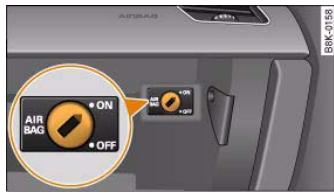
Fig.195 Key-operated switch in glove box for deactivating front passenger's airbag
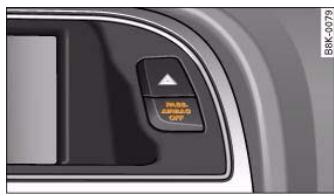
Fig.196 Lamp indicates that front passenger's airbag has been deactivated via key-operated switch
The key-operated switch for deactivating the front passenger's airbag is located in the glove box fig. 195.
- To deactivate the front passenger's airbag, insert the ignition key into the switch and turn it to position OFF.
Controls
Safety
Driving tips
General maintenance
Self-help
Technical data

184
document_0900452a8179700c.book Seite 184 Donnerstag, 22. Marz 2007 10:19 10
Airbag system
- The front passenger's airbag can be reactivated by turning the key to position ON.
Deactivating front passenger's airbag when a child safety seat is in use
If you have no alternative but to install a rearward-facing child safety seat on the front passenger's seat you must deactivate the front passenger's airbag beforehand.
We recommend, however, that child seats should be only fitted on the rear seat so that the front passenger's airbag can remain functional and provide protection in an accident page 185.
Monitoring of airbag system
The airbag warning lamp will light up for a few seconds every time the ignition is switched on.
If the front passenger's airbag has been deactivated via the key-operated switch, the indicator lamp "PASSENGER AIRBAG OFF" will light up constantly as a reminder fig. 196. Please refer also to the description of the warning lamp in the instrument cluster page 16.
When the front passenger's airbag is deactivated using the key-operated switch, the seat belt warning lamp for the front passenger page 17 is also switched off.
WARNING
-
If you have no alternative but to install a rearward-facing child seat on the front passenger's seat, the front passenger's airbag must be deactivated beforehand. Potentially fatal injuries to the child can result if the front passenger's airbag is not deactivated! page 186, "Using a child safety seat on the front passenger's seat"
-
If you have deactivated the front passenger's airbag, reactivate it as soon as the child seat is no longer needed so that the airbag can continue to give the required protection.


WARNING (continued)
- It is the driver's responsibility to ensure that the key-operated switch is set to the correct position.
Note
All the other airbags in the car will remain functional if the front passenger's airbag has been deactivated with the key-operated switch.

Points to remember if children are travelling in the car
Introduction
Statistics show that children are generally safer on the rear seat than on the front passenger's seat.
Children under 12 years of age should normally travel on the rear seat ^4) . Children travelling on the rear seat must use a child restraint system or the seat belts provided, depending on their age, height and weight. For safety reasons, the child restraint system should be installed behind the front passenger's seat.
The physical principles involved and the forces acting in a collision apply to children just as much as adults page 171, "Forces acting in a collision". But, unlike adults, children do not have fully developed muscle and bone structures. This means that children are subject to a greater risk of injury.
To reduce this risk, children must always use special child restraint systems when travelling in the car.
Use only child restraint systems which are officially approved under the European standard ECE R 44 and are suitable for the child. ECE R refers to the Economic Commission of Europe Recommendation, which categorises child restraint systems in 5 groups page 186, "Child seat categories". Child restraints that have been tested and approved under the ECE R 44 standard bear the ECE-R 44 test mark on the seat (the letter E in a circle with the test number below it).
We recommend using child restraint systems from the range of Audi Genuine Accessories available from Audi dealers. The "Huckepack" range includes suitable restraint systems for all ages.
These systems have been specially developed and tested for use in Audi vehicles and comply with the ECE-R 44 standard.
Follow the manufacturer's instructions and observe any statutory requirements when installing and using child restraints in "Important safety notes for using child safety seats".
Important safety notes for using child safety seats
Correct use of child safety seats can help to reduce the risk of injury in an accident.
WARNING
- All vehicle occupants, especially children, must wear a seat belt while the vehicle is in motion.
Children who are less than 1.5 metres tall must not wear a normal seat belt without a child restraint, as this could cause injuries to the abdominal and neck areas.
- Babies and children must never travel on another occupant's
- A suitable child safety seat can protect your child page 186, "Child safety seats".
- Never allow two children to occupy one child safety seat.
- Never leave a child without supervision in a child safety seat.
- Never allow a child to travel in the car without a suitable child restraint.
- Never allow a child to stand up or kneel on a seat while the car is moving. In an accident, the child could be catapulted through the car, causing possibly fatal injuries to itself and other occupants.



- If children lean forward or are otherwise out of position when the car is moving, they are at greater risk of injury in an accident. This is particularly the case if the child is travelling on the front passenger's seat and the airbag system is triggered in an accident. There is then a risk of serious or potentially fatal injury.
- To ensure proper protection, it is important to wear the seat belts in the correct position page 173, "How to wear seat belts properly". Always check that the belt is properly positioned according to the instructions provided by the manufacturer of the child safety seat. Incorrectly worn seat belts can give rise to injuries even in a minor collision.
- Never install a rearward-facing child safety seat on the front passenger's seat if the front passenger's airbag has not been deactivated page 186.
- Extra caution is advised if you are installing a child safety seat using the same mounting bolts as the existing car seat belts. The bolts must be screwed in all the way to the full depth of the mounting holes and tightened to a torque of 50Nm . Failure to observe this precaution could result in potentially fatal injury. We recommend having the installation performed by a qualified workshop.
Using a child safety seat on the front passenger's seat
Whenever possible, child safety seats should always be installed on the rear seat.
For safety reasons, we recommend that child safety seats should be installed on the rear seats whenever possible. However, if you have to use a child seat on the front passenger's seat when there is no other alternative, it is most important to note the following warnings:

WARNING
- Do not use a rearward-facing child safety seat on the front passenger's seat unless the front passenger's airbag has been deactivated. The child seat would be directly in the path of the airbag as it inflates, and the child could sustain serious or fatal injuries if the airbag were to be deployed.
However, if you have no alternative but to use a rearward-facing child seat on the front passenger's seat, the front passenger's airbag must be deactivated beforehand by means of the key-operated switch* page 183. Failure to observe this precaution could result in serious or potentially fatal injury.
- Make sure that the front passenger's airbag is reactivated by means of the key-operated switch* as soon as the child seat is no longer needed on the front passenger's seat.
- When using a child safety seat of the type which faces in the direction of travel, the front passenger's seat must be moved back to the rearmost position.
Child safety seats
Child seat categories
Only use child restraint systems that are officially approved and suitable for the child.
Child restraint systems are covered by the European standard ECE R 44 (issued by the Economic Commission of Europe).
The child seats are divided into 5 categories:

Children who are taller than 1.5 metres can use the existing seat belts without a booster cushion.
Child restraints that have been tested and approved under the ECE R 44 standard bear the ECE-R 44 test mark on the seat (the letter E in a circle with the test number below it).
Follow the manufacturer's instructions and observe any statutory
requirements when installing and using child restraints
page 185, "Important safety notes for using child safety seats".
WARNING
Never install a rearward-facing child safety seat on the front passenger's seat if the front passenger's airbag has not been deactivated page 186. This can result in serious or possibly fatal injury.
Child safety seats: category 1
A suitable child safety seat and a correctly worn seat belt can protect your child.
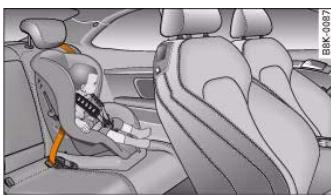
Fig.198 A category 1 forward-facing child seat fitted on the rear seat
Child safety seat: category 0 / 0+
A suitable child safety seat and a correctly worn seat belt can protect your child.
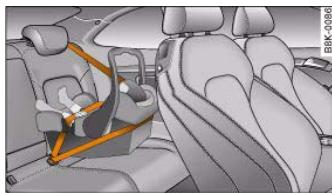
Fig.197 child safety seat: Category 0 / 0+
Babies up to about 9 months old/ 10kg and infants up to about 18 months old/ 13kg are best protected by child safety seats that can be adjusted to a horizontal position fig. 197.
Babies and small children up to about 4 years of age weighing between 9 and 18kg are best protected by child safety seats of the type where the child faces the front of the vehicle fig. 198.
Follow the manufacturer's instructions and observe any statutory requirements when installing and using child restraints page 185, "Important safety notes for using child safety seats".
Controls
Safety
Driving tips
General maintenance
Self-help
Technical data


Never install a rearward-facing child safety seat on the front passenger's seat if the front passenger's airbag has not been deactivated page 186. This can result in serious or possibly fatal injury.
Child safety seats: category 2/3
A suitable child safety seat and a correctly worn seat belt can protect your child.
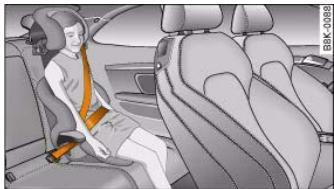
Fig.199 A category 2/3 forward-facing child seat (with backrest) fitted on the rear seat
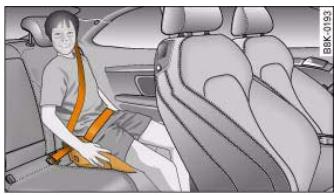
Fig.200 A category 2/3 forward-facing child seat (without backrest) fitted on the rear seat
Children up to about 12 years of age weighing between 15 and 36kg but less than 1.5 metres tall are best protected by a child safety seat
in conjunction with the three-point seat belts fig. 199 and fig. 200.
Follow the manufacturer's instructions and observe any statutory requirements when installing and using child restraints
page 185, "Important safety notes for using child safety seats".

WARNING
The diagonal part of the belt should be positioned roughly over the centre of the shoulder and fit closely against the upper part of the body. It must never be allowed to run across the neck. The lap part of the belt should fit closely over the hips. It must not be positioned over the stomach. Pull the belt tight if necessary to take up any slack.

Note
We recommend that you fit child safety seats with backrests.


Fitting child safety seats
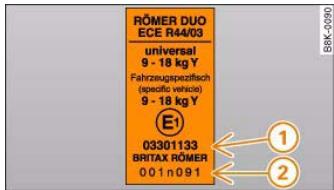
Fig.201 Example of an approval number on a child safety seat
Label on a child safety seat fig. 201
① Approval number
(2) Manufacturer's serial number.
The label also shows information on the use and weight class of the child seat.
List of recommended child restraint systems
| Weight class | Identification "Huckepack" | Audi Genuine accessories catalogue number | Manufacturer | Model | Approval number |
| 0+ (up to 13 kg) | G0 Plus | 00A.019.900.A | Britax Römer | Baby Safe Plus | E1 03301146 |
| 1 (9 to 18 kg) | G1 ISOFIX Duo Plus | 00A.019.909.B | Britax Römer | Duo Plus | E1 03301133 |
| 2 (15 to 25 kg) | 1) | 1) | 1) | 1) | 1) |
| 3 (22 to 36 kg) | 1) | 1) | 1) | 1) | 1) |
1) Under development.
For the current range of child seats from Audi Genuine Accessories visit: http://www.audi.com


190
document_0900452a8179700c.book Seite 190 Donnerstag, 22. Marz 2007 10:19 10
Child safety
Extended list of recommended child restraint systems
| Weight class | Identification | Catalogue number | Manufacturer | Model / Mode of securing seat | Approval number |
| 0 - 1 (up to 18 kg) | ISOFIX RWF | 4590.xx, 4710.xx1) | FAIR | FAIR GO/1 rearward-facing with vehicle-specific platform type A (RWF) | E4 04443513 |
| 1 (9 to 18 kg) | ISOFIX FWF | 4590.xx, 4610.xx1) | FAIR | FAIR GO/1 forward-facing with vehicle-specific platform type A (FWF) | E4 04443513 |
| Universal | 4590.xx1) | FAIR | FAIR GO/1 standard three-point seat belt2) | E4 03443416 |
1)manufacturer details:
Company: FAIR srl
Address: Strada della Cisa 249/251, I- 42040 Sorbolo Levante di Bres
cello (RE) / Italy.
http://www.fairbimbofix.com
2) may also be secured with two-point seat belt.





Possible alternatives for securing a child safety seat
A child safety seat can be secured on the rear seats and on the front passenger's seat.
The following alternatives are available for safely securing a child safety seat on the rear seats and on the front passenger's seat.
- Child safety seats of the categories 0 to 3 can be secured with the standard three-point seat belts.
- Child safety seats of the categories 0, 0+ and 1 with the "ISOFIX" system can be secured without seat belts using the "ISOFIX" retainers* page 191.
Compatibility of vehicle seat positions for child safety seats (according to EC directive 77/541):
| Weight class | Front passen- ger's seat | Rear seats |
| 0, 0+ | u , a , b , c | u , d |
| 1 | u , a , b , c | u , d |
| 2 | u , a | u |
| 3 | u , a | u |
"universally compatible"
The front passenger's backrest must be set as far forward as possible or adapted to the child safety seat as required, and the seat height must be adjusted to its highest position.
The front passenger's airbag must be deactivated if a rearward-facing child seat is used.
The front passenger's seat can be equipped with optional "ISOFIX" retainers.
The rear seats can be equipped with optional "ISOFIX" retainers.

WARNING
While the vehicle is moving, children must always be protected with a restraint system which is suited to their age, height and weight. Please refer to the chapter "Child seat categories".
- Never install a rearward-facing child safety seat on the front passenger's seat unless the front passenger's airbag has been deactivated. This could result in potentially fatal injuries. If you have no alternative but to let a child travel on the front passenger's seat, the front passenger's airbag must be deactivated beforehand. Please refer to the chapter "Deactivating airbags".
Note the important information and warnings concerning the use of child safety seats found in the chapter "Important safety notes when using child safety seats" and in the installation instructions provided by the manufacturer of the child safety seat.
Applies to vehicles: with ISOFIX system
"ISOFIX" child seat mounting system
Child safety seats with the "ISOFIX" system can be secured quickly and easily.
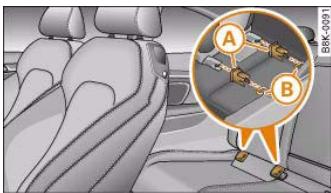
Fig.202 The ISOFIX child safety seat is pushed into the protective sleeves.
When removing or fitting the child safety seat, please be sure to follow the manufacturer's instructions.
Controls
Safety
Driving tips
General maintenance
Self-help
Technical data
al data

- Fit the protective sleeves onto the retainers between the backrest and the seat cushion page 191, fig. 202.
- Push the mountings on the child safety seat into the protective sleeves until they engage audibly (2x) page 191, fig. 202.
- Pull on the child safety seat to check whether both catches have engaged properly.
Child safety seats with the "ISOFIX" system can be secured quickly and safely on the rear seat or on the front passenger's seat. Detailed fitting instructions are supplied with the child safety seat. Child seats with "ISOFIX" mountings are available from Audi dealers and specialist retailers.
If required, the "ISOFIX" mounting system can be retrofitted.

WARNING
The retainers used here are specially designed for child safety seats with "ISOFIX" mountings. Do not attempt to secure other types of child safety seat, seat belts or other objects with these retainers - this could result in serious or possibly fatal injury.

Intelligent technology
Intelligent technology
Electronic stabilisation program (ESP)
General notes
The electronic stabilisation program increases the car's stability on the road.
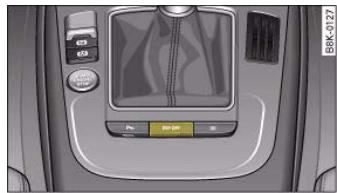
Fig. 203 Without MMI: Centre console with ESP switch
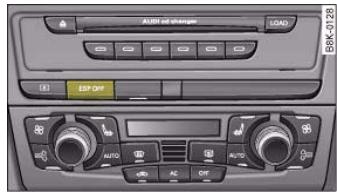
Fig.204 Centre console with ESP switch
The ESP is designed to enhance the control over the vehicle in critical handling situations, such as when accelerating and cornering. It reduces the tendency to skid under all road conditions and improves the stability and roadholding of the vehicle. The system works at all speeds.
The anti-lock brake system (ABS), the electronic differential lock (EDL) and the traction control system (ASR) are all integrated into the electronic stabilisation program.
How the system works
The ESP control unit processes data from the three integrated systems. It also processes additional inputs provided by other high-precision sensors. These register the vehicle's rotation about the vertical axis (yaw rate), lateral acceleration, brake pressure and steering wheel angle.
The system uses the steering wheel angle and road speed to calculate the changes of direction intended by the driver, and constantly compares them with the actual behaviour of the vehicle. If the desired course is not being maintained (for instance, if the car is starting to skid), then the ESP compensates automatically by braking the appropriate wheel.
The forces acting on the braked wheel effectively bring the car back to a stable condition. If the car is oversteering (rear wheels losing grip first) the brake application is concentrated on the outside front wheel; if the car is understeering (front wheels losing grip first), ESP brakes the inside rear wheel. This automatic brake application is accompanied by characteristic noises.
The ESP works in conjunction with the ABS page 197. If a malfunction should occur in the ABS, the ESP will also be out of action.
Switching on
The ESP is switched on automatically when the engine is started and performs a self-test routine. As soon as this routine is complete, the system switches back to normal operating mode. You can press the button fig. 203 or fig. 204 to switch on the ESP or traction control system (ASR) if they have been switched off. The message ESP/ASR on will appear briefly in the display.

Intelligent technology
197
Switching off
The ESP should normally be left switched on at all times. If required, you can press the ESP OFF button to switch off the traction control system (ASR) or the electronic stabilisation program (ESP).
- Switching off the traction control system (ASR): Press the ESP button briefly. The traction control system (ASR) can be switched off in special driving conditions, e.g. if you are driving with snow chains page 198. The message ASR off will appear in the display.
- Switching off the ESP/traction control system (ASR): Press the ESP button for longer than 3 seconds. The ESP/ASR warning lamp lights up when the system is switched off, see page 16. The message ESP switched off will appear in the display.
How the ABS works
The system runs an automatic self-check when the car reaches a road speed of about 6km / h . This may be accompanied by a noise from the ABS pump.
If one of the wheels is turning too slowly in relation to the road speed, and is close to locking up, the system will reduce the pressure in the brake line to this wheel. The driver is made aware of this control process by a pulsating of the brake pedal and accompanying noise. This is a deliberate warning to the driver that one or more of the wheels is tending to lock up and the ABS control function has intervened. In this situation it is important to keep the brake pedal fully depressed so the ABS can regulate the brake application - do not "pump" the brake pedal.
WARNING
- The ESP is not able to overcome the physical limits of adhesion. Even with ESP, you should always adjust your speed to suit the conditions. Please bear this in mind, especially on wet or slippery road surfaces. Do not let the extra safety provided tempt you into taking any risks when driving – this can cause accidents.
- Please note that, when the ESP or ESP/traction control system (ASR) is switched off, the driven wheels may start to spin, causing the vehicle to lose grip, in particular on slippery or wet roads - danger of skidding!
WARNING
The grip provided by ABS is still subject to the physical limits of adhesion. Always bear this in mind, especially on wet or slippery roads. If you notice that the ABS is working (to counteract locked wheels under braking), you should reduce speed immediately to suit the road and traffic conditions. Do not let the extra safety provided tempt you into taking any risks when driving - this can cause accidents.
Anti-lock brake system (ABS)
ABS prevents the wheels from locking up under braking.
The anti-lock brake system (ABS) is an important part of the car's active safety system. However, the ABS will not necessarily guarantee shorter stopping distances in all conditions. For instance, on loose gravel or fresh snow on top of an icy surface (conditions which anyway require extreme care and reduced speed), the stopping distance with ABS may even be slightly longer.
Brake assist system
The brake assist system helps the driver to achieve optimum braking effect.
The brake assist system helps to increase braking power and thus to achieve a shorter stopping distance. If the driver presses the brake
Controls
Safety
Driving tips
General maintenance
Self-help
Technical data

Intelligent technology
pedal very quickly, the brake assist system automatically boosts the braking force to the maximum level, up to the point where the anti- lock brake function (ABS) intervenes to stop the wheels from locking. You should then keep the brake pedal pressed until the vehicle has braked to the required speed. The brake assist system switches itself off as soon as you release the brake pedal.
The brake assist system will not be operative if there is a malfunction in the ABS.

WARNING
Please remember that the accident risk always increases if you drive too fast, especially in corners or on a slippery road, or if you follow too close behind the vehicle in front of you. An increased accident risk cannot be compensated even by the brake assist system, so always be sure to maintain a safe speed.
Traction control system (ASR)
The traction control system prevents the driven wheels from spinning when the car is accelerating.
General notes
The traction control system (ASR) is one of the functions incorporated in the electronic stabilisation program (ESP).
The traction control system (ASR) helps the car to start moving, accelerate and climb a gradient in slippery conditions where this may otherwise be difficult or even impossible.
How the system works
The ASR acts automatically i.e. without the driver's intervention. With the aid of the ABS sensors page 197, the ASR monitors the speed of the driven wheels. If the wheels start to spin, the engine power is reduced automatically to match the amount of grip available. The system works at all speeds.
The ASR works in conjunction with the ABS. If a malfunction should occur in the ABS, the ASR will also be out of action.
Switching on
The ESP is switched on automatically when the engine is started and performs a self-test routine. As soon as this routine is complete, the system switches back to normal operating mode. If the traction control system (ASR) has been deactivated (for one of the reasons noted below) you can switch it back on manually by pressing the switch page 196, fig. 203. The message ESP/ASR on will appear briefly in the display. If the traction control system (ASR) has been deactivated, it will switch back on automatically at a speed of about 70km / h on vehicles with front-wheel drive.
You can switch the traction control system (ASR) on again if necessary by pressing the switch page 196, fig. 203.
Switching off
If required, the ASR can also be switched off manually by pressing the switch briefly page 196, fig. 203 (for less than 3 seconds). The ESP warning lamp lights up when the traction control system (ASR) is switched off, see page 16. The message ASR off will appear in the display. For safety reasons, the system can only be switched off at speeds below 50km / h on vehicles with front-wheel drive. The ASR can be deactivated at any speed on vehicles with four-wheel drive.
The traction control system should normally remain switched on at all times. It should only be switched off manually in particular circumstances where a certain amount of wheel slip may be desirable. For example:
- when driving with snow chains
- when driving in deep snow or on loose surfaces
- when rocking the car backwards and forwards to free it.
The ASR should be switched on again afterwards as soon as possible.

Intelligent technology
199
Note
To ensure that the ASR works properly, all four wheels must be fitted with identical tyres. Any differences in the rolling radius of the tyres can cause the system to reduce engine power when this is not desired. Also refer to page 245, "Replacing wheels and tyres".
Electronic differential lock (EDL)
The electronic differential lock monitors the speed of the driven wheels.
General notes
The electronic differential lock (EDL) helps the car to start moving, accelerate and climb a gradient in slippery conditions where this may otherwise be difficult or even impossible.
How the system works
The EDL acts automatically. With the aid of the ABS sensors page 197, the system monitors the rotational speed of the driven wheels on each axle. Whenever it detects a significant difference in the speed of the driven wheels of one axle (for example, if the road is slippery on one side) the system applies the brake to slow down the spinning wheel so that more of the power is directed to the other wheel of this axle (or to the three other wheels on vehicles with four-wheel drive). This function is active up to about 100km / h . The brake system will make noises while it is working.
Driving away from a standstill
Sometimes one wheel has less grip and starts spinning, for example, if one of the driven wheels is on ice. In this case, keep pressing the accelerator gradually until the car starts moving, even though the wheel with less grip will still spin.
Overheating of the brakes
To prevent the disc brake of the braking wheel from overheating, the EDL cuts out automatically if subjected to excessive loads. The car
remains operational and will behave in the same way as a car without EDL.
The EDL will switch on again automatically when the brake has cooled down.
WARNING
- When accelerating on a uniformly slippery surface (for instance all four wheels on ice or snow), press the accelerator gradually and carefully. The driven wheels may otherwise start to spin (in spite of the EDL), which would impair the car's stability and could lead to an accident.
Even with EDL, you should always adjust your speed to suit the conditions. Do not let the extra safety provided tempt you into taking any risks when driving - this can cause accidents.
Note
If the ABS warning lamp lights up, this can also mean there is a fault in the EDL. Please contact a qualified workshop as soon as possible.
Brakes
New brake pads
New brake pads do not give full braking effect for the first 400km they must first be "bedded in". However, you can compensate for the slightly reduced braking effect by applying more pressure on the brake pedal. Avoid placing a heavy load on the brakes during the running-in period.
Wear
The rate of wear on the brake pads depends a great deal on how you drive and the conditions in which the vehicle is operated. Negative
Controls
Safety
Driving tips
General maintenance
Self-help
Technical data

Intelligent technology
factors are, for instance, city traffic, frequent short trips or hard driving with abrupt starts and stops.
Wet roads; road salt
When you are driving at a speed higher than 80km / h and have the windscreen wipers switched on the brake pads are very briefly brought into contact with the brake discs. This automatic process which goes unnoticed by the driver is carried out at regular intervals and is intended to improve braking response in wet conditions.
In certain conditions, such as in heavy rain, or after washing the car or driving through water, the full braking effect can be delayed by moisture (or in winter by ice) on the discs and brake pads. The brakes should be "dried" by pressing the pedal to restore full braking effect.
The effectiveness of the brakes can also be temporarily reduced if the car is driven for some distance without using the brakes when there is a lot of salt on the road in winter. The layer of salt that accumulates on the discs and pads can be removed with a few cautious brake applications.
Corrosion
There may be a tendency for dirt to build up on the brake pads and corrosion to form on the discs if the car is used infrequently, or if you only drive low mileages without using the brakes very much.
If the brakes are not used frequently, or if corrosion has formed on the discs, it is advisable to clean off the pads and discs by braking firmly a few times from a moderately high speed .
Faults in the brake system
If the brake pedal travel should ever increase suddenly, this may mean that one of the two brake circuits has failed. Drive immediately to the nearest qualified workshop and have the fault rectified. On the way to the dealer, be prepared to use more pressure on the brake pedal and allow for longer stopping distances.
Low brake fluid level
Malfunctions can occur in the brake system if the brake fluid level is too low. The brake fluid level is monitored electronically.
Brake servo
The brake servo amplifies the pressure you apply to the brake pedal. It only works when the engine is running.

WARNING
-
When applying the brakes to clean off deposits on the pads and discs, select a clear, dry road. Be sure not to inconvenience or endanger other road users; do not risk an accident.
-
Never let the car coast with the engine switched off (this can cause accidents).

Caution
- Never let the brakes "drag" by leaving your foot on the pedal when you do not really intend to brake. This overheats the brakes, resulting in longer stopping distances and greater wear.
- Before driving down a long, steep gradient, it is advisable to reduce speed and move the selector lever to a lower gear. In this way you will make use of the engine braking effect and relieve the load on the brakes. If you still have to use the brakes, it is better to brake firmly at intervals than to apply the brakes continuously.

Note
- If the brake servo is out of action due to a malfunction, or if the car has to be towed, you will have to press the brake pedal considerably harder to make up for the lack of servo assistance.
- If you wish to equip the car with accessories such as a front spoiler or wheel covers, it is important that the flow of air to the front wheels is not obstructed, otherwise the brakes can overheat.

Intelligent technology
201
Power steering (servotronic)
The power steering assists the driver when turning the steering wheel (with the engine running).
The power steering assists the driver by reducing the force needed to turn the steering wheel. The degree of power assistance is adapted electronically, depending on the speed.
If a fault should occur in the servotronic system the power steering will still operate. The degree of power assistance will, however, no longer adapt to different speeds. If the electronic regulating system is not working properly, this is most noticeable when turning the steering wheel at low speeds (for instance when parking) – more effort will be required than usual. The fault should be corrected by a qualified workshop as soon as possible.
The power steering does not function when the engine is switched off. In this case the steering wheel is very hard to turn.
If the steering is held at its turning limit when the car is stationary, this will place an excessive load on the power steering system. In this case, the power steering system will make noises. It will also reduce the idling speed of the engine.

Caution
Do not keep the steering in the full-lock position for longer than 15 seconds when the engine is running - this could cause damage to the power steering system.

Note
- If the power steering should fail at any time or the engine is switched off (for instance when being towed), the car can still be steered. However, more effort will be required to turn the steering wheel.
-
If the system is leaking or malfunctioning, please take the car to a qualified workshop as soon as possible.
-
The power steering requires a special hydraulic fluid. The fluid reservoir is located at the front of the engine compartment on the left page 232. The correct fluid level in the reservoir is important for the power steering to function properly. The hydraulic fluid level is checked at the Inspection Service.
Applies to vehicles: with four-wheel drive
Four-wheel drive (quattro®)
On quattro models the engine power is distributed to all four wheels
General notes
On four-wheel drive vehicles, the engine power is distributed to all four wheels. The distribution of power is controlled automatically according to your driving style and the road conditions. Also refer to page 199, "Electronic differential lock (EDL)".
The four-wheel drive is specially designed to complement the superior engine power of your Audi. This combination gives the car exceptional handling and performance capabilities - both on normal roads and in more difficult conditions, such as snow and ice. Even so (or perhaps especially for this reason), it is important to observe certain safety points .
Winter tyres
Thanks to its four-wheel drive, your car will have plenty of traction in winter conditions, even with the standard tyres. Nevertheless, we still recommend that winter tyres or all-season tyres should be fitted on all four wheels when winter road conditions are expected, mainly because this will give a better braking response.
Snow chains
On roads where snow chains are mandatory, this also applies to cars with four-wheel drive page 248, "Snow chains".
Controls
Safety
Driving tips
General maintenance
Self-help
Technical data

202
Intelligent technology
Replacing tyres
On vehicles with four-wheel drive, all four tyres must have the same rolling circumference. Also avoid using tyres with varying tread depths page 245, "Replacing wheels and tyres".
Off-roader?
Your Audi does not have enough ground clearance to be used as an off-road vehicle. It is therefore best to avoid rough tracks and uneven terrain as much as possible.

WARNING
- Even with four-wheel drive, you should always adjust your speed to suit the conditions. Do not let the extra safety provided tempt you into taking any risks when driving – this can cause accidents.
- The braking ability of your car is limited by the grip of the tyres. In this respect, your car is no different from a car without four-wheel drive. So do not be tempted to drive too fast on icy or slippery roads just because the car still has good acceleration in these conditions (accident risk).
- On wet roads bear in mind that the front wheels may start to "aquaplane" and lose contact with the road if the car is driven too fast. If this should happen, there will be no sudden increase in engine speed to warn the driver, as with a front-wheel drive car. So do not drive too fast in the wet: adjust your speed to suit the conditions (accident risk).
Power management
This system helps to ensure reliable starting
The power management controls the distribution of electrical energy and thus helps to ensure that there is always enough power available to start the engine.
If a vehicle with a conventional electrical system is left parked for a long time, the battery will gradually lose its charge because certain electrical equipment (such as the immobiliser) continues to draw current even when the ignition is off. In some cases there may not be enough power available to start the engine.
Your vehicle is equipped with an intelligent power management system to control the distribution of electrical energy. This significantly improves reliability when starting the engine, and also prolongs the life of the battery.
The main functions incorporated in the power management system are battery diagnosis, residual current management and dynamic power management.
Battery diagnosis
The battery diagnosis function constantly registers the condition of the battery. Sensors detect the battery voltage, battery current and battery temperature. This enables the system to calculate the current power level and charge condition of the battery.
Residual current management
The residual current management reduces power consumption while the vehicle is parked. It controls the supply of power to the various electrical components while the ignition is switched off. The system takes the battery diagnosis data into consideration.
Depending on the power level of the battery, the individual electrical components are switched off one after the other to prevent the battery from losing too much charge and to ensure that the engine can be started reliably.
Dynamic power management
While the vehicle is moving, this function distributes the available power to the various electrical components and systems according to their requirements. The power management ensures that onboard systems do not consume more electrical power than the alternator can supply, and thus maintains the maximum possible battery power level.

Note
- The power management system is not able to overcome the given physical limits. Please remember that the power and life of the battery are limited.
- A warning message will appear page 204, "Driver message in the instrument cluster display" if the battery power has dropped to a level where reliable starting is impaired.
Points to remember
Starting ability has first priority.
Short trips, city traffic and low temperatures all place a heavy load on the battery. In these conditions a large amount of power is consumed, but only a small amount is supplied. The situation is also critical if electrical equipment is in use when the engine is not running. In this case power is consumed when none is being generated.
In these situations you will be aware that the power management system is intervening to control the distribution of electrical power.
When the vehicle is parked for long periods
If you do not drive your vehicle for a period of several days or weeks, the power management will gradually shut off the on-board systems one by one, or reduce the amount of current they are using. This limits the amount of power consumed and helps to ensure reliable starting even after a long period.
Please note that certain convenience features, such as the Audi advanced key*, the remote control key or the electrical seat adjustment may not be available when you unlock the vehicle. These functions will be restored when you switch on the ignition and start the engine.
With the engine switched off
If you listen to the radio or use the other MMI functions when the engine is not running, this will discharge the battery.
The MMI display will show this warning message before the battery power drops to a level where the starting ability is impaired.
Please start engine, otherwise system will switch off in 3 minutes.
This message warns you that the system you are using will be switched off automatically after 3 minutes. You should therefore start the engine if you wish to continue using the system.
When the engine is running
Although the alternator generates electrical power, the battery can still become discharged while the vehicle is being driven. This can occur when a lot of power is being consumed but only a small amount supplied, especially if the battery is not fully charged initially.
To restore the necessary energy balance, the system will then temporarily shut off the electrical components that are using a lot of power, or reduce the current they are consuming. Heating systems in particular use a large amount of electrical power. If you notice, for instance, that the seat heating* or the rear window heater is not working, they may have been temporarily switched off or regulated to a lower heat output. These systems will be available again as soon as sufficient electrical power is available.
You may also notice that the engine runs at a slightly faster idling speed. This is quite normal, and no cause for concern. The increased idling speed allows the alternator to meet the greater power requirement and charge the battery at the same time.
Controls
Safety
Driving tips
General maintenance
Self-help
Technical data

204
document_0900452a8179700c.book Seite 204 Donnerstag, 22. Marz 2007 10:19 10
Intelligent technology
Driver message in the instrument cluster display
If battery power drops to a level at which you may encounter problems when starting the engine, the following message will appear in the instrument cluster display:
Low battery charge: Battery will be charged while driving
This message reminds you that the starting reliability may be impaired. The message will disappear as soon as you set off and the battery is charged.
Message comes on and goes out again
If the message appears in the display after the ignition is switched on or while driving, and goes out again after a period of time, the battery has been charged up again sufficiently while the vehicle was being driven.
Message comes on and does not go out
If the message appears in the display after the ignition is switched on or while driving, and does not go out again, the battery is not being maintained at the proper power level. Starting reliability may be impaired. You should have the battery checked by a qualified workshop as soon as possible.



Message comes on and does not go out





Your vehicle and the environment
Running in
A new vehicle should be run in over a distance of 1,500km . For the first 1,000km the engine speed should not exceed 2/3 of the maximum permissible engine speed - do not use full throttle and do not tow a trailer or caravan. From 1,000 to 1,500km you can gradually increase the engine rpm and road speed.
During its first few hours of running, the internal friction in the engine is greater than later on when all the moving parts have bedded down.
How the vehicle is driven for the first 1,500km also influences the engine quality. After the first 1,500km you should continue driving at moderate engine speeds, in particular when the engine is cold. This helps to reduce wear and tear on the engine and increases the potential mileage which can be covered by the engine.
You should also avoid driving with the engine speed too low. Change down to a lower gear when the engine no longer runs "smoothly". Excessively high engine speeds are prevented by an automatic rev limiter.
Emission control systems
Catalytic converter
Applies to vehicles with petrol engine: The vehicle must only be used with unleaded petrol, otherwise the catalytic converter will be destroyed.
Never run the tank completely dry. The irregular fuel supply can cause misfiring, which would allow unburnt fuel to enter the exhaust system, which could cause overheating and damage the catalytic converter.
Diesel particulate filter
Applies to vehicles with diesel engine: The diesel particulate filter can filter out almost all soot particles contained in the exhaust gas. In normal driving conditions the filter is self-cleaning. Should the self-cleaning function of the filter not be able to operate, e.g. when the vehicle is continuously used only for short trips, the filter becomes obstructed with soot and the symbol for the diesel particulate filter lights up page 37.
WARNING
- Because of the high temperatures which can occur in the emission control system (catalytic converter or diesel particulate filter), do not park the vehicle where the exhaust can come into contact with flammable materials under the car (e.g. on grass or at the forest edge). - Fire hazard!
- Do not apply any underseal agents in the area around the exhaust system - fire hazard!
Driving abroad
Changing over headlight dip settings
The asymmetric low beams of the headlights are designed to light up the near side of the road more intensely. If you drive in a country where traffic drives on the opposite side of the road to the home country, this will dazzle oncoming traffic.
Headlights with halogen bulbs: To avoid dazzling oncoming traffic you can apply opaque stickers to certain parts of the headlight lenses.
Headlights with xenon gas-discharge bulbs*: The headlight dip settings must be changed to avoid dazzling oncoming traffic. For
Controls
Safety
Driving tips
General maintenance
Self-help
Technical data

206
Your vehicle and the environment
safety reasons, the dip settings may only be changed by a qualified workshop.
For further information, please consult an Audi dealer or other qualified workshop.
Unleaded petrol
A car with catalytic converter must not be run with leaded petrol page 205. Before driving abroad make sure that unleaded petrol is available there.
How to improve economy and minimise pollution
Fuel economy, environmental impact and wear on the engine, brakes and tyres depend largely on the way you drive the vehicle. By adopting an economical driving style and anticipating the traffic situation ahead, you can reduce fuel consumption by 10 - 15% . The following section gives you some tips on lessening the impact on the environment and reducing your operating costs at the same time.
Anticipate well in advance
A car uses most fuel when accelerating. If you anticipate hazards and speed changes well in advance, you will need to brake less and thus accelerate less. Whichever possible, let the car slow down gradually with a gear engaged, for instance when you can see that the next traffic lights are red. This takes advantage of the engine braking effect, reducing wear on the brakes and tyres. Emissions and fuel consumption will drop to zero due to the overrun fuel cutoff.
Change gear early to save fuel
An effective way of saving fuel is to change up quickly through the gears. Running the engine at high rpm in the lower gears uses an unnecessary amount of fuel.
Manual gearbox: Shift up to second gear as soon as possible. If possible, we recommend shifting up to the next gear at approx. 2,000 rpm.
Automatic gearbox: Press the accelerator slowly and avoid using the "kick-down" feature.
Avoid driving at high speed
Avoid travelling at top speed. Fuel consumption, exhaust emissions and noise levels all increase very rapidly at higher speeds. Driving at moderate speeds will help to save fuel.
- Do not let the engine idle for longer than necessary. It is worthwhile switching off the engine when waiting in a traffic jam, at level crossings or at traffic lights with a long red phase. The fuel saved after only 30 - 40 seconds is greater than the amount of fuel needed to restart the engine.
The engine takes a very long time to warm up when it is running at idling speed. Mechanical wear and pollutant emissions are also especially high during this initial warm-up phase. It is therefore best to drive off immediately after starting the engine. Avoid running the engine at high speed.
Regular servicing
Regular servicing can establish a basis for good fuel economy before you start driving. A well-serviced engine gives you the benefit of improved fuel efficiency as well as maximum reliability and an enhanced resale value. A badly tuned engine can consume up to ten percent more fuel than necessary.
Avoid short trips
The engine and emission control system need to reach their proper working temperature in order to minimise fuel consumption and emissions.
A cold engine uses disproportionately more fuel. The engine only reaches its working temperature after about four kilometres, when

Your vehicle and the environment
207
fuel consumption will return to a normal level. This is the reason why we recommend avoiding short trips wherever possible.
Maintain the correct tyre pressures
Always make sure the tyres are inflated to the correct pressures page 243 to save fuel. If the tyre pressures are just 0.5 bar too low, this can increase the fuel consumption by as much as 5% . Due to the greater rolling resistance, under-inflation also increases tyre wear and impairs handling.
Do not use winter tyres all through the year; they will increase fuel consumption by up to 10% .
Avoid carrying unnecessary loads
Every kilo of extra weight will increase the fuel consumption, so it is worth checking the luggage compartment occasionally to make sure that no unnecessary loads are being transported.
A roof carrier is often left in place for the sake of convenience, even when it is no longer needed. At a speed of 100 - 120km / h your car will use about 12% more fuel as a result of the extra wind resistance caused by the roof carrier - even when it is empty.
Save electrical energy
The engine drives the alternator to generate electricity. This means that fuel consumption rises when more power is required for electrical equipment. Switch off electrical equipment when it is not needed. Electrical equipment which uses a lot of electricity includes the blower (at a high setting), the rear window heating and the seat heating*.
Environmental compatibility
Environmental protection is a top priority in the design, choice of materials and production of your new Audi.
Design measures for economical recycling
- Joints and connections designed for ease of dismantling
- Modular construction to facilitate dismantling
- Increased use of single-grade materials
- Plastic parts and elastomers are labelled in accordance with ISO 1043, ISO 11469 and ISO 1629
Choice of materials
- Nearly all materials used can be recycled
- Similar types of plastics grouped together for easy recycling
Recycled materials used in manufacture
- Reduced vapour emissions from plastics
CFC-free refrigerant in air conditioner
Compliance with the laws prohibiting the use of: Cadmium, asbestos, lead, mercury and chrome VI.
Manufacturing methods
- Using recycling material for manufacturing plastic parts
- Solvent-free cavity sealing
- Solvent-free wax for protecting the vehicles in transit
- Solvent-free adhesives
No CFCs used in production
- Surplus materials used extensively for energy conversion and building materials
Overall water consumption reduced
- Heat recovery systems
Water-soluble paint
Controls
Safety
Driving tips
General maintenance
Self-help
Technical data

208
document_0900452a8179700c.book Seite 208 Donnerstag, 22. Marz 2007 10:19 10
Towing a trailer
Towing a trailer
Driving the vehicle with a trailer or caravan
Technical requirements
The towing bracket must comply with certain technical requirements.
Your car is intended mainly for transporting passengers and luggage. However, if suitably equipped, it can also be used to tow a trailer or caravan.
If the car is supplied with a factory-fitted towing bracket it will already have the necessary technical modifications and meet the statutory requirements.
A 13-pin socket is provided to make the electrical connection between the car and the trailer. If the trailer has a 7-pin plug you can use an adapter cable. This is available from Audi dealers.

WARNING
If a towing bracket is retrofitted, the installation should be carried out by a qualified workshop.
- In particular in high outside temperatures it is not possible to drive up long steep gradients without a suitable cooling system. The engine would then overheat.
Incorrect installation can result in a safety risk.
Points to check before towing
Trailer weights
Never exceed the maximum permitted trailer weights page 295.
If you do not load the trailer up to the maximum permitted trailer weight, you can then climb correspondingly steeper gradients.
The maximum trailer weights listed are only applicable for altitudes up to 1000m above sea level. With increasing altitude the engine power and therefore the car's climbing ability are impaired because of the reduced air density, so the maximum trailer weight has to be reduced accordingly. The weight of the car and trailer must be reduced by 10% for every further 1000m (or part thereof). This figure refers to the combined weight of the (loaded) vehicle and (loaded) trailer.
The figures for the draw bar weight that appear on the identification plate of the towing bracket are for certification purposes only. The correct figures for your specific vehicle, which may be lower than these figures for the towing bracket, are given in the registration documents. Also refer to page 295.
Distributing the load
Distribute loads in the trailer so that heavy objects are as near to the axle as possible. Loads carried in the trailer must be secured to prevent them slipping.
Where possible, operate the trailer with the maximum permitted draw bar weight on the ball joint of the towing bracket, but do not exceed the specified limit.
Tyre pressure
Check the tyre pressures on your car and adjust for "full load" conditions (refer to the sticker listing the tyre pressures on the end face of the driver's door). It may also be necessary to adjust the tyre pressures on the trailer according to the recommendations of the trailer manufacturer.
Exterior mirrors
Check whether you can see enough of the road behind the trailer with the standard mirrors. If this is not the case you should have



additional mirrors fitted. Both exterior mirrors should be mounted on hinged extension brackets. Adjust the mirrors to give sufficient vision to the rear.
Headlights
Before starting a journey, check the headlight beam settings with the trailer hitched up. If necessary, alter the height of the headlight beams by means of the headlight range control page 56.
Power supply
When you remove the ignition key the power supply to the trailer is interrupted.
Removable ball joint coupling
Vehicles with a factory-fitted towing bracket are equipped with a removable ball joint coupling. It is carried under the floor panel on the left-hand side of the luggage compartment.

Note
We recommend having the car serviced between the normal inspection intervals if it used frequently for towing a trailer.
Applies to vehicles: with towing bracket
Trailer stabilisation system
Trailer stabilisation helps to reduce the risk of the vehicle skidding when towing a trailer.
When is the trailer stabilisation system activated?
Trailer stabilisation is active when the following requirements are met:
The ESP must NOT be switched off page 196,
- The trailer connector must be properly secured in the vehicle socket.
- Vehicle speed must be higher than approx. 60km / h
How trailer stabilisation works:
In many cases, the driver can stabilise a swaying trailer by manually braking the vehicle.
However, if the ESP detects that the trailer is swaying and this is affecting the towing vehicle, it will automatically brake the vehicle to stabilise the trailer by slowing it down. The warning lamp will light up in the instrument cluster. If possible, do not turn the steering wheel at this stage.
In order to warn traffic behind you, the brake lights will come on during this automatic braking operation.
A trailer weighing less than 70% of the kerb weight of the towing vehicle may sway quite considerably without the trailer stabilisation system intervening. This can happen when the swaying movements of the light-weight trailer are not or hardly passed on to the towing vehicle and are therefore not detected by the ESP.
If the system for activating the trailer brake lights is defective, this will be indicated in the instrument cluster display page 36, "Bulb monitor &".
Requirements for correct functioning of the trailer stabilisation system
If these conditions are not met in full, the trailer stabilisation system will only intervene to a limited extent or not at all .
- The electrical connection between the towing vehicle and the trailer must be functioning correctly, without any defects.
- The load on the trailer must be properly secured.
- The tyre pressures on both the vehicle and the trailer must be adapted to the load that is being carried.
- Where possible, operate the trailer with the maximum permitted draw bar weight.
- The trailer overrun brake must be set correctly. This is important to ensure that the trailer can be braked correctly, to avoid the vehicle and trailer "jack-knifing" and to prevent excess braking of the trailer.
Controls
Safety
Driving tips
General maintenance
Self-help
Technical data

- In low outside temperatures, both the towing vehicle and the trailer should be fitted with winter tyres.

WARNING
It is essential that you adjust your speed to suit the weather, road and traffic conditions. Do not let the trailer stabilisation system tempt you into taking any risks when driving - this can cause accidents.
- The ESP and trailer stabilisation system cannot defy the laws of physics. This should be kept in mind, particularly on slippery and wet roads and when towing a trailer with a light load.
- The trailer stabilisation system is functional, regardless of whether the trailer has a mechanical overrun brake or not.
- The trailer stabilisation system is not always able to detect swaying of trailers with a light load and will therefore not intervene.
- A trailer can still "jack-knife" on slippery roads with little grip, even if the towing vehicle is equipped with the trailer stabilisation system.
- Trailers with a high centre of gravity may even tip over before they start to sway sideways.
- If you are not towing a trailer, but the trailer socket is being used (e.g. for an illuminated bicycle rack), the trailer stabilisation system may be activated in extreme driving conditions.
- Please note the additional information and warnings
page 210.
Notes on towing
Driving with a trailer always requires extra care.
Weight distribution
Try to avoid towing a loaded trailer with an unladen vehicle. If this cannot be avoided, drive extra slowly to allow for the unbalanced weight distribution.
Speed
The stability of the car and trailer is reduced with increasing speed. For this reason it is advisable not to drive at the maximum permissible top speed in unfavourable road, weather or wind conditions. This applies especially on a downhill gradient.
You should always reduce speed immediately if the trailer shows the slightest sign of swaying. Never try to stop the swaying by accelerating further.
Always brake in good time. If the trailer has an overrun brake, apply the brakes gently at first and then firmly. This will prevent the jerking that can be caused by the trailer wheels locking. Change down in good time before going down a steep hill so that you can use the engine braking effect to slow down the vehicle.
Swaying and pitching can be reduced by stabiliser aids. We recommend having stabiliser aids installed when towing trailers with a high trailer weight. They can be purchased and installed at an Audi dealer.
Overheating
When climbing long hills in hot weather with the engine running fast in low gear, you should keep an eye on the coolant temperature gauge page 11. Reduce speed immediately if the needle moves to the top end of the scale. If the temperature warning lamp ± in the instrument cluster should start flashing, stop the car and let the engine cool down by running it at idling speed for a few minutes.

Before mounting equipment and accessories (e.g. bicycle rack) please observe the following notes.

Fig. 205 Load distribution of equipment and accessories
able equipment, this can cause damage to the towing bracket. In an extreme case, damage to the towing bracket could cause it to break .
WARNING
- If you wish to mount equipment which has not been approved by Audit please ensure that it is suitable for use on Audit vehicles.
- Use of unsuitable equipment can result in severe damage to the towing bracket. The towing bracket could then break while pulling a trailer and cause an accident.
- Never use tools of any kind when fitting and removing the ball joint. This could damage the mechanism which locks the ball joint in place and impair its safety (accident risk).
The equipment/accessories mounted must not protrude more than 700mm from the ball joint ①.
The total weight (mounted equipment plus the load) must not exceed 75kg .
The maximum load depends on where the centre of gravity lies.
The maximum weight decreases as the distance between the centre of gravity and the ball joint ① increases.
The following limits apply:
If the distance is 300mm ,the total weight (incl. the equipment mounted) A must not exceed 75~kg
If the distance is 600~mm , the total weight (incl. the equipment mounted) 8 must not exceed 35kg
Only bicycle racks for a maximum of three bicycles may be used.
Equipment mounted on the towing bracket
We recommend that you only mount equipment (e.g. bicycle rack) which has been approved by Audi on the ball joint. If you wish to attach other equipment please make sure that it has been approved by the manufacturer for use on the ball joint. If you mount unsuit
Removable towing bracket
Applies to vehicles: with removable towing bracket
Introduction
Special care is required when fitting and removing the towing bracket.
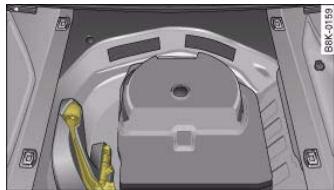
Fig. 206 Luggage compartment with towing bracket
Controls
Safety
Driving tips
General maintenance
Self-help
Technical data

The removable ball joint attachment for the towing bracket is stored under the floor panel on the left-hand side of the luggage compartment.
The ball joint can be fitted and removed by hand.

WARNING
Never use tools of any kind when fitting and removing the ball joint. This could damage the mechanism which locks the ball joint in place and impair its safety (accident risk).

Note
- Do not attempt to modify or repair the ball joint or other towing bracket components.
- Should you have any difficulties when using the towing bracket, or suspect that it is not fitted properly, contact a qualified workshop
- Before setting off, always check that the ball joint is secured properly page 214.
- Never disengage the ball joint with the caravan / trailer still hitched or with a bicycle rack or similar accessory still attached.
- It is advisable to remove the ball joint when you are not towing a trailer. Fold the socket back to its original position so that the mounting fixture is properly closed.
- The ball joint must be removed if you intend to clean the car with a steam cleaning attachment. Make sure that the mounting fixture is properly closed.
For installation and removal of the ball joint we recommend that the gloves provided be used.
Applies to vehicles: with removable towing bracket Fitting the ball joint (step
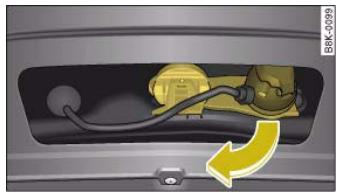
Fig. 207 Area below rear bumper: Folding down the socket
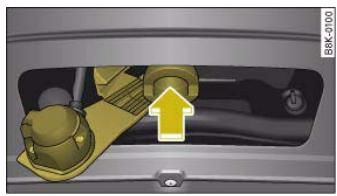
Fig.208 Socket (folded down)
- Remove the bumper cover to access the socket unit.
- Fold the socket unit all the way out in the direction of the arrow fig. 207.
- The cover piece is held automatically in the open position.
- Check that the mounting for the towing bracket, which will now have become visible -arrow fig. 208, is free of dirt, and clean if necessary .





- Also check the shaft section of the ball joint and its associated mechanical parts to make sure they are clean and undamaged.
Continued page 213, "Fitting the ball joint (step 2)".

It is important to keep the mounting fixture clean. Otherwise the ball joint may fail to engage securely (accident risk).
Applies to vehicles: with removable towing bracket
Fitting the ball joint (step 2)
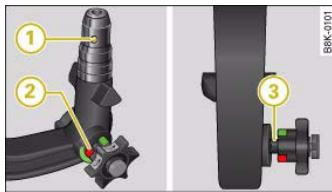
Fig.209 Removable towing bracket: Ball joint
The spring mechanism inside the ball joint must be in the "ready" position.
- Check that the red marking ② fig. 209 on the knob is inside the green zone on the ball joint.
- Check that the locking ball ① is inside the hole in the shaft section of the ball joint.
- Check that the knob protrudes visibly from the ball joint, so that there is a clear gap ③ between the knob and the ball joint.
The ball joint can only be installed if the internal spring mechanism is in the ready position.
Continued page 213, "Fitting the ball joint (step 3)".
Applies to vehicles: with removable towing bracket
Fitting the ball joint (step 3)
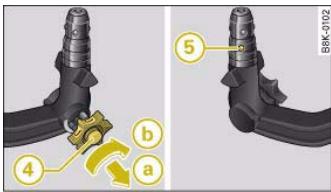
Fig.210 Removable towing bracket: Setting the spring mechanism to the "ready" position
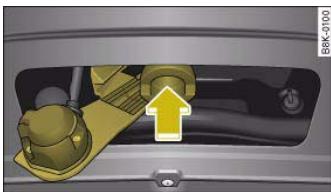
Fig.211 Removable towing bracket: Inserting the ball joint
Setting the spring mechanism to the "ready" position (if required)
- Insert the key ④ fig. 210 for locking the ball joint into the lock on the knob and turn it clockwise.
Controls
Safety
Driving tips
General maintenance
Self-help
Technical data


Pull out the knob in direction a, hold and turn in direc tion b until the locking ball 5 engages A.
Inserting the ball joint
- With the spring mechanism in the "ready" position, insert the ball joint into the mounting fixture and push it upwards page 213, fig. 211 in the direction indicated (arrow) A. The spring mechanism should then engage automatically with an audible click.
- Lock the ball joint by turning the key anti-clockwise.
Take out the key and press the cover cap provided onto the lock.
Continued page 214, "Fitting the ball joint (step 4)".

WARNING
- If it is not possible to set the spring mechanism to the "ready" position as described above, do not use the ball joint. Please take your vehicle to a qualified workshop.
- To avoid injury, keep your hands away from the knob and the cover piece when inserting the ball joint into the mounting fixture.

Note
Make sure that the knob can turn freely when the ball joint is inserted.
Applies to vehicles: with removable towing bracket Fitting the ball joint (step

Fig.212 Removable towing bracket: Safety check
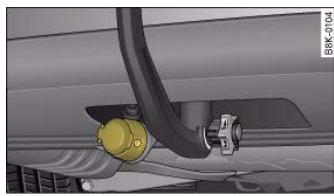
Fig. 213 Area below rear bumper: Electrical socket for trailer
Safety check
- Check that the green marking (6) fig. 212 on the knob is inside the green zone on the ball joint.
- Check that the knob is directly against the ball joint, so that there is no gap ⑦ between the knob and the ball joint.
- Check that the ball joint is locked and the key is removed (so that the knob cannot be pulled out).

- Check that the ball joint fits tightly in the mounting fixture (try moving it about to check).
Electrical socket for trailer
- The cable of the towing bracket can be connected to the socket page 214, fig. 213.
If the safety check is not satisfactory, the ball joint must be fitted again properly.
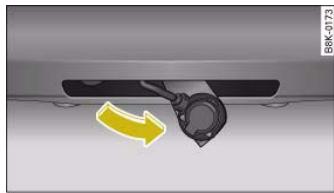
Fig. 215 Area below rear bumper: Folding up the socket

To avoid accidents, the ball joint must meet all the safety requirements listed in the safety check. The towing bracket must not be used if any one of these requirements is not met. If this is the case, you should contact a qualified workshop.
Applies to vehicles: with removable towing bracket
Removing the ball joint
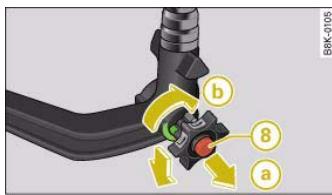
Fig.214 Removable towing bracket: Removing the ball joint
Take off the cover cap and insert the key (8) fig. 214 in the lock on the knob.
- Unlock the ball joint by turning the key clockwise.
Take hold of the ball joint and pull out the knob in direction a.
- Keep hold of the knob and turn it as far as it will go in direction (b).
- Release the knob. The spring mechanism will remain in the "ready" position .
- Pull the ball joint down out of the mounting fixture.
- Then swivel the socket up fig. 215 as far as it will go. The mounting fixture will be closed automatically.
- Fit the bumper cover over the opening on the bumper.
Put away the ball joint attachment under the floor panel in the luggage compartment.
Controls
Safety
Driving tips
General maintenance
Self-help
Technical data


Make sure that the socket unit has closed off the mounting fixture of the towing bracket properly. Otherwise the ball joint may fail to engage securely if dirt accumulates in the mounting fixture.
Towing bracket (retrofitting)
If required, the vehicle can be retrofitted with a towing bracket.
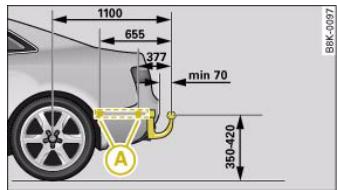
Fig. 216 Positions of securing points (side view)
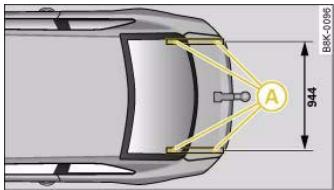
Fig. 217 Positions of securing points (from above)
If a towing bracket is to be fitted after the car is purchased, this must be done according to the instructions of the towing bracket manufacturer.
The securing points, which are marked by an in the illustrations fig. 216 and fig. 217, are located under the vehicle.
Audi dealers are familiar with the method of installation and any modifications which may be required for the cooling system.

WARNING
- If a towing bracket is retrofitted, the installation should be carried out by a qualified workshop.
- If the towing bracket is incorrectly fitted, this could cause a safety risk.
- For your own safety, please observe the instructions provided by the manufacturer of the towing bracket.

Caution
If the connector socket is not fitted correctly, this could cause damage to the vehicle's electrical system.





Care of vehicle and cleaning
Care of vehicle and cleaning
General notes
Regular care helps to maintain the value of the vehicle.
Regular and careful care helps to maintain the value of the vehicle. This may also be one of the requirements for upholding any warranty claims in the event of corrosion or paint defects.
Audi dealers and specialist retailers carry stocks of suitable car care products. Please follow the instructions for use on the packaging.

WARNING
- Cleaning products and other materials used for car care can damage health if misused.
- Car care materials can contain toxic substances and must always be kept in a safe place out of reach of children.

For the sake of the environment
- When purchasing car care products, try to select ones which are not harmful to the environment.
- Surplus cleaning materials should not be disposed of together with ordinary household waste.
Care of exterior
Washing the vehicle
The longer substances like insects, bird droppings, resinous tree sap, road dirt, industrial deposits, tar, soot or road salt and other aggressive materials remain on the vehicle, the more damage they
do to the paintwork. High temperatures (for instance in strong sunlight) further intensify the corrosive effect.
After the period when salt is put on the roads it is important to have the underside of the vehicle washed thoroughly.
Automatic car washes
Before going through a car wash, be sure to take the usual precautions such as closing the windows and sunroof. If the vehicle has special accessories such as spoilers or a roof carrier or two-way radio aerial, etc., it is advisable to consult the car wash operator.
It is best to use a car wash without revolving bristles if possible.
Washing your car with a high-pressure cleaner
When cleaning the vehicle with a high-pressure cleaner, always follow the operating instructions for the equipment. This applies particularly to the operating pressure and the spraying distance. Do not hold the spray nozzle too close to soft materials, such as rubber hoses or seals.
Do not use a nozzle that sprays the water out in a direct stream or one that has a rotating jet for forcing off dirt.
Washing the car by hand
When washing the car by hand, use plenty of water to soften the dirt first, and rinse off as well as possible.
Then clean the vehicle with a soft sponge, glove or brush, using only slight pressure. You should start on the roof and work down. Special car shampoo should only be used for very persistent dirt.
Rinse the sponge or glove thoroughly and often.
Wheels, sills and similar should be cleaned last. Use a second sponge for this.

Care of vehicle and cleaning
221

WARNING
- Do not wash the vehicle with the ignition switched on - risk of accident.
- Do not clean the underside of the car or inside the wheel arches without protecting your hands and arms. You may cut yourself on sharp metal parts.
Take care when washing the car during the winter: moisture and ice on the brakes may affect braking efficiency - this could cause an accident.
Even if a wax solution is used regularly in the car wash, it is advisable to protect the paint with a coat of wax at least twice a year. In the summer, you will find it is much easier to remove dead insects (which accumulate on the bumper and the front of the bonnet) if the car has been waxed recently.
Polishing
Polishing is only necessary if the paint has lost its shine, and the gloss cannot be brought back by putting on wax.
The car must be waxed after polishing if the polish used does not contain wax compounds to seal the paint.

Caution
- Do not wash the vehicle in direct sunlight – otherwise the paint can be damaged.
- Do not use insect sponges, or abrasive household sponges, etc.
- they can damage the surfaces.
- The headlights should only be washed with water - do not wipe them with a dry cloth or sponge. It is best to use soapy water.
- Never wash tyres with a jet that sprays the water out in a direct stream. This could damage the tyres - even if the spray is kept at a distance and only used for a very short time.

Caution
Matt painted and plastic parts must not be treated with wax or polish.
Ornamental trim and mouldings
The metal brightwork on the body is made of aluminium rather than chrome (for environmental reasons).
Dirt or marks on the trim mouldings should be removed with an acid-free cleaning agent (do not use a chrome cleaner). Body polish is also unsuitable for use on trim mouldings. The intensive cleaning fluids often used before the car goes into a car wash may contain alkaline substances, which can cause dull or milky patches when they dry out.
Audi dealers carry stocks of cleaning products which have been tested for use on your vehicle and are not harmful to the environment.

For the sake of the environment
The car should only be washed in special wash bays. This prevents oily water from getting into the public drains. In some districts, washing vehicles anywhere else may be prohibited.
Waxing and polishing
Waxing
Waxing protects the paintwork. It is time to apply a good coat of wax when water no longer forms droplets and rolls off the clean paintwork.
Controls
Safety
Driving tips
General maintenance
Self-help
Technical data



Care of vehicle and cleaning
Plastic parts
Plastic parts will come clean with regular washing. If this is not sufficient, plastic parts should only be treated with a special solvent-free plastic cleaning agent. Do not use paint cleaners, polishes or wax on plastic parts.
Paint damage
Minor damage to the paint, such as scratches or stone chips, should be touched up without delay before the metal starts to corrode. Suitable touch-up brushes or sprays for your car can be obtained from an Audi dealer.
The number of the original paint finish on the vehicle is given on the data sticker page 293.
If corrosion is already visible it must be thoroughly removed by a qualified workshop.
Windows
Clear vision is an essential safety factor.
The windscreen must not be cleaned with insect remover or wax, otherwise the windscreen wipers will not function properly (juddering).
Traces of rubber, oil, grease or silicone can be removed with a window cleaning solution or a silicone remover. Wax residue can only be removed with a special cleaner. Your Audi dealer will be able to provide you with more detailed information.
The windows should also be cleaned on the inside at regular intervals.
Use a separate cloth or chamois to dry the windows. Cloths used for waxing and polishing contain residues that will cause smears on the glass.

WARNING
Do not use water-repellent coatings on the windscreen. In bad visibility conditions such as light rain, low sun or when driving at night these coatings can cause increased dazzle, which is a serious safety hazard. Such coatings can also cause the wiper blades to judder.

Caution
- Remove snow and ice from windows and mirrors with a plastic scraper only. To avoid scratches caused by dirt on the glass, the scraper should only be pushed in one direction and not moved to and fro.
- The heating element for the rear window is located on the inner side of the window. To avoid damaging the heating element, do not put stickers on the inner side of the window.
- Never use warm or hot water to remove snow and ice from windows and mirrors. This could cause the glass to crack!
Rubber seals (weatherstrips)
The weatherstrips will remain pliable and last longer if they are occasionally treated with a suitable care product (for example silicone spray). This will also prevent premature ageing and leaks. The doors will be easier to open as well. If they are kept pliable, the door seals will be less likely to freeze up in the winter.
Wheels
The wheels require regular attention to preserve their appearance. It is important to remove road salt and brake dust by washing the wheels at regular intervals, otherwise the finish will be impaired.

Care of vehicle and cleaning
223
After washing, the wheels should only be cleaned with an "acid-free" cleaning agent for alloy wheels. This is available from Audi dealers and specialist retailers. Never leave the cleaning agent on the rims for any longer than specified in the instructions before rinsing it off. If the wheel cleaner fluid contains acid it can attack the surfaces of the wheel bolts.
Car polish or other abrasive agents should not be used. If the protective paint coating is damaged by stone chips etc., the damaged area should be touched up immediately.
WARNING
Please note when cleaning the wheels that water, ice and road salt can impair the effectiveness of the brakes - this can cause an accident.
Care of interior
MMI display screen and control console
The MMI display screen can be cleaned with a soft cloth and a special "LCD cleaner" (available from retailers of electrical goods). Moisten the cloth with a small amount of the cleaning fluid.
Clean the MMI control console with a fine brush first to prevent any dirt from getting in between the control buttons and the housing. We then recommend wiping the MMI control console using a cloth moistened with washing-up liquid and water.
Caution
To avoid scratching the screen, do not wipe the MMI display with a dry cloth.
- To avoid any possibility of damage, do not let any liquid get inside the control console.
Plastic parts and leatherette
Plastic parts and leatherette can be cleaned with a damp cloth. If this is not sufficient, plastic parts and leatherette should only be treated with a special solvent-free plastic cleaner.
Textile covers and trim parts
Textile covers and trim parts (e.g. seats, door trim) should be cleaned regularly with a vacuum cleaner. This will remove surface dirt which could otherwise be rubbed into the textile material during use. Do not use steam cleaners, as the steam could carry the dirt deeper into the textile material.
Normal cleaning
We recommend that you use a soft sponge or lint-free, micro-fibre cloth for normal cleaning. Only use brushes on floor coverings and mats, as other textile surfaces could become damaged.
In the case of normal surface dirt you can use a foam cleaner. Use a sponge to spread the foam on the textile surface and to work it into the material lightly. However, make sure that the textile material does not become soaking wet. Then dab off the foam with a dry and absorbent cloth (e.g. a micro-fibre cloth) and vacuum off any residue once the surface is completely dry.
Removal of stains
To treat stains caused by spilled drinks (coffee, fruit juice or similar) make up a solution with a mild detergent for sensitive fabrics and apply it with a sponge. If the stains are difficult to remove, a washing paste can be applied directly onto the stain and worked into the fabric. The surface will then have to be wiped with clear water to remove any residue left by the paste. To do so, use a damp cloth or sponge and then dab the stain with an absorbent cloth.
Treat chocolate or make-up stains with a washing paste and then rinse off with water (using a damp sponge).
Controls
Safety
Driving tips
General maintenance
Self-help
Technical data
al data

Care of vehicle and cleaning
A spirit-based cleaner can be used to remove grease, oil, lipstick or ball point pen. Then dab the dissolved grease or colour particles off with an absorbent cloth or similar. You may also have to treat the stain once more using washing paste and water.
If the covers or textile trim panels are badly soiled we recommend that you have them cleaned by a professional cleaning company.

Note
Please make sure you close any velcro fasteners on your clothing, as these could otherwise damage the upholstery.
Applies to vehicles: with leather upholstery
Natural leather
Audi does everything possible to preserve the special qualities of leather as a natural product.
General notes
We have a wide selection of leathers. The main type used is nappa in various forms, that is leather with a smooth surface in a selection of colours.
The amount of dye used determines the appearance and properties of leather. If the leather is left in a more natural state, it retains its typical natural appearance and is pleasant and comfortable for the seat occupants. Fine veins, healed scars, insect bites, wrinkles and a subtle variation in shading remain visible; these are the characteristic features of genuine natural leather.
Natural napped leather does not have a protective surface coating of dye. It is therefore somewhat more prone to damage. You should bear this in mind if children or pets often travel in the car, or if there are other factors that could lead to damage.
Types of leather with a coloured surface coating are likely to be more resistant to damage. This has a great advantage for day-to-day
use. However, this means that the typical natural characteristics of the surface are less apparent, though this does not affect quality.
Cleaning and care
Because of the natural properties of the specially selected hides employed, the finished leather has a certain sensitivity to grease and dirt, etc. so a degree of care is required in everyday use and when looking after the leather. Dark clothing (especially if damp or incorrectly dyed) may stain leather upholstery. Dust and grit in the pores and seams can have an abrasive effect and damage the surface of the leather. Therefore leather should be cleaned at regular intervals, depending on the actual amount of use. When they have been in use for a certain time, your car seats will acquire a typical and distinctive patina. This is characteristic for real leather upholstery, and is a sign of genuine quality.
To maintain the value of natural leather you should note the following points:

Caution
- Avoid exposing leather to direct sunlight for long periods, otherwise it may tend to lose some of its colour. If the car is left for a prolonged period in the bright sun, it is best to cover the leather.
- Sharp-edged objects on clothing, such as belts, zip fasteners, rivets or similar, can also leave permanent scratches and rough marks on the surface of the leather.

Note
- Use a suitable impregnating cream with ultra-violet protection at regular intervals and after cleaning. This cream will nourish and moisturise the leather, keep it supple and able to breathe. In addition, it will also help to protect the surface of the leather.
-
Clean the leather every 2 to 3 months and remove fresh dirt as necessary.
-
Remove stains from fresh ball-pen and other inks, lipstick, shoe cream and similar stains as soon as possible.
- Preserve the colour of the leather. A special coloured cream will renew the colour of the leather when required and will eliminate differences in colour.
Applies to vehicles: with leather upholstery
Cleaning and care of leather upholstery
Natural leather requires an extra degree of attention and care.
Normal cleaning
- Moisten a cotton or woollen cloth with water and wipe over the leather surfaces.
More stubborn dirt
More stubborn dirt can be removed using a mild soap solution (pure liquid soap: two tablespoons dissolved in one litre of water).
- It is very important not to let the water soak through the leather or penetrate into the seams.
- Then wipe off with a soft, dry cloth.
Removal of stains
- Remove fresh water-based stains such as coffee, tea, juices, blood etc. with an absorbent cloth or kitchen roll, dried-on stains with the cleaning agent from the care set.
-
Remove fresh fat-based stains on the surface such as butter, mayonnaise, chocolate, etc. with an absorbent cloth or kitchen roll or with the cleaning agent from the care set.
-
Treat fat-based, dried-in stains with grease-dissolving spray.
- Treat less common stains such as ball-pen and other inks, felt-tip pens, nail polish, dispersion paint, shoe cream etc. with a special leather stain remover.
Leather care products
- The leather should be treated regularly (about twice a year) with a special leather-care product.
- Apply the cream very sparingly.
- Then wipe off with a soft, dry cloth.
Should you have any questions regarding the care and cleaning of the leather upholstery in your vehicle, we recommend that you contact your Audi dealer. This staff there will gladly provide you with further information on cleaning and care of your upholstery and on our complete range of leather care products:
- Cleaning and care set
- Coloured leather-care cream
- Stain remover for ball-pen inks, shoe cream etc.
Grease dissolving spray
- New products and further developments

Caution
On no account use solvents (such as petrol, turpentine), wax polish, shoe cream or similar materials.
Controls
Safety
Driving tips
General maintenance
Self-help
Technical data

Care of vehicle and cleaning
Applies to vehicles: with Alcantara seat covers
Cleaning Alcantara
Removing dust and dirt
- Moisten a cloth just a little and wipe down the seat covers.
Removing stains
- Moisten a cloth with lukewarm water or diluted methylated spirits.
Dab at the stain. Start at the outside and work inwards.
Dry the area you have cleaned with a soft cloth.
Do not use leather cleaning products on Alcantara seat covers.
You may use a suitable shampoo on dust and dirt.
Dust and grit in the pores and seams can have an abrasive effect and damage the surface of the leather. If the car is left standing in the sun for long periods, the leather should be protected against direct sunlight to prevent it from fading. However, slight colour variations will arise in normal use.
Seat belts
Seat belts should be looked after properly to ensure that they give the full protection.
- Keep the seat belts clean.
- For cleaning, use a mild soap solution.
- Check the condition of the seat belts at regular intervals.
Very dirty belts may not retract properly.
Make sure that the inertia reel seat belts are completely dry before allowing them to retract.

- Do not remove the seat belts from the vehicle to clean them.
- Do not use chemical cleaning agents on the seat belts, as this can damage the webbing. Ensure that the belts do not come into contact with corrosive fluids.
- If you find any damage to the belt webbing, belt fittings, the belt retractor or the buckle, the belt in question must be replaced by a qualified workshop.

Caution
- Do not use solvents, wax polish, shoe cream, stain removers, leather cleaning products or any similar products on Alcantara.
- To avoid damage, stubborn stains should be removed by a qualified workshop.
- On no account use brushes, hard sponges or similar utensils.

Fuel and filling the tank
227
Fuel and filling the tank
Petrol
Applies to vehicles: with petrol engine
Petrol grade
The correct grade of petrol is listed inside the fuel tank flap.
The vehicle is equipped with a catalytic converter and must only be run on unleaded petrol. Unleaded petrol must comply with the European EN 228 standard. The petrol grades have different octane ratings (RON). If, in exceptional circumstances, the correct octane rating is not available, please note the following:
- For engines which require Premium unleaded petrol (95 RON) according to page 295, "Performance, weights and dimensions": Regular unleaded fuel with 91 RON can also be used. This will, however, result in a slight loss of power.
For engines which require Super Plus unleaded petrol (98 RON) according to page 295, "Performance, weights and dimensions": Premium unleaded fuel with 95 RON can also be used. This can, however, result in a slight loss of power under certain driving conditions. - If premium unleaded petrol is not available, the engine can be run on regular unleaded petrol with 91 RON as an emergency measure. In this case only use moderate engine speeds and a light throttle. Avoid using full throttle. Fill up with premium or Super Plus petrol as soon as possible.
Caution
- Petrol complying with the EN 228 standard can contain small quantities of ethanol. However, "bioethanol fuels", which are retained under various different names such as E50 and E85, and which contain a large proportion of ethanol, must not be put into the vehicle, as this would damage the fuel system.
Even one tankful of leaded fuel would permanently impair the efficiency of the catalytic converter.
- High engine speed and full throttle can damage the engine when using petrol with an octane rating lower than the correct grade for the engine.
Diesel
Applies to vehicles: with diesel engine
Diesel fuel
Please note the information on the inside of the fuel tank flap.
Diesel fuel must comply with the European EN 590 standard. It must have a cetane number (CN) of at least 51. The cetane number indicates the ignition quality of the diesel fuel.
Winter-grade diesel
Diesel fuel can thicken in winter. For this reason petrol stations in some countries also offer winter diesel.
Caution
- The vehicle is not designed for the use of biodiesel (FAME fuel). The fuel system would be damaged if you use biodiesel.
- Do not mix fuel additives ("thinners", petrol or similar additives) with the diesel fuel.
- If poor-quality diesel fuel is used, it may be necessary to drain the water separator on the fuel filter more frequently than is specified in the Service Schedule. We recommend having this done by a specialist workshop. If water is allowed to collect in the filter, this can cause engine performance problems.
Controls
Safety
Driving tips
General maintenance
Self-help
Technical data


Fuel and filling the tank
Filling the tank
Filling the tank
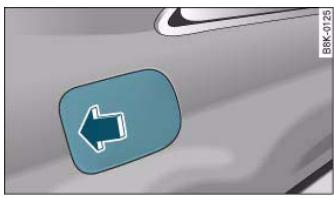
Fig.218 Vehicle as seen from the rear right: Opening fuel tank flap
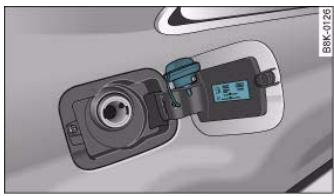
Fig.219 Fuel tank flap with tank cap attached
The flap that covers the tank cap is unlocked and locked automatically by the central locking.
Unscrewing the tank cap
- Press the left side of the flap to open it fig. 218 - arrow.
- Unscrew the tank cap anti-clockwise.
- Hook the cap onto the open flap fig. 219.
Closing the tank cap
- Screw on the tank cap clockwise until it cannot be turned further.
- Press the left side of the flap to close it (you should hear it click into place).
When the automatic filler nozzle is operated correctly it will switch itself off as soon as the tank is "full". Do not try to put in more fuel after the nozzle cuts out, as this will fill the expansion chamber in the fuel tank.
The correct fuel grade for your vehicle is given on a sticker on the inside of the tank flap. Further notes on fuel page 227.
The tank capacity of your vehicle is given in the Technical data section page 293.

WARNING
Fuel is highly inflammable and can cause serious burns and other injuries.
- For safety reasons always switch off the auxiliary heating* before refuelling the vehicle.
- For safety reasons we do not recommend carrying a spare fuel canister in the vehicle. The canister could become damaged in an accident and leak.
- Observe all relevant statutory regulations on using, storing and transporting spare fuel canisters.
- When filling your tank or a spare fuel canister with fuel, do not smoke and keep away from naked flames. Risk of explosion!
-
If, in exceptional circumstances, you have to carry a spare fuel canister, please observe the following warnings:
-
Never fill fuel into the spare fuel canister with the canister placed in or on top of the vehicle. An electrostatic charge could build up during filling, causing the fuel vapour to ignite. Danger of explosion. Always place the canister on the ground to fill it.

Fuel and filling the tank
229
WARNING (continued)
- Insert the filler nozzle as far as possible into the spare fuel canister.
- If the spare fuel canister is made of metal, the filler nozzle must be in contact with the canister during filling. This helps prevent an electrostatic charge building up.
- Make sure you never spill fuel in the vehicle or in the luggage
compartment. Fuel vapour is explosive. Risk of fatal accident!
Releasing the tank flap manually
The tank flap can be released manually if the central locking system should fail to operate.
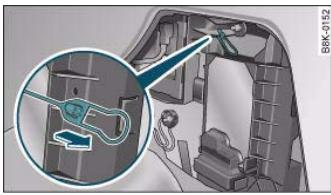
Fig. 220 Luggage
compartment:
Releasing the fuel tank flap manually

Caution
- If any fuel is spill onto the vehicle, it should be removed immediately, as it could otherwise damage the paintwork.
- Never run the tank completely dry. If there is an irregular fuel supply, misfiring can occur. As a result unburnt fuel can enter the exhaust system and cause damage to the catalytic converter(s).
- When filling the fuel tank after having run it completely dry on a vehicle with a diesel engine the ignition must be switched on for at least 30 seconds without starting the engine. When you then start the engine it may take longer than normal (up to one minute) for the engine to start firing. This is because air needs to be bled from the fuel system while starting.
The manual release mechanism is located behind the side trim on the right of the luggage compartment.
- Open the right-hand side trim.
- Release the ring from its holder and pull the ring fig. 220. You should now be able to open the tank flap in the usual way page 228.

For the sake of the environment
Do not try to put in more fuel after the automatic filler nozzle has switched off; this may cause the fuel to overflow if it becomes warm.

Note
The tank flap is not locked when you lock the vehicle from the inside.
Controls
Safety
Driving tips
General maintenance
Self-help
Technical data



Checking and topping up fluids
Checking and topping up fluids
Bonnet
Releasing the bonnet
The bonnet is released from inside the vehicle.
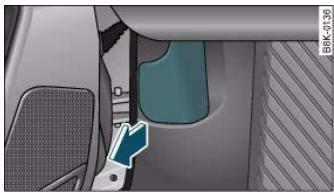
- Open the driver's door.
Pull the lever under the dashboard in the direction indicated (arrow) fig. 221.
The bonnet springs out of its lock.
Fig. 221 Detail of footwell on driver's side: Release lever
Opening the bonnet
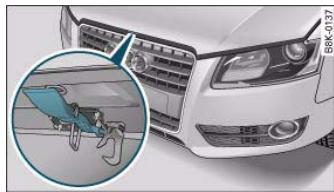
Fig.222 Release catch under the bonnet
Before opening the bonnet make sure that the windscreen wiper arms are not lifted away from the glass. Otherwise the paint may get damaged.
- Lift the bonnet slightly
Press the release catch under the bonnet upwards fig. 222. This will release the arrester hook.
- Open the bonnet.
The bonnet is held open by two gas-filled struts.

WARNING
To avoid the risk of being scalded, never open the bonnet if you see steam or coolant escaping from the engine compartment. Wait until no steam or coolant can be seen before opening the bonnet.


Checking and topping up fluids
231
Working on components in the engine compartment
Extra caution is necessary when working on components in the engine compartment.
Always be aware of the danger of injury and scalding as well as the risk of accident or fire when working in the engine compartment (e.g. when checking and refilling fluids). Always observe the warnings listed below and follow all normal safety precautions. The engine compartment of any motor vehicle is a potentially hazardous area.

WARNING
- Switch off the engine.
- Remove the ignition key.
- Apply the parking brake.
- Put the gear lever in neutral or selector in P.
- Wait for the engine to cool down.
- Keep children away from engine compartment.
- Never spill fluids on hot engine components. These fluids can cause a fire (e.g. radiator anti-freeze).
- Take care not to cause short circuits in the electrical system, especially when working on the battery.
- Do not touch the radiator fan when the engine is hot. The fan may start running suddenly.
- Do not unscrew the cap on the expansion tank when the engine is hot. The cooling system is under pressure.
- Protect face, hands and arms by covering the cap with a large, thick rag to protect against escaping coolant and steam.
- If any tests have to be performed with the engine running, there is an extra safety risk from the rotating parts, such as the drive belts, alternator and radiator fan, etc., and from the high-voltage ignition system.

WARNING (continued)
-
Vehicles with automatic gearbox: Never open the throttle inadvertently (for instance by hand from the engine compartment) if a gear is engaged while the vehicle is stationary with the engine running. The vehicle could otherwise start moving immediately and possibly cause an accident.
-
Observe the following additional warnings if work on the fuel system or the electrical system is necessary:
-
Always disconnect the battery.
- Do not smoke.
-
Never work near naked flames.
-
Always keep an approved fire extinguisher immediately available.

Caution
When topping up fluids make sure the correct fluid is put into the correct filler opening. This can otherwise cause serious malfunctions or engine damage.

For the sake of the environment
Inspect the ground underneath your vehicle regularly so that any leaks are detected at an early stage. If you find oil spots or other fluids, have your vehicle inspected by a qualified workshop.

Note
On right-hand drive vehicles* some of the containers/ reservoirs mentioned below are located on the other side of the engine compartment.
Controls
Safety
Driving tips
General maintenance
Self-help
Technical data


Checking and topping up fluids
Closing the bonnet
- To close the bonnet, pull it down to overcome the spring pressure.
- Then let it drop into the catches; do not press down

WARNING
- For safety reasons the bonnet must always be completely closed when the vehicle is moving. After closing it always check that it is properly secured. The bonnet must be flush with the adjacent body panels.
- Should you notice that the bonnet is not safely secured when the vehicle is moving, stop the vehicle immediately and close the bonnet properly, otherwise it could cause an accident.
Engine compartment layout
Engine compartment layout
Main components for checking and refilling
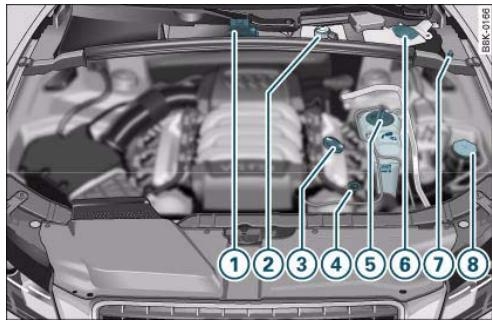
Fig. 223 Typical locations of fluid containers, engine oil dipstick and engine oil filler cap
① Jump-start terminal (+) under a cover 241, 266
② Brake fluid reservoir (O) 238
③ Engine oil filler cap (234
(4) Engine oil dipstick (orange) 234
5 Radiator expansion tank (1) 236
⑥ Windscreen washer container ( 242
⑦ Jump-start terminal (-) with hexagon head 241, 266
8 Hydraulic fluid reservoir for power steering 201





Checking and topping up fluids
233
The positions of the engine oil filler cap and the engine oil dipstick page 232, fig. 223 (items ③ and ④) may be different on some engine versions.
Engine oil
General notes
We recommend that you have the oil change carried out by an Audi dealership/qualified workshop according to the intervals stated in the Service Schedule or according to the service interval display in the instrument cluster.
Whether your vehicle is serviced at flexible service intervals or fixed service intervals is shown in the Service Schedule.
The correct oil specifications for your engine are listed in the Technical data section page 295, "Performance, weights and dimensions".
Check that the specifications quoted (VW standards) appear on the container either singly or in combination with other specifications.
Flexible service intervals (Audi LongLife Service*)
Special engine oils page 295, "Performance, weights and dimensions" have been developed as part of the Audi LongLife Service ( "Service Schedule").
This type of oil must be used if you intend to take advantage of the extended maintenance intervals allowed by the Audi LongLife Service.
- Do not mix the LongLife oil with oil intended for fixed service intervals, as the requirements for the extended service intervals are then no longer guaranteed.
- In exceptional circumstances, if the engine oil level is too low page 234 and you cannot obtain the specified LongLife oil, you can put in a small quantity of oil for fixed service intervals - page 295, "Performance, weights and dimensions". This should
not be done more than once and no more than 0.5 litres should be used.
Fixed service intervals (Inspection Service)*
If you do not take advantage of the LongLife service for your car, you can use the oils for fixed service intervals page 295, "Performance, weights and dimensions". In this case, your car must be serviced after a fixed interval of 1 year / 15,000 km (10,000 miles) - see Service Schedule.
- In exceptional circumstances, if the engine oil level is too low page 234 and you cannot obtain the oil specified for your vehicle, you can put in a small quantity of oil conforming to the specification ACEA A2 or ACEA A3 (petrol engines) or ACEA B3 or ACEA B4 (diesel engines). This should not be done more than once and no more than 0.5 litres should be used.
Vehicles with diesel particulate filter*
The Service Schedule states whether your vehicle is fitted with a diesel particulate filter.
- Vehicles with diesel particulate filter must only be filled with engine oil VW 507 00. This oil can be used regardless of whether the vehicle is serviced at flexible service intervals (Audi LongLife Service) or fixed service intervals.
- Avoid mixing this oil with other engine oils.
- In exceptional circumstances, if the engine oil level is too low page 234 and you cannot obtain the oil specified for your vehicle, you can put in a small quantity of oil conforming to the specification VW 506 00 / VW 506 01 or VW 505 00 / VW 505 01 or ACEA B3 / ACEA B4. This should not be done more than once and no more than 0.5 litres should be used.
Controls
Safety
Driving tips
General maintenance
Self-help
Technical data


Checking and topping up fluids
Checking the oil level
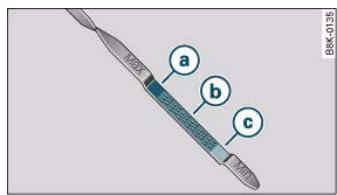
Fig.224 Variant 1: Markings on oil dipstick
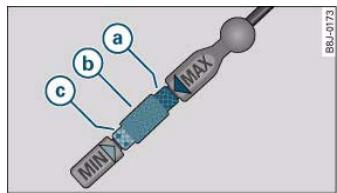
Fig.225 Variant 2: Markings on oil dipstick
Checking oil level
- Park your vehicle on a level surface.
- Allow the warm engine to run briefly at idling speed and then switch off the ignition.
- Wait approx. 2 minutes.
- Pull out the dipstick. Wipe the dipstick with a clean cloth and insert it again, pushing it in as far as it will go.
Then pull the dipstick out again and check the oil level fig. 224 or fig. 225. If the oil level is too low, add more engine oil page 234.
Oil level in area ④
Oil level in area ⑥
- Oil can be topped up. After topping up the oil level should be in area a.
Oil level in area
- Oil must be topped up. After topping up the oil level should be in area a.
Depending on how you drive and the conditions in which the car is used, oil consumption can be up to 0.5 ltr./1000 km. Oil consumption is likely to be higher for the first 5000km . You should therefore check the oil level at regular intervals, ideally every time you fill the tank, and also before setting off on a long trip.
Topping up the engine oil
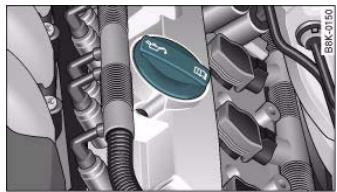
Fig.226 Engine compartment: Engine oil filler cap


Checking and topping up fluids
235
- Unscrew cap from oil filler opening page 234, fig. 226.
- Carefully put in the specified grade of oil page 295 0.5 litres at a time.
- After two minutes check the oil level once again page 234.
- If the oil level is too low, add more engine oil.
- Replace the oil filler cap carefully and push the dipstick all the way in.

WARNING
- Ensure that no oil comes into contact with hot engine components when topping up: this could cause a fire.
- Wash your skin thoroughly if it comes into contact with engine oil.

Caution
- The oil level must never be above area ④ as this may result in damage to the catalytic converter or to the engine. Contact a qualified workshop to extract the engine oil if necessary.
- No additives should be used with engine oil. Any damage caused by the use of such additives would not be covered by the factory warranty.

For the sake of the environment
- Never pour oil down drains or into the ground.
Always observe statutory requirements when disposing of empty oil canisters.
Cooling system
Coolant
The purpose of the coolant is to carry heat away from the engine. The correct amount of anti-freeze is important to prevent the cooling system from freezing in winter.
The cooling system is filled for life at the factory, so the coolant does not need to be changed. The coolant consists of a mixture of water and anti-freeze additive G12 + . This is a glycol-based anti-freeze with anti-corrosion additives.
Anti-freeze additive
The amount of anti-freeze additive required depends on the temperatures to be expected in the winter season. If the anti-freeze concentration is too low the coolant can freeze, resulting in failure of the cooling system and heater.
The cooling system is filled at the factory with the correct amount of anti-freeze for the country concerned.
In most cases the mixture consists of 60% water and 40% additive. This mixture gives the necessary antifreeze protection down to -25^ and protects the alloy parts of the cooling system against corrosion. It also prevents scaling and raises the boiling point of the coolant.
Countries with warm climate
The coolant concentration must not be reduced by adding plain water, even in the summer or in warm climates. The concentration of the anti-freeze additive must always be at least 40% .
Countries with cold climate
If greater anti-freeze protection is required in very cold climates, the proportion of the anti-freeze additive G12+ can be increased. A concentration of 60% offers protection down to about -40^ . The concentration of the antifreeze additive must not be more than 60% .
Controls
Safety
Driving tips
General maintenance
Self-help
Technical data

Checking and topping up fluids
otherwise this would reduce the antifreeze protection. In addition, the cooling effect will be adversely affected.
Vehicles for export to countries with a cold climate (such as Sweden, Norway and Finland) are supplied with antifreeze protection down to about -35^ . The concentration of the antifreeze additive for these countries should always be at least 50% .

Caution
- It is advisable to have the cooling system checked before the winter season to make sure that the antifreeze concentration is adequate for the conditions to be expected. This applies particularly if you intend to take the car into a colder climate zone. If necessary, have the anti-freeze concentration increased to 50 - 60% as required.
- Use only anti-freeze additive G12+, an additive meeting the specification "TL-VW 774 F". Other additives may give considerably inferior corrosion protection. The resulting corrosion in the cooling system can lead to a loss of coolant, causing serious damage to the engine.
- The coolant additive G12+ can be mixed only with additives G11 and G12.
Checking coolant level
The coolant level can be checked at a glance.
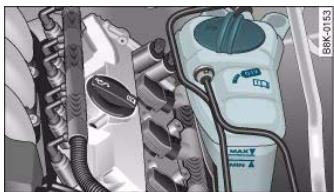
Fig.227 Engine compartment:Markings on radiator expansion tank
- Switch off the ignition.
- Read off coolant level on radiator expansion tank fig. 227. When the engine is cold it should be between the "MIN" and "MAX" marks. When the engine is hot it may be slightly above the "MAX" mark.
The coolant level should be checked with the engine switched off.
The coolant level is monitored by a warning lamp in the instrument cluster page 32. However, we recommend that it should be checked occasionally.
Coolant losses
Any loss of coolant normally indicates a leak in the cooling system. In this case the cooling system should be inspected by a qualified workshop without delay. It is not sufficient merely to top up the coolant.
If there are no leaks in the system, a loss of coolant can only occur if the coolant boils and is forced out of the system as a result of overheating.

Caution
Radiator sealants must not be added to the coolant. Such additives could seriously impair the function of the cooling system.
Topping up the coolant
Be careful when topping up coolant.
- Switch off the engine.
- Wait for the engine to cool down.
Cover the cap on the expansion tank fig. 227 with a cloth, and carefully unscrew the cap anti-clockwise A.

Checking and topping up fluids
237
- Add coolant.
- Screw the cap on again tightly.
Make sure that the coolant meets the required specifications page 235, "Coolant". Do not use a different type of additive if anti- freeze additive G12+, G12 or G11 is not available. In this case use only water and bring the coolant concentration back up to the correct level as soon as possible by putting in the specified additive.
Always top up with fresh, unused coolant.
Do not fill above the "MAX" mark. Excess coolant is forced out of the system through the valve in the filler cap when the engine gets hot. If a lot of coolant has been lost, wait for the engine to cool down before putting in cold coolant. Failure to do so could result in serious engine damage.
Radiator fan
The radiator fan can start running spontaneously.
The radiator fan is driven by the engine via a poly V-belt. The speed of the fan is varied by a viscous clutch according to the temperature.
There is also an auxiliary electric fan, which cuts in automatically whenever the temperature of the coolant and the engine compartment rises above a certain level.
The auxiliary fan can continue to run for as long as 10 minutes after stopping the engine - even after the ignition is switched off. It may also start running suddenly after a while if
residual heat raises the coolant temperature, or
- the hot engine compartment is additionally heated up by the
sun.
WARNING
- The cooling system is under pressure. Do not unscrew the cap on the expansion tank when the engine is hot: you could be scalded by escaping steam
- The coolant and coolant additive can be a health hazard. Store the coolant additive in the original container in a safe place out of reach of children - risk of poisoning.
WARNING
When working in the engine compartment be aware that the radiator fan may start running suddenly - risk of injury.

For the sake of the environment
Drained off coolant should not be used again. Drain off the used coolant into a suitable container and dispose of it in the proper manner (observe environmental regulations).



Checking and topping up fluids
Brake fluid
Checking brake fluid level
The brake fluid level can be checked at a glance.
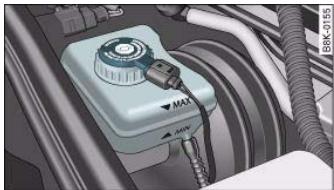
Fig.228 Engine compartment:Markings on brake fluid reservoir
- Check the fluid level on the brake fluid reservoir fig. 228. It should always be between the "MIN" and "MAX" marks.
In right-hand drive vehicles the brake fluid reservoir is on the other side of the engine compartment.
The fluid level may drop slightly after a period of time due to the automatic compensation for brake pad wear. This is quite normal.
However, if the level goes down noticeably in a short time, or drops below the "MIN" mark, there may be a leak in the brake system. If the fluid level in the reservoir is too low, this will be indicated by the brake warning lamp page 31. If this should happen, take the car to a qualified workshop immediately and have the brake system inspected.
Changing brake fluid
When required, the brake fluid should be changed by a competent mechanic with the proper equipment.
Brake fluid gradually absorbs moisture from the atmosphere. If the water content in the brake fluid is too high, this may cause corrosion in the brake system over time. In addition, the boiling point of the brake fluid will be considerably reduced. This could adversely affect the braking ability in certain circumstances.
For this reason the brake fluid must be changed periodically.
Your vehicle's Service Schedule will tell you when the brake fluid has to be changed.
It is advisable to have the brake fluid changed as part of a regular Inspection Service at your Audi workshop. They are familiar with the procedure and have the necessary special tools and spare parts as well as the proper facilities for disposing of the old fluid.
Use only the genuine brake fluid specified by the factory Qualified workshops know that the brake fluid "DOT 4" is approved by Audi. The brake fluid must be fresh and unused.

WARNING
- Brake fluid is poisonous; store it in the sealed original container in a safe place out of reach of children.
- Heavy use of the brakes may cause a vapour lock if the brake fluid is left in the system for too long. This would seriously affect the efficiency of the brakes and the safety of the car - risk of accident.

Caution
Please note that brake fluid will attack the paintwork on contact.

Checking and topping up fluids
239

For the sake of the environment
If the fluid has to be drained out of the brake system, use an appropriate container to catch the used brake fluid and dispose of it in the proper manner.
Battery
General notes
All work on batteries requires specialist knowledge.
The battery is virtually maintenance-free. It is checked as part of the Inspection Service.
We recommend that you replace a battery once it is older than 5 years.
When an airbag is triggered, the battery will, under certain circumstances, be disconnected from the on-board power supply for safety reasons in "General notes on airbag system" on page 176.
Disconnecting the battery
If the battery is disconnected, some of the vehicle's functions will become inoperative (e.g. electric windows). These functions will require resetting after the battery is reconnected. For this reason, the battery should only be disconnected from the vehicle's electrical system when absolutely necessary.
If the vehicle is not used for long periods
If you do not drive your vehicle for a period of several days or weeks, the power management will gradually shut off the on-board systems one by one, or reduce the amount of current they are using. This limits the amount of power consumed and helps to ensure reliable starting even after a long period page 202.
Please note that certain convenience features, such as the Audi advanced key*, the remote control key or the electrical seat adjustment may not be available when you unlock the vehicle. These functions will be restored when you switch on the ignition and start the engine.
Winter conditions
At low temperatures the battery has to work very hard. It also provides only a fraction of the starting power it has at normal temperatures.
For this reason, we recommend having the battery checked and charged if necessary before the start of winter page 241.

WARNING
- All work on batteries requires specialist knowledge. For queries regarding the vehicle battery please contact an Audi dealership or other qualified workshop (risk of chemical burns / risk of explosion).
- The battery must not be opened. Do not attempt to make any changes to the electrolyte level of the battery. Otherwise, there is a risk that a mixture of oxygen and hydrogen gas can accumulate and cause an explosion.

Note
If the vehicle is to be left standing for a period of several weeks at extremely low temperatures, the battery should be removed from the vehicle. This ensures that it cannot "freeze up" and be damaged.

Checking and topping up fluids
Important safety warnings for handling a car battery
All work on batteries requires specialist knowledge.
The vehicle battery is located under the floor panel in the luggage compartment.

Wear safety glasses!

Battery acid is extremely corrosive. Wear protective gloves and safety glasses.

Keep open flames, sparks, uncovered lights and lit cigarettes away from battery!

A highly explosive mixture of gases is given off when the battery is under charge!

Keep children away from the battery and battery acid.

WARNING
Always be aware of the danger of injury and chemical burns as well as the risk of accident or fire when working on the battery and the electrical system.
- Wear safety glasses. Do not allow acid or lead particles to come into contact with eyes, skin or clothing.
-
Battery acid is extremely corrosive. Wear protective gloves and safety glasses. Do not tilt the battery - acid can leak out of the vapour vent. If electrolyte should splash into the eyes rinse at once for several minutes using clear water. Then seek medical care immediately. Neutralize any acid splashes on the skin or clothing with soap solution, and rinse off with plenty of water. If acid is swallowed by mistake, consult a doctor immediately.
-
Keep open flames, sparks, uncovered lights and lit cigarettes away from battery. Avoid sparks (including those from static

WARNING (continued)
charges) when handling cables and electrical equipment. Never cross the battery poles. The resulting high-energy sparks can cause injury.
- A highly explosive mixture of gases is given off when the battery is under charge. Only charge battery in a well ventilated area.
- Keep children away from the battery and battery acid.
- Switch off all electrical equipment before starting any work on the vehicle electrical system. Remove the ignition key. The minus cable of the battery must be disconnected. When changing a light bulb, it is sufficient to only turn off the light.
- Before disconnecting the battery, turn off the anti-thief system! Otherwise, the alarm will sound.
- When disconnecting the battery from the vehicle's electrical system, first disconnect the minus cable and then the plus cable.
- Before reconnecting the battery, turn off all electrical equipment. First connect the plus cable, then the minus cable. The battery cables must not be connected to the wrong battery poles - serious risk of cable fire.
- Never charge a frozen or thawed out battery - risk of explosion and chemical burns! A battery must be replaced once it has been frozen. When it is discharged the battery can freeze at temperatures around 0^ .
- Make sure that the vapour hose is always attached to the battery.
- Never use a damaged battery - risk of explosion! Replace a damaged battery immediately.

Caution
- Never disconnect the car's battery with the engine running or with the ignition turned on, otherwise the electrical system or electrical components will be damaged.

Checking and topping up fluids
241
- Do not expose the battery to direct sunlight over a long period of time, as the intense ultraviolet radiation can affect the battery housing.
- If the car is left standing for long periods, protect the battery from extreme cold temperature so that it does not "freeze up" and become damaged.
Charging the battery
Terminals for charging the battery are fitted in the engine compartment.
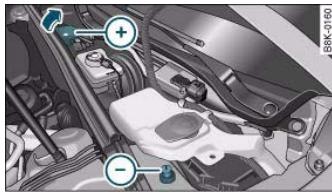
Fig.229 Engine compartment: Terminals for jump leads and battery charger
Note the warnings in "Important safety warnings for handling a car battery" on page 240 and
- Switch off all electrical equipment. Remove the ignition key.
- Open the bonnet page 230.
- Open the red cap on the positive terminal fig. 229.
- Follow the correct procedure for connecting the charger cables to the jump-start terminals (terminal with red cap = "positive", terminal with hexagon = "negative").
- Now connect the battery charger to the mains and switch on.
- After charging the battery: switch off the battery charger and disconnect the mains cable.
- Now disconnect the charger cables.
- Refit the red cap onto the positive terminal.
- Close the bonnet page 232.
When it is discharged the battery can freeze at temperatures around 0^ . A frozen battery must be thawed before charging . However, it is advisable to replace the battery if it has frozen, because the ice can crack the battery casing and allow the battery acid to escape.
Charging the battery
Important: Before you charge the battery make sure you read the manufacturer's instructions for using the battery charger.
When charging with a low current (for instance with a small battery charger) the battery does not have to be disconnected. The battery must not be opened while you are charging it.
Fast-charging the battery
For technical reasons it is not permissible to fast-charge the battery using charging devices with an output voltage higher than 14.8V .
WARNING
Never charge a frozen battery - it could explode.
i Note
Use only the terminals in the engine compartment to charge the battery.


Checking and topping up fluids
Replacing the battery
A replacement battery must have the same specifications as the original equipment battery.
Your vehicle is equipped with an intelligent power management system to control the distribution of electrical energy page 202. The power management function ensures that the battery is charged much more efficiently than on vehicles without a power management system. For this additional power to be available after replacing the battery, we recommend that the replacement battery used is of the same make and type as the original equipment battery. The battery must be encoded in the control unit for power management. This has to be done by a qualified workshop.
A replacement battery must have the same capacity, voltage (12 V) and current rating. It must also have the same dimensions as the original, factory-fitted battery and have sealed caps. The battery must comply with the standards TL 825 06 (dated December 1997 or later) and VW 7 50 73 (August 2001 or later).

Caution
- Make sure that the vent hose is always attached to the opening on the side of the battery. Gases or battery acid can otherwise escape and possibly cause damage.
- The battery holder and clamps must always be correctly secured.
- Before starting any work on the battery, always observe the warnings listed under page 240, "Important safety warnings for handling a car battery".

For the sake of the environment
Batteries contain toxic substances including sulphuric acid and lead. They must be disposed of appropriately and must not be put together with ordinary household waste. Make sure the battery removed from the vehicle cannot tip over. Otherwise, sulphuric acid could escape.
Windscreen washer
Plain water on its own is not sufficient for the windscreen washer system.
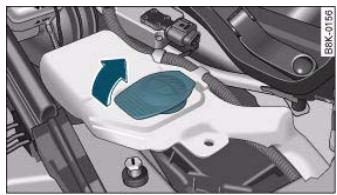
Fig.230 Engine compartment: Windscreen washer container
The container for the windscreen washer contains the cleaning fluid for the windscreen and the headlight washer system fig. 230. Container capacity: page 293.
Plain water on its own is not enough to clean the glass properly. It is therefore advisable to add a suitable washer fluid additive (with wax solvent) to the water. A washer fluid with freeze-resistant additive should be used in winter.

Caution
- Never put in radiator anti-freeze or other additives.
- Never use washer fluid which contains paint thinners or solvents as it can damage the paintwork.

- When driving with new tyres, be especially careful during the first 500km .
If you have to drive over a kerb or similar obstacle, drive very slowly and as near as possible at a right angle to the kerb.
- Inspect the tyres regularly for damage (cuts, cracks or blisters, etc.). Remove any foreign bodies embedded in the treads.
- Damaged wheels and tyres must be replaced immediately.
- Keep grease, oil and fuel off the tyres.
- Replace any missing valve caps as soon as possible.
- Mark the wheels before taking them off so that they rotate in the same direction when put back.
- When removed, the wheels or tyres should be stored in a cool, dry and preferably dark place.
New tyres
New tyres do not give maximum grip straight away and should therefore be "run in" by driving carefully and at moderate speeds for about the first 500km . This will also help to make the tyres last longer.
The tread depth of new tyres may vary, according to the type and make of tyre and the tread pattern.
Concealed damage
Damage to tyres and rims is often not readily visible. If you notice unusual vibration or the car pulling to one side, this may indicate that one of the tyres is damaged. Reduce speed immediately if there is any reason to suspect that damage may have occurred. Inspect the tyres for damage. If no external damage is visible, drive slowly and carefully to the nearest qualified workshop and have the car inspected.
Tyres with directional tread pattern
An arrow on the tyre sidewall indicates the direction of rotation on tyres with directional tread. Always note the direction of rotation indicated when mounting the wheel. This guarantees optimum grip and helps to avoid aquaplaning, excessive noise and wear.
Tyre service life
Correct inflation pressures and sensible driving habits will increase the service life of your tyres.
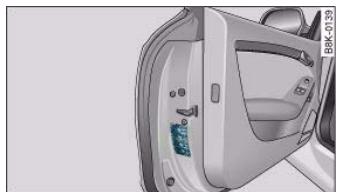
Fig.231 Open driver's door (LHD vehicle) with sticker listing tyre inflation pressures
- Check the tyre pressures at least once a month.
Controls
Safety
Driving tips
General maintenance
Self-help
Technical data

- The tyre pressures should only be checked when the tyres are cold. The slightly raised pressures of warm to must not be reduced.
- The pressures must be altered to suit major changes in the load being carried.
- Avoid fast cornering and hard acceleration.
- Inspect the tyres for irregular wear from time to time.
Tyre pressure and vehicle loading
The tyre pressure must be adjusted according to the load the vehicle is carrying. We recommend adhering to the tyre pressure specifications for a maximum load. The tyre inflation pressures are listed on a sticker on the end face of the driver's door page 243, fig. 231.
However, if you prefer an extra-smooth ride and the vehicle is not fully loaded, you can select the tyre pressure for a normal load (no more than three people travelling in the vehicle). However, should you wish to drive with a full load you must increase the tyre pressure to the specified maximum.
Under-inflation or over-inflation will reduce the life of the tyres considerably and also impair the car's handling. Correct inflation pressures are very important, especially at high speeds. The pressures should therefore be checked at least once a month and before starting a journey.
Do not forget the spare wheel* when checking the tyre pressures. Keep the spare tyre inflated to the highest pressure required for the road wheels.
Driving habits
Fast cornering, heavy acceleration and hard braking (squealing tyres) all increase tyre wear.
Wheel balancing
The wheels on new vehicles are balanced. However, various factors encountered in normal driving can cause them to become unbalanced, which results in steering vibration.
Unbalanced wheels should be rebalanced, as they otherwise cause excessive wear on steering, suspension and tyres. A wheel must also be rebalanced when a new tyre is fitted or if a tyre is repaired.
Incorrect wheel alignment
Incorrect wheel alignment causes excessive tyre wear, impairing the safety of the vehicle. If you notice excessive tyre wear, contact your Audi dealer.

WARNING
- Always adapt the tyre pressure accordingly when the vehicle load changes.
- Under-inflated tyres flex more and can overheat at continuous high speeds. This can cause tread separation and tyre blow-out, which could result in an accident.

For the sake of the environment
Under-inflated tyres will increase the fuel consumption.

Tread wear indicators
The tread wear indicators show the condition of the tyre treads.
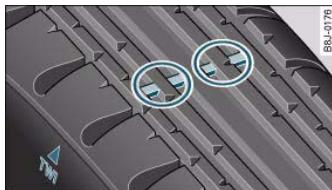
Fig. 232 Tyre tread: Tread wear indicators
The original tyres on your vehicle have 1.6mm high "tread wear indicators" fig. 232 running across the tread. Depending on the make, there will be 6 to 8 of them spaced at equal distances around the tyre. Markings on the tyre sidewall (for instance the letters "TWI" or a triangle) indicate the positions of the tread wear indicators.
The minimum tread depth required by law in Germany is 1.6mm (measured in the tread grooves next to the tread wear indicators). Other specifications may apply in export countries.

WARNING (continued)
aquaplanning in deep puddles of water and when driving through corners. Braking is also adversely affected.
- The speed has to be adapted accordingly, otherwise there is a risk of losing control over the vehicle.
Changing wheels round
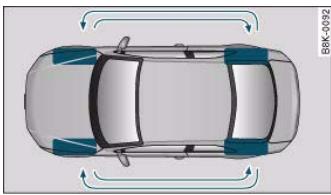
Fig.233 Changing wheels round
To ensure that the wear is equal on all tyres the wheels should be changed round from time to time according to the system
fig. 233. All the tyres will then last for about the same time.

WARNING
To avoid putting safety at risk, the tyres must be replaced at the latest when the tread is worn down to the tread wear indicators.
- Especially in difficult driving conditions such as wet or icy roads, it is important that the tyres have sufficient tread depth. The tread depth should same on the tyres of both the front and the rear axles.
- The decrease in driving safety due to insufficient tread depth is particularly evident in vehicle handling, when there is a risk of
Replacing wheels and tyres
It is important to use the correct wheels and tyres when replacement is necessary.
All four wheels must be fitted with tyres of the same type, size (rolling circumference) and preferably the same tread pattern.
If possible, tyres should be replaced at least in pairs and not individually (i.e. both front tyres or both rear tyres together).
Controls
Safety
Driving tips
General maintenance
Self-help
Technical data
al data
Wheels and tyres
- Never use tyres whose actual size exceeds the dimensions of the factory-approved makes of tyre.
- If you wish to fit the vehicle with non-standard rims or tyres, it is advisable to consult an Audi dealer before purchasing them.
The tyres and wheel rims are an essential part of the vehicle's design. The tyres and rims approved by Audi are specially matched to the characteristics of the vehicle and make a major contribution to good roadholding and safe handling
The sizes of the rims and tyres approved for your vehicle are listed in the vehicle's documents (e.g. EC Certificate of Conformity or COC document 5). The vehicle documents vary depending on the country of residence.
Understanding the tyre designations makes it easier to choose the correct tyres. For example, radial ply tyres have the following tyre designations marked on the sidewall:
225/50R1794Y
This contains the following information:
DOT...1006...
| 225 | Tyre width in mm |
| 50 | Height/width ratio in % |
| R | Tyre construction: Radial |
| 17 | Rim diameter in inches |
| 94 | Load rating code |
| Y | Speed rating code letter |
The manufacturing date is also indicated on the tyre sidewall (possibly only on the inner side of the wheel):
5) COC = certificate of conformity
means, for example, that the tyre was produced in the 10th week of 2006.
Please note that with some types of tyres, the actual tyre size can differ from the nominal size marked on the tyre (for instance 225/50 R 17 94 Y), and there may be significant differences in the contours of the tyres, even though the tyres are marked with the same nominal size designation. When replacing the tyres, it is therefore important to make sure that the actual size of the new tyres does not exceed the dimensions of the factory-approved makes of tyre.
Failure to observe this requirement can affect the clearance needed for the tyres. This could result in contact between the tyres and suspension components or bodywork. The brake lines could also be damaged and the vehicle's safety could be severely impaired . When using tyres with the maximum permitted nominal dimensions, this can also void the vehicle's registration.
If you use tyres that are approved by Audi you can be sure that the actual tyre dimensions will be correct for your vehicle. If you decide to fit a different type of tyre, you must obtain the appropriate manufacturer's certificate from the tyre retailer to confirm that the tyres are suitable for your vehicle. Keep this certificate in a safe place.
Your local Audi dealer will be able to advise you on which tyres may be fitted to your vehicle.
On vehicles with four-wheel drive, all four tyres must always be fitted with tyres of the same type, make and tread pattern, as otherwise the driveline can be damaged by continuous variations in the wheel speeds. For the same reason, only use a spare wheel* with the same tyre dimensions as the normal road wheels.
It the spare tyre* is not the same type as the tyres fitted on the car (for example if the car has winter tyres or wide-section tyres) you should only use the spare tyre if a puncture occurs, and then only for a short period of time. In this case, please drive with extra care. Refit the normal road wheel as soon as possible.
It is best to have all servicing of wheels and tyres performed by a qualified workshop. They have the necessary special tools and

replacement parts, trained personnel and facilities for disposing of the old tyres.
WARNING
- It is very important to ensure that the tyres you have chosen have adequate clearance. When selecting replacement tyres, do not rely entirely on the nominal tyre size marked on the tyre; with some makes of tyre the effective tyre size can differ significantly from the nominal dimensions, even though the tyres have the same size designation. Inadequate tyre clearance can result in damage to the tyres or the vehicle, causing a serious safety risk. It may also invalidate the vehicle's type approval for use on public roads.
- Please ask your Audi dealer or qualified workshop whether run flat tyres can be used on your vehicle. Unauthorised use of these tyres can invalidate the vehicle's type approval for use on public roads. Furthermore, this could cause damage to your vehicle and possibly also result in an accident.
- Avoid running the car on tyres that are more than 6 years old. If you have no alternative, you should drive slowly and with extra care at all times.

For the sake of the environment
Old tyres must be disposed of according to the laws in the country concerned.

Note
- Never mount used tyres if you are not sure of their previous history.
- For technical reasons it is not normally possible to use wheel rims from other vehicles. In some cases this also applies to rims from other vehicles of the same model.
Wheel bolts
The wheel bolts are designed to suit the rims on your car.
The wheel bolts are matched to the rims. When installing different wheels (for instance wheels with winter tyres) it is important to use the correct wheel bolts with the right length and correctly shaped bolt heads. This is essential for the secure fit of the wheels and for the proper function of the brake system.
Audi dealers have full information on the technical requirements when installing or changing tyres, rims or wheel trims.
The wheel bolts should be clean and turn easily.
A special adapter is required to turn the anti-theft wheel bolts*
page 264.
Winter tyres
Winter tyres will significantly improve the car's handling in winter road conditions.
- Use only radial ply winter tyres.
- Winter tyres must be fitted on all four wheels.
- Only use winter tyres of the correct type approved for your vehicle.
- Please note that the maximum permissible speed for winter tyres may be lower than for summer tyres.
- Also note that winter tyres are no longer effective when the tread is worn down.
- After fitting the wheels you must always check the tyre pressures. The correct tyre pressures are listed on the sticker on the end face of the driver's door.
Controls
Safety
Driving tips
General maintenance
Self-help
Technical data

In winter road conditions winter tyres will considerably improve the car's handling. Due to their type of construction (width, rubber compound, tread pattern), summer tyres give less grip on ice and snow. This applies particularly to vehicles equipped with wide section tyres or high speed tyres (code letters H, V or Y on the sidewall).
Only use winter tyres of the correct type approved for your vehicle. The sizes of the winter tyres approved for your vehicle are listed in the vehicle's documents (e.g. EC Certificate of Conformity or COC document 6). The vehicle documents vary depending on the country of residence. Also refer to page 245.
Winter tyres are no longer fully effective when the tread is worn down to a depth of 4mm
The performance of winter tyres is also severely impaired by ageing, even if the tread is still much deeper than 4mm
Winter tyres are subject to the following maximum speed limits according to speed rating code letter:
| Speed rating code letter ⇒ page 245 | Maximum speed limit |
| Q | 160 km/h |
| S | 180 km/h |
| T | 190 km/h |
| H | 210 km/h |
| V | 240 km/h
(note restrictions) |
In Germany vehicles capable of exceeding these speeds must have an appropriate sticker attached so it is visible to the driver. Suitable stickers are available from Audi dealers and specialist retailers. Please note regulations to this effect in your country.
6) COC = certificate of conformity
"All-weather" tyres can also be used instead of winter tyres.
Using winter tyres with V-rating
Please note that the generally applicable 240km / h speed rating for winter tyres with the letter "V" is subject to technical restrictions; the maximum permissible speed for your vehicle may be significantly lower. The maximum speed limit for tyres with a V-rating depends directly on the maximum axle weights for your car and on the listed weight rating of the tyres being used.
It is best to contact an Audi dealer to check the maximum speed which is permissible for the V-rated tyres fitted on your car on the basis of this information.

WARNING
Exceeding the maximum speed permitted for the winter tyres fitted on your car can cause tyre failure, resulting in a loss of control of the vehicle - risk of accident.

For the sake of the environment
Summer tyres should be fitted again as soon as possible; they give better handling on roads which are free of snow and ice. Summer tyres produce less rolling noise, do not wear down as quickly and, most importantly, reduce fuel consumption.
Snow chains
Snow chains will improve the vehicle's handling on snow-covered roads.
- Snow chains can be used on the front wheels only.
- Keep your speed below 50km / h
Snow chains will improve braking ability as well as traction in winter conditions.

For technical reasons snow chains may only be used on tyres with certain wheel rim/tyre combinations.
| Rim size | Rim offset | Tyre size |
| 7.5Jx17 | 28 mm | 225/50 |
Only use snow chains with fine-pitch links. The links must not protrude more than 13.5mm from the tyres (including tensioner).
Remove the chains when roads are free of snow. Otherwise they will impair handling, damage the tyres and wear out very quickly.
Four-wheel drive: where snow chains are compulsory on certain roads, this normally also applies to cars with four-wheel drive. Snow chains may only be fitted to the front wheels (also on vehicles with four-wheel drive).



250
Accessories and modifications to the vehicle
Accessories and modifications to the vehicle
Accessories and replacement parts
Always ask your dealer or specialist retailer for advice before purchasing accessories and replacement parts.
Your car is designed to offer a high standard of active and passive safety. For this reason, we recommend that you ask an Audi dealer for advice before fitting accessories or replacement parts. Audi dealers have the latest information from the manufacturer and can recommend accessories and replacement parts which are suitable for your requirements. They can also answer any questions you might have regarding official regulations.
We recommend you to use only Audi accessories and Audi Genuine parts. Audi has tested these parts and accessories for suitability, reliability and safety. Audi dealers have the necessary experience and facilities to ensure that the parts are installed properly.
Although the market is constantly scrutinised, Audi cannot judge or assume responsibility for the reliability, safety and suitability of non-genuine products - even though in some instances, these parts may have been approved by an officially recognised technical testing authority or accompanied by an official approval certificate.
Any retro-fitted equipment which has a direct effect on the vehicle and/or the way it is driven (e.g. cruise control system or electronically-controlled suspension) must be approved for use in your vehicle and bear the e mark (the European Union's approval symbol).
If any additional electrical components are fitted which do not serve to control the vehicle itself (for instance a refrigerator box, laptop or ventilator fan, etc.), these must bear the CE mark (manufacturer conformity declaration in the European Union).

WARNING
Never attach accessories (such as cup holders or telephone brackets) to the surfaces covering the airbag units or the areas around the airbags: this could cause injury if the airbag is triggered.
Modifications
Modifications must always be carried out according to our specifications.
Unauthorised modifications to the electronic components or software in the vehicle may cause malfunctioning. Due to the way the electronic components are linked together in networks, other systems may be affected by the faults. This can seriously impair safety, lead to excessive wear of components, and also invalidate the type approval for your vehicle.
You will appreciate that your Audi dealer cannot be held liable for any damage caused by modifications and/or work performed incorrectly.
We recommend that all work should be performed by an Audi workshop using Audi Genuine parts.

WARNING
Incorrectly performed modifications or other work on your vehicle can lead to malfunctions and cause accidents.

Accessories and modifications to the vehicle
251
Radio transmitters and business equipment
Radio transmitters (fixed installation)
Retrofit installations of radio transmitters in the vehicle are subject to official approval. Audi generally authorises in-vehicle installations of approved types of radio transmitters provided that:
the aerial is installed correctly,
- the aerial is not installed in the interior of the vehicle (and screened cables are used together with non-reflective aerial trimming),
- the effective transmitting power does not exceed 10 Watts at the aerial base.
Audi dealers and specialist retailers will be able to inform you about options for installing and operating radio transmitters with a higher transmitting power.
Mobile radio transmitters
When using commercial mobile telephones or radio equipment it is possible that they might interfere with the electronics of your vehicle and cause malfunctions. The reasons could be:
- no external aerial
external aerial incorrectly installed
- transmitting power more than 10 W.
Therefore you must not operate portable mobile telephones or radio equipment inside the vehicle without a correctly installed external aerial .
Please note also that the maximum range of the equipment can only be achieved with an external aerial.
Business equipment
Retrofit installation of business or other equipment in the vehicle is permitted, provided the equipment cannot interfere with the
driver's immediate control of the vehicle. Any such equipment must carry the CE mark. Any retrofit equipment that could influence the driver's control of the vehicle must have a type approval for your vehicle and must carry the e mark.

WARNING
Mobile telephones or radio equipment which are operated inside the vehicle without a correctly installed external aerial can create excessive magnetic fields that could cause a health hazard.

Note
- Any retrofit installation of electrical or electronic equipment in the vehicle will affect its type approval. In extreme cases this could mean that you might lose the type approval for your vehicle.
- Please refer to the mobile telephone/radio operating instructions.
Controls
Safety
Driving tips
General maintenance
Self-help
Technical data

254
document_0900452a8179700c.book Seite 254 Donnerstag,22.Marz 2007 10:19 10
Self-help
Self-help
Applies to vehicles: with warning triangle
Warning triangle
The factory-supplied warning triangle is attached to the inside of the boot lid.
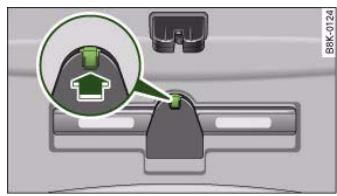
Fig.234 Warning triangle fitted inside boot lid
- To remove the warning triangle, push the tab in the direction indicated by the arrow fig. 234 and pull the retainer down.
The retainer on the boot lid is specifically designed to hold the warning triangle supplied as a genuine Audi accessory. This accessory is available from Audi dealers.
Applies to vehicles: with first-aid kit
First-aid kit
The first-aid kit is accommodated in the compartment behind the rear centre armrest.
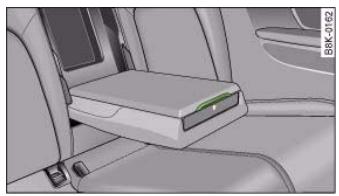
Fig.235 Rear centre armrest:First-aid kit
Pull up the catch to open the storage compartment fig. 235.
On vehicles with a load-through hatch*, the first-aid kit is kept in the rear centre armrest. The centre armrest has to be folded down in order to access the compartment.
The storage compartment will hold a maximum weight of 0.5kg

Note
Before folding the centre armrest back up into the rear seat backrest, make sure the lid of the storage compartment is properly closed.



Applies to vehicles: with fire extinguisher
Fire extinguisher
The factory-fitted fire extinguisher is located in the footwell on the front passenger's side (secured in a holder).
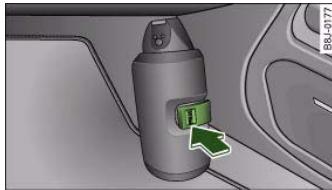
Fig.236 Fire extinguisher in footwell on front passenger's side
Taking out the fire extinguisher
- Unfasten the retaining strap by pressing on the tab marked "PRESS" fig. 236 -arrow-.
Take the fire extinguisher out of the holder.
Securing the fire extinguisher
- Place the fire extinguisher in the holder.
- Secure the fire extinguisher with the retaining strap.
After using the fire extinguisher
- Have the fire extinguisher refilled and checked by a qualified dealer or the fire service.
Check how the fire extinguisher works before you need to use it. The instructions for use are shown on the fire extinguisher.
Have the fire extinguisher checked regularly (at least every two years) by a qualified dealer or by the fire service to ensure that it will be in working order when you need it.
When buying a new fire extinguisher, make sure it fits in the holder.

If the fire extinguisher is not secured properly it could be catapulted through the vehicle during driving and braking manoeuvres or in the event of an accident. This poses a risk of injury to occupants.

The fire extinguisher must comply with legal requirements.
- Observe the expiry date of the fire extinguisher. The fire extinguisher may not work properly after the expiry date.
The tools and the Tyre Mobility System are stored under the floor panel in the luggage compartment.
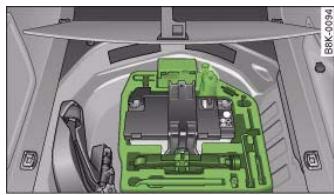
Fig.237 Luggage compartment: Tools, Tyre Mobility System and jack
Controls
Safety
Driving tips
General maintenance
Self-help
Technical data

If you need the tools, the Tyre Mobility System or the jack*, you will have to open the floor panel and take out the spare wheel page 256.
The tool kit includes:
- A hook for removing hub caps
Pin for mounting a wheel
- Screwdriver with reversible blade
- Tool for changing bulbs
- Interchangeable socket (Torx socket for changing bulbs)
- Crank handle for jack
- Adapter for anti-theft wheel bolts*
- Jack*
- Box spanner for wheel bolts
- Towline anchorage
Some of the parts listed are only fitted on certain models or are optional extras.
Before stowing the jack* again, wind down the arm of the jack as far as it will go.

WARNING
- Do not use the hexagonal socket in the screwdriver handle to tighten the wheel bolts. It is not possible to tighten the bolts with the required torque - risk of accident.
- The jack supplied by the factory is only designed for changing wheels on this model. On no account attempt to use it for lifting heavier vehicles or other loads - risk of injury.
- Never start the engine when the vehicle is on the jack - risk of accident.
- If work has to be done under the vehicle, ensure that it is safely supported on stands designed for the purpose, otherwise there is a risk of injury.
Applies to vehicles: with compact temporary spare wheel
Compact temporary spare wheel*
The spare wheel is carried in the wheel well under the floor panel in the luggage compartment. It is only intended for temporary use over short distances.
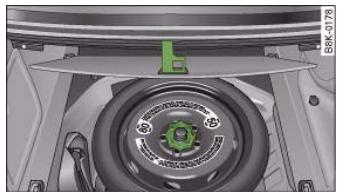
Fig. 238 Spare wheel
Taking out the spare wheel
- Lift the floor panel by the plastic handle fig. 238.
- Hook the handle onto the luggage compartment weatherstrip.
- Turn the centre plastic knob fig. 238 anti-clockwise.
Take out the spare wheel.
- Unhook the floor panel before closing the boot lid.
Securing the defective wheel in the spare wheel well
- Place the wheel in the spare wheel well and secure it with the plastic knob.
- Unhook the floor panel before closing the boot lid.

How to use the compact temporary spare wheel Should you ever have a punctured tyre, the compact temporary spare wheel is only intended for temporary use until you can a workshop. The standard-size road wheel should be refitted soon as possible.
Please note the following restrictions when using the compact temporary spare wheel. The compact temporary spare wheel is designed specifically for this model. For this reason, do not use a temporary spare from a different type of vehicle.
Snow chains
For technical reasons, snow chains must not be used on the compact temporary spare wheel.
If you should have a puncture on one of the front wheels when using snow chains, fit the compact temporary spare in place of one of the rear wheels. You can then attach the snow chains to the wheel taken from the rear and use this wheel to replace the punctured front wheel.
WARNING
- The tyre pressures must be checked and corrected as soon as possible. The tyre pressure of the compact temporary spare wheel must be 4.2 bar – an incorrectly inflated tyre can cause an accident.
- Do not drive faster than 80km/h - higher speeds can cause an accident.
- Avoid heavy acceleration, hard braking and fast cornering - risk of accident.
- Never use two or more compact spare tyres at the same time - risk of accident.
- No other type of tyre (normal summer or winter tyres) may be fitted on the compact temporary spare wheel.
Tyre repairs
Repaired tyres are only suitable for temporary use.
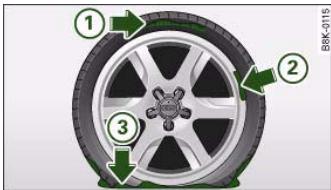
Fig. 239 The Tyre Mobility System is NOT suitable for repairing this type of damage to tyres.
Your vehicle is equipped with a tyre repair kit: the Tyre Mobility System (TMS).
In the event of a puncture you will find the TMS, which consists of a sealing compound and an electric compressor, located under the floor panel in the luggage compartment.
The TMS will reliably seal tyres damaged by foreign bodies, provided that the cuts or punctures are no larger than approx. 4mm in diameter.
It is not necessary to remove the foreign body from the tyre.
The sealing compound must not be used:
on cuts and punctures larger than 4mm fig.239 ①
- if the wheel rim has been damaged (2)
- if you have been driving with very low pressure or a completely flat tyre ③.
How to use the TMS is described in the section Repairing a tyre page 258 and in the instructions supplied with the tyre sealant can.
Controls
Safety
Driving tips
General maintenance
Self-help
Technical data

The TMS can be used at outside temperatures down to -20^

WARNING
After repairing a tyre please note the following points:
- Do not drive faster than 80km / h
- Avoid heavy acceleration, hard braking and fast cornering.
- Vehicle handling could be impaired.
- Tyres which have been sealed using the TMS are only suitable for temporary use. Damaged tyres must be renewed.
The TMS must NOT be used,
on cuts and punctures larger than 4 mm
- if the wheel rim has been damaged
- if you have been driving with very low pressure or a completely flat tyre
-
Seek professional assistance if the repair of a tyre puncture is not possible with the sealing compound.
-
Do not allow the sealant to come into contact with your eyes, skin or clothing.
-
If you do come into contact with the sealant immediately rinse the eyes or skin affected with clean water.
-
Change clothing immediately if it becomes soiled with the tyre sealant.
- Make sure you do not breathe in the fumes!
- If any of the tyre sealant is accidentally ingested, immediately rinse the mouth thoroughly and drink lots of water.
- Do not induce vomiting. Immediately contact a doctor!
- If any allergic reactions should occur get medical help immediately.
- Keep the sealant away from children.

For the sake of the environment
Used bottles of sealing compound can be returned to an Audi dealer for disposal.

Note
- If sealant should leak out, leave it to dry. When it has dried, you can pull it off like a piece of foil.
- Observe the expiry date stated on the sealing compound can. Have the sealing compound exchanged by a qualified workshop.
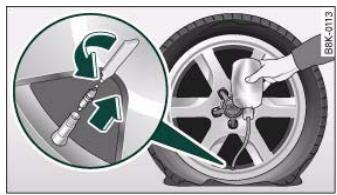
Repairing a tyre
Fig. 240 Repairing a tyre
Preparations
- If you have a flat tyre, stop the car well away from moving traffic.
- Apply the parking brake to stop the vehicle moving accidentally.
- Engage first gear (manual gearbox) or move selector lever to position P (automatic gearbox).
- Check whether a repair is possible using the Tyre Mobility System page 257.
- Ensure that all passengers leave the vehicle and move away from the danger area .
Take the tyre sealant can and the electric compressor out of the luggage compartment page 255.
Fix the sticker "max. 80km / h , which is included with the tyre sealant can, onto the instrument cluster where the driver will see it.
Filling the tyre
- Shake the tyre sealant can well.
Screw the enclosed filling hose onto the sealant can as far as it will go. This will automatically pierce the foil sealing the can.
Take the valve cap off the tyre valve and use the enclosed valve insert tool to unscrew the valve insert page 258, fig. 240.
- Place the valve insert onto a clean surface.
- Remove the sealing plug from the filling hose and insert the hose into the tyre valve.
Hold the tyre sealant can upside down and fill the complete contents of the can into the tyre.
- Then disconnect the hose and screw the valve insert firmly back into the tyre valve.
Inflating the tyre
- Screw the filling hose of the electric compressor onto the tyre valve and plug the connector into the cigarette lighter.
- Pump the tyre up to 2.0 to 2.5 bar and monitor the pressure shown on the pressure gauge.
If the tyre pressure remains lower than the value specified above drive the vehicle approx. 10 metres forwards or backwards, so that the sealant can spread evenly in the tyre. If the pressure is still lower than the specification the tyre is too badly damaged and cannot be repaired using the tyre sealant.
Final checks
- After about 10 minutes stop to check the tyre pressure.
- If tyre pressure is less than 1.3 bar, the tyre is too badly damaged. Do not drive on. You should obtain professional assistance.

WARNING
- If you have a puncture in moving traffic, switch on the hazard warning lights and place the warning triangle in a visible location.
-
Make sure your passengers wait in a safe place (for instance behind the roadside crash barrier).
-
Please observe the manufacturers' safety notes on the compressor and the instructions supplied with the tyre sealant can.
- If it was not possible to build up a tyre pressure of 2.0 bar within 6 minutes this means that the tyre is too badly damaged. Do not drive on.
Controls
Safety
Driving tips
General maintenance
Self-help
Technical data

- Seek professional assistance if the repair of a tyre puncture is not possible with the sealing compound.
- If tyre pressure is less than 1.3 bar after driving about 10 minutes, the tyre is too badly damaged. Do not drive on. You should obtain professional assistance.

Caution
Take special care if you have to repair a tyre on a gradient.

Note
- Do not use the compressor for longer than 6 minutes at a time, as it could overheat. When the compressor has cooled down, you can use it again.
-
If tyre sealant should leak out, leave it to dry and then pull it off like foil.
-
After carrying out a tyre repair remember to buy a new tyre sealant can at a qualified workshop. This will ensure that the Tyre Mobility System is operative again.
- Please observe the relevant regulations.
Changing a wheel
Preparations
Some preparations are necessary before changing a wheel.
- If you have a flat tyre, stop the car well away from moving traffic. Choose a location that is as level as possible.
- All passengers should leave the car. They should wait in a safe place (for instance behind the roadside crash barrier).
- Apply the parking brake to stop the vehicle moving accidentally.
- Engage first gear (manual gearbox) or move selector lever to position P (automatic gearbox).
- When towing a trailer: unhitch the trailer from your vehicle.
- Take the tools page 255 and the spare wheel* page 256 out of the luggage compartment.

WARNING
If you have a puncture in moving traffic, switch on the hazard warning lights and place the warning triangle in a visible location. This is for your own safety and also warns other road users.

Caution
If you have to change the tyre on a gradient, block the wheel opposite the wheel being changed by placing a stone or similar object under it to prevent the vehicle from rolling away.

Note
Please observe the relevant regulations.
How to change a wheel
Change the wheel as described below.
- Pull off the hub cap. Also refer to page 261, "Hub caps".

- Loosen the wheel bolts page 261.
- Raise the car with the jack* page 262.
Take off the wheel with the flat tyre and then put on the spare wheel* page 263.
- Lower the vehicle to the ground.
- Tighten the wheel bolts firmly in diagonal sequence with the box spanner page 261.
- Fit the hub cap back on.
After changing a wheel
What you must do after changing a wheel.
- Place the wheel with the defective tyre in the spare wheel well and secure it.
- Put the tools and the jack* back in the luggage compartment.
- The inflation pressure of the newly fitted spare tyre must be checked as soon as possible.
- Have the tightening torque of the wheel bolts checked as soon as possible with a torque wrench. The correct tightening torque is 120 Nm.
- Have the flat tyre replaced as quickly as possible.
i Note
- If you notice that the wheel bolts are corroded and difficult to turn when changing a wheel, they must be replaced before having the tightening torque checked.
- In the interest of safety, drive at moderate speeds until the tightening torque of the wheel bolts has been checked.
Hub caps
The hub caps must be removed for access to the wheel bolts.
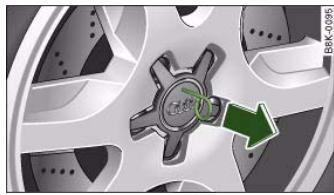
Fig. 241 Changing a wheel: Removing a hub cap
Removing
- Insert the hook (provided in the vehicle's tool kit) in the hole in the hub cap.
Pull off the hub cap fig. 241.
Loosening and tightening the wheel bolts
The wheel bolts must be loosened before raising the vehicle.
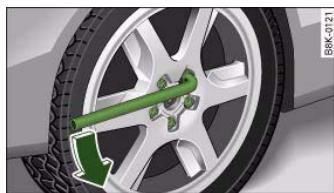
Fig.242 Changing a wheel: Loosening wheel bolts
Controls
Safety
Driving tips
General maintenance
Self-help
Technical data
al data


- Fit the box spanner as far as it will go over the wheel bolt7.
- Grip the box spanner as close to the end as possible and turn the wheel bolts about one turn anti-clockwise page 261, fig. 242 -arrow-.
Tightening
- Fit the box spanner as far as it will go over the wheel bolt7.
- Grip the box spanner as close to the end as possible and tighten the bolt firmly by turning clockwise.

WARNING
To avoid accidents, the wheel bolts should only be loosened slightly (about one turn) before raising the vehicle with the jack*.

Note
- Do not use the hexagonal socket in the screwdriver handle to loosen or tighten the wheel bolts.
- If the wheel bolt is very tight, it may be possible to loosen it by pushing down the end of the spanner carefully with your foot. Hold on to the car for support and take care not to slip.
Raising the vehicle
The vehicle must be raised with the jack* to remove the wheel.
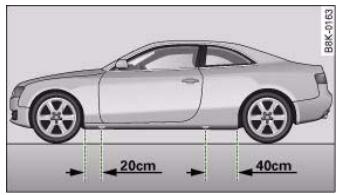
Fig.243 Changing a wheel: Jacking points
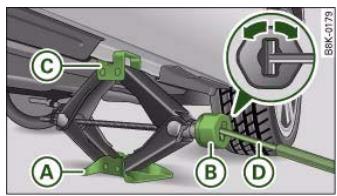
Fig.244 Changing a wheel:Jack
Each jacking point is marked by a recess underneath the vehicle fig. 243.
- Place the jack underneath the jacking point closest to the wheel being changed. Make sure the base plate is flat on the ground.
- Wind up the jack by the knob ⑧ until the claw of the jack completely surrounds the seam on your vehicle fig. 244.

- Now fit the crank handle onto the jack by inserting it in the opening on the knob page 262, fig. 244. Turn the crank handle clockwise or anti-clockwise to secure it in place.
- Raise the vehicle by winding the crank handle until the defective wheel is clear of the ground.
Recesses at the front and rear of the door sills mark the jacking points page 262, fig. 243. There is one jacking point for each wheel. The distance from the jacking points to the wheel arches is approximately 20cm at the front and 40cm at the rear. The jack may only be applied at the seam of the jacking points shown.
An unstable surface under the jack may cause the vehicle to slip off the jack. Always provide a firm base for the jack on the ground. If necessary use a large, strong board or similar support. On a hard, slippery surface (such as tiles) use a rubber mat or similar to prevent the jack from slipping.
Taking off the wheel and putting on the spare wheel
Step-by-step instructions for taking off the wheel and putting on the spare wheel.
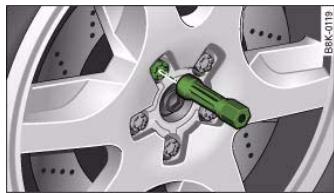
Fig.245 Changing a wheel: Hexagonal socket in screwdriver handle to turn the wheel bolts after they have been loosened
WARNING
- Prevent the base of the jack from slipping - risk of injury.
- The car can be damaged if the jack is not applied at the correct jacking points. There is also a risk of injury since the jack can slip off suddenly if it is not properly engaged.
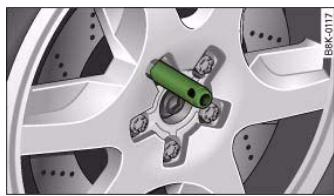
Fig. 246 Changing a wheel: Mounting pin in wheel bolt hole nearest to the top
Change the wheel as described below after loosening the wheel bolts and raising the vehicle with the jack*.
Taking off the wheel
Using the hexagonal socket in the screwdriver handle (provided in the vehicle's tool kit) fig. 245, unscrew the wheel bolt nearest to the top and place the bolt on a clean surface.
Controls
Safety
Driving tips
General maintenance
Self-help
Technical data

- Screw in the mounting pin (provided in the vehicle's tool kit) by hand in place of the wheel bolt page 263, fig. 246.
- Then unscrew the other wheel bolts as described above.
Take off the wheel. The mounting pin stays where it is.
Putting on the spare wheel
Put on the spare wheel, using the mounting pin to guide it into place.
- Screw in the wheel bolts and tighten them lightly using the hexagonal opening in the screwdriver handle.
- Then unscrew the mounting pin and tighten the remaining wheel bolt lightly.
- Carry out the steps required after you have changed the wheel page 261, "After changing a wheel".
The wheel bolts should be clean and turn easily. Before putting on the spare wheel, inspect the condition of the wheel and hub mounting surfaces. These surfaces must be clean before mounting the wheel.
The wheel bolts are easier to remove from the wheel rim if you use the hexagonal socket in the screwdriver handle. The reversible screwdriver blade should be removed as a precautionary measure when the tool is used for this purpose.
Note the direction of rotation when putting on a tyre with directional tread pattern page 264.

Note
Do not use the hexagonal socket in the screwdriver handle to loosen or tighten the wheel bolts.
Tyres with directional tread pattern
Tyres with directional tread pattern must be mounted so that they rotate in the correct direction.
A directional tread pattern is identified by arrows on the sidewall pointing in the forward running direction. Always note the direction of rotation indicated when mounting the wheel. This is important so that these tyres can give maximum grip and avoid excessive noise, tread wear and aquaplaning.
Drive carefully should you ever have a puncture and have to mount the spare wheel so it rotates in the wrong direction. This is because the tyre will not give optimum performance. Bear this in mind particularly when driving on wet roads.
To benefit from the advantages of tyres with this type of tread pattern, the defective tyre should be replaced and refitted as soon as possible so that all tyres again rotate in the correct direction.
Applies to vehicles: with anti-theft wheel bolts
Anti-theft wheel bolts
A special adapter is required to turn the anti-theft wheel bolts.
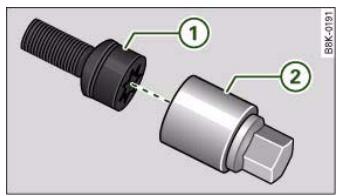
Fig. 247 Anti-theft wheel bolt with adapter

- Insert the hook (provided in the vehicle's tool kit) in the hole in the hub cap.
- Pull off the hub cap page 261, fig. 241.
- Insert the adapter ② completely into the wheel bolt ①.
- Fit the box spanner as far as it will go over the adapter ②.
- Loosen or tighten the wheel bolt page 261.
It is advisable to carry the wheel bolt adapter in the vehicle. The adapter is normally stored in the vehicle tool kit, underneath the towline anchorage. It should be put back there after use.
The code number of the anti-theft wheel bolt is stamped on the front of the adapter. Your Audi dealer will need this number to replace the adapter if lost.

Note
Note the code number of the anti-theft wheel bolt and keep it in a safe place - not in your vehicle.
Jump-starting
Before starting the engine
If necessary, the engine can be started by connecting it to the battery of another vehicle.
If the engine should ever fail to start because of a discharged battery, the battery can be connected to the battery of another vehicle to start the engine. Suitable jump leads are required.
Both batteries must be rated at 12 Volts. The capacity (Ah) of the booster battery should not be significantly lower than that of the discharged battery.
Jump leads
The jump leads must be heavy enough to carry the starter current. Refer to the details given by the manufacturer.
Only use jump leads with insulated battery clamps.
Positive cable - usually red
Negative cable - usually black

WARNING
-
When it is discharged the battery can freeze at temperatures around 0^ . A frozen battery must first be thawed out before connecting the jump leads, as it could otherwise explode.
-
Please note the safety warnings referring to working in the engine compartment page 231.

Note
- There must be no contact between the two vehicles as otherwise current could flow as soon as the positive terminals are connected.
- The discharged battery must be properly connected to the vehicle's electrical system.
- Switch off the car telephone if necessary. Details will be given in the manufacturer's instructions for the car telephone.


The two jump leads must be connected in the correct sequence.
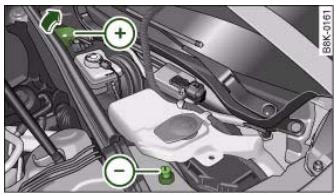
Fig.248 Engine compartment: Terminals for jump leads and battery charger
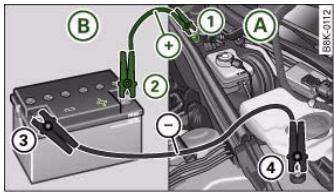
Fig.249 Jumpstarting with the battery of another vehicle: A - Discharged battery, B - Boosting battery
The jump-start terminals are located in the engine compartment fig. 248.
Connecting the positive terminals with the positive lead (red)
-
Open the red cap on the positive terminal fig. 248.
-
Connect one end of the lead to the jump-start terminal fig. 249 (terminal under red cap = "positive") of the vehicle with the flat battery (A).
-
Connect the other end of the positive lead to the positive terminal ② of the boosting battery ⑧.
Connecting negative terminals with the negative lead (black)
- Connect one end of the negative lead to the negative terminal 3 of the boosting battery B
- Connect the other end of the lead to the jump-start terminal (terminal with hexagon = "negative") of the vehicle with the flat battery A.
Starting the engine
- Start the engine of the vehicle with the boosting battery and let it run at idling speed.
- Now start the engine of the vehicle with the discharged battery A.
- If the engine fails to start: do not operate the starter for longer than 10 seconds. Wait for about 30 seconds and try again.
- When the engine is running, disconnect the leads in exactly the opposite sequence to that described above.
- Refit the red cap onto the positive terminal.
The battery is vented to the outside to prevent gases entering the vehicle's interior.
Connect the battery clamps so they have good metal-to-metal contact with the respective terminals.

WARNING
- The non-insulated parts of the battery clamps must not be allowed to touch. The jump lead attached to the positive battery

terminal must not touch metal parts of the vehicle: this can cause short circuiting.
- Do not bend over the batteries - risk of acid burns.
- The screw plugs on the battery cells must be screwed in firmly.
- Keep sparks, flame and lighted cigarettes away from batteries: the gases given off can cause an explosion.
- If jump-starting another vehicle, position the jump leads in such a way that they cannot come into contact with any moving parts in the engine compartment of the other vehicle.
Caution
Please note that the above method of connecting the leads is meant for jump-starting your vehicle. If jump-starting another vehicle, you should not connect the negative lead (-) to the negative terminal of the discharged battery, but directly to the engine block or a solid metal part bolted to the engine block. If the battery of the other vehicle does not have a gas vent, there is a risk that a mixture of oxygen and hydrogen gas can accumulate and cause an explosion.
Tow-starting and towing away
General notes
Points to observe when tow-starting or towing away If you use a towrope:
Notes for the driver of the towing vehicle
Notes for the driver of the towed vehicle
- The ignition should be switched on so that the turn signals, horn, windscreen wipers and washers can be used. Please ensure that the steering wheel is unlocked when you switch on the ignition, and that it moves freely.
Put gear lever in neutral (manual gearbox) or move selector lever to position N (automatic gearbox).
- The brake servo and power steering only work when the engine is running. Considerably more effort is required on the brake pedal and steering wheel when the engine is switched off.
- Ensure that the towrope remains taut at all times when towing.
Towrope or towbar
It is easier and safer to tow a vehicle with a towbar. You should only use a towrope if you do not have a towbar.
A towrope should be slightly elastic to reduce the loading on both vehicles. It is advisable to use a towrope made of synthetic fibre or similar material.
Attach the tow-rope or tow-bar only to the towing anchorages intended for this purpose page 268 or page 269.
Driving technique
Towing requires some experience - especially when using a towrope. Both drivers should be familiar with the technique required for towing. Inexperienced drivers should not attempt to tow-start or tow away another vehicle.
Controls
Safety
Driving tips
General maintenance
Self-help
Technical data


Do not pull too hard with the towing vehicle and take care to avoid jerking the towrope. When towing on a loose surface there is always a risk of overloading and damaging the anchorage points.

Caution
If there is no oil in the gearbox or no lubricant in the automatic transmission the car may only be towed with the driven wheels lifted clear of the road, or transported on a special car transporter or trailer.

Note
Note the regulations concerning towing.
- The hazard warning lights of both vehicles must normally be switched on. However, observe any regulations to the contrary.
- Make sure that the towrope is not twisted, as otherwise the front towline anchorage on your vehicle could work itself loose.
Front towline anchorage
The front towline anchorage is only mounted if the vehicle has to be towed.
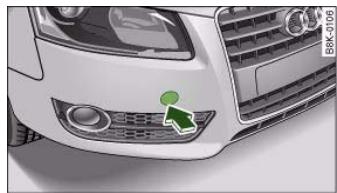
Fig.250 Front bumper: Cover cap
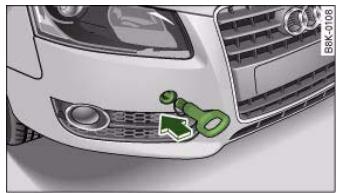
Fig.251 Front bumper: Fitting the towing eye
The screw connection for the towline anchorage is located behind a cover cap on the right side of the front bumper.
Take the towline anchorage out of the vehicle's tool kit page 255.
- To detach the cover cap from the bumper, firmly press the lower part of the cap inwards to release it fig. 250.
- Screw the towline anchorage firmly all the way into the screw connection fig. 251.
After use, unscrew the towline anchorage and put it back in the toolbox. Replace the cap in the bumper. The towline anchorage should always be kept in the vehicle.

WARNING
If the towline anchorage is not screwed in as far as the stop, there is a risk of the screw connection shearing off during towing (accident risk).

Rear towline anchorage
Vehicles which do not have a factory-fitted towing bracket* have a towline anchorage on the right side of the rear bumper.
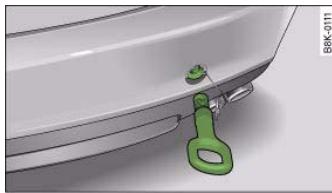
Fig.252 Rear bumper: Fitting the towing eye
Vehicles with towline anchorage
- Take the towline anchorage out of the vehicle's tool kit.
- To detach the cover cap from the bumper, firmly press the lower part of the cap inwards to release it fig. 252.
- Screw the towline anchorage firmly all the way into the screw connection.
**Vehicles with towing bracket*
After use, unscrew the towline anchorage and put it back in the toolbox. Replace the cap in the screw connection. The towline anchorage should always be kept in the vehicle.
Vehicles which have a factory-fitted towing bracket* do not have a screw connection at the rear for the towline anchorage.

WARNING
- If the towline anchorage is not screwed in as far as the stop, there is a risk of the screw connection shearing off during towing (accident risk).
- If your car has a towing bracket*, please use only special tow bars with suitable attachments (i.e. tow bars which are specially designed for use with towing brackets) to avoid damage to the coupling equipment.
- If your car has a towing bracket*, please use only special towing ropes (risk of accident).
Tow-starting
As a general rule, tow-starting is not recommended.
- Engage 2nd or 3rd gear before moving off.
- Press the clutch and hold the pedal down.
- Switch on the ignition.
- Once both vehicles are moving, release the clutch.
- As soon as the engine starts: press the clutch and put the gear lever in neutral.
If the engine will not start, it is best to try starting it using the battery of another vehicle page 265 before attempting to tow start. You should only try to tow-start the engine if jump-starting is not successful. Tow-starting is an attempt to start the engine via the movement of the wheels.
When tow-starting a vehicle with a petrol engine, do not tow it more than a short distance, otherwise unburnt fuel can enter the catalytic converter and cause damage.
For technical reasons, it is not possible to tow-start a vehicle with automatic gearbox.
Controls
Safety
Driving tips
General maintenance
Self-help
Technical data


There is a high risk of accidents when tow-starting, as the towed vehicle can easily be driven into the towing vehicle.

When tow-starting the vehicle, do not tow it further than 50 metres: otherwise the catalytic converter could be damaged.
Towing a vehicle with manual gearbox and front-wheel drive
Towing is relatively straightforward.
Please observe the notes page 267.
The vehicle can be towed using a towbar or towrope in the normal way, with all four wheels on the road; it can also be towed with either the front or rear wheels lifted off the road. The vehicle must not be towed faster than 50km / h
Towing a vehicle with automatic gearbox and front-wheel drive
Certain restrictions must be observed when towing your vehicle.
Please observe the notes page 267.
The vehicle can be towed with a towbar or towrope in the normal way, with all four wheels on the ground. When doing so, please note the following points:
- Release the parking brake page 121.
- Make sure the selector lever is in the N position.
-
The vehicle must not be towed faster than 50 km/h .
-
The vehicle must not be towed further than 50~km . The reason for this is: when the engine is not running, the gearbox oil pump does not work and the gearbox is not adequately lubricated for higher speeds or longer distances.
If the vehicle has to be towed with a breakdown truck, it must only be suspended at the front wheels. The reason for this is: the drive shafts are located on the front wheels. If the car is towed with the rear wheels lifted off the road (i.e. travelling backwards), the drive shafts also turn backwards. The planetary gears in the automatic gearbox then turn at such high speeds that the gearbox will be severely damaged in a short time.

If it is not possible to tow the vehicle as described above, or if it has to be towed further than 50km it must be transported on a special car transporter or trailer.
Towing a vehicle with manual gearbox and four-wheel drive
Certain restrictions must be observed when towing your vehicle.
Please observe the notes page 267.
The vehicle can be towed with a towbar or towrope in the normal way, with all four wheels on the ground. It can also be towed by a breakdown truck, with the wheels lifted at either the front or rear. When doing so, please note the following points:
- The vehicle must not be towed faster than 50 ~km / h .
- The vehicle must not be towed further than 50 ~km .





If it is not possible to tow the vehicle as described above, or if it has to be towed further than 50km it must be transported on a special car transporter or trailer.
Towing a vehicle with automatic gearbox and four-wheel drive
Certain restrictions must be observed when towing your vehicle.
Please observe the notes page 267.
The vehicle can be towed with a towbar or towrope in the normal way, with all four wheels on the ground. When doing so, please note the following points:
- Release the parking brake page 121.
- Make sure the selector lever is in the N position.
The vehicle must not be towed faster than 50km / h
- The vehicle must not be towed further than 50km . The reason for this is: when the engine is not running, the gearbox oil pump does not work and the gearbox is not adequately lubricated for higher speeds or longer distances.
The vehicle must not be towed with the wheels lifted at either the front or rear.
i Note
If it is not possible to tow the vehicle as described above, or if it has to be towed further than 50km , it must be transported on a special car transporter or trailer.



If a fuse has blown it must be replaced.
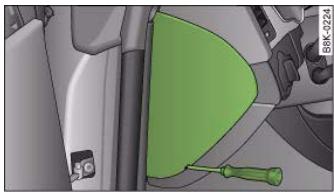
Fig. 253 Left side of dash panel: Fuse cover
- Identify the fuse for the failed component.
- Switch off the ignition and the component concerned.
- Remove the fuse box cover fig. 253.
Take the plastic clip from inside the fuse cover, fit it onto the blown fuse, and pull the fuse out.
- Replace the blown fuse (which will have a melted metal strip) with a new fuse of the same amp rating.
The various electrical circuits are protected by fuses. The fuse boxes are located behind covers on the left and right sides of the dash panel and in the compartment on the right side of the boot.
A plastic clip for removing the fuses is provided in the fuse cover on the left side of the dash panel. There is also a sticker listing the fuses in each of the fuse boxes in the dash panel.

Caution
Never attempt to "repair" a fuse or replace it by fitting a fuse with a higher rating - risk of fire! It could also cause damage to other parts of the electrical system.

Note
If a newly replaced fuse blows again after a short time, the electrical system must be checked by a qualified workshop as soon as possible.
Fuses on the driver's side
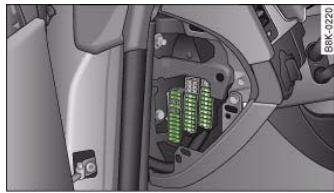
Fig.254 Diagram of fuse box (left-hand drive vehicle)
Some of the items listed are only fitted on certain models or are optional extras.
Please note that the following list, while correct at the time of printing, is subject to alterations. If discrepancies should occur, please refer to the sticker on the inside of the fuse cover for the correct information for your vehicle.

The seats with electrical adjustment are protected by circuit breakers. These reset automatically after a few seconds when the overload has been corrected.
Fuse list
| No. | Electrical equipment | amps |
| Fuse carrier (black) | |
| 1 | Vacant | |
| 2 | Clutch sensor | 5 |
| 3 | Garage door opener | 5 |
| 4 | Vacant | |
| 5 | Air conditioner | 5 |
| 6 | Headlight range control (right) | 5 |
| 7 | Headlight range control (left) | 5 |
| 8 | Control unit 1 for vehicle's electrical system | 5 |
| 9 | Interior mirrors | 5 |
| 10 | Selector gate | 5 |
| 11 | Heated washer jets | 5 |
| 12 | Air conditioner | 5 |
Fuse list
| No. | Electrical equipment | amps |
| Fuse carrier (brown) | |
| 1 | Vacant | |
| 2 | Clutch sensor | 5 |
| 3 | Fuel pump (diesel/petrol) | 20/25 |
| 4 | Vacant | |
| 5 | Control unit for vehicle's electrical system | 30 |
| No. | Electrical equipment | amps |
| 6 | Electronic stabilisation program | 10 |
| 7 | Horn | 25 |
| 8 | Electric window motor (left door) | 30 |
| 9 | Wiper motor | 30 |
| 10 | Electronic stabilisation program | 25 |
| 11 | Door control unit (driver's side) | 15 |
| 12 | Rain and light sensor | 5 |
Fuse list
| No. | Electrical equipment | amps |
| Fuse carrier (red) | |
| 1 | Vacant | |
| 2 | Vacant | |
| 3 | Lumbar support | 10 |
| 4 | Vacant | |
| 5 | Vacant | |
| 6 | Control unit 1 for vehicle's electrical system | 35 |
| 7 | Control unit 1 for vehicle's electrical system | 30 |
| 8 | Control unit 1 for vehicle's electrical system | 30 |
| 9 | Tilting panorama roof | 20 |
| 10 | Control unit 1 for vehicle's electrical system | 30 |
| 11 | Vacant | |
| 12 | Anti-theft alarm system | 5 |
Controls
Safety
Driving tips
General maintenance
Self-help
Technical data

Fuses on the passenger's side
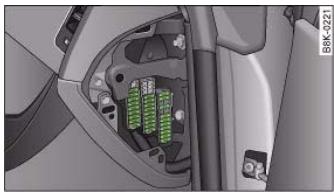
Fig. 255 Diagram of fuse box (left-hand drive vehicle)
Some of the items listed are only fitted on certain models or are optional extras.
Please note that the following list, while correct at the time of printing, is subject to alterations. If discrepancies should occur, please refer to the sticker on the inside of the fuse cover for the correct information for your vehicle.
The seats with electrical adjustment are protected by circuit breakers. These reset automatically after a few seconds when the overload has been corrected.
Fuse list
| No. | Electrical equipment | amps |
| Fuse carrier (black) |
| 1 | Vacant | |
| 2 | Vacant | |
| 3 | Vacant | |
| 4 | Vacant | |
| 5 | Steering column switch module | 5 |
| 6 | Switch for ASR, ESP and parking aid | 5 |
| No. | Electrical equipment | amps |
| 7 | Diagnostic connector | 5 |
| 8 | Gateway (diagnostic interface for data bus) | 5 |
| 9 | Vacant | |
| 10 | Vacant | |
| 11 | Vacant | |
| 12 | Vacant | |
Fuse list
| No. | Electrical equipment | amps |
| Fuse carrier (brown) |
| 1 | CD drive | 5 |
| 2 | Switch module | 5 |
| 3 | MMI/Radio | 10/20 |
| 4 | Light switch | 5 |
| 5 | Control unit for instrument cluster | 5 |
| 6 | Ignition lock | 5 |
| 7 | Vacant | |
| 8 | Air conditioner blower | 40 |
| 9 | Steering column lock | 5 |
| 10 | Air conditioner | 10 |
| 11 | Diagnostic connector | 10 |
| 12 | Steering column switch module | 5 |

Fuse list for luggage compartment
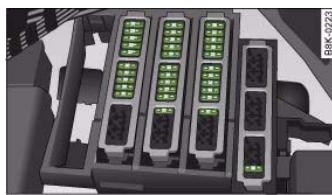
Fig. 256 Diagram of fuse panel
- Remove the trim.
- Open the fuse cover.
Fuse list
| No. | Electrical equipment | amps |
| Fuse carrier (black) | |
| 1 | Vacant | |
| 2 | Control unit for trailer | 15 |
| 3 | Control unit for trailer | 20 |
| 4 | Control unit for trailer | 20 |
| 5 | Electronic parking brake | 5 |
| 6 | Electronic suspension control | 15 |
| 7 | Electronic parking brake | 30 |
| 8 | Control unit 2 for vehicle's electrical system | 30 |
| 9 | Vacant | |
| No. | Electrical equipment | amps |
| 10 | Control unit 2 for vehicle's electrical system | 30 |
| 11 | Control unit 2 for vehicle's electrical system | 20 |
| 12 | Vacant | |
Fuse list
| No. | Electrical equipment | amps |
| Fuse carrier (brown) | |
| 1 | Electrical socket | 15 |
| 2 | Vacant | |
| 3 | Radio/navigation | 7.5 |
| 4 | Control unit for digital sound system | 30 |
| 5 | MMI | 5 |
| 6 | Door control unit (driver's side) | 30 |
| 7 | Electronic parking brake | 30 |
| 8 | Seat heating, rear | 30 |
| 9 | Electric window (right) | 30 |
| 10 | Remote control receiver for auxiliary heating | 5 |
| 11 | Door control unit (passenger side) | 15 |
| 12 | Control unit for reversing camera | 5 |
Fuse list
| No. | Electrical equipment | amps |
| Fuse carrier (red) | |
| 1 | Socket, centre console, rear | 15 |
| 2 | Socket, centre console, front | 15 |
| 3 | Socket, luggage compartment | 15 |
Controls
Safety
Driving tips
General maintenance
Self-help
Technical data

| No. | Electrical equipment | amps |
| 4 | Cigarette lighter | 15 |
| 5 | Parking aid | 5 |
| 6 | Phone pre-installation without handsfree system (VDA interface) | 5 |
| 7 | Vacant | |
| 8 | Vacant | |
| 9 | EPB switch (electro-mechanical parking brake) | 5 |
| 10 | Lane change assist feature | 5 |
| 11 | Seat heating, rear | 5 |
| 12 | Airbag | 5 |
Bulbs
Changing bulbs
Changing bulbs requires a certain degree of practical skill.
You can change the following bulbs for exterior lights yourself:
- Halogen headlights: Bulb for dipped headlights
- Halogen headlights: Bulb for main beam headlights
- Halogen headlights: Bulb for side lights
- Xenon headlights*: Bulb for turn signals
- Bulb for fog light
- Bulbs for rear lights in boot lid
- Bulbs for rear lights in side panel
- Bulbs for number plate light
The following bulbs should only be changed by a qualified workshop:
- Halogen headlights: Bulb for turn signals
- Xenon headlights*: Light source for daytime running lights/parking lights
Bulb for headlights: Bi-xenon lights
Light source for turn signal in exterior mirror housing
Light source for high-level brake light
As a rule, you require a certain degree of practical skill to change defective bulbs. This applies in particular to those bulbs which are only accessible from the engine compartment.
If in doubt, we recommend that you have defective bulbs changed by a qualified workshop or qualified mechanic.
If you do decide to change bulbs in the engine compartment yourself, be aware of the safety risks involved page 231
Types of bulbs
You must only replace a bulb with a bulb of the same type. Information regarding e.g. the wattage can be found on the base of the bulb.
| Front bulb (12 V) | Version |
| Dipped-beam headlights (halogen) | 55 W (H7) |
| Main beam headlights (halogen) | 55 W (H7) |
| Front fog lights | 55 W (H7) |
| Side lights (vehicles with halogen headlights) | W 5 W |
| Front turn signals (vehicles with bi- xenon headlights) | Hiper PY 24 W |
| Rear bulb (12 V) | Version |
| Brake lights / tail lights | P 21 W |
| Turn signals (rear) | P 21 W |

| Reversing lights | W 16 W |
| Rear fog light | H 21 W |
| Number plate lights | 5 W |

WARNING
Take particular care when working on components in the engine compartment if the engine is warm - risk of burns!
- Bulbs are sensitive to pressure. The glass can break when you touch the bulb, causing injury.
- Incorrect handling of the high-voltage element of xenon gas-discharge bulbs* can have potentially fatal consequences.
- When changing bulbs, please take care not to injure yourself on sharp edges, in particular on the headlight housing.

Caution
Always remove the ignition key before carrying out any work on the electrical system - danger of short circuiting!
- Switch off the lights or parking lights before you change a bulb.
- Take good care to avoid damaging any components.
- Removing the lights in particular can lead to the paintwork becoming damaged. This is another reason why we recommend having the bulbs changed by a qualified workshop.

For the sake of the environment
Please ask your specialist retailer how to dispose of used bulbs in the proper manner.
- Please check at regular intervals that all lighting (especially the exterior lighting) on your vehicle is functioning properly. This is not only in the interest of your own safety, but also in that of all other road users.
Before changing a bulb, make sure you have the correct new bulb.
- Do not touch the glass part of the bulb with your bare hands, use a cloth or paper towel instead. Otherwise, the fingerprints left on the glass will vaporise as a result of the heat generated by the bulb, be deposited on the reflector and impair its surface.
Bulbs with a bayonet fastener
Bulbs with a bayonet fastener must be changed as follows:
Removing the bulb
- Lightly press the defective bulb into the bulb holder, then turn it anti-clockwise and remove it.
- Do not touch the glass part of the new bulb with your bare hands, use a cloth or paper towel instead.
Fitting the bulb
- Fit the new bulb, pressing it into the bulb holder, and turn it clockwise as far as it will go.
- If necessary, use a cloth to remove any fingerprints from the glass part of the bulb.

Note
Place the parts you have removed on a soft cloth so that they do not become scratched.
Controls
Safety
Driving tips
General maintenance
Self-help
Technical data


Bulb holders with a bayonet fastener
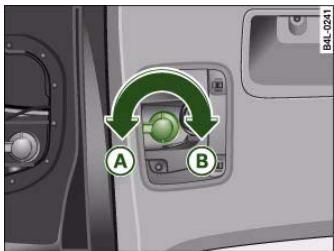
Fig.257 Diagram:Bulb holder with a bayonet fastener
In the case of bulb holders with a bayonet fastener please proceed as follows:
Removing the bulb holder
Turn the bulb holder in the direction of the arrow fig. 257 as far as it will go and then take the bulb holder out of the light unit.
Fitting the bulb holder
Insert the bulb holder into the light unit, making sure you keep the bulb holder straight, i.e. the rubber seal makes even contact all around.
- Turn the bulb holder in the direction indicated by the arrow () fig. 257 as far as it will go.
Changing bulbs for headlights
Removing and installing headlights
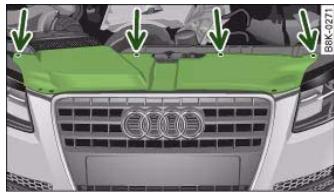
Fig. 258 Trim panel: Attachment points are marked by arrows
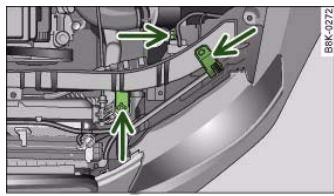
Fig.259 Headlight unit: Attachment points are marked by arrows
The description for removing the headlight refers to the left headlight; in principle the same procedure applies to the right headlight.
Removing
- Switch off the ignition and the lights.
- Open the bonnet.




- Take the screwdriver and the interchangeable Torx socket out of the vehicle tool kit.
- Remove the screws page 278, fig. 258 that secure the trim panel to the lock carrier and detach the trim panel.
- Slacken the two screws that secure the headlight to the lock carrier and the screw at the underside of the headlight (this screw is located between the cover and the rubber cap and should not be slackened more than ten turns) page 278, fig. 259.
- Carefully pull the headlight forward about 60~mm
- Release and unplug the electrical connector.
- Carefully take the headlight out towards the front (swivel it slightly if necessary).
Installing
- Perform all of the above steps in reverse sequence.
The headlight must be inserted in two guides (on the underside of the headlight). This is the only way to ensure that the headlight is installed in the correct position. To determine whether the headlight is correctly installed, check that it is aligned flush with adjacent body parts (such as the wing panel).
Do not interchange the securing screws.

Caution
Please take particular care not to damage or scratch the adjacent parts of the body when removing or installing the headlights.
Applies to vehicles: with halogen main beam headlights
Removing bulb for main beam headlights

Fig.260 Headlight unit: Rubber cap is highlighted

Fig.261 Bulb holder for main beam headlights
- Remove the headlight page 278.
Take off the rubber cap fig. 260 in "Changing bulbs" on page 276.
- Press the connector in the direction of the arrow fig. 261.
- Remove the connector together with the bulb from the headlight housing.
- Disconnect the connector from the base of the bulb in "Changing bulbs" on page 276.
Controls
Safety
Driving tips
General maintenance
Self-help
Technical data

Applies to vehicles: with halogen main beam headlights
Installing the bulb for the main beam headlights
When installing a bulb, the lug on the base of the bulb must be inserted into the appropriate mounting on the bulb housing.
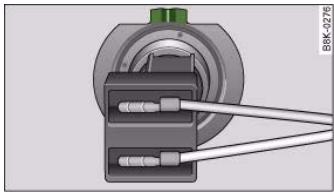
Fig.262 Bulb with connector: The lug on the base of the bulb is highlighted
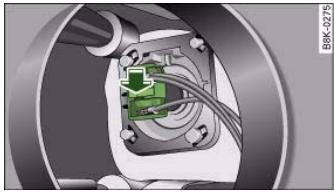
Fig.263 Fitting bulb for main beam headlights
- Attach the new bulb to the connector in "Changing bulbs" on page 276.
-
Insert the bulb carefully into the bulb housing. Start by placing the base of the bulb directly behind one of the retaining hooks so that the lug fits into the recess on the bulb housing.
-
Press the connector in the direction of the arrow fig. 263 until the bulb engages.
- Check that the bulb is securely seated in the bulb housing.
- Fit the rubber cap and install the headlight page 278.
- Check whether the new bulb is working.
- Have the headlight settings checked.

Ensure that the rubber cap is seated correctly so that no water can enter the unit.
Applies to vehicles: with halogen dipped headlights
Removing bulb for dipped headlights
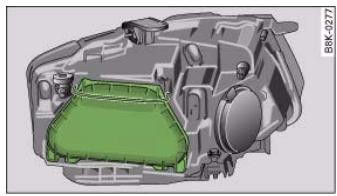
Fig.264 Headlight unit: Cover


- Remove the headlight page 278.
- Swivel the retaining clip of the cover upwards.
Take off the cover page 280, fig. 264 in "Changing bulbs" on page 276.
- Press the connector in the direction of the arrow fig. 265.
- Remove the connector together with the bulb from the headlight housing.
- Disconnect the connector from the base of the bulb in "Changing bulbs" on page 276.
Applies to vehicles: with halogen dipped headlights
Installing bulb for dipped headlights
When installing a bulb, the lug on the base of the bulb must be inserted into the appropriate mounting on the bulb housing.
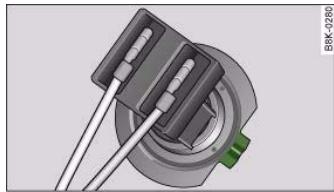
Fig. 266 Bulb with connector: The lug on the base of the bulb is highlighted
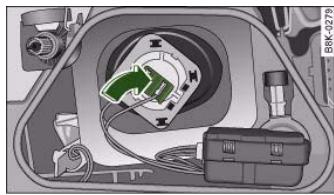
Fig.267 Inserting bulb for dipped headlights
- Attach the new bulb to the connector in "Changing bulbs" on page 276.
- Insert the bulb carefully into the bulb housing. Start by placing the base of the bulb directly behind one of the retaining hooks so that the lug fits into the recess on the bulb housing.
Controls
Safety
Driving tips
General maintenance
Self-help
Technical data


- Press the connector in the direction of the arrow page 281, fig. 267 until the bulb engages.
- Check that the bulb is securely seated in the bulb housing.
- Fit the cover and swivel the retaining clip downwards.
Install the headlight page 278.
- Check whether the new bulb is working.
- Have the headlight settings checked.
Applies to vehicles: with xenon headlight bulbs
Changing bulb for turn signals
The bulb is secured in the bulb carrier with a bayonet fastener.
- Remove the headlight page 278.
Take off the rubber cap (small cover) and remove the bulb carrier.
- Lightly press the defective bulb into the bulb carrier, then turn it anti-clockwise and remove it.
- Do not touch the glass part of the new bulb with your bare hands, use a cloth or paper towel instead.
- Fit the new bulb, pressing it into the bulb carrier, and turn it clockwise as far as it will go.
- If necessary, use a cloth to remove any fingerprints from the glass part of the bulb.
- Insert the bulb carrier into the headlight.

Note
Ensure that the rubber cap is seated correctly so that no water can enter the unit.
Applies to vehicles: with halogen dipped headlights
Changing bulb for side lights
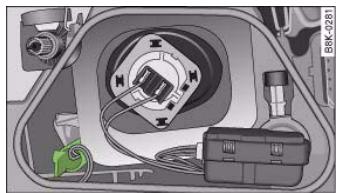
Fig.268 Bulb holder for side lights is highlighted
4. Removing bulb for side light
- Remove the headlight page 278.
- Swivel the retaining clip of the cover upwards.
Take off the cover page 280, fig. 264 page 280 in "Changing bulbs" on page 276.
- Grasp the bulb holder by the handle fig. 268 and pull it out.
- Lightly press the defective bulb into the bulb carrier, then turn it anti-clockwise and remove it.
Installing bulb for side lights
- Fit the new bulb, pressing it into the bulb holder and turn it clockwise as far as it will go.

- Use a clean cloth to remove any fingerprints from the glass part of the bulb.
- Insert the bulb carrier into the headlight.
- Fit the cover and swivel the retaining clip downwards.
Install the headlight page 278.
- Check whether the new bulb is working.
Changing bulb for front fog lights
Preparations
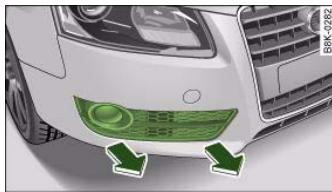
Fig. 269 Trim cover for fog light
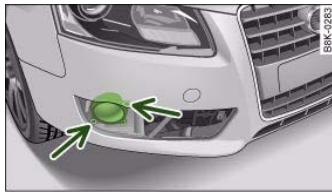
Fig.270 Screws securing fog light
The description for changing the bulb refers to the left fog light; in principle the same procedure applies to the right fog light.
- Switch off the ignition and the lights.
- Detach the trim cover fig. 269 (pull it carefully in the direction of the arrow).
- Remove the two securing screws fig. 270 and pull the fog light unit out of the bumper.
- Unplug the electrical connector.

The trim cover is secured to the bumper by several retaining hooks. Do not use force when removing the trim cover to avoid damaging it.
Changing bulb
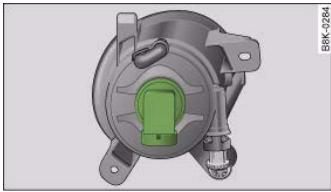
Fig. 271 Front fog light: Bulb holder is highlighted
- Turn the bulb holder anti-clockwise page 278 and take it out of the fog light housing.
Controls
Safety
Driving tips
General maintenance
Self-help
Technical data


- Insert the new bulb holder and turn it clockwise as far as the stop page 278.
After changing the bulb re-install all parts in the reverse sequence and check that the bulb is working.
Changing bulbs for rear lights in side panel
Overview of rear lights
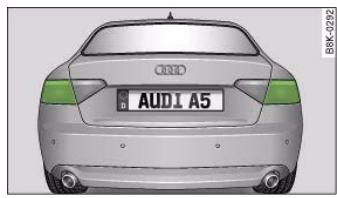
Fig. 272 Rear lights in side panel
- Brake lights
- Turn signals
The following instructions for changing the bulb refer to the left side of the vehicle. Follow the same procedure for changing the bulb on the other side of the vehicle.
Removing rear light
To change the bulbs, you must remove the rear light. Removing the light requires a certain degree of practical skill.
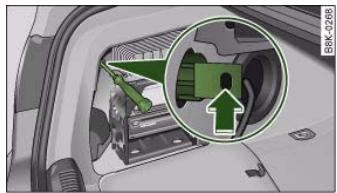
Fig.273 Luggage compartment: Location of retaining screw for rear light
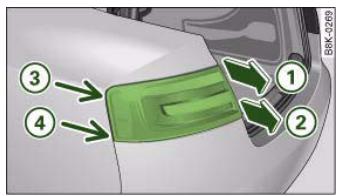
Fig.274 Removing rear light from side panel
- Check which of the bulbs is defective.
- Open the boot lid.
- Remove the side trim.
- Insert the screwdriver (from the tool kit) through the side opening in the plastic screw fig. 273.




-
Turn the screwdriver anti-clockwise to loosen the screw and then carefully remove the screw.
Gradually ease the light housing out of the rubber mountings (positions page 284, fig. 274 ③ and ④ ) by pulling alternately in direction of arrows ① and ② . If necessary use the tool for changing bulbs from your vehicle's toolkit to carefully apply some pressure between positions ③ and ④ ①
-
Unplug the electrical connector.
- Change the defective bulb page 285.

Caution
When removing or installing the rear light, take care not to cause any damage.
- Removing the rear light in particular can lead to the paintwork or rear light becoming damaged. This is another reason why we recommend having the bulbs changed by a qualified workshop.
- NEVER use metal tools (e.g. a screwdriver) or sharp or pointed plastic tools to lever out the rear light - risk of damaging the paint.

Note
Make sure you have a soft cloth ready to place under the glass on the rear light, to avoid any scratches.
Changing bulbs
All bulbs can be changed easily after removing the rear light.
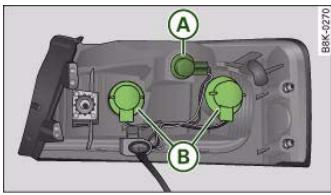
Fig. 275 Position of bulbs in rear light. Example: outer left rear light
The bulbs are secured with a bayonet fastener. The table below gives an overview of the bulb positions.
- Remove the relevant bulb holder page 278.
- Change the bulb page 277.
Install the bulb holder page 278.
- Check whether the new bulb is working.
- Re-install the rear light page 286.
Position of bulbs
| Position:⇒ fig. 275 | Bulb function |
| A | Turn signals |
| B | Tail light and brake light |

Installing rear light
The rear light is easy to re-install.
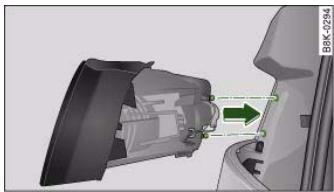
Fig.276 Installing rear light
To re-install the rear light, follow the steps for removal in reverse sequence.
- Plug in the electrical connector. Make sure you hear it click into place.
- Insert the rear light into the rear light carrier fig. 276.
Press the rear light into the two rubber mountings as far as it will go. The rear light must be flush with the body contour.
- Use the screw to secure the rear light from the luggage compartment.
- Make sure that all bulbs for the rear lights are working.

Caution
Take care when installing the rear light to make sure there is no damage to the paintwork or any of its components.
Changing bulbs in boot lid
Rear lights in boot lid
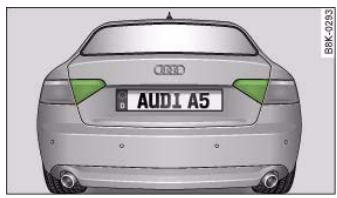
Fig.277 Rear lights in boot lid
Rear fog light
- Reversing light
Before you begin working, please make yourself familiar with the different bulb versions page 276.
Removing bulb carrier
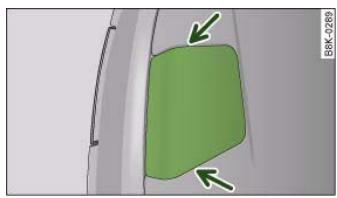
Fig.278 Boot lid: Opening the cover in the boot lid

The description for changing the bulb refers to the left rear light unit; in principle the same procedure applies to the right rear light unit.
Changing bulbs
All bulbs can be changed easily on the bulb carrier.
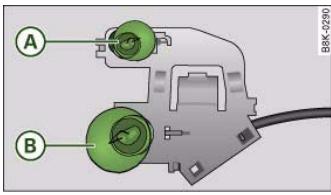
Fig.280 Bulb carrier for boot lid: Position of the bulbs
The bulbs are secured with a bayonet fastener. The table below gives an overview of the bulb positions.
Lightly press the defective bulb into the bulb carrier, then turn it anti-clockwise and remove it.
- Fit the new bulb, pressing it into the bulb holder and turn it clockwise as far as it will go.
- Use a cloth to remove any fingerprints from the glass part of the bulb.
- Check whether the new bulb is working.
- Re-install the bulb carrier page 288.
Position of bulbs
| Pos.⇒ fig. 280 | Bulb function |
| A | Reversing light |
| B | Tail light and rear fog light |


Installing bulb carrier
The bulb carrier is easy to install.
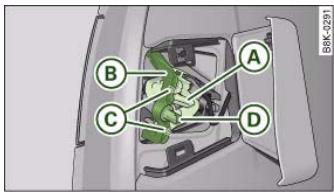
Fig. 281 The retaining clip for the bulb carrier has a guide pin
- Insert the bulb carrier into the rear light. Make sure you hear the retaining tab fig. 281 A click into place.
Position the retaining clip 8 so that the guide pins are located in the recess on the retaining clip, and tighten the nut .
- Fit the cover back in the interior trim so that it engages.
Put the screwdriver back into the tool kit.
- Make sure that all bulbs for the rear lights are working.
Number plate light
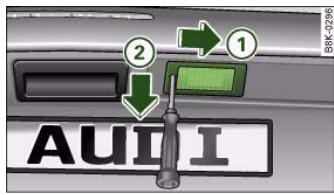
Fig.282 Boot lid: Removing number plate light
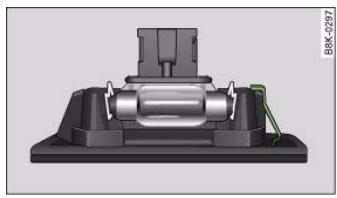
Fig.283 Number plate light: Retaining element
Removing number plate light
Take the screwdriver out of the vehicle tool kit page 255.
- Insert the flat-blade side of the reversible screwdriver insert into the slot on the number plate light fig. 282.
Using the screwdriver, start by pressing the number plate light to the right -arrow 1- and then pull the number plate light downwards from this position -arrow 2- and out of the opening.
- Detach the number plate light.






- Press the defective bulb out of the bulb holder and fit the new bulb.
Installing number plate light
- First insert the side with the retaining element
page 288, fig. 283 and then carefully press the number plate light into the opening.
- Check whether the new bulb is working.




292
Explanation of technical data
Where not otherwise indicated or separately listed, all technical data apply to vehicles with standard equipment for the German market. Other figures may apply for special versions and export models.
Please note that the details listed in the vehicle's registration documents can be taken as correct.
Engine data
The figures for engine power output are determined according to EU standards.
The performance figures were measured without equipment which may influence performance, such as mudflaps or extremely wide-section tyres.
Kerb weight (unladen weight)
These figures (kerb weight according to the currently applicable version of EU Directive 92/21/EEC) apply to the vehicle with the tank 90% full, with no special equipment. The figures include an additional 75kg to allow for the weight of the driver.
When towing a trailer, the gross vehicle weight may be exceeded by up to 30kg and the maximum rear axle weight may be exceeded by up to 80kg .
Maximum trailer weights
The maximum trailer weights are calculated in accordance with the currently applicable version of EU Directive 92/21/EEC.
The figures for a trailer with brakes, on gradients up to 8% are applicable only up to a maximum speed of 80~km / h (even though higher speeds may be permitted when towing a trailer in some countries).
The figures for a trailer with brakes on gradients up to 12% and for the weight of car and trailer on gradients up to 12% are applicable up to a maximum speed of 100km / h . This maximum speed must not be exceeded even in countries where higher speeds are permitted.
Maximum draw bar loading
The vertical load exerted by the trailer drawbar on the ball joint of the towing bracket must not exceed 80kg
In the interest of safety, we recommend applying the maximum permitted draw bar weight. The stability of the trailer could be adversely affected if too little weight is applied.
If the maximum permitted drawbar weight cannot be obtained, e.g. when using small or light trailers, statutory regulations require that the drawbar weight be at least 4% of the actual trailer weight (for single-axle trailers or twin-axle trailers with an axle spacing less than 1.0m ).
Dimensions
| Length | mm | 4625 |
| Width | mm | 1854 |
| Width across mirrors | mm | 1981 |
| Height, unladen¹⁾ | mm | 1362-1382 |
| Turning circle diameter | m | 10.7 |
1) The height of the vehicle depends on the tyres and suspension.
Take care not to damage low-mounted parts of the car (such as the spoiler or exhaust system) on steep ramps, uneven road surfaces or roadside kerbs, etc.

This applies especially when the vehicle is fully laden.
Capacities
Fuel tank
Front-wheel drive ltr. approx. 64
Four-wheel drive ltr. approx. 65
Windscreen washer
Windscreen and Itr. approx. 4.5
headlight washer system*
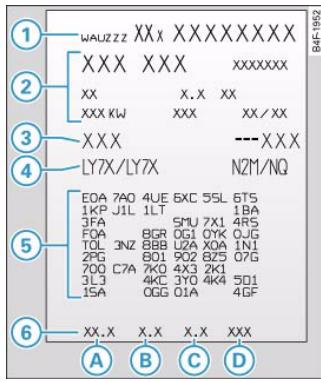
Fig.285 Vehicle data sticker
Vehicle identification data
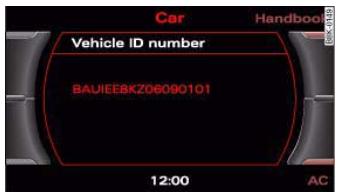
Fig. 284 MMI display:
Vehicle identification number
Vehicle identification number on the sound system or MMI
- Select: Function selector button > Vehicle ID number fig. 284.
Vehicle identification number in the engine compartment
The vehicle identification number is located on the right-hand side of the engine compartment.
Type plate
The type plate is located on the right-hand side of the engine compartment. Vehicles for certain export countries have no type plate.


294
document_0900452a8179700c.book Seite 294 Donnerstag, 22. Marz 2007 10:19 10
General notes
Vehicle data sticker
The vehicle data sticker page 293, fig. 285 is located near the battery in the luggage compartment. One section of the vehicle data sticker is attached to the inside cover of the Service Schedule before the vehicle is handed over.
The sticker lists the following data:
Vehicle identification number (chassis number)
Vehicle type / engine power / gearbox type
3 Engine and gearbox code letters
4 Paint No. / Interior equipment No.
5 Optional equipment codes
6 Fuel consumption and emissions
Fuel consumption and emissions
Information on the vehicle's fuel consumption and emissions is given at the bottom of the vehicle data sticker (8):
A Urban cycle consumption (ltr./100 km)
B Extra-urban cycle consumption (ltr./100 km)
Combined cycle consumption (ltr./100 km)
Combined CO_2 emissions (g/km)
The specified values were determined in accordance with the test procedure prescribed by the currently applicable version of Directive 80/1268/EEC. The specifications do not refer to an individual vehicle. The consumption figures achieved during normal driving may differ from the test values quoted in accordance with the above Directive, depending on special equipment fitted, vehicle loading, personal driving style, road and traffic conditions, environmental factors and the condition of the car.





Petrol engines
A5 3.2 FSI
Engine data
| Power output | 195 kW at 6500 - 6750 rpm |
| Maximum torque | 330 Nm at 3250 - 5000 rpm |
| Cylinders, capacity | 6 cylinders, 3197 cm³ |
| Fuel | Premium unleaded 95 RON or regular unleaded 91 RON¹) |
Performance figures
Maximum speed km/h AG = 250 Acceleration from 0 - 100 km/h sec. AG = 6.6
Weights
| Gross vehicle weight | kg | AG = 1995 |
| Kerb weight (unladen weight) | kg | AG = 1570 |
| Maximum front axle weight | kg | AG = 1090 |
| Maximum rear axle weight | kg | AG = 1010 |
Maximum trailer weights2)
| Trailer with brakes on gradients up to 8% | kg | AG = 1800 |
| Trailer with brakes on gradients up to 12% | kg | AG = 1700 |
| Weight of vehicle and trailer on gradients up to 12% | kg | AG = 3725 |
| Trailer without brakes | kg | AG = 750 |
Engine oil
| LongLife Service | VW 503 00, VW 504 00 |
| Inspection Service | VW 502 00, VW 503 00, VW 504 00 |
| Engine oil capacity (including filter change) | approx. 6.2 litres |
AG = automatic gearbox
1) With slight loss of power
2) The specified trailer weights apply only to vehicles with a factory-fitted towing bracket.

296
document_0900452a8179700c.book Seite 296 Donnerstag, 22. Marz 2007 10:19 10
A5 3.2 FSI quattro
Engine data
| Power output | 195 kW at 6500 - 6750 rpm |
| Maximum torque | 330 Nm at 3250 - 5000 rpm |
| Cylinders, capacity | 6 cylinders, 3197 cm3 |
| Fuel | Premium unleaded 95 RON or regular unleaded 91 RON1) |
| Maximum speed | km/h | MG = 250 |
| Acceleration from 0 - 100 km/h | sec. | MG = 6.1 |
Weights
| Gross vehicle weight | kg | MG = 2035 |
| Kerb weight (unladen weight) | kg | MG = 1610 |
| Maximum front axle weight | kg | MG = 1065 |
| Maximum rear axle weight | kg | MG = 1070 |
Maximum trailer weights2)
| Trailer with brakes on gradients up to 8% | kg | MG = 2100 |
| Trailer with brakes on gradients up to 12% | kg | MG = 1900 |
| Weight of vehicle and trailer on gradients up to 12% | kg | MG = 3965 |
| Trailer without brakes | kg | MG = 750 |
Engine oil
| LongLife Service | VW 503 00, VW 504 00 |
| Inspection Service | VW 502 00, VW 503 00, VW 504 00 |
| Engine oil capacity (including filter change) | approx. 6.2 litres |
MG = manual gearbox
1) With slight loss of power
2) The specified trailer weights apply only to vehicles with a factory-fitted towing bracket.

297
Diesel engines
A5 2.7 TDI
Engine data
Power output 140 kW at 3500 rpm
Maximum torque 400 Nm at 1400 - 3500 rpm
Cylinders, capacity 6 cylinders, 2698~cm^3
Fuel Diesel
Maximum speed km/h AG = 232
Acceleration from 0 - 100 km/h sec. AG = 7.6
Weights
Gross vehicle weight kg AG = 2075
Kerb weight (unladen weight) kg AG = 1650
Maximum front axle weight kg AG = 1155
Maximum rear axle weight kg AG = 1015
Maximum trailer weights1)
Trailer with brakes on kg AG = 1900
gradients up to 8 %
Trailer with brakes on kg AG = 1700
gradients up to 12%
Weight of vehicle and kg AG = 3805
trailer on gradients up to 12%
Trailer without brakes kg AG = 750
Engine oil
LongLife Service
VW50601,VW50700
vehicles with diesel particulate
filter*: only VW 507 00
Inspection Service
vehicles with diesel particulate
filter*: only VW 507 00
Engine oil capacity
approx. 7.4 litres
(including filter change)
AG = automatic gearbox
1) The specified trailer weights apply only to vehicles with a factory-
fitted towing bracket.

298
A5 3.0 TDI quattro
| Engine data |
| Power output | 176 kW at 4000 - 4400 rpm |
| Maximum torque | 500 Nm at 1500 - 3000 rpm |
| Cylinders, capacity | 6 cylinders, 2967 cm³ |
| Fuel | Diesel |
Performance figures
| Maximum speed | km/h | MG = 250 |
| Acceleration from 0 - 100 km/h | sec. | MG = 5.9 |
Weights
| Gross vehicle weight | kg | MG = 2110 |
| Kerb weight (unladen weight) | kg | MG = 1685 |
| Maximum front axle weight | kg | MG = 1150 |
| Maximum rear axle weight | kg | MG = 1065 |
Maximum trailer weights1)
| Trailer with brakes on gradients up to 8% | kg | MG = 2100 |
| Trailer with brakes on gradients up to 12% | kg | MG = 1900 |
| Weight of vehicle and trailer on gradients up to 12% | kg | MG = 4040 |
| Trailer without brakes | kg | MG = 750 |
Engine oil
| LongLife Service | VW 506 01, VW 507 00 |
| vehicles with diesel particulate filter*: only VW 507 00 |
| Inspection Service | VW 505 00, VW 505 01, VW 506 01, VW 507 00 |
| vehicles with diesel particulate filter*: only VW 507 00 |
| Engine oil capacity (including filter change) | approx. 7.4 litres |
MG = manual gearbox
1) The specified trailer weights apply only to vehicles with a factory-fitted towing bracket.

Performance, weights and dimensions
299



S See Anti-lock brake system 18
AC mode 98, 107
See Performance, weights and dimensions
Accessories 250
Trailer 211
Adapter for anti-theft wheel bolts 264
adaptive light 58
Defective 37
advanced key
Locking and unlocking the vehicle 45
START ENGINE STOP button 118
Starting the engine 118
Switching on the ignition 118
Air conditioner 93, 101
AC mode 98
See also Deluxe automatic air conditioner 93
Air recirculation mode
Deluxe automatic air conditioner 97
Deluxe automatic air conditioner plus 106
Airbag 176
Deactivating 183
Front airbags 178
Head-protection airbag 181
Key-operated switch for front passenger's airbag 183
Sideairbags 180
Triggering 177
Warning lamp 16
Alterations to the vehicle 250
Alternator
Fault 31
Anti-dazzle interior mirror 66
Anti-freeze additive 235
Anti-knock properties of petrol 227
Anti-lock brake system
How the system works 197
Warning lamp 18
Anti-theft alarm 42
Interior monitor 47
Tow-away protection 47
Anti-theft wheel bolts 264
Armrest(front)
Adjusting 77
Storage compartment
Ashtrays
Front 86
Rear 87
di hold assist 124
Warning lamp 18
Auto Lock 42
Auto-check control 29
Automatic air conditioner plus
See Deluxe automatic air conditioner plus
101
Automatic gearbox
Manual release (multitronic®) 136
multitronic 130
Safety interlock for ignition key 116
Selector lever positions (multitronic®) ...
131
Steering wheel with tiptronic controls ...
135
Automatic headlight control 54
Auxiliary heating
Deluxe automatic air conditioner plus . . .
111
Description 111
Remote control 114
Running time 113
Switching on/off immediately 112
Timer 112
Average fuel consumption 25
Average speed 25
Axle weights
See Performance, weights and
dimensions 295
B
Battery
Charging 241
Low charge 202
Power level 202
Power management 202
Replacing 242
Winter conditions 239
Battery power 36
Bayonet fastener
Bulb 277
Bulb holder 278
Belt tensioners 175



Bicycle rack Trailer 211
Biodiesel 227
Bioethanol fuel 227
Blower Deluxe automatic air conditioner 96 Deluxe automatic air conditioner plus . 105
Bonnet Closing 232 Opening 230
Releasing 230
Boot See Loading luggage compartment . 168 See Luggage compartment 77
Boot lid Central locking system 48 Manual release. 49
Brake system Brake assist system 197
Brake fluid 238
Brake light defective 36
Brake pads worn 36
Brake servo 199
Electro-mechanical parking brake . 121
General notes 199
Malfunction 31
Warning lamp 19
Bulb holder Bayonet fastener 278
Bulb monitor 36
Bulbs Bayonet fastener 277
Changing (general notes) 276
Ibs, changing 276
Brake lights 284
Bulkbolderwithbayonetfastener.277 278
Dipped headlights 280
Front fog lights 283
Main beam headlights 279
Number plate light 288
Rear fog light 286
Rear lights 284
Reversing light 286
Turn signals (rear) 284
Business equipment 251
C
Capacities 293
Car keys 39
Care of vehicle 220
Catalytic converter 205
Central locking system 42
Boot lid 48
Deadlock mechanism 46
Fuel tank flap 228
Locking 46
Locking and unlocking the vehicle from
inside 47
Manual locking 48
Opening and closing windows 50
Switches on driver's door 47
Unlocking 46
Cetane number 227
Changing a wheel 260
Changing bulbs
See Bulbs 276
Chassis number 293
Child safety 185
Child safety seat 186
Child seat categories 186
Fitting 189
ISOFIX system 191
On front passenger's seat 186
Safety notes 185
Cigarette lighter 87
Cleaning 220
Cleaning Alcantara 226
Cleaning seat covers
Alcantara 226
Natural leather 225
Textile covers 223
Cleaning textile covers and trim parts . 223
Clock, setting 13
Closing
Bonnet 232
Coat hooks 92
Colour code 293
Compact temporary spare wheel
See Spare wheel 256
Compartment for (sun) glasses 91
Compass in mirror 68
Controls and displays
Overview 9
Convenience close function 50
Controls
Safety
Driving tips
General maintenance
Self-help
Technical data


304
Heated rear window 107
Cooling system
Anti-freeze additive 235
Checking coolant level 236
Coolant 235
Coolant temperature gauge 11
Malfunction 32
Radiator fan 237
Topping up coolant 236
Air distribution 97
Air outlets 99
Air outlets for rear passengers 99
Air recirculation mode 97
Automatic mode 95
Basic settings 100
Blower 96
Controls 94
Defrosting 98
Description 93
Economical operation 100
Heated rear window 98
Seat heating, front 115
Supplementary heater 101
Switching on and off 95
Temperature 96
Deluxe automatic air conditioner plus . . . 101
AC mode 107
Air distribution 106
Air outlets 108
Air outlets for rear passengers 108
Air recirculation mode 106
Automatic mode 104
Automatic recirculation 110
Auxiliary heating 111
Auxiliary heating - remote control 114
Auxiliary heating - running time 113
Basic settings 109
Blower 105
Controls 103
Defrosting 107
Description 101
Economical operation 109
Supplementary heater 110
Switching on and off 104
Synchronisation 110
Temperature 104
Diesel 227
Diesel particulate filter 37, 205
Engine oil 233
Digital clock 13
Digital compass 68
Digital speedometer 22
Dimensions 292
Dipped headlights 54
Defective 36
DIS
See Driver information system 20
Door catches/boot lid warning 23
Doors
Manual locking 48
Driver
See Sitting position 164
Driver information system 20
Auto-check control 29
Bulb monitor 36
CD and radio display 21
Digital speedometer 22
Door catches/boot lid warning 23
Driver messages 30
On-board computer 25
Outside temperature display 21
Red symbols 30
Service interval display 23




Driving away from a standstill 122
Driving away when towing a trailer 123
Driving safety 163
Driving time 25
Dust filter
Deluxe automatic air conditioner 93
Deluxe automatic air conditioner plus ..
101
DVD player 79
Dynamic gear control program 133
E
Easy-entry function 71, 73
Economical driving 206
EDL
See Electronic differential lock. 18
Electric seat adjustment
See Seat adjustment 72
Electric windows 50
Central locking system 50
Controls 50
Convenience open/close function 50
Malfunctions 51
Settings 51
Electrical accessories
See Electrical socket 88
Electrical socket 87, 88
Electro-mechanical parking brake 124
Auto release function 122
Driving away from a standstill 122
Driving away when towing a trailer . . 123
Emergency braking function 123
Malfunction 123
Operation 121
Parking 122
Releasing and applying 121
Warning lamp 18, 19
Electronic differential lock
How the system works 199
Warning lamp 18
Electronic immobiliser 14
Electronic stabilisation program
How the system works 196
Warning lamp 16
Emergency braking function 123
Emergency key 41
Emergency release
Ignition key 41
Emission control systems
Catalytic converter 205
Diesel particulate filter 205
Emissions 293
Engine compartment
Safety notes 231
Engine compartment layout 232
Engine data
See Performance, weights and
dimensions 295
Engine hood
See Bonnet 230
Engine management
(EPC) warning lamp 15
Engine oil 233
Checking oil level 234
Consumption 234
LongLife Service 233
Topping up 234
See also Performance, weights and
dimensions 295
Engine oil capacity
See Performance, weights and
dimensions 295
Engine oil pressure
Warning lamp 33
gine oil sensor
Malfunction 37
Environmental compatibility 207
Environmental tips
Filling the tank 228
Heated rear window 98, 107
Leaks 231
Roof carrier 85
EPC
See Engine management 15
ESP
See Electronic stabilisation program .. 16
Ethanol fuel 227
Exterior mirrors 67
Controls
Safety
Driving tips
General maintenance
Self-help
Technical data


306
Filling the tank 228
Releasing the tank flap manually 229
Fire extinguisher 255
First-aid kit 254
Floor mats 167, 168
Fog lights 55
Foreign countries
See Driving abroad 205
Four-wheel drive 201
Front passenger
See Sitting position 165
Fuel
Biodiesel 227
Capacity 293
Consumption 293
Current fuel consumption 25
Diesel 227
Ethanol 227
Fuel gauge 19
Fuel level low 36
Petrol 227
Saving fuel 206
Fuel consumption 293
Fuel gauge 19
Fuel range 25
Fuel tank flap 228
Fuse, changing
G
Garage door opener 154
Gear-change indicator 21
Generator
See Alternator 31
Glovecx 91
Glow plug system
Indicator lamp 16
H
Handbrake
See Electro-mechanical parking brake ...
121
Hazard warning lights 58
Indicator lamp 17
Head restraints
Front seats 76
Rear seats 76
Headlight flasher 59
Headlight range control 56
Malfunction 37
Headlights 54
adaptive light 58
Changing dip settings 205
Headlight range control 56
Washer system 64
Heated
Exterior mirrors 67
Front seats (deluxe automatic air
conditioner) 115
Rear seats 115
Rear window 98, 107
Washer jets 62
Heated rear window 98, 107
Heating
Deluxe automatic air conditioner 93
Deluxe automatic air conditioner plus ...
101
HomeLink 154
Horn 9
1
Ignition key
Emergency release 41
Safety interlock 116
Ignition lock 116
Malfunction 34, 37
Immobiliser 14,39
Indicator lamps 15
Cruise control system 17
Glow plug system 16
Main beam headlights 17
Overview 15
Traliter turn signals 17
Turn signals 17
Inflation pressures (tyres) 243
Inspection intervals 23
Instrument cluster 11
Instrument lighting 57
Interior lights
Dimming 60
Front 60
Rear 60


1
|
中
| 12 x - 1 = 0 3 | = 0
1

Key-operated switch for front passenger's
airbag 183
Keys 39
Emergency key 41
Replacement keys 39
Replacing the battery 40
Kick-down
multitronic 133
L
Leather care
Alcantara 226
Natural leather 225
Light sensor 54
Light sensor defective 35
Lights 54
Coming home 56
Daytime running lights 56
Exterior lighting 56
Front fog lights 55
Headlight control 54
Leaving home 56
Rear fog lights 55
Switching on and off 54
leading luggage compartment 168
bad-throughhatch 83
cking 44
Central locking system 46
cking and unlocking the vehicle from in-
side
Central locking system 47
acking doors manually 48
LongLife Service 233
gagage compartment 77
Extending 80, 81, 82
Fastening rings 78
Loading 77
Load-through hatch 83
Side storage compartment 79
Stretch net 79
See also Loading luggage compartment
168
Luggage rack
See Roof carrier 84
M
Main beam headlights 59
Indicator lamp 17
Make-up mirrors 61
Controls
Safety
Driving tips
General maintenance
Self-help
Technical data

308
Steering wheel with tiptronic controls . . .
135
tiptronic mode 134
parking system
Adjusting warning beeps 148
Detection range of reversing camera 144
Front and rear, with display 138
Front and rear, with display and reversing
camera 140
General notes 137
Note on distances 151
Notes on acoustic parking aid 152
Notes on reversing camera 152
Parking next to an obstacle 150
Rear 137
Reversing camera (Rear View) 143
Reversing camera, parking mode 1 . 145
Reversing camera, parking mode 2 . 146
Special parking situations 150
Switching graphic display on and off 149
Switching reversing camera on and off ..
149
Towing bracket 147
multitronic 130
articulate filter
See Diesel particulate filter 205
Passengers
See Sitting position 165
Pedals 167
Performance figures
See Performance, weights and
dimensions 295
Performance, weights and dimensions. 295
General notes 292
Petrol 227
Polishing 221
Pollen filter
Deluxe automatic air conditioner 93
Deluxe automatic air conditioner plus . . .
101
Pollution filter
Deluxe automatic air conditioner 93
Deluxe automatic air conditioner plus . . .
101
Power management 202
Battery power 204
Driver message 204
Power steering 201
0
Quartz clock 13
quattro
See Four-wheel drive 201
R
Radio transmitters 251
Fixed installation 251
Mobile equipment 251
Radio-controlled clock 13
Rain sensor 62
Rain sensor defective 35
Reading lights
Front 60
Rear 60
Rear centre console
Socket 89





Rear lights Safety features 162
Defective 36 Seat adjustment
Rear View camera Backrest angle (manual) 70
See Reversing camera 140 Easy-entry function 71, 73
Rear view mirrors Electrical 72
See Mirrors 65, 66 Forwards and backwards (manual) 70
Rear window, sun blind 61 Manual 70
Remote control keys 39 Seat height (manual) 70
Indicator lamp 40 Seat belts 170
Replacing the battery 40 Adjusting seat belts. 173
Unlocking and locking 44 Belt tensioners 175
Replacement keys 39 Cleaning 226
Replacement parts 250 During pregnancy 174
Reset button 14 Putting on 173
79 Safety notes 171
Taking off 174
Rev counter 12 Warning lamp 17
Reverse gear Seat heating
multitronic 131 Front (deluxe automatic air conditioner)
Reversing camera 140, 143 115
Parking mode 1 145 Rear 115
Parking mode 2 146 Seat memory 74
RME fuel 227 Selector lever
Roof carrier 84 Manual release (multitronic®) 136
Attachment points 84 Selector lever positions
Roof load 85 multitronic® 131
Running in 205 Service interval display 23
New engine 205 Service position for windscreen wipers .. 64
servletonic 201
Side lights 54
SAFE 14 Single journey memory 26
Safe driving 162
Sitting position
Driver 164
Front passenger 165
Incorrect sitting position 167
Rear passengers 165
Snow chains 248
Sockets
230 Volt 89
Sparekey 39
Starting the engine 42
Spare parts 250
Spare wheel 256
Speed warning 28
Speedometer 14, 22
Starting the engine
After fuel tank has been run dry 228
Jump-starting 265
Sparekey 42
Tow-starting 267
Starting with jump leads 265
Steering
Locking the steering 116
Malfunction 33
Steering wheel height adjustment
(manual) 116
Storage compartments 91
Front seats 92
Stretch net 79
Sun blind 61
Sun roof (tilting panorama roof) 52
Manual operation 52, 53
Tilting open and closed 52
Sunvisors 61
Controls
Safety
Driving tips
General maintenance
Self-help
Technical data


Traction control system
How the system works 198
Supplementary heater
Deluxe automatic air conditioner 101
Deluxe automatic air conditioner plus . . .
110
Switches on driver's door
Central locking system 47
Switching off the engine 118, 12
Symbols 15
Points to check before towing 208
Technical requirements 208
See Performance, weights and
dimensions 295
T
Tailgate
See Boot lid 48
Tank capacity 293
Technical data 292
Text messages 30
Tools 255
Total journey memory 26
Tow-away protection 47
Towing
Automatic braking 209
Trailer stabilisation 209
Towing away
Towing bracket
Parking system 147
Towing bracket, removable 211
Towing bracket, retrofitting 216
Towline anchorage
Front 268
Rear 269
Tow-starting 269
Transport bag
See Load-through hatch 83
Tread depth 245
Trip recorder 14
Trips, checklist 162
Turn signals 59
Indicator lamp 17
Type plate 293
Tyre Mobility System 257
Tyre pressure 243
Tyre repair kit 255
Tyre Mobility System 257
Tyres
Inflation pressures 243
Tread wear indicators 245
Tyre service life 243
U
Universal transmitter 154
Unleaded fuel 227
Unlocking 44
Central locking system 46
V
Vehicle data sticker 293
Vehicle identification data 293
Vehicle identification number 293
Ventilation
Deluxe automatic air conditioner 93
Deluxe automatic air conditioner plus ...
101
Ventilation slots 168
W
Warning lamps 15
Airbag system 16
Anti-lock brake system 18
Brake system 19
Electro-mechanical parking brake. 18, 19
Electronic stabilisation program 16
Emission control system 17
Engine management 15
Seat belt 17
Warning triangle 254
Washer fluid level low 36
Washing the vehicle
By hand 220
Car wash 220
With high-pressure cleaner 220
Waxing 221


See Performance, weights and
Windscreen washer 242
dimensions 295
Winter tyres 247
Wheel bolts 247
Wiper blades
Wheel imbalance 243
See Windscreen wipers 65
Wheels 222, 243

Changing 260
Xenon lights 205
Changing wheels round 245
Window heating 98, 107
Windows
Cleaning 222
De-icing 222
Malfunctions 51
Windows (electric)
See Electric windows 50
Windscreen washer fluid 242
Windscreen wiper and washer system . . . 62
Windscreen wipers 62
Changing blades 65
Defective 38
Service position 64
Winter conditions
Battery 239
Care of vehicle 220
Cooling system 235
Defrosting windows 98, 107
De-icing windows 222
Diesel 227
Seat heating (deluxe automatic air
conditioner) 115
Seat heating for rear seats 115
Snow chains 248

Controls
Safety
Driving tips
General maintenance
Self-help
Technical data