 ManualGo.com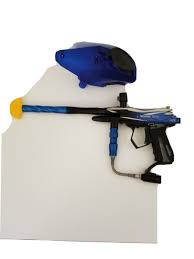
ELECTRA - Paintball gun SPYDER - Free user manual and instructions
Find the device manual for free ELECTRA SPYDER in PDF.



Download the instructions for your Paintball gun in PDF format for free! Find your manual ELECTRA - SPYDER and take your electronic device back in hand. On this page are published all the documents necessary for the use of your device. ELECTRA by SPYDER.
USER MANUAL ELECTRA SPYDER
.68 Caliber Electronic Paintball Marker
TABLE OF CONTENTS
IMPORTANT SAFETY GUIDELINES
BATTERY INSTALLATION / OPTIONAL ACCESSORY CHARGING INSTRUCTIONS
5-6 LEAP™ CIRCUIT BOARD w/CAMD SETTINGS
DISASSEMBLE / REASSEMBLE AND CLEANING OF REAR INTERNALS 11-12
A JAMMED PAINTBALL
CUP SEAL REMOVAL
TROUBLESHOOTING / AIR LEAKS
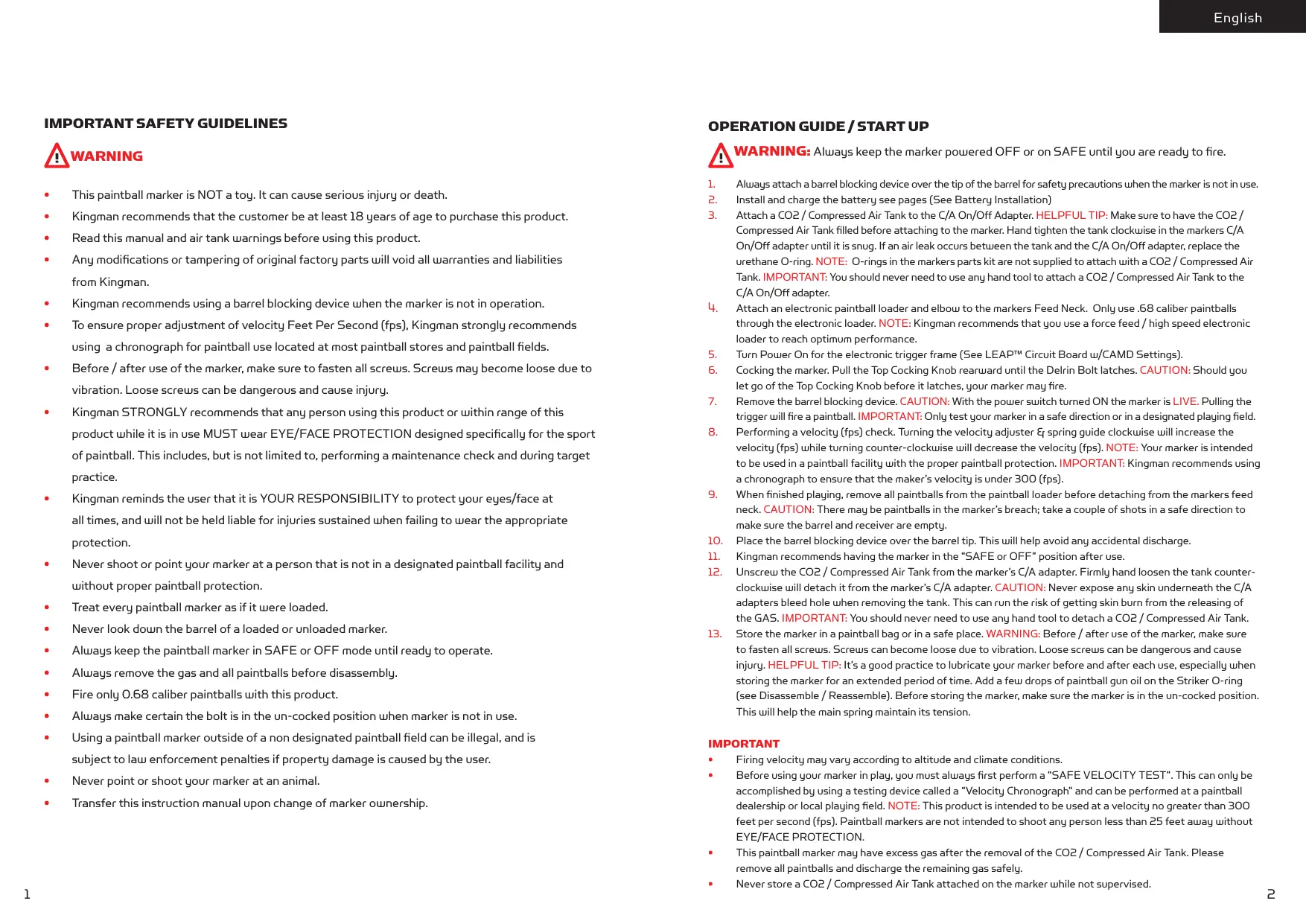
IMPORTANT SAFETY GUIDELINES
OPERATION GUIDE / START UP
WARNING: Always keep the marker powered OFF or on SAFE until you are ready to fire.
This paintball marker is NOT a toy. It can cause serious injury or death.
Kingman recommends that the customer be at least 18 years of age to purchase this product.
Read this manual and air tank warnings before using this product.
Any modifications or tampering of original factory parts will void all warranties and liabilities
Kingman recommends using a barrel blocking device when the marker is not in operation.
To ensure proper adjustment of velocity Feet Per Second (fps), Kingman strongly recommends using a chronograph for paintball use located at most paintball stores and paintball fields.
Before / after use of the marker, make sure to fasten all screws. Screws may become loose due to vibration. Loose screws can be dangerous and cause injury.
Kingman STRONGLY recommends that any person using this product or within range of this product while it is in use MUST wear EYE/FACE PROTECTION designed specifically for the sport
of paintball. This includes, but is not limited to, performing a maintenance check and during target practice.
Kingman reminds the user that it is YOUR RESPONSIBILITY to protect your eyes/face at
all times, and will not be held liable for injuries sustained when failing to wear the appropriate protection.
Never shoot or point your marker at a person that is not in a designated paintball facility and
without proper paintball protection.
Treat every paintball marker as if it were loaded.
Never look down the barrel of a loaded or unloaded marker.
Always keep the paintball marker in SAFE or OFF mode until ready to operate.
Always remove the gas and all paintballs before disassembly.
Fire only 0.68 caliber paintballs with this product.
Always make certain the bolt is in the un-cocked position when marker is not in use.
Using a paintball marker outside of a non designated paintball field can be illegal, and is subject to law enforcement penalties if property damage is caused by the user.
Never point or shoot your marker at an animal.
Transfer this instruction manual upon change of marker ownership.
Always attach a barrel blocking device over the tip of the barrel for safety precautions when the marker is not in use. Install and charge the battery see pages (See Battery Installation) Attach a CO2 / Compressed Air Tank to the C/A On/Off Adapter. HELPFUL TIP: Make sure to have the CO2 / Compressed Air Tank filled before attaching to the marker. Hand tighten the tank clockwise in the markers C/A On/Off adapter until it is snug. If an air leak occurs between the tank and the C/A On/Off adapter, replace the urethane O-ring. NOTE: O-rings in the markers parts kit are not supplied to attach with a CO2 / Compressed Air Tank. IMPORTANT: You should never need to use any hand tool to attach a CO2 / Compressed Air Tank to the C/A On/Off adapter. Attach an electronic paintball loader and elbow to the markers Feed Neck. Only use .68 caliber paintballs through the electronic loader. NOTE: Kingman recommends that you use a force feed / high speed electronic loader to reach optimum performance. Turn Power On for the electronic trigger frame (See LEAP™ Circuit Board w/CAMD Settings). Cocking the marker. Pull the Top Cocking Knob rearward until the Delrin Bolt latches. CAUTION: Should you let go of the Top Cocking Knob before it latches, your marker may fire. Remove the barrel blocking device. CAUTION: With the power switch turned ON the marker is LIVE. Pulling the trigger will fire a paintball. IMPORTANT: Only test your marker in a safe direction or in a designated playing field. Performing a velocity (fps) check. Turning the velocity adjuster & spring guide clockwise will increase the velocity (fps) while turning counter-clockwise will decrease the velocity (fps). NOTE: Your marker is intended to be used in a paintball facility with the proper paintball protection. IMPORTANT: Kingman recommends using a chronograph to ensure that the maker’s velocity is under 300 (fps). When finished playing, remove all paintballs from the paintball loader before detaching from the markers feed neck. CAUTION: There may be paintballs in the marker’s breach; take a couple of shots in a safe direction to make sure the barrel and receiver are empty. Place the barrel blocking device over the barrel tip. This will help avoid any accidental discharge. Kingman recommends having the marker in the “SAFE or OFF” position after use. Unscrew the CO2 / Compressed Air Tank from the marker’s C/A adapter. Firmly hand loosen the tank counterclockwise will detach it from the marker’s C/A adapter. CAUTION: Never expose any skin underneath the C/A adapters bleed hole when removing the tank. This can run the risk of getting skin burn from the releasing of the GAS. IMPORTANT: You should never need to use any hand tool to detach a CO2 / Compressed Air Tank. Store the marker in a paintball bag or in a safe place. WARNING: Before / after use of the marker, make sure to fasten all screws. Screws can become loose due to vibration. Loose screws can be dangerous and cause injury. HELPFUL TIP: It’s a good practice to lubricate your marker before and after each use, especially when storing the marker for an extended period of time. Add a few drops of paintball gun oil on the Striker O-ring (see Disassemble / Reassemble). Before storing the marker, make sure the marker is in the un-cocked position. This will help the main spring maintain its tension. IMPORTANT Firing velocity may vary according to altitude and climate conditions. Before using your marker in play, you must always first perform a “SAFE VELOCITY TEST”. This can only be accomplished by using a testing device called a “Velocity Chronograph“ and can be performed at a paintball dealership or local playing field. NOTE: This product is intended to be used at a velocity no greater than 300 feet per second (fps). Paintball markers are not intended to shoot any person less than 25 feet away without EYE/FACE PROTECTION. This paintball marker may have excess gas after the removal of the CO2 / Compressed Air Tank. Please remove all paintballs and discharge the remaining gas safely. Never store a CO2 / Compressed Air Tank attached on the marker while not supervised.
CO2 / COMPRESSED AIR TANK WARNINGS
INSTALLING A CO2 / COMPRESSED AIR TANK
Firmly hand tighten the CO2 / Compressed Air Tank clockwise into the markers C/A On/Off adapter. HELPFUL TIP: Before installing a CO2 / Compressed Air Tank, make sure that the tank is full and that it has a urethane bottle o-ring on the top of the valve to prevent air leaks. IMPORTANT: You should never need to use any hand tool to attach a CO2 / Compressed Air Tank to the C/A On/Off adapter.
REMOVING A CO2 / COMPRESSED AIR TANK
WARNING:UNSAFE
DA N G E R The CO2 or Compressed Air Tank can fly off with enough force to cause serious injury or death if the Valve unscrews from the cylinder head. LOOK at the Valve when removing the cylinder from the marker. Be sure that the valve is turning with the cylinder rather than remaining stationary with the marker. STOP if the Valve starts to unscrew from the cylinder. If in doubt, screw the cylinder back onto the marker and contact a trained person for repair. All valves must only be installed or removed by a qualified airsmith. See CO2 / Compressed Air tank labels for retest dates. Cylinder tanks must be retested periodically. Improper use, filling, storage or disposal of all air cylinders may result in death, personal injury and/or property damage. Always keep cylinders out of reach from children or any inexperienced person(s). Only properly trained personnel in accordance with CGA Pamphlets P.1 and G-6.3 must fill all air cylinders. Pamphlets are available from the Compressed Gas Association or www.CGANET.com. Never alter the cylinder in any way. DO NOT expose pressurized cylinders to temperatures in excess of 130˚F (54˚C). Cylinders heated to an excess of 250˚F (121˚C) must be condemned or requalified in accordance with test defined in CFR-49. The valve should NEVER be detached from the canister. Please seek immediate assistance from a trained airsmith should this occur. Any tank packed with the product is intended for paintball use only. Confirm that there is an attached urethane O-ring on the CO2 / Compressed Air tank valve before attaching the tank to the marker. The tank will leak air as soon as it is secured to the marker, if the O-ring is missing from the valve. A urethane O-ring is highly recommended before attaching any air supply to the marker. NEVER over pressurize a CO2 / Compressed Air cylinder. Avoid any direct skin exposure to the escaping gas, when installing or removing any air supply. Never expose cylinders to corrosive materials or clean with any caustic cleaners. With a firm grip holding the CO2 / Compressed Air Tank remove the cylinder by hand turn counter-clockwise until it comes out of the C/A On/Off adapter. HELPFUL TIP: After firing the marker, you should ALWAYS remove the CO2 / Compressed Air Tank before storing. When the tank is being removed, excess air will release from the C/A On/Off adapter. CAUTION: Never expose any skin to the C/A On/Off adapters bleed hole when removing the tank. This is to avoid the risk of getting skin burn from the escaping GAS. IMPORTANT: You should never need to use any hand tool to detach a CO2 / Compressed Air Tank from the C/A On/Off adapter. If you cannot remove a tank by hand please see a certified airsmith for assistance. PROPER USE OF YOUR BARREL BLOCKING DEVICE A Barrel Blocking Device or “BBD” is an essential part of your paintball safety equipment. The Barrel Blocking Device is designed to stop a paintball from exiting a paintball marker accidentally. Improper use of the Barrel Blocking Device will render this device useless.
BARREL SOCK/BAG TYPE DEVICE
Place the bag/sock part of the Barrel Blocking Device over the end of your barrel and wrap the elastic cord around the back end of your marker. Adjust the length of the elastic cord to make sure your Barrel Blocking Device fits securely over your markers barrel. NOTE: If the elastic cord is too long you can tie a couple of knots around the cord to shorten its length.
BARREL PLUG TYPE DEVICE
Insert the barrel plug securely into the end of your markers barrel before proceeding to load paintballs and screwing in your tank to your marker. The barrel plug should fit firmly into the barrel with a significant amount of resistance. NOTE: The barrel plug should not be easy to remove and always inspect the O-rings to make sure they are not worn or cut. Remove the Barrel Blocking Device only when you are getting ready to begin play or have been instructed to do so by a field safety official. Always keep your Barrel Blocking Device on your marker after you have finished playing. Keep it in place even after you have emptied all paintballs and removed your air tank from your paintball marker. WARNING Inspect your Barrel Blocking Device regularly for wear and any tear if it is worn, replace it immediately. Always have your Barrel Blocking Device in place on your markers barrel to insure safety and prevent accidents that may cause permanent injury or even death.
English BATTERY INSTALLATION CHARGING INSTRUCTIONS Spyder 9.6volt Battery (US LED) optional accessory To charge a Spyder 9.6 NiMH battery, the circuit board must be in the OFF position. Spyder batteries (JE1015) are not fully charged when purchased. Using the supplied Spyder LED A/C Charger (JE1029), plug the charger into the charger port located at the rear of the trigger frame. For a complete charge, Kingman recommends a charging time of 6-8 hours. SCR002 WRH002 GRP005 SCR002 STEP 1 Plug the Spyder LED A/C charger into a power outlet. STEP 2 Connect the Spyder A/C charger cord to the rear of the markers trigger frame’s charging port.. STEP 3 The LED indicator on the Spyder LED A/C charger will display RED when the battery is charging. STEP 4 The LED indicator on the Spyder LED A/C charger will display GREEN when the battery is fully charged. STEP 5 Unplug the Spyder LED A/C charger cord from the rear of the markers trigger frame’s charging port after charging. STEP 6 Remove the Spyder LED A/C charger from the power outlet. IMPORTANT: Never charge the battery for over 24 hours, as you will risk damaging the battery and/or electronics. HELPFUL TIP: It is recommended that the battery be charged prior to use in order to ensure maximum performance, especially if the battery has not been used in over a week. NOTE: A fully charged Spyder battery will last about 5000-6000 shots, depending on your firing methods or firing mode in use. Under normal use and charging conditions the expected life of the Spyder battery is approximately 700-1000 charging cycles. To avoid any risks of having the Battery explode or the Circuit Board burned: charge only Spyder 9.6volt NiMH Batteries in Spyder electronic frames. Part Names and Numbers described in this section: Dual Texture Grip Panel (#GRP005) M4 x 8 Screw (A) (#SCR002) Battery Harness (#WRH002) IMPORTANT DO NOT attempt to recharge any Alkaline or any other type of battery in the Spyder electronic frame. DO NOT try to recharge batteries that are rusted, corroded, damaged or leaking. FAILURE to follow any of the instructions will VOID ALL WARRANTIES AND LIABILTIES from Kingman. BATTERY INSTALLATION NOTE: This marker is compatible with the use of 9volt Alkaline batteries. Use only premium brand Alkaline batteries for best performance. (Battery Not Included) Shot counts will vary depending on the type of 9volt Alkaline battery used (2300 to 3200), choosing a premium brand battery will give the best results. Kingman Group recommends using a Spyder 9.6volt NiMH Rechargeable Battery as a power source for optimum performance and will provide a superior shot count of around 5000 to 6000 rounds. (Spyder Battery and Charger Sold Separately) IMPORTANT: Performance will vary depending on the mode used and rate of fire achieved. STEP 1 Remove the three M4x8 Screws from the Right side grip panel. NOTE: Allen wrench provided in the spare parts kit. STEP 2 Attach the battery to the battery harness. STEP 3 Re-tighten the three M4x8 Screws. HELPFUL TIP: Please note how the parts are removed for easy reassembly. Kingman will not be held liable for any injury or damages from the improper use of this product. This accessory is not intended for use with any other product other than what Kingman designed it for. Spyder 9.6volt Battery (EU) optional accessory To charge a Spyder 9.6 NiMH battery, the circuit board must be in the OFF position. Spyder batteries (JE1015) are not fully charged when purchased. Using the supplied A/C Charger (JE1025), plug the charger into the charger port located at the rear of the trigger frame. For a complete charge, Kingman recommends a charging time of 6-8 hours. IMPORTANT: Never charge the battery for over 24 hours, as you will risk damaging the battery and/or electronics. HELPFUL TIP: It is recommended that the battery be charged prior to use in order to ensure maximum performance, especially if the battery has not been used in over a week. NOTE: A fully charged Spyder battery will last about 5000-6000 shots, depending on your firing methods or firing mode in use. Under normal use and charging conditions the expected life of the Spyder battery is approximately 700-1000 charging cycles. To avoid any risks of having the Battery explode or the Circuit Board burned: charge only Spyder 9.6volt NiMH Batteries in Spyder electronic frames. IMPORTANT DO NOT attempt to recharge any Alkaline or any other type of battery in the Spyder electronic frame. DO NOT try to recharge batteries that are rusted, corroded, damaged or leaking. FAILURE to follow any of the instructions will VOID ALL WARRANTIES AND LIABILTIES from Kingman. Kingman will not be held liable for any injury or damages from the improper use of this product. This accessory is not intended for use with any other product other than what Kingman designed it for.
English LEAP™ CIRCUIT BOARD w/CAMD SETTINGS SAFE – Red LED SEMI – Green LED RAMP P – Blue LED (PSP RAMP) 13 Balls Per Second RAMP M – Blue LED (Millennium RAMP) 12 Balls Per Second EYE – Orange LED (LED ON = Eyes ON, LED OFF = Eyes OFF) BATTERY – Yellow LED (Solid LED = Good, Flashing LED = Low) TRIGGER ADJUSTMENT CAMD Display 2 Button Access Operations Press and release the Upper “Power/Eye” Button to turn the marker on. The CAMD will display the Red “Safe” indicator “ON” meaning that the marker is in safety mode and will not allow the marker to shoot. After turning the Power “ON” you will need to choose a firing mode. Press and hold the Lower “Mode” Button until the Green “Semi” indicator begins to flash you are now in the mode selection menu. To select a firing mode press and release the Lower “Mode” Button until the CAMD mode indicator displays the desired firing mode. Press and hold the Lower “Mode” Button until the mode indicator stops flashing, the firing mode is now selected and the Red “Safe” indicator will remain “On”, to turn the safety mode “Off” press and release the Lower “Mode” Button and the Red “Safe” indicator will turn off, the marker is now capable of firing. To turn the Power “OFF” press and hold the “Power/Eye” Button until all CAMD LED indicator powers down completely. Changing Modes To change the firing mode, Press and hold the Lower Button until the firing mode indicator on the CAMD start flashing. While the indicator is flashing press and release the Lower Button to scroll through the desired mode setting. When the desired firing mode has been selected, press and hold the Lower Button until the indicator stops flashing. The marker will now operate in the firing mode that has been selected and the Red “Safe” indicator is will remain “On”, to turn the safety mode “Off” press and release the Lower “Mode” Button and the Red “Safe” indicator will turn off, the marker is now capable of firing. IMPORTANT: The safety may be enabled in any mode by pressing and releasing the Lower “Mode” Button, the Red “Safe” LED indicator will turn on and keep the marker from accidentally shooting while the Power is “ON”. Firing Mode Lock To lock the operations of the marker in Semi-Auto Mode remove the lock switch from the circuit board while the Power is “Off” this will default the marker operation and shoot in Semi-Auto Mode Only. To lock the operation in Ramp P (PSP) Mode turn the marker Power “ON”, select Ramp P on the CAMD indicator, remove the tournament lock switch from the circuit board to lock in Ramp P Mode. NOTE: Following the same steps on selecting the Ramp P Mode will allow you to lock the marker operation in Ramp M (Millennium) mode. NOTE: Use the lock switch when the playing field requires it. Anti Chop Eye Operation To turn off the Anti Chop Eye feature press and release the Upper “Power/Eye” Button, the “Orange” Eye indicator will turn off indicating that the eyes are off. NOTE: This feature is useful if you need to cycle the marker without paintballs for a clearing shot. To turn the eyes back on press and release the Top “Power/Eye” Button again and the Eye indicator will light back up indicating that the eyes are on. NOTE: Semi-Auto mode maybe the only allowable firing mode permitted in your country. Check with your local officials regarding this application. For example select European countries, Australia and New Zealand are restricted to use Semi-Auto model only. NOTE: European Edition “Semi-Auto Mode Only” WARNING Spyder Electronic Markers are not water resistant. Extreme moisture can cause serious damage to any Spyder Electronic Marker. Always clean any dirt or paint inside the markers electronics. Never attempt to modify the electronics circuitry, doing so will VOID all electronic warranties and liabilities from Kingman.
SCR029 Magnetic Response “Saber” Trigger There are 3 adjuster set screws that allows the adjustment for the trigger pull, the micro switch actuation, a post travel stop and the magnetic response strength. The first set screw furthest from the micro switch is for adjusting the amount of resistance force the magnet applies on the trigger. Adjusting the set screw in will increase resistance and out will reduce it for a lighter trigger pull. The middle set screw is for adjusting the distance between the trigger and the micro switch. Adjusting the set screw in will bring the trigger actuation closer giving the trigger a short trigger pull. HELPFUL TIP: Remember not to over adjust this set screw as you may have the trigger rest against the micro switch and not allow the micro switch to reset for the next trigger pull. The third set screw closest to the micro switch is for the post travel of the trigger. It is to stop the trigger from further back travel after it has actuated the micro switch To INCREASE your velocity fps using the Allen wrench, turn the Velocity Adjuster / Spring Guide clockwise. To DECREASE your velocity fps using the Allen wrench, turn the Velocity Adjuster / Spring Guide counterclockwise. NOTE: Allen wrench provided in the spare parts kit. NOTE: Velocity Adjuster / Spring Guide doesn’t remove from the rear of the Sticker Plug. NOTE: The velocity of this paintball marker ranges from approximately 240 – 300 feet per second (fps). Velocities will fluctuate or vary due to paintball size, climate condition, altitude, type of air source and variance in spring tension from manufacturing. WARNING The recommended Velocity speed should be no greater then 300 fps. Not doing so can cause serious injury or death if the velocity is set dangerously high. Paintball markers are not intended to shoot any person less then 25 feet without eye/face protection. Never point a loaded marker at any person who is not wearing the proper face protection. Never at any point should you look down the barrel, whether the marker is loaded or not. Using a paintball marker outside a non designated paintball field can be illegal, and is subject to law enforcement penalties if property damage is caused by the user.
HELPFUL TIP: Make sure to have the C02 / Compressed Air Tank filled before use.
Firmly, hand tighten the CO2 / Compressed Air Tank clockwise into the markers C/A On/Off adapter. Tighten the tank clockwise in the markers C/A On/Off adapter until it is snug. If an air leak occurs between the tank and the C/A On/Off adapter, replace the urethane o-ring. To pressurize the marker turn the adapter knob towards the ON position to pierce the pin valve on the tank. To release the pressure turn the dial knob towards the OFF position. This will release the pressure in the hose line and stop the air flow in the marker. IMPORTANT: Markers that are equipped with regulators may store residual air after the C02/ Compressed Air Tank has been removed. To fully remove any residual air stored in the marker, turn the C/A On/Off adapter knob counter-clockwise to shut off the air supplied from the tank. Take several dry fire shots with the marker pointed in a safe direction until the marker has no remaining air. IMPORTANT: You should never need to use any hand tool to attach a Compressed Air Tank to the C/A On/Off adapter. NOTE: O-rings in the markers parts kit are not supplied to attach with a C02/ Compressed Air Tank. NOTE: The hose line adapter supplied on the C/A On/Off is American thread 1/8” (NPT). C/A ON/OFF Adapter Adjustment to the regulator output pressure is done through the regulator adjuster knob located at the bottom of the regulator with the use of the wrench provided with the spare parts kit. STEP 1 Loosen the Regulator Adjuster Lock Screw located on the on the Regulator Adjuster Knob. STEP 2 Using the Open End Wrench provided with the spare parts kit, turning the adjuster knob clockwise will decrease the regulator output pressure and turning the adjuster knob counter clockwise will increase the output pressure of the regulator. The regulator output should be no less than 300psi or at least one and a half turn counter clockwise of the Regulator Adjuster Knob from the bottom of the regulator. NOTE: Too low of an output setting from the regulator will result in very low velocity and some recocking issue with the marker. You must have adequate output air pressure from the regulator to avoid starving the marker for air. Too high of an output setting of the regulator will result in excessive air consumption and poor air efficiency. This may also result in dangerously high velocities exceeding the recommended safety limits for playing paintball. STEP 3 After each adjustment to the regulator, you must fire the marker a few times to let the regulator settle to its new output setting. STEP 4 Securing the Regulator Adjuster Lock Screw will prevent the adjuster knob from turning due to vibrations keeping the regulator output setting stable and locked. IMPORTANT: Any adjustment to the inline regulator output pressure will affect the markers velocity setting, always chronograph the marker after each adjustment. NOTE: The Fast Charge Inline Regulator is tuned from the factory to have an output pressure of approximately 350 psi. When adjusting the Regulator to “Decrease” the output pressure, you will need to fire the marker a few times to get the new setting. IMPORTANT: (Make sure you have your marker pointed in a safe direction and you are following all safety guidelines set with the use of this product.) IMPORTANT: Markers that are equipped with regulators may store residual air after the Compressed Air Tank has been removed. To fully remove any residual air stored in the marker, turn the C/A On/Off adapter knob counter-clockwise to shut off the air supplied from the tank. IMPORTANT: Do not attempt to service the regulator unless you have received proper training from a qualified Kingman Group service technician. Doing so will VOID all regulator warranties and liabilities from Kingman Group. If you experience any leaks or problem with the regulator, contact Kingman Group Technical Support Service Department. IMPORTANT: Always remove all paintballs and C02 / Compressed Air Tank from your marker and remember to keep the marker in its un-cocked position before placing it in storage.
WARNING: Never at any time should you attempt to unscrew the Vertical Regulator while the marker is
pressurized. Doing so can cause serious injury or death. The Electra w/Eye is equipped with the Fast Charge Inline Regulator that improves the markers velocity consistency and air efficiency. Once the C02/ Compressed Air tank has been installed and tank valve is opened by turning the C/A On/Off adapter knob clockwise, the marker is potentially capable and ready to fire.
English DISASSEMBLE / REASSEMBLE AND CLEANING OF REAR INTERNALS
REASSEMBLY REAR INTERNALS
CONNECTED VBT008 DISCONNECTED STK008 STF001 REC028 REC029 SPR004 STP028 STP029 STB002 Part Names and Numbers described in this section: Top Cocking Knob (#STK008) Delrin Bolt (#VBT008) Striker Bolt (#STB002) Striker Plug (#STP028/STP029) Striker Spring (#SPR004) Striker Buffer (#STF001) Receiver (#REC028/REC029)
QUICK CLEAN DISASSEMBLY
Lift upward on the Top Cocking Knob to disconnect the Delrin Bolt from the Striker Bolt. This will allow the Delrin Bolt to slide out from the rear of the Receiver. HELPFUL TIP: Removing the Delrin Bolt from the Receiver will allow easy access to clean with a squeegee. NOTE: Make sure the hole on the Striker Bolt is facing upright when looking thru the Receiver. This will allow the Top Cocking Pin to correctly fasten with the Striker Bolt. IMPORTANT: The air passage hole located in the middle of the Delrin Bolt should always be facing downward when reinstalling. If the Delrin Bolt is not installed correctly, paintballs will not exit out of the barrel normally.
DISASSEMBLE OF REAR INTERNALS
STEP 1 Lift upward on the Top Cocking Knob to disconnect the Delrin Bolt from the Striker Bolt. This will allow the Delrin Bolt to slide out from the rear of the Receiver. STEP 2 Using an adjustable wrench turn the Striker Plug counter clockwise located at the rear of the Receiver. This will allow all internal parts such as the Velocity Adjuster & Spring Guide, Striker Spring, Striker Buffer and Striker Bolt to slide from the rear of the Receiver. NOTE: Remove the Striker Plug only with the marker in the un-cocked position this will prevent the internals from springing out because the Striker Spring is compressed. HELPFUL TIP: Placing your finger behind the Striker Plug before removing this will prevent the markers internals from springing out. STEP 3 Remove items in order; Striker Plug w/Velocity Adjuster, Striker Spring and Striker Buffer. STEP 4 Slide the Striker Bolt out of the rear of the Receiver. HELPFUL TIP: When the internals are removed it would be wise to clean any dirt or paint from the inside of the Receiver with a squeegee and wipe the Delrin Bolt clean with a rag or paper towel. Apply some paintball gun oil on Striker O-ring periodically. IMPORTANT: It is not necessary to disassemble the rear internals for basic maintenance unless the Striker O-ring needs to be replaced.
STEP 1 Reinsert the Striker Bolt with Striker O-ring facing toward the front of the marker with the flat spot of the Striker Bolt facing down. NOTE: Having the Power Switch ON will ease reentry of the Striker Bolt. Apply thumb pressure behind the Bolt and at the same time pull on the Trigger. Repeat this process until the Bolt is fully inserted. NOTE: The hole on the Striker Bolt should be facing upright when looking thru the Receiver. NOTE: The images above display the Delrin Bolt “connected” to and “disconnected” from the Striker Bolt. STEP 2 Insert the Striker Buffer flush with the receiver and place the Striker Spring thru the Striker Buffer. STEP 3 Tighten firmly the Striker Plug w / Velocity Adjuster & Spring Guide to the rear of the Receiver. STEP 4 Insert the Delrin Bolt thru the rear of the Receiver with the Top Cocking Pin. Press downward on the Top Cocking Pin to gain entry with the Striker Bolt. NOTE: If the Striker Bolt hole is not aligned upright, the Top Cocking Pin will not fasten correctly.
WARNING: Before / after use of the marker, make sure to fasten all screws. Screws may become loose due to
vibration. Loose screws can be dangerous and cause injury. To assure that the marker is assembled properly, follow the schematic drawing or position parts in order during disassembly. Parts assembled backwards or improper parts installed will / can cause the marker to malfunction.
A JAMMED PAINTBALL IN THE BREACH
In the event of a paintball break and the Delrin Bolt jams, follow these steps to help un-jam the marker. The markers breach is located where the barrel starts to thread in the receiver and underneath the markers feed neck. Before attempting to un-jam the Delrin Bolt you should always have your Goggles or Safety Glasses on. Make sure the marker is in the SAFE / OFF position before attempting to un-jam the Delrin Bolt. Remove the CO2 / Compressed Air Tank before attempting to un-jam the marker. Remove all paintballs and the loader from the feed neck. Have the barrel removed from the receiver to allow the paintball (s) to exit. With enough force on the Cocking Knob, pull back to release the Delrin Bolt from the jammed position. Another method is to use a “Straight Shot Squeegee” or the end of a wood dowel rod; push against the face of the Delrin Bolt with enough force to release the jammed Bolt. Always clean the paint from the breach and barrel to enhance the performance of your marker. IMPORTANT: Never look down the barrel of the marker when loaded or unloaded. Remove the attached CO2 / Compressed Air Tank before attempting to un-jam the Delrin Bolt. NOTE: Never use a metal rod or screwdriver as a tool to push on the Delrin Bolt, anything metal will scratch and damage the inside of the marker.
CUP SEAL REMOVAL
BLS003 BLS 011 BLS012 BLS014 BLS015 ITP012 WRH008 LPC028 LPC029 SPR013 ITP011 ITP017 VRT028 VRT029 SCR002 ITP019 Part Names and Numbers described in this section: Eye Panel (#BLS011/BLS012/ BLS014/BLS015) Ball Stopper (#BLS003) Eye Panel Screw (#SCR002) Eye Wire Harness (#WRH008) SCR027 REG028 REG029
ANTI CHOP EYES
The Anti Chop Eyes help prevent the chopping of paint by not allowing the marker to fire until a paintball is properly chambered in the breach. The Eyes transmit a beam across the inside of the breech. The circuit board is preset from the factory and does not need to be adjusted or altered. (If the Eyes are ON and do not see each other when firing your marker, you will have to clean the Eyes.) NOTE: The Anti Chop Eyes system reduces the likelihood of chopping paintballs but do not completely eliminate it from happening, keep the Anti Chop Eyes clean for best and reliable performance.
CLEANING THE ANTI CHOP EYES
Using a squeegee or swab thru the breech should clean the Eyes enough for the Eyes to detect each other. Another way is to use an aerosol can of air thru the breech to remove any paint or dirt. To thoroughly clean the Eyes using the supplied Allen wrench remove both Eye Panel Screws and Eye Panels . Once the Eye Panel Screws & Eye Panels are removed, proceed with a soft pinch to remove the Eye Wire Harness from the receiver. Use a cloth or paper towel to remove any paint or dirt that is blocking the Eyes. IMPORTANT: Cleaning the Eyes often will help reduce dirt, paint or oil residue that blocks the Eyes NOTE: Never attempt to rush the cleaning process or you can pinch the wires and cause the marker to malfunction with the Eye Mode ON. Take precaution not to over tighten the Eye Panel Screws or this can lead to stripping the head. NOTE: When the Eye Panels are removed the Ball Stopper(s) may be attached to the Eye Panels and can cause them to fall out. HELPFUL TIP: Please note how the parts are removed for easy reassembly. IMPORTANT: Before removing both Eye Panels use a needle or dental pick through the hole of the Eye Panel to remove any dirt that may have built up and prevent the Allen wrench from loosening the screw. It’s possible if the dirt is not removed you can strip the Eye Panel Screw. NOTE: Maintenance cleaning of the Anti Chop Eyes should only be done if a paintball break in the breach has occurred and affected the detection of the paintballs. Removing the Delrin Bolt and pushing a swab type squeegee through the breach may be adequate in cleaning the Anti Chop Eyes.
CHANGING THE BALL STOPPERS
Experiencing paint rolling through the barrel can be related to small diameter paintballs or the loss of a Ball Stopper(s) . When removing Eye Panel Screws and Eye Panels the Ball Stopper(s) will be accessible for cleaning or replacement. HELPFUL TIP: Please note how the parts are removed for easy reassembly. IMPORTANT: Before removing both Eye Panels use a needle or dental pick thru the hole of the Eye Panel to remove any dirt that can build up and block the Allen screw from loosing. It’s possible if the dirt is not removed you can stripe the Eye Panel Screw. NOTE: Take precaution not to over tighten the Eye Panel Screws or this can strip the head. NOTE: Maintenance is not required for the Ball Stoppers unless they have completely worn out or is unable to keep a paintball from rolling out the breach of the marker when the marker is pointed down.
Part Names and Numbers described in this section: Regulator (#REG028/REG029) Cup Seal Guide (#ITP011) Cup Seal (#ITP012) Valve Pin (#ITP017) M5x20 Vertical Washer (#ITP019) Front Plug (#LPC028/LPC029) Valve Spring (#SPR013) Vertical Adapter (#VRT028/VRT029) Vertical Adapter Mounting Screw (#SCR027)
STEP BY STEP CUP SEAL ACCESS
Access of the cup seal for service or replacement requires the removal of the Front Plug and Vertical CA Adapter. STEP 1 Unscrew the Regulator from the Vertical CA Adapter. STEP 2 Remove the Vertical CA Adapter by unscrewing the Vertical CA Adapter Mounting Screw, be sure to keep a finger over the Front Plug to prevent it from springing out. NOTE: The Front Plug and Vertical CA Adapter are both held in place by the Vertical CA Adapter Mounting Screw. STEP 3 Pull the Front Plug out and it should come out with the Valve Spring, Cup Seal Guide, Cup Seal and Valve Pin all together. STEP 4 Unscrew the Cup Seal from the Valve Pin and replace with the spare provided with your spare parts kit. STEP 5 Follow the previous steps in reverse to re-install all components properly. Make sure the Front Plug screw hole is lined up with the vertical adapter screw hole. IMPORTANT: Always make sure all air sources have been removed from your marker and any residual air has been vented out completely before servicing your marker. NOTE: Service or replacement of the Cup Seal should only be done if a leak is present and can be heard from the breach after the removal of the Delrin Bolt.
English TROUBLESHOOTING REGULATOR SCHEMATIC ONE OR MORE OF THE FOLLOWING MAY CAUSE RECOCKING RELATED ISSUES: Need lubrication on the following O-ring (#ORG001) (see Disassemble / Reassemble). The pressure in the tank is too low and possibly needs to be refilled. Striker O-ring (#ORG001) is damaged or missing. Replace with a new Kingman approved Striker O-ring. NOTE: The Striker O-ring can not be substituted with a black or urethane bottle o-ring. Dirt or broken paint shell fragments in the receiver can cause the marker to have recocking issues. Using a squeegee thru the upper portion of the receiver will remove most of the dirt or broken shell fragments. Should this issue continue, (see Disassemble / Reassemble) remove the markers internals for complete cleaning. Using low quality paintballs can cause the marker to experience recocking issues because of the shape of the paintballs. HELPFUL TIP: Paintballs have a shelf life and can become too fragile for use. HELPFUL TIP: Paintballs can take a different shape over time, so it would be wise to size the paintball with your barrel. ORG025 REG008 REG009
ELECTRONIC TRIGGER FRAME TROUBLESHOOTING
If your marker is not shooting it may be due to one of the following problems: Battery may need to be recharged. The Battery Wire Harness is not properly attached to the circuit board. The Coil Set Harness is not properly attached to the circuit board. The Touch Switch Harness is not properly attached to the circuit board. NOTE: If the Markers Electronics have any dirt or paint, Kingman recommends using an aerosol can of air. Apply the can of air directly at the components that need cleaning. ORG022 SCR025 REG003 AIR LEAKS IMPORTANT: Always remove the air tank and paintballsbefore any disassembly of the marker. Air leaking from the Front Plug means the O-ring (#ORG002) will need to be oiled or replaced. Air leaking from the Vertical Adapter means the O-ring (#ORG023) will need to be oiled or replaced. Air leaking down the barrel is usually caused by a worn or damaged cup seal (#ITP012). (see Cup Seal Removal) should the cup seal need to be exchanged. Never remove Valve Body (#ITP018) unless specific repairs are needed. A nick or scratch on the lip of the Valve Body can cause an internal air leak (see Cup Seal Removal). The Valve Body may need to be replaced. Air leaking thru the Receiver and out of the Trigger Frame would indicate the Valve Body O-rings (#ORG002) will need to be replaced. If air is leaking thru the opposite end of the hose fittings, please check the following: The female end of the hose must have a plastic washer (#HSF004) installed inside the hose collar and be tightened properly. IMPORTANT: The hose line supplied has metric female ends. This will not install into American 1/8” (NPT) threaded fittings. If installed incorrectly, it is possible to damage the attachment fittings and hose line. HELPFUL TIP: To assure marker is assembled properly, follow the schematic drawing or position parts in order during disassembly. Parts assembled backwards or improper parts installed will / can cause the marker to malfunction. REG004 REG014 ORG024 REG010 REG011 ORG024 REG012 REG013 SCR026
English ELECTRA w/Eye PARTS LIST ASA010 ASA012 ASA013 ASA014 ASA018 ASA028 ASA029 BAR028 BAR029 BLS003 BLS009 BLS010 BLS011 BLS012 BLS014 BLS015 ECB008 ELM001 ELM002 ELM003 ELM004 ELM008 ELM009 FND019 FND020 FND028 FND029 GRP005 HSE010 HSF004 HSF009 ITP011 ITP012 ITP017 ITP018 ITP019 LPC028 LPC029 ORG001 ORG002 ORG003 ORG008 ORG018 ORG021 ORG022 ORG023 ORG024
C/A On/Off Adapter Knob (polished black) C/A On/Off Depressing Pin C/A On/Off Retaining Screw C/A On/Off Adapter Knob (polished titanium) C/A On/Off 1/8 Hose Plug C/A On/Off Adapter (polished black) C/A On/Off Adapter (polished titanium) 12” 2PCS Barrel (polished black) 12” 2PCS Barrel (polished titanium) Ball Stopper Ball Stopper / Eye Wire Insert - right (black) Ball Stopper / Eye Wire Insert - left (black) Aluminum Eye Panel - right (polished black) Aluminum Eye Panel - left (polished black) Aluminum Eye Panel - right (polished titanium) Aluminum Eye Panel - left (polished titanium) LEAP™ Circuit Board Coil Set Coil Pin Tournament Lock Switch Capacitor LEAP™ Touch Switch Membrane CAMD Display Cover Twist Clamp & C Clip Insert (polished black) Twist Clamp & C Clip Insert (polished titanium) Feed Neck (polished black) Feed Neck (polished titanium) Dual Texture Grip Panel (black) Disconnect Hose (female x female) Plastic Washer 90d Male to Male Adapter (STD x MET) Cup Seal Guide Cup Seal Valve Pin (slim) Valve Body (blind hole) M5x20 Vertical Washer Front Plug (polished black) Front Plug (polished titanium) Striker O-ring #14.3 1.7 60pu O-ring #015 80 Barrel O-ring #22 1.5 80 O-ring #010 80 O-ring #08 80 Reg Piston #14 70pu Reg Adjuster O-ring #11 80pu Vertical O-ring #17 1.5 80 Piston Shaft O-ring #08 80pu Spare Parts Kit Electra w/Eye Receiver (polished black) Electra w/Eye Receiver (polished titanium) Reg Piston Reg Spring Reg Top Body (polished black) Reg Top Body (polished titanium) Reg Mid Body (polished black) Reg Mid Body (polished titanium) Reg Adjuster (polished black) Reg Adjuster (polished titanium) Reg O-ring Housing (F) Regulator (complete) (polished black) Regulator (complete) (polished titanium) Sear Roll Pin Trigger/Touch Switch Roll Pin M4 x 8 Screw (A) Circuit Board Screw (+) M8 x 8 Valve Body Screw (A) Coil Set Screw M4 x 4 Reg Screw (A) M4 x 10 Reg Adjuster Screw (A) M5 x 20 Vertical Screw (A) M5 x 10 Trigger Frame Screw (A) M4 x 6 Trigger Adjustment Screw (A) Sear Striker Spring ESP Sear Spring Valve Spring Striker Bolt Striker Buffer Top Cocking Knob Striker Plug Threaded (polished black) Striker Plug Threaded (polished titanium) Electronic Trigger Frame (M) Magnetic Saber Trigger (polished black) Delrin Bolt Locking Bearing Delrin Bolt Locking Spring Delrin Bolt w/ Locking Knob Delrin Bolt Locking Screw Vertical Adapter (polished black) Vertical Adapter (polished titanium) Velocity Adjuster & Spring Guide (polished black) Velocity Adjuster & Spring Guide (polished titanium) Battery Harness Touch Switch (3P) Eye Wire Harness STP028 STP029 RPN002 RPN001 WRH007 ORG002 SCR011 ELM001 ELM002 STF001 SCR029 ORG008 ELM004 VTA028 VTA029 VBT013 SCR003 VBT004 SPR004 STK008 ECB008 TRS008 VBT003 STB002 ELM003 BLS009 BLS010 BLS003 VBT008 SCR003 SCR002 BLS011 BLS012 BLS014 BLS015 ORG001 SCR028 REC028 REC029 ASA013 SCR002 SER001 ORG018 WRH008 HSF009 FND019 FND020 SCR007 FND028 FND029 ORG002 ORG003 ITP018 GRP005 SCR028 TRF009 SCR027 ASA010 ASA014 ASA028 ASA029 ASA018 ASA012 HSF001 ITP019 Charging Port CAMD Display UPPER Button ELM008 LOWER Button
- Item Not Pictured (+) Cross-head Screw (A) Allen-head Screw
WARRANTY STATEMENT Kingman warrants the original retail purchaser that this product is free from defects in material and workmanship under normal use and service for a period of (1) year from the original date of purchase. Any Electronic Components in an Electronic Spyder marker are warranted for (6) months from the original date of purchase. Kingman agrees to repair or replace (at its discretion) any product within (a reasonable period of time). This warranty does not cover o-rings, cup seals, 9.6v rechargeable battery, charger, scratches, nicks, normal wear and tear of parts, any modifications, normal fading of anodizing and damage caused by dropping or hitting of products. This warranty shall not apply if it is shown by a Kingman Technician that the consumer caused the defect or malfunction because of misuse. This warranty only covers original factory parts. Any modifications or tampering of original factory parts will VOID warranty and liabilities from Kingman. Any damage caused by water will not be covered under warranty. Warranty repair can only be conducted by Kingman technician or Kingman authorized technician. For warranty to be effective, consumer must return the enclosed warranty registration card filled out, along with a copy of the purchase receipt, within (15) days of the original purchase date. This warranty is not transferable. Paintball markers are non-refundable. This warranty will not cover pick up, shipping, delivery, and/or house calls. If the product needs repair, the consumer is responsible for packaging the product and covering the shipping cost to Kingman. Please include a note with your name, address, phone number and a brief description of the malfunction to: KINGMAN GROUP Attn: Tech Department 14010 Live Oak Avenue Baldwin Park, CA 91706 U.S.A. www.kingman.com » Warranty Registration is also available at www.spyder.tv
FOR TECHINICAL SUPPORT
Our Technical Support Department is open Monday through Friday, from 8am to 5pm (PST), and can be reached at Tele: (626) 430-2300 Fax: (626) 851-8530 www.spyder.tv
DEMONTAGE DU “CUP SEAL”
SCHEMA ECLATE DU ELECTRA with Eye
Striker Spring (#SPR004) Striker Buffer (#STF001) Receiver (#REC028/REC029)
DEMONTAGE DU “CUP SEAL”
BLS003 BLS 011 BLS012 BLS014 BLS015 ITP012 WRH008 LPC028 LPC029 SPR013 ITP011 ITP017 VRT028 VRT029 SCR002 Front Plug (#LPC028/LPC029) Valve Spring (#SPR013) Vertical Adapter (#VRT028/VRT029) Vertical Adapter Mounting Screw (#SCR027) Français LISTE DES PIECES DU ELECTRA with Eye ASA010 ASA012 ASA013 ASA014 ASA018 ASA028 ASA029 BAR028 BAR029 BLS003 BLS009 BLS010 BLS011 BLS012 BLS014 BLS015 ECB008 ELM001 ELM002 ELM003 ELM004 ELM008 ELM009 FND019 FND020 FND028 FND029 GRP005 HSE010 HSF004 HSF009 ITP011 ITP012 ITP017 ITP018 ITP019 LPC028 LPC029 ORG001 ORG002 ORG003 ORG008 ORG018 ORG021 ORG022 ORG023 ORG024
C/A On/Off Adapter Knob (polished black) C/A On/Off Depressing Pin C/A On/Off Retaining Screw C/A On/Off Adapter Knob (polished titanium) C/A On/Off 1/8 Hose Plug C/A On/Off Adapter (polished black) C/A On/Off Adapter (polished titanium) 12” 2PCS Barrel (polished black) 12” 2PCS Barrel (polished titanium) Ball Stopper Ball Stopper / Eye Wire Insert - right (black) Ball Stopper / Eye Wire Insert - left (black) Aluminum Eye Panel - right (polished black) Aluminum Eye Panel - left (polished black) Aluminum Eye Panel - right (polished titanium) Aluminum Eye Panel - left (polished titanium) LEAP™ Circuit Board Coil Set Coil Pin Tournament Lock Switch Capacitor LEAP™ Touch Switch Membrane CAMD Display Cover Twist Clamp & C Clip Insert (polished black) Twist Clamp & C Clip Insert (polished titanium) Feed Neck (polished black) Feed Neck (polished titanium) Dual Texture Grip Panel (black) Disconnect Hose (female x female) Plastic Washer 90d Male to Male Adapter (STD x MET) Cup Seal Guide Cup Seal Valve Pin (slim) Valve Body (blind hole) M5x20 Vertical Washer Front Plug (polished black) Front Plug (polished titanium) Striker O-ring #14.3 1.7 60pu O-ring #015 80 Barrel O-ring #22 1.5 80 O-ring #010 80 O-ring #08 80 Reg Piston #14 70pu Reg Adjuster O-ring #11 80pu Vertical O-ring #17 1.5 80 Piston Shaft O-ring #08 80pu Spare Parts Kit Electra w/Eye Receiver (polished black) SCHEMA ECLATE DU ELECTRA with Eye Electra w/Eye Receiver (polished titanium) Reg Piston Reg Spring Reg Top Body (polished black) Reg Top Body (polished titanium) Reg Mid Body (polished black) Reg Mid Body (polished titanium) Reg Adjuster (polished black) Reg Adjuster (polished titanium) Reg O-ring Housing (F) Regulator (complete) (polished black) Regulator (complete) (polished titanium) Sear Roll Pin Trigger/Touch Switch Roll Pin M4 x 8 Screw (A) Circuit Board Screw (+) M8 x 8 Valve Body Screw (A) Coil Set Screw M4 x 4 Reg Screw (A) M4 x 10 Reg Adjuster Screw (A) M5 x 20 Vertical Screw (A) M5 x 10 Trigger Frame Screw (A) M4 x 6 Trigger Adjustment Screw (A) Sear Striker Spring ESP Sear Spring Valve Spring Striker Bolt Striker Buffer Top Cocking Knob Striker Plug Threaded (polished black) Striker Plug Threaded (polished titanium) Electronic Trigger Frame (M) Magnetic Saber Trigger (polished black) Delrin Bolt Locking Bearing Delrin Bolt Locking Spring Delrin Bolt w/ Locking Knob Delrin Bolt Locking Screw Vertical Adapter (polished black) Vertical Adapter (polished titanium) Velocity Adjuster & Spring Guide (polished black) Velocity Adjuster & Spring Guide (polished titanium) Battery Harness Touch Switch (3P) Eye Wire Harness STP028 STP029 RPN002 RPN001 WRH007 ORG002 SCR011 ELM001 ELM002 STF001 SCR029 ORG008 ELM004 VTA028 VTA029 VBT013 SCR003 VBT004 SPR004 STK008 ECB008 TRS008 VBT003 STB002 ELM003 BLS009 BLS010 BLS003 VBT008 SCR003 SCR002 BLS011 BLS012 BLS014 BLS015 ORG001 SCR028 REC028 REC029 ASA013 SCR002 SER001 ORG018 WRH008 HSF009 FND019 FND020 SCR007 FND028 FND029 ORG002 ORG003 ITP018 GRP005 SCR028 TRF009 SCR027 ASA010 ASA014 ASA028 ASA029 ASA018 ASA012 HSF001 ITP019 Charging Port CAMD Display UPPER Button ELM008 LOWER Button
- Item Not Pictured (+) Cross-head Screw (A) Allen-head Screw
Barrel Sock/Bag Type Device
Dual Texture Grip Panel (#GRP005) M4 x 8 Screw (A) (#SCR002) Battery Harness (#WRH002) Top Cocking Knob (#STK008) Delrin Bolt (#VBT008) Striker Bolt (#STB002) Striker Plug (#STP028/STP029) Striker Spring (#SPR004) Striker Buffer (#STF001) Receiver (#REC028/REC029) BLS 011 BLS012 BLS014 BLS015 ITP012 WRH008 LPC028 LPC029 ITP017 ITP011 SPR013 VRT028 VRT029 Eye Panel (#BLS011/BLS012/ BLS014/BLS015) Ball Stopper (#BLS003) Eye Panel Screw (#SCR002) Eye Wire Harness (#WRH008) Regulator (#REG028/REG029) Cup Seal Guide (#ITP011) Cup Seal (#ITP012) Valve Pin (#ITP017) M5x20 Vertical Washer (#ITP019) Front Plug (#LPC028/LPC029) Valve Spring (#SPR013) Vertical Adapter (#VRT028/VRT029) Vertical Adapter Mounting Screw (#SCR027) Español DE PIEZAS ELECTRA w/Eye ASA010 ASA012 ASA013 ASA014 ASA018 ASA028 ASA029 BAR028 BAR029 BLS003 BLS009 BLS010 BLS011 BLS012 BLS014 BLS015 ECB008 ELM001 ELM002 ELM003 ELM004 ELM008 ELM009 FND019 FND020 FND028 FND029 GRP005 HSE010 HSF004 HSF009 ITP011 ITP012 ITP017 ITP018 ITP019 LPC028 LPC029 ORG001 ORG002 ORG003 ORG008 ORG018 ORG021 ORG022 ORG023 ORG024
C/A On/Off Adapter Knob (polished black) C/A On/Off Depressing Pin C/A On/Off Retaining Screw C/A On/Off Adapter Knob (polished titanium) C/A On/Off 1/8 Hose Plug C/A On/Off Adapter (polished black) C/A On/Off Adapter (polished titanium) 12” 2PCS Barrel (polished black) 12” 2PCS Barrel (polished titanium) Ball Stopper Ball Stopper / Eye Wire Insert - right (black) Ball Stopper / Eye Wire Insert - left (black) Aluminum Eye Panel - right (polished black) Aluminum Eye Panel - left (polished black) Aluminum Eye Panel - right (polished titanium) Aluminum Eye Panel - left (polished titanium) LEAP™ Circuit Board Coil Set Coil Pin Tournament Lock Switch Capacitor LEAP™ Touch Switch Membrane CAMD Display Cover Twist Clamp & C Clip Insert (polished black) Twist Clamp & C Clip Insert (polished titanium) Feed Neck (polished black) Feed Neck (polished titanium) Dual Texture Grip Panel (black) Disconnect Hose (female x female) Plastic Washer 90d Male to Male Adapter (STD x MET) Cup Seal Guide Cup Seal Valve Pin (slim) Valve Body (blind hole) M5x20 Vertical Washer Front Plug (polished black) Front Plug (polished titanium) Striker O-ring #14.3 1.7 60pu O-ring #015 80 Barrel O-ring #22 1.5 80 O-ring #010 80 O-ring #08 80 Reg Piston #14 70pu Reg Adjuster O-ring #11 80pu Vertical O-ring #17 1.5 80 Piston Shaft O-ring #08 80pu Spare Parts Kit Electra w/Eye Receiver (polished black) Electra w/Eye Receiver (polished titanium) Reg Piston Reg Spring Reg Top Body (polished black) Reg Top Body (polished titanium) Reg Mid Body (polished black) Reg Mid Body (polished titanium) Reg Adjuster (polished black) Reg Adjuster (polished titanium) Reg O-ring Housing (F) Regulator (complete) (polished black) Regulator (complete) (polished titanium) Sear Roll Pin Trigger/Touch Switch Roll Pin M4 x 8 Screw (A) Circuit Board Screw (+) M8 x 8 Valve Body Screw (A) Coil Set Screw M4 x 4 Reg Screw (A) M4 x 10 Reg Adjuster Screw (A) M5 x 20 Vertical Screw (A) M5 x 10 Trigger Frame Screw (A) M4 x 6 Trigger Adjustment Screw (A) Sear Striker Spring ESP Sear Spring Valve Spring Striker Bolt Striker Buffer Top Cocking Knob Striker Plug Threaded (polished black) Striker Plug Threaded (polished titanium) Electronic Trigger Frame (M) Magnetic Saber Trigger (polished black) Delrin Bolt Locking Bearing Delrin Bolt Locking Spring Delrin Bolt w/ Locking Knob Delrin Bolt Locking Screw Vertical Adapter (polished black) Vertical Adapter (polished titanium) Velocity Adjuster & Spring Guide (polished black) Velocity Adjuster & Spring Guide (polished titanium) Battery Harness Touch Switch (3P) Eye Wire Harness STP028 STP029 RPN002 RPN001 WRH007 ORG002 SCR011 ELM001 ELM002 STF001 SCR029 ORG008 ELM004 VTA028 VTA029 VBT013 SCR003 VBT004 SPR004 STK008 ECB008 TRS008 VBT003 STB002 ELM003 BLS009 BLS010 BLS003 VBT008 SCR003 SCR002 BLS011 BLS012 BLS014 BLS015 ORG001 SCR028 REC028 REC029 ASA013 SCR002 SER001 ORG018 WRH008 HSF009 FND019 FND020 SCR007 FND028 FND029 ORG002 ORG003 ITP018 GRP005 SCR028 TRF009 SCR027 ASA010 ASA014 ASA028 ASA029 ASA018 ASA012 HSF001 ITP019 Charging Port CAMD Display UPPER Button ELM008 LOWER Button
- Item Not Pictured (+) Cross-head Screw (A) Allen-head Screw