 ManualGo.com
QUADRANTE HD7864/81 - Coffee maker PHILIPS - Free user manual and instructions
Find the device manual for free QUADRANTE HD7864/81 PHILIPS in PDF.



Download the instructions for your Coffee maker in PDF format for free! Find your manual QUADRANTE HD7864/81 - PHILIPS and take your electronic device back in hand. On this page are published all the documents necessary for the use of your device. QUADRANTE HD7864/81 by PHILIPS.
USER MANUAL QUADRANTE HD7864/81 PHILIPS
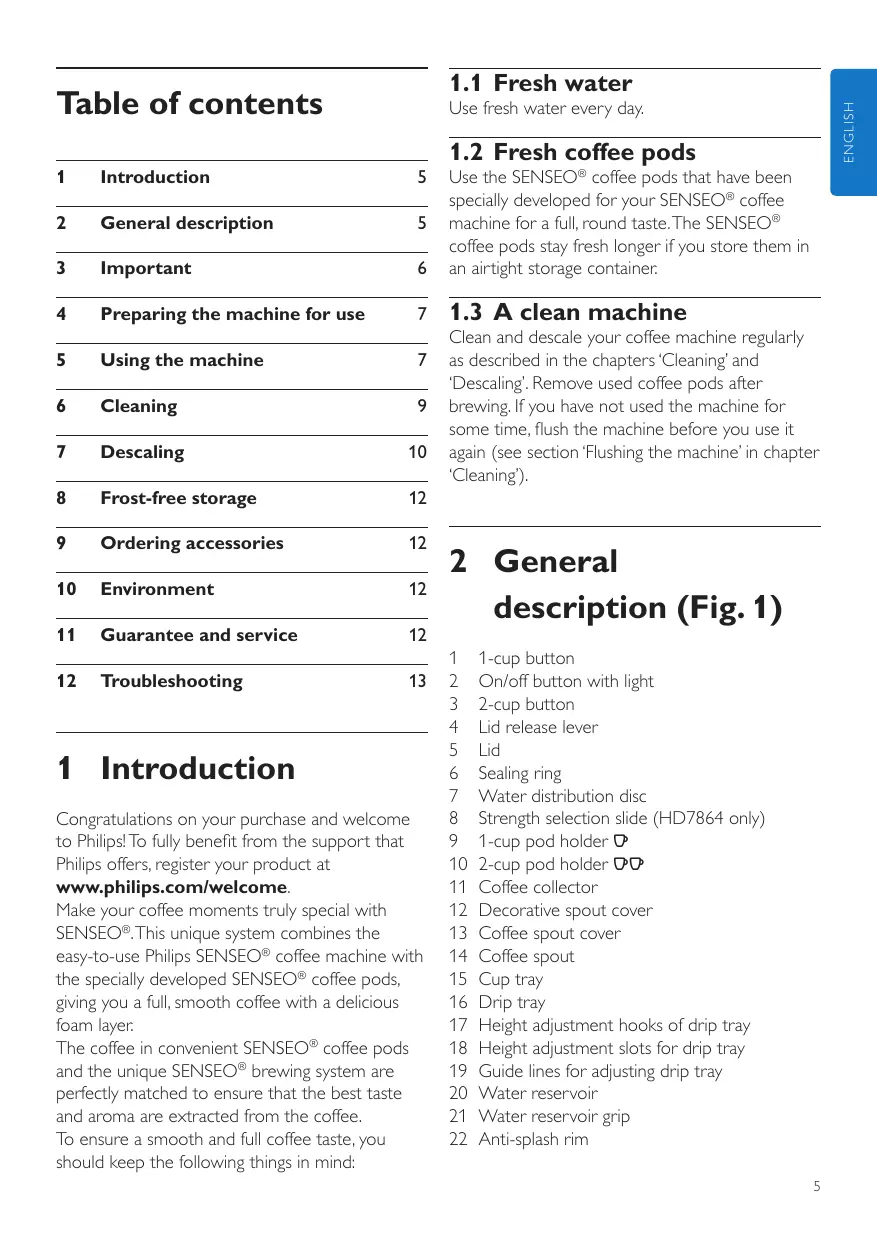
Register your product and get support at Table of contents
1.2 Fresh coffee pods
Use the SENSEO® coffee pods that have been specially developed for your SENSEO® coffee machine for a full, round taste. The SENSEO® coffee pods stay fresh longer if you store them in an airtight storage container.
Preparing the machine for use
1.3 A clean machine
Ordering accessories
Guarantee and service
1 Introduction Congratulations on your purchase and welcome to Philips! To fully benefit from the support that Philips offers, register your product at www.philips.com/welcome. Make your coffee moments truly special with SENSEO®. This unique system combines the easy-to-use Philips SENSEO® coffee machine with the specially developed SENSEO® coffee pods, giving you a full, smooth coffee with a delicious foam layer. The coffee in convenient SENSEO® coffee pods and the unique SENSEO® brewing system are perfectly matched to ensure that the best taste and aroma are extracted from the coffee. To ensure a smooth and full coffee taste, you should keep the following things in mind: E nglish Use fresh water every day. Clean and descale your coffee machine regularly as described in the chapters ‘Cleaning’ and ‘Descaling’. Remove used coffee pods after brewing. If you have not used the machine for some time, flush the machine before you use it again (see section ‘Flushing the machine’ in chapter ‘Cleaning’). 2 General description (Fig. 1)
1-cup button On/off button with light 2-cup button Lid release lever Lid Sealing ring Water distribution disc Strength selection slide (HD7864 only) 1-cup pod holder q 2-cup pod holder qq Coffee collector Decorative spout cover Coffee spout cover Coffee spout Cup tray Drip tray Height adjustment hooks of drip tray Height adjustment slots for drip tray Guide lines for adjusting drip tray Water reservoir Water reservoir grip Anti-splash rim
3 Important Read this user manual carefully before you use the machine and save it for future reference.
3.0.1 Danger
- • Never immerse the machine in water or any other liquid.
3.0.2 Warning
- • Check if the voltage indicated on the bottom of the machine corresponds to the local mains voltage before you connect the machine.
- • This machine is not intended for use by persons (including children) with reduced physical, sensory or mental capabilities, or lack of experience and knowledge, unless they have been given supervision or instruction concerning use of the machine by a person responsible for their safety.
- • Children should be supervised to ensure that they do not play with the machine.
- • Do not use the machine if the plug, the mains cord or the machine itself is damaged.
- • If the mains cord is damaged, you must have it replaced by Philips, a service centre authorised by Philips or similarly qualified persons in order to avoid a hazard.
3.0.3 Caution
- • Always return the machine to a service centre authorised by Philips for examination or repair. Do not attempt to repair the machine yourself, otherwise your guarantee becomes invalid.
- • Never put normal ground coffee or use torn pods in the SENSEO® machine, as this causes it to become blocked.
- • Do not use the machine in combination with a transformer, as this could cause hazardous situations.
- • Always put the machine on a flat and stable surface.
- • Never let the machine operate unattended.
- • Do not use the machine at altitudes higher than 2200 metres above sea level.
- • The machine does not work at temperatures below 10°C.
- • Flush the coffee machine with fresh water before you use it for the first time (see chapter ‘Preparing the machine for use’). This causes the boiler to fill with water, which is essential for the machine to work properly.
- • Do not use the SENSEO® machine in combination with water softeners based on sodium exchange.
- • Philips strongly advises you to descale this SENSEO® machine every 3 months. If the machine is not descaled in time and according to the procedure described in chapter ‘Descaling’, this may lead to technical failures.
- • Never interrupt the descaling process.
- • Never use a descaling agent based on mineral acids such as sulphuric acid, hydrochloric acid, sulphamic acid and acetic acid (e.g. vinegar). These descaling agents may damage your SENSEO® coffee machine.
- • Never turn your SENSEO® machine on its side. Always keep it in upright position, also during transport.
- • This machine is intended for normal household use only. It is not intended for use in environments such as staff kitchens of shops, offices, farms or other work environments. Nor is it intended to be used by clients in hotels, motels, bed and breakfasts and other residential environments.
3.1 Compliance with standards
This machine complies with all standards regarding electromagnetic fields (EMF). If handled properly and according to the instructions in this user manual, the machine is safe to use based on scientific evidence available today. The energy consumption of this machine in off mode is less than 1 watt. This means that this machine complies with European Directive 2009/125/EC, which sets the ecological design requirements for energy-using products. B Warning: You cannot brew coffee if you have not flushed the SENSEO® coffee machine first! The flushing cycle causes the boiler to fill with water. After this, the coffee machine is ready for use. Flush the machine in the following way: 1 Tilt the water reservoir outwards and lift it out of the machine (Fig. 2). 2 Fill the water reservoir with cold water up to the MAX indication. (Fig. 3) 3 To put the water reservoir back into the machine, tilt it slightly and insert the bottom of the water reservoir first (1). Then press home the top part of the water reservoir (2). 4 Move the lid release lever upwards and open the lid (Fig. 4). 5 Put the 1-cup pod holder q or the 2-cup pod holder qq in the machine without pod or pods. (Fig. 5) 6 Close the lid and lock the lever (Fig. 6).
B Warning: Make sure the lid is closed properly and the lid lever is locked before you start flushing the machine. Put the plug in an earthed wall socket. Put a bowl (with a capacity of at least 1500ml) under the coffee spout to collect the water. (Fig. 7) D Note: Make sure the bowl is placed stably on the drip tray or the foot of the machine to prevent it from wobbling or toppling over during the flushing cycle. You can also use a square or rectangular container. Press the on/off button 3 (1) and then press the 1-cup button q and the 2-cup button qq briefly at the same time (2). (Fig. 8)
- • The boiler fills itself with water from the water reservoir. This takes some time (approx. 90 to 150 seconds). During the flushing cycle, the machine produces more noise than during a regular brewing cycle. E nglish 4 Preparing the machine for use D Note: Before you use the machine for the first time, clean the coffee spout, the cover of the coffee spout, the coffee collector, the pod holders and the water reservoir in the dishwasher or with hot water and some washing-up liquid. Now your Philips SENSEO® coffee machine is ready for use. 5 Using the machine B Warning: If you only get a small quantity of coffee or no coffee at all out of the machine, you have not flushed the machine properly before first use. As a result, the boiler is not or only partly filled. Flush the machine properly (see chapter ‘Preparing the machine for use’) before you brew another cup of coffee. 1 Fill the water reservoir with cold water up to the MAX indication and put it back into the machine. (Fig. 3) B Warning: Never pour milk, coffee, hot water or carbonated water into the water reservoir.
- • q MIN: minimum amount of water required to brew 1 cup of SENSEO® coffee.
- • qq MIN: minimum amount of water required to brew 2 cups of SENSEO® coffee.
- • A full reservoir allows you to make SENSEO® coffee a number of times (up to 8 cups). This makes it unnecessary to fill the water reservoir each time you want to make a cup of coffee.
Press the on/off button 3. (Fig. 9)
- • The light in the on/off button flashes slowly while the water heats up. Heating up takes approx. 75 seconds.
- • The coffee machine is ready for use when the light in the on/off button lights up continuously. D Note: If the water reservoir does not contain enough water to brew one cup of SENSEO® coffee, the light in the on/off button flashes rapidly and the 1-cup and 2-cup buttons cannot be operated. Move the lid release lever upwards and open the lid (Fig. 4). Place the appropriate pod holder in the machine. D Note: Make sure the pod holder is clean and the sieve in the centre is not clogged, e.g. with loose coffee grains.
- • If you want to make one cup of SENSEO® coffee, use 1 coffee pod in combination with the 1-cup pod holder q and the 1-cup button q. (Fig. 10)
- • If you want to make two cups of SENSEO® coffee, use 2 coffee pods in combination with the deeper 2-cup pod holder qq and press the 2-cup button qq. (Fig. 5) Place the SENSEO® coffee pod or pods properly in the centre of the pod holder with the convex side pointing downwards. D Note: Make sure the coffee in the pod or pods is evenly distributed and press the pod or pods lightly into the pod holder.
D Note: Use SENSEO® coffee pods especially designed for your SENSEO® coffee machine for a full and round taste.
- • Place 1 SENSEO® coffee pod in the 1-cup pod holder q. (Fig. 11)
- • Place 2 SENSEO® coffee pods in the 2-cup pod holder qq. (Fig. 12)
B Warning: Never put normal ground coffee or use torn pods in the machine, as this causes it to become blocked. Close the lid and lock the lever (Fig. 6). Push down the lid lever until it snaps home with a click. B Warning: Make sure the lid is closed properly and the lid lever is locked before you start brewing coffee. To adjust the drip tray to the size of the cups you want to use, first detach the drip tray by sliding it slightly upwards (1) and then pulling it towards you (2) (Fig. 13). To reattach the drip tray, push it against the front of the machine at the required height (1). Make sure the top of the back plate of the drip tray is on one line with one set of guide lines. Then slide the drip tray slightly downwards (2) to make its hooks slip into the slots. Place one or two cups on the cup tray. E Tip: The cups you use should have a capacity of at least 150ml. Do not use cups that are too large, as they cause the coffee to get cold more quickly. HD7864 only: Select the desired coffee strength by moving the strength selection slide up or down. (Fig. 14)
- • Select e for a small cup (60ml) of strong coffee.
- • Select d for a normal cup (100ml) of coffee. Press the 1-cup button q if you want to brew 1 cup. Press the 2-cup button qq if you want to brew 2 cups. (Fig. 15)
6 Cleaning D Note: You can interrupt the brewing process at any time by pressing the on/off button 3. If you switch the machine back on after having interrupted the brewing process, the machine does not complete the interrupted brewing cycle. B Warning: Never immerse the SENSEO® coffee machine in water. B Warning: Do not remove the water reservoir during a brewing cycle, as this causes the machine to draw in air. When this happens, the machine only partly fills the next cup. Lift the pod holder out of the machine and remove the coffee pod or pods. D Note: Be careful when you do this, for there may still be some hot water or coffee on the coffee pod or pods.
5.0.1 Tips
- • To make sure the coffee always tastes optimally, rinse the pod holders, the coffee collector and the coffee spout regularly.
- • The SENSEO® coffee tastes best if you stir it before you drink it.
- • If you intend to make another cup of SENSEO® coffee later, just leave the coffee machine switched on. The machine automatically switches itself off after 30 minutes. E nglish
- • The SENSEO® coffee machine starts brewing. The machine automatically supplies the optimal amount of water. B Warning: Never use scouring pads, abrasive cleaning agents or aggressive liquids such as petrol or acetone to clean the machine. B Warning: Never clean the machine by flushing it with the lid open. D Note: All detachable parts are dishwasher-proof. 1 Unplug the machine. 2 Clean the outside of the machine with a soft moist cloth. Remove stubborn coffee stains with vinegar diluted with hot water and then wipe away the vinegar residues with a soft cloth moistened with clean water. 3 Remove the coffee spout from the machine. (Fig. 16) 4 Remove the coffee spout cover from the coffee spout (Fig. 17). 5 Remove the decorative spout cover (Fig. 18). 6 Remove the coffee collector (Fig. 19). 7 Clean the coffee spout, the coffee spout cover, the decorative spout cover, the coffee collector, the pod holders, the cup tray and the drip tray in the dishwasher or in hot water with some washing-up liquid (Fig. 20). D Note: (Fig. 21) If you clean the cup tray by hand, always remove it from the machine and hold it in your hand, as it might prove sharp when it is handled incorrectly. Always handle it carefully.
D Note: (Fig. 22) After you have cleaned the pod holders, check if the sieve in the centre is clogged. If this is the case, unclog the sieve by rinsing the pod holders under a running tap. Use a washing-up brush to clean the sieve, if necessary. Clean the water reservoir in hot water, if necessary with some washing-up liquid. You can also clean the water reservoir in the dishwasher. (Fig. 23) D Note: If you use a washing-up brush, be careful not to damage the valve in the bottom of the water tank.
E Tip: You can remove the anti-splash rim of the water reservoir to clean the inside thoroughly. Do not use an object with sharp edges to clean the water inlet on the machine (Fig. 24). Rinse the parts with fresh water after cleaning and put them back into the machine. Clean the water distribution disc with a moist cloth (Fig. 25). Be careful when you do this; make sure that the rubber sealing ring does not get stuck under the edge of the water distribution disc. If it does, the coffee machine starts leaking.
6.1 Flushing
If you have not used the coffee machine for three days, flush it with fresh water before you use it again. Flush the machine in the following way: 1 Fill the water reservoir with cold water up to the MAX indication and put it back into the machine. (Fig. 3) 2 Put the 1-cup pod holder q or the 2-cup pod holder qq in the machine without pod or pods. 3 Put a bowl (with a capacity of at least 1500ml) under the coffee spout to collect the water. (Fig. 7)
D Note: Make sure the bowl is placed stably on the drip tray or the foot of the machine to prevent it from wobbling or toppling over during the flushing cycle. You can also use a square or rectangular container. Press the on/off button 3 (1) and then press the 1-cup button q and the 2-cup button qq briefly at the same time (2). (Fig. 8) The machine fills itself quickly with water from the water reservoir. It starts to flush immediately and switches itself off after the flushing cycle. 7 Descaling
7.0.1 When to descale
Descale the SENSEO® coffee machine frequently! Preferably descale 4 to 6 times a year, but at least once every 3 months. Descaling takes about 1 hour.
7.0.2 Why to descale
Scale builds up inside the appliance during use. It is essential to descale the SENSEO® coffee machine at least every 3 months. Your reasons to descale:
- • It prolongs the life of your SENSEO® coffee machine
- • It ensures maximum cup volume
- • It ensures maximum coffee temperature
- • The machine produces less sound during brewing
- • It prevents malfunctioning If the descaling procedure is not performed correctly, scale residue remains behind in the machine. This causes scale to build up more quickly and may cause permanent and irreparable damage to the machine. B Warning: Never use a descaling agent based on mineral acids such as sulphuric acid, hydrochloric acid, sulphamic acid and acetic acid (e.g. vinegar). These descaling agents may damage your SENSEO® coffee machine. Only citric acid-based descalers are suitable for descaling the SENSEO® machine. This type of descaler descales the appliance without damaging it. For the correct amount, see under ‘Descaling procedure’ below. Each descaling mixture can be used only once. After use, the descaling mixture is no longer active. We advise you to use the special SENSEO® Descaler (HD7012/HD7011/HD7006). Read the instructions on the package of the descaler. D Note: The special SENSEO® descaler can be bought in the shops that sell SENSEO® machines or on the internet at www.shop.philips.com/service.
7.0.4 Descaling procedure
Mix 50 grams of citric acid with 1 litre of water in a measuring jug. Stir until the powder is completely dissolved. Fill the water reservoir with the descaler mixture. Then put the water reservoir back into the coffee machine. (Fig. 26) Press the on/off button 3. (Fig. 9) The machine is ready for use when the light in the on/off button lights up continuously. Place the 1-cup pod holder q with a used coffee pod in it in the coffee machine. Close the lid and lock the lever. D Note: Always put a used coffee pod in the pod holder when you descale the machine. This pod serves as a ‘filter’ to prevent the sieve in the pod holder from getting clogged with scale residue. B Warning: Make sure the lid is closed properly and the lid lever is locked before you start descaling the machine. Put a bowl with a capacity of at least 1500ml under the spout to collect the descaling mixture. (Fig. 7) D Note: Make sure the bowl is placed stably on the drip tray or the foot of the machine to prevent it from wobbling or toppling over during descaling. You can also use a square or rectangular container. Press the 2-cup button qq and let the machine operate. Repeat this until the water reservoir is empty. (Fig. 27) B Warning: Never interrupt the descaling process! Repeat steps 1 to 6. Replace the used pod with another used pod to filter out the scale residue. D Note: To descale properly, you have to use 2 litres of descaling mixture. B Warning: Make sure the lid is closed properly and the lid lever is locked before you start descaling the machine. 8 Rinse the water reservoir with tap water. Fill the water reservoir up to the MAX indication with tap water and repeat steps 3 to 6.
D Note: Do not refill the water reservoir with used hot water or the used descaling mixture. Fill the water reservoir with fresh tap water up to the MAX indication again and repeat steps 3 to 6 once more. D Note: Always rinse the machine by letting it empty two full water reservoirs.
7.0.3 Use the correct descaling agent
D Note: You can also rinse the machine by letting it complete two flushing cycles as described in ‘Flushing’ in chapter ‘Cleaning’. Remove the used pad and clean the pod holder after descaling to prevent the sieve in the centre from getting clogged. 8 Frost-free storage If the machine has already been used and therefore has been flushed with water, you may only use and store it in a frost-free place to prevent it from becoming damaged. 9 Ordering accessories To purchase accessories for this appliance, please visit our online shop at www.shop.philips.com/service. If the online shop is not available in your country, go to your Philips dealer or a Philips service centre. If you have any difficulties obtaining accessories for your appliance, please contact the Philips Consumer Care Centre in your country. You find its contact details in the worldwide guarantee leaflet.
- • Do not throw away the machine with the normal household waste at the end of its life, but hand it in at an official collection point for recycling. By doing this, you help to preserve the environment (Fig. 28). 11 Guarantee and service If you need service or information or if you have a problem, please visit the Philips website at www.philips.com/support or contact the Philips Consumer Care Centre in your country. You find its phone number in the worldwide guarantee leaflet. If there is no Consumer Care Centre in your country, go to your local Philips dealer. The purchase of the Philips SENSEO® coffee machine does not exhaust any of the rights of D.E Masterblenders 1753 or Philips under any of their patents nor does it confer upon the purchaser a licence under these patents. E nglish 12 Troubleshooting This chapter summarises the most common problems you could encounter with the appliance. If you are unable to solve the problem with the information below, visit www.philips.com/support for a list of frequently asked questions or contact the Consumer Care Centre in your country. Problem Solution The light in the on/off button continues to flash slowly. You have not yet flushed the machine. See chapter ‘Preparing the machine for use’. The light in the on/off button continues to flash rapidly. When I push one of the buttons, nothing happens. Water leaks from the machine. You have used the SENSEO® coffee machine at an altitude higher than 2200 metres above sea level. This has caused the water in the machine to start boiling before it has reached the required temperature, which prevents the machine from functioning properly. Switch off the machine and no longer use it at altitudes higher than 2200 metres above sea level. Make sure that: the water reservoir is placed properly; there is enough water in the water reservoir (i.e. above the q MIN level if you want to brew 1 cup); the ambient temperature is not lower than 10°C. If it is, the machine does not function properly. Make sure you have inserted the plug properly into the wall socket. Also make sure you have closed the lid and locked the lid lever. If the lid is not closed or the lid lever is not pushed until it locks with a click, the machine does not work. You may have filled the water reservoir beyond the MAX level. Never fill the water reservoir beyond this level. Perhaps the sieve in the centre of the pod holder is clogged. If it is, unclog the sieve by holding the pod holder under a running tap. If necessary, use a washing-up brush or a pin to unclog the sieve.A Check if the coffee pod is placed properly in the centre of the pod holder. Check if the sealing ring is not stuck under the edge of the water distribution disc (see drawing at the beginning of this user manual). It is perfectly normal for some drops of water to spill onto the worktop. This may happen, for instance, when you place or remove the water reservoir. Be careful when you remove used coffee pods, for there may still be some water on the pods. Perhaps you removed the water reservoir when the coffee machine was heating up. This may cause some water to leak out of the machine (this water normally ends up in the water reservoir). If none of the above solutions solve the problem, contact the Philips Consumer Care Centre in your country.
Problem Solution I cannot open the lid. A vacuum may have temporarily formed under the lid. Switch off the machine and wait 24 hours before pulling up the lever to open the lid. Do not use force when pulling up the lever to open the lid. When the lid opens, take out the pod holder and unclog the hole by holding the pod holder under a running tap. If necessary, use a washing-up brush or a pin to unclog the hole. Make sure you do not move the SENSEO® machine. Moving the machine, placing it outdoors or in a cool or cold environment does not accelerate the unlocking of the lid. Do NOT put the SENSEO® machine in the fridge or freezer, as this does not accelerate the unlocking of the lid. You can prevent the lid from getting locked by cleaning the pod holder regularly. Never put ground coffee (filterfine grind) in the pod holder. Prevent pods from tearing by placing them in the pod holder with the convex side pointing downwards. Check if the coffee in the pod is evenly distributed when you place the pod in the pod holder. Press the pods lightly into the pod holder. If problems continue to occur, contact the Philips Consumer Care Centre in your country. Perhaps the sieve in the centre of the pod holder is clogged. If it is, unclog the sieve by holding the pod holder under a running tap. If necessary, use a washing-up brush or a pin to unclog the sieve. Descale the machine (see chapter ‘Descaling’). You have not flushed the machine properly before first use. As a result, the boiler is not or only partly filled. Flush the machine properly (see chapter ‘Preparing the machine for use’) before you brew another cup of coffee. The machine produces less coffee than before. The SENSEO® coffee machine brews only a small quantity of coffee or no coffee at all when I use it for the first time. I cannot close the lid properly. Check if a used coffee pod sticks to the water distribution disc. If this is the case, remove the used pod. Check if you have not put two coffee pods in the 1-cup pod holder q. The machine has been Contact the Philips Consumer Care Centre in your country. stored in a room that was not frost-free. The SENSEO® coffee is Make sure that: not strong enough. you have used the correct number of pods and have pressed the right button. Use 1 pod in combination with the 1-cup pod holder q and the 1-cup button q. Use 2 pods in combination with the 2-cup pod holder qq and the 2-cup button qq;
Solution the coffee pod or pods has/have been placed properly in the centre of the pod holder, to prevent water from escaping along de edge of the pod or pods. When you use two coffee pods on top of each other, make sure that the convex sides of both pods point downwards and press the pods lightly into the pod holder (see step 6 in chapter ‘Using the machine’); you have not used the same pod twice by accident; the coffee in the pod is evenly distributed; If you prefer a more robust flavour, SENSEO® coffee pods with a stronger blend are available. The SENSEO® coffee is If you prefer a milder flavour, SENSEO® coffee pods with a milder blend too strong. are available. The coffee is not hot Do not use cups that are too large, as they cause the coffee to get cold enough. more quickly. When you use cups, make sure they have a capacity of 150ml. When you use a mug, make sure it has a capacity of 280ml. To keep the coffee hot longer, preheat the cups with hot water. The machine spatters Move the drip tray to a higher position so that the edge of your cup is when I brew coffee. closer to the spout. If you remove the drip tray, the mug may fit under the spout. I want to brew coffee in a tall vacuum mug but this mug does not fit under the spout.
E nglish Problem Dansk