Smart Meter PLUS extended 2.3 2 - Electric meter Qubino - Free user manual and instructions
Find the device manual for free Smart Meter PLUS extended 2.3 2 Qubino in PDF.


| Product type | Z-Wave Plus smart electricity meter |
| Brand | Qubino |
| Model | Smart Meter PLUS extended 2.3 2 |
| Category | Electricity meter |
| Power supply | 230 VAC (+15% / -20%), 50/60 Hz |
| Maximum current | 65 A |
| Measurement voltage | 230 VAC |
| Measurements | Voltage, current, active power, reactive power, power factor, imported/exported active energy, apparent energy, reactive energy |
| Main functions | Consumption measurement, Z-Wave repeater, auto-inclusion, associations |
| Optional functions | ON/OFF control of devices via external contactors (with IKA/BICOM accessories) |
| Protocol | Z-Wave Plus |
| Z-Wave frequency | Depending on version: 868.4 MHz, 908.4 MHz, 921.4 MHz, etc. |
| Mounting | DIN rail |
| Operating temperature | -15 °C to +55 °C |
| Dimensions (approx.) | 36 x 90 x 64 mm |
| Weight (approx.) | 160 g |
| Maintenance | No special maintenance required; wipe with a dry cloth |
| Safety | Installation by a qualified electrician; follow the instructions in the manual |
| Spare parts and repairability | Device not repairable; no spare parts available |
| General information | Indoor use; suitable for residential, industrial and utility applications |
Frequently Asked Questions - Smart Meter PLUS extended 2.3 2 Qubino
User questions about Smart Meter PLUS extended 2.3 2 Qubino
0 question about this device. Answer the ones you know or ask your own.
Ask a new question about this device
Download the instructions for your Electric meter in PDF format for free! Find your manual Smart Meter PLUS extended 2.3 2 - Qubino and take your electronic device back in hand. On this page are published all the documents necessary for the use of your device. Smart Meter PLUS extended 2.3 2 by Qubino.
USER MANUAL Smart Meter PLUS extended 2.3 2 Qubino
qubino®
Your little magic for the smartest home.
USER MANUAL EN
QUBINO SMART METER

The Qubino Smart Meter is an extremely versatile and powerful Z-Wave device for measuring energy in a single-phase electrical power network of up to 65A.
Table of contents
About Qubino....3
Safety Information .... 4
Smart Meter - Available Frequencies 5
Where To Buy....6
-
Introduction ...... 6
-
Use Cases 8
2.1. Installation examples for the Smart Meter - used for measuring energy consumption....8
2.2. Installation examples for the Smart Meter - used for measuring energy consumption and for controlling* electrical devices 9
2.3. Additional features of Smart Meter which can make your life easier* 10
- Qubino Smart Meter Advantages and Highlights....11
3.1. Advantages....11
3.2. Highlights....14
- Package Contents .... 15
- Technical Terms for Switches....16
- Compatibility with Z-Wave Gateways (hubs) 17
- Installation 18
- Device Information and Support 27
- Electrical Diagram 230VAC....28
- Adding the device to a Z-Wave network (Inclusion) 32
- Removing the device from a Z-Wave network (Exclusion)....33
LED1 (Green) 34
LED2 (Orange) 34
- Associations....35
- Configuration Parameters.... 36
- Technical Specifications 44
- Z-Wave Command Classes .... 46
- Z-Wave Security....49
- Important Disclaimer .... 50
- Warning 50
- Regulations....50
About Qubino
Qubino is a family of innovative Z-Wave devices, many of them the smallest of their kind. Numerous breakthrough innovations, 100% quality control, and responsive customer service make Qubino the number one choice for making your life more comfortable.
Qubino enables you to transform – inexpensively and invisibly – any traditional electric device into a smart, connected one that you can control with your smart phone. Qubino devices are simple to install and use, but also extremely versatile - they offer a wealth of additional features and parameters for you to play with.
We love helping people who enjoy creating new ideas for their home and then using their hard work and skill to turn those ideas into reality. We admire their passion and resourcefulness. We do our best to supply you with products that will enable you to create a unique and special home for yourself. We innovate so that you can be free to make the smartest home possible. With just a touch of magic.
"Simple is smart." We believe it is smart to make complex things simple. But only when this means simple for our customers, not for ourselves. We think a lot so that you won't have to when it comes to installing or using our devices.
For more information visit: www.qubino.com

About Z-Wave:
The Z-Wave protocol is an interoperable, wireless, RF-based communications technology designed specifically for control, monitoring, and status reading applications in residential and light commercial environments. Mature, proven, and broadly deployed (with over 50 million products sold worldwide), Z-Wave is by far the world market leader in wireless control, bringing affordable, reliable, and easy-to-use 'smart' products to millions of people in every aspect of daily life.

Source: www.z-wavealliance.org
Safety Information
For Qubino, safety is first, so we have prepared lots of safety tips and information that can be found throughout this manual.
To ensure your safety, please read this manual carefully before installing the device; follow the instructions exactly. The manufacturer (GOAP d.o.o. Nova Gorica) shall not be legally responsible for any equipment damage or personal injury caused by incorrect installation or operation other than that covered in this manual.

① Please check the Technical Specifications and Electrical Diagram chapters, as well as fuse requirements in the Installation chapter before installing the device.
Smart Meter - Available Frequencies
| ORDERING CODE(MODEL NUMBER) | POWER SUPPLY FREQUENCY | Z-WAVE FREQUENCY* |
| ZMNHTD1 | 50/60 Hz | 868,4 MHz |
| ZMNHTD2 | 50/60 Hz | 921,4 MHz |
| ZMNHTD3 | 50/60 Hz | 908,4 MHz |
| ZMNHTD4 | 50/60 Hz | 869,0 MHz |
| ZMNHTD5 | 50/60 Hz | 916,0 MHz |
| ZMNHTD6 | 50/60 Hz | 868,4 MHz |
| ZMNHTD7 | 50/60 Hz | 919,8 MHz |
| ZMNHTD8 | 50/60 Hz | 865,2 MHz |
| ZMNHTD9 | 50/60 Hz | 922,5 MHz |
| ZMNHTDA | 50/60 Hz | 919,7 – 921,7 – 923,7 MHz |
| ZMNHTDB | 50/60 Hz | 868,1 MHz |
| ZMNHTDC | 50/60 Hz | 868,1 MHz |
| ZMNHTDD | 50/60 Hz | 919,8 MHz |
| ZMNHTDE | 50/60 Hz | 920,9 MHz |
i PLEASE NOTE THAT SMART METER WORKS ONLY ON 230VAC +15/-20%.
*You can check the Z-Wave frequency in your country here: https://www.silabs.com/products/wireless/mesh-networking/z-wave/benefits/technology/global-regions?cid=nat-acq-zwv-041818
Where To Buy
To find your nearest Qubino dealer visit: http://qubino.com/where-to-buy/
1. Introduction
The Qubino Smart Meter is an extremely versatile and powerful Z-Wave device for measuring energy in a single-phase electrical power network of up to 65A. A built-in microprocessor calculates energy, power and power factor from the measured signals. It is designed to be mounted on a DIN rail.

The Qubino Smart Meter can be used in residential, industrial and utility applications. It measures energy directly in 2-wire networks by means of fast sampling of voltage and current signals. It calculates energy, power and power factor from the measured signals. You can control the device through the Z-Wave network.
The Qubino Smart Meter can operate across a wide temperature range, from a chilly -15°C to a scorching 55°C (5°F–131°F). Every device also acts as a repeater in order to improve the range and stability of the Z-Wave network.
Smart Meter measurements:
| Voltage [V] | Current [A] | Power – Active [W] | Power – Reactive [kvar] | Power Factor – [PF] | Energy – Active power accumulated Import [kWh] | Energy – Active power accumulated Export[kWh] | Energy – Apparent power accumulated [kVAh] | Energy – Reactive power accumulated [kvarh] |
| √ | √ | √ | √ | √ | √ | √ | √ | √ |
Smart Meter supported functions:
| Associations | Z-Wave Repeater | Auto-inclusion |
| √ | √ | √ |
Optional functions:
| Turn ON/OFF device 1* | Turn ON/OFF device 2* | Automatically turn ON/OFF* |
| √ | √ | √ |
*with additional external contactors - IKA/BICOM. IKA and BICOM are sold separately - for more info, please see Qubino catalogue. Product ordering codes (model numbers): IKA232-20/230V: 030 046 833 000; BICOM432-40-WM1: 30.074.038

2. Use Cases
The Smart Meter can be used in many different scenes, which can help make your life more comfortable. We have prepared a few of them for you, so you can get an idea for your next smart home project. Of course, there are countless of other options for how to use Qubino Smart Meter to measuring energy in a single-phase electrical power network of up to 65A. and remotely control devices via your smartphone.
2.1. Installation examples for the Smart Meter - used for measuring energy consumption
- Track the power consumption of the house

- Track the power consumption of one electrical device

- Track the power generated by the solar power plant

- Track the power consumed from the electrical power network and power exported in electrical power network

2.2. Installation examples for the Smart Meter - used for measuring energy consumption and for controlling* electrical devices
(*with additional external contactors - IKA/BICOM. IKA and BICOM are sold separately - for more info, please see Qubino catalogue. Product ordering codes (model numbers): IKA232-20/230V: 030 046 833 000; BICOM432-40-WM1: 30.074.038)
- Remotely control and measure the power consumption of one electrical device (for example: water heater) – with external relay BICOM432-40-WM1


- Remotely control and measure the power consumption of one electrical device (for example: oven) – with the external relay IKA232-20/230V


- Remotely measure the power consumption of the whole house and control two groups electrical devices – with BICOM432-40-WM1 and IKA232-20/230V

2.3. Additional features of Smart Meter which can make your life easier*
(*with additional external contactors - IKA/BICOM. IKA and BICOM are sold separately - for more info, please see Qubino catalogue. Product ordering codes (model numbers): IKA232-20/230V: 030 046 833 000; BICOM432-40-WM1: 30.074.038)
- Do you often notice that some devices in your household consume too much energy?
-
The Smart Meter can automatically turn devices/lights off after they exceed the set power consumption. For example, the heating will automatically turn off after it reaches the set power consumption value. This function is independent of other scenes and gateway (hub) commands.
-
Do you often forget to turn off devices when you leave your home, like lights in the basement or attic?
- The Smart Meter can automatically turn devices/lights on or off after a set period of time (when you're away from home). For example, the light will automatically turn off if it's been on for 8 hours, let's say. This function is independent of other scenes and gateway (hub) commands.


3. Qubino Smart Meter Advantages and Highlights
3.1. Advantages
- The Qubino Smart Meter allows the easiest and quickest installation possible. There is no simpler installation than DIN rail installation – and the Qubino Smart Meter is a DIN rail mounted device so the installation is really simple.

- The Qubino Smart Meter is the only single phase smart meter worldwide which allows connection of additional two contactors - IKA/BICOM. IKA and BICOM are sold separately - for more info, please see Qubino catalogue.
Product ordering codes (model numbers): IKA232-20/230V: 030 046 833 000; BICOM432-40-WM1: 30.074.038

- The Qubino Smart Meter can measure: Voltage [V], Current [A], Power – Active [W], Power – Reactive [kvar], Power Factor – [PF], Energy – Active power accumulated Import [kWh], Energy – Active power accumulated Export [kWh], Energy – Apparent power accumulated [kVAh], Energy – Reactive power accumulated [kvarh]

- Qubino guarantees 100% device quality. Such high quality can be delivered because every Qubino goes through rigorous quality control standards throughout the production process. Every device has a unique serial number and part number, which are assigned to the device only after it goes through a strict testing procedure.

- By scanning the QR code on the side of your Qubino device, the serial and part numbers will be automatically copied on your mobile phone; they also provide direct access to Qubino's technical support team. The serial and part numbers of your device are given automatically every time you open an inquiry with our support team: this instantly shares the relevant device information we need to provide the best technical support possible. For details, please see the Device Information and Support chapter.

- The Qubino Smart Meter is engineered and manufactured in the EU, and contains only the highest quality components.

- The Qubino Smart Meter is certified by an independent European Institute and has CE, LVD and EMC certificates to ensure the highest safety standards.

3.2. Highlights
- Remote (via smartphone or PC) and local measuring energy and optional* control 2 separate electrical circuitsUse the optional contactor or bi-stable switch with the Smart Meter to facilitate the switching of power circuits or appliances Ideal for fast switching of motors, electric heating and lights
- Works with toggle switches and push-button (momentary switches)
• Highly accurate monitoring and energy measurements - Features one of the easiest and quickest installations of devices of this kind – DIN rail installation
- Saves and restores the last status after a power failure.
• Supports auto-inclusion mode for quick set up - Can automatically turn devices on and off after a set period of time (helpful when you're away from home, for example)**
- Supports additional parameters for expert users, which allows for advanced configuration**
- Acts as a signal repeater which improves the range and stability of your Z-Wave network
- Can be used to remotely control and trigger other devices in your Z-Wave network
4. Package Contents
- Smart Meter Device
• Installation Manual
5. Technical Terms for Switches
| Symbol | Switch example images | Definition | EU | USA | Qubino | Other names | ||
 |  |  from behind from behind | Single pole, single throw (SPST) - One switch controlling one light / circuit of lights | One-way switch | Two-way switch (regular switch) | Toggle switch | Switch; Bi-stable switch | |
 |  |  from behind from behind | Single pole, double throw (SPDT) - Two switches controlling the same light / circuit of lights | Two-way switch | Three-way switch | Two-way switch | ||
 |  |  from behind from behind | Used when you have three or more switches controlling the same light | Intermediate switch | Four-way switch | Intermediate switch | Crossover switch; Cross connection | |
 |  |  |  from behind from behind | After being released, it goes back to its original state | Momentary switch | Momentary switch | Monostable switch; Push button | |
6. Compatibility with Z-Wave Gateways (hubs)
Please check compatibility with your Z-Wave gateway (hub) before you purchase this device. If you don't see your gateway (hub) in the table below, please contact us at: http://qubino.com/support/#email.
① Please note that the gateway (hub) compatibility was updated on 14.3.2018 and it may not include the latest testing data.
| Smart Meter | U | I | W | kWh | PF | kVarh | kVah | kVar |
| Domoticz V3.5877 | ✓ | ✓ | ✓ | ✓ | ✓ | ✕ | ✓ | |
| Fibaro HC Lite v 4.130 | ✓ | ✓ | ✓ | ✓ | ✓ | ✕ | ✓ | ✕ |
| Vera Edge v 1.7.2406 | ✕ | ✕ | ✕ | ✕ | ✕ | ✕ | ✕ | |
| Zipato | ✓ | ✓ | ✓ | ✓ | ✓ | ✕ | ✓ | |
| Z-Wave Me | ✓ | ✓ | ✓ | ✓ | ✓ | ✕ | ✓ | |
| Homeseer | ✓ | ✓ | ✓ | ✓ | ✓ | ✕ | ✓ | |
| Open Z-Wave | ✓ | ✓ | ✓ | ✓ | ✓ | ✕ | ✓ | |
| Piper | ✕ | ✕ | ✕ | ✕ | ✕ | ✕ | ✕ | |
| SmartThings 3rd party | T | T | T | T | T | T | T | T |
| NETIChome | ✓ | ✓ | ✓ | ✕ | ✓ | ✕ | ✕ | |
| Homey | T | T | T | T | T | T | T | |
| Eedomus | ✓ | ✕ | ✓ | ✕ | ✓ | ✕ | ✕ | |
| Jeedom | ✓ | ✓ | ✓ | ✓ | ✓ | ✓ | ✓ | |
| Zipatile | T | T | T | T | T | T | T | |
| Devolo | ✕ | ✕ | ✓ | ✕ | ✕ | ✕ | ✕ | ✕ |
| Verbund | T | T | T | T | T | T | T | |
| Indigo 7 | ✕ | ✕ | ✓ | T | ✕ | ✕ | ✕ | ✕ |
| ImperiHome | ✕ | ✕ | ✓ | T | ✕ | ✕ | ✕ | ✕ |
| OpenHab | ✕ | ✕ | ✕ | ✕ | ✕ | ✕ | ✕ | ✕ |
| Symbol | Explanation |
| √ | Works fully |
| × | Not working |
| O | See comment |
| T | Testing in progress |
7. Installation
Before installing the device, please read the following carefully and follow the instructions exactly:
i Danger of electrocution!
Installation of this device requires a great degree of skill and may be performed only by a licensed and qualified electrician. Please keep in mind that even when the device is turned off, voltage may still be present in the device's terminals.
i Note!
Do not connect the module to loads exceeding recommended values. Connect the module only in accordance to the below diagrams. Improper connections may be dangerous.
Electrical installation must be protected by over current protection fuse with rated current up to 63A, it must be used according to wiring diagram to achieve appropriate overload protection of the module.
i Note!
The DSK code is used to include the device into the Z-Wave network. Once the device will be mounted, access to the DSK code label may be difficult, so we suggest rewriting the DSK code or scanning the QR code from the device label, before installing the device in electric box.
The installation process, tested and approved by professional electricians, consists of the following simple steps:
Step 1 – Turn OFF the fuse:
- To prevent electrical shock and/or equipment damage, disconnect electrical power at the main fuse or circuit breaker before installation and maintenance.
- Be aware that even if the circuit breaker is off, some voltage may remain in the wires — before proceeding with the installation, be sure no voltage is present in the wiring.
• Take extra precautions to avoid accidentally turning the device on during installation.
STEP 1

Step 2 – Installing the device:
- Connect the device exactly according to the diagrams shown below
STEP 2
Before Qubino installation:

After Qubino installation:
For measuring energy of the house:

For controlling one electrical device with BICOM432-40-WM1*:
*BICOM is sold separately - for more info, please see Qubino catalogue. Product ordering code (model number): 30.074.038

For controlling one electrical device with IKA232-20/230V
* IKA is sold separately - for more info, please see Qubino catalogue. Product ordering code (model number): 030 046 833 000

For controlling electrical devices with IKA232-20/230V* and one with BICOM432-40-WM1*:
* IKA and BICOM are sold separately - for more info, please see Qubino catalogue. Product ordering codes (model numbers): IKA232-20/230V: 030 046 833 000; BICOM432-40-WM1: 30.074.038

Step 3 – Turn ON the fuse:

Step 4— Add the device to your Z-Wave network:
- For more details on how to include the device, please refer to the Z-Wave Inclusion chapter.

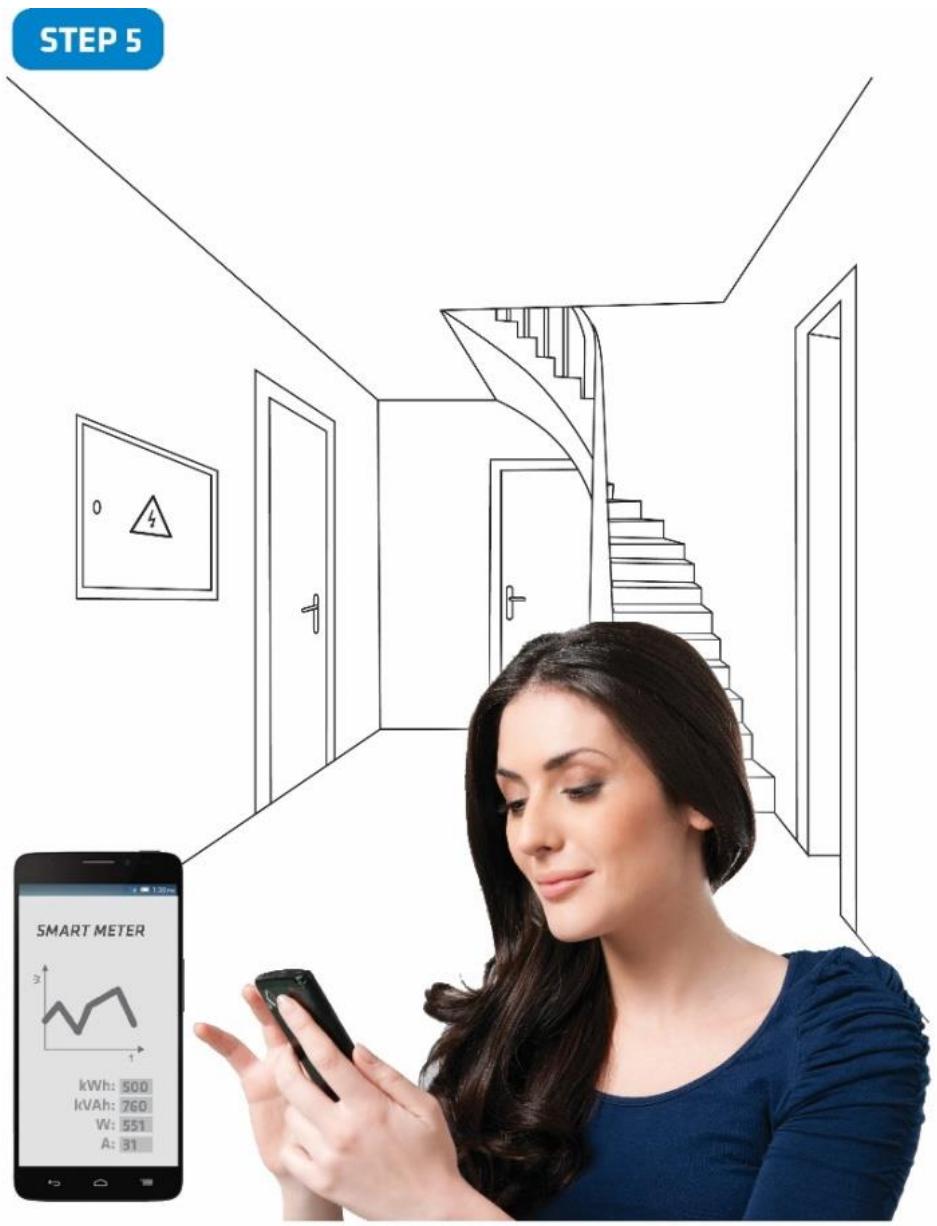
Step 5 – The Installation is now complete. It’s time to make your life more comfortable with the help of the Qubino Smart Meter
8. Device Information and Support
Did you know that Qubino offers Z-Wave devices with 100% quality control guaranteed throughout the production process? Every single unit is tested and examined before being approved for sale – a truly unique pledge in the industry.
Why is this important?
Every device has a dedicated serial number and part number, which is assigned to the device only after it goes through a strict testing procedure.
By scanning the QR code on the back of your Qubino, its device title, serial number, and part number are automatically copied to your mobile phone. You can also use the code for direct access to the device page for more information. If you still don’t find what you’re looking for, click on the link to Qubino technical support team. They will be able to automatically read the serial and part number from your device and quickly review the production log file containing the production date as well as any relevant device parameters and information. This process allows our team to immediately identify and address issues, giving you the best support possible.
GET SUPPORT IN 3 SIMPLE STEPS:

Based on customer and business partner feedback, we're proud to boast Qubino's support team as the best and fastest on the market. If you don't find the answers to your questions in this document, please contact our support team by scanning the QR code on your device or through our website: http://qubino.com/support/#email. We will try to help you as soon as possible.
9. Electrical Diagram 230VAC

Notes for diagram:
| LI | Live input |
| NI | Neutral input |
| Lo | Live output |
| No | Neutral output |
| 1 | Input for IR external relay/Ext. relay NC |
| 2 | Neutral lead for input NC |
| 4 | Live lead for External relay output NC |
| 5 | Output for External relay (max. 3W) NC |
| S | Service button (used to add or remove device from the Z-Wave network) |
| LED1 | Device status. For detailed information please check the chapter “LED SIGNALIZATION FOR INCLUSION/EXCLUSION” |
| LED2 | External relay and communication with meter chip status.For detailed information please check chapter LED SIGNALIZATION FOR INCLUSION/EXCLUSION |
| IR | Output for IR external relay |
| 1imp/Wh | Red - Pulse rate (On – no load indication) |
MEASUREMENTS:
| V | Voltage |
| A | Current |
| W | Power – Active |
| var | Power – Reactive |
| PF | Power Factor |
| kWh | Energy – Active power accumulated Import |
| kWh | Energy – Active power accumulated Export |
| kVAh | Energy – Apparent power accumulated |
| kvarh | Energy – Reactive power accumulated |
DIMENSIONAL DRAWING:

EXTERNAL RELAYS:
It is possible to connect two external relays to Smart Meter. One controlled by built-in optical (IR) communication port on the side, second controlled by output on terminal 5.
* IKA and BICOM are sold separately - for more info, please see Qubino catalogue. Product ordering codes (model numbers): IKA232-20/230V: 030 046 833 000; BICOM432-40-WM1: 30.074.038

LB - Lights Bedroom
LL - Lights Living Room
LK - Lights Kitchen
LG - Lights Garage
S1 - Sockets 1st floor
S2 - Sockets 2nd floor
BICOM432-40-WM1 (IR) RELAY
BICOM432-40-WM1 is a bistable switch with modbus communication over IR connection. Bistable switch is a switching device with two stable states for switching on and off all kinds of electrical loads. When the switch is not electrically, manually or over a IR communication path, remains stable in its operating position and will change its operating position on initiation or actuation. Initiated Switch is controllable over a IR communication interface always in a slave communication position. BICOM432-40-WM1 has built-in electro-mechanical check of the position status. BICOM432-40-WM1 is available as standalone unit, being also powered from own power source over an internal power supply. By default, endpoint 3, which corresponds to this relay, is hidden and can be enabled by changing the value of the configuration parameter 100.
IKA232-20/230VIKA232-20 is a bistable switch, which can be controlled, in contrast to the IR relay, using a digital output (on the Smart meter). A bistable switch is a switching device with two stable states for switching on and off all kinds of electrical loads. It can be used for remote control of various AC devices (fast switching of motors, electric heating, lights and lightning, all kinds of electrical and electronic equipment, which can be found in residential, hospitals, hotels, and business premises). IKA232-20/230V is available as standalone unit, being also powered from own power source over an internal power supply. By default, endpoint 2, which corresponds to this relay, is hidden and can be enabled by changing the value of the configuration parameter 100.
Both relays can be controlled using the supported actuation commands: BASIC_SET, SWITCH_BINARY_SET.
10. Adding the device to a Z-Wave network (Inclusion)
AUTOMATICALLY ADDING THE DEVICE TO A Z-WAVE NETWORK (AUTO INCLUSION)
- Enable add/remove mode on your Z-Wave gateway (hub)
- Automatic selection of secure/unsecure inclusion
- The device can be automatically added to a Z-Wave network during the first 2 minutes
- Connect the device to the power supply
- Auto-inclusion will be initiated within 5 seconds of connection to the power supply and the device will automatically enrol in your network
NOTE: For S2 inclusion please check chapter – »16. Z-Wave Security«.
MANUALLY ADDING THE DEVICE TO A Z-WAVE NETWORK (MANUAL INCLUSION)
- Connect the device to the power supply
- Enable add/remove mode on your Z-Wave gateway (hub)
- Toggle the Service button S between 0.2 and 6 seconds
- A new multi-channel device will appear on your dashboard
11. Removing the device from a Z-Wave network (Exclusion)
REMOVAL FROM A ZWAVE NETWORK (Z-WAVE EXCLUSION)
- Connect the device to the power supply
- Make sure the device is within direct range of your Z-Wave gateway (hub) or use a handheld Z-Wave remote to perform exclusion
- Enable add/remove mode on your Z-Wave gateway (hub)
- Press and hold the S service button between 0.2 and 6 seconds
- The device will be removed from your network but custom configuration parameters will not be erased
FACTORY RESET
- Connect the device to the power supply
- Press and hold the S service button between 6 seconds and 20 seconds
- Device will be removed from you network
① By resetting the device, all custom parameters previously set on the device will return to their default values, and the owner ID will be deleted. Use this reset procedure only when the main gateway (hub) is missing or otherwise inoperable.
LED1 (Green)
• LED is ON = Power ON, module is included
• LED is 1s OFF, 1s ON = Power ON, module is excluded
LED2 (Orange)
a. Communication indicator
• LED is indicating communication with the measuring processor
NOTE: Signalization described below is valid only in case, that par.100 is set to the value different than zero.
a. External IR relay enabled only
• LED is ON = External IR relay is turned ON
• LED is OFF = External IR relay is turned OFF
• LED is 0.5s OFF, 0.5s ON = IR communication error
b. External TRIAC relay enabled only
• LED is ON = External IR relay is turned ON
• LED is OFF = External IR relay is turned OFF
c. Both TRIAC and IR enabled
• LED is ON = External IR relay is turned ON
• LED is OFF = External IR relay is turned OFF
• LED is 0.5s OFF, 0.5s ON = IR communication error
d. External IR relay disabled
• LED is ON = modbus packet is sent
• LED is OFF = modbus packet is received
12. Associations
Association Groups:
- Group 1: Lifeline group (reserved for communication with the primary gateway (hub)), 1 node allowed.
13. Configuration Parameters
Parameter no. 7 – Input 1 switch function selection
Values (size is 1 byte dec):
- Default value 4
- 0 – disabled
- 2 – IR external relay control – mono stable push button
• 3 – IR external relay control – bi-stable switch - 4 – External relay control – mono stable push button
- 5 – External relay control – bi-stable switch

Parameter no. 11 – Automatic turning off External IR relay output after set time
When External IR relay is ON it goes automatically OFF after time defined in this parameter. Timer is reset to zero each time the device receives ON command.
Values (size is 2 byte dec):
- Default value 0
• 0-59 = Auto OFF disabled - 60-32535 = 60 seconds – 32535 seconds

Parameter no. 12 – Automatic turning on External IR relay output after set time
When External IR relay is OFF it goes automatically ON after time defined in this parameter. Timer is reset to zero each time the device receives OFF command.
Values (size is 2 byte dec):
- Default value 0
• 0-59 = Auto ON disabled - 60-32535 = 60 seconds - 32535 seconds

Parameter no. 13 – Automatic turning off External relay output after set time
When External IR relay is ON it goes automatically OFF after time defined in this parameter. Timer is reset to zero each time the device receives ON command.
Values (size is 2 byte dec):
- Default value 0
• 0-59 = Auto OFF disabled - 60-32535 = 60 seconds – 32535 seconds

Parameter no. 14 – Automatic turning on External relay output after set time
When External IR relay is OFF it goes automatically ON after time defined in this parameter. Timer is reset to zero each time the device receives OFF command.
Values (size is 2 byte dec):
- Default value 0
• 0-59 = Auto ON disabled - 60-32535 = 60 seconds – 32535 seconds

Parameter no. 40 –Reporting Watts on power change
Set value means percentage from 0-100 = 0% - 100%
Values (size is 1 byte dec):
- Default value 10
• 0 – reporting disabled - 1-100 = 1% - 100% reporting enabled. Power report is send (push) only when actual power in Watts (in real time changes for more than set percentage comparing to previous actual power in Watts, step is 1%.
NOTE: when power is changed for more than percent value in this parameter -> the device is reporting also:
• A (Current) (if the value has changed)
• V (Voltage) (if the value has changed)
• Power Factor (if the value has changed)
- kvar (Reactive power) (if the value has changed)
- kWh (Energy – Active power accumulated Import) (if the value has changed)
- kWh (Energy – Active power accumulated Export) (if the value has changed)
- kVAh (Energy – Apparent power accumulated) (if the value has changed)
- kvarh (Energy – Reactive power accumulated) (if the value has changed)
To avoid unintended reporting (electric disturbances, noise, etc..) the measured power less than 5W is not reported.

Parameter no. 42 – Reporting on time interval
Values (size is 2 byte dec):
• Default value 600 (10 minutes)
• 0-59 = reporting disabled
- 60-32535 = 60 seconds - 32535 seconds. Reporting enabled. Report is send with the time interval set by entered value.
NOTE: The device is reporting following values:
• W (Active Power) (if the value has changed)
• A (Current) (if the value has changed)
• V (Voltage) (if the value has changed)
• Power Factor (if the value has changed)
• kvar (Reactive power) (if the value has changed)
- kWh (Energy – Active power accumulated Import) (if the value has changed)
- kWh (Energy – Active power accumulated Export) (if the value has changed)
- kVAh (Energy – Apparent power accumulated) (if the value has changed)
- kvarh (Energy – Reactive power accumulated) (if the value has changed)

Parameter no. 45 – Reset Power counters
Values (size is 1 byte dec):
- Default value 0
- 0 – no function
• 1 – reset counter 1 – kWh import
• 2 – reset counter 2 – kvarh
• 4 – reset counter 3 – kVAh
• 8 – reset counter 4 – kWh export
• 15 – reset ALL counters

Parameter no. 100 – Enable / Disable endpoints IR external relay and External relay
Enabling IR external relay and External relay or both of them, means that endpoint (IR external relay) and endpoint (External relay) or both will be present on UI. Disabling them will result in hiding endpoints according to Parameter set value. Note that hiding endpoint has no impact on its functionality.
Values (size is 1 byte dec):
- default value 0
- 0 - Endpoints IR external relay and External relay disabled
• 1 - Endpoints IR external relay disabled, External relay enabled
• 2- Endpoints IR external relay enabled, External relay disabled
• 3- Endpoints IR external relay and External relay enabled
NOTE1: After parameter change, first exclude device (without setting parameters to default value) and then re include the device.
NOTE 2: If you don't have IR BICOM relay device mounted and you enable IR communication (parameter 100 is 2 or 3) there will be no valid IR relay state reported. It will be reported IR COMMUNICATION ERROR and LED2 will BLINK.
Smart Meter

IR Ex. Relay

Ex. Relay

Parameter no. 110 - Maximum Power auto off
Set value means Maximum Power Consumption (0 - 15000) in watts (W), when relays are turned off according to parameters no. 111 and 112.
Values (size is 2 byte dec):
- default value 0
- 0 - no function
• 1 - 15000 = 1 W - 15000 W Maximum Power Consumption

Parameter no. 111 - Delay overpower off
Set value means number of second to power off relay (defined by parameters no. 110 and 112) before restart (30 - 32535) in seconds (s).
Values (size is 2 byte dec):
- default value 30
• 30 - 32535 = 30 s - 32535 s delay

Parameter no. 112 - Relay to power off
Set value selects relay to be powered off when threshold is reached (defined by parameters no. 110 and 111).
Values (size is 1 byte dec):
- default value 0
- 0 - switch between the 2 relays (power off relay 1 first, after power on, if power consumption is still over, power off relay 2, ...)
• 1 - always power off relay 1 (IR external relay)
• 2 - always power off relay 2 (External relay)
• 3 - always power off both relays (relay 1 and relay 2)

Parameter no. 130 – Serial Number
Read only. Unsigned Value (32bit)

14. Technical Specifications
| Main terminals (LI, NI, Lo, No) | |
| Contacts capacity: | 1.5 ... 16 (25) mm2 |
| Connection screws: | M5 |
| Max torque: | 3.5 Nm (PZ2) |
| Optional terminals (1,2,4,5) | |
| Contact capacity: | 0.05 ... 1 (2.5) mm2 |
| Screws: | M3 |
| Max torque: | 0.6 Nm |
| Measuring input: | |
| Type (connection): | single phase (1b) |
| Reference current (Iref): | 5 A |
| Maximum current (Imax): | 65 A |
| Minimum current (Imin): | 0.25 A |
| Starting current: | 20 mA |
| Voltage (Un): | 230 V (±20 %) |
| Power consumption at Un: | < 2W |
| Nominal frequency (fn): | 50 and 60 Hz |
| Accuracy: | |
| Active energy and power: | |
| Standard EN 62053-21: | class 1 |
| Standard EN 50470-3: | class B |
| Reactive energy: | |
| Standard EN 62053-23: | class 2 |
| Optical communication: | |
| Type: | IR - used to control BICOM432-40-WM1 |
| Input (1): | |
| Rated voltage: | 230 V (± 20%) |
| Input resistance: | 450 kOhm |
| Safety: | |
| Indoor Meter: | yes |
| Degree of pollution: | 2 |
| Protection class: | II |
| AC voltage test: | 4 kV |
| Installation Category: | 300 Vrms cat. III |
| Standard: | EN 50470 |
| Ambient conditions and EMC: | |
| According standards for indoor active energy Meters. | |
| Temperature and climatic condition according to EN 62052 11 | |
| Ambient conditions and Safety: | |
| According standards for indoor active energy Meters. | |
| Temperature and climatic condition according to EN 62052 11 | |
| Dust/water protection: | IP20 |
| Operating temperature: | -15 ... 55°C |
| Storage temperature: | -40 ... 70°C |
| Enclosure material: | Self-extinguishcomplying UL94 V |
| Indoor Meter: | yes |
| Degree of pollution: | 2 |
| AC voltage test: | 4 kV |
| Distance: | up to 30 m indoors (depending on building materials) |
| Weight (with packaging): | 150g (170g) |
| Frequency range: | 868.4 MHz, Z-Wave |
| Installation | Din rail 35mm |
| Dimensions (W x H x D): | 36 x 90 x 64mm |
| Package dimensions (W x H x D): | 40 x 95 x 80mm |
| Colour | RAL 7035 |
15. Z-Wave Command Classes
ROOT DEVICE:
GENERIC TYPE: GENERIC_TYPE_METER
SPECIFIC TYPE: SPECIFIC_TYPE_WHOLE_HOME_METER_SIMPLE
SUPPORTED Z-Wave COMMAND CLASSES:
COMMAND_CLASS_ZWAVEPLUS_INFO_V2
COMMAND_CLASS_TRANSPORT_SERVICE_V2
COMMAND_CLASS_SECURITY_V1
COMMAND_CLASS_SECURITY_2_V1
COMMAND_CLASS_SUPERVISION
COMMAND_CLASS_CRC_16_ENCAP
COMMAND_CLASS_DEVICE_RESET_LOCALLY [S0]* [S2]*
COMMAND_CLASS_POWERLEVEL [S0]* [S2]*
COMMAND_CLASS_VERSION_V2 [S0]* [S2]*
COMMAND_CLASS_MANUFACTURER_SPECIFIC_V2 [S0]* [S2]*
COMMAND_CLASS_CONFIGURATION_V1 [S0]* [S2]*
COMMAND_CLASS_ASSOCIATION_V2 [S0]* [S2]*
COMMAND_CLASS_MULTI_CHANNEL_ASSOCIATION_V3 [S0]* [S2]*
COMMAND_CLASS_ASSOCIATION_GRP_INFO_V2 [S0]* [S2]*
COMMAND_CLASS_METER_V4 [S0]* [S2]*
COMMAND_CLASS_FIRMWARE_UPDATE_MD_V4 [S0]* [S2]*
*[S0] Security Command Class
*[S2] Security S2 Command Class
END POINT 1:
GENERIC TYPE: GENERIC_TYPE_METER
SPECIFIC TYPE: SPECIFIC_TYPE_WHOLE_HOME_METER_SIMPLE
SECURELY SUPPORTED COMMAND CLASSES *:
COMMAND_CLASS_ZWAVEPLUS_INFO_V2
COMMAND_CLASS_SECURITY_V1
COMMAND_CLASS_SECURITY_2_V1
COMMAND_CLASS_SWITCH_BINARY_V1
COMMAND_CLASS_SWITCH_ALL_V1
COMMAND_CLASS_ASSOCIATION_V2
COMMAND_CLASS_MULTI_CHANNEL_ASSOCIATION_V3
COMMAND_CLASS_ASSOCIATION_GRP_INFO_V2
COMMAND_CLASS_METER_V4
END POINT 2:
GENERIC TYPE: GENERIC_TYPE_SWITCH_BINARY
SPECIFIC TYPE: SPECIFIC_TYPE_POWER_SWITCH_BINARY
SECURELY SUPPORTED COMMAND CLASSES *:
COMMAND_CLASS_ZWAVEPLUS_INFO_V2
COMMAND_CLASS_SECURITY_V1
COMMAND_CLASS_SECURITY_2_V1
COMMAND_CLASS_SWITCH_BINARY_V1
COMMAND_CLASS_SWITCH_ALL_V1
COMMAND_CLASS_ASSOCIATION_V2
COMMAND_CLASS_MULTI_CHANNEL_ASSOCIATION_V3
COMMAND_CLASS_ASSOCIATION_GRP_INFO_V2
END POINT 3:
GENERIC TYPE: GENERIC_TYPE_SWITCH_BINARY
SPECIFIC TYPE: SPECIFIC_TYPE_POWER_SWITCH_BINARY
SECURELY SUPPORTED COMMAND CLASSES *:
COMMAND_CLASS_ZWAVEPLUS_INFO_V2
COMMAND_CLASS_SECURITY_V1
COMMAND_CLASS_SECURITY_2_V1
COMMAND_CLASS_SWITCH_BINARY_V1
COMMAND_CLASS_SWITCH_ALL_V1
COMMAND_CLASS_ASSOCIATION_V2
COMMAND_CLASS_MULTI_CHANNEL_ASSOCIATION_V3
COMMAND_CLASS_ASSOCIATION_GRP_INFO_V2
* Command classes on endpoints are supported securely only if the device is added to a Z-Wave network as secure.
NOTE:
• Endpoints are shown/hidden by Parameter No. 100
- The device will be turned ON or OFF after receiving the BASIC_SET command.
- To be turned ON: [Command Class Basic, Basic Set, Basic Value = 0x01\~0x63; FF]
- To be turned OFF: [Command Class Basic, Basic Set, Basic Value = 0x00]
- BASIC SET/GET on root device is mapped to basic set/get of both endpoints.
COMMAND_CLASS_METER
- Default values:
○ Rate Type = 1 (Import)
Scale = 0 (kWh)
This Security Enabled Z-Wave Plus Product can be included and operated in any Z-Wave network with other Z-Wave certified devices from any other manufacturers and product categories. All constantly powered nodes in the same network will act as repeaters regardless of the vendor in order to increase reliability of the network.
16. Z-Wave Security
Qubino Smart Meter supports the latest Security 2 feature. Security S2 is handled by the Strong AES 128 Encryption protocol, which means that the S2 makes Z-Wave the most secure IoT (Internet of Things) security platform out there. In order to fully utilize the product and its SECURITY 2 feature, a Security Enabled Z-Wave gateway (hub) must be used.
Authenticated Control
• Out-Of-Band Device Specific Key for inclusion
- May be used by most implementations
Also supports: Security S2 Unauthenticated, Security S0 and Unsecure inclusion
The first five digits of key is highlighted or underlined to help the user identify the PIN code portion of the DSK text.
The DSK is additionally represented with a QR Code as shown here

zws2dsk: 34028-23669-20938- 46346-33746-07431- 56821-14553
DSK label and QR code (example)
A joining node requesting to join the S2 Access Control Class or the S2 Authenticated Class will obfuscate its Public Key by setting the bytes 1..2 to zeros (0x00) before transferring its key via RF.
A joining node requesting to join only the S2 Unauthenticated Class will send the its full Public Key when transferring the key via RF as the including node has no access to the DSK.
The DSK may be used for out-of-band (OOB) authentication in two ways.
- The including gateway (hub) may use QR code scanning to read the entire DSK off the joining device and match it with the obfuscated public key received via RF from the joining device.
- Else the including gateway (hub) will ask the user to enter a 5 digits PIN code (the 5 first digits of the DSK label) in order to substitute the obfuscated bytes of the joining node's Public Key. The including gateway (hub) may additionally ask the user to visually validate that the rest of the DSK with the Public Key received via RF.
17. Important Disclaimer
Z-Wave wireless communication is not always 100% reliable. This device should not be used in situations in which life and/or valuables are solely dependent on its functioning. If the device is not recognized by your gateway (hub) or shows up incorrectly, you may need to change the device type manually and make sure your gateway (hub) supports multi-channel devices. Contact us for help before returning the device: http://qubino.com/support/#email
18. Warning
Do not dispose of electrical appliances as unsorted municipal waste, use separate collection facilities. Contact your local government for information regarding the collection systems available. If electrical appliances are disposed of in landfills or dumps, hazardous substances can leak into the groundwater and get into the food chain, damaging your health and well-being. When replacing old appliances with new ones, the retailer is legally obligated to take back your old appliance for disposal free of charge.
19. Regulations
Legal Notice
This user manual is subject to change and improvement without notice. GOAP d.o.o. Nova Gorica reserves all rights to revise and update all documentation without any obligation to notify any individual or entity.
Declaration of Conformity
Qubino Smart Meter device is in compliance with the essential requirements and other relevant provisions of the Low voltage (LVD) Directive (2014/35/EU), Electromagnetic Compatibility (EMC) Directive (2014/30/EU), Radio Equipment Directive (2014/53/EU), Directive RoHS 2 (2011/65/EU) and Directive ErP (2009/125/EC).
WEEE
According to the WEEE (Waste electrical and electronic equipment) Directive, do not dispose of this product as household waste or commercial waste. Waste electrical and electronic equipment should be appropriately collected and recycled as required by practices established for your country. For information on recycling of this product, please contact your local authorities, your household waste disposal service or the shop where you purchased the product.


NOTE: Extended manual is valid for device with S7 software version (SW version is part of P/N)! Example:P/N: ZMNHTDxHxS7Px
Goap d.o.o. Nova Gorica
Ulica Klementa Juga 007, 5250 Solkan, Slovenia
E-mail: info@qubino.com
Tel: +386 5 335 95 00
Web: www.qubino.com
Date: 30.3.2018; V 2.3
DON'T MISS OTHER INVENTIONS FROM QUBINO- CLICK HERE AND CHECK OUT QUBINO'S COMPLETE PORTFOLIO


- QUBINO®
- QUBINO SMART METER
- TABLE OF CONTENTS
- ABOUT QUBINO
- ABOUT Z-WAVE
- SAFETY INFORMATION
- WHERE TO BUY
- INTRODUCTION
- USE CASES
- INSTALLATION EXAMPLES FOR THE SMART METER - USED FOR MEASURING ENERGY CONSUMPTION
- INSTALLATION EXAMPLES FOR THE SMART METER - USED FOR MEASURING ENERGY CONSUMPTION AND FOR CONTROLLING* ELECTRICAL DEVICES
- ADDITIONAL FEATURES OF SMART METER WHICH CAN MAKE YOUR LIFE EASIER
- QUBINO SMART METER ADVANTAGES AND HIGHLIGHTS
- ADVANTAGES
- HIGHLIGHTS
- PACKAGE CONTENTS
- TECHNICAL TERMS FOR SWITCHES
- COMPATIBILITY WITH Z-WAVE GATEWAYS (HUBS)
- INSTALLATION
- STEP 1 – TURN OFF THE FUSE
- STEP
- STEP 2 – INSTALLING THE DEVICE
- BEFORE QUBINO INSTALLATION
- AFTER QUBINO INSTALLATION
- FOR CONTROLLING ONE ELECTRICAL DEVICE WITH BICOM432-40-WM
- FOR CONTROLLING ONE ELECTRICAL DEVICE WITH IKA232-20/230V
- FOR CONTROLLING ELECTRICAL DEVICES WITH IKA232-20/230V* AND ONE WITH BICOM432-40-WM
- STEP 4— ADD THE DEVICE TO YOUR Z-WAVE NETWORK
- DEVICE INFORMATION AND SUPPORT
- WHY IS THIS IMPORTANT
- ELECTRICAL DIAGRAM 230VAC
- EXTERNAL RELAYS
- BICOM432-40-WM1 (IR) RELAY
- ADDING THE DEVICE TO A Z-WAVE NETWORK (INCLUSION)
- AUTOMATICALLY ADDING THE DEVICE TO A Z-WAVE NETWORK (AUTO INCLUSION)
- MANUALLY ADDING THE DEVICE TO A Z-WAVE NETWORK (MANUAL INCLUSION)
- REMOVING THE DEVICE FROM A Z-WAVE NETWORK (EXCLUSION)
- REMOVAL FROM A ZWAVE NETWORK (Z-WAVE EXCLUSION)
- FACTORY RESET
- LED1 (GREEN)
- LED2 (ORANGE)
- ASSOCIATIONS
- ASSOCIATION GROUPS
- CONFIGURATION PARAMETERS
- PARAMETER NO. 7 – INPUT 1 SWITCH FUNCTION SELECTION
- PARAMETER NO. 11 – AUTOMATIC TURNING OFF EXTERNAL IR RELAY OUTPUT AFTER SET TIME
- PARAMETER NO. 12 – AUTOMATIC TURNING ON EXTERNAL IR RELAY OUTPUT AFTER SET TIME
- PARAMETER NO. 13 – AUTOMATIC TURNING OFF EXTERNAL RELAY OUTPUT AFTER SET TIME
- PARAMETER NO. 14 – AUTOMATIC TURNING ON EXTERNAL RELAY OUTPUT AFTER SET TIME
- PARAMETER NO. 40 –REPORTING WATTS ON POWER CHANGE
- PARAMETER NO. 42 – REPORTING ON TIME INTERVAL
- PARAMETER NO. 45 – RESET POWER COUNTERS
- PARAMETER NO. 100 – ENABLE / DISABLE ENDPOINTS IR EXTERNAL RELAY AND EXTERNAL RELAY
- PARAMETER NO. 110 - MAXIMUM POWER AUTO OFF
- PARAMETER NO. 111 - DELAY OVERPOWER OFF
- PARAMETER NO. 112 - RELAY TO POWER OFF
- PARAMETER NO. 130 – SERIAL NUMBER
- TECHNICAL SPECIFICATIONS
- Z-WAVE COMMAND CLASSES
- ROOT DEVICE
- SUPPORTED Z-WAVE COMMAND CLASSES
- END POINT
- SECURELY SUPPORTED COMMAND CLASSES
- NOTE
- Z-WAVE SECURITY
- AUTHENTICATED CONTROL
- DSK LABEL AND QR CODE (EXAMPLE)
- IMPORTANT DISCLAIMER
- WARNING
- REGULATIONS
- LEGAL NOTICE
- DECLARATION OF CONFORMITY
- WEEE
Brand : Qubino
Model : Smart Meter PLUS extended 2.3 2
Category : Electric meter