SA air 1 / SA air 9 - Bluetooth speaker System Audio - Free user manual and instructions
Find the device manual for free SA air 1 / SA air 9 System Audio in PDF.


User questions about SA air 1 / SA air 9 System Audio
0 question about this device. Answer the ones you know or ask your own.
Ask a new question about this device
Download the instructions for your Bluetooth speaker in PDF format for free! Find your manual SA air 1 / SA air 9 - System Audio and take your electronic device back in hand. On this page are published all the documents necessary for the use of your device. SA air 1 / SA air 9 by System Audio.
USER MANUAL SA air 1 / SA air 9 System Audio
First connection to Bluetooth
Turn speaker on remote control smartphone
1. Turn-off, use case BT on device on smart
2. Choose for BT device or SA air 9
3. Search to the SA air 1 of S
4. Choose a 'welcome source'
5. Notice we do
looker is connected
6. Speaker
Air

Welcome
Thank you for choosing SA.
At System Audio, we want to excite people with amazing audio experiences.
To get the most out of your new speakers, I recommend that you carefully read this guide before connecting your new SA speakers.
Feel free to contact us if you have any questions.
Why Air is special
We love music and therefore we have a special focus on the sound.
Air speakers are built of wood and the drive units are custom-designed to make the sound as life-like as possible.
The Air technology consists of powerful digital amplifiers with built-it 32-bits floating point processors that deliver high quality sound in high resolution and without loss.
This is all unique for speakers in this category.
Ole Witthøft, founder

Inside the box
SA air 1
1 x SA air 1
2 x front different grilles
1x White power cable (1.8m)
1 x remote control
2 x batteries
4 x rubber feet
SA air 9
2 x SA air 9
2 x front grilles
1 x White power cable (1.8m)
1 x White interconnect cable (5.5m)
1 x remote control
2 x batteries
4 x rubber feet
Good to know about your new speaker
Warranty
System Audio A/S provides a 2-year warranty against production defects and a 7-year warranty on drive units by registration at
www.system-audio.com
The warranty does not cover abuse or electronic circuits. Repairs and service are performed by the dealer or affiliated service workshops. Any changes to the design will void the warranty.
Burning-in your new speaker
Your speaker need a 10 hour burn-in period and have to play music for a few days to get the sound right:
Note:
* Spend time experimenting with speaker placement
* Never turn up the volume to a level where the sound is not clean
* Remove front grilles for best sound


On or standby?
Red light means standby.
Blue light means speaker is on.
Blue light flashing means Bluetooth is searcing
Blue light steady means Bluetooth is connected.
White light. Speaker is using other input than Bluetooth
Auto-sense
When SA air receive sound at an input while it is turned off (incl. Bluetooth) it switches on automatically and switches to the correct input.

SA air 1

Connect HDMI cable from TV
Button with three functions
Turn. Increase or decrease sound volume.
Short click. Switch between inputs.
Long click. Turn speaker on or in standby.

Place rubber feet:
1.5 cm from sides
1.5 cm from back
4.0 cm from front


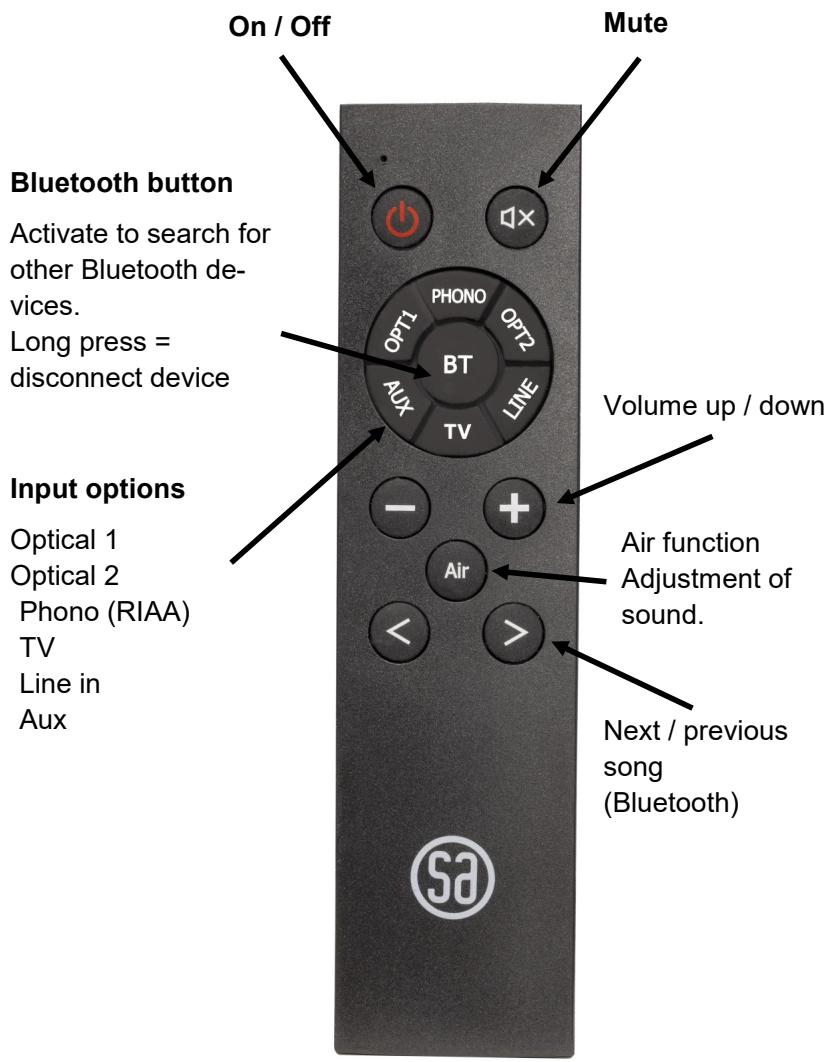
How to install
RAM TWEAKS (upgrades)
- Download file from system-audio.com
- Save file on USB stick
- Turn speaker on
- Insert USB stick
- Note green flashing light on speaker front
- Wait for speaker to enter standby (red light on front)
- Remove USB stick
- Speaker is updated


Brand : System Audio
Model : SA air 1 / SA air 9
Category : Bluetooth speaker