
778S - Audio Amplifier MISSION - Free user manual and instructions
Find the device manual for free 778S MISSION in PDF.


User questions about 778S MISSION
0 question about this device. Answer the ones you know or ask your own.
Ask a new question about this device
Download the instructions for your Audio Amplifier in PDF format for free! Find your manual 778S - MISSION and take your electronic device back in hand. On this page are published all the documents necessary for the use of your device. 778S by MISSION.
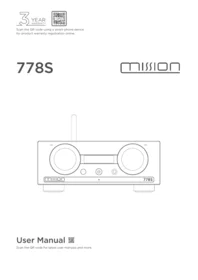
USER MANUAL 778S MISSION
Scan the QR code using a smart-phone device, for product warranty registration online.
778S
mission

Important Safety Instruction

This lightning flash with an arrowhead symbol within an equilateral triangle is intended to alert the user to the presence of non-insulated “dangerous voltage” within the product’s enclosure that may be of sufficient magnitude to constitute a risk of electric shock.
Warning: To reduce the risk of electric shock, do not remove cover (or back) as there are no user-serviceable parts inside. Refer servicing to qualified personnel.
The exclamation point within an equilateral triangle is intended to alert the user to the presence of important operating and maintenance instructions in the literature accompanying the appliance.
Read these instructions. Keep these instructions. Heed all warnings.
Follow all instructions:
Do not use this apparatus near water. Clean only with a dry cloth.
Do not block any ventilation openings. Install under the manufacturer's instructions.
Do not install near any heat sources such as radiators, heat registers, stoves, or other apparatus (including amplifiers) that produce heat.
Do not defeat the safety purpose of the polarized or grounding-type plug. A polarized plug has two blades with one wider than the other. A grounding plug has two blades and a third grounding prong. The wide blade or the third prong is provided for your safety. If the provided plug does not fit into your outlet, consult an electrician for the replacement of the obsolete outlet.
Protect the power cord from being stepped on or pinched, particularly at the plugs, convenience receptacles, and at the point where they exit from the apparatus.
Unplug this apparatus during lightning storms or when unused for long periods of time.
Refer all servicing to qualified service personnel. Servicing is required when the apparatus has been damaged in any way, such as power supply cord or plug is damaged, liquid has been spilt or objects have fallen into the apparatus, the apparatus has been exposed to
rain or moisture, does not operate normally, or has been dropped.
CAUTION: These servicing instructions are for use by qualified service personnel only. To reduce the risk of electric shock, do not perform any servicing other than that contained in the operating instructions unless you are qualified to do so.
Do not install this equipment in a confined or built-in space such as a bookcase or similar unit, and keep well ventilated in an open space. The ventilation should not be impeded by covering the ventilation openings with items such as newspaper, tablecloths, curtains etc.
WARNING: Only use attachments/accessories specified or provided by the manufacturer (such as the exclusive supply adapter, battery etc.).
WARNING: Please refer to the information on the exterior panel of the enclosure for electrical and safety information before installing or operating the apparatus.
WARNING: To reduce the risk of fire or electric shock, do not expose this apparatus to rain or moisture. The apparatus shall not be exposed to dripping or splashing and that objects filled with liquids, such as vases, shall not be placed on the apparatus.
WARNING: For the terminals marked with the symbol of “⚡” may be of sufficient magnitude to constitute a risk of electric shock. The external wiring connected to the terminals requires installation by an instructed person or the use of ready-made leads or cords.

Ground protection terminal. This product should be connected to a power outlet with ground protection.
Denmark: Apparatets stikprop skal tilsluttes en stikkontakt med jord, som giver forbindelse til stikproppens jord.
Finland: Laite on liitettävä suojakoskettimilla varustettuun pistorasiaan.
Norway: Apparatet må tilkoples jordet stikkontakt.
Sweden: Apparaten skall anslutas till jordat uttag.
WARNING: No naked flame sources, such as lighted candles, should be placed on the apparatus.
WARNING: Attention should be drawn to environmental aspects of battery disposal.
WARNING: Use of the apparatus in tropical climates.
THE FUSE VALUES ARE:
220 - 240V (UK, China, etc.) T 1.0AL 250V Slow Blow 100 - 120V (USA, Japan, etc.) T 1.6AL 250V Slow Blow
FCC Statement
This equipment has been tested and found to comply with the limits for a Class B digital device, pursuant to part 15 of the FCC Rules. These limits are designed to provide reasonable protection against harmful interference in a residential installation. This equipment generates, uses and can radiate radio frequency energy and, if not installed and used in accordance with the instructions, may cause harmful interference to radio communications. However, there is no guarantee that interference will not occur in a particular installation. If this equipment does cause harmful interference to radio or television reception, which can be determined by turning the equipment off and on, the user is encouraged to try to correct the interference by one or more of the following measures:
- Reorient or relocate the receiving antenna.
- Increase the separation between the equipment and receiver.
- Connect the equipment into an outlet on a circuit different from that to which the receiver is connected.
- Consult the dealer or an experienced radio/TV technician for help.
Caution: Any changes or modifications to this device not explicitly approved by manufacturer could void your authority to operate this equipment.
This device complies with part 15 of the FCC Rules. Operation is subject to the following two conditions: (1) This device may not cause harmful interference, and (2) this device must accept any interference received, including interference that may cause undesired operation.
• RF Exposure Information
- The device has been evaluated to meet general RF exposure requirement.
- The device can be used in portable exposure condition, compliance with expo sure requirements.
ISED Statement
This device contains license-exempt transmitter(s)/receiver(s) that comply with Innovation, Science and Economic Development Canada's licence-exempt RSS(s). Operation is subject to the following two conditions:
(1) This device may not cause interference.
(2) This device must accept any interference, including interference that may cause undesired operation of the device.

Being Roon Ready means that the Mission 778S uses Roon streaming technology, for an incredible user interface, simple setup, rock-solid daily reliability, and the highest levels of audio performance, without compromise.
MISSION 778S
Contents
Getting Started 4
Control and Connectors----6
Remote Handset 7
Connections----8
Menu Options 10
System Operations 13
Playback Function 15
Warranty----18
Specification 21
Getting Started
Introduction
Welcome to Mission!
Mission is a brand that purveys lifestyle audio, fusing Hi-Fi heritage with contemporary design. Music leads and technology follows.
The Mission 778 series revives the spirit of the original Mission 778 — an affordable integrated amplifier renowned for its simplicity and outstanding performance. The 778S continues this legacy as a high-performance wireless music streamer, delivering audiophile-grade playback true to the 778 ethos. Designed to partner perfectly with the 778X integrated amplifier and 778CDT, it upholds the same exemplary standards that define every pair of Mission loudspeakers and every Mission Hi-Fi component.
The Mission 778S Features
- Mission Streaming technology Powered by Silent Angel (IEEE 802.11 a / b / g / n / ac,2.4 / 5GHz)
• Dedicated Mission 778S Streaming App (iOS and Android) - Native support for Spotify Connect, TIDAL Connect, Qobuz Connect and TuneIn
- Roon Ready
- Airplay 2
• ESS Sabre ES9038Q2M 32-bit DAC - Stream music from network shared storage (over SMB / CIFS)
- Play music from USB storage / flash drive / USB Hard disk (single-partition FAT32 or exFAT)
• 2.23" High contrast OLED display - RK3399 ARM® Cortex-A72 @ 2.0GHz ARM® Cortex-A53 @ 1.5GHz
Inputs
- Dual band Wi-Fi connection (802.11 a / b / g / n / ac)
• 1 x Ethernet 10 / 100 / 1000Base-T ethernet - 2 x USB-A input for USB storage devices
• PC USB (USB Type-C) - 1 x USB-A for MCU update
Outputs
- 1 x RCA (pair) analogue output
- 1 x XLR (pair) analogue output
- 1 x Optical digital output
- 1 x Coaxial digital output
- 2 x USB-A for USB audio outputs
- 1 x 6.3mm (1 / 4") Headphone output
Unpacking the Equipment
The carton should contain:
• The Mission 778S
• One IEC power cord for your region
• One remote handset
• One user's manual
- 2 x AAA batteries (Batteries may not be supplied depending on regional shipping regulations)
Consult the dealer from whom you purchased the equipment if any item is not present. Carefully unpack the unit and accessories. Take care not to damage the surface finish when undoing the protective polythene sleeve. Retain the packing materials for future use. Retain the user manual and information concerning the date and place of purchase of your equipment for future reference. If you transfer the unit to a third party, please pass on this instruction manual along with the equipment.
Placement
The unit must be mounted on a solid, level and stable surface. Before you connect the Mission 778S to the AC mains power, ensure your AC mains voltage corresponds to the rating on the rear panel of the product. If in doubt, consult your dealer. If you move to an area that has a different mains voltage, seek advice from a Mission appointed dealer or a competent service technician.
Control and Connectors


Remote Handset

- Standby Press to bring unit in / out of standby mode
- Mute Press to Mute / Unmute the sound
- X / CD / S Press to select the device - 778X / 778CDT / 778S
- VOL+ Press to increase volume or navigate menu settings
- VOL- Press to decrease volume or navigate menu settings
- Press to select the previous track
- ▶▶▶ Press to select the next track
- ▶|| Press to Play / Pause
- Press to stop playback
- Menu Press to enter menu
- Source Press to change the source between 'streaming' & PC USB
- Back Press to go back to previous menu option
- Info Press to toggle single track time remaining or all track times remaining
- Display Turn on/turn off display
- ✗ Press to select random mode
- ↗ Press to select repeat mode
Remote Controller Preparation
- Unpack the handset
- Invert the handset
- Remove the battery cover
- Insert 2 x AAA batteries (Batteries may not be supplied depending on regional shipping regulations)
- Close the battery cover
Caution
To prevent any burning, fire, or potential harm to the environment or human health from depleted batteries, please dispose of them correctly in accordance with the recycling rules in your area. Don't dismantle, crush or puncture the batteries. Never short-circuit the batteries, submerge them in water, expose them to fire, or attempt to repair them. The remote is compatible with AAA batteries only.
Connections
Installation
Before making any connections to your Hi-Fi equipment, make sure that all units in the system are switched off and unplugged at the mains.
AC Power
The power switch is on the rear panel. Before connecting the Mission 778S to the AC mains supply, check and make sure the voltage marked on the back matches your supply voltage.
Digital Outputs
Mission 778S offers one Coaxial and one Optical SPDIF output. Connect a suitable Digital Coaxial interconnect or Optical cable from the appropriate SPDIF output of the 778S to the input of a DAC or digital input on your chosen DAC or preamplifier.


Analogue Outputs
Mission 778S offers one pair of Balanced (XLR) and one pair of Unbalanced (RCA) outputs.
Balanced connections can provide greater dynamic range and lower noise. If your amplifier has balanced inputs, please connect them to the balanced outputs. You will need one XLR balanced cable per channel.

USB Storage / Audio Out
Mission 778S has two USB-A 3.0 ports that support playback from USB HDD devices.
The USB port also offers audio output. You can connect one of the USB-A 3.0 ports to a DAC or amplifier that supports PC USB input, via USB cable. It will enable you to transmit the audio signal from 778S to your DAC or amplifier via USB audio out.
The two USB-A 3.0 ports will support 2 x USB HDD sources at any one time OR 1 x USB HDD source and 1 x USB audio output at the same time.
Ethernet
Mission 778S offers one 10M/100M/1000M adaptive Ethernet port.
USB Update
Mission 778S features a USB-A port that supports USB HDD functions and firmware updates. Follow the instructions included in the update package to update your unit to the latest firmware. The update package can be downloaded from the Mission website (mission.co.uk)
PC USB Input
The Mission 778S offers a USB type-C PC USB input for streaming audio files from PC or MAC.
Headphone Output
A stereo 6.3mm (1/4") jack is provided on the front panel for connecting headphones. When headphones are connected, the audio to the XLR and RCA outputs will be muted.


UPDATE


PC USB

Connect to Mission 778X (or other integrated amplifier)
Use either RCA, XLR, COAX or OPT connection

Menu Options
Filter
The Mission 778S uses the ESS ES9038Q2M Sabre DAC and allows for detailed tuning of the digital audio streaming. The DAC reconstruction filter can be significant in refining the sound of your system, according to your taste, source and media. Linear Phase (Slow Roll-Off) is the default setting, but you may prefer any of the filter options. We recommend experimenting for your own preference.
- Linear Phase (Slow Roll-Off): A low group delay and symmetrical input response with less ringing than Linear-phase fast roll-off, it offers punchier bass than "Linear-phase fast roll-off, with clean highs. (Default)
- Linear Phase (Fast Roll-Off): This is the most common filter with a clean overall! suppression and excellent rejection, best for music with large transients. Provides crisp, clean highs.
- Minimum Phase (Fast Roll-Off): This offers minimal pre-ringing. It is usually preferred for imaging and sound stages. It offers no aliasing in the frequency domain and stronger bass than Linear Phase, with clean highs.
- Minimum Phase (Slow Roll-Off): A Non-Symmetrical filter designed to minimise pre-ringing. It offers a strong punchy bass with a good transient attack.
- Hybrid: This is the combination of Linear-phase' and Minimum-phase'. It offers a fast transient attack, strong punchy bass and crisp highs.
Note: You will need to disable ‘Upsampling’ in order to utilise the filter options
Filter
Linear Slow
Upsampling
The 778S will automatically upsample the incoming digital audio signal (Streaming or PC USB) to 352.8kHz or 384kHz. By default; for optimal performance, Upsampling is 'ON'.
Upsampling
Off
External USB DAC
The 778S can connect to an external USB DAC via USB cable. By default, this option is set to 'OFF'. You can also select and control this option to use an external USB DAC via the 778S App settings.
External USB DAC
Off
Balance
Adjust the left and right channel balance of the audio output of the 778S.
Balance

Power On Limit
Power On Limit sets the maximum volume level as the 778S unit is switched on. When coming out of standby, the volume setting will be set to the level that was used at the end of the previous operating session OR to the Power On Limit value set in this menu, whichever is lowest.
This will avoid a sudden loud signal at the beginning of a new session.
Power On Limit
-20dB
Volume Fixed
When 'Volume Fixed' is set to 'Yes', the analogue output level of Mission 778S will be fixed to the maximum output (0dB). This can be useful when connecting to an integrated amplifier's AUX input, and therefore using the integrated amplifier's volume control.
To maintain an adjustable level please set it to No. (DEFAULT). Digital outputs are not affected by this setting. CAUTION: Please take care when using 'Volume Fixed - Yes'. To prevent damage to your system and loudspeakers, please be careful when selecting this option and ensure the level of your integrated amplifier is set to a low level before playing any source material.
Volume Fixed
No
Backlight
Adjust the backlight level of the Mission 778S OLED display.
Backlight
Level 8
Auto Standby
The Auto Standby feature will put the Mission 778S into standby mode after 20 minutes of inactivity. This feature can also be user-defined and set to 20 minutes, 60 minutes or Never.
Auto Standby
20 minutes
Reset
Reset the 778S to the factory default settings.
Reset
No
Info
This section displays the installed firmware version, device identification codes, and current Wi-Fi RSSI value. An RSSI between -67dBm and -40dBm is considered optimal, with values nearer to 0dBm represent a more optimum Wi-Fi signal.
Info
MCU-V0.82
System Operation
Switching On and Off
The Mission 778S should be switched on before the amplification stage in your system. When switching off your system, turn off the amplifier stage before switching off the 778S.
Standby Mode
The Mission 778S will be in standby mode after initial power-on. Press the standby button to bring 778S out of standby. The power indicator LED will become brighter, and the display will show the 'MISSION' welcome screen as the unit enters operational mode.
Source Select
Rotate the SEL knob on the front panel or use the source ▲ or ▼ buttons on the remote control to select the different source options. The source will be visually indicated on the OLED display.
Volume Control
Adjust the analogue output volume by turning the VOL knob on the front panel, or by using the VOL+/- keys on the remote handset. The volume range extends from -78dB to 0dB, with the factory default set at -30dB. When powering up from standby, the Mission 778S will return to the previous volume setting unless it was louder than -20dB, in which case it will default to -20dB. You may alter this limit by the menu option for “Power On Limit”. Digital outputs are not affected by this setting.
CAUTION: If the 778S is connected to an external integrated amplifier and the analogue outputs are set to “Fixed” 0dB, the ‘Power On Limit’ function will not be active. To prevent damage to your system and loudspeakers, please be careful when selecting this option and ensure the level of your integrated amplifier is set to a low level before playing any source material.
Mute
Press the VOL knob on the front panel or the mute button on the remote to mute or un-mute the sound.
Firmware Updates
The unit periodically checks for firmware updates via over-the-air (OTA). If "New FW Available" appears after the "About" text in the 778S App, tap to access the "About" section and then select "Upgrade Firmware" and wait for the firmware update to finish. For MCU firmware, please visit mission.co.uk to download the latest version. Please read the update instructions included in the download folder thoroughly before proceeding.
Ethernet Connection
Please connect the Mission 778S directly to your router's RJ45 port using an Ethernet cable. Power on the device and select the Streaming source mode. The Mission 778S will then connect to the internet after few minutes. The appearance of the Ethernet icon on the OLED display indicates a successful connection.
Wi-Fi Connection Via WPS
Ensure your wireless router supports WPS mode and that it has a WPS button. If supported, briefly press the WPS button located on the rear panel of the 778S, then press the WPS button on your router. After a few moments, a solid Wi-Fi icon will appear on the display, signifying a successful connection.
If pairing is unsuccessful, repeat the steps. Alternatively, some routers may require you to press the WPS button on the router first, then on the 778S.
Via Access Point (AP)
Download the Mission 778S App to your device and connect that device to the same Wi-Fi network you intend to use for streaming.
Long press the WPS button on the rear of the 778S for six seconds and release it. The display will show “AP start”. After a few seconds, it will update to “AP mode”, indicating the mode is active.


Go to your smart phone or tablet Wi-Fi setting page, find the AP Hotspot named 778S-XXXX and click to connect. Open the Mission 778S App and it will recommend you to set up a Wi-Fi connection for this 778S.
Click “Wi-Fi Setup” and it will show the available Wi-Fi connections.
Select your router Wi-Fi SSID and enter your Wi-Fi password then press 'Done'. The Mission 778S will connect to your Wi-Fi within a few minutes.
Mission 778S is ready to use when the App displays your 778S device name and the Wi-Fi icon is solid on 778S OLED display. Click Control to enter the App for operation.
For Wi-Fi setup you can also click “Wi-Fi Guide” and follow the steps in the App to connect your Mission 778S to Wi-Fi network.
Once connected to the internet, you can navigate the sidebar options to enable Airplay 2, Tidal Connect, Spotify Connect, Qobuz Connect, DLNA Renderer and Roon Ready. You can also log in to your TuneIn account for internet radio.

Click Wi-Fi Setup

Pick your Wi-Fi Network

Enter Wi-Fi Password

Identify Your Device to Control
Playback Function
Play / Pause
Press the ▶|| button on the remote control, or use the transport controls in the 778S App.
You can also long-press the VOL knob on the front panel to commence playback of a playlist in your chosen streaming source. Press the same button once more to pause the music.
Previous / Next Track
To access the previous or next track, press the ◀◀ button or ▶▶| buttons on the remote control, or in the 778S App.
Playing From PC via USB
USB Drivers

PC USB
Download the Windows PC USB Driver from www.mission.co.uk
Full instructions and details of operation are provided with the PC USB driver download.
Connect your computer to the Mission 778S using a USB-C cable. Change the source to PC USB via the remote control or the front panel SEL knob.
A message displaying “No Signal” will appear if no signal is detected. Once a file begins playing, the PC USB input will lock onto the digital signal automatically. The display will then show the output sampling frequency of the audio file from your computer.
Playing via USB Storage
Insert your USB storage device containing supported music files into one of the two USB-A 3.0 ports, then access the USB drive through the 778S App's sidebar option or "USB Storage". You can connect up to two USB devices simultaneously.

Supported file formats include: FLAC, DSD, Apple Lossless (ALAC), WAV, AIFF, CUE, APE, MP3, WMA, AAC, OGG.
Drive Specifications
The Mission 778S is compatible with various USB drives, which should meet the following criteria:
Partitioning: Single partition only.
Formatting: FAT32 or exFAT.
Capacity: Up to 4TB.
Drive Types
Most standalone flash drives (USB thumb drives, memory sticks, pen drives) are compatible out of the box, typically formatted in FAT32. When reformatting, ensure drives are single-partition and formatted as FAT32 or exFAT.
Low-powered portable USB drives generally work, although some may require more power than the 778S can supply, in this case please use the appropriate power supply for the USB device.


Desktop USB disks with dedicated power supplies are widely compatible, though SATA disk enclosures may cause issues. Adapters and enclosures containing SATA disks or SD/CF/TF cards are generally not compatible.
Playing via Network
The Mission 778S supports local NAS and USB storage, as well as multiple streaming services, including UPnP.
Playing via Network
Connect your NAS (formatted as FAT32, exFAT, or NTFS) to the same router as the Mission 778S. Supported file formats include: FLAC, DSD, ALAC, WAV, AIFF, CUE, APE, MP3, WMA, AAC, OGG.
a. Select “Network Storage” on the sidebar
b. Click "Add Network Storage"
c. Click "Manual"
d. Typing your NAS IP address and the folder you've saved tracks in.
e. Log in as the user and enter your NAS User name and Password, then click Connect
f. Select the sub-folder you want to add or click “Apply” to add the whole folder you’ve added in the last step.
g. You can now browse the NAS and select/play files.


Music Streaming Platforms
The 778S is compatible with Spotify Connect, Tidal Connect, Qobuz Connect, QQ Play, Internet radio and Tuneln.
You can stream directly through official Spotify, Tidal, Qobuz, and QQ Play applications.
The Mission 778S is certified as Roon Ready and available within the Roon device listings.
Being Roon Ready means that the Mission 778S uses Roon streaming technology for an incredible user interface, simple setup, rock-solid daily reliability, and the highest levels of audio performance, without compromise.
roon READY
The Mission 778S also supports DLNA Renderer to access, manage and play locally stored music via your DLNA server.
The Mission 778S supports local NAS and USB storage, as well as multiple streaming services, including UPnP.
Now Playing


Warranty Coverage
Mission warrants its products, subject to the following terms and conditions below, to be free from defects in materials and workmanship.
Online Registration


Scan the QR code using a smart-phone device, for product warranty registration online.
The three (3) year extended warranty is applicable to items purchased from Jan 1st 2021, onwards. Items purchased prior to this date are not eligible for this extended warranty service but are subject to statutory warranty claims and all applicable consumer rights.
To qualify for the extended 3 year warranty, you must register your product within ninety (90) calendar days from the date of purchase. Visit mission.co.uk/warranty-registration to complete your online registration. Items not registered online will have a Limited Warranty for one (1) year, or for the period of your country's statutory warranty, whichever is longer.
Warranty can only be offered to products registered with proof of purchase with date, model and details of the authorised dealer clearly stated on the receipt/invoice. Please keep the original receipt/invoice in case it is required for a warranty claim.
This Limited Warranty is non-transferable and is offered exclusively to the original owner.
This Limited Warranty is valid only in the original country of purchase.
Repairs or replacements are provided under this warranty are the exclusive remedy of the consumer. Mission shall not be liable for any incidental or consequential damages for breach of any expenses or implied warranty with any product. Except to the extent prohibited by law, this warranty is exclusive and in lieu of all other warranties whatsoever, both expressed and implied, including but not limited to the warrant of merchantability and fitness for practical purpose.
This warranty provides benefits that are additional to and do not affect your statutory consumer rights.
This Limited Warranty offer is subject to correct information being submitted in your application. Incorrect dates or mismatched purchase receipt dates that are outside of the warranty terms will immediately invalidate any warranty claim.
*Please check with your dealer local distributor for further information.
Exclusions
The following items are excluded from the Mission warranty:
Normal wear and tear and cosmetic damage (including but not limited to any wear from reasonable use, environmental deterioration or neglect)
Products on which the serial number has been removed, altered or otherwise made illegible.
Products not purchased from an authorised Mission dealer.
Products that were not new at the time of original purchase.
Products sold ‘as is’, ‘as seen’ or ‘with faults’
Product not purchased from an Authorised Dealer/Distributor within the region of the claim (ie parallel imports or grey market products)
Accidental damage or faults caused by commercial use, acts of God, incorrect installation, incorrect connection, incorrect packaging, misuse or careless operation or handling which is not in accordance with the user instructions.
Equipment that has been operated in conjunction with unsuitable, inappropriate or faulty apparatus.
Repairs, alterations or modifications carried out by parties other than Mission or its authorised service partners.
Damage in transit that cannot be attributable to the fault of Mission, the authorised distributor or dealer (ie. claims otherwise covered by transit insurance.)
Faults relating to abnormal or inappropriate power supply voltage or power surges.
Faults relating to extremities in temperature, exposure to heat, water or other liquids, insects, excessive moisture, sand, chemicals, battery leakage or any other contaminants.
Any force majeure events, including but not limited to any acts of God, fire, lightning, typhoon, storm, earthquake, hurricane, natural disaster, tsunami, flood, war, riot, public disturbance.
Any other causes beyond the reasonable control of either Mission and its Authorised Distributor.
Please note items purchased before 1st Jan 2021 are not eligible for the extended warranty claim.
How to Claim
To obtain warranty service please contact the authorised dealer from which you purchased this product and present the limited warranty certificate offered upon registration of your product's extended warranty offer.
Do not dispatch goods without the prior agreement of the dealer distributor or authorised service centre.
If asked to return products for inspection and or repair, please pack carefully preferably in the original carton or packaging affording an equal degree of protection and returned via insured, trackable courier service.
The authorised dealer or distributor will offer full return details and instructions. However, please note if unsuitable packaging is used the warranty may be deemed void due to improper action in return.
Mission or the authorised distributor, dealer or service centre may make a charge for the supply of new packaging for the return of the repaired item. Please note, insurance is recommended as goods are returned at the owner's risk. Authorised distributors or service centres cannot be held liable for loss or damage in transit. insurance and freight charges on the return journey will be paid for by Mission, authorised dealer, distributor or service centre if corrective work proves to be necessary.
In the event of ‘no-fault found’ or ‘no repair necessary’, the return shipping charge will be the responsibility of the owner.
Repairs
All repairs will be carried out by the appointed distributor (or locally appointed service centre). Repairs handled or processed without authorisation or approval of the appointed representative will be excluded from this limited warranty. Please note, Mission is not able to supply parts or replacement items to any other entity than the official distributor or authorised service centre.
Other than the warranty and services set out in this warranty, to the fullest extent permitted by law, Mission shall not be liable to you and/or any third party or entity whatsoever for:
• Any loss, damages and/or malfunction caused to any product(s) which is/are connected to any of the products covered by this warranty.
• Any damages, loss and liability, whether direct, indirect, incidental, consequential special, punitive or otherwise, howsoever caused by, arising out of or otherwise, in relation to the installation, delivery, use, service, repair, replacement and/or maintenance of the product;
• Any damages, loss and liability under this warranty in respect of any act, omission, or negligence of any of their technicians, employees, agents, representatives or independent contractors relating to the actual or purported performance of any of the obligations under this warranty.
Service Centre Address
Should a fault occur with your product, please pack it correctly using the original packing, so you can ship it safely. For technical support, servicing or product queries and information, please contact either your local retailer or the office below:
IAG Service Dept.
13/14 Glebe Road
Huntingdon
Cambridgeshire
PE29 7DL
UK
Tel: +44(0)1480 452561
Email: support@iaguk.co.uk
For information on other authorised service centres worldwide contact Mission International, UK.
A worldwide distributors list is available on the Mission website: www.mission.co.uk
Specifications
Scan the QR code for latest user manuals and more.


Model
778S
| General Description | Network Player |
| Design Philosophy and Core Technology | ESS Sabre ES9038Q2M 32-bit DACRK3399 ARM® Cortex-A72 @ 2.0GHz ARM® Cortex-A53 @ 1.5GHziOS / Android Mission 778S App controlPowered by Silent Angel Streaming technology (IEEE 802.11a/b/g/n/ac,2.4/5GHz)Native support for Spotify Connect, TIDAL Connect, Qobuz Connect,QQ Play and TunelnInternet RadioRoon ReadySupports Airplay 2Music from network shared storage (over SMB/CIFS)USB storage / flash drive / USB hard disk (Single-partition FAT32, exFAT)2.23" High contrast OLED display |
| Inputs | 1 x PC USB (USB Type-C)1 x Ethernet 10/100/1000Base-T Ethernet1 x USB-A for MCU Update2 x USB-A for USB Storage |
| Outputs | 1 x RCA (pair) analogue outputs1 x XLR (pair) analogue outputs1 x Optical digital output1 x Coaxial digital output2 x USB-A for USB Audio Out1 x Headphone |
| Supported File Formats | DSD Lossless: DSF (DSD), DIFF (DSD), DoP (DSD)PCM Lossless: FLAC, Apple Lossless (ALAC), WAV, AIFF, CUE, APECompressed (lossy) Audio: MP3, WMA, AAC, OGG |
| Sampling Frequency | PCM: 44.1kHz-768kHz (705.6kHz/768kHz Fixed-point supported via App streaming)DSD: DSD64, DSD128, DSD256(DoP), DSD512(PC USB) |
| Digital Section | |
| Digital Output Intensity | 500 +/- 50mVpp |
| Output Impedance | 75 ohms |
| Frequency Response | -0.01dB (20Hz - 20kHz, ref.1kHz) |
| Max. Sampling Frequency | 192kHz / 24-bit |
| Digital Output | 1 x Coaxial, 1 x Optical, USB Audio Out |
D to A Converter
| Variable Output Voltage (0dBFS, 1KHz) | 0 - 2.05Vrms (RCA)0 - 4.1Vrms (XLR) |
| DAC | ES9038Q2M |
| Frequency Response | +/-0.5dB (20Hz - 20kHz, ref.1kHz) |
| Total Harmonic Distortion | <0.001% (1kHz @ 2.05Vrms) |
| Max. Sampling Frequency | 768KHz / 32-bit |
| Signal-to-Noise Ratio (A-Weighted) | >116dB (RCA), >120dB (XLR) |
| Output Impedance | 120ohm (RCA)56ohm (XLR) |
| Headphone Amplifier | |
| Total Harmonic Distortion (THD) | < 0.01% (1kHz, 50mW) |
| Output Impedance | 2.35 ohm |
| Load Impedance | 20-600 ohm |
| General | |
| Standby Power Consumption | <0.5W |
| Net Weight | 5.3kg |
| Gross Weight | 6.7kg |
| Dimensions (mm)(W x H x D) | 236 x 98 x 357mm |
| Carton Size (mm)(W x H x D) | 396 x 190 x 445mm |
| Finish | Black / Silver |
| Power Requirements (depending on region) | 220-240V ~ 50 / 60Hz100-120V ~ 50 / 60Hz |
| Safety Regulation Conformity Standard Accessories | Power Cord, Remote Control, User Manual |

Correct Disposal of this product. This marking indicates that this product should not be disposed of with other household wastes throughout the EU. To prevent possible harm to the environment or human health from uncontrolled waste disposal, recycle it responsibly to promote the sustainable reuse of material resources. To return your used device, please use the return and collection systems or contact the retailer where the product was purchased. They can take this product for environmentally safe recycling.



- IMPORTANT SAFETY INSTRUCTION
- FOLLOW ALL INSTRUCTIONS
- THE FUSE VALUES ARE
- FCC STATEMENT
- ISED STATEMENT
- MISSION 778S
- CONTENTS
- GETTING STARTED
- INTRODUCTION
- THE MISSION 778S FEATURES
- INPUTS
- OUTPUTS
- UNPACKING THE EQUIPMENT
- PLACEMENT
- CONTROL AND CONNECTORS
- REMOTE HANDSET
- REMOTE CONTROLLER PREPARATION
- CAUTION
- CONNECTIONS
- INSTALLATION
- AC POWER
- DIGITAL OUTPUTS
- ANALOGUE OUTPUTS
- USB STORAGE / AUDIO OUT
- ETHERNET
- USB UPDATE
- PC USB INPUT
- HEADPHONE OUTPUT
- CONNECT TO MISSION 778X (OR OTHER INTEGRATED AMPLIFIER)
- MENU OPTIONS
- FILTER
- UPSAMPLING
- EXTERNAL USB DAC
- BALANCE
- POWER ON LIMIT
- DB
- VOLUME FIXED
- NO
- BACKLIGHT
- LEVEL
- AUTO STANDBY
- MINUTES
- RESET
- INFO
- MCU-V
- SYSTEM OPERATION
- SWITCHING ON AND OFF
- STANDBY MODE
- SOURCE SELECT
- VOLUME CONTROL
- MUTE
- FIRMWARE UPDATES
- ETHERNET CONNECTION
- WI-FI CONNECTION VIA WPS
- VIA ACCESS POINT (AP)
- PLAYBACK FUNCTION
- PLAY / PAUSE
- PREVIOUS / NEXT TRACK
- PLAYING FROM PC VIA USB
- USB DRIVERS
- PLAYING VIA USB STORAGE
- DRIVE SPECIFICATIONS
- DRIVE TYPES
- PLAYING VIA NETWORK
- MUSIC STREAMING PLATFORMS
- WARRANTY COVERAGE
- ONLINE REGISTRATION
- EXCLUSIONS
- HOW TO CLAIM
- REPAIRS
- SERVICE CENTRE ADDRESS
- SPECIFICATIONS
Brand : MISSION
Model : 778S
Category : Audio Amplifier