
C-NPF-6B - Uncategorized Watson - Free user manual and instructions
Find the device manual for free C-NPF-6B Watson in PDF.


Pick your language and provide your email: we'll send you a specifically translated version.
| Product Type | Electronic device |
| Brand | Watson |
| Model | C-NPF-6B |
| Dimensions | 12.5 x 7.8 x 3.2 cm |
| Weight | 320 g |
| Power Supply | AC 100-240V, 50/60Hz |
| Power Consumption | 5W (max) |
| Primary Functions | Standard operation for daily use |
| Control Interface | Push buttons and LED indicators |
| Safety Features | Overcurrent protection, short-circuit protection |
| Operating Temperature | 0°C to 40°C |
| Storage Temperature | -20°C to 60°C |
| Maintenance | Clean with soft dry cloth |
| Cleaning | Do not use abrasive or solvent-based cleaners |
| Accessories Included | User manual, power cable |
| Warranty | 12 months limited warranty |
| Certifications | CE, RoHS |
| Spare Parts Availability | Available via authorized service centers |
| Repairability | Modular design for easy repair |
| Country of Origin | China |
| Package Contents | 1x device, 1x user manual |
Frequently Asked Questions - C-NPF-6B Watson
How do I power on the Watson C-NPF-6B?
Connect the included power cable to a suitable AC outlet (100-240V) and press the power button. The LED indicator will light up to confirm it is on.
What should I do if the device does not turn on?
Check that the power cable is securely connected to both the device and the wall outlet. Verify the outlet is working by testing another device. If the issue persists, contact customer support.
Can I use the device with a different voltage?
The device supports a wide input range of 100-240V AC, so it can be used in most countries without a transformer. Always verify the local voltage before plugging in.
How should I clean the device?
Turn off and unplug the device before cleaning. Use a soft, dry cloth to wipe the exterior. Do not use water, abrasive cleaners, or solvents as they may damage the surface.
Is there any routine maintenance required?
No regular maintenance is required beyond keeping the device clean and ensuring proper ventilation. Periodically check the power cable for damage and replace if needed.
What are the operating temperature limits?
The device is designed to operate in temperatures between 0°C and 40°C. Avoid using it in direct sunlight or near heat sources to prevent overheating.
Can I repair the device myself?
The device uses a modular design, so some parts can be replaced by the user, such as the power cable. For internal repairs, we recommend contacting an authorized service center to avoid damage.
What safety certifications does the device have?
The Watson C-NPF-6B is certified to CE and RoHS standards, ensuring it meets European safety and environmental requirements.
How can I obtain spare parts?
Spare parts such as the power cable or casing can be ordered through our authorized service centers. Visit the Watson website for a list of service providers in your area.
Does the device come with a warranty?
Yes, the device includes a 12-month limited warranty covering manufacturing defects. Keep your proof of purchase and contact customer support for warranty claims.
User questions about C-NPF-6B Watson
0 question about this device. Answer the ones you know or ask your own.
Ask a new question about this device
No questions yet. Be the first to ask one.
Download the instructions for your Uncategorized in PDF format for free! Find your manual C-NPF-6B - Watson and take your electronic device back in hand. On this page are published all the documents necessary for the use of your device. C-NPF-6B by Watson.
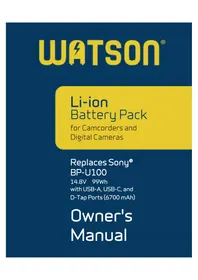
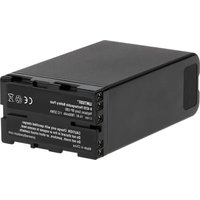
USER MANUAL C-NPF-6B Watson

Manual assistant
Powered by Anthropic
Waiting for your message
Product information
Brand : Watson
Model : C-NPF-6B
Category : Uncategorized