
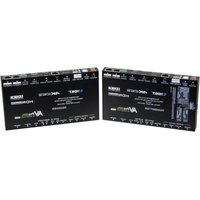
AC-CONVERT-HDDP - Audio/video converter AVPro Edge - Free user manual and instructions
Find the device manual for free AC-CONVERT-HDDP AVPro Edge in PDF.


Pick your language and provide your email: we'll send you a specifically translated version.
| Product Type | Audio/video converter |
| Brand | AVPro Edge |
| Model | AC-CONVERT-HDDP |
| Input Connectors | 1x HDMI Type-A, 1x DisplayPort 1.2 |
| Output Connectors | 1x DisplayPort 1.2, 1x HDMI Type-A |
| Supported Resolutions | Up to 4K UHD (3840x2160) @60Hz, 4:4:4, 8-bit |
| Audio Support | PCM 2.0/5.1/7.1, Dolby Digital, Dolby TrueHD, DTS-HD MA |
| HDCP Compliance | HDCP 2.2 and backward compatible |
| Power Supply | 5V/2A DC adapter (included) |
| Power Consumption | <5W typical |
| Dimensions (W x D x H) | 120 x 70 x 25 mm (approx.) |
| Weight | 0.3 kg (approx.) |
| Housing Material | Aluminum metal case |
| Installation | Plug-and-play, driverless operation |
| LED Indicators | Power and signal status LEDs |
| Operating Temperature | 0°C to 45°C |
| Storage Temperature | -10°C to 70°C |
| Included Accessories | Power adapter, user manual, mounting brackets |
| Maintenance | Clean with a soft dry cloth; avoid liquid solvents |
| Safety & Repairability | Use only supplied adapter; no user-serviceable parts, contact AVPro Edge for repair |
Frequently Asked Questions - AC-CONVERT-HDDP AVPro Edge
What type of converter is the AC-CONVERT-HDDP?
The AC-CONVERT-HDDP is an audio/video converter designed to bridge HDMI and DisplayPort signals, supporting resolutions up to 4K@60Hz.
Does the AC-CONVERT-HDDP support bidirectional conversion?
Yes, it supports bidirectional conversion, allowing HDMI to DisplayPort and DisplayPort to HDMI signal transfer without additional adapters.
What power supply is required?
The device uses a 5V/2A DC adapter which is included. Plug it in and the power LED will illuminate.
How do I know if the converter is working correctly?
Check the LED indicators on the housing. A steady power LED indicates power, while the signal LED illuminates when a valid signal is detected.
Can I use this converter with 4K HDR sources?
The converter supports 4K UHD at 60Hz with 4:4:4 color sampling, but for HDR content, ensure your cables and displays support HDCP 2.2.
What audio formats are passed through?
It supports PCM (2.0 to 7.1 channels), Dolby Digital, Dolby TrueHD, and DTS-HD Master Audio for lossless audio.
How should I clean the converter?
Unplug the device and wipe the exterior with a soft, dry cloth. Do not use liquid cleaners or abrasive materials.
What is the maximum cable length supported?
For best performance, keep HDMI and DisplayPort cables under 5 meters. Longer runs may require active cables.
Is the converter plug-and-play?
Yes, the AC-CONVERT-HDDP is plug-and-play and does not require any drivers. Simply connect the adapter, connect your sources and display, and power on.
What should I do if there is no image on the screen?
Verify all cables are securely connected, ensure input devices are powered and outputting, check that the source resolution is supported, and confirm the signal LED is lit. If the issue persists, restart the converter.
User questions about AC-CONVERT-HDDP AVPro Edge
0 question about this device. Answer the ones you know or ask your own.
Ask a new question about this device
No questions yet. Be the first to ask one.
Download the instructions for your Audio/video converter in PDF format for free! Find your manual AC-CONVERT-HDDP - AVPro Edge and take your electronic device back in hand. On this page are published all the documents necessary for the use of your device. AC-CONVERT-HDDP by AVPro Edge.
USER MANUAL AC-CONVERT-HDDP AVPro Edge



Manual assistant
Powered by Anthropic
Waiting for your message
Product information
Brand : AVPro Edge
Model : AC-CONVERT-HDDP
Category : Audio/video converter