
HDR-4×4-Plus - Switch Smart-AVI - Free user manual and instructions
Find the device manual for free HDR-4×4-Plus Smart-AVI in PDF.


Pick your language and provide your email: we'll send you a specifically translated version.
| Product Type | HDMI Matrix Switch |
| Number of Inputs | 4 |
| Number of Outputs | 4 |
| Maximum Resolution | 4K Ultra HD (3840 x 2160) at 30Hz |
| Audio Support | LPCM, Dolby Digital, DTS |
| Control Methods | Front panel, IR remote, RS-232 |
| Housing Material | Metal chassis |
| Mounting Options | Rack-mountable (1U) |
| Dimensions (W x D x H) | 440 x 140 x 44 mm |
| Weight | 2.5 kg |
| Power Supply | 100-240V AC external adapter |
| Power Consumption | 10W max |
| Operating Temperature | 0°C to 40°C |
| Operating Humidity | 10% to 90% RH non-condensing |
| Maintenance | Clean with a dry, soft cloth |
| Safety Warning | Keep away from liquids and direct sunlight |
| Spare Parts Availability | Replacement power adapter available |
| Repairability | Repairs should be done by qualified technicians |
Frequently Asked Questions - HDR-4×4-Plus Smart-AVI
What is the Smart-AVI HDR-4x4-Plus?
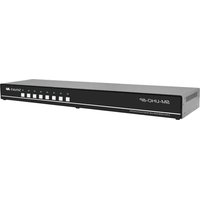
The Smart-AVI HDR-4x4-Plus is a 4x4 HDMI matrix switch that allows you to route any of four HDMI sources to any of four displays independently.
How do I connect multiple sources and displays?
Connect up to four HDMI sources (e.g., Blu-ray players, gaming consoles) to the inputs and up to four displays (e.g., TVs, projectors) to the outputs. Use high-quality HDMI cables for optimal signal transfer.
Can I control the switch with an IR remote?
Yes, the HDR-4x4-Plus supports IR remote control for convenient switching. Point the remote at the IR receiver and select the desired input/output combination.
Does it support 4K video?
Yes, it supports resolutions up to 4K Ultra HD (3840x2160) at 30Hz, making it suitable for modern displays and content sources.
What audio formats are supported?
The switch supports LPCM, Dolby Digital, and DTS audio formats, ensuring compatibility with surround sound systems and standard audio devices.
How do I switch inputs and outputs?
You can use the front panel buttons, IR remote, or RS-232 commands to route any input to any output. Each output can display a different input source.
Is the device rack-mountable?
Yes, the HDR-4x4-Plus features a 1U rack-mountable metal chassis, making it ideal for professional AV installations.
What is the power requirement?
The device comes with an external power adapter that accepts 100-240V AC input. The power consumption is a maximum of 10W.
How do I clean and maintain the switch?
To maintain the switch, clean it with a dry, soft cloth. Avoid using liquids or chemicals. Ensure proper ventilation to prevent overheating.
Where can I find the user manual?
The user manual is available for free in PDF format on notice-facile.com or the official Smart-AVI website. It contains detailed setup instructions and troubleshooting tips.
User questions about HDR-4×4-Plus Smart-AVI
0 question about this device. Answer the ones you know or ask your own.
Ask a new question about this device
No questions yet. Be the first to ask one.
Download the instructions for your Switch in PDF format for free! Find your manual HDR-4×4-Plus - Smart-AVI and take your electronic device back in hand. On this page are published all the documents necessary for the use of your device. HDR-4×4-Plus by Smart-AVI.
USER MANUAL HDR-4×4-Plus Smart-AVI


Manual assistant
Powered by Anthropic
Waiting for your message
Product information
Brand : Smart-AVI
Model : HDR-4×4-Plus
Category : Switch