
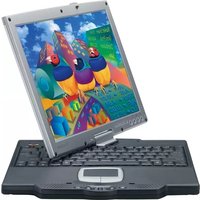
PD1233 - Tablet VIEWSONIC - Free user manual and instructions
Find the device manual for free PD1233 VIEWSONIC in PDF.


Pick your language and provide your email: we'll send you a specifically translated version.
| Product Type | Tablet |
| Brand | ViewSonic |
| Model | PD1233 |
| Display Size | 10.1 inches |
| Display Resolution | 1280 x 800 pixels |
| Operating System | Android 10 |
| Processor | Quad-core 1.5 GHz |
| RAM | 2 GB |
| Internal Storage | 32 GB |
| Expandable Storage | microSD card slot |
| Battery Capacity | 6000 mAh |
| Charging Port | Micro USB |
| Dimensions | 240 x 170 x 9.5 mm |
| Weight | 580 g |
| Connectivity | Wi-Fi 802.11 b/g/n, Bluetooth 4.0 |
| Camera (Rear) | 5 MP |
| Camera (Front) | 2 MP |
| Audio | Built-in speaker, 3.5mm headphone jack |
| Cleaning | Wipe with a soft, dry cloth; avoid liquids |
| Safety | Keep away from water, heat, and direct sunlight |
| Repairability | Battery and screen can be replaced at authorized service centers |
Frequently Asked Questions - PD1233 VIEWSONIC
How long does the battery last on a full charge?
The battery typically lasts up to 8 hours of mixed usage, depending on screen brightness and running applications.
Can I expand the storage capacity?
Yes, the PD1233 supports microSD cards up to 128 GB for additional storage.
How do I reset the tablet to factory settings?
Go to Settings > System > Reset > Factory data reset, then confirm. Make sure to back up your data first.
Is the tablet compatible with a SIM card?
The standard PD1233 is a Wi-Fi only model and does not support a SIM card. A separate cellular version may exist depending on your region.
How do I connect to a Wi-Fi network?
Swipe down from the top, tap the Wi-Fi icon, select your network, and enter the password.
Can I use a keyboard with this tablet?
You can connect a Bluetooth keyboard via the Bluetooth settings, or use an OTG adapter with a wired USB keyboard.
What should I do if the screen becomes unresponsive?
Try restarting the device by holding the power button for 10 seconds. If the issue persists, perform a factory reset or contact support.
How do I transfer files to a computer?
Connect the tablet to a computer using a USB cable. Select 'File Transfer' mode on the tablet, then drag and drop files from your computer.
Does the tablet support screen mirroring?
Yes, you can use Cast or Screen Mirroring in the quick settings to display the screen on a compatible TV or monitor.
What is the warranty period for this device?
The standard warranty for ViewSonic tablets is usually 1 year for parts and labor. Check with your retailer for specific warranty terms.
User questions about PD1233 VIEWSONIC
0 question about this device. Answer the ones you know or ask your own.
Ask a new question about this device
No questions yet. Be the first to ask one.
Download the instructions for your Tablet in PDF format for free! Find your manual PD1233 - VIEWSONIC and take your electronic device back in hand. On this page are published all the documents necessary for the use of your device. PD1233 by VIEWSONIC.
USER MANUAL PD1233 VIEWSONIC


Manual assistant
Powered by Anthropic
Waiting for your message
Product information
Brand : VIEWSONIC
Model : PD1233
Category : Tablet