
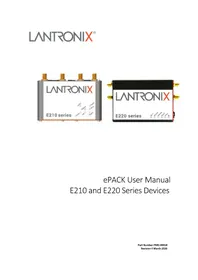
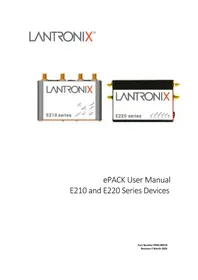
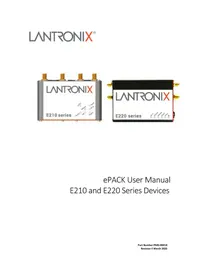
E225 - Router Lantronix - Free user manual and instructions
Find the device manual for free E225 Lantronix in PDF.


Pick your language and provide your email: we'll send you a specifically translated version.
| Product Type | Cellular Router |
| Model | E225 |
| Brand | Lantronix |
| Dimensions | 108 x 90 x 30 mm (4.25 x 3.54 x 1.18 in) |
| Weight | 300 g (10.58 oz) |
| Power Supply | 12V DC, 1A via barrel connector |
| Ethernet Ports | 1x 10/100/1000 Mbps LAN, 1x WAN |
| Cellular Connectivity | 4G LTE Category 4 with SIM slot |
| Wi-Fi Capability | Dual-band 802.11ac (Wi-Fi 5) |
| Antennas | 2x external SMA for cellular, 2x for Wi-Fi |
| VPN Support | IPsec, OpenVPN, PPTP |
| Firewall Features | NAT, SPI firewall, access control |
| Management | Web-based GUI, CLI, SNMP |
| Operating Temperature | -20°C to 50°C (-4°F to 122°F) |
| Maintenance | Keep clean and dry; check firmware updates regularly |
| Security Standards | WPA2/WPA3, 802.1X, secure boot |
| Spare Parts | Contact Lantronix for replacement parts |
| Repairability | No user-serviceable components; professional repair recommended |
| Manual | Free downloadable PDF from notice-facile.com |
Frequently Asked Questions - E225 Lantronix
How to set up the Lantronix E225 router for the first time?
Connect the power supply, insert the SIM card, and connect your computer to the LAN port. Open the default IP address in your browser to access the setup wizard.
What are the default factory login credentials for the E225?
The default username is 'admin' and the default password is 'admin' or blank. Check the label on the device; it is recommended to change the password after first login.
How do I reset the Lantronix E225 to factory defaults?
Press and hold the Reset button for at least 10 seconds until the LED starts blinking. This restores all settings to the factory defaults.
How to configure the cellular network settings on the E225?
Log into the admin interface, go to Network > Cellular and enter the APN, PIN code, and authentication provided by your carrier.
Does the E225 router support VPN connections?
Yes, it supports IPsec, OpenVPN, and PPTP protocols. You can set up VPN tunnels under the VPN menu.
How to update the firmware of the Lantronix E225?
Download the latest firmware from the Lantronix website, access the admin panel, and go to System > Firmware Upgrade. Upload the file and follow the instructions.
What do the LED indicators on the E225 mean?
The LEDs show Power, Network, Wi-Fi, and Cellular status. Refer to the manual for detailed explanations; usually solid green means active, red means error.
How can I secure the E225 router access?
Change the default password, enable WPA2/WPA3 encryption, activate the SPI firewall, and disable remote access if not needed.
Why is the E225 not getting internet access?
Check the SIM card, APN settings, cellular signal, and WAN cable. Use the status page to diagnose. Ensure the LEDs indicate a valid connection.
Does the E225 support Power over Ethernet (PoE)?
Yes, the E225 is PoE PD-compliant and can receive power through the Ethernet cable from a PoE switch or injector.
User questions about E225 Lantronix
0 question about this device. Answer the ones you know or ask your own.
Ask a new question about this device
No questions yet. Be the first to ask one.
Download the instructions for your Router in PDF format for free! Find your manual E225 - Lantronix and take your electronic device back in hand. On this page are published all the documents necessary for the use of your device. E225 by Lantronix.
USER MANUAL E225 Lantronix
Manual assistant
Powered by Anthropic
Waiting for your message
Product information
Brand : Lantronix
Model : E225
Category : Router