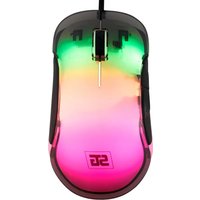
MO-450 - Mouse Vorago - Free user manual and instructions
Find the device manual for free MO-450 Vorago in PDF.


Pick your language and provide your email: we'll send you a specifically translated version.
| Type of product | Mouse |
| Brand | Vorago |
| Model | MO-450 |
| Connection type | Wired USB |
| Sensor type | Optical |
| Number of buttons | 3 (Left, Right, Middle) |
| Scroll wheel | Yes, clickable |
| Cable length | 1.5 m |
| Dimensions (W x D x H) | 125 x 70 x 40 mm |
| Weight | 100 g |
| Power supply | USB port (5V, 100 mA) |
| Compatibility | Windows, macOS, Linux |
| Installation | Plug and play |
| Main functions | Navigation, clicking, scrolling |
| Maintenance and cleaning | Wipe with a soft dry cloth |
| Safety | Avoid direct sunlight and moisture |
| Spare parts | Not user-replaceable |
| Repairability | Contact authorized service center |
| General information | 1-year limited warranty |
Frequently Asked Questions - MO-450 Vorago
Is the Vorago MO-450 a wired or wireless mouse?
The Vorago MO-450 is a wired optical mouse with a USB connection. It offers a reliable and responsive experience without the need for batteries.
Does the MO-450 work with Mac computers?
Yes, the Vorago MO-450 is compatible with Windows, macOS, and Linux operating systems. It works as a plug-and-play device on Mac without requiring additional drivers.
How do I clean the MO-450 mouse?
To clean your mouse, first unplug it from the USB port. Use a soft, dry cloth to wipe the exterior. For the sensor, gently use a cotton swab. Avoid using liquids directly on the device.
Does the MO-450 require driver installation?
No, the MO-450 is a plug-and-play device. Simply plug it into a USB port and it is ready to use. For advanced settings like pointer speed, you can use your operating system's built-in mouse settings.
The cursor is not moving. What should I do?
First, check that the USB cable is securely connected to your computer. Try another USB port. Clean the optical sensor with a cotton swab. If the problem persists, test the mouse on another computer to determine if the issue is with the mouse or your system.
Is the MO-450 suitable for gaming?
The MO-450 is a standard optical mouse designed for everyday tasks such as web browsing, document editing, and general navigation. It is not specifically designed for high-precision gaming, but it can handle casual games.
What is the cable length of the MO-450?
The MO-450 features a 1.5-meter USB cable, providing flexibility to connect to desktop and laptop computers comfortably.
Can I use the MO-450 with a laptop?
Yes, the MO-450 is compatible with any device that has a USB port, including laptops and desktop computers. It is compact and portable.
What is the warranty period for the Vorago MO-450?
The Vorago MO-450 comes with a 1-year limited warranty from the date of purchase, covering manufacturing defects under normal use.
How many buttons does the MO-450 have?
It has 3 buttons: left button, right button, and a clickable scroll wheel that also acts as the middle button. The scroll wheel is useful for scrolling through pages.
User questions about MO-450 Vorago
0 question about this device. Answer the ones you know or ask your own.
Ask a new question about this device
No questions yet. Be the first to ask one.
Download the instructions for your Mouse in PDF format for free! Find your manual MO-450 - Vorago and take your electronic device back in hand. On this page are published all the documents necessary for the use of your device. MO-450 by Vorago.
USER MANUAL MO-450 Vorago


Manual assistant
Powered by Anthropic
Waiting for your message
Product information
Brand : Vorago
Model : MO-450
Category : Mouse