
Native X-ValveComp - Processor Solid State Logic - Free user manual and instructions
Find the device manual for free Native X-ValveComp Solid State Logic in PDF.


Pick your language and provide your email: we'll send you a specifically translated version.
| Product Type | Audio processing plugin (Native instrument) |
| Manufacturer | Solid State Logic |
| Series | Native |
| Model | X-ValveComp |
| Plugin Formats | AAX, VST2, VST3, AU |
| Operating Systems | macOS and Windows |
| Architecture | 64-bit |
| License Protection | iLok account required for activation |
| Main Function | Valve compressor/limiter |
| Signal Processing | Analog-modeled valve saturation |
| Compression Modes | Single, double, parallel, and sidechain |
| Controls | Drive, threshold, ratio, attack, release, makeup gain |
| Dry/Wet Mix | Yes, fully adjustable |
| High-Pass Filter | Yes, for key listening |
| Metering | Input/output and gain reduction meters |
| Sample Rate Support | Up to 192 kHz |
| Latency Compensation | Minimal latency design |
| Maintenance | No physical maintenance; update via software |
| Safety | Use official installer and secure SSL credentials |
| Spare Parts & Repair | No spare parts; download future updates |
| General Information | Free user manual with 72 pages |
Frequently Asked Questions - Native X-ValveComp Solid State Logic
What is Solid State Logic Native X-ValveComp?
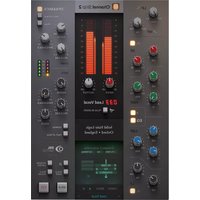
Native X-ValveComp is a valve compressor plugin that emulates the SSL XLogic hardware unit. It provides analog-style saturation and compression for mixing and mastering.
Which plugin formats are supported?
The plugin supports AAX, VST2, VST3, and AU formats on compatible hosts.
Can I use Native X-ValveComp on both Mac and PC?
Yes, it is available for macOS and Windows operating systems in 64-bit.
Do I need an iLok dongle to run the plugin?
You need an iLok account for activation. The plugin can be activated on a computer or an iLok USB device, depending on your preference.
Does the plugin support sidechain compression?
Yes, Native X-ValveComp includes an external sidechain input that allows you to trigger compression with an external signal.
How can I update the plugin to the latest version?
Updates are handled through the SSL License Manager or the SSL website. Simply download the latest installer and run it to update.
Can I do parallel compression with this plugin?
Yes, it features a mix control to blend dry and processed signals, allowing instant parallel compression.
What sample rates are supported?
The plugin supports sample rates up to 192 kHz, making it suitable for high-resolution audio sessions.
Is there a high-pass filter in the key path?
Yes, a high-pass filter is available in the sidechain key route to shape the detector signal.
Where can I find the user manual?
The user manual is available as a free PDF download on the official SSL product page or through this documentation site.
User questions about Native X-ValveComp Solid State Logic
0 question about this device. Answer the ones you know or ask your own.
Ask a new question about this device
No questions yet. Be the first to ask one.
Download the instructions for your Processor in PDF format for free! Find your manual Native X-ValveComp - Solid State Logic and take your electronic device back in hand. On this page are published all the documents necessary for the use of your device. Native X-ValveComp by Solid State Logic.
USER MANUAL Native X-ValveComp Solid State Logic
Manual assistant
Powered by Anthropic
Waiting for your message
Product information
Brand : Solid State Logic
Model : Native X-ValveComp
Category : Processor