
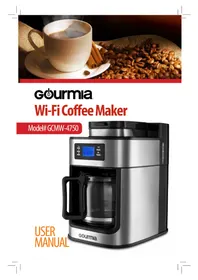
GCM4700 - Coffee maker Gourmia - Free user manual and instructions
Find the device manual for free GCM4700 Gourmia in PDF.


Pick your language and provide your email: we'll send you a specifically translated version.
| Product Type | Drip Coffee Maker |
| Brand | Gourmia |
| Model | GCM4700 |
| Capacity | 12 cups (60 ounces) |
| Power | 120V AC, 60Hz, 900W |
| Dimensions | 12.6 x 9.8 x 14.2 inches (height x width x depth) |
| Weight | 6.4 pounds |
| Programmable Timer | 24-hour programmable with clock display |
| Brew Strength Control | Select regular or bold brew |
| Auto Shut-Off | Automatic shut-off after 2 hours |
| Pause and Serve | Pause brew cycle to pour a cup |
| Keep Warm Plate | Stainless steel warming plate |
| Carafe | Durable glass carafe with drip-free spout |
| Water Level Indicator | Visible water window with cup markings |
| Filter Type | Uses #4 cone paper filters or permanent basket |
| Filter Basket | Removable and dishwasher safe |
| Cord Storage | Built-in cord wrap at the base |
| Maintenance | Descale regularly with a vinegar solution |
| Cleaning | Carafe and filter basket are top-rack dishwasher safe |
| Safety Features | Automatic shut-off, non-slip feet, cool-touch handle |
| Spare Parts | Carafe, filter basket and heating plate available from Gourmia |
| Warranty | 1-year limited warranty |
| Country of Origin | China |
Frequently Asked Questions - GCM4700 Gourmia
How do I program the auto brew timer?
Press the PROG button until the clock flashes. Use the hour and minute buttons to set the desired time. Press PROG again to confirm. The timer is set, and the coffee maker will start brewing at that time.
How do I set the clock on the GCM4700?
Press and hold the CLOCK button for 3 seconds. The hour digits will flash. Use the hour/minute buttons to adjust, then press CLOCK again to save.
Can I use a permanent filter instead of paper filters?
Yes, the GCM4700 is compatible with a permanent mesh filter as well as #4 paper cone filters. Simply place the permanent filter in the basket and add ground coffee.
How do I clean and descale my coffee maker?
Mix 1 part white vinegar with 2 parts water and pour into the reservoir. Run a brew cycle without coffee, then run 2-3 cycles with clean water to rinse. Do this every 2 months to remove mineral buildup.
What does the brew strength control do?
The brew strength selector allows you to choose between Regular and Bold. Bold mode extends the brewing time for a richer, stronger cup.
How does the pause and serve feature work?
While coffee is brewing, simply remove the carafe for up to 30 seconds. The flow of coffee will pause automatically, allowing you to pour a cup without dripping.
Why is my coffee maker not brewing?
Check that the reservoir is filled with water, the carafe is correctly placed on the warming plate, and the brew basket is locked into position. Also ensure the timer is set to the correct time if using auto brew.
Can the glass carafe go in the dishwasher?
Yes, the carafe and the removable filter basket are top-rack dishwasher safe. For best results, rinse them with warm soapy water first.
How do I reset the coffee maker to factory settings?
Unplug the unit for 30 seconds, then plug it back in. The display will reset to 12:00 and all custom settings will be cleared.
What maintenance is required to keep the coffee maker in good condition?
After each use, empty the carafe and filter basket. Wipe the exterior with a soft damp cloth. Descaling every 2 months is essential to prevent clogs and ensure optimal brewing temperature.
User questions about GCM4700 Gourmia
0 question about this device. Answer the ones you know or ask your own.
Ask a new question about this device
No questions yet. Be the first to ask one.
Download the instructions for your Coffee maker in PDF format for free! Find your manual GCM4700 - Gourmia and take your electronic device back in hand. On this page are published all the documents necessary for the use of your device. GCM4700 by Gourmia.
USER MANUAL GCM4700 Gourmia



Manual assistant
Powered by Anthropic
Waiting for your message
Product information
Brand : Gourmia
Model : GCM4700
Category : Coffee maker