BCT16 - Uncategorized ISDT - Free user manual and instructions
Find the device manual for free BCT16 ISDT in PDF.


Pick your language and provide your email: we'll send you a specifically translated version.
| Product Type | Battery Checker / Tester |
| Brand | ISDT |
| Model | BCT16 |
| Display | 2.4-inch LCD with real-time data display |
| Supported Battery Types | LiPo, LiFePO4, Li-ion, NiMH, NiCd, Lead-Acid (Pb) |
| Battery Cell Count | 1-16S |
| Charge Current | 0.1-16A, adjustable |
| Discharge Current | 0.1-8A, adjustable |
| Input Voltage | 6-36V DC |
| Power Output | Max 300W charging, 30W discharging |
| Dimensions (L x W x H) | 130 x 90 x 32 mm |
| Weight | 280 g |
| Main Functions | Balance charging, storage mode, cycle mode, IR measurement, data logging, temperature monitoring |
| Safety Protections | Over-current, over-voltage, over-temperature, reverse polarity protection |
| Connectivity | Mini USB port for firmware updates and PC link |
| Maintenance | Clean with a soft dry cloth, avoid moisture, store in a dry environment |
| Spare Parts & Repairability | Standard connectors, accessible internal fuses, ISDT customer service support |
| General Information | 6-month warranty, CE and RoHS certified |
Frequently Asked Questions - BCT16 ISDT
How do I update the firmware on the BCT16?
To update the firmware, download the latest version from the ISDT official website. Connect the BCT16 to your computer via the Mini USB port and run the dedicated update tool.
What battery types does the BCT16 support?
The BCT16 supports LiPo, LiFePO4, Li-ion, NiMH, and NiCd batteries, as well as lead-acid (Pb) batteries.
What is the maximum charging current?
The maximum charging current is 16A, adjustable in steps of 0.1A, allowing efficient charging of high-capacity packs.
Can I use the BCT16 to charge batteries while using them?
The BCT16 is designed as a battery management device; it allows you to monitor and test batteries, but not to use them while charging. Always disconnect loads before charging.
How do I perform a storage charge with the BCT16?
Select the storage mode from the main menu, choose your battery type and cell count. The device will automatically charge or discharge to the safe storage voltage.
What safety protections does the BCT16 offer?
The device includes over-voltage, over-current, over-temperature, and reverse polarity protection, ensuring safe operation under various conditions.
Can I measure the internal resistance of my battery cells?
Yes, the BCT16 has a built-in internal resistance meter that measures each cell individually, giving you insight into battery health.
How do I clean the BCT16?
Disconnect the device from power and any battery, then wipe the exterior with a soft dry cloth. Do not use solvents or water.
Are spare parts available for the BCT16?
Yes, you can order original spare parts such as cables, fuses, and connectors from ISDT customer service or authorized dealers.
Does the BCT16 have a warranty?
The BCT16 comes with a 6-month warranty. Registration on the ISDT website can extend the warranty period.
User questions about BCT16 ISDT
0 question about this device. Answer the ones you know or ask your own.
Ask a new question about this device
No questions yet. Be the first to ask one.
Download the instructions for your Uncategorized in PDF format for free! Find your manual BCT16 - ISDT and take your electronic device back in hand. On this page are published all the documents necessary for the use of your device. BCT16 by ISDT.
USER MANUAL BCT16 ISDT

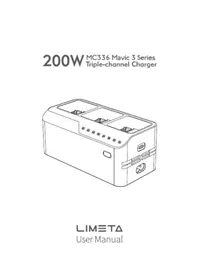

Manual assistant
Powered by Anthropic
Waiting for your message
Product information
Brand : ISDT
Model : BCT16
Category : Uncategorized