PS-3300 - Audio software Cherry Audio - Free user manual and instructions
Find the device manual for free PS-3300 Cherry Audio in PDF.


Pick your language and provide your email: we'll send you a specifically translated version.
| Product Type | Virtual Analog Synthesizer Plug-in |
| Brand | Cherry Audio |
| Model | PS-3300 |
| Category | Audio software |
| Dimensions | Software interface minimum 1280 x 768 pixels |
| Weight (Download Size) | Approximately 1.2 GB |
| Power / System Requirements | 4 GB RAM, multi-core CPU, 64-bit OS |
| Main Functions | Sound synthesis, patch editing, effects, and mixing |
| Sound Engine | Emulation of the Korg PS-3300 triple-section synthesizer |
| Polyphony | 48 voices (3 x 16) |
| Plug-in Formats | VST2, VST3, AU, and AAX |
| Standalone Operation | Yes |
| Operating Systems | Windows 10/11, macOS 11 or later |
| Maintenance and Cleaning | Regular software updates and cache management |
| Security | Secure online activation and license management |
| Spare Parts and Repairability | No physical parts; updates and patches provided |
| General Information | User manual in English, 83 page PDF |
| MIDI Support | Full MIDI learn and sequencer integration |
| Audio Quality | 64-bit internal processing |
| Presets | Over 500 factory presets |
Frequently Asked Questions - PS-3300 Cherry Audio
What is the Cherry Audio PS-3300?
The PS-3300 is a virtual analog synthesizer plug-in from Cherry Audio that faithfully emulates the classic Korg PS-3300. It is a 48-voice polyphonic instrument with three independent sections and integrated effects.
How do I install the software?
Download the installer from your Cherry Audio account, run it, and follow the on-screen instructions. After installation, launch your DAW or the standalone application and activate the license online.
What are the system requirements?
You need a 64-bit computer with at least 4 GB of RAM and a multi-core CPU. Supported operating systems include Windows 10/11 and macOS 11 or later. A minimum screen resolution of 1280 x 768 is recommended.
Can I use the PS-3300 as a plugin in my DAW?
Yes, the PS-3300 supports VST2, VST3, AU, and AAX formats, so it works with most major digital audio workstations like Ableton, Logic, Pro Tools, and Cubase.
How do I load presets?
Use the preset browser in the top bar of the interface. Click the library icon, browse through categories, and double-click a preset to load it. You can also create your own presets and save them.
Does the PS-3300 support MIDI controllers?
Absolutely. It features MIDI learn for mapping knobs, sliders, and buttons to your external hardware. It also supports standard MIDI CC messages for real-time control.
How many voices are available?
The PS-3300 offers 48 voices of polyphony, arranged in three sections of 16 voices each. This allows for complex, multi-timbral patches without voice stealing.
Can I run it standalone without a DAW?
Yes, the PS-3300 includes a standalone application. Connect your MIDI keyboard and audio interface, and you can play it directly with low latency.
How can I get updates?
Updates are free for registered users. Log into your Cherry Audio account and download the latest version from your product page. The installer will update your current installation.
Where can I find the full user manual?
The official manual is available as an 83-page PDF download from the notice-facile.com or Cherry Audio's website. It covers all controls, features, and troubleshooting tips in detail.
User questions about PS-3300 Cherry Audio
0 question about this device. Answer the ones you know or ask your own.
Ask a new question about this device
No questions yet. Be the first to ask one.
Download the instructions for your Audio software in PDF format for free! Find your manual PS-3300 - Cherry Audio and take your electronic device back in hand. On this page are published all the documents necessary for the use of your device. PS-3300 by Cherry Audio.
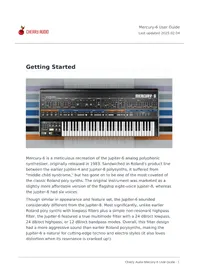
USER MANUAL PS-3300 Cherry Audio

Manual assistant
Powered by Anthropic
Waiting for your message
Product information
Brand : Cherry Audio
Model : PS-3300
Category : Audio software