
VTM-14A - Monitor Vitek - Free user manual and instructions
Find the device manual for free VTM-14A Vitek in PDF.


Pick your language and provide your email: we'll send you a specifically translated version.
| Product Type | 14-Inch Color Monitor |
| Brand | Vitek |
| Model | VTM-14A |
| Display Diagonal | 14 inches (35.56 cm) |
| Display Technology | CRT (Cathode Ray Tube) |
| Maximum Resolution | 1024 x 768 pixels |
| Recommended Resolution | 800 x 600 pixels |
| Power Consumption | Approximately 70 W |
| Input Voltage | 100-240 V AC, 50/60 Hz |
| Dimensions (W x H x D) | 360 x 370 x 400 mm |
| Weight | 12 kg (26.5 lbs) |
| Video Input | VGA (15-pin D-sub) |
| Adjustable Functions | Brightness, contrast, position, and color settings |
| On-Screen Display | Yes |
| Cleaning and Care | Clean with a soft, dry cloth; avoid abrasive cleaners |
| Safety Information | Operate in a dry environment with proper grounding and ventilation |
| Spare Parts and Repairability | Contact authorized service centers for replacement parts and repairs |
| General Information | Designed for indoor use; ensure adequate airflow around the device |
Frequently Asked Questions - VTM-14A Vitek
How do I connect the VTM-14A monitor to my computer?
Connect the VGA cable from the monitor to your computer's video port. Tighten the screws, then plug in the power cable. Turn on the monitor and adjust settings using the OSD controls.
What is the maximum resolution supported?
The Vitek VTM-14A supports a maximum resolution of 1024 x 768 pixels. For optimal clarity, we recommend using 800 x 600 pixels as the standard setting.
How do I clean the screen without damaging it?
Use a soft, lint-free cloth slightly dampened with water. Gently wipe in one direction. Do not use alcohol, ammonia, or harsh chemicals as they can damage the screen coating.
Why is my monitor screen blank?
Check that the monitor is powered on, the VGA cable is securely connected, and the computer is outputting to the external monitor. Verify the input source and try restarting both devices.
Can I use this monitor with a laptop?
Yes, if your laptop has a VGA output. Connect the VGA cable, then switch the laptop to external display mode using the function key (e.g., F4 or F8) to enable the monitor.
What should I do if the screen is flickering?
Check the refresh rate settings in your computer's display properties. Set it to 60 Hz. Also ensure the VGA cable is not damaged and the connection is tight.
How do I adjust the monitor's position and size?
Use the On-Screen Display (OSD) menu. Press the MENU button, navigate to the Position or Size settings, and use the +/- buttons to adjust the screen geometry.
Is the VTM-14A energy efficient?
The monitor consumes approximately 70 W during operation. To save power, switch it off when not in use. It does not include an automatic standby feature.
Can I mount this monitor on a wall?
No, the VTM-14A does not support VESA mounting due to its CRT design. Place it on a stable, flat surface for proper ventilation and safety.
What is the warranty or repair process?
Refer to the warranty card included in the box. For repairs, contact Vitek's authorized service center. Use only genuine spare parts to ensure safety and performance.
User questions about VTM-14A Vitek
0 question about this device. Answer the ones you know or ask your own.
Ask a new question about this device
No questions yet. Be the first to ask one.
Download the instructions for your Monitor in PDF format for free! Find your manual VTM-14A - Vitek and take your electronic device back in hand. On this page are published all the documents necessary for the use of your device. VTM-14A by Vitek.
USER MANUAL VTM-14A Vitek
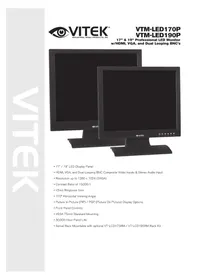
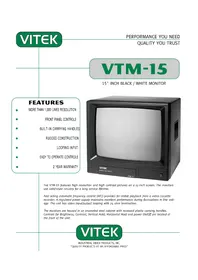
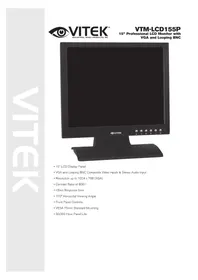
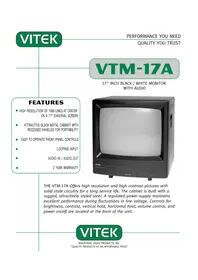

Manual assistant
Powered by Anthropic
Waiting for your message
Product information
Brand : Vitek
Model : VTM-14A
Category : Monitor