
DC593W - Media player LG - Free user manual and instructions
Find the device manual for free DC593W LG in PDF.


Pick your language and provide your email: we'll send you a specifically translated version.
| Product type | Media player (DVD/DivX player) |
| Brand | LG |
| Model | DC593W |
| Color | White |
| Disc compatibility | DVD-Video, CD, CD-R/RW, DVD±R/RW |
| Video playback | DivX, Xvid, MPEG4 |
| Audio playback | MP3, WMA, PCM |
| Image playback | JPEG |
| Resolution output | 1080p upscaling through HDMI |
| HDMI output | 1x HDMI |
| Composite video output | 1x RCA |
| Audio output | 2-channel analog and digital coaxial |
| USB input | 1x USB 2.0 |
| Power supply | AC 100-240V, 50/60Hz |
| Power consumption | Approx. 10W (standby less than 1W) |
| Dimensions (W x H x D) | Approx. 360 x 42 x 209 mm |
| Weight | Approx. 1.5 kg |
| Accessories included | Remote control and user manual |
| Maintenance and cleaning | Clean the exterior with a dry soft cloth; wipe discs from the center to the edge. |
| Safety | Keep away from moisture and heat; do not place heavy objects on top. |
| Spare parts and repairability | Contact LG authorized service centers for spare parts and professional repair. |
| General information | Free user manual and instructions available in PDF format |
Frequently Asked Questions - DC593W LG
How can I reset the LG DC593W to factory settings?
If the player freezes, disconnect it from the power outlet for 30 seconds, then reconnect. For a full reset, press SETUP, navigate to the system menu, and select Factory Default if this option is available. Confirm with ENTER.
What video formats are supported?
The LG DC593W plays DVD-Video discs and files in DivX, Xvid, and MPEG4 formats from compatible discs or USB devices. For DivX subtitles, put the subtitle file in the same folder and keep the same file name as the movie.
Why is there no sound from the player?
Check the audio connection to your TV or amplifier. If you are using HDMI, make sure the TV is not muted and the correct HDMI input is selected. If you use the analog stereo output, verify that the red and white cables are connected to the matching audio inputs. In the setup menu, try changing the audio output from Bitstream to PCM.
Can I connect the LG DC593W to a modern television?
Yes, the player has an HDMI output for a single-cable digital connection to your TV. Use a high-speed HDMI cable, plug it into the HDMI input on the television, and switch the TV to the corresponding HDMI source. The player can upscale standard DVDs to 1080p for a sharper picture.
How do I play music or photos from a USB drive?
Insert a USB flash drive into the USB port, then press HOME or INPUT on the remote and select USB. Use the arrow keys to browse the folders, highlight a file, and press ENTER to play or view it. Supported file types include MP3, WMA, and JPEG.
The disc tray opens but the disc is not recognized, what can I do?
Make sure the disc is placed with the label side facing up. Clean the disc with a soft, lint-free cloth, wiping from the center to the edge. Try a different commercially produced DVD or CD. The player may not read discs with scratches, heavy dirt, or incorrectly burned files.
How should I clean the player and the lens?
Clean the outside of the player with a dry, soft cloth. Never use liquid cleaners or sprays directly on the unit. To clean the optical lens, use a DVD lens cleaning disc according to its instructions. If playback problems persist, contact an LG authorized service center.
How do I get the best picture quality from this player?
In the Setup menu, choose the Display settings and select the native resolution of your TV (720p, 1080i, or 1080p). With an HDMI connection, enable the upscaling mode to let the player convert standard definition DVD signals to high definition.
Does the remote control require batteries?
The remote is included, but batteries are normally not in the box. Install two AAA batteries with the correct polarity as shown in the battery compartment. If the remote stops working, replace the batteries and point it toward the player within the operating range.
How do I use the setup menu?
Press the SETUP button on the remote control to open the on-screen menu. Use the up and down arrow keys to choose a category such as Language, Display, Audio, or Lock, then press ENTER to change settings. Press SETUP again to close the menu.
User questions about DC593W LG
0 question about this device. Answer the ones you know or ask your own.
Ask a new question about this device
No questions yet. Be the first to ask one.
Download the instructions for your Media player in PDF format for free! Find your manual DC593W - LG and take your electronic device back in hand. On this page are published all the documents necessary for the use of your device. DC593W by LG.
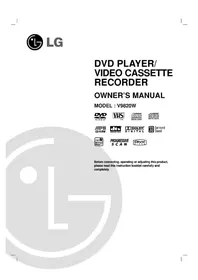
USER MANUAL DC593W LG


Manual assistant
Powered by Anthropic
Waiting for your message
Product information
Brand : LG
Model : DC593W
Category : Media player