JMA-9923-9XA - Marine Radar JRC - Free user manual and instructions
Find the device manual for free JMA-9923-9XA JRC in PDF.


Pick your language and provide your email: we'll send you a specifically translated version.
| Product Type | Marine Radar |
| Brand | JRC |
| Model | JMA-9923-9XA |
| Display Size | 23 inches |
| Display Type | Color LCD |
| Radar Frequency | X-band (9.3 GHz) |
| Transmit Power | 10 kW |
| Antenna Length | 3.5 feet |
| Range Scales | 0.125 to 120 nautical miles |
| Display Modes | Head-up, North-up, Course-up |
| Target Tracking | MARPA with up to 100 targets |
| AIS Integration | Yes |
| Power Supply | 24V DC |
| Waterproofing | IPX6 |
| Mounting | Desktop or flush mount |
| Cleaning & Maintenance | Wipe display with soft dry cloth; clean antenna with fresh water |
| Safety Warnings | High voltage inside; maintain safe distance from radar antenna |
| Spare Parts & Repairability | Serviceable by authorized JRC technicians |
| Manual Size | 404 pages |
Frequently Asked Questions - JMA-9923-9XA JRC
How do I install the JRC JMA-9923-9XA radar antenna?
The antenna should be mounted on a mast or radar arch with a clear line of sight. Use the supplied bracket and stainless steel bolts. Ensure the cable is routed through a proper gland and that the antenna is level. For details, refer to the installation section of the manual.
What are the radar's operating modes?
The JMA-9923-9XA supports multiple display modes including Head-up, North-up, and Course-up, which affect the orientation of the radar image relative to the vessel's heading.
How can I adjust the pulse length for better resolution?
The radar automatically selects the appropriate pulse length based on range scale, but you can manually override it in the menu for better target resolution. Use shorter pulses for close range and longer pulses for long-range detection.
What should I do if the radar display does not power on?
First verify the power supply (24V DC) is within range and that the fuse is not blown. Check the circuit breaker and the connection to the display unit. If the issue persists, contact an authorized JRC service center.
How often should I perform maintenance on the radar?
Regularly inspect the antenna for corrosion and damage. Clean the radome with fresh water and a mild detergent. Check all cable connections every 6 months. The display unit should be wiped with a soft dry cloth to prevent dust accumulation.
Can the JMA-9923-9XA integrate with existing navigation systems?
Yes, the radar supports AIS and GPS via NMEA interfaces. You can overlay AIS targets and share waypoints with chartplotters and other onboard equipment.
How do I perform a factory reset on the radar?
With the unit powered off, press and hold the MENU key while turning on the power. Release the key when the boot screen appears, then select "Factory Reset" from the setup menu. Be aware this erases all custom settings.
What is the maximum range of the JMA-9923-9XA?
The radar has a maximum range of 120 nautical miles using the long pulse mode. The actual detection range depends on antenna height, target size, and weather conditions.
Is the radar system waterproof?
The display unit has an IPX6 rating, making it resistant to heavy seas spray and rain. The antenna is also weatherproof. However, avoid prolonged immersion.
Where can I find spare parts and service for the radar?
Spare parts and servicing are provided exclusively through authorized JRC dealers. You can locate the nearest service center on the official JRC website or by contacting their support line. Always use genuine JRC parts for repairs.
User questions about JMA-9923-9XA JRC
0 question about this device. Answer the ones you know or ask your own.
Ask a new question about this device
No questions yet. Be the first to ask one.
Download the instructions for your Marine Radar in PDF format for free! Find your manual JMA-9923-9XA - JRC and take your electronic device back in hand. On this page are published all the documents necessary for the use of your device. JMA-9923-9XA by JRC.
USER MANUAL JMA-9923-9XA JRC


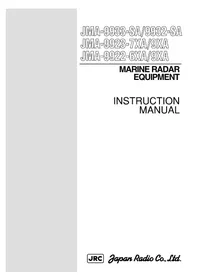
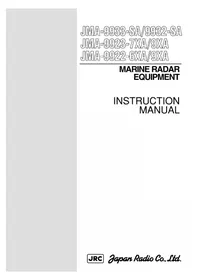
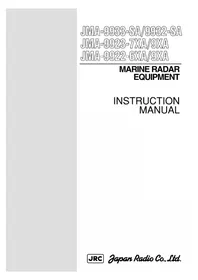
Manual assistant
Powered by Anthropic
Waiting for your message
Product information
Brand : JRC
Model : JMA-9923-9XA
Category : Marine Radar