
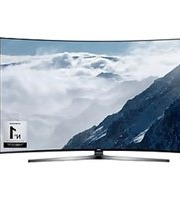
C43J890DKC - Television SAMSUNG - Free user manual and instructions
Find the device manual for free C43J890DKC SAMSUNG in PDF.
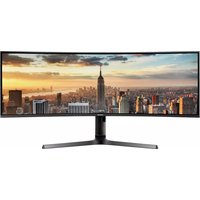


Pick your language and provide your email: we'll send you a specifically translated version.
| Product Type | Samsung LED Television |
| Model Number | C43J890DKC |
| Display Size | 43 inches (109 cm) |
| Display Resolution | 3840 x 2160 (4K UHD) |
| Panel Type | VA LED |
| HDR Support | HDR10, HLG |
| Smart TV Platform | Smart Hub (Tizen) |
| Wi-Fi Standard | Wi-Fi 5 (IEEE 802.11ac) |
| Bluetooth | Version 4.2 |
| HDMI Inputs | 3 x HDMI 2.0 |
| USB Ports | 2 x USB-A |
| Ethernet Port | 1 x RJ45 |
| Audio Output | 20W (2.0 channels) |
| VESA Mount Pattern | 200 x 200 mm |
| Power Consumption (Typical) | 50 W |
| Power Consumption (Standby) | 0.3 W |
| Dimensions (With Stand) | 963.3 x 604.1 x 207.3 mm |
| Dimensions (Without Stand) | 963.3 x 558.4 x 59.9 mm |
| Weight (With Stand) | 9.1 kg |
| Weight (Without Stand) | 8.6 kg |
| Energy Efficiency Class | A+ |
| Main Features | 4K Upscaling, One Remote Control, Ambient Mode, Smart Things |
| Maintenance and Cleaning | Wipe with a soft dry cloth; avoid harsh chemicals; turn off before cleaning. |
| Safety Precautions | Ensure proper ventilation; do not install near heat sources; use the provided stand or VESA mount. |
| Spare Parts and Repairability | Genuine parts available via authorized Samsung service centers; professional repair recommended. |
Frequently Asked Questions - C43J890DKC SAMSUNG
How do I connect my Samsung TV to the internet?
Go to Settings > General > Network > Open Network Settings. Select your Wi-Fi network and enter the password. You can also use an Ethernet cable for a wired connection.
How do I connect external devices like a DVD player or game console?
Connect the device via an HDMI cable to one of the available HDMI inputs. Use the Source button on the remote control to select the corresponding HDMI source.
How can I update the TV firmware?
Navigate to Settings > Support > Software Update. Select Update Now to install available updates. Ensure your TV is connected to the internet.
What is the VESA wall mount size for this TV?
The VESA mounting pattern is 200 x 200 mm. Use a compatible wall mount and follow the instructions in the manual for safe installation.
How do I perform a factory reset?
Go to Settings > General > Reset and enter your PIN (default is 0000). This will restore all settings to factory defaults and remove your personal data.
How should I clean the TV screen safely?
Turn off the TV and unplug it. Use a soft, dry microfiber cloth to gently wipe the screen. Do not use water, solvents, or abrasive cleaners, as they may damage the display.
Why is my TV not turning on?
Check that the power cable is securely connected. Try a different power outlet. If the TV still doesn't turn on, press the power button on the TV itself for 10 seconds. If the issue persists, contact Samsung support.
Does this TV support HDR content?
Yes, the TV supports HDR10 and HLG formats. To enjoy HDR, make sure the input source is HDR-capable and the picture mode is set to HDR.
Can I use voice commands with this TV?
Yes, if your remote control has a microphone, press and hold the Voice/Mic button and speak your request. Alternatively, you can use the Smart Things app on your smartphone.
What is the energy efficiency class of this TV?
The TV is rated A+ on the EU energy label. Actual consumption depends on the picture settings and usage conditions.
User questions about C43J890DKC SAMSUNG
0 question about this device. Answer the ones you know or ask your own.
Ask a new question about this device
No questions yet. Be the first to ask one.
Download the instructions for your Television in PDF format for free! Find your manual C43J890DKC - SAMSUNG and take your electronic device back in hand. On this page are published all the documents necessary for the use of your device. C43J890DKC by SAMSUNG.
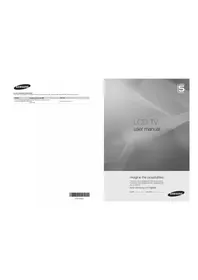
USER MANUAL C43J890DKC SAMSUNG
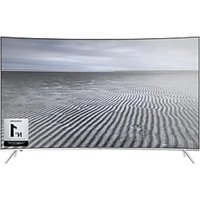
Manual assistant
Powered by Anthropic
Waiting for your message
Product information
Brand : SAMSUNG
Model : C43J890DKC
Category : Television