
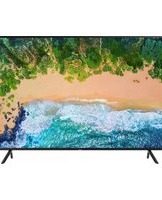
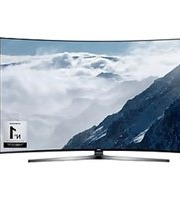
UN50NU7100K - Television SAMSUNG - Free user manual and instructions
Find the device manual for free UN50NU7100K SAMSUNG in PDF.


Pick your language and provide your email: we'll send you a specifically translated version.
| Product Type | Television |
| Brand | Samsung |
| Model | UN50NU7100K |
| Screen Size | 50 inches diagonal |
| Display Resolution | 3840 x 2160 (4K UHD) |
| Display Technology | LED with UHD Dimming |
| HDR Support | HDR10, HDR10+ and HLG |
| Motion Rate | 120 CMR (Clear Motion Rate) |
| Smart TV Platform | Samsung Smart Hub (Tizen OS) |
| Audio Output Power | 20 W total (2 x 10 W) |
| HDMI Inputs | 3 HDMI ports with HDCP 2.2 |
| USB Ports | 2 USB ports |
| Wi-Fi | Built-in dual-band Wi-Fi (802.11ac) |
| Bluetooth | Integrated Bluetooth 4.2 |
| Power Consumption (Typical) | 100 W (average) |
| Power Consumption (Standby) | 0.3 W |
| Dimensions (Without Stand) | 44.3 x 25.8 x 2.5 inches (approx.) |
| Dimensions (With Stand) | 44.3 x 29.8 x 12.7 inches (approx.) |
| Weight (Without Stand) | 30.4 lb |
| Weight (With Stand) | 31.7 lb |
| Cleaning and Maintenance | Wipe the screen with a dry, soft microfiber cloth; do not spray water or cleaning chemicals directly on the panel. |
| Safety Precautions | Keep ventilation openings clear; avoid exposing the TV to rain, moisture, direct heat, and never place heavy items on the screen. |
| Spare Parts and Repairability | Original spare parts and stands are available through Samsung authorized service centers; the remote and stand can be replaced separately. |
| Package Contents | Television, remote controller, batteries, power cable, stand bracket, screws, and user manual. |
Frequently Asked Questions - UN50NU7100K SAMSUNG
How do I connect my Samsung UN50NU7100K to a Wi-Fi network?
Press the Home button, go to Settings, select Network and then Open Network Settings. Choose your wireless network, enter the Wi-Fi password, and select Done.
Why does my TV not display HDR content?
Make sure the source device is connected to a compatible HDMI port and that the input is set to HDMI Mode. Press Home > Settings > Picture > Expert Settings and verify HDR is enabled. Another possibility: the content or streaming app may not be HDR-compatible.
How can I update the firmware on my Samsung UN50NU7100K?
Open Settings > Support > Software Update and select Update Now. The TV must be connected to the internet. You can also update via USB by downloading the latest firmware from Samsung.com and installing it from the Support menu.
Can I connect Bluetooth headphones to my UN50NU7100K?
Yes. Press Home > Settings > Sound > Sound Output > Bluetooth Speaker List, then pair your headphones. Make sure they are in pairing mode.
How do I perform a factory reset on this television?
Go to Settings > General > Reset. Enter your PIN (default is 0000). The TV will restart and restore all settings to factory defaults.
What is the best picture mode for sports viewing?
Press the Picture Mode button on the remote or go to Settings > Picture > Picture Mode. Select Dynamic for a vivid image or Sports mode if available. You can also enable Auto Motion Plus for smoother motion.
How do I turn on the TV with the remote when it is in standby mode?
Press the Power button on the remote. If it does not respond, check the batteries or press the physical Power button on the TV. The standby LED should blink once when the TV receives the signal.
Does this TV support AirPlay or screen mirroring?
The UN50NU7100K supports Smart View mirroring from Android phones via the SmartThings app. For Apple devices, use an Apple TV or the AirPlay function through some apps; native AirPlay 2 may not be available on this generation.
What screws should I use for a VESA wall mount?
The UN50NU7100K is compatible with VESA 200 x 200 mm mounts. Use screws with diameter M8 and length 12-14 mm, plus spacers if necessary. Always check the manual for torque and mounting instructions.
How can I connect external speakers to the UN50NU7100K?
You can connect an audio receiver or soundbar via HDMI ARC (HDMI port 3) or the Optical audio output. Then set Sound Output to the matching device in Settings > Sound.
User questions about UN50NU7100K SAMSUNG
0 question about this device. Answer the ones you know or ask your own.
Ask a new question about this device
No questions yet. Be the first to ask one.
Download the instructions for your Television in PDF format for free! Find your manual UN50NU7100K - SAMSUNG and take your electronic device back in hand. On this page are published all the documents necessary for the use of your device. UN50NU7100K by SAMSUNG.
USER MANUAL UN50NU7100K SAMSUNG
Manual assistant
Powered by Anthropic
Waiting for your message
Product information
Brand : SAMSUNG
Model : UN50NU7100K
Category : Television