
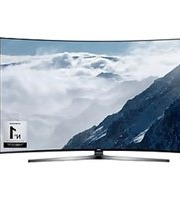
UA110S9VR - Television SAMSUNG - Free user manual and instructions
Find the device manual for free UA110S9VR SAMSUNG in PDF.
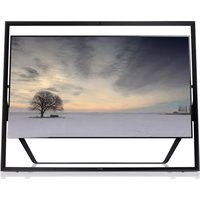


Pick your language and provide your email: we'll send you a specifically translated version.
| Product Type | LED Television |
| Screen Size | 110 inches |
| Display Resolution | 3840 x 2160 pixels (4K UHD) |
| HDR Support | HDR10+, HLG |
| Smart TV Platform | Tizen OS |
| Refresh Rate | 120 Hz |
| Audio Output | 60 W (2.2 channel) |
| Power Consumption (Typical) | 450 W |
| Power Consumption (Standby) | 0.5 W |
| Input Voltage | AC 100-240 V, 50/60 Hz |
| Dimensions (Without Stand) | 2435 x 1399 x 54 mm (W x H x D) |
| Dimensions (With Stand) | 2435 x 1502 x 490 mm |
| Weight (Without Stand) | 98 kg |
| Weight (With Stand) | 101 kg |
| VESA Wall Mount | 600 x 400 mm |
| Connectivity | 4 x HDMI, 3 x USB, 1 x Ethernet, Wi-Fi, Bluetooth |
| Remote Control Model | TM2180A |
| Recommended Cleaning | Soft dry cloth; do not apply liquids directly |
| Safety Features | Overheat protection, anti-tip strap recommended |
| Repairability | Spare parts available; service manual downloadable |
Frequently Asked Questions - UA110S9VR SAMSUNG
How do I clean the screen safely?
Use a soft dry microfiber cloth to wipe the screen. If needed, dampen it with water and wring out thoroughly. Never spray liquids directly on the screen. Avoid abrasive materials and chemical cleaners.
How do I connect the TV to Wi-Fi?
Press the Home button on the remote, go to Settings > General > Network > Open Network Settings, select your Wi-Fi network, and enter the password.
How do I update the TV software?
Go to Settings > Support > Software Update > Update Now to manually update, or enable Auto Update to stay up-to-date. Ensure the TV is connected to the internet.
What is the recommended wall mount for this TV?
Use a VESA 600 x 400 mm mount rated for at least 100 kg. Follow the installation manual and attach the anti-fall straps for safety.
Why does the TV not turn on?
Check the power cable and wall outlet. Try replacing the remote control batteries and pressing the power button on the TV itself. If still off, unplug the TV for 30 seconds, then plug it back in.
How can I get the best picture for movies?
Go to Settings > Picture > Picture Mode and select Filmmaker Mode or Movie. Disable motion smoothing and enable HDR+ if available for enhanced contrast and color.
How do I connect a soundbar?
Use the HDMI ARC port (HDMI 3) or an optical cable. On the TV, go to Settings > Sound and select Receiver for audio output.
How do I enable Game Mode?
While a game console is connected, press Home on the remote, go to Settings > General > Game Mode and set it to On. This automatically enables low latency for a smoother gaming experience.
How do I reset the TV to factory settings?
Go to Settings > Support > Self Diagnosis > Reset. Enter your PIN (default: 0000) and confirm to restore the TV to its original factory defaults.
How do I use the voice assistant?
Press and hold the microphone button on the remote and speak your command. Ensure the voice assistant is enabled in Settings > General > Voice.
User questions about UA110S9VR SAMSUNG
0 question about this device. Answer the ones you know or ask your own.
Ask a new question about this device
No questions yet. Be the first to ask one.
Download the instructions for your Television in PDF format for free! Find your manual UA110S9VR - SAMSUNG and take your electronic device back in hand. On this page are published all the documents necessary for the use of your device. UA110S9VR by SAMSUNG.
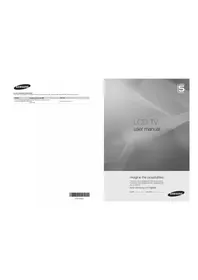
USER MANUAL UA110S9VR SAMSUNG
Manual assistant
Powered by Anthropic
Waiting for your message
Product information
Brand : SAMSUNG
Model : UA110S9VR
Category : Television