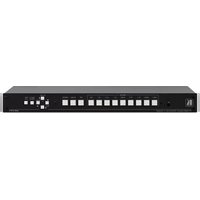
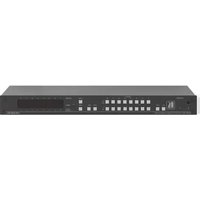
VS-88H2A - Router Kramer - Free user manual and instructions
Find the device manual for free VS-88H2A Kramer in PDF.


Pick your language and provide your email: we'll send you a specifically translated version.
| Product Type | HDMI Matrix Router |
| Brand | Kramer |
| Model | VS-88H2A |
| Number of Inputs | 8 |
| Number of Outputs | 8 |
| Video Formats | Up to 4K@60Hz (4:4:4, 8-bit) |
| HDMI Version | HDMI 2.0 |
| HDCP Compliance | HDCP 2.2 compliant |
| Audio Support | Embedded audio pass-through (LPCM, Dolby Digital, DTS) |
| Switching Capability | Any input to any output, non-blocking matrix |
| Control Options | Front panel buttons, RS-232, Ethernet (IP), IR remote |
| Rack Mountable | 19-inch, 1U with included brackets |
| Dimensions (W x D x H) | 438 mm x 160 mm x 44 mm |
| Weight | 2.8 kg approx. |
| Power Supply | 100-240V AC, 50/60Hz |
| Power Consumption | 25W typical |
| Operating Temperature | 0°C to +40°C |
| Storage Temperature | -20°C to +60°C |
| Care and Maintenance | Wipe with a dry, soft cloth; avoid liquids and aerosols |
| Safety | Use grounded outlet; avoid moisture; no user-serviceable parts inside |
| Spare Parts and Repairability | Refer to Kramer authorized service centers for repairs |
| General Information | Includes mounting brackets, power cord, and IR remote |
Frequently Asked Questions - VS-88H2A Kramer
How do I switch an input to an output on the VS-88H2A?
Use the front panel buttons to select an output and then press the desired input button. Alternatively, send a command via RS-232 or Ethernet for remote control. The device supports matrix switching, allowing any input to be routed to any output independently.
What is the maximum resolution supported by the VS-88H2A?
The VS-88H2A supports video resolutions up to 4K@60Hz (4:4:4, 8-bit). It is fully compliant with HDMI 2.0 and HDCP 2.2, ensuring compatibility with modern 4K sources and displays.
Does the VS-88H2A support HDCP 2.2?
Yes, the VS-88H2A is HDCP 2.2 compliant, which is essential for protected 4K content. It automatically negotiates HDCP between sources and sinks, ensuring seamless playback of copy-protected media.
Can I control the matrix remotely?
Yes, the VS-88H2A offers multiple control options: RS-232, Ethernet (IP), and an IR remote. You can integrate it into control systems using Kramer Protocol 3000 commands for automation.
How do I reset the device to factory defaults?
To reset the VS-88H2A, press and hold the RESET button on the rear panel for a few seconds. The device will reboot and restore factory settings, clearing all configuration and routing presets.
What is the function of the EDID setting?
The EDID (Extended Display Identification Data) setting allows the matrix to manage source-display communication. Options include passing through the sink's EDID, using a stored EDID, or selecting a default like 1080p or 4K. Proper EDID ensures optimal video resolution and avoids handshake issues.
Can the VS-88H2A pass audio signals?
Yes, the VS-88H2A supports embedded audio pass-through, including LPCM, Dolby Digital, DTS, and other formats. It does not strip or process audio, so the original signal is delivered to the output.
How do I cascade multiple matrices?
To cascade multiple VS-88H2A units, connect an output of one matrix to an input of the next. Use Kramer equipment and control via RS-232 or Ethernet to manage larger configurations. Each unit can be addressed individually using its device ID.
What is the difference between a router and a switch?
In the AV world, a router (matrix) can route any input to any output simultaneously, creating independent signal paths. A switch typically selects one input to one output or distributes one signal to many. The VS-88H2A is a matrix router with 8 inputs and 8 outputs, offering full flexibility.
How should I maintain and clean the device?
Keep the device free of dust and moisture. Use a dry soft cloth to wipe the exterior. Do not use liquid cleaners or spray directly. Ensure proper ventilation and avoid blocking air vents. For internal maintenance, contact Kramer authorized service centers.
User questions about VS-88H2A Kramer
0 question about this device. Answer the ones you know or ask your own.
Ask a new question about this device
No questions yet. Be the first to ask one.
Download the instructions for your Router in PDF format for free! Find your manual VS-88H2A - Kramer and take your electronic device back in hand. On this page are published all the documents necessary for the use of your device. VS-88H2A by Kramer.
USER MANUAL VS-88H2A Kramer

Manual assistant
Powered by Anthropic
Waiting for your message
Product information
Brand : Kramer
Model : VS-88H2A
Category : Router