
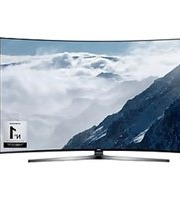
K5600 - Television SAMSUNG - Free user manual and instructions
Find the device manual for free K5600 SAMSUNG in PDF.
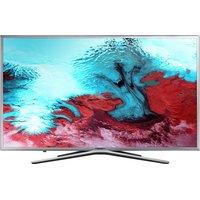


Pick your language and provide your email: we'll send you a specifically translated version.
| Product Type | Television |
| Brand | Samsung |
| Model | K5600 |
| Display Technology | LED |
| Screen Resolution | Full HD (1920 x 1080 pixels) |
| Refresh Rate | 60 Hz |
| Smart TV | Yes, with Smart Hub |
| Operating System | Tizen OS |
| Wi-Fi Connectivity | Built-in Wi-Fi |
| Ethernet Port | 1 (LAN) |
| HDMI Ports | 3 |
| USB Ports | 2 |
| Audio Output | Optical |
| Power Supply | AC 100-240 V, 50/60 Hz |
| Standby Power | 0.3 W |
| VESA Mount | 200 x 200 mm |
| Remote Control | Included |
| Tuner | DVB-T2 / DVB-C / DVB-S2 |
| Slim Design | Yes |
| Language Support | Multiple languages |
| Parental Lock | Yes |
| Energy Saving | Yes |
| Cleaning | Use a soft, dry cloth |
| Repairability | Spare parts available from Samsung service centers |
Frequently Asked Questions - K5600 SAMSUNG
How do I connect external devices to my Samsung K5600?
You can connect external devices such as set-top boxes, game consoles, or Blu-ray players using HDMI or video/audio inputs. Simply plug the cable into the corresponding port on the TV and, if necessary, select the correct source via the Source button on your remote.
What should I do if the TV screen will not turn on?
First, check that the power cord is properly connected and the wall outlet is working. Try pressing the Power button on the remote or the TV itself. If the standby light is off, unplug the TV for 30 seconds and plug it back in. If the issue persists, contact Samsung support.
How do I access the Smart Hub on the Samsung K5600?
Press the Home button on your remote control. This opens the Smart Hub, where you can find apps, streaming services, and connected devices. Navigate with the directional keys and select with Enter.
Can I wall-mount the K5600?
Yes, the TV supports VESA 200x200 mounting. Use a compatible wall mount kit and follow the instructions provided with the mount. Always ensure the wall can support the TV's weight.
How do I perform a factory reset?
To reset your TV to factory settings, go to Settings > General > Reset. You will need to enter your PIN (default is 0000). After confirming, the TV will restart automatically.
What is the recommended way to clean the TV screen?
Use a soft, dry microfiber cloth to gently wipe the screen. Do not spray liquid directly on the panel; lightly dampen the cloth if needed. Avoid using harsh chemicals or abrasive materials.
How can I update the TV firmware?
Go to Settings > Support > Software Update and select Update Now. The TV will check for updates online if it is connected to the internet. You can also update via USB by downloading the firmware from the Samsung website.
Why is there no sound from the TV speakers?
Make sure the volume is not muted and the audio output is set to TV Speaker in Settings > Sound. Check connected devices for their own volume settings. If using external speakers, verify their connection and input selection.
How do I reduce power consumption on the TV?
Enable Eco Solution by going to Settings > General > Eco Solution. This includes Energy Saving Mode, which adjusts brightness, and Motion Lighting. Disconnecting unused devices and turning off the TV with the remote when not in use also help.
Where can I find spare parts or get repair service?
Spare parts for the Samsung K5600 can be ordered through Samsung service centers or authorized dealers. For repairs, visit the Samsung website to locate a Samsung service center near you. Always use genuine parts to maintain warranty coverage.
User questions about K5600 SAMSUNG
0 question about this device. Answer the ones you know or ask your own.
Ask a new question about this device
No questions yet. Be the first to ask one.
Download the instructions for your Television in PDF format for free! Find your manual K5600 - SAMSUNG and take your electronic device back in hand. On this page are published all the documents necessary for the use of your device. K5600 by SAMSUNG.
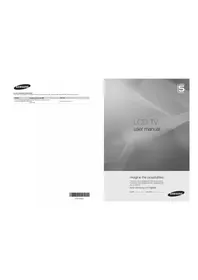
USER MANUAL K5600 SAMSUNG
Manual assistant
Powered by Anthropic
Waiting for your message
Product information
Brand : SAMSUNG
Model : K5600
Category : Television