POGC5000 - Iron Point - Free user manual and instructions
Find the device manual for free POGC5000 Point in PDF.


Pick your language and provide your email: we'll send you a specifically translated version.
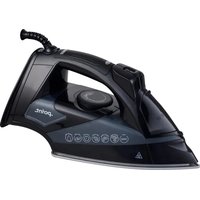
| Type of product | Steam iron |
| Brand | Point |
| Model | POGC5000 |
| Power consumption | 2600 W |
| Input voltage | AC 220-240 V, 50/60 Hz |
| Soleplate type | Ceramic coated soleplate |
| Water tank capacity | 350 ml |
| Maximum continuous steam output | 35 g/min |
| Steam shot output | 150 g/min |
| Vertical steam function | Yes |
| Spray function | Yes |
| Anti-drip system | Yes |
| Anti-scale system | Integrated anti-scale collector |
| Self-cleaning function | Yes |
| Automatic shut-off | Yes, after 30 seconds flat or 8 minutes upright |
| Safety features | Thermal fuse and overheat protection |
| Swivel cord | 360 degrees |
| Cord length | 2.5 m |
| Dimensions (L x W x H) | 30 x 15 x 15 cm |
| Weight | 1.5 kg |
| Included accessories | Measuring cup and user manual |
| Maintenance | Descale every 10-15 uses; empty tank after each session |
| Repairability | Service-centre repair for internal steam components |
Frequently Asked Questions - POGC5000 Point
What type of water should I use in my Point POGC5000 iron?
For best results, use distilled or demineralised water to reduce scale buildup. Do not use perfume or chemical additives.
How do I activate the vertical steam function?
Fill the tank, set the temperature dial to a high steam setting (cotton or linen), wait for the indicator light, then hold the iron upright and press the steam shot button.
Why is my iron not producing steam?
Make sure the water tank is full, the temperature is in the steam range, and the iron has reached the selected temperature. If the soleplate is too cool, steam will not be generated.
How does the anti-drip system work?
The anti-drip system prevents water from leaking at low temperatures by automatically stopping water flow until the soleplate reaches the correct temperature for steaming.
How do I clean the soleplate?
Unplug the iron and let it cool completely. Wipe the soleplate with a damp cloth. For stubborn residue, use a gentle non-abrasive cleaner and never use metal scouring pads.
How can I remove limescale from the steam chamber?
Use the self-cleaning function: fill the tank with water, set the temperature to maximum, plug in the iron, press and hold the self-clean button, and gently shake it over a sink until scale deposits are expelled.
How does automatic shut-off work?
When left flat on its soleplate for 30 seconds or upright for 8 minutes, the iron automatically switches off to save energy and prevent accidents.
Can I use the iron on delicate fabrics?
Yes, set a low temperature for synthetics and silk and use minimal or no steam. For extra safety, iron on the reverse side or use a pressing cloth.
What does the spray button do?
The spray function releases a fine mist of water onto the fabric to help remove stubborn wrinkles during ironing.
How should I store the iron after use?
Wait until the iron has cooled, empty the water tank, wind the cord loosely, and store it upright on its heel with the soleplate facing away from surfaces.
User questions about POGC5000 Point
0 question about this device. Answer the ones you know or ask your own.
Ask a new question about this device
No questions yet. Be the first to ask one.
Download the instructions for your Iron in PDF format for free! Find your manual POGC5000 - Point and take your electronic device back in hand. On this page are published all the documents necessary for the use of your device. POGC5000 by Point.
USER MANUAL POGC5000 Point

Manual assistant
Powered by Anthropic
Waiting for your message
Product information
Brand : Point
Model : POGC5000
Category : Iron