
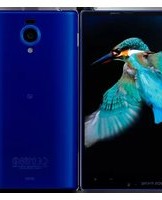
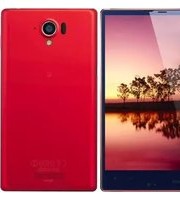
Aquos Compact SH-02H - Smartphone SHARP - Free user manual and instructions
Find the device manual for free Aquos Compact SH-02H SHARP in PDF.


Pick your language and provide your email: we'll send you a specifically translated version.
| Product Type | Smartphone |
| Brand | Sharp |
| Model | Aquos Compact SH-02H |
| Display Size | 4.7 inches |
| Display Technology | IGZO LCD |
| Display Resolution | 1920 x 1080 pixels |
| Operating System | Android 5.1 Lollipop |
| Processor | Qualcomm Snapdragon 410 quad-core 1.2 GHz |
| RAM | 2 GB |
| Internal Storage | 16 GB |
| Expandable Storage | microSD up to 200 GB |
| Rear Camera | 13 MP with autofocus and LED flash |
| Front Camera | 2.1 MP |
| Battery Capacity | 2270 mAh |
| Waterproof | IPX5/IPX8 water resistant |
| Dimensions | 126 x 66 x 8.6 mm |
| Weight | Approximately 120 g |
| Connectivity | Wi-Fi, Bluetooth 4.1, GPS, NFC |
| Power Supply | Rechargeable lithium-ion battery; AC adapter 5V/1A |
| Care and Cleaning | Wipe with a soft dry cloth; avoid solvents and abrasive cleaners |
| Safety | Do not disassemble; use only Sharp-certified accessories |
| Spare Parts | Battery, SIM tray, and replacement screen available via authorized service |
| General Information | User manual in English; 226 pages |
Frequently Asked Questions - Aquos Compact SH-02H SHARP
How do I insert the SIM card and microSD card?
Turn off the phone, open the SIM card tray on the side using the ejector tool, place the nano-SIM and microSD card (if used) into the tray, then reinsert it. Make sure the contacts face upward. Follow the manual's instructions to avoid damage.
Is the Sharp Aquos Compact SH-02H waterproof?
Yes, the phone has IPX5/IPX8 water resistance. It can withstand splashes and brief submersion in fresh water to a depth of up to 1.5 meters for 30 minutes. However, avoid salt water and keep all ports closed.
How can I extend the battery life?
Activate power-saving mode, reduce screen brightness, disable background apps, and turn off Wi-Fi or Bluetooth when not in use. You can also check the battery usage section in Settings to identify energy-hungry apps.
How do I reset the phone to factory settings?
Go to Settings > Backup & reset > Factory data reset. Backup your data first, as this will erase all personal information. Alternatively, a hardware reset can be performed by pressing the power and volume down buttons together.
How do I take a screenshot?
Press and hold the Power button and the Volume Down button simultaneously for two seconds. The screenshot will be saved in the Gallery or Photos app.
Can I use a memory card to expand storage?
Yes, the phone supports microSD cards up to 200 GB. Insert the card in the SIM tray to increase storage for photos, videos, and apps.
How do I connect to a Wi-Fi network?
Go to Settings > Wi-Fi, enable Wi-Fi, and select your network from the list. Enter the password if required. The phone will remember the network for future connections.
How do I update the Android software?
Go to Settings > About phone > Software updates. The phone will check for updates and download them automatically. Make sure you have a stable Wi-Fi connection and sufficient battery before updating.
What should I do if the phone doesn't charge?
Check the charging cable and adapter for damage, try a different outlet, or clean the charging port with a soft dry brush. If the problem persists, use a Sharp-certified charger or contact support.
How do I clean the phone safely?
Turn off the phone, disconnect the charger, and wipe the exterior with a soft, slightly damp cloth. Do not use chemicals or abrasive cleaners. For stubborn dirt, use a mild soap solution on the cloth, then wipe with a dry cloth.
User questions about Aquos Compact SH-02H SHARP
0 question about this device. Answer the ones you know or ask your own.
Ask a new question about this device
No questions yet. Be the first to ask one.
Download the instructions for your Smartphone in PDF format for free! Find your manual Aquos Compact SH-02H - SHARP and take your electronic device back in hand. On this page are published all the documents necessary for the use of your device. Aquos Compact SH-02H by SHARP.
USER MANUAL Aquos Compact SH-02H SHARP
Manual assistant
Powered by Anthropic
Waiting for your message
Product information
Brand : SHARP
Model : Aquos Compact SH-02H
Category : Smartphone