
MOC02BLMUK - Microwave SMEG - Free user manual and instructions
Find the device manual for free MOC02BLMUK SMEG in PDF.


Pick your language and provide your email: we'll send you a specifically translated version.
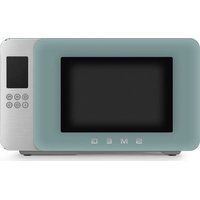
| Product Type | Microwave Oven |
| Brand | SMEG |
| Model | MOC02BLMUK |
| Capacity | 20 Litres |
| Microwave Power | 800 W |
| Power Supply | 230 V ~ 50 Hz |
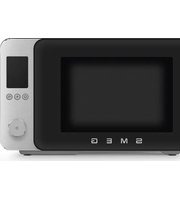
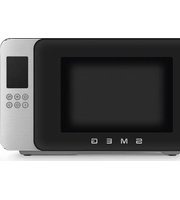
| Product Colour | Black |
| Control Type | Touch Control with Digital Display |
| Turntable | 25 cm Glass Turntable |
| Door Type | Side-hinged Door |
| Functions | Defrost, Reheat, Cooking |
| Safety Features | Child Lock |
| Interior Finish | Stainless Steel |
| Exterior Finish | Painted Steel |
| Dimensions (H x W x D) | 28.5 cm x 45.5 cm x 32.5 cm |
| Weight | 12.0 kg |
| Spare Parts Availability | Official SMEG Service Network |
| Repairability | Repairable; spare parts available for 10 years |
Frequently Asked Questions - MOC02BLMUK SMEG
How do I set the clock on my SMEG MOC02BLMUK microwave?
To set the clock, press the Clock button until the hour digits flash, then rotate the dial to set the hour. Press the Clock button again to set the minutes, rotate the dial, and press Clock to confirm.
How do I use the defrost function?
Place the frozen food on a microwave-safe dish. Press the Defrost button repeatedly to select the defrost time or weight, then press Start. Turn the food halfway through for even defrosting.
What cookware is safe to use?
Use microwave-safe glass, ceramic, and plastic containers. Do not use metal containers, aluminium foil, or dishes with metallic trim. Always check the manufacturer's label.
How do I clean the microwave?
Unplug the appliance and wait for it to cool. Wipe the interior with a soft damp cloth and mild detergent. Clean the turntable in warm soapy water. Do not use abrasive cleaners.
How do I install the turntable?
Align the glass turntable with the turntable hub on the floor of the cavity and rotate it gently until it sits firmly. Ensure the turntable rotates freely before use.
Can I use the microwave empty?
Never operate the microwave empty, as this can damage the magnetron. Always place food or a cup of water inside when running the appliance.
How do I change the power level?
Press the Power Level button repeatedly to cycle through power levels, then press Start. The selected power level will appear on the display.
Does the microwave have a child lock?
Yes, the child lock prevents accidental operation. Press and hold the Stop button for 3 seconds to activate or deactivate the lock.
What should I do if the microwave does not start?
Check that the door is fully closed, the plug is connected, and the fuse is intact. If the problem persists, contact SMEG customer service.
How do I maintain my microwave?
Keep the ventilation openings clear, clean spills immediately, and avoid operating the appliance without food. A regular check of the door seals ensures efficient operation.
User questions about MOC02BLMUK SMEG
0 question about this device. Answer the ones you know or ask your own.
Ask a new question about this device
No questions yet. Be the first to ask one.
Download the instructions for your Microwave in PDF format for free! Find your manual MOC02BLMUK - SMEG and take your electronic device back in hand. On this page are published all the documents necessary for the use of your device. MOC02BLMUK by SMEG.
USER MANUAL MOC02BLMUK SMEG

Manual assistant
Powered by Anthropic
Waiting for your message
Product information
Brand : SMEG
Model : MOC02BLMUK
Category : Microwave