
CM2640 - Hi-Fi System LG - Free user manual and instructions
Find the device manual for free CM2640 LG in PDF.


Pick your language and provide your email: we'll send you a specifically translated version.
| Product Type | Hi-Fi System |
| Brand | LG |
| Model | CM2640 |
| Color | Black |
| Power Output | 400 W (Total) |
| Number of Speakers | 2 |
| Speaker Type | 2-way bass reflex |
| Supported Media | CD, CD-R, CD-RW, USB |
| FM Tuner | FM stereo with RDS |
| Bluetooth | Bluetooth 4.0 |
| Audio Input | AUX (3.5 mm) |
| USB Port | Yes (MP3 playback) |
| Remote Control | Included |
| Dimensions (Main Unit) | 200 x 310 x 300 mm (W x H x D) |
| Speaker Dimensions | 250 x 310 x 300 mm each |
| Weight | Main: 3.2 kg; Speaker: 2.8 kg each |
| Power Supply | AC 220-240 V, 50/60 Hz |
| Main Functions | CD, FM, Bluetooth, USB, AUX, Bass Boost |
| Bass Control | Yes (Bass button) |
| Display | LED display |
| Cleaning and Maintenance | Wipe with dry cloth; avoid solvents |
| Safety Warning | Keep away from water and heat |
| Repairability Index | Moderate - accessible components |
| Spare Parts | Available via LG support |
| General Information | Home entertainment system |
Frequently Asked Questions - CM2640 LG
How can I connect my TV to the LG CM2640?
Use the AUX input on the rear panel and an RCA or 3.5mm cable. Select AUX as the source.
Can I stream music from my smartphone?
Yes, press the Bluetooth button on the remote or front panel, then pair your phone via Bluetooth.
How do I preset FM radio stations?
Tune to a station, then press PROGRAM and select a preset number with the number buttons.
What CD formats are supported?
The system supports CD, CD-R, and CD-RW discs for audio playback.
How can I play music from a USB stick?
Insert a USB drive with MP3 files into the USB port, select USB source, and playback will start automatically.
Does the remote control require batteries?
Yes, it uses two AAA batteries. Replace when the range decreases.
Is there a bass boost feature?
Press the BASS button on the remote to cycle through bass levels.
How should I clean the system?
Use a dry, soft cloth to wipe the surfaces. Do not use chemical cleaners or water.
Why is the system not powering on?
Check the power cord is plugged in and the wall outlet is working. Verify the standby LED is lit.
Can I connect an external subwoofer?
The system does not have a dedicated subwoofer output; it works as a self-contained stereo.
User questions about CM2640 LG
0 question about this device. Answer the ones you know or ask your own.
Ask a new question about this device
No questions yet. Be the first to ask one.
Download the instructions for your Hi-Fi System in PDF format for free! Find your manual CM2640 - LG and take your electronic device back in hand. On this page are published all the documents necessary for the use of your device. CM2640 by LG.
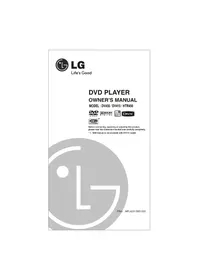
USER MANUAL CM2640 LG


Manual assistant
Powered by Anthropic
Waiting for your message
Product information
Brand : LG
Model : CM2640
Category : Hi-Fi System