
CapTouch WiFi - Home Automation DOMETIC - Free user manual and instructions
Find the device manual for free CapTouch WiFi DOMETIC in PDF.
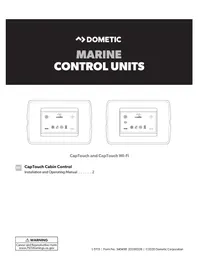


Pick your language and provide your email: we'll send you a specifically translated version.
| Product type | Smart RV thermostat |
| Brand | Dometic |
| Model | CapTouch WiFi |
| Category | Home automation |
| Display | 3.5-inch capacitive touchscreen |
| Connectivity | Wi-Fi 2.4 GHz (802.11 b/g/n) |
| Compatibility | Dometic roof air conditioners and furnaces |
| Input voltage | 12 V DC (10-16 V range) |
| Temperature range | 50 to 100 °F (10 to 38 °C) |
| Control modes | Cool, heat, fan only, auto |
| Scheduling | 7-day programmable schedule |
| Sensors | Internal temperature sensor |
| Backlight | Adjustable backlight for night viewing |
| Dimensions (H x W x D) | 4.3 x 2.8 x 1.0 inches (109 x 71 x 25 mm) |
| Weight | 8.8 oz (250 g) |
| Maintenance | Wipe with a soft, dry cloth; do not use liquids |
| Safety certifications | UL and CSA compliant |
| Warranty | 1-year limited warranty |
| Repairability | User-replaceable faceplate |
| Languages | English, Spanish, French |
Frequently Asked Questions - CapTouch WiFi DOMETIC
How do I connect the CapTouch WiFi to my home Wi-Fi network?
To connect, press the Wi-Fi icon on the touchscreen, select your network, and enter the password using the on-screen keyboard. Ensure you are using a 2.4 GHz network for reliable communication.
Can I control the thermostat remotely when I'm away from my RV?
Yes, after connection to Wi-Fi, download the Dometic app on your smartphone. You can set temperatures, change modes, and monitor your system from anywhere with an internet connection.
Is the CapTouch WiFi compatible with all Dometic air conditioners?
It works with most Dometic roof air conditioners and also with Dometic furnaces. Check the compatibility list in the manual or contact support to verify your specific model.
How do I set a weekly heating schedule?
Go to the Schedule menu on the touchscreen, select a day, and add time periods for your desired temperature. You can set up to 4 periods per day with custom temperatures.
What should I do if the touchscreen becomes unresponsive?
First, try a soft reset by pressing and holding the power button for 10 seconds. If that fails, turn off the RV power for 30 seconds and restart. If the issue persists, contact Dometic support.
Does the thermostat require a specific voltage?
It operates on 12 V DC (within 10-16 V range). Connect it to the RV's low-voltage system, usually via the existing thermostat wiring.
How can I restore factory defaults?
Navigate to Settings > System and select Reset. Confirm the action; all schedules and Wi-Fi settings will be cleared and restored to factory defaults.
Does the CapTouch WiFi measure humidity?
Yes, the thermostat includes a humidity sensor. Humidity levels can be displayed on the main screen and used to optimize comfort in high-humidity environments.
How should I clean the touchscreen?
Use a soft, dry microfiber cloth to gently wipe the screen. Avoid abrasive cleaners or excessive moisture, which could damage the electronics.
What is the warranty period and what does it cover?
The CapTouch WiFi comes with a 1-year limited warranty covering defects in materials and workmanship under normal use. It does not cover accidental damage or misuse.
User questions about CapTouch WiFi DOMETIC
0 question about this device. Answer the ones you know or ask your own.
Ask a new question about this device
No questions yet. Be the first to ask one.
Download the instructions for your Home Automation in PDF format for free! Find your manual CapTouch WiFi - DOMETIC and take your electronic device back in hand. On this page are published all the documents necessary for the use of your device. CapTouch WiFi by DOMETIC.
USER MANUAL CapTouch WiFi DOMETIC
Manual assistant
Powered by Anthropic
Waiting for your message
Product information
Brand : DOMETIC
Model : CapTouch WiFi
Category : Home Automation