
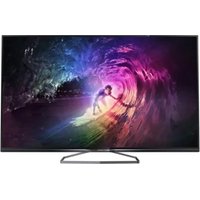
43PFS5034 - Television PHILIPS - Free user manual and instructions
Find the device manual for free 43PFS5034 PHILIPS in PDF.
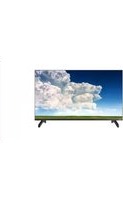


Pick your language and provide your email: we'll send you a specifically translated version.
| Product Type | Television |
| Brand | Philips |
| Model | 43PFS5034 |
| Screen Size | 43 inches (109 cm) |
| Display Resolution | Full HD (1920 x 1080) |
| Display Technology | LED |
| Picture Enhancement | Pixel Plus HD |
| Sound Power | 2 x 8 W |
| Tuner | DVB-T / DVB-T2 / DVB-C |
| Power Supply | AC 220-240 V, 50/60 Hz |
| Power Consumption (Typical) | 65 W |
| Power Consumption (Standby) | < 0.5 W |
| Dimensions (W x H x D) with stand | 970 x 620 x 240 mm |
| Dimensions (W x H x D) without stand | 970 x 570 x 80 mm |
| Weight with stand | 7.5 kg |
| Weight without stand | 7.2 kg |
| Wall Mount VESA | 200 x 200 mm |
| Connectivity | 3 x HDMI, 2 x USB, LAN, Composite |
| Energy Efficiency Class | A |
| Cleaning | Use a soft, dry cloth. Avoid using water on the screen. |
| Safety | Ensure adequate ventilation. Keep away from heat sources. |
| Spare Parts & Repair | Genuine parts available via Philips support. Refer to the manual for troubleshooting. |
Frequently Asked Questions - 43PFS5034 PHILIPS
How do I set up my Philips 43PFS5034 TV for the first time?
Connect the antenna, plug in the power, and follow the on-screen setup wizard. Select your language, country, and search for channels. Use the remote control to confirm your choices.
Why is the picture quality not sharp?
Ensure the TV is receiving a High-Definition signal. Check your source device's output resolution and use a high-quality HDMI cable. Press the Source button to select the correct input.
Can I connect wireless headphones?
The TV has a headphone socket on the side. For Bluetooth, the product may not support Bluetooth; consider using a Bluetooth transmitter connected to the audio output.
How do I update the TV software?
Check if your model supports network updates. Go to Settings > General > Software Update. If connected via LAN or Wi-Fi (if supported), select Update Now.
How do I clean the screen safely?
Turn off the TV and unplug it. Use a soft, lint-free cloth slightly dampened with water. Never spray liquid directly on the screen. Wipe gently to avoid damaging the anti-glare coating.
What is the best picture mode for movies?
Select the Movie picture mode to enjoy a warmer and more accurate color reproduction. You can also adjust sharpness and contrast in the picture settings.
How can I reduce power consumption?
Use the Eco Plus setting in the energy saving options. Lower the backlight or activate the ambient light sensor. Also unplug the TV when not in use for a long period.
What should I do if the remote control stops working?
Check the batteries first. Replace them with new AA batteries. If still not working, pair the remote again (if you have a Smart TV remote) or reset the TV by unplugging it for 30 seconds.
Can I mount this TV on the wall?
Yes, the TV is compatible with a VESA 200x200 bracket. Use a certified wall mount and follow the instructions in the manual to correctly attach the TV. Ensure the wall can support the weight.
How do I access the electronic user manual?
Press the HELP button on the remote control. Alternatively, the full PDF manual can be downloaded from the Philips support website or notice-facile.com.
User questions about 43PFS5034 PHILIPS
0 question about this device. Answer the ones you know or ask your own.
Ask a new question about this device
No questions yet. Be the first to ask one.
Download the instructions for your Television in PDF format for free! Find your manual 43PFS5034 - PHILIPS and take your electronic device back in hand. On this page are published all the documents necessary for the use of your device. 43PFS5034 by PHILIPS.
USER MANUAL 43PFS5034 PHILIPS

Manual assistant
Powered by Anthropic
Waiting for your message
Product information
Brand : PHILIPS
Model : 43PFS5034
Category : Television