SC500 - Oven CDA - Free user manual and instructions
Find the device manual for free SC500 CDA in PDF.


Pick your language and provide your email: we'll send you a specifically translated version.
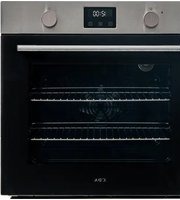
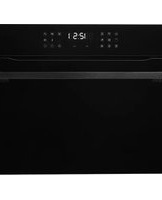
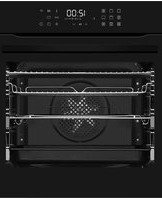
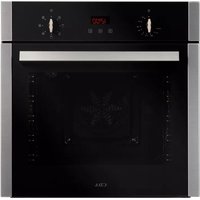
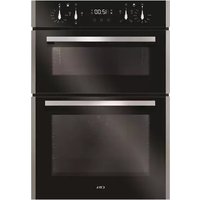
| Product Type | Built-in Electric Oven |
| Brand | CDA |
| Model | SC500 |
| Installation Type | Built-in |
| Energy Source | Electric |
| Oven Capacity | 72 Litres |
| Cooking Modes | 8 modes: conventional, fan, grill, fan grill, defrost, bottom heat, and more |
| Temperature Range | 50°C to 250°C |
| Control Panel | Touch controls with LED display |
| Timer | Programmable digital timer with delayed start |
| Display | LED digital display |
| Grill Function | Full-width grill |
| Fan Assisted | Yes, convection fan for even heat distribution |
| Interior Finish | Enamel coated for easy cleaning |
| Door Type | Cool-touch triple-glazed glass door |
| Safety Features | Child lock, thermal cut-off, cool-touch door |
| Energy Efficiency Class | A |
| Power Supply | 220-240 V, 50/60 Hz |
| Power Consumption | 2.4 kW |
| Dimensions (W x H x D) | 595 x 595 x 545 mm |
| Weight | 32 kg |
| Included Accessories | Grill rack, roasting tray, shelf |
Frequently Asked Questions - SC500 CDA
How do I set the clock on my CDA SC500 oven?
Press the timer button until the clock display flashes. Use the +/- buttons to adjust the hour and then the minutes. Press the timer button again to confirm. The time format is 24-hour.
What does the 'fan oven' function do?
The fan function circulates hot air evenly around the oven, allowing you to bake on multiple shelves at the same time. It also preheats faster and allows you to cook at a lower temperature than conventional heating.
How should I clean the inside of the oven?
Use warm water with a mild detergent and a soft cloth. For stubborn residue, leave the oven to cool and apply a non-abrasive oven cleaner. Avoid using steel wool or harsh scouring pads. Remove the side racks to reach all areas.
Why is my oven not heating up?
Ensure the oven is connected to a live power supply and that the time of day is set - some models will not heat until the clock is set. Also check that the function and temperature knobs are properly positioned. If the problem persists, contact a qualified technician.
How do I replace the oven light bulb?
Switch off the appliance at the mains. Remove the glass cover by turning it counter-clockwise. Unscrew the old bulb and fit a replacement of the same type (typically 25W, E14 fitting). Refit the cover and restore power.
Can I use aluminium foil or baking paper?
Yes, you can line baking trays with foil or parchment paper, but do not allow them to cover the oven floor or obstruct the heating elements, as this can affect cooking and cause damage.
How do I use the grill function safely?
Place the shelf at a suitable height, usually at the top for grilling. Never leave the grill unattended as it is a high-powered heat source. Always use the grill pan and handle. The grill door should be closed while grilling in this model.
How do I remove the oven door for cleaning?
Open the door fully and you will find two locking clips on the top hinges. Twist these clips into the unlock position. Slowly close the door partway, then lift the door upward and off the hinged support. Clean with warm soapy water and then reattach.
What is the maximum temperature for this oven?
The maximum temperature is 250°C on the conventional and fan functions. The grill has a maximum setting of 290°C for searing.
How do I activate the child lock feature?
To engage the child lock, press and hold the 'Time' and 'OK' buttons simultaneously for 5 seconds. A lock symbol will appear on the display. To deactivate, repeat the same procedure.
User questions about SC500 CDA
0 question about this device. Answer the ones you know or ask your own.
Ask a new question about this device
No questions yet. Be the first to ask one.
Download the instructions for your Oven in PDF format for free! Find your manual SC500 - CDA and take your electronic device back in hand. On this page are published all the documents necessary for the use of your device. SC500 by CDA.
USER MANUAL SC500 CDA
Manual assistant
Powered by Anthropic
Waiting for your message
Product information
Brand : CDA
Model : SC500
Category : Oven