PWA-TS1 - Server SONY - Free user manual and instructions
Find the device manual for free PWA-TS1 SONY in PDF.


Pick your language and provide your email: we'll send you a specifically translated version.
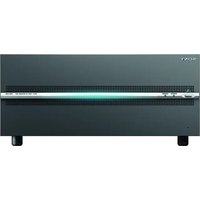
| Type de produit | Media Server |
| Brand | Sony |
| Model | PWA-TS1 |
| Dimensions (W x H x D) | 430 mm x 88 mm x 450 mm (rackmountable) |
| Weight | 12.5 kg |
| Power Supply | 100-240 V AC, 50/60 Hz |
| Power Consumption | 180 W (maximum) |
| Storage Capacity | Supports multiple hot-swappable drive bays for scalable storage |
| Interface Ports | Gigabit Ethernet, USB 3.0, eSATA |
| Network Protocols | FTP, CIFS/SMB, NFS |
| RAID Support | RAID 0, 1, 5, 10 for data redundancy |
| Operating Temperature | 5°C to 40°C |
| Operating Humidity | 20% to 80% (non-condensing) |
| Main Functions | File sharing, media streaming, data backup, archiving |
| Maintenance and Cleaning | Keep ventilation grills free of dust; wipe casing with a dry cloth |
| Safety | Use a grounded power outlet; do not open the casing; keep away from liquids |
| Spare Parts and Repairability | Modular design with accessible components; service by authorized Sony centers |
| Regulatory Compliance | CE, FCC, RoHS |
| Software Included | Management utility and backup software |
| General Information | Designed for small-to-medium business environments requiring reliable media storage |
Frequently Asked Questions - PWA-TS1 SONY
What is the Sony PWA-TS1 server used for?
The Sony PWA-TS1 is a media server designed for file sharing, media streaming, and data backup in professional environments. It provides centralized storage and network access to various content.
How do I set up the PWA-TS1 for the first time?
Connect the server to your network via the Gigabit Ethernet port, power it on, and use the management utility to configure network settings. Follow the quick-start guide included in the manual for step-by-step instructions.
Does the PWA-TS1 support RAID configurations?
Yes, the PWA-TS1 supports RAID 0, RAID 1, RAID 5, and RAID 10, allowing you to balance performance and data redundancy according to your needs.
What is the recommended ventilation for the server?
Maintain at least 10 cm of clearance around the server for proper airflow. Avoid placing it in enclosed spaces and keep the ventilation grills free of dust to prevent overheating.
Can I expand the storage capacity of the PWA-TS1?
Yes, the server includes hot-swappable drive bays that allow you to add or replace drives without powering down the system. Ensure drives are compatible with the server's specifications.
What should I do if the server becomes unresponsive?
First, check the power supply and network connections. If the issue persists, perform a soft reboot via the management interface. For critical errors, contact Sony technical support.
Is the PWA-TS1 compatible with third-party backup software?
The server supports standard network protocols such as FTP, CIFS/SMB, and NFS, making it compatible with most backup solutions that use these protocols.
How often should I clean the PWA-TS1?
We recommend wiping the exterior with a dry soft cloth every few weeks and checking the filters for dust monthly. Avoid using liquid cleaners or solvents.
What safety precautions should I follow?
Always use a grounded power outlet, avoid exposing the server to moisture, and never attempt to open the casing. Refer to the manual for detailed safety instructions.
Does the server come with a warranty?
Yes, the PWA-TS1 includes a 1-year limited warranty covering manufacturing defects. For extended coverage and repariability, contact the authorized Sony service center.
User questions about PWA-TS1 SONY
0 question about this device. Answer the ones you know or ask your own.
Ask a new question about this device
No questions yet. Be the first to ask one.
Download the instructions for your Server in PDF format for free! Find your manual PWA-TS1 - SONY and take your electronic device back in hand. On this page are published all the documents necessary for the use of your device. PWA-TS1 by SONY.
USER MANUAL PWA-TS1 SONY

Manual assistant
Powered by Anthropic
Waiting for your message
Product information
Brand : SONY
Model : PWA-TS1
Category : Server