MultiSync E559 - Monitor SHARP - Free user manual and instructions

Find the device manual for free MultiSync E559 SHARP in PDF.
SHARP MultiSync E559 - Monitor
📄 17 pages English EN Download 💬 AI Question 10 questions ⚙️ Specs
Notice SHARP MultiSync E559 - page 3
Pick your language and provide your email: we'll send you a specifically translated version.
Product Type Monitor
Brand Sharp
Model MultiSync E559
Screen Size 27 inches
Native Resolution 1920 x 1080
Aspect Ratio 16:9
Brightness 250 cd/m²
Contrast Ratio 1000:1
Viewing Angle 178° horizontal / 178° vertical
Response Time 5 ms
Connectivity HDMI, VGA, DisplayPort
Built-in Speakers 2 x 2W
Height Adjustment Yes
Tilt Range -5° to +20°
Pivot Yes (90° clockwise)
Dimensions (with Stand) 614 mm x 455 mm x 220 mm
Weight 5.8 kg
Power Supply 100-240V AC, 50/60 Hz
Power Consumption 35 W (typical), 0.5 W standby
Cleaning Use a soft dry cloth; avoid solvents
Safety Do not open the casing; keep away from water
Spare Parts Power adapter, HDMI cable
Repairability Designed for disassembly; parts available from authorized service centers
Warranty 1 year limited warranty

Frequently Asked Questions - MultiSync E559 SHARP

How do I connect my computer to the MultiSync E559?
Connect your computer using an HDMI, VGA, or DisplayPort cable. Ensure both devices are powered off before connecting.
What is the optimal resolution for this monitor?
The native resolution is 1920 x 1080. For the sharpest image, set your computer's output to this resolution.
Can I mount this monitor on a wall?
Yes, the monitor supports VESA mounting (100 x 100 mm). Use a compatible wall mount bracket and follow the instructions in the manual.
How do I clean the screen safely?
Use a soft, dry microfiber cloth to gently wipe the screen. Do not use harsh chemicals or spray liquids directly on the screen.
What should I do if there is no signal?
Check the cable connections and ensure the correct input source is selected using the monitor's menu. Also verify that your computer is powered on.
How can I adjust the height and tilt of the monitor?
The monitor features an adjustable stand. Hold the top of the monitor and apply gentle pressure to raise or lower it. Tilt can be adjusted between -5° and +20°.
Does the monitor have built-in speakers?
Yes, it comes with 2 x 2W integrated speakers that can be used for basic audio output.
What is the power consumption in standby mode?
In standby mode, the power consumption is less than 0.5W, making it energy-efficient.
Is the monitor compatible with Mac computers?
Yes, it works with Mac systems. Connect via HDMI or DisplayPort and select the correct input source.
How can I reset the monitor to factory settings?
Navigate to the On-Screen Display (OSD) menu, go to Reset, and confirm the action. This will restore all settings to their default values.

User questions about MultiSync E559 SHARP

0 question about this device. Answer the ones you know or ask your own.

Ask a new question about this device

Your email remains private: it is only used to notify you if someone answers your question.

No questions yet. Be the first to ask one.

Download the instructions for your Monitor in PDF format for free! Find your manual MultiSync E559 - SHARP and take your electronic device back in hand. On this page are published all the documents necessary for the use of your device. MultiSync E559 by SHARP.

USER MANUAL MultiSync E559 SHARP

Dismantle Instruction

Table of contents

  1. Scope .... 3
  2. Tools for dismantling....3
  3. Dismantle Procedure .... 3
  4. Batteries 4
  5. Back covers....5
  6. PWB and other electronic components....6
    (1) MAIN PWB 6
    (2) POWER PWB....6
    (3) T-CON PWB....9
    (4) KEY PWB.... 10
    (5) IR Receiver/Indicator LED PWB 10
    (6) Speaker.... 11
    7 LCD Module bezels/angles 12
    8 Capacitors.... 16
    9 Parts List 17

1. Scope

This document describes dismantling instruction according to Annex VII of Directive 2012/19/EU.

2. Tools for dismantling

- Screw Driver

- Nipper

3. Dismantle Procedure

This product can be dismantled by below steps.

  1. Remove Back covers (section 5)
  2. Remove Printed circuit boards (section 6)
  3. Dismantle LCD (section 7)
  4. Remove Electrolyte Capacitors (section 8)

SHARP

PN-Exx9 Series Dismantle Instruction

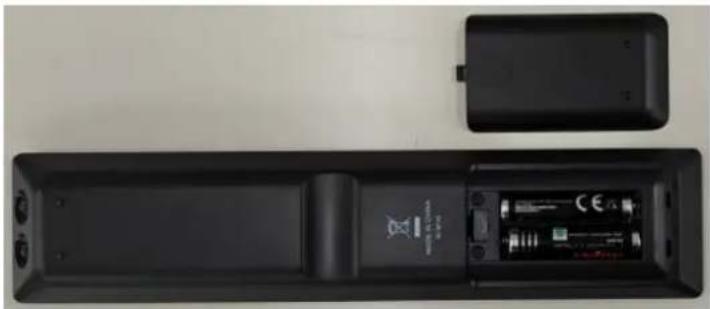
4. Batteries

This model uses only AAA battery for remote control.

Battery can easily be removed.
Top-down view of a black remote control box with battery and speaker, showing front panel and side casing (no text or symbols visible)

5. Back covers

back cover can be removed by screw driver.

Top-down schematic of a multi-level computer room layout with no visible text or symbols

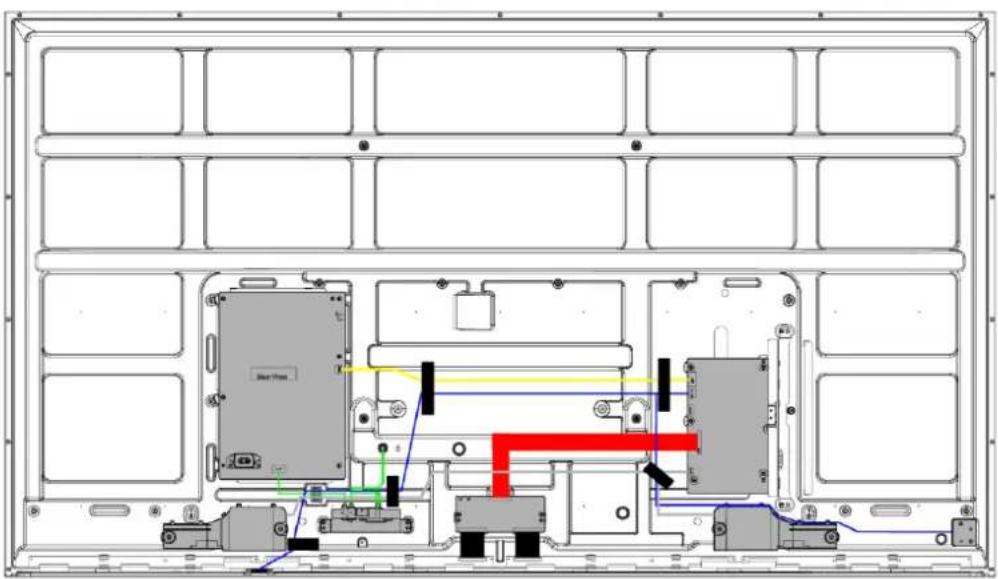
Technical line drawing of an electronic device chassis with internal components and wiring (no text or symbols)

6. PWB and other electronic components

All electronic components can be removed by screw driver.

(1) MAIN PWB
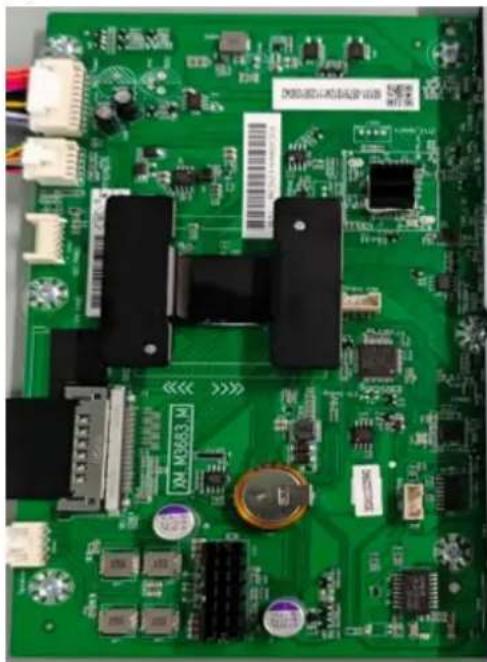
Green printed circuit board with various electronic components and connectors (no readable text or symbols)

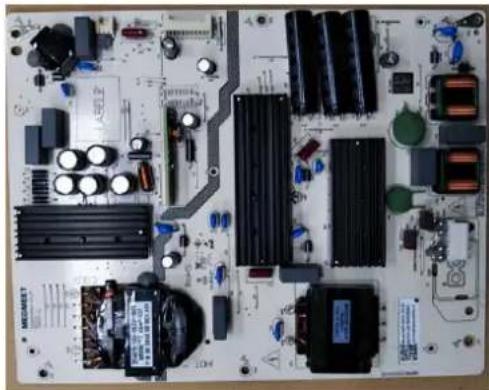
(2) POWER PWB
PN-E329
Top-down view of a printed circuit board with various electronic components and traces (no readable text or symbols)

SHARP

PN-E439

Top-down view of an electronic circuit board with various components and connectors (no readable text or symbols)

PN-E509

Close-up of an electronic circuit board with various components and connectors (no readable text or symbols)

PN-E559

Close-up of an electronic circuit board with various components and connectors (no readable text or symbols)

PN-Exx9 Series Dismantle Instruction

SHARP

PN-Exx9 Series Dismantle Instruction

PN-E659

Close-up of an electronic circuit board with various components and connectors (no readable text or symbols)

PN-E759

Top-down view of an electronic circuit board with various components and connectors (no visible text or symbols)

PN-E869

Top-down view of a printed circuit board with various electronic components and connectors (no visible text or labels)

SHARP

(3) T-CON PWB

PN-E329
Close-up of a green printed circuit board with electronic components and connectors (no readable text or symbols)

PN-E439
Close-up of a green printed circuit board with visible traces and components (no readable text or symbols)

PN-E509
Close-up of a green printed circuit board with connectors and components (no readable text or symbols)

PN-E559
Close-up of a green printed circuit board with visible traces and components (no readable text or symbols)

PN-E659
Close-up of a green printed circuit board (PCB) with visible traces, pads, and connectors (no readable text or symbols)

PN-Exx9 Series Dismantle Instruction

SHARP

PN-E759

Close-up of a green printed circuit board with visible traces and components (no readable text or symbols)

PN-E869

Green printed circuit board with various electronic components and connectors (no visible text or symbols)

(4) KEY PWB

SHARP MultiSync E559 - SHARP - 3

(5) IR Receiver/Indicator LED PWB

PN-Exx9 Series Dismantle Instruction

SHARP

(6) Speaker

PN-E329

Close-up of a black mechanical component with two circular features and two metallic bolts (no visible text or symbols)

PN-E439/509/559/659/759/869

Close-up of a mechanical component with visible mounting holes and a central speaker (no text or symbols)

PN-Exx9 Series Dismantle Instruction

7 LCD Module bezels/angles

PN-E329
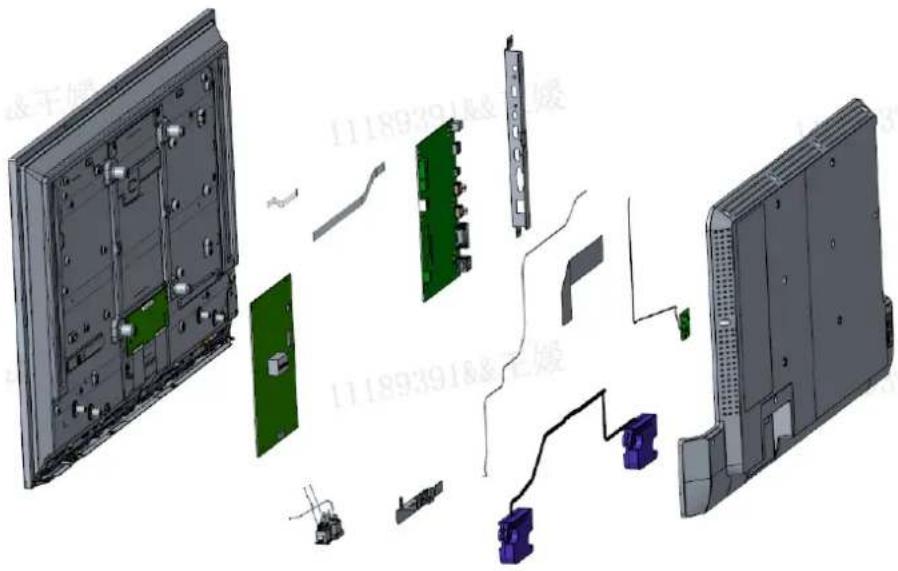
Exploded view diagram of an electronic device showing internal components and connections (no text or labels)

PN-E439

Exploded view diagram of a computer system with labeled components and part numbers in Chinese

PN-E509

Exploded view diagram of a computer monitor showing internal components and casing (no text or labels)

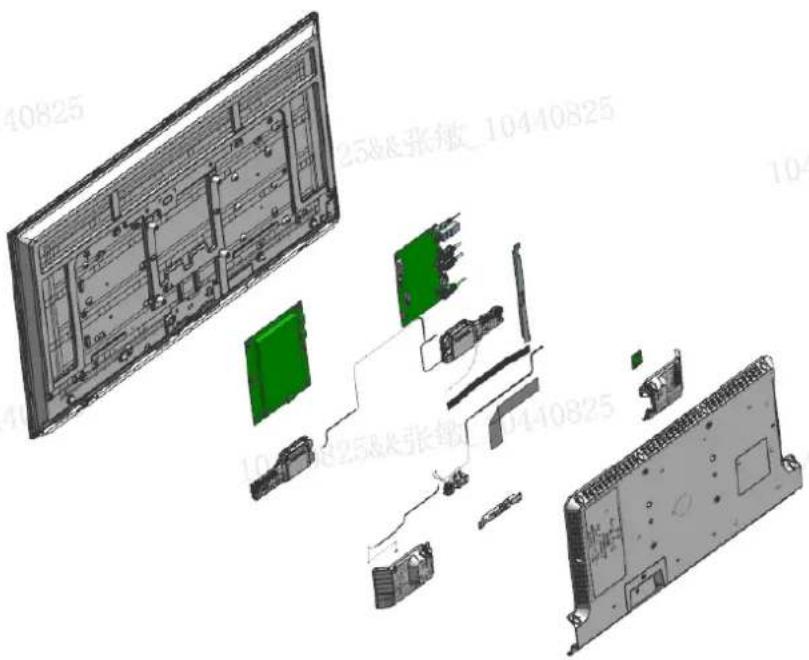
PN-E559

Exploded view diagram of a device showing internal components and labeled parts in Chinese

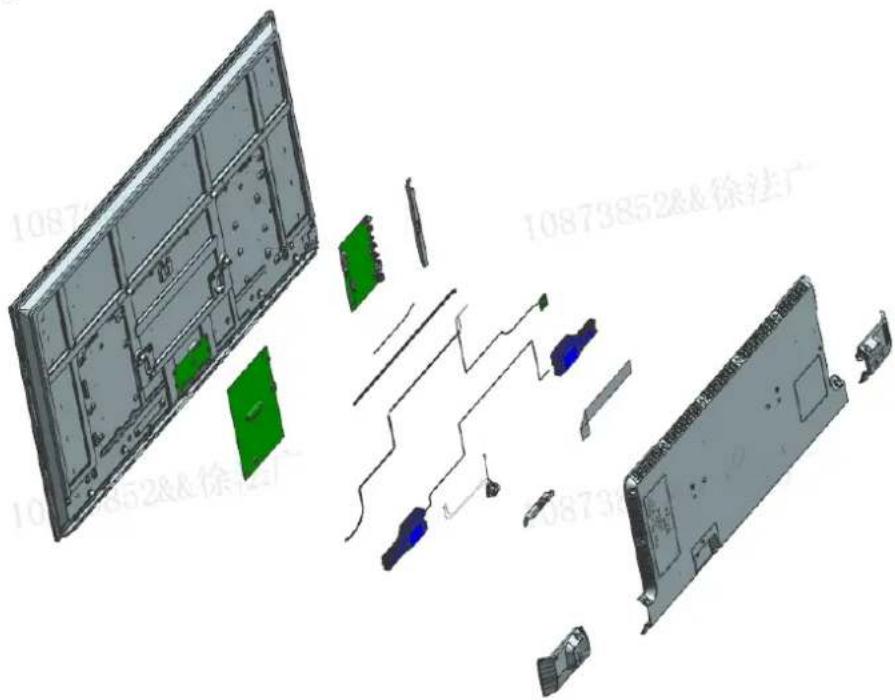
PN-E659

Exploded view diagram of a smart TV panel showing internal components and wiring (no text or labels)

PN-E759

Exploded view diagram of a smart TV module showing internal components and wiring (no text or labels)

PN-E869

Exploded view diagram of a server rack with internal components and connectors (no text or labels)

8 Capacitors

Capacitors which diameter is larger than 25mm is installed on the Power PWB.

And these capacitors can be removed by using nipper to cut the leads.

PN-E329/PN-E439/PN-E509

Three stacked black cylindrical batteries with engraved markings, no visible text or symbols on the body.

PN-E559/PN-E659

450V 68μs450V 68μs45V 450V 68μs450V 68μs45V

PN-E759/PN-E869

Close-up of a dark, striped cylindrical object with white patterns, possibly a battery or sensor array (no visible text or symbols)

9 Parts List

The spare parts listed in the column "Spare Parts" below are kept available in accordance to legal requirements of EU Regulation

2019/2021 for professional repairer.

Spare PartPart Name/ Element of Part
a. Internal power boardPower PWB
b. Connectors to connect external equipmentMain PWB
c. Batteries and AccumulatorsBattery (AAA) of remote control
d. DVD/Blue-Ray modulenot applicable
e. HD/SSD modulenot applicable
Manual assistant
Powered by Anthropic
Waiting for your message
Product information

Brand : SHARP

Model : MultiSync E559

Category : Monitor