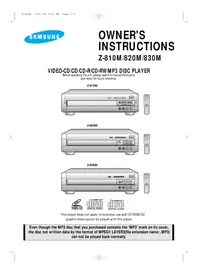
Z-810Q - Home Theater System SAMSUNG - Free user manual and instructions
Find the device manual for free Z-810Q SAMSUNG in PDF.


Pick your language and provide your email: we'll send you a specifically translated version.
| Product Type | Home Theater System |
| Brand | Samsung |
| Model | Z-810Q |
| Number of Channels | 5.1 surround sound |
| Total Output Power | 500 W RMS |
| Optical Disc Playback | DVD, DVD-R/RW, CD, CD-R/RW |
| Audio Decoders | Dolby Digital, DTS, Dolby Pro Logic II |
| Video Output | HDMI, Component, Composite |
| Audio Input | Optical, AUX |
| Connectivity | USB 2.0 |
| Multimedia Playback Formats | MP3, WMA, JPEG, DivX, MPEG4 |
| Tuner | AM/FM stereo |
| HDMI Output | 1x |
| USB Input | 1x |
| Power Supply | AC 220-240 V, 50/60 Hz |
| Power Consumption | 120 W |
| Standby Power Consumption | <1 W |
| Main Unit Dimensions (W x H x D) | 430 x 65 x 275 mm |
| Main Unit Weight | 3.2 kg |
| Speaker Impedance | 3 ohms |
| Cleaning Instructions | Wipe with a soft, dry cloth |
| Safety Warning | Do not expose the unit to moisture |
| Repair and Service | Contact a qualified Samsung service center |
Frequently Asked Questions - Z-810Q SAMSUNG
How do I connect the home theater system to my TV?
Use an HDMI cable to connect the HDMI OUT port of the system to the HDMI IN port of your TV. Alternatively, you can use component video or composite video connections for older TVs.
Can I play media files from a USB drive?
Yes, insert a USB drive into the USB port on the front or back panel. The system supports file formats such as MP3, WMA, JPEG, and DivX.
Does the system support Bluetooth?
This model does not feature Bluetooth connectivity. You can connect devices using the AUX or optical inputs or via USB.
How do I set up the speakers?
Place the speakers as indicated in the manual: front speakers to the left and right of the TV, center speaker directly above or below the TV, and surround speakers behind the listening position. Connect them using the color-coded terminals.
How often should I clean the device?
Clean the exterior with a soft, dry cloth once a week or as needed. Avoid using chemical solvents or sprays. Clean the optical lens only with a suitable DVD lens cleaner.
Can I use the system as a CD player?
Yes, the system supports standard CD, CD-R, and CD-RW discs. Insert the disc with the labeled side up and press the PLAY/PAUSE button.
What audio formats are supported for DVD playback?
The system decodes Dolby Digital, DTS, and Dolby Pro Logic II soundtracks. This ensures a rich 5.1 surround experience with compatible discs.
How do I adjust the sound settings?
Use the SOUND or TONE button on the remote control to access preset equalizers. You can adjust bass, treble, and balance using the setup menu.
Is there a headphone jack?
Yes, the system includes a headphone output on the front panel. Connecting headphones will automatically mute the speakers.
Where can I download the user manual?
Visit the Samsung Support website and search for the model Z-810Q. The PDF manual can be downloaded from the Download section, or use the link provided on this page.
User questions about Z-810Q SAMSUNG
0 question about this device. Answer the ones you know or ask your own.
Ask a new question about this device
No questions yet. Be the first to ask one.
Download the instructions for your Home Theater System in PDF format for free! Find your manual Z-810Q - SAMSUNG and take your electronic device back in hand. On this page are published all the documents necessary for the use of your device. Z-810Q by SAMSUNG.
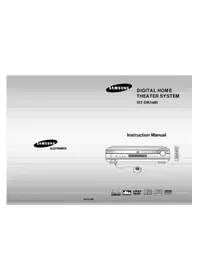
USER MANUAL Z-810Q SAMSUNG

Manual assistant
Powered by Anthropic
Waiting for your message
Product information
Brand : SAMSUNG
Model : Z-810Q
Category : Home Theater System