VE1833 - Audio/video extension ATEN - Free user manual and instructions
Find the device manual for free VE1833 ATEN in PDF.


Pick your language and provide your email: we'll send you a specifically translated version.
| Brand | ATEN |
| Model | VE1833 |
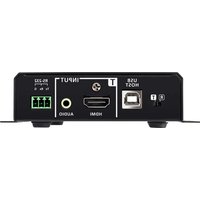
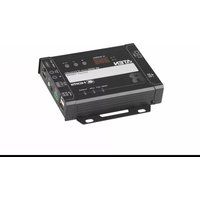
| Product Type | Audio/Video Extender (Transmitter and Receiver) |
| Input Interface | VGA, Stereo Audio (3.5mm) |
| Output Interface | VGA, Stereo Audio, RJ-45 (Cat5e/6) |
| Local Output | Yes (VGA + Audio) |
| Remote Transmission Distance | Up to 300 m (Cat5e/6) |
| Max Resolution | Up to 1920x1200 @ 60Hz; 1080p supported |
| Audio Support | Stereo audio over Cat5e/6 |
| Power Supply | DC 5V adapter (included) |
| LED Indicators | Power, Signal, Link status |
| Housing | Metal enclosure |
| Dimensions (W x D x H) | Approx. 124.2 x 89.0 x 29.0 mm |
| Weight | Approx. 0.9 kg (set) |
| Operating Temperature | 0 to 50°C |
| Storage Temperature | -20 to 60°C |
| Humidity | 20-80% RH (non-condensing) |
| Hot Plug | Supported |
| Mounting | Desktop or wall mountable |
| Maintenance | Clean with dry cloth; avoid liquids |
| Safety Warnings | For indoor use only; follow manual instructions |
| Repairability | No user-serviceable parts; contact ATEN support |
Frequently Asked Questions - VE1833 ATEN
What is the ATEN VE1833 used for?
The VE1833 is an audio/video extender that transmits VGA video and stereo audio over a single Cat5e/6 cable to distances up to 300 meters.
What is the maximum resolution supported?
The device supports resolutions up to 1920x1200 @ 60Hz, including 1080p. For maximum distance, lower resolutions are recommended.
Can I use the VE1833 for HDMI signals?
No, the VE1833 is designed for analog VGA signals, not HDMI. For HDMI, check ATEN's HDMI extender series.
Do I need two units, one for transmitter and one for receiver?
Yes, the VE1833 is typically sold as a transmitter and receiver set. Each side requires the appropriate power supply, though Power over Cable (PoC) may allow the receiver to draw power from the transmitter when using Cat5e.
How do I connect the VE1833?
Connect a VGA source to the transmitter input, a display to the receiver output, and link both with a Cat5e/6 cable (RJ-45) up to 300 m. Optionally, connect stereo audio via 3.5mm jacks.
Why is there no signal at the remote display?
Check that the Cat5e/6 cable is properly terminated and within maximum distance. Also verify that the VGA source and display are powered and that LEDs indicate a healthy link. Try a shorter cable or lower resolution.
Can I extend keyboard/mouse signals with the VE1833?
No, the VE1833 only carries VGA and audio signals. For keyboard/mouse, use a KVM extender.
Is the VE1833 compatible with all operating systems?
Yes, since it is a physical layer extender for analog signals, it works with any device with VGA output, regardless of OS.
How do I clean and maintain the VE1833?
Use a soft dry cloth to wipe the exterior. Avoid water, chemicals, and cleaning liquids. Ensure proper ventilation in the installation area.
What is the warranty for the VE1833?
ATEN offers a standard 2-year warranty (check your region). For repairs, contact your local ATEN service center.
User questions about VE1833 ATEN
0 question about this device. Answer the ones you know or ask your own.
Ask a new question about this device
No questions yet. Be the first to ask one.
Download the instructions for your Audio/video extension in PDF format for free! Find your manual VE1833 - ATEN and take your electronic device back in hand. On this page are published all the documents necessary for the use of your device. VE1833 by ATEN.
USER MANUAL VE1833 ATEN



Manual assistant
Powered by Anthropic
Waiting for your message
Product information
Brand : ATEN
Model : VE1833
Category : Audio/video extension