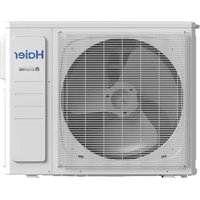
Arctic 1U24LP2HDA - Air Conditioning HAIER - Free user manual and instructions
Find the device manual for free Arctic 1U24LP2HDA HAIER in PDF.


Pick your language and provide your email: we'll send you a specifically translated version.
| Product Type | Ductless Split Air Conditioner |
| Brand | Haier |
| Model | Arctic 1U24LP2HDA |
| Cooling Capacity | 24,000 BTU/h (7.03 kW) |
| Heating Capacity | 25,000 BTU/h (7.33 kW) |
| Power Supply | 208/230 V, 60 Hz, 1 Phase |
| Refrigerant Type | R410A |
| Indoor Unit Dimensions (W × H × D) | 1130 mm × 320 mm × 236 mm |
| Outdoor Unit Dimensions (W × H × D) | 940 mm × 370 mm × 780 mm |
| Indoor Unit Weight | 16 kg (35 lbs) |
| Outdoor Unit Weight | 65 kg (143 lbs) |
| Air Circulation | 750 m³/h |
| Indoor Noise Level | 35 – 45 dB(A) |
| Outdoor Noise Level | 55 dB(A) |
| Compressor Type | Rotary (Hermetic) |
| Fan Speeds | Low, Medium, High, Auto |
| Air Filter | Washable Antibacterial Filter |
| Operating Modes | Cooling, Dehumidifying, Fan Only, Heating |
| Timer Function | 24-Hour On/Off Timer |
| Auto Restart | Yes (resumes after power failure) |
| Self-Diagnosis | Error Code Display |
| Remote Control | Wireless Remote Control |
| Installation Requirement | Professional Installation Recommended |
| Energy Efficiency (SEER) | 16.0 |
Frequently Asked Questions - Arctic 1U24LP2HDA HAIER
How do I clean the air filter of my Haier Arctic 1U24LP2HDA?
Turn off the unit and open the front panel. Remove the air filter and wash it with mild detergent and warm water. Rinse thoroughly and let it dry completely before reinstalling. Repeat every 2 weeks for optimal performance.
What should I do if the air conditioner is running but not cooling?
Check if the air filter is dirty and clean it. Verify that the set temperature is lower than the room temperature. Inspect the outdoor unit for obstructions and ensure all doors and windows are closed. If the issue persists, contact a qualified technician.
How do I set the 24-hour on/off timer?
Using the remote control, press the TIMER button. Select whether you want to set the on time or off time by pressing the mode button. Adjust the desired time with the up/down arrows and press SET to confirm.
What does the error code on the display mean?
Error codes indicate specific malfunctions. For example, a red flashing light or an E-code can signal communication issues, sensor failures, or compressor problems. Turn off the unit, wait 10 minutes, and restart. If the code persists, note the code and contact professional support.
How can I improve energy efficiency while using this air conditioner?
Set the thermostat to a moderate temperature like 24°C during cooling and 20°C during heating. Use the sleep mode at night, keep curtains closed during peak sunlight, and clean the filter regularly to maintain airflow.
What is the recommended maintenance schedule for this unit?
Clean the air filter every two weeks. Schedule an annual professional inspection to check refrigerant levels, electrical connections, coils, and the condensate drain. Regular maintenance ensures reliability and extends lifespan.
Can I operate the unit without the condensate drain line?
The condensate drain is essential for removing humidity from the indoor air. Without it, water may leak from the indoor unit. Ensure the drain tube is properly connected and not blocked. Some units offer a condensate pump option for installation flexibility.
What type of refrigerant does this air conditioner use and is it safe?
This unit uses R410A, a chlorine-free refrigerant that does not deplete the ozone layer. It operates at higher pressures than older refrigerants, so only certified technicians should handle it. It is safe when used appropriately.
How do I switch between cooling and heating modes?
On the remote control, press the MODE button until the desired mode icon appears (sun for heating, snowflake for cooling, drop for dehumidifying, and fan). The unit will start in that mode after a short delay to protect the compressor.
How often should I replace the batteries in the remote control?
Typical battery life is about 6 months with regular use. Replace the two AAA batteries when the remote becomes unresponsive or the display fades. Use fresh alkaline batteries to avoid corrosion.
User questions about Arctic 1U24LP2HDA HAIER
0 question about this device. Answer the ones you know or ask your own.
Ask a new question about this device
No questions yet. Be the first to ask one.
Download the instructions for your Air Conditioning in PDF format for free! Find your manual Arctic 1U24LP2HDA - HAIER and take your electronic device back in hand. On this page are published all the documents necessary for the use of your device. Arctic 1U24LP2HDA by HAIER.
USER MANUAL Arctic 1U24LP2HDA HAIER

Manual assistant
Powered by Anthropic
Waiting for your message
Product information
Brand : HAIER
Model : Arctic 1U24LP2HDA
Category : Air Conditioning