
N2264 - Thermostat SIEMENS - Free user manual and instructions
Find the device manual for free N2264 SIEMENS in PDF.
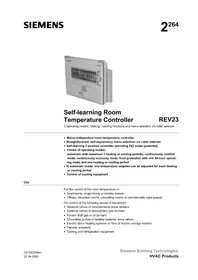


Pick your language and provide your email: we'll send you a specifically translated version.
| Product Type | Programmable Room Thermostat |
| Brand | Siemens |
| Model | N2264 |
| Control Type | Digital / Electronic |
| Display | Backlit LCD |
| Temperature Range | 5 °C to 35 °C |
| Temperature Accuracy | ±0.5 °C |
| Power Supply | 230 V AC, 50 Hz |
| Max Switching Current | 4 A (resistive load) |
| Output Contact Type | Normally open relay |
| Mounting | Wall-mounted (flush or surface box) |
| Dimensions (H × W × D) | 85 × 90 × 30 mm |
| Weight | 180 g |
| Protection Class | IP20 for indoor use |
| Programming | Weekly schedule with 7-day options |
| Operating Modes | Comfort, Eco, Frost protection |
| Switching Differential | Approx. 1 K |
| Electrical Safety | CE certified per EN 60730 |
| Cleaning | Wipe with a soft dry cloth; do not use solvents |
| Repair & Spare Parts | No user-serviceable parts; repairs by qualified technician |
Frequently Asked Questions - N2264 SIEMENS
How do I install the Siemens N2264 thermostat?
Installation should be carried out by a qualified electrician. Ensure the power supply is disconnected before wiring. Connect the thermostat to the heating system according to the wiring diagram in the manual. Mount the base plate on a wall box, connect the wires, then snap the thermostat onto the base. Do not cover the thermostat or place it near heat sources.
How do I set the date and time?
Press the menu button and navigate to Clock. Use the +/– buttons to adjust the hour and minute. Confirm with the OK button. The thermostat uses this for the weekly program.
How do I program the heating schedule?
Press the menu key and select Program. You can set up to 6 time periods per day, each with a target temperature (Comfort or Eco). Use the arrow buttons to select the day, time, and temperature. Store your settings with OK.
How do I switch between heating and cooling modes?
Some models support both heating and cooling. Navigate to System in the menu and choose Heating or Cooling. If your N2264 does not have cooling capability, this option may be hidden.
What do Comfort, Eco, and Frost protection modes mean?
Comfort mode keeps the room at your preferred, typically higher, temperature (e.g., 21 °C). Eco mode lowers the temperature to save energy during away times (e.g., 16 °C). Frost protection maintains a minimum temperature (e.g., 5 °C) to prevent pipes from freezing.
How do I reset the thermostat to factory defaults?
Press and hold the menu button for 5 seconds. Navigate to Factory reset and confirm. This will erase all custom programs and restore default settings.
Why is the room colder than the set temperature?
Check if the thermostat is in Eco or Frost mode. Ensure the heating system is operational and the setpoint is above the room temperature. Also verify that the thermostat is correctly wired and the switching differential (about 1 K) is not causing a noticeable lag.
Does the thermostat have a battery backup?
The Siemens N2264 is mains-powered (230 V AC). It may include a battery backup for the clock and program memory during a power outage, but the heating output requires electricity. Check the manual for the exact battery type.
How do I lock the keypad?
Press and hold the OK button for 3 seconds to activate Keypad lock. The display will show a lock icon. Repeat the same action to unlock.
What maintenance does the thermostat require?
No regular maintenance other than occasional cleaning with a dry, soft cloth. Avoid using cleaning agents, alcohol, or abrasive pads. Do not open the housing; internal components are not user-serviceable.
User questions about N2264 SIEMENS
0 question about this device. Answer the ones you know or ask your own.
Ask a new question about this device
No questions yet. Be the first to ask one.
Download the instructions for your Thermostat in PDF format for free! Find your manual N2264 - SIEMENS and take your electronic device back in hand. On this page are published all the documents necessary for the use of your device. N2264 by SIEMENS.
USER MANUAL N2264 SIEMENS


Manual assistant
Powered by Anthropic
Waiting for your message
Product information
Brand : SIEMENS
Model : N2264
Category : Thermostat